The most used mice by VALORANT players
The most popular mice are calculated based on 700 professional VALORANT players.
Introduction
VALORANT is a game that take a lot of notes from competitive shooters like Counter-Strike, and just like in that game, your precision matters a lot so you’re gonna want a good (FPS) gaming mouse. If you’re looking to buy your first real gaming mouse (or you just want to upgrade your older one) you’ve come to the right place. We’ve been taking a look at what the current VALORANT stars are using and we’ve used our data to come up with this list to help you find your personal best mouse for VALORANT.
Want even more info? We’ve got the specs and details on over 250 analyzed gaming mice in our gaming mice spec list.
Our Guide
The Pro Usage Top 5 gets updated continuously and instantly so that you can always get an accurate overview of what the pros are using at any given time. In the body of the article itself, we go over the five most popular pro products in no particular order and, when relevant, we also give you some extra options in the form of products that fall just outside of the top 5 or are otherwise relevant.
What makes a mouse good for VALORANT?
VALORANT is a tactical shooter where the time to kill (commonly abbreviated as ‘TTK’) is very low. Just a few well-placed bullets result in a kill, so obviously you’re going to want to use a mouse that has a flawless sensor. These have been the norm in any gaming mouse worth its salt for years now, so you generally don’t need to worry about that. With that said, things like the sensor and wireless implementation do matter a great deal, so you need to get a gaming mouse that’s well-built and made for competition at the highest tiers. Luckily, all the mice in this article match that description.
These days, most gaming mice also come with sensors that allow you to use higher polling rates. Whether or not that’s a huge advantage comes down to your system and how sensitive you are to these things, but it can be good to read up on the subject if you’re considering a new purchase.
Aside from the sensor, though, a lot comes down to personal preference. Sure, you want a mouse with good build quality, nice and tactile clicks, smooth feet, and all of that jazz but some of the most important factors (such as shape, for example) are entirely subjective. In case you’re completely new to this subject we’ve got a guide that should help you choose your perfect gaming mouse right here. If you more or less know what you want you can read this guide in peace: every mouse in this article is a top tier gaming mouse in its own right, complete with a flawless sensor, so you just have to figure out what you want as far as features go!
Razer Viper V4 Pro
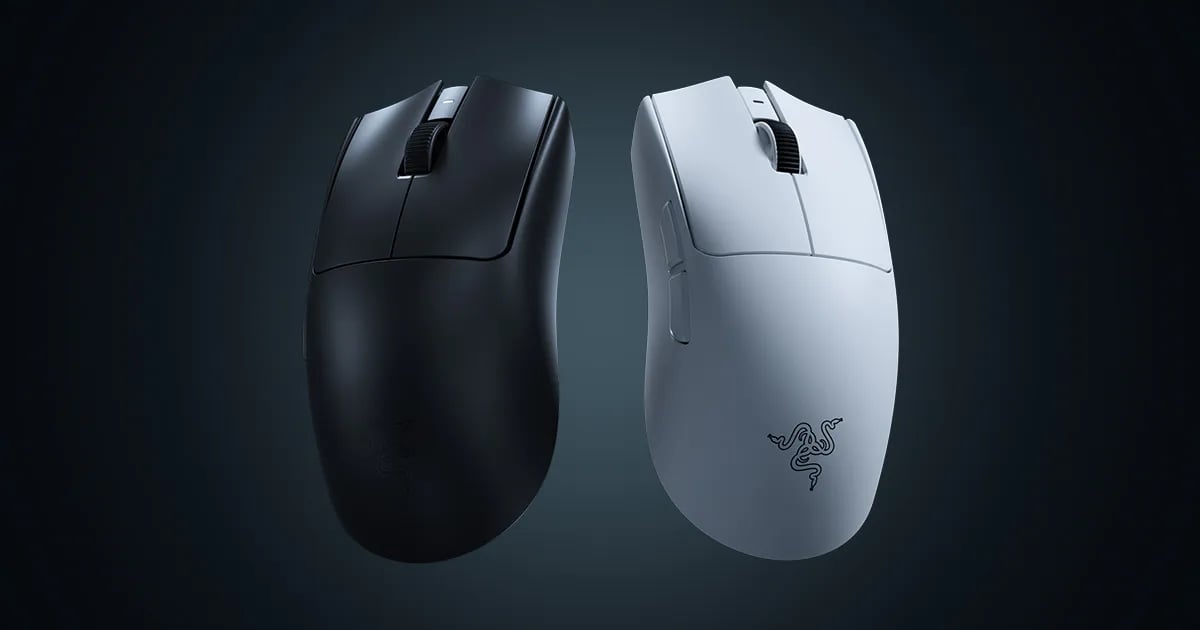
The Viper V4 Pro takes everything that made the V3 Pro great and refines it. It’s much lighter to begin with, which is obviously the focal point of this new version. But the switches also feel better, the mouse feels that slight bit more refined, and overall this is quite simply a better version of the V3 Pro. If the V3 Pro set the benchmark, the V4 Pro perfects it.
Under the hood, you’re getting the latest from Razer. A flawless sensor, perfect wireless performance, and 8KHz polling rates. On the performance front, this is one of the best mice out there. The only potential downside is the switches, which are now noticeably louder than on the V3 Pro. In terms of feel, they’re a lot better, but if you’re sensitive to the noise of a mouse click, it’s something to be aware of.
To sum it up, there are no revolutionary changes here, but there don’t need to be. Razer took an already excellent mouse and made it better in pretty much every way that matters. If you’re looking for a top tier ambidextrous wireless mouse for VALORANT, the Viper V4 Pro is about as good as it gets right now.
Razer Viper V4 Pro
Used by 122 VALORANT players ()Staff's Choice
Pro's Choice
The Razer Viper V4 Pro is one of the best gaming mice I’ve used so far. There is little to nothing I can objectively fault it for.
Pros
- Fantastic build quality
- Switches feel great
- Fantastic gaming performances
- Very lightweight
- Web driver works nicely and is super handy
Cons
- Switches are very loud
- Perhaps not as innovative as some would have hoped for (in terms of switches)
Specs
| Sensor | Focus Pro 50K |
|---|
| DPI | 100-50000, in steps of 1 |
|---|
| Polling Rate | 125 / 500 / 1000 / 2000 / 4000 / 8000 Hz |
|---|
| Button Switches | Razer Optical Gen-4 |
|---|
| Connection | Wireless |
|---|
| Shape | Ambidextrous |
|---|
| Length | 12.7 |
|---|
| Height | 4.0 |
|---|
| Weight | 49 |
|---|
| Width | 6.4 |
|---|
Razer Viper V3 Pro
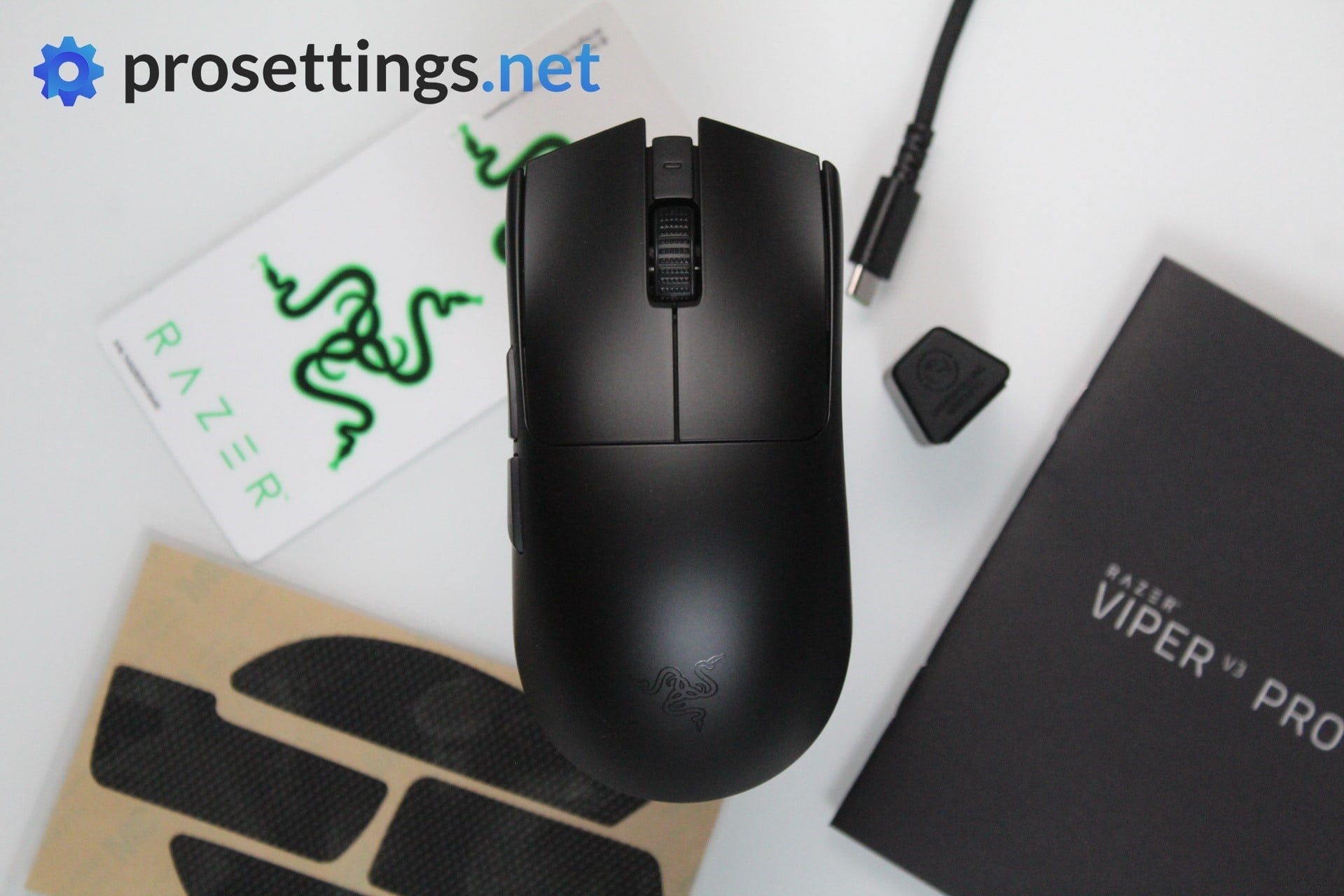
The Razer Viper V3 Pro is the successor to the Viper V2 Pro and the predecessor to the Viper V4 Pro. It’s no longer the latest release in the Viper line, but it’s still a fantastic product. Much like, its predecessor, the Viper V3 Pro does not disappoint when it comes to performance and features. It’s an esports-focused mouse that was designed with input from some of the world’s best gamers.
The shape is one of the major changes to the Viper V3 Pro over the V2 Pro. The V3 is boxier and more compact when compared to the V2. We have already reviewed the Viper V3 Pro in detail where we have gone into more depth about the shape changes, so you can check that out if you want more info. In short: the Viper V3 Pro is now more similar to the Logitech G Pro X Superlight.
As is the case with all top tier Razer mice, the Viper V3 Pro does not disappoint when it comes to performance. It features the Focus Pro 35K Optical sensor, which is capable of 8KHz polling rates. There are also optical switches inside the mouse, making it more responsive and less prone to switch failure. It’s been out for a while now and has been used on some of the world’s most important esports stages, so this is very much a top-tier and pro-approved gaming mouse.
To sum it up, the Viper V3 Pro is one of the best mice you can get for VALORANT. It’s fast, responsive, lightweight, and filled with useful features. If you want the absolute latest, the V4 Pro is the one to go for, but the V3 Pro remains an excellent choice, especially now that you can find it at a lower price.
Razer Viper V3 Pro
Used by 90 VALORANT players ()Staff's Choice
Pro's Choice
As far as I am concerned, the Viper V3 Pro is the new benchmark for gaming mice.
Pros
- Fantastic gaming performance
- 8KHz wireless polling rate out of the box
- New shape is a lot safer
- Good coating
- Razer optical switches feel great
Cons
- Expensive
- Side buttons feel a bit mushy
Specs
| Sensor | Focus Pro 35K Optical Gen-2 |
|---|
| DPI | 100-35000, in steps of 1 |
|---|
| Polling Rate | 8000 Hz |
|---|
| Button Switches | Razer Optical |
|---|
| Button Force | 67.6 |
|---|
| Connection | Wireless |
|---|
| Shape | Ambidextrous |
|---|
| Length | 12.71 |
|---|
| Height | 3.99 |
|---|
| Weight | 54 |
|---|
| Width | 6.39 |
|---|
Logitech G Pro X Superlight
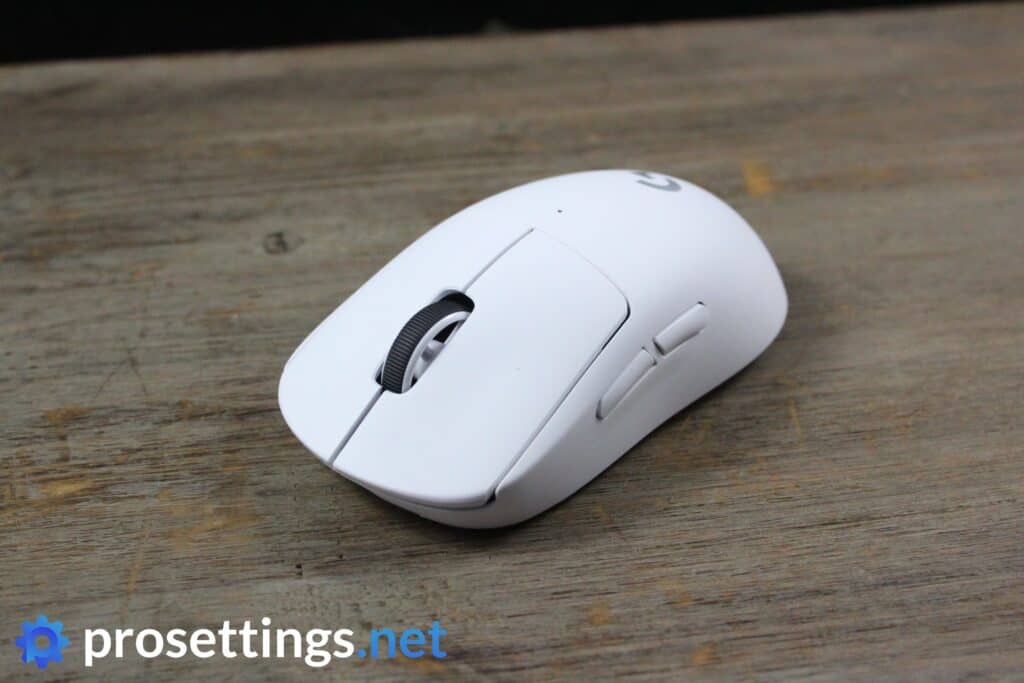
The Logitech G Pro Wireless (which is the mouse that this one is based on) was a fantastic mouse that shook the gaming world to its core when it first released, but eventually the competition started catching up, which led a lot of people to wonder what Logitech’s next move would be. The next move was the Superlight, which reinforced Logitech’s position as one of the world’s most respected equipment manufacturers.
The most notable feature is the extremely safe shape. This was designed after countless feedback rounds with professionals, and the result is a design that feels like it fits pretty much every hand and grip style out there. As a tradeoff, the Superlight isn’t the best if you’re looking for a specialized type of grip, but if you want a safe shape, this is the one to look for.
It’s an older mouse at this point in time but it’s still a great product, as is proven by the amount of pros who are still using it. If you are interested in the Superlight, we do recommend going for the Superlight 2, however. That’s a much more modern version (it has a USB-C charging port rather than Micro-USB, for example)
Logitech G Pro X Superlight
Used by 47 VALORANT players ()Kyedae

stellar

Victor

Mistic

Staff's Choice
Pro's Choice
If you’re looking for an ultra lightweight wireless mouse with a safe shape this is a top option.
Pros
- Fits most hands and grip styles
- Good battery life
- Flawless wireless performance
- Lightweight
Cons
- Micro USB charging port
- High price
Specs
| Sensor | HERO |
|---|
| DPI | 100-25600, in steps of 50 |
|---|
| Polling Rate | 125 / 250 / 500 / 1000 Hz |
|---|
| Button Switches | Omron |
|---|
| Button Force | 65 |
|---|
| Connection | Wireless |
|---|
| Shape | Ambidextrous |
|---|
| Length | 12.42 |
|---|
| Height | 3.96 |
|---|
| Weight | 62 |
|---|
| Width | 6.06 |
|---|
Logitech G Pro X Superlight 2
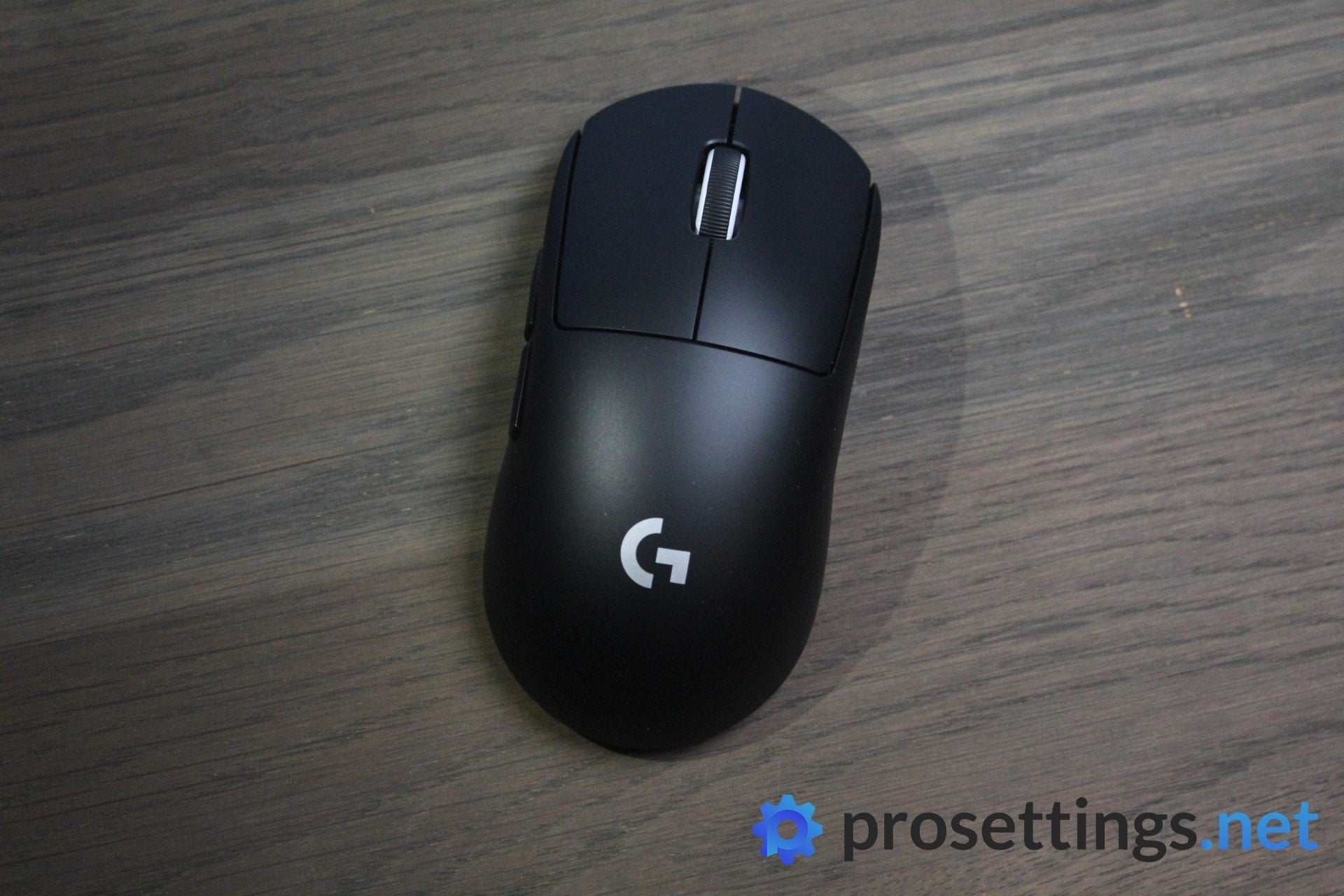
The Logitech G Pro X Superlight is not a new name for anyone in the competitive shooter genre. It’s gaming mouse royalty and arguably the most successful esports mouse ever made. The Superlight 2 is the successor to the original Superlight.
Physically, the mouse looks the same. There are no changes to the shape or the design. It’s the same ‘one shape fits all’ shape that made the original so popular.
It’s the hardware underneath where Logitech has made some good upgrades. Firstly, the Superlight 2 now features hybrid switches instead of mechanical ones. Optical switches are better and more durable than mechanical switches so this is a good addition.
Apart from the buttons, the mouse now has a new sensor capable of 8KHz polling rates. Using higher polling rates will drain the battery faster, reducing it from 95 hours on 1K Hz to 50 hours at 4KHz. Luckily, the charging process is now less painful due to the inclusion of a USB-C charging port.
In short, Superlight 2 feels more like an update rather than a new addition to the series. The updates are nice, but the difference in performance between the two is barely noticeable to most people. Also, the fact that the Superlight 2 is more expensive might be a deal-breaker for some people.
If you are going to buy a Superlight mouse, we recommend the Superlight 2, but if you’re rocking an original Superlight that still works there’s no big need to upgrade.
Logitech G Pro X Superlight 2
Used by 61 VALORANT players ()Staff's Choice
Pro's Choice
Logitech played it safe with the Logitech G Pro X Superlight 2, but that’s understandable. It’s a new version of one of the most-loved mice in all of professional gaming that introduces a couple of tweaks to bring Logitech’s flagship offering in line with today’s mouse standards.
Pros
- Super safe shape that’ll fit anyone
- Nice coating
- Extremely reliable wireless and sensor performance
- Addition of USB-C charging and optical switches addresses the two most commonly heard complaints about the GPX
- Sensor calibration tool in G HUB is really handy
- Good battery life
Cons
- Clicks feel heavier than on earlier versions, which might not sit well with everyone
- Bottom skate has a different shape, which feels like an unneeded change
Specs
| Sensor | HERO 25K |
|---|
| DPI | 100-32000, in steps of 50 |
|---|
| Polling Rate | 125 / 250 / 500 / 1000 / 2000 / 4000 / 8000 Hz |
|---|
| Button Switches | LIGHTFORCE Hybrid |
|---|
| Button Force | 98.4 |
|---|
| Connection | Wireless |
|---|
| Shape | Ambidextrous |
|---|
| Length | 12.42 |
|---|
| Height | 3.96 |
|---|
| Weight | 59 |
|---|
| Width | 6.06 |
|---|
Logitech G Pro X2 SUPERSTRIKE
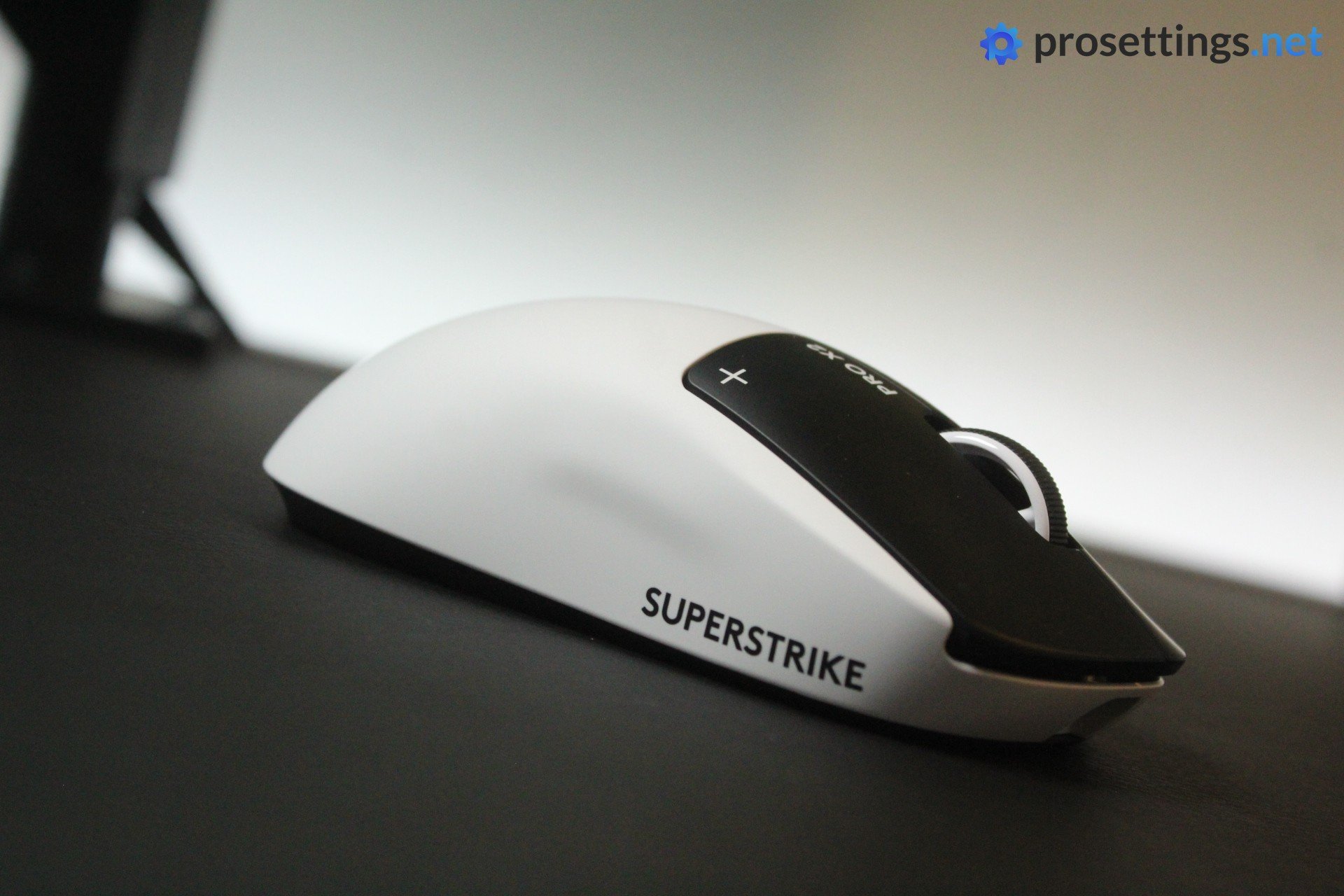
When Logitech announced that they were replacing traditional switches with haptic inductive technology in their flagship mouse, the competitive community took notice. The SUPERSTRIKE uses Logitech’s Haptic Inductive Trigger System (HITS), which ditches physical switch mechanisms in favor of inductive sensors paired with haptic motors. The result is a mouse that lets you customize the actuation point and the haptic feedback to your personal taste, which is revolutionary in the scene.
The shape is identical to the Superlight : it has the same safe, well-loved design that’s been a mainstay in VALORANT for years. The HERO 2 sensor is as reliable as ever, LIGHTSPEED wireless delivers flawless performance, and you get 8000Hz polling rates out of the box. At 61 grams, it’s essentially the same weight as the Superlight 2, so the transition is seamless if you’re upgrading from an older Logitech G Pro mouse.
Logitech G Pro X2 SUPERSTRIKE Lunar Eclipse
Used by 49 VALORANT players ()Zekken

something

Alfajer

Sacy

Staff's Choice
Pro's Choice
Innovation Award
Whether this mouse is worth its price tag is up to the reader to decide. But the SUPERSTRIKE is without a doubt one of the most innovative mice of the past decade.
Pros
- HITS switches are the way of the future
- Switches offer noticeable performance benefits
- Being able to customize the actuation point and click feedback is super useful
- Safe, trusted shape
- Great battery life
Cons
- Feet are somewhat scratchy
- Side buttons aren’t up to par
- Extremely expensive
Specs
| Sensor | HERO 2 |
|---|
| DPI | 100-44000, in steps of 50 |
|---|
| Polling Rate | 125 / 250 / 500 / 1000 / 2000 / 4000 / 8000 Hz |
|---|
| Button Switches | Logitech HITS |
|---|
| Connection | Wireless |
|---|
| Shape | Ambidextrous |
|---|
| Length | 11.8 |
|---|
| Height | 3.9 |
|---|
| Weight | 61 |
|---|
| Width | 6.2 |
|---|
Razer DeathAdder V3 Pro
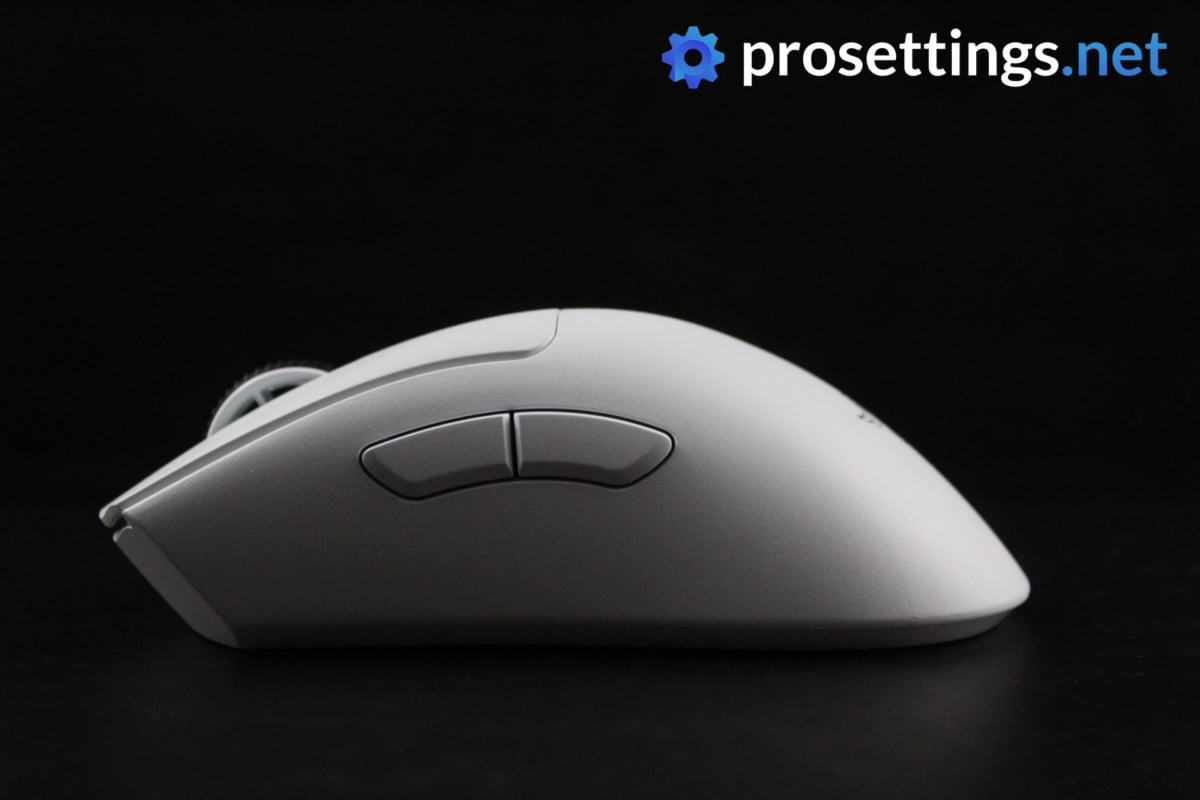
Razer’s DeathAdder is one of the most famous lines of mice to ever exist. Razer’s updates to this mouse haven’t always been as successful, leading the DeathAdder’s usage numbers to drop a bit in the early years of the 2020s, but the brand returned to form with the DeathAdder V3 Pro.
The new shape (the V3 is a lot shorter and ‘boxier’ than its flat and long predecessor) combines all of the best that Razer has to offer: optical switches (which last longer and are faster than traditional mechanical switches), a cutting edge sensor, great stock feet, and a very light weight of 63 grams. This mouse is built like a tank and looks and feels fantastic to use, and to top it all of it’s capable of higher polling rates.
While some DeathAdder aficionados might not agree with the shape change, it’s hard to argue with the results: the V3 has a safer shape than its predecessors, and we’ve seen a meteoric rise in its usage numbers when compared to its predecessors across pretty much all of our analyzed games.
If you’re looking for a wireless ergonomic mouse with top tier components then you should look towards the Razer DeathAdder V3 Pro or its successor, the DeathAdder V4 Pro.
Razer Deathadder V3 Pro
Used by 23 VALORANT players ()MiniBoo

AslaN

koldamenta

ngiN

Staff's Choice
Pro's Choice
The DeathAdder V3 Pro is aimed squarely at competitive and professional gamers who desire performance above all else, and it hits the mark on all fronts.
Pros
- Great build quality
- Flawless wireless connection
- Great battery life (90 hours)
- Capable of 4KHz polling rate in wireless mode (with separate dongle)
- Gen 3 optical switches feel great
Cons
- Price is high
- Side buttons have too much post travel
- Shape change might not sit well with everyone
- 4KHz polling rate not achievable out of the box (you need a separate dongle)
Specs
| Sensor | Focus Pro 30K |
|---|
| DPI | 100-30000, in steps of 50 |
|---|
| Polling Rate | 125 / 500 / 1000 / 4000 / 8000 Hz |
|---|
| Button Switches | Razer Optical |
|---|
| Button Force | 81 |
|---|
| Connection | Wireless |
|---|
| Shape | Ergonomic |
|---|
| Length | 12.95 |
|---|
| Height | 4.21 |
|---|
| Weight | 63 |
|---|
| Width | 6.13 |
|---|
Razer DeathAdder V4 Pro
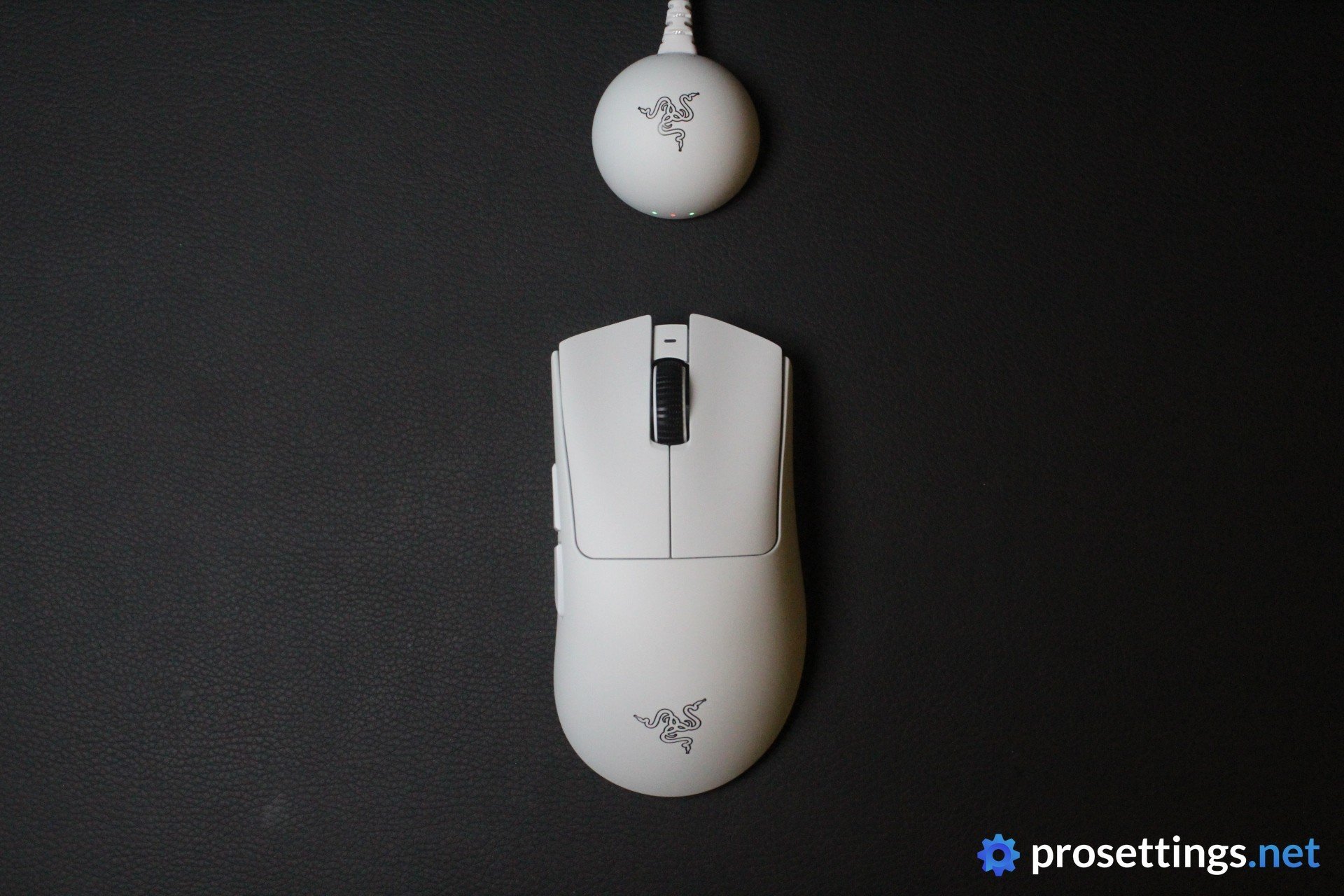
The DeathAdder V4 Pro is the successor to V3 Pro, which was the mouse that made the DeathAdder line popular again in pro circles. As such, there haven’t been big changes to the overall design. We did see a weight reduction of 7 grams, a new coating, larger skates, and refreshed side buttons. Under the hood, the DAV4 Pro sports Razer’s latest Focus Pro 45K Gen-2 sensor, and the scroll wheel has an optical encoder. Finally, the battery life has also improved, and there’s also a newly designed dongle.
If you’re not that into gaming mice and you’re curious what this all means: it means that the DeathAdder V4 Pro is one of the most technologically advanced gaming mice out there. But the DeathAdder V3 Pro is still very much a top product, too. So if you’re on a bit of a budget, you can safely go for the older version. If you want one of the best ergo mice out there right now, though, the V4 Pro is the one to go for.
Razer DeathAdder V4 Pro
Used by 42 VALORANT players ()Staff's Choice
Pro's Choice
The Razer DeathAdder V4 Pro is a fantastic gaming mouse that does pretty much everything right. It has cutting edge specs and great technology behind it, and it improves on its predecessor in a number of ways. Given how good the V3 Pro already was, that makes the DeathAdder V4 Pro one of the best mice out there at this point in time.
Pros
- Fantastic gaming performance
- Great build quality
- Great scroll wheel
- Great buttons
- Very impressive battery life
Cons
- Extremely expensive
- Buttons are on the louder side and don’t sound great
Specs
| Sensor | Razer Focus Pro 45K |
|---|
| DPI | 100-45000, in steps of 1 |
|---|
| Polling Rate | 125 / 500 / 1000 / 2000 / 4000 / 8000 Hz |
|---|
| Button Switches | Razer Optical Gen-4 |
|---|
| Connection | Wireless |
|---|
| Shape | Ergonomic |
|---|
| Length | 12.8 |
|---|
| Height | 4.4 |
|---|
| Weight | 56 |
|---|
| Width | 6.8 |
|---|
Razer Viper V2 Pro
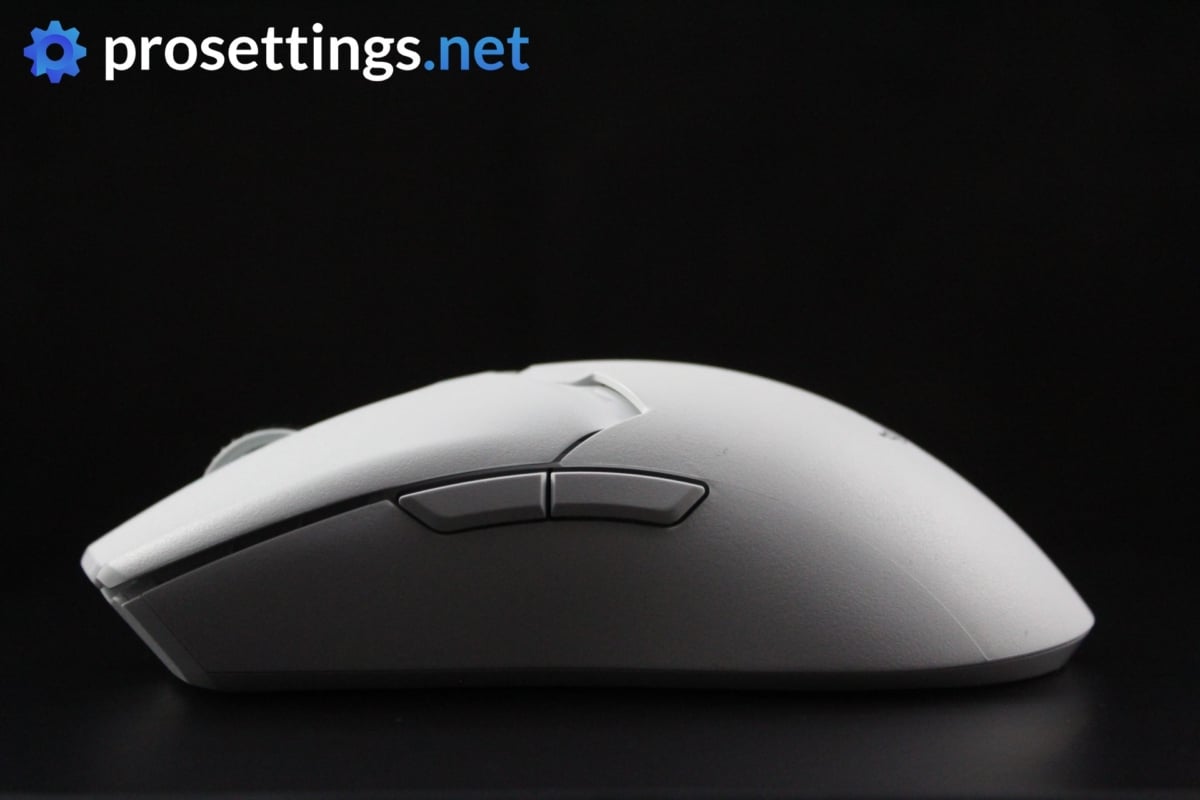
The Razer Viper V2 Pro is the successor to the Viper Ultimate. It is essentially a more stripped down version of its predecessor, cutting down on the weight (as well as the side buttons on the right side) in order to be a more esports-focused device. This also meant that some features got stripped, however. The Viper V2 Pro isn’t compatible with the charging dock that came with the Ultimate anymore, for example.
It’s a pretty old mouse at this point in time, but it was so advanced that it’s still considered to be a good choice in this day and age. If you’re looking for a top tier wireless ambidextrous esports mouse with a flat and neutral shape, the Viper V2 Pro is a worthy contender.
Razer Viper V2 Pro
Used by 7 VALORANT players ()Staff's Choice
Pro's Choice
All in all, the Razer Viper V2 Pro is an impressive release, and if you’re looking for a very lightweight wireless ambidextrous mouse you should take a look at this one. It’s packed full of exciting tech, performs flawlessly, and it feels rock solid despite weighing less than a tennis ball.
Pros
- Grip tape included
- Lightweight
- Gen 3 optical switches feel and perform great
- Flawless wireless performance
- Removed right side buttons make for a more consistent grip, but makes the mouse unusable for lefties
- Capable of 4KHz polling rate in wireless mode (with separate dongle)
Cons
- A bit too much post travel on the main buttons
- High price
- Loses the dock functionality that the V1 had
- 4KHz polling rate not achievable out of the box (you need a separate dongle)
Specs
| Sensor | Focus Pro 30K |
|---|
| DPI | 50-30000, in steps of 50 |
|---|
| Polling Rate | 125 / 250 / 500 / 1000 / 4000 Hz |
|---|
| Button Switches | Razer Optical |
|---|
| Button Force | 75 |
|---|
| Connection | Wireless |
|---|
| Shape | Ambidextrous |
|---|
| Length | 12.57 |
|---|
| Height | 3.77 |
|---|
| Weight | 59 |
|---|
| Width | 6.14 |
|---|
Lamzu Maya X
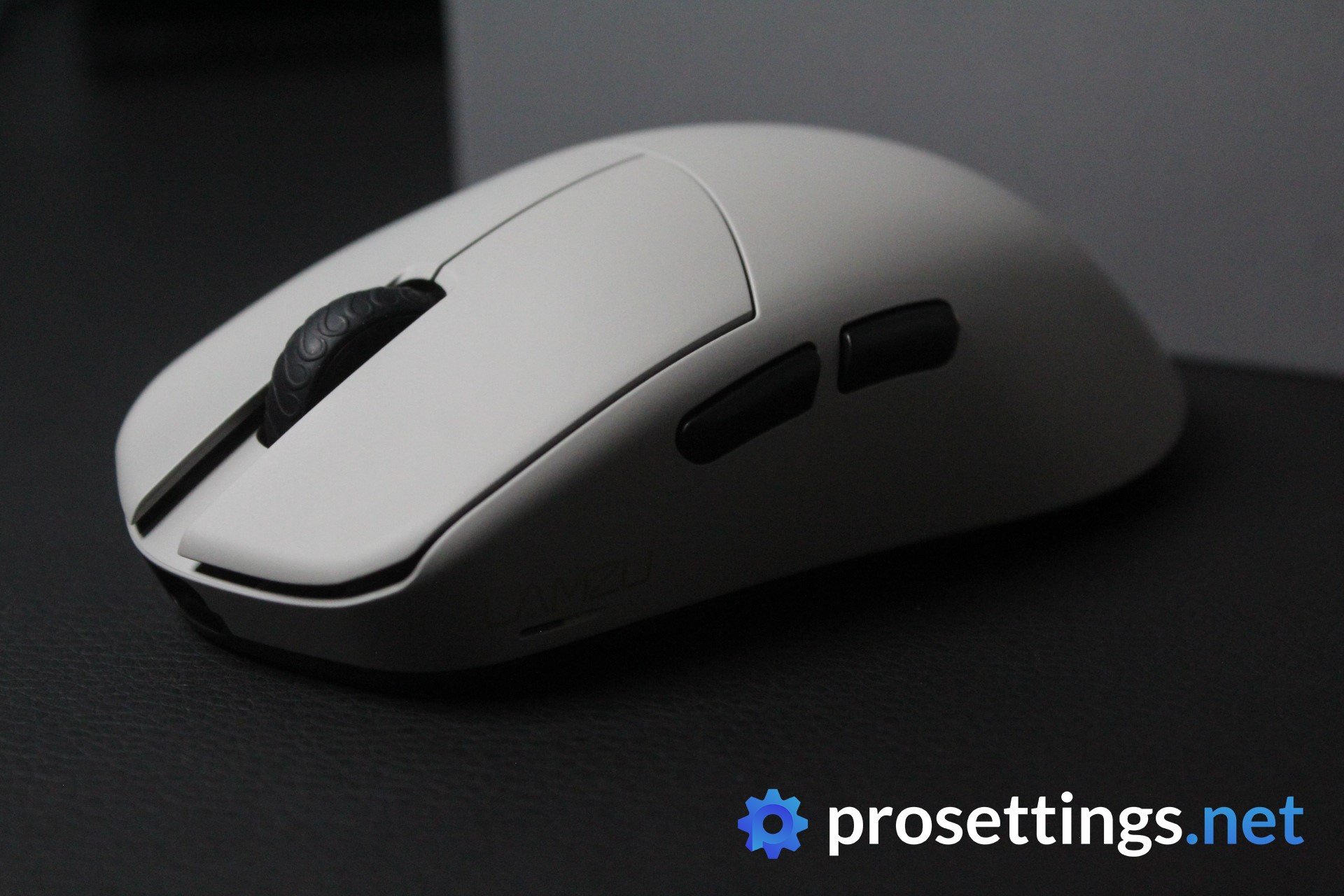
Lamzu is a brand that might not ring a bell with casual gamers, but it’s without a doubt one that will sound familiar with enthusiasts. Over the past couple of years, the brand has been steadily building an impressive catalogue of reliable and well-performing gaming mice that aren’t the usual clones of ultra popular shapes. The brand does its own thing, and it does it well.
The Maya X is a larger ambidextrous mouse that comes in at just 47 grams. It features a top-tier sensor that allows for polling rates of up to 8000Hz and also comes with optical switches. To summarize: this is a top-end gaming mouse, and it can be bought for a great price compared to similarly-specced mice from the big brands.
With little to no objective downsides, this is one to consider if you’re looking for a larger ultralight mouse to play VALORANT (or any other game) with.
Lamzu Maya X
Used by 24 VALORANT players ()ethos

trexx

Tacolilla

crashies

In a year where brands from all over the globe have been dropping some absolutely fantastic releases, it’s pretty hard to stand out. However, Lamzu has managed to do exactly that with the Maya X. It’s one of the best releases of this year for me.
Pros
- Good stock skates
- Fantastic build quality
- Great clicks
- Great gaming performance
- Amazing unboxing experience
- Good coating
Cons
- Bottom of the mouse could be solid (or at least could be made to protect the scroll wheel from debris a bit better)
- Side buttons can be crispier
Specs
| Sensor | PAW3950 |
|---|
| DPI | 100-30000, in steps of 50 |
|---|
| Polling Rate | 500 / 1000 / 2000 / 4000 / 8000 Hz |
|---|
| Button Switches | Optical Switches |
|---|
| Button Force | 65.3 |
|---|
| Connection | Wireless |
|---|
| Shape | Ambidextrous |
|---|
| Length | 12.4 |
|---|
| Height | 4.0 |
|---|
| Weight | 47 |
|---|
| Width | 5.7 |
|---|
Best Mouse for VALORANT – Conclusion
Getting the right mouse for VALORANT comes down to preference, as is the case with pretty much every other shooter game out there. What works for your favorite pro or reviewer might not work for you, so it’s important that you get a mouse that suits your hands and preferences. Luckily the mice featured in this article are very diverse, so this should be an ideal starting point for you if you’re considering your first gaming mouse purchase or if you want to upgrade your existing setup.
If you have any questions or remarks about the mice then feel free to post a comment on their review pages or reach out to us on Twitter or Discord.

