The most used mice by Fortnite players
The most popular mice are calculated based on 338 professional Fortnite players.
Introduction
Fortnite needs no introduction. The game has been a cultural phenomenon that far surpassed its gaming roots to the point where it felt like everyone was talking about it at one point in time. The game’s popularity in the mainstream entertainment market might be past its highest point, but the game itself certainly isn’t. Fortnite is constantly being kept fresh, and tons of players are still playing every day.
Whether you’re a veteran or a complete newbie; there’s one thing that doesn’t change and that’s the fact that you need good gear in order to play to your full potential. To help you with that we’ve analyzed the mice that our pro players are using, and we’ve come up with a list of the best Fortnite mice. A mouse is obviously something subjective and largely comes down to personal tastes, but using this list as a guideline can be a great start when choosing a new mouse.
Feel free to check out our gaming mouse spec list, where we list the specs of over 250 registered gaming mice.
Our Guide
The Pro Usage Top 5 gets updated continuously and instantly so that you can always get an accurate overview of what the pros are using at any given time. In the body of the article itself, we go over the five most popular pro products in no particular order and, when relevant, we also give you some extra options in the form of products that fall just outside of the top 5 or are otherwise relevant.
What makes a mouse good for Fortnite?
Fortnite is a relatively simple game, in the sense that you don’t have a metric ton of abilities and buttons to press. It can be handy to have a few extra input options if you’re someone who likes to have everything bound to your mouse, but generally a regular mouse with the regular two side buttons should be fine.
Since it’s a shooter and you’ve got to be able to aim well it’s important to choose a mouse which suits your grip style and hand size too. After all, you will want your mouse to be comfortable for you if you’re going to be using it for hours on end. There’s no need to go for a mouse that has all the top tier components but doesn’t fit your hand and grip style at all.
What’s interesting is that large sections of Fortnite professionals are rather keen to adopt or at least try out new gear. This willingness to switch out gear makes it difficult for any given product to achieve a notable market share, since it might be replaced by a newer offering once it starts getting a bit of a foothold. For this reason, there are a number of older products in this list. These are from the time when the mouse market moved a bit slower, and are still being used by players who aren’t as switch-happy. All of the products in this list are still great gaming mice today, but we will note when newer alternatives are available.
Razer Viper V3 Pro
The Razer Viper V3 Pro is one of the fastest climbing products in the history of ProSettings.net, and for good reason. At a time where a lot of people were a bit miffed with the incremental updates that the Logitech G Pro X Superlight 2 offered over its predecessor, Razer released a shape competitor with top tier internals. The Viper V3 Pro was so well-received that it was basically the first mouse in years to challenge the Superlight’s dominance.
Compared to the Viper V2 Pro, the biggest change comes in the form of the shape. The newest Viper is a lot boxier than its predecessor, making it a much safer shape. At a weight of just 54 grams, it’s lighter than rival offerings from other mainstream brands, and with polling rates of 8000Hz out of the box, optical switches, and a flawless sensor, it’s not a surprise that this was one of 2024’s hottest releases. it’s also not a surprise that it’s still going strong, either.
If you like a neutral shape for your gaming mouse and you want absolute top tier specs, this is one of the best mice to consider right now.
Razer Viper V3 Pro
Used by 81 Fortnite players ()
-
Bugha

-
Mongraal

-
Deyy

-
Lothar

Staff's Choice
Pro's Choice
As far as I am concerned, the Viper V3 Pro is the new benchmark for gaming mice.
Read review (05/2024)
Pros
- Fantastic gaming performance
- 8KHz wireless polling rate out of the box
- New shape is a lot safer
- Good coating
- Razer optical switches feel great
Cons
- Expensive
- Side buttons feel a bit mushy
Specs
| Sensor |
Focus Pro 35K Optical Gen-2 |
| DPI |
100-35000, in steps of 1 |
| Polling Rate |
8000 Hz |
| Button Switches |
Razer Optical |
| Button Force |
67.6 |
| Connection |
Wireless |
| Shape |
Ambidextrous |
| Length |
12.71 |
| Height |
3.99 |
| Weight |
54 |
| Width |
6.39 |
Logitech G Pro X Superlight
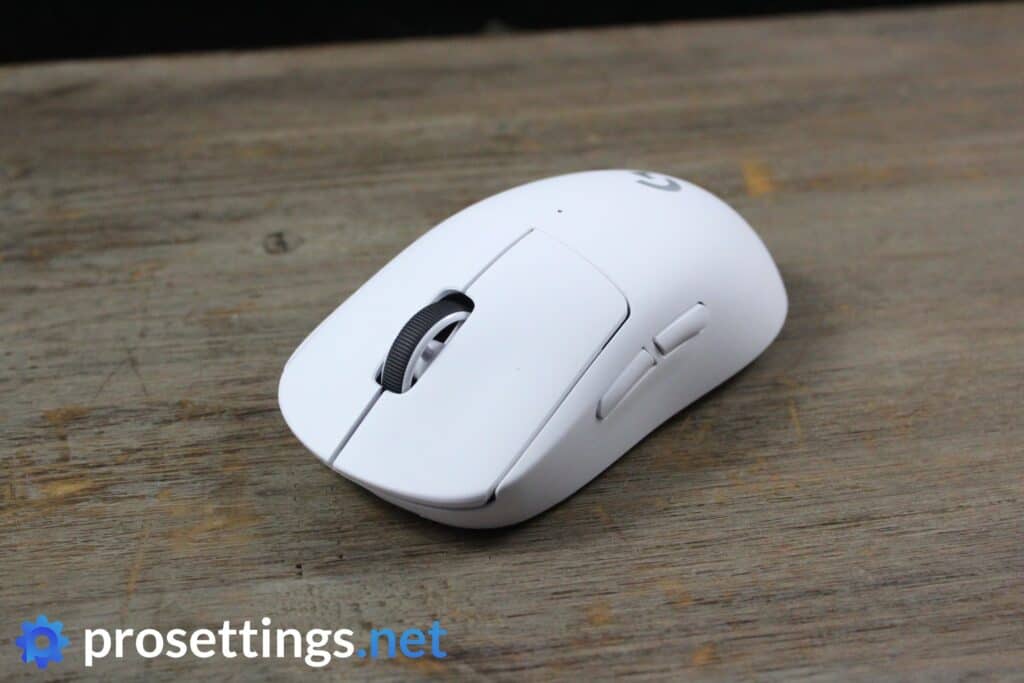
When the Logitech G Pro Wireless released, it was the undisputed king of (wireless) gaming mice, and the technology behind that product was so impressive that it remained in that position for many months after its release. Competitors did catch up after a while though, prompting Logitech to release the Superlight: an updated version of the well-loved G Pro Wireless.
The main differences between the two (aside from the fact that the Superlight only has side buttons on the left) lie in the fact that the Superlight is a lot lighter (as the name would imply) at just 62 grams, and that the Superlight has better stock feet and new switches that are supposed to eliminate the risk of accidental double clicking.
The updates made the G Pro X Superlight (commonly known as ‘GPX’) the benchmark to beat yet again, and that solidified the mouse line’s grasp on the competitive gaming market. The Superlight is undisputedly gaming mouse royalty, and thanks to its safe shape and finely tuned features (the clicks aren’t too heavy, nor too light; the same goes for the scroll wheel) it can be picked up and used effectively by almost any gamer.
It has since been succeeded by the Superlight 2, but the original Superlight is still a very capable gaming mouse that can be bought for pretty friendly prices these days.
Logitech G Pro X Superlight
Used by 41 Fortnite players ()
-
itsJerian

-
TaySon

-
aqua

-
psalm

Staff's Choice
Pro's Choice
If you’re looking for an ultra lightweight wireless mouse with a safe shape this is a top option.
Read review (11/2020)
Pros
- Fits most hands and grip styles
- Good battery life
- Flawless wireless performance
- Lightweight
Cons
- Micro USB charging port
- High price
Specs
| Sensor |
HERO |
| DPI |
100-25600, in steps of 50 |
| Polling Rate |
125 / 250 / 500 / 1000 Hz |
| Button Switches |
Omron |
| Button Force |
65 |
| Connection |
Wireless |
| Shape |
Ambidextrous |
| Length |
12.42 |
| Height |
3.96 |
| Weight |
62 |
| Width |
6.06 |
Logitech G Pro X Superlight 2
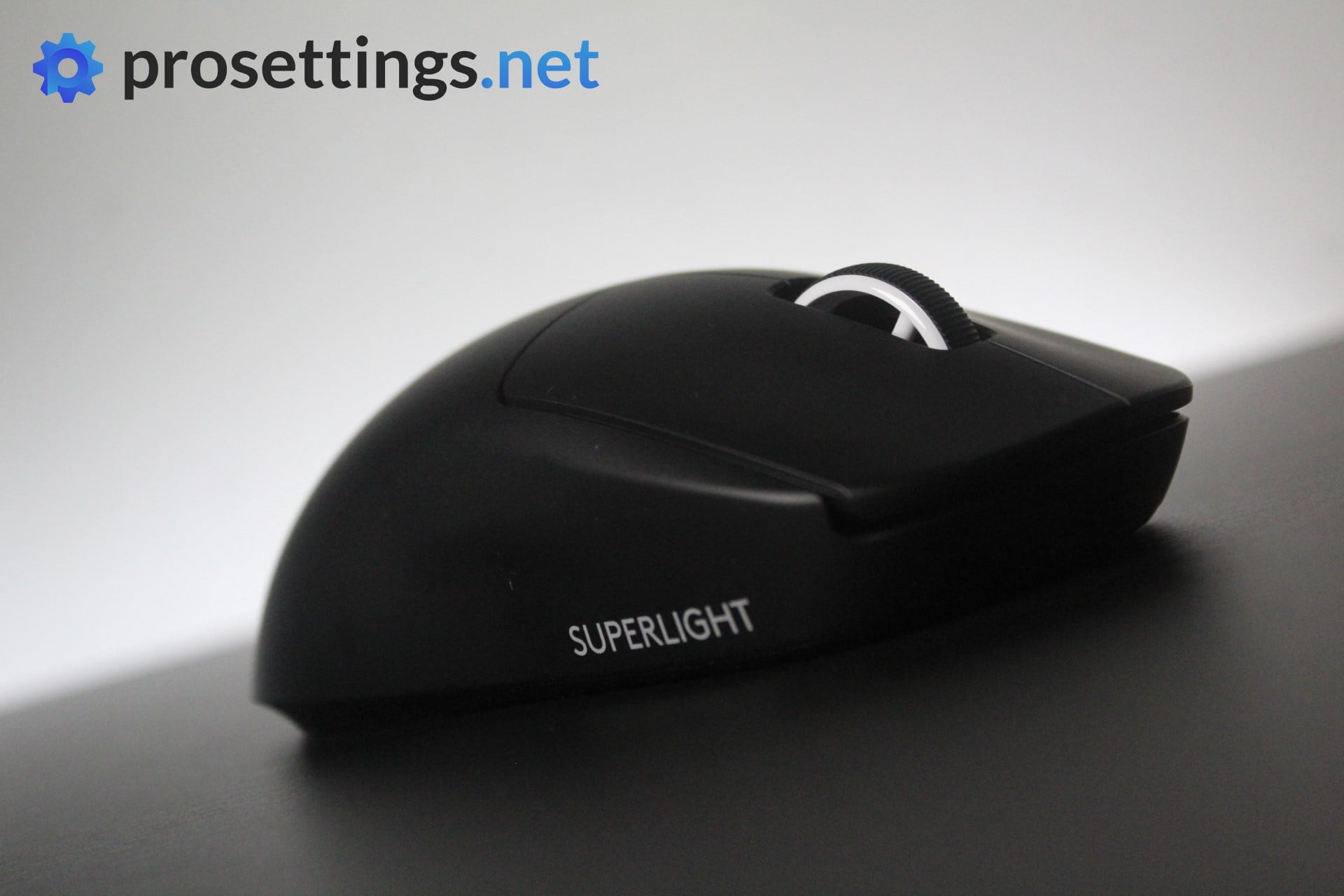
The Superlight 2, as the name implies, is the successor to the Superlight and it has got some neat upgrades.
Firstly the specs. Both the main mouse buttons and the side buttons have hybrid switches underneath them, which are more responsive and durable than standard mechanical switches. Under the hood, the Superlight 2 features the Hero 25K sensor rated for an 8000Hz polling rate. It’s Logitech’s flagship sensor, so it’s obviously great in the performance department. The Superlight 2 is also 3 g lighter than the Superlight (62g) weighing in at 59g.
Apart from the good specs and super reliable performance, one of the main reasons the Logitech G Pro X Superlight is so popular is the shape. Because the old shape was so well received, Logitech did not change the shape in this next iteration. The Superlight 2 is physically the same as the Superlight, which is great news for people who want to upgrade from their old mouse.
If you want the latest tech in the Superlight shape, you can also look at the Logitech G Pro X2 SUPERSTRIKE, which uses the same shell but replaces the switches with Logitech’s new Haptic Inductive Trigger System technology.
Logitech G Pro X Superlight 2
Used by 26 Fortnite players ()
-
MrSavage

-
benjyfishy

-
AsianJeff

-
Pxlarized

Staff's Choice
Pro's Choice
Logitech played it safe with the Logitech G Pro X Superlight 2, but that’s understandable. It’s a new version of one of the most-loved mice in all of professional gaming that introduces a couple of tweaks to bring Logitech’s flagship offering in line with today’s mouse standards.
Read review (11/2023)
Pros
- Super safe shape that’ll fit anyone
- Nice coating
- Extremely reliable wireless and sensor performance
- Addition of USB-C charging and optical switches addresses the two most commonly heard complaints about the GPX
- Sensor calibration tool in G HUB is really handy
- Good battery life
Cons
- Clicks feel heavier than on earlier versions, which might not sit well with everyone
- Bottom skate has a different shape, which feels like an unneeded change
Specs
| Sensor |
HERO 25K |
| DPI |
100-32000, in steps of 50 |
| Polling Rate |
125 / 250 / 500 / 1000 / 2000 / 4000 / 8000 Hz |
| Button Switches |
LIGHTFORCE Hybrid |
| Button Force |
98.4 |
| Connection |
Wireless |
| Shape |
Ambidextrous |
| Length |
12.42 |
| Height |
3.96 |
| Weight |
59 |
| Width |
6.06 |
Razer DeathAdder V3 Pro
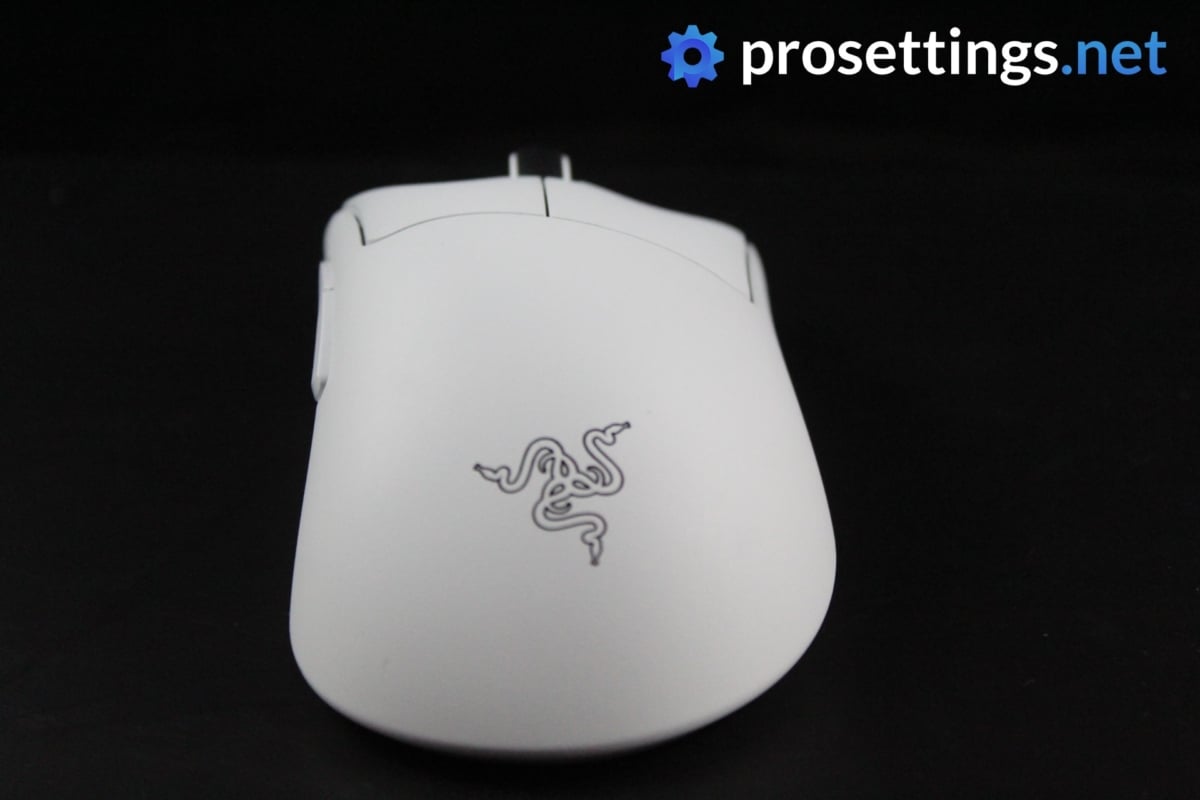
The Deathadder is not a new name for any gamer. It was one of the most popular mice back in the day and it has been around for over a decade. The Deathadder V3 Pro continues the legacy of the original Deathadder, modernizing it with better specs and improving on its shape.
The most obvious difference between this and older versions is the weight and shape of the mouse. Gone is the old long and rather flat shape, in is a new, boxier shape. This makes the DeathAdder more similar to popular ergonomic mice such as the ZOWIE EC series and its many clones, and this move seems to have been well received if we’re looking at how popular the DAV3 Pro (and its successor, the DAV4 Pro) is.
Of course, the hardware underneath is top notch as well. The Deathadder V3 Pro houses the Focus 30K Pro sensor, optical switches, and goes up to a polling rate of 8KHz if you purchase a HyperPolling dongle. It has the same specs as the Viper V3 Pro, which has been critically acclaimed for its performance. So, in the performance department, you can rest assured that the mouse will perform superbly.
The Razer DeathAdder V4 Pro is also available, which offers a bunch of upgrades over the third iteration. The V3 is still an extremely capable gaming mouse, however, so if you want to be a bit more budget-conscious then this is absolutely still an option.
Razer Deathadder V3 Pro
Used by 6 Fortnite players ()
Staff's Choice
Pro's Choice
The DeathAdder V3 Pro is aimed squarely at competitive and professional gamers who desire performance above all else, and it hits the mark on all fronts.
Read review (08/2022)
Pros
- Great build quality
- Flawless wireless connection
- Great battery life (90 hours)
- Capable of 4KHz polling rate in wireless mode (with separate dongle)
- Gen 3 optical switches feel great
Cons
- Price is high
- Side buttons have too much post travel
- Shape change might not sit well with everyone
- 4KHz polling rate not achievable out of the box (you need a separate dongle)
Specs
| Sensor |
Focus Pro 30K |
| DPI |
100-30000, in steps of 50 |
| Polling Rate |
125 / 500 / 1000 / 4000 / 8000 Hz |
| Button Switches |
Razer Optical |
| Button Force |
81 |
| Connection |
Wireless |
| Shape |
Ergonomic |
| Length |
12.95 |
| Height |
4.21 |
| Weight |
63 |
| Width |
6.13 |
Razer Viper Ultimate
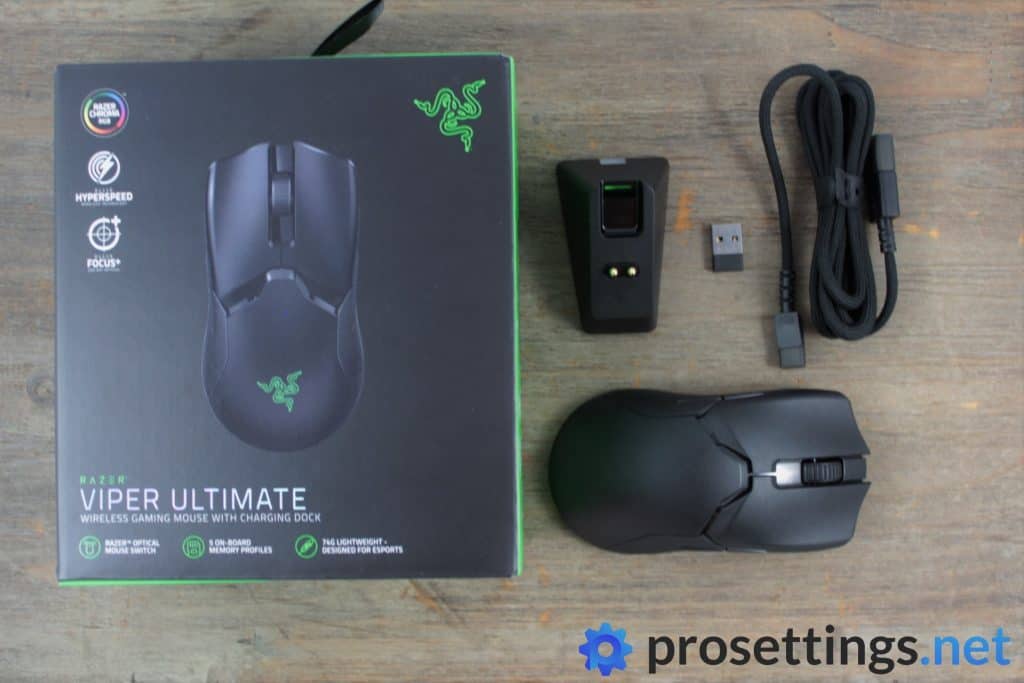
The Viper Ultimate is an older mouse, but it’s still a reliable performer.
At the time when the Viper Ultimate came out, Razer was struggling a bit in the pro player mouse market segment. Logitech’s G Pro Wireless was the undisputed king of gaming mice, and the Viper Ultimate was the first mainstream release to make a credible challenge for the crown. With a flawless wireless connection, Optical mouse switches, an advanced sensor, an added charging dock, and a low weight of 74 grams it was a more than adequate reply to Logitech’s offering.
The Viper Ultimate is still a great choice today, but is has been followed up by the Viper V2 Pro. The V2 Pro has a lighter weight, better feeling switches, a better sensor, making it a better choice for competitive gamers. If you want to use the dock or you need side buttons on the right side you have to go for the Ultimate version, though, as those features have been cut from the V2, so if you’re looking for slightly more luxurious Viper experience then the Ultimate might be the one for you.
Razer Viper Ultimate
Used by 6 Fortnite players ()
-
Drakonz

-
Kreo

-
Jordan

-
Skram

Staff's Choice
Pro's Choice
The fact that this is a wireless mouse with a lag-free connection and flawless sensor, complete a rechargeable battery (with a life of around 70 hours) at a mere 74 grams is impressive enough on its own but Razer has managed to get over the proverbial bar and then set it even higher with a number of interesting upgrades.
Read review (10/2019)
Pros
- Great wireless performance
- Lightweight design
- Optical switches are more reliable than mechanical ones
- Great stock feet
- Charging dock is an amazing addition
Cons
- Optical switches aren’t as snappy as mechanical switches
- Scroll wheel feels ‘buried’ between the buttons
- Scroll wheel feels inconsistent
Specs
| Sensor |
Focus+ |
| DPI |
100-20000, in steps of 50 |
| Polling Rate |
125 / 250 / 500 / 1000 Hz |
| Button Switches |
Razer Optical |
| Button Force |
82 |
| Connection |
Wireless |
| Shape |
Ambidextrous |
| Length |
12.93 |
| Height |
3.75 |
| Weight |
74 |
| Width |
5.85 |
Logitech G Pro X2 SUPERSTRIKE
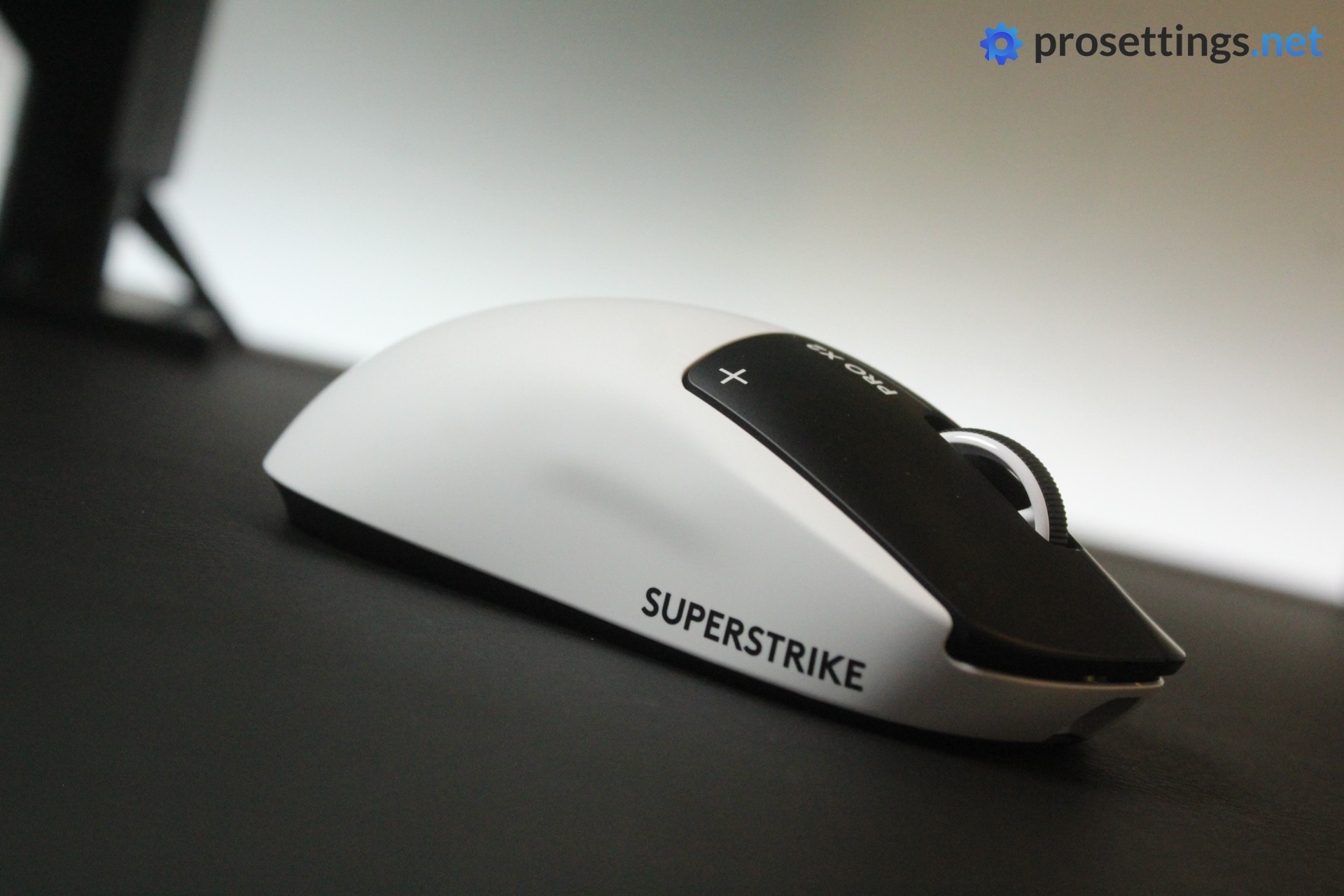
The SUPERSTRIKE is the latest addition to Logitech’s legendary G Pro line, and it might just be the most innovative gaming mouse in years. On the surface, it’s identical to the Superlight 2, same shape, same weight class, same clean design. But the magic is in the clicks.
Logitech has replaced traditional mechanical switches with their Haptic Inductive Trigger System (HITS). Instead of a physical switch actuating underneath the button, inductive sensors detect your click and a haptic motor provides the tactile feedback. This means that you can customize the actuation point and haptic feedback intensity through Logitech’s G HUB software, which gives you a level of click customization that simply didn’t exist before.
The rest of the specs are what you’d expect from a top tier Logitech mouse. The HERO 2 sensor is flawless, LIGHTSPEED wireless performs without a hitch, and the 8000Hz polling rate is supported out of the box. At 61 grams, it’s a touch heavier than the Superlight 2, but that’s still well within the current range of acceptable weights in the pro scene.
Logitech G Pro X2 SUPERSTRIKE Lunar Eclipse
Used by 26 Fortnite players ()
-
Peterbot

-
shroud

-
Malibuca

-
Setty

Staff's Choice
Pro's Choice
Innovation Award
Whether this mouse is worth its price tag is up to the reader to decide. But the SUPERSTRIKE is without a doubt one of the most innovative mice of the past decade.
Read review (02/2026)
Pros
- HITS switches are the way of the future
- Switches offer noticeable performance benefits
- Being able to customize the actuation point and click feedback is super useful
- Safe, trusted shape
- Great battery life
Cons
- Feet are somewhat scratchy
- Side buttons aren’t up to par
- Extremely expensive
Specs
| Sensor |
HERO 2 |
| DPI |
100-44000, in steps of 50 |
| Polling Rate |
125 / 250 / 500 / 1000 / 2000 / 4000 / 8000 Hz |
| Button Switches |
Logitech HITS |
| Connection |
Wireless |
| Shape |
Ambidextrous |
| Length |
11.8 |
| Height |
3.9 |
| Weight |
61 |
| Width |
6.2 |
Razer Viper V2 Pro
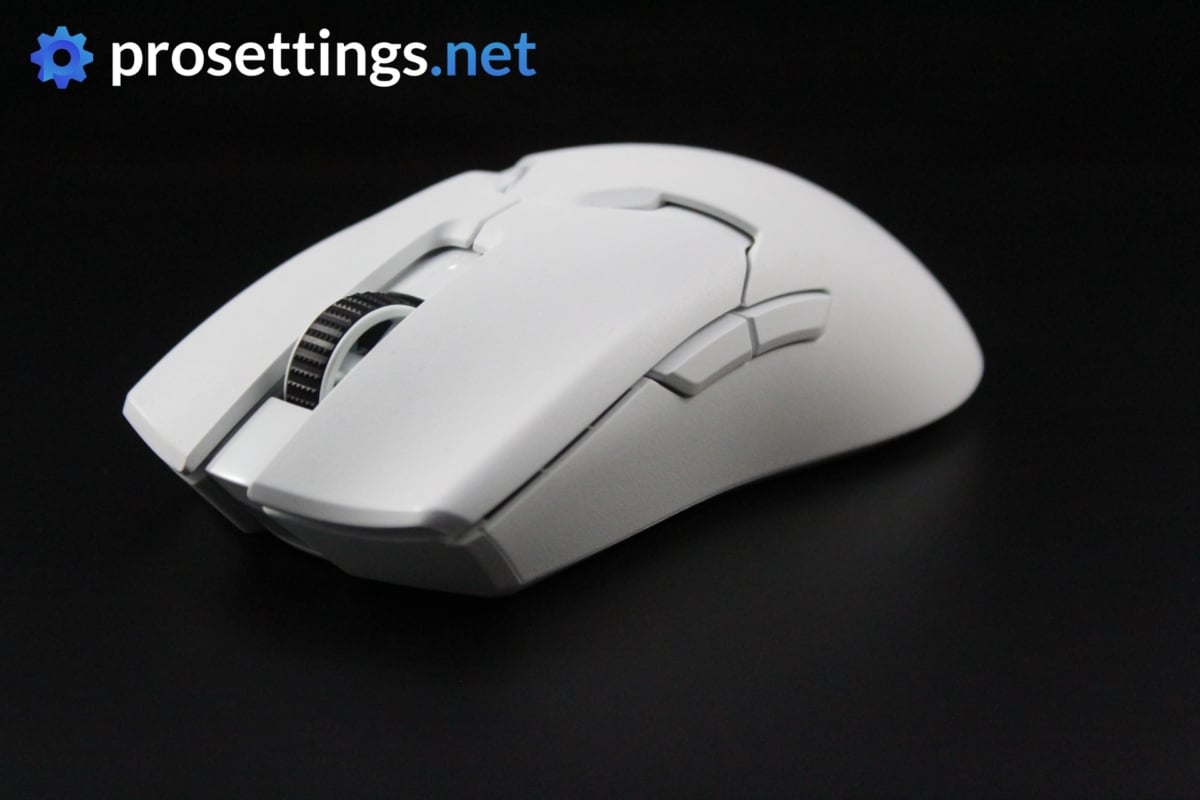
This successor to the Viper Ultimate comes with Razer Gen 3 Optical Switches, a flawless and cutting edge sensor, and a reduced weight when compared to its predecessor. It has since been succeeded by the Viper V3 Pro, but if you’re looking for a flatter and longer type of design from Razer, the V2 Pro is your best option.
Razer Viper V2 Pro
Used by 12 Fortnite players ()
-
ZexRow

-
Unknown

-
Kinstaar

-
LOLiTO FDEZ

Staff's Choice
Pro's Choice
All in all, the Razer Viper V2 Pro is an impressive release, and if you’re looking for a very lightweight wireless ambidextrous mouse you should take a look at this one. It’s packed full of exciting tech, performs flawlessly, and it feels rock solid despite weighing less than a tennis ball.
Read review (05/2022)
Pros
- Grip tape included
- Lightweight
- Gen 3 optical switches feel and perform great
- Flawless wireless performance
- Removed right side buttons make for a more consistent grip, but makes the mouse unusable for lefties
- Capable of 4KHz polling rate in wireless mode (with separate dongle)
Cons
- A bit too much post travel on the main buttons
- High price
- Loses the dock functionality that the V1 had
- 4KHz polling rate not achievable out of the box (you need a separate dongle)
Specs
| Sensor |
Focus Pro 30K |
| DPI |
50-30000, in steps of 50 |
| Polling Rate |
125 / 250 / 500 / 1000 / 4000 Hz |
| Button Switches |
Razer Optical |
| Button Force |
75 |
| Connection |
Wireless |
| Shape |
Ambidextrous |
| Length |
12.57 |
| Height |
3.77 |
| Weight |
59 |
| Width |
6.14 |
Best Mouse for Fortnite – Conclusion
When it comes to aiming, Fortnite is a rather hyperactive game, so it makes sense to see pros generally move towards lightweight and nimble mice as opposed to heavier, more stable ones. If you’re a new Fortnite player who doesn’t yet have a pinned down set of preferences when it comes to your mouse, we would recommend you to go for a lighter ambidextrous mouse to start off with. If you do already know exactly what you want, you can of course just use this list as an informative tool.
If you have any questions or remarks, please feel free to reach out to us!


Are there any new product recommendations?
I think that the finalmouse ultralight x and razer viper mini signature edition should be in this list.