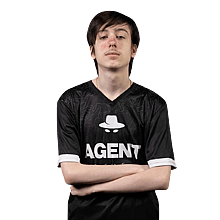
Peter “Peterbot” Kata is a Hungarian/American professional Fortnite player who is currently playing for Falcons Esports.
...


| Name | Peter Kata |
|---|---|
| Birthday | June 20, 2007 |
| Country | Hungary  |
| Team | Falcons Esports |
Peter “Peterbot” Kata is a Hungarian/American professional Fortnite player who is currently playing for Falcons Esports.

| DPI | 800 |
|---|---|
| Hz | 1000 |
| X-Axis Sensitivity | 6.8% |
| Y-Axis Sensitivity | 6.8% |
| Targeting Sensitivity | 45.0% |
| Scope Sensitivity | 45.0% |
| Building Sensitivity | 100.0% |
| Editing Sensitivity | 100.0% |
| Crouch | C |
|---|---|
| Jump | Space Bar |
| Sprint | ` |
| Harvesting Tool | Mouse Button 4 |
|---|---|
| Weapon Slot 1 | 1 |
| Weapon Slot 2 | 2 |
| Weapon Slot 3 | 3 |
| Weapon Slot 4 | 4 |
| Weapon Slot 5 | 5 |
| Use | E / Mouse Wheel Up |
| Wall | T |
|---|---|
| Floor | Y |
| Stairs | F |
| Roof | V |
| Trap | R |
| Rotate Building | J |
| Building Edit | G / Mouse Wheel Down |
| Turbo Building | On |
| Confirm Edit on Release | On |
| Disable Pre-Edit Option | On |
| Window Mode | Windowed Fullscreen |
|---|---|
| Resolution | 1920x1080 |
| Vsync | Off |
| Frame Rate Limit | 240 FPS |
| Rendering Mode | Performance |
| HUD Scale | 90% |
| Brightness | 150% |
|---|---|
| User Interface Contrast | 1x |
| Color Blind Mode | Tritanope |
| Color Blind Strength | 4 |
| Motion Blur | Unknown |
| 3D Resolution | 100% |
|---|---|
| Dynamic 3D Resolution | Unknown |
| View Distance | Far |
| Textures | Low |
| Meshes | Low |
| Show FPS | On |
|---|---|
| NVIDIA Reflex Low Latency | On |
| Digital Vibrance | 70% |
|---|




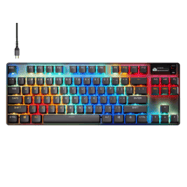
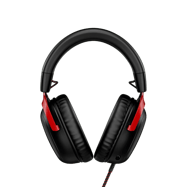
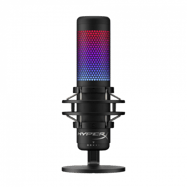



6.8% horizontal and 6.8% vertical sens
https://x.com/PeterbotFN/status/2109104041774960958
Updated, thanks!
Actuationpoint from the New keyboard?
He is cool
Pete use a logitech g pro x2 superstrike and an apex pro tkl gen 3 now
Peter uses the Logitech Superstrike now.
https://vt.tiktok.com/ZSVXJPsBr/
Peterbot states , after placing 12th at the recent lan 2 days ago he is now using the logitech super strike mouse & a different keyboard but doesn’t state which one , hope this helps
Yesterday on reet’s stream Peter said that he switched to the Superstrike and he got a new keyboard but he didn’t say which one (probably the Apex or tkl gen 3)
Proof: https://www.tiktok.com/t/ZP87ut2nU/
Peterbot updated his setup as you can see in this video: https://www.youtube.com/watch?v=tIUr9dY8R7Q.
Switched to the Logitech superstrike x2.proof: https://vt.tiktok.com/ZSV9aBJjE/
New mouse and keyboard! New mouse: logitech superstrike and keyboard: idk maybe upgrade to the steelseries apex pro tkl gen 3 proof! Stack post on twitter
new mouse superstrike source stack new tweet
Which performance mode is it currently on? And does anyone know their lift of distance setting for Ghub and Gaming Surface Mode?
What are his Ben q monitor settings I need them
Mode: standard
DyAc2: premium
Black eQ: 0
Low Blue Light: 0
Color Vibrance: 12
Gamma: gamma 3
Color temperature: normal
Brightness: 65
Contrast: 50
Sharpness: 5
AMA: 13
And what does he have assigned to the edit button?
g gng
what was his hud scale when he was playing on stretched res for a little bit during chapter 6?
77
thank you mud
actuation and Apex Pro-settings
1mm
edit bind 0.1mm movement like wasd 0.5mm weapon slots 0.5mm build binds 0.1mm
SOURCE?
No he said 1.0mm on everthing and pickup button 0.1mm
What is peterbot’s rapid trigger settings ?
rapid trigger is off
source: https://www.twitch.tv/peterbot/clip/HardGorgeousAyeayeTF2John-_Ps468txmYF1nAbu
Peterbot is using 1 mm actuation point what about his rapid trigger settings?
He has rapid trigger off
how you know?
HUD is 90%
source: his stream, I’ve just compared 75 and 90 HUD and his is 90
Its not
why? u sure?
like i’ve just compared again and his hud is 90
It does no look like it is because 90 looks to big
bro like watch his stream frl
Do u think i do not do that like 90 takes up the whole screen and comends are not alwase right
bro like check his stream frl and compare the hud xD
I did compare and it did not look the same
why’s it say 90 now
Balls
it is u drone
Are u dumb look at his zonewars streams u can see the ping but on 90 the title blockes it
Who is video i don’t find at twitch