The most used mice by Apex Legends players
The most popular mice are calculated based on 87 professional Apex Legends players.
Introduction
Apex Legends is a very exciting and fast-paced game. From the moment you drop down you’ll be attacked from all sides by hordes of teams who are there with the exact same goal in mind: to become the Apex Champion. If you want to best the other candidates, you’ll need great teamwork, a good tactical mind, and consistent and reliable aim. We can’t help you with those first two aspects (practice is key!) but we can help you find a mouse that’s perfect for your playing style.
As per usual, we have been hard at work collecting the relevant data and the result is this list. These are the most used mice by our analyzed Apex Legends professionals.
You can also browse our gaming mouse spec list, with over 250 analyzed gaming mice.
Our Guide
The Pro Usage Top 5 gets updated continuously and instantly so that you can always get an accurate overview of what the pros are using at any given time. In the body of the article itself, we go over the five most popular pro products in no particular order and, when relevant, we also give you some extra options in the form of products that fall just outside of the top 5 or are otherwise relevant.
What makes a mouse good for Apex Legends?
In Apex Legends you can get attacked from lots of different angles and distances, but there’s no need to be building objects or monitoring a ton of different cooldowns, which is why we feel like you don’t need a super complicated mouse for this game.
A decently light standard layout mouse (by which we mean that it has two side buttons in addition to the regular buttons) with a flawless sensor should be all you need, as aim is definitely one of the most important skills to have in this particular game. You won’t see many instakills in Apex Legends, and the overall time to kill is pretty high, but a missed Wingman shot can definitely be the difference between a squad wipe and a humiliating exit, so it’s of critical importance that you find a mouse that’s comfortable for you and won’t limit you in your ability to hit shots consistently.
Razer Viper V3 Pro
Razer’s Viper line has always been popular in Apex Legends, and the V3 Pro is a big reason for that. It’s no longer the latest release in the Viper line (that honor goes to the V4 Pro) but it’s still a fantastic mouse.
The Viper V3 Pro was the first Viper mouse to introduce the new shape that we now all know and love. Gone is the flat, long-feeling shape of the V2 and in is a boxier, more compact shell design. This change makes the Viper V3 Pro a lot more palatable to a large audience, as the safer design accommodates a wider variety of grip styles.
Under the hood, you’ll find Razer’s top tier tech, including a sensor that’s capable of polling rates of up to 8000Hz. Combine that with optical switches, great build quality, and the aforementioned safer design and you’ve a top mouse. . If you want the absolute latest, the V4 Pro is the one to go for, but the V3 Pro remains an excellent choice, especially now that you can find it at a lower price.
Razer Viper V3 Pro
Used by 6 Apex Legends players ()timthetatman

Monsoon

Gnaske

Leamonhead

Staff's Choice
Pro's Choice
As far as I am concerned, the Viper V3 Pro is the new benchmark for gaming mice.
Pros
- Fantastic gaming performance
- 8KHz wireless polling rate out of the box
- New shape is a lot safer
- Good coating
- Razer optical switches feel great
Cons
- Expensive
- Side buttons feel a bit mushy
Specs
| Sensor | Focus Pro 35K Optical Gen-2 |
|---|
| DPI | 100-35000, in steps of 1 |
|---|
| Polling Rate | 8000 Hz |
|---|
| Button Switches | Razer Optical |
|---|
| Button Force | 67.6 |
|---|
| Connection | Wireless |
|---|
| Shape | Ambidextrous |
|---|
| Length | 12.71 |
|---|
| Height | 3.99 |
|---|
| Weight | 54 |
|---|
| Width | 6.39 |
|---|
Logitech G Pro X Superlight 2
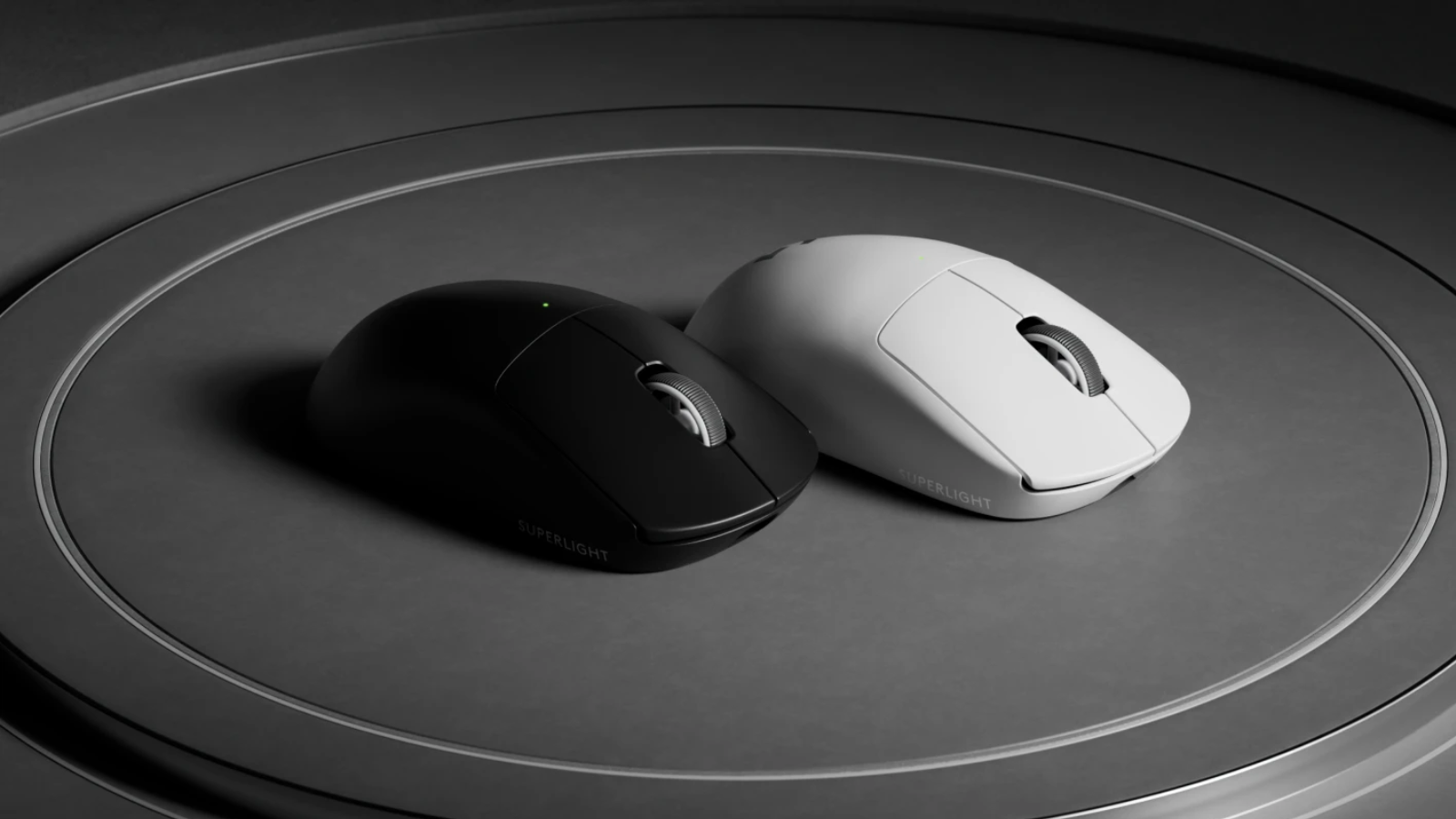
The Superlight 2 is the successor to the massively popular Superlight. It keeps the exact same shape, but brings a number of improvements such as a slightly lighter weight, a sensor that’s capable of polling rates up to 8000Hz, and hybrid switches for the buttons.
What hasn’t changed is the legendary shape. This safe, ‘one size fits all’ type of shape has its fierce supporters as well as detractors, but it can’t be argued that this is an extremely well thought-out design. If you’re someone who isn’t quite sure (yet) what they want out of a gaming mouse, this might be a great option for your first mouse, as the shape will likely fit you one way or another.
If you don’t much care for the updates that the second version brings, you can still get the regular Superlight at quite attractive prices, however.
Logitech G Pro X Superlight 2
Used by 6 Apex Legends players ()Staff's Choice
Pro's Choice
Logitech played it safe with the Logitech G Pro X Superlight 2, but that’s understandable. It’s a new version of one of the most-loved mice in all of professional gaming that introduces a couple of tweaks to bring Logitech’s flagship offering in line with today’s mouse standards.
Pros
- Super safe shape that’ll fit anyone
- Nice coating
- Extremely reliable wireless and sensor performance
- Addition of USB-C charging and optical switches addresses the two most commonly heard complaints about the GPX
- Sensor calibration tool in G HUB is really handy
- Good battery life
Cons
- Clicks feel heavier than on earlier versions, which might not sit well with everyone
- Bottom skate has a different shape, which feels like an unneeded change
Specs
| Sensor | HERO 25K |
|---|
| DPI | 100-32000, in steps of 50 |
|---|
| Polling Rate | 125 / 250 / 500 / 1000 / 2000 / 4000 / 8000 Hz |
|---|
| Button Switches | LIGHTFORCE Hybrid |
|---|
| Button Force | 98.4 |
|---|
| Connection | Wireless |
|---|
| Shape | Ambidextrous |
|---|
| Length | 12.42 |
|---|
| Height | 3.96 |
|---|
| Weight | 59 |
|---|
| Width | 6.06 |
|---|
Logitech G Pro X Superlight

Logitech’s G Pro line is their flagship competitive gaming line where they drop frivolities and unnecessary features in order to focus on one thing: performance. The Superlight (which is the successor to the Logitech G Pro Wireless) is a lightweight, stripped-down competitive gaming mouse that comes in at around 62 grams. It has a very safe shape that can be used by just about anyone, and with Logitech’s flawless LIGHTSPEED technology combined with their HERO sensor you’ve got a mouse that will translate your every move with pixel perfect precision.
This is a mouse that we often recommend for gamers who aren’t completely sure as to what their preferences are but who do want a top tier gaming mouse, as it’s available pretty much all around the globe, has a very safe shape, and is a top tier performer. And now that it’s been succeeded by the V2, you can pick this one up for very friendly prices, which is a bonus.
Logitech G Pro X Superlight
Used by 8 Apex Legends players ()Staff's Choice
Pro's Choice
If you’re looking for an ultra lightweight wireless mouse with a safe shape this is a top option.
Pros
- Fits most hands and grip styles
- Good battery life
- Flawless wireless performance
- Lightweight
Cons
- Micro USB charging port
- High price
Specs
| Sensor | HERO |
|---|
| DPI | 100-25600, in steps of 50 |
|---|
| Polling Rate | 125 / 250 / 500 / 1000 Hz |
|---|
| Button Switches | Omron |
|---|
| Button Force | 65 |
|---|
| Connection | Wireless |
|---|
| Shape | Ambidextrous |
|---|
| Length | 12.42 |
|---|
| Height | 3.96 |
|---|
| Weight | 62 |
|---|
| Width | 6.06 |
|---|
Razer Deathadder V3 Pro
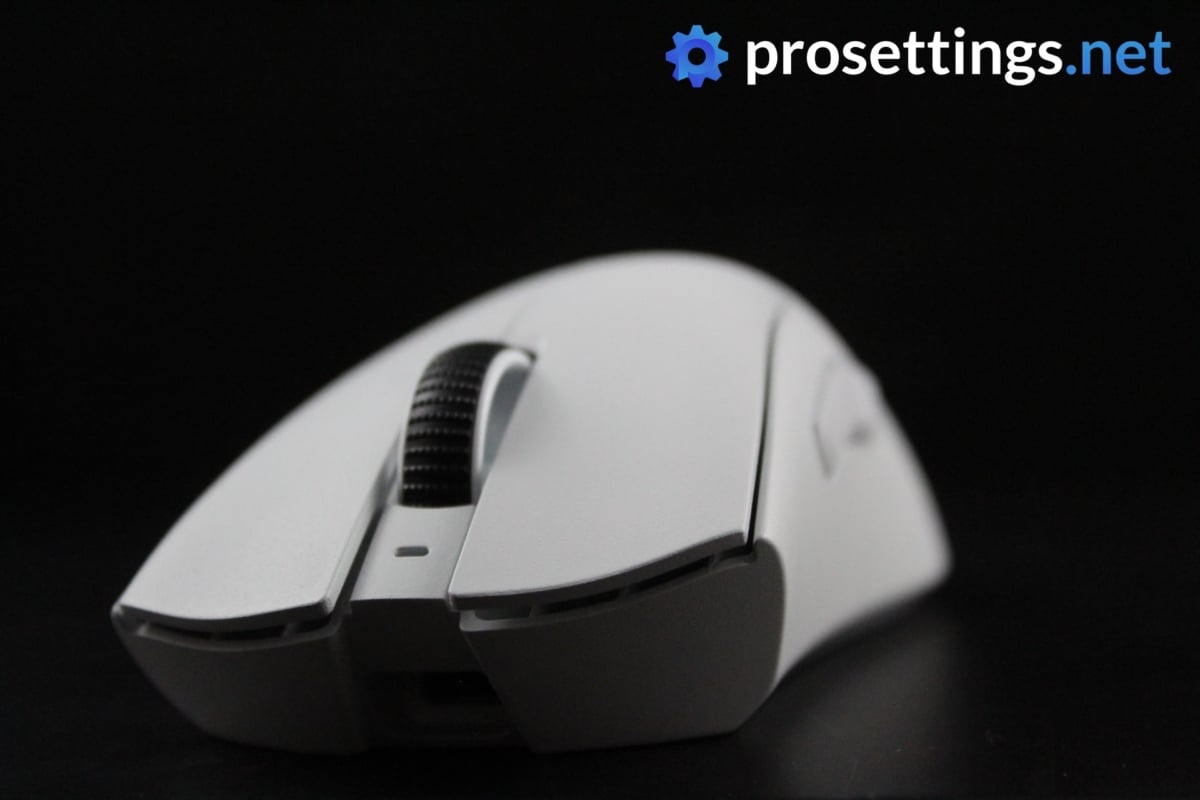
The Deathadder line might perhaps be the most famous line of gaming mice on the planet, so you might think that you know exactly what this mouse is all about, but there’s one major aspect that you need to take into consideration if you’ve handled a Deathadder before, and that’s the shape.
Starting with the Deathadder V3 Pro, Razer has changed the shape of their iconic mouse. Gone is the long, flat Deathadder shape with a ton of grooves in the front, and in is a much boxier mouse with a much more neutral front portion. In addition to this, the V3 Pro also packs Razer’s cutting edge technology and is capable of polling rates of up to 8000Hz.
If you want even more cutting-edge tech, you can always go for the newer V4, but the V3 is still a mouse that’s up there with the best of the best in terms of specs, so if you’re looking to save some money then this can always be considered.
Razer Deathadder V3 Pro
Used by 5 Apex Legends players ()Staff's Choice
Pro's Choice
The DeathAdder V3 Pro is aimed squarely at competitive and professional gamers who desire performance above all else, and it hits the mark on all fronts.
Pros
- Great build quality
- Flawless wireless connection
- Great battery life (90 hours)
- Capable of 4KHz polling rate in wireless mode (with separate dongle)
- Gen 3 optical switches feel great
Cons
- Price is high
- Side buttons have too much post travel
- Shape change might not sit well with everyone
- 4KHz polling rate not achievable out of the box (you need a separate dongle)
Specs
| Sensor | Focus Pro 30K |
|---|
| DPI | 100-30000, in steps of 50 |
|---|
| Polling Rate | 125 / 500 / 1000 / 4000 / 8000 Hz |
|---|
| Button Switches | Razer Optical |
|---|
| Button Force | 81 |
|---|
| Connection | Wireless |
|---|
| Shape | Ergonomic |
|---|
| Length | 12.95 |
|---|
| Height | 4.21 |
|---|
| Weight | 63 |
|---|
| Width | 6.13 |
|---|
FinalMouse Starlight-12
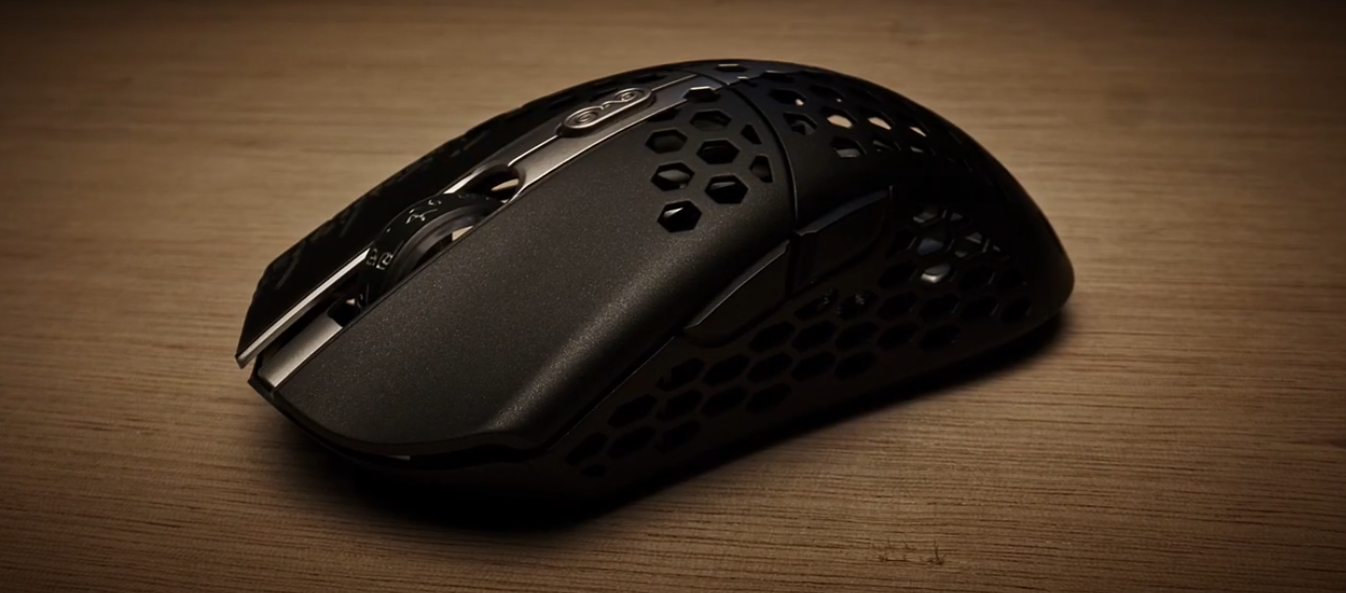
If you follow the competitive Apex Legends scene a little bit, you will probably know about FinalMouse. The brand that was (at least partially) responsible for the lightweight revolution is still going strong today, and even though not everyone agrees with their business model (which is very focused on hype marketing and limited runs of products) it can’t be denied that they know how to make a revolutionary product.
The Starlight-12 is one of the lighter gaming mice that’s actively being used in the pro scene. The magnesium shell makes the SL feel very sturdy and lightweight at the same time, and that’s not something that’s a given with these ultralight mice. Manufacturers often have to cut corners in order to make their shells as light as possible, which can lead to mice that feel creaky or unreliable.
If you can manage to snag a Starlight-12 at retail price then this is a great mouse to buy if you want to get yourself a super lightweight gaming mouse, but we wouldn’t recommend buying from scalpers or paying over retail as the Starlight-12 is already on the more expensive end at MSRP.
FinalMouse Starlight-12
Used by 3 Apex Legends players ()The FinalMouse Starlight-12 is a truly impressive release. This mouse is made out of magnesium and weighs only 45 grams, making it one of the lightest wireless gaming mice in the world.
Pros
- Extremely lightweight
- Very sturdy build quality
- Flawless wireless performance
Cons
- Very hard to get
- Expensive
- Honeycomb style is getting outdated, depending on who you’re asking
- Micro USB port is outdated
- QC issues
Specs
| Sensor | Finalsensor |
|---|
| Polling Rate | 1000 Hz |
|---|
| Button Switches | Kailh GM 8.0 |
|---|
| Connection | Wireless |
|---|
| Shape | Ambidextrous |
|---|
| Length | 11.5 |
|---|
| Height | 3.5 |
|---|
| Weight | 45 |
|---|
| Width | 2.3 |
|---|
Logitech G Pro Wireless
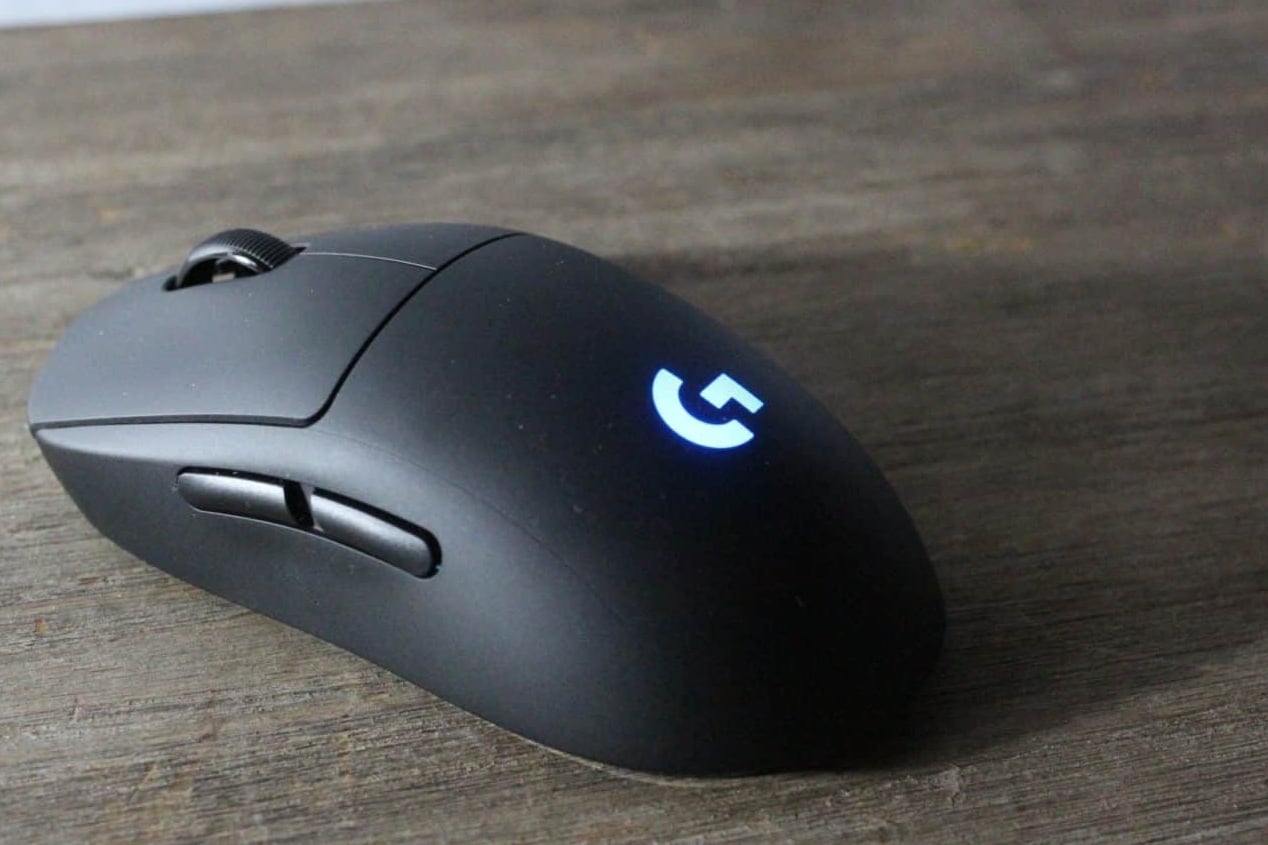
The Logitech G Pro Wireless feels old when you look at its modern iterations (the Superlights). But that doesn’t mean it’s a bad mouse. It dominated the esports and competitive gaming space when it was released, and the reason was that it ticked all the boxes for a great mouse—lightweight, comfortable shape, and a great sensor.
These days, there’s no doubt that it’s an older mouse, however. With a Micro-USB port and a weight of 80 grams, it’s definitely a product from a bygone era. Fortunately, Logitech did release a newer version called Pro 2. It’s the same mouse but with an upgraded sensor and optical switches. It’s a good choice for people who want a slightly heavier G Pro mouse.
Logitech G Pro Wireless
Used by 4 Apex Legends players ()Viss

SkittleCakes

Phony

Wraxx

Staff's Choice
Pro's Choice
Logitech has set out to create the ultimate gaming mouse with the G Pro Wireless, and as far as I’m concerned they have succeeded in that task. It’s without a doubt one of the most hyped up releases of the past few years, and for good reason too.
Pros
- Fits most hands and grip styles
- Flawless wireless performance
- Great battery life
Cons
- High price
- Micro USB charging port is getting outdated
Specs
| Sensor | HERO |
|---|
| DPI | 100-16000, in steps of 50 |
|---|
| Polling Rate | 125 / 250 / 500 / 1000 Hz |
|---|
| Button Switches | Omron |
|---|
| Connection | Wireless |
|---|
| Shape | Ambidextrous |
|---|
| Length | 12.5 |
|---|
| Height | 6.3 |
|---|
| Weight | 81 |
|---|
| Width | 6.3 |
|---|
Razer Viper V4 Pro
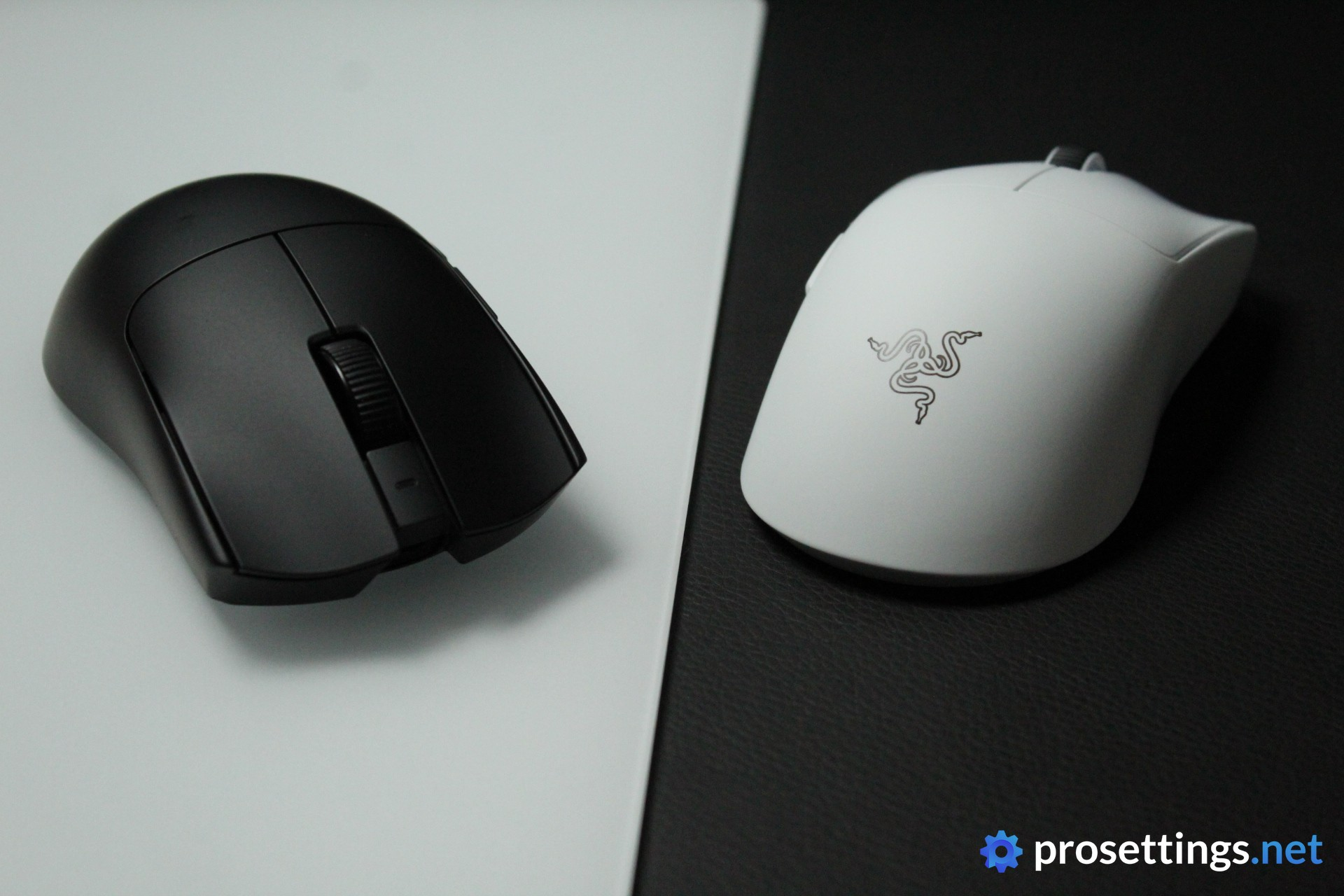
The Viper V4 Pro is the successor to the massively popular Viper V3 Pro, and while it doesn’t reinvent the wheel, it refines just about everything that made the V3 Pro great.
On the outside, not much has changed. The shape is the same pro-trusted design that helped the V3 Pro become the most used mouse in competitive gaming, but the V4 Pro shaves off a few grams, coming in at just 49 grams. Despite the lower weight, the shell feels sturdier thanks to improvements in the internal structure and the materials used.
Under the hood, Razer has packed their latest tech. The Focus Pro 50K Optical Sensor represents Razer’s latest and greatest, and the Gen-4 optical switches feel fantastic, though they are noticeably louder than the switches on the V3 Pro, which is something to keep in mind if you’re sensitive to click noise.
Battery life has also seen a massive upgrade, going up to 180 hours at 1000Hz. It’s a more refined version of a well-loved icon, and if you’re in the market for a Viper, this is the one we’d recommend.
Razer Viper V4 Pro
Used by 5 Apex Legends players ()Yuki

9impulse

Hakis

Zachmazer

Staff's Choice
Pro's Choice
The Razer Viper V4 Pro is one of the best gaming mice I’ve used so far. There is little to nothing I can objectively fault it for.
Pros
- Fantastic build quality
- Switches feel great
- Fantastic gaming performances
- Very lightweight
- Web driver works nicely and is super handy
Cons
- Switches are very loud
- Perhaps not as innovative as some would have hoped for (in terms of switches)
Specs
| Sensor | Focus Pro 50K |
|---|
| DPI | 100-50000, in steps of 1 |
|---|
| Polling Rate | 125 / 500 / 1000 / 2000 / 4000 / 8000 Hz |
|---|
| Button Switches | Razer Optical Gen-4 |
|---|
| Connection | Wireless |
|---|
| Shape | Ambidextrous |
|---|
| Length | 12.7 |
|---|
| Height | 4.0 |
|---|
| Weight | 49 |
|---|
| Width | 6.4 |
|---|
G-Wolves Hati S+ 4K
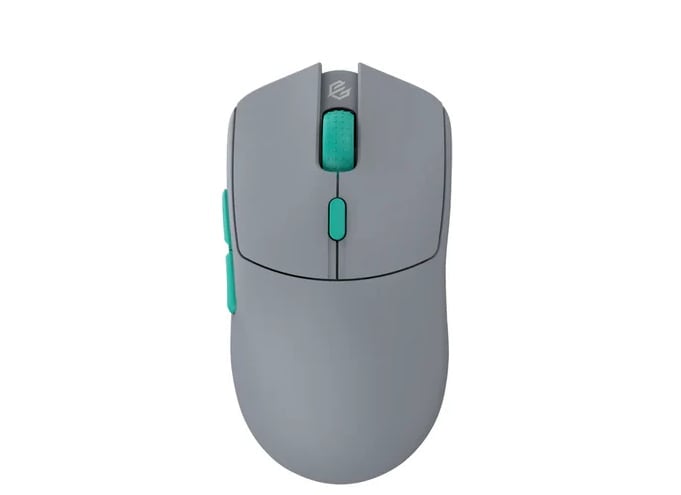
G-Wolves is a brand that’s been around for a while, and while their track record definitely isn’t flawless they do know how to make great gaming mice. This Hati S 4K is a prime example of that.
The Hati range has been around for a long time, and these ambidextrous mice have now gone for 4KHz polling rates. This 4K Hati S+ is a mouse that has specs that place it at the very top tier of gaming mice, and it’s nice to see that all of this technology is also making its way to smaller manufacturers. 4Khz gaming mice aren’t cheap, though, and this mouse is also an example of that, so if you’re looking for a budget mouse this definitely isn’t it.
G-Wolves Hati S+ 4K
Used by 2 Apex Legends players ()xaniya

esdesu

The Hati S+ 4K is one of the wireless mice that’s not made by a huge brand to feature a polling rate of 4000Hz, and it does so straight out of the box.
Pros
- Capable of 4000Hz polling rates out of the box
- Extremely lightweight
Cons
- Expensive
- Build quality is very hit or miss
Specs
| Sensor | PMW 3399 |
|---|
| DPI | 100-20000, in steps of 50 |
|---|
| Polling Rate | 1000 / 4000 Hz |
|---|
| Button Switches | Zippy Switches |
|---|
| Connection | Wireless |
|---|
| Shape | Ambidextrous |
|---|
| Length | 11.7 |
|---|
| Height | 4 |
|---|
| Weight | 49 |
|---|
| Width | 6.1 |
|---|
Best Mouse for Apex Legends – Conclusion
All the mice on this list have one thing in common: they’re relatively simple mice (on the surface at least) featuring the two customary side buttons but nothing else. There’s no need to go for a complicated mouse with a bunch of extra buttons if you’re going to be focusing on Apex Legends, since the game simply doesn’t require all of those extra buttons. Apex Legends professionals aren’t hesitant to pick up newer mice or use new technologies, so you can see some pretty interesting mice pop up in this article from time to time, though is also features some absolute classics.
Please do let us know if you have any comments or remarks! We try to answer everyone.

