Introduction
Finalmouse is a polarizing brand, but it can’t be denied that they’re innovators. They brought the super lightweight trend to the mainstream market, and their mice are still being used by a large number of pros at any given time. And while their innovations don’t always hit the mark, the brand should be respected for trying new things. Today, we’re taking a look at their latest release, which sports a TMR-DS analog click system. In our full Finalmouse Starlight X review, you’ll find out if the hype behind the brand is deserved or not.
At A Glance
FinalMouse Starlight X
Used by 1 player ()ScreaM

Staff's Choice
Innovation Award
Once you look past TMR-DS, there’s a lot to like. The shape is really good, the main buttons feel fantastic, the mouse is very light without feeling fragile, and the build quality is great.
Pros
- Great build quality
- Feels very sturdy despite being the very low weight
- XPanel is a great web driver
- Interesting, unique design
Cons
- Scroll wheel implementation isn’t good
- Coating could be better
- Difficult to keep clean
- Difficult to purchase
Specs
| Sensor | Finalmouse F1 |
|---|
| DPI | 100-25000, in steps of 100 |
|---|
| Polling Rate | 8000 Hz |
|---|
| Button Switches | Huano |
|---|
| Connection | Wireless |
|---|
| Shape | Ambidextrous |
|---|
| Length | 12.4 |
|---|
| Height | 3.9 |
|---|
| Weight | 38 |
|---|
| Width | 5.9 |
|---|
First Impressions
Packaging
Inside the box, you will find:
- The mouse itself
- A wireless receiver
- A USB-C-to-USB-A charging cable
For a $179 mouse, I find this quite meager. A set of replacement skates, for example, can reasonably be expected to be included at this price point.
The Mouse
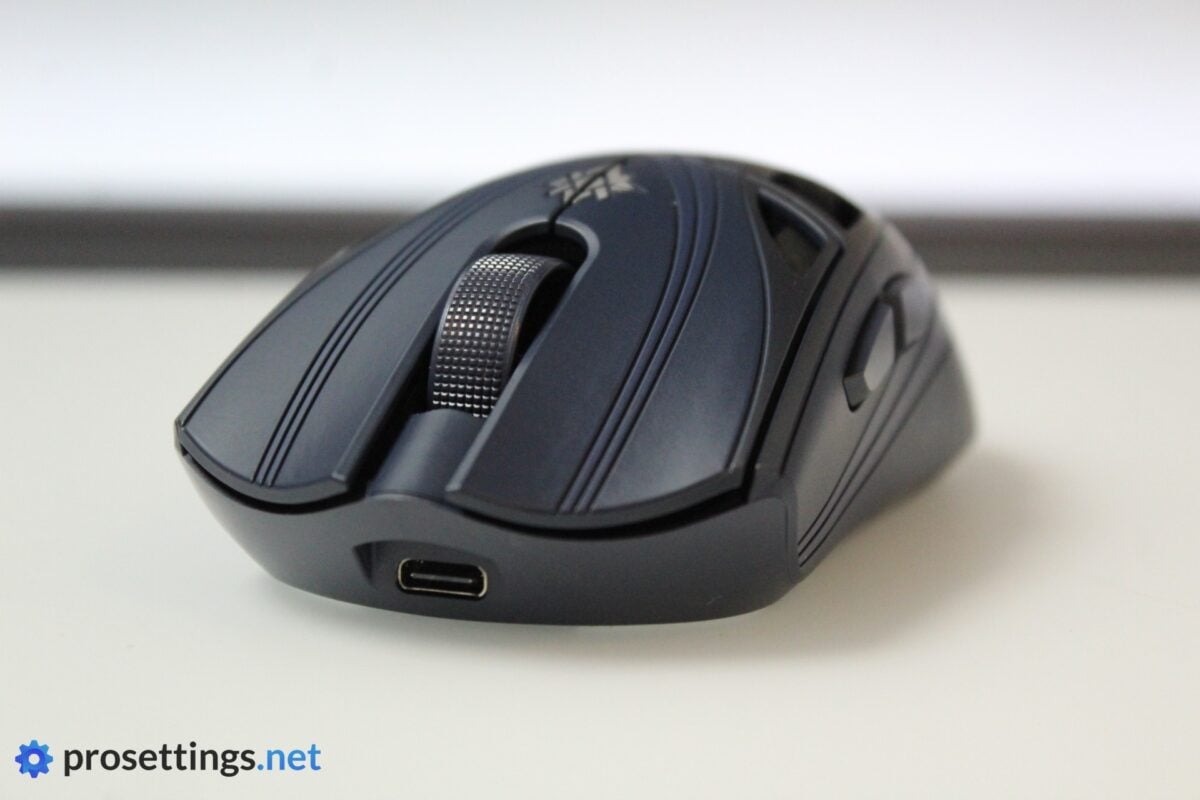
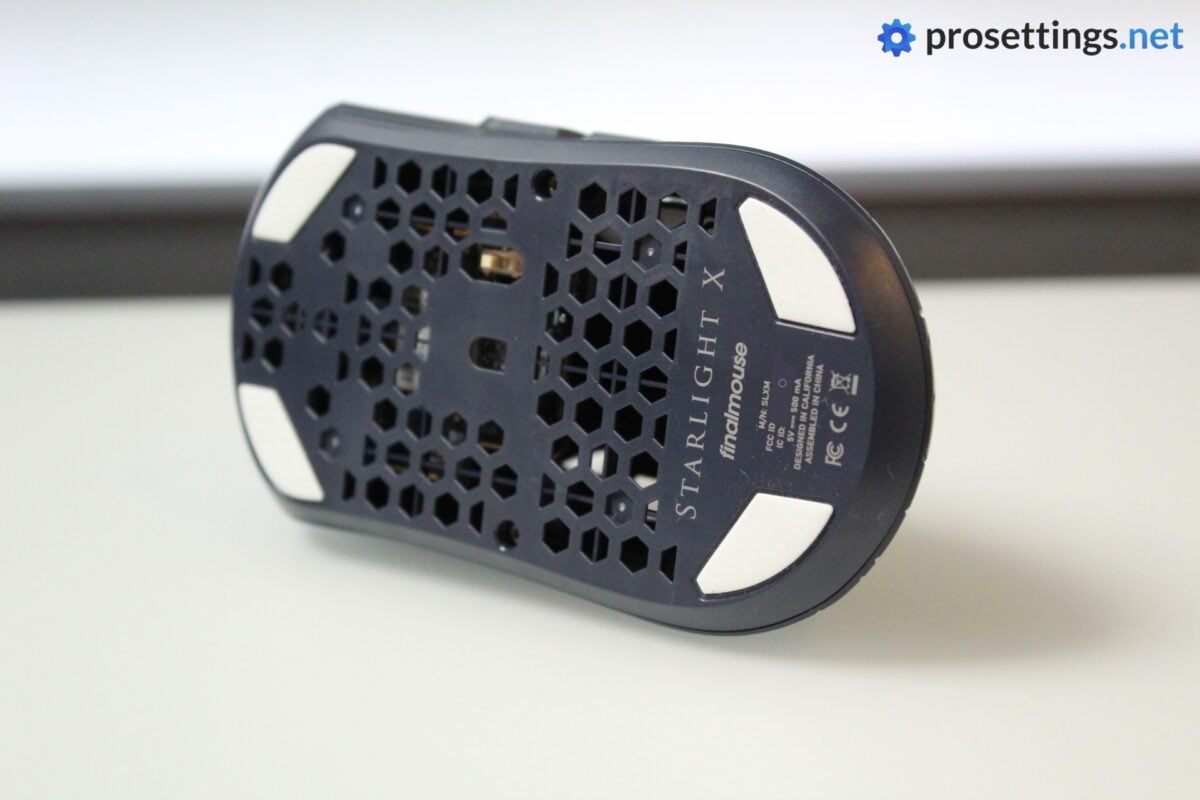
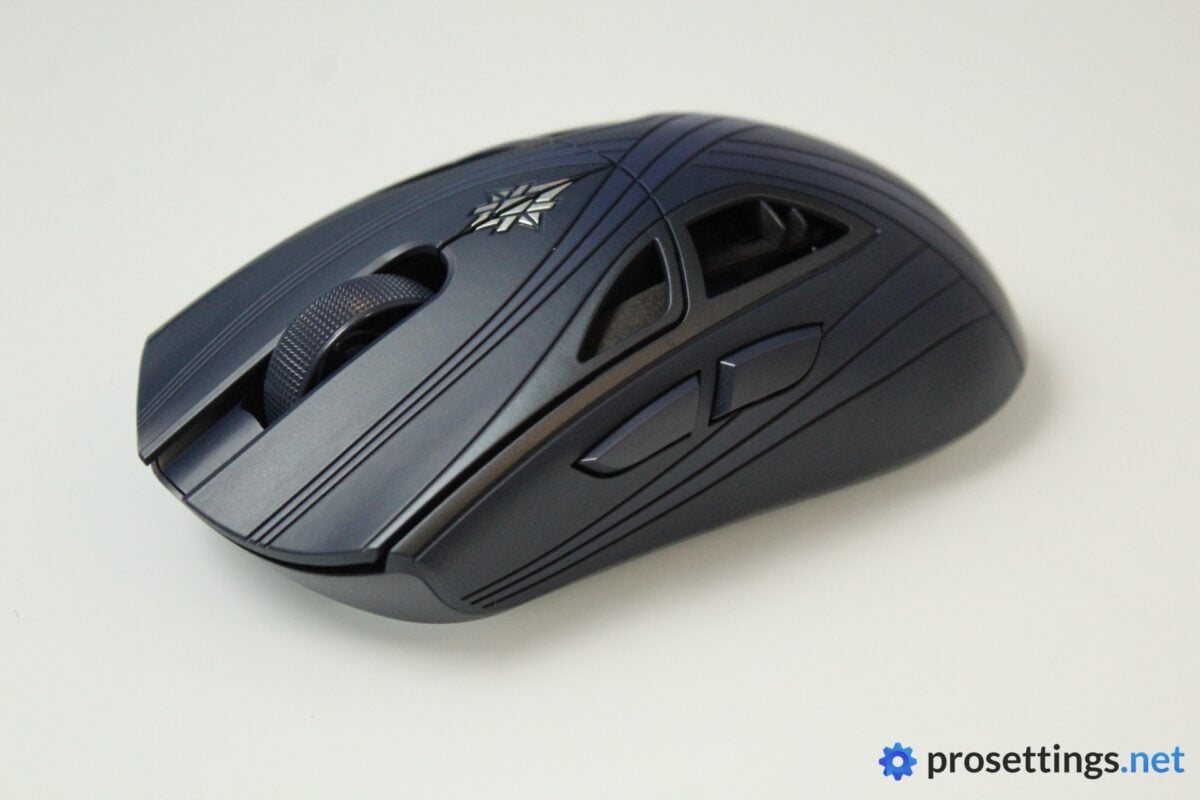
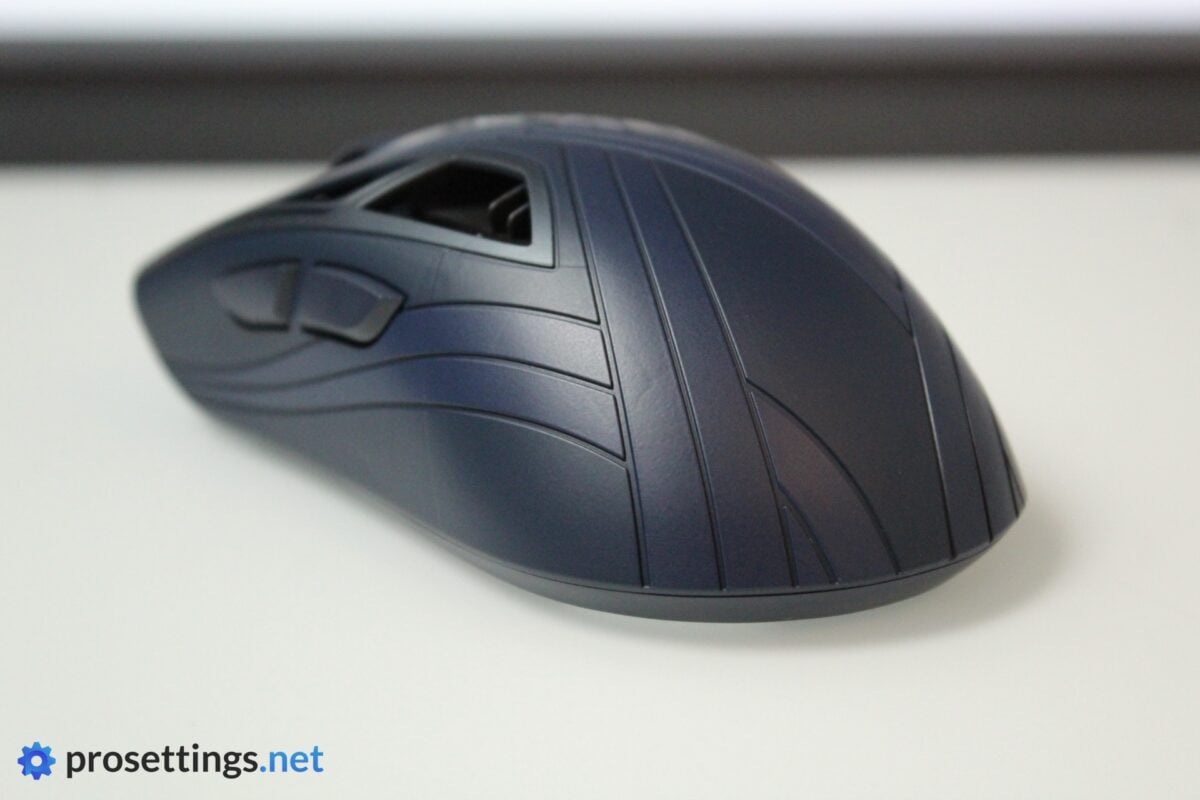
Finalmouse mice (Finalmice?) have always had a unique look to them. That’s no different here. The design has a kind of Norse mythology theme to it in my opinion, with the lines and the emblem in the middle of the mouse. The large holes in the middle of the mouse further accentuate the fact that this is not a regular office mouse.
Beauty is in the eye of the beholder, but I think that this is quite a cool design. It visually separates the mouse from others on the market, and it’s become part of Finalmouse’s unique style over the years. The dark blue that they’ve used for the Nightfall version also isn’t ostentatious; I think it actually looks quite classy. That might also have something to do with the fact that blue is my favorite color, however.
I will say that I’m not a big fan of the huge holes. Holes this size can definitely be felt if you place any part of your hand on them, and I don’t really see the reason for them being this big. If you absolutely need to have holes in the shell for weight reasons, I’d say they should be made smaller.
Shape, Coating, and Mouse Feet
I have 18×10.5cm hands and I use a claw grip.
Shape
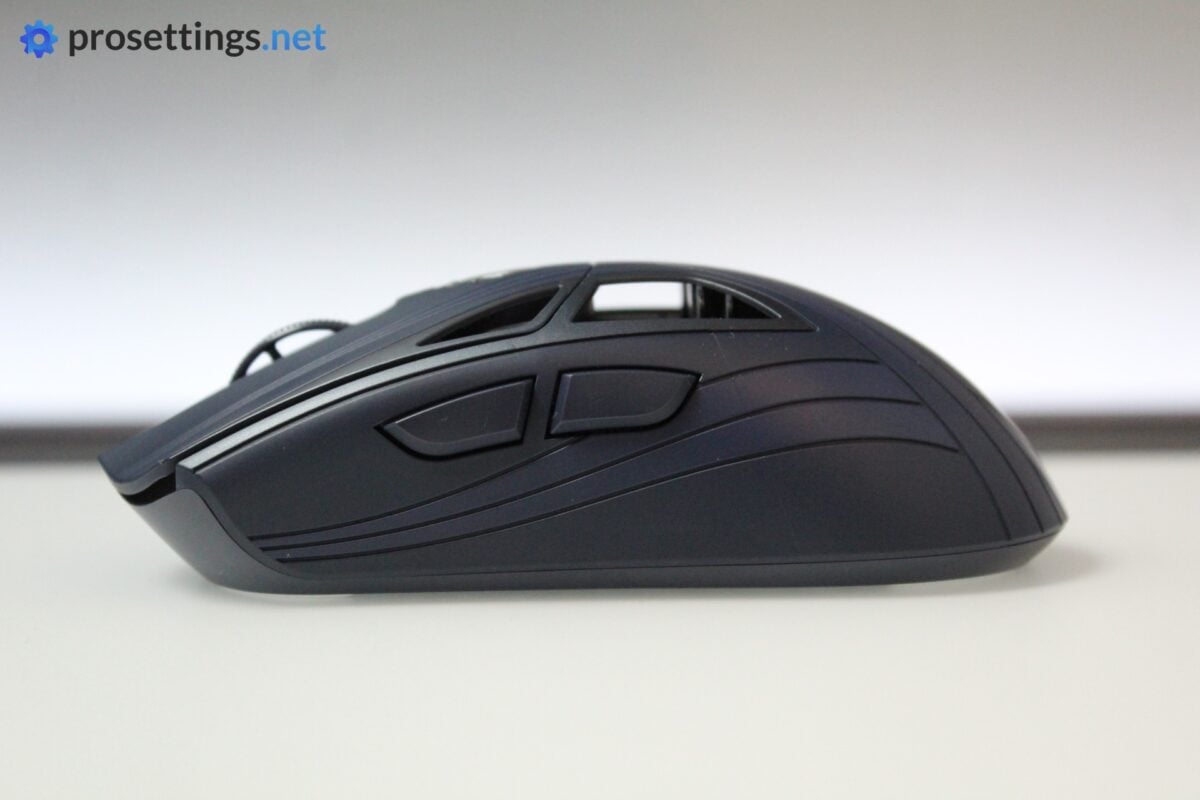
In terms of shape, the Starlight X follows the same design principle that the current industry leaders (the Razer Viper V4 Pro and the Logitech G Pro X SUPERSTRIKE) follow. It’s a medium-to-large mouse with a pretty safe shape. I’d even describe this mouse as somewhat of a mix of both.
The hump is quite centered, pretty gradual, and not that high. The base widens slightly towards the back and front (which has a very slight overhang), with an indentation towards the middle. There are comfort grooves on both main buttons but they feel shallower than they look, so you’re not really forced to place your fingers in certain positions.
What should be noted is that the mouse has what I can only describe as a ‘natural’ feeling to it. Some mice can feel slightly sudden with their curves (whether that’s a good thing depends on your preferences) but here, there’s a really nice flow to the design.
In general, I really like this shape. It’s very similar to mice that I’ve mained for many years (Viper and SUPERSTRIKE) so it’s a design style that I’m very familiar with, but even if this is your first gaming mouse, I’m quite confident that you’ll find a way to comfortably grip this thing.
It’s not revolutionary (then again, it’s hard to be revolutionary with a mouse shape these days) but it is a really nicely executed design.
Coating
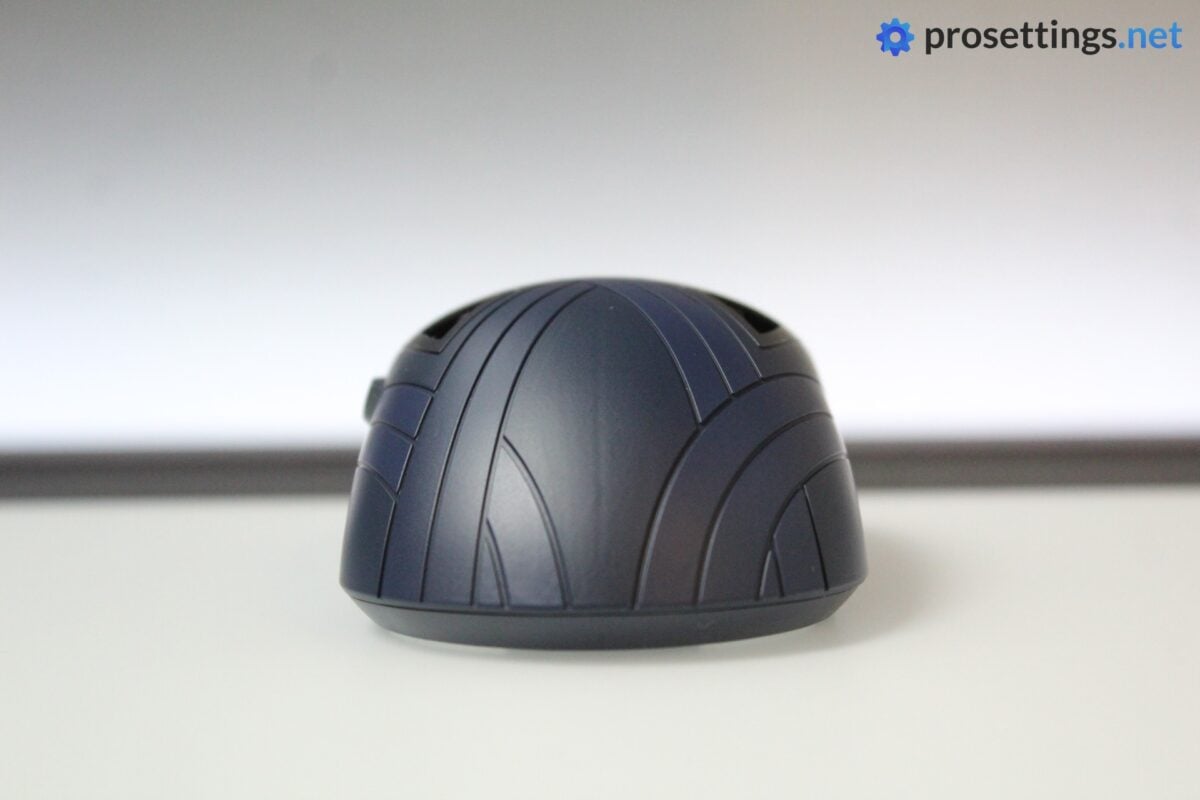
The coating is quite good. It does a good job with both dry and sweaty hands, but it’s not the absolute grippiest coating in the world. It does feel nice to use under all circumstances, however, as it handles sweat and oils quite adequately, and I had no real performance issues, so I’m fine with this.
The lines in the design do seem to help with the overall grip, so for me they’re more than an aesthetic addition. Sadly, they also trap dirt and skin cells really easily. They can be cleaned out with a toothpick, but that’s obviously quite a bit more involved than simply wiping a mouse with a damp cloth. So if you’re someone who likes a clean-looking mouse at all times, this design choice will cause you more headaches than a regular mouse.
Mouse Feet
The stock feet on the Starlight X are good. They’re quite fast out of the box, but on my unit they weren’t completely scratch-free initially. This disappeared after I broke them in for a couple of hours, however, so it’s not a huge issue.
One thing to note is that the feet sit quite flush with the mouse base, and the back feet are small and don’t cover the whole back portion. So if you’re someone who puts a lot of pressure on their mouse and you use a softer mousepad, you may experience frame drag when spraying etc. due to this. For reference: I use a ZOWIE G-SR-SE and didn’t have any issues, but I did notice a bit of drag on an XSoft Artisan Zero.
Recommended Grip Types
The Finalmouse Starlight X is a mouse that I would primarily recommend to claw grippers. It can absolutely be used by fingertip grippers as well, but it’s a larger mouse and the design doesn’t really seem tailored towards that type of grip, so I’d say there are better options for that. Palming the mouse can also be done, but I would only recommend that to people with medium-to-small hands.
Buttons and Scroll Wheel
Buttons
Inside the mouse, you’ll find Huano Blue Shell Pink Dot switches. These are renowned for their click feeling and sound, and you can consider me part of the fan club. They have a very pleasing, tactile actuation feeling and a tensioning that’s, to me, perfect. Not too heavy, but not too light either.
The buttons have also been implemented perfectly. Pre- and post travel are perfectly dialed in, and there’s no side play or switch grinding present. Technically speaking, this is one of the more pleasing sets of main buttons I’ve used in recent times.
TMR-DS
Rather than just having their switches actuate at the physical actuation point, Finalmouse uses a TMR-DS analog click system. TMR-DS stands for Tunnel Magnetoresistance Dual-State, and it basically means that a magnet sits underneath the clicker, measuring the magnetic flux changes that happen when a switch is pressed. This allows for highly precise measurements of where a button is exactly, and it thus allows users to finely tune when the switch actuates. In other words: you can choose how sensitive a button is. It also allows for the implementation of technology such as Rapid Trigger.
Those who follow the mouse scene a bit will know that this sounds very similar to the HITS technology that Logitech debuted with their SUPERSTRIKE mice, but there’s one very important difference here: the Starlight X does not have haptic motors. As such, the physical ‘click’ that you feel when pressing a button will always happen at the same moment in the switch travel, no matter how sensitive you’ve set the buttons in the software. So if you set the switches to be super sensitive, you will shoot before you feel the switch clicking.
TMR-DS In Practice
It might be different for other people, but for my playing style and the games I play (mainly tac shooters, with some Overwatch and the like mixed in) the TMR-DS system just feels unnatural. Click rhythm and timing are a big part of how I play, so a mismatch between actuation and the physical click just feels wrong. I could not get used to it, no matter how much time I spent with the mouse.
It could be argued that having a lower actuation point results in a faster click (since most people who want to click will travel far past the ‘click point’ of a switch anyway) and that that’s where the advantages lie, but I did not feel any difference in reality. And when I set the actuation point to be very low, I had a ton of accidental/ghost clicks when gaming, so any latency benefits were canceled out by that.
So while I do like the idea of having customizable main buttons, I think that there should also be a way to customize when the actual click is felt. This half-half fix doesn’t do it for me.
With that said, if you don’t want to use the TMR-DS system, you can just set the switch to actuate at the physical click point and be done with it. And, as an added bonus, the TMR-DS system does allow for Rapid Trigger to be used in a mouse, which can make spam-clicking a lot faster and more consistent.
So all in all, I do see the TMR-DS system as a net positive for the mouse. It gives you more options to use the mouse without getting in the way if you prefer a traditional experience, and that’s something I can appreciate even if I don’t personally get much out of it. I wouldn’t call it revolutionary (Logitech’s HITS is, for me, the far superior technology), but an optional feature doesn’t have to change the way everyone plays to be a worthwhile addition.
Scroll Wheel
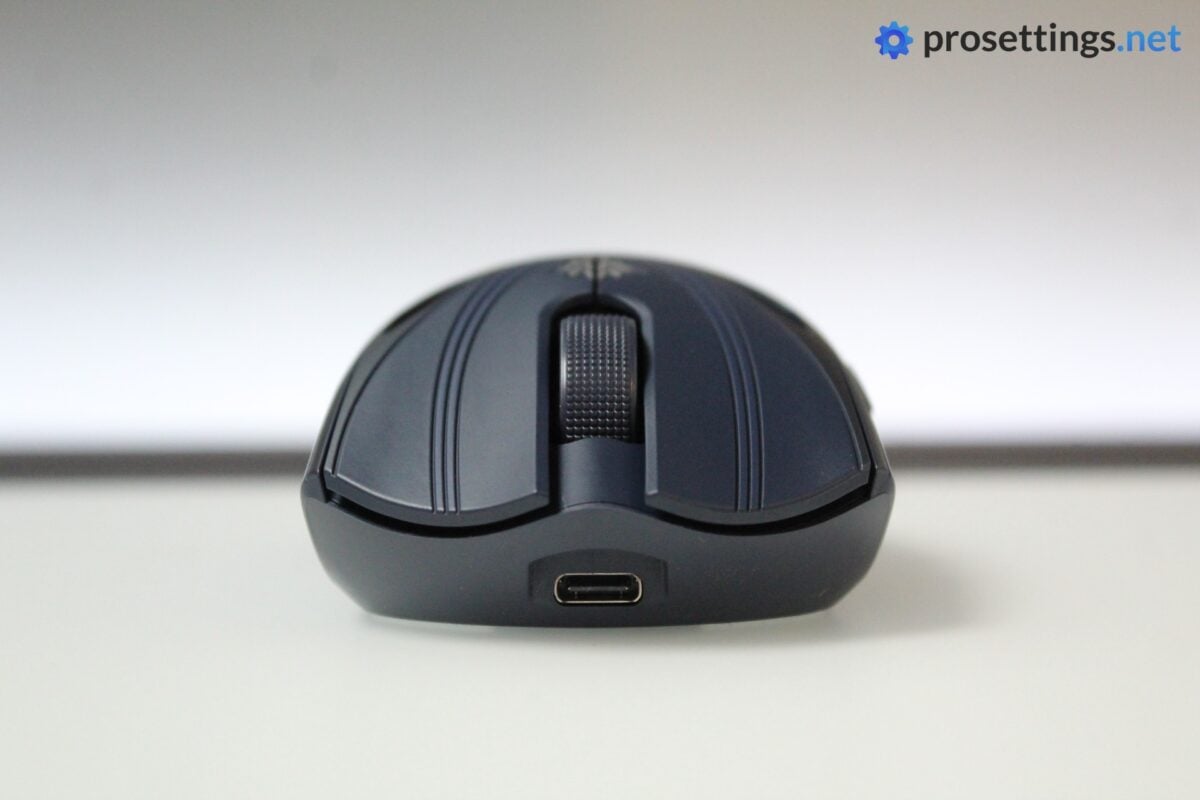
The scroll wheel doesn’t feel great to me. It has some mild texturing on it, but it doesn’t feel grippy enough. Furthermore, there’s not enough definition between scroll wheel steps for my liking, which resulted in a bunch of unwanted scrolls when I wanted to click the wheel.
In terms of performance, it’s good (I had no missed steps or ghost scrolls or anything like that) but the implementation could be better.
Side Buttons
Both side buttons feel good. They’re very easy to distinguish and both post- and pre travel are very acceptable. Mouse 4 does suffer a lot from the ‘pivot problem,’ where the back of the button travels inside the shell when you press it near the edge, but with my grip I always press it near the middle, so I’d say this is only a big issue if you intend to fingertip grip this mouse.
Build Quality
Despite reading a lot of horror stories about the QC of Finalmouse products online, I have to say that the QC on my unit is exemplary. There’s absolutely no noise when shaking or tapping the mouse, the shell does not flex in any meaningful way, and all of the more intricate details on the mouse are done well.
This is a really well-built mouse, and it feels a lot sturdier than many other options in this weight category.
Sensor and Everyday Performance
Sensor
For the sensor, Finalmouse worked with PixArt to develop their own custom sensor. The Finalmouse F1 offers improved accuracy, power efficiency, and resolution. But, as always, I have to be clear here. Modern sensors have been flawless for many years now, and the raw performance of today’s top sensors is so close (and theoretical gains are made for extreme usage scenarios that no one ever comes close to) that you’ll not notice any in-game difference between top sensor A and top sensor B, provided they’re implemented properly.
And the implementation is done properly here. Sensor performance is great, with no lag, no dropouts, and great response times. During my testing, I did not notice any irregularities which could be noticed while gaming, so the sensor and its implementation get top marks from me.
Weight
Finalmouse advertises 38 grams. On my scale, the mouse weighs 41 grams. That’s a bit off, but I’d call it an acceptable deviation, even if only just.
In any case, this is a very light mouse. It feels super nimble and quick to use, and if you’re not used to mice this light, you will want to set aside some time to adjust.
What I like is that, despite the weight, it doesn’t feel like a frail mouse. It feels sturdier and more durable than many other <45-gram mice I’ve tested, so that’s a testament to how well-designed this mouse is.
Configuring the Mouse
You can configure the mouse’s behavior and performance in Finalmouse’s XPanel web program. This is really well-made. It’s fast, easy to use, bug-free, and has everything clearly laid out. Even updating the firmware (which is usually a major pain in the behind) went quickly and smoothly, without even having to plug the mouse in.
Within XPanel, you can set the DPI, configure the TMR-DS system, change the LOD, and so on. You can also set what the dongle LEDs should indicate, which I always find to be a handy addition. Being able to see the battery level of your mouse at a quick glance is something I always appreciate.
I should note that there’s no way to change button bindings or create macros, however. For me, that’s not a problem, but it’s good to know in case this is something that you usually do with gaming mice.
Battery Life
Battery life isn’t clearly indicated in terms of hours by Finalmouse, but in my experience it’s quite good. I did not find that I had to charge it more often than I would have to charge other mice at similar polling rates, and I could easily use it for a couple of days without having to recharge it. I don’t do any in-depth battery testing, but I doubt anyone will have a problem with how long this Starlight X lasts on a full charge.
Alternatives
In terms of pure looks and design, there aren’t many alternatives to Finalmouse products. In terms of performance, there’s currently also only one mouse that comes to mind.
Finalmouse Starlight X vs Logitech G Pro X SUPERSTRIKE
Both mice offer similar technology and approach to shell design, but the user experience is completely different.
In terms of shape, the Finalmouse feels like a more curvy SUPERSTRIKE, and it’s also a lot lighter, leading to a drastically different in-hand feeling. The SUPERSTRIKE’s HITS system is by far the superior technology in regards to adjustable switch actuation, though.
So if you’re deciding between the two, it comes down to what you value most. If it’s the tech behind the switches, get the SUPERSTRIKE. If it’s the weight and more natural-feeling shape, get the Starlight X.
See our Logitech G Pro X3 SUPERSTRIKE review
Conclusion
The Finalmouse Starlight X is an interesting product. The eye-catching feature is obviously the TMR-DS system, but that misses the mark for me. I personally couldn’t get used to having the actuation point happen before (or after) the physical click, and I think this’ll be more of a hindrance than a benefit for most players. With that said, this is completely optional, though. You can simply set the buttons to actuate at the physical clicking point and use the mouse like a normal gaming mouse, only with Rapid Trigger enabled. For that, and for the extremely light yet sturdy design, it gets our Innovation Award.
And while TMR-DS is one of the highlight features of this mouse, there’s a lot to like aside from that. The shape is really good, the main buttons feel fantastic, the mouse is very light without feeling fragile, and the build quality is great.
It’s not perfect, however. The scroll wheel is an obvious point for improvement, the coating isn’t fantastic, and the mouse is difficult to keep clean due to the lines in the design.
So all in all, I wouldn’t say that Finalmouse has reinvented anything with the Starlight X. I appreciate brands trying new things and TMR-DS can be ignored entirely if you don’t vibe with it (like I do) but Logitech’s HITS implementation makes a lot more sense to me if adjustable click actuation is your main priority. But as an actual gaming mouse, the Starlight X is very, very good. If you want an extremely lightweight gaming mouse with a safe shape, great clicks, and a premium build, you should definitely consider this one. If you can get your hands on one, of course. Finalmouse products are notoriously difficult to get a hold of.
This product was received for free from the manufacturer and given to our reviewer to test and review. Brands and manufacturers have no editorial control over our reviews. For more information, check out our review FAQ.
Former semi-pro gamer turned writer, product reviewer, and community manager.

