Introduction
The people at VAXEE never rest on their laurels. Even when the brand is considered to be at the top of the game by many in the industry, they keep improving their products. The launch of the NP-01S V3 a couple of months ago marked a new leap for their product lineup thanks to the new sensor and dongle setup, and now we’re seeing another NP-01 product hit the market. In our full VAXEE NP-01 Ergo review, you’ll find out everything you need to know about the newest member of the family.
At A Glance
VAXEE NP-01 Ergo
Used by 4 players ()If you’ve always liked the idea of the NP-01 but wanted something that locks into the hand a little more, or if traditional ergonomic mice feel too curved and ambidextrous mice feel too flat, this could very well be the sweet spot you’re looking for.
Pros
- Great web driver
- Fantastic build quality
- Very interesting shape
- Great gaming performances
Cons
- Scroll wheel is a bit too stiff to click
- I’d love to see optical switches being considered
- Expensive and hard (or impossible) to get in some parts of the world
Specs
| Sensor | Core1 Sensor |
|---|
| DPI | 100-42000, in steps of 1 |
|---|
| Polling Rate | 8000 Hz |
|---|
| Button Switches | Huano |
|---|
| Connection | Wireless |
|---|
| Shape | Ergonomic |
|---|
| Length | 12.0 |
|---|
| Height | 3.9 |
|---|
| Weight | 58 |
|---|
| Width | 6.5 |
|---|
First Impressions
Packaging
In the past, I’ve often complained about VAXEE’s packaging. Their products cost more than flagship products from brands such as Razer (in the EU at least) so customers deserve to get a premium experience, both in presentation and box contents. Luckily, the NP-01S V3 addressed that, and the NP-01 Ergo continues in the same direction.
Inside the box, you will find:
- The mouse itself
- A USB-C-to-USB-A charging cable
- A set of additional big mouse feet
- A sheet of dot skates
- User documentation
- The wireless receiver dongle
That is exactly what I would expect from a flagship gaming mouse, so I have no complaints on this front at all.
The Mouse
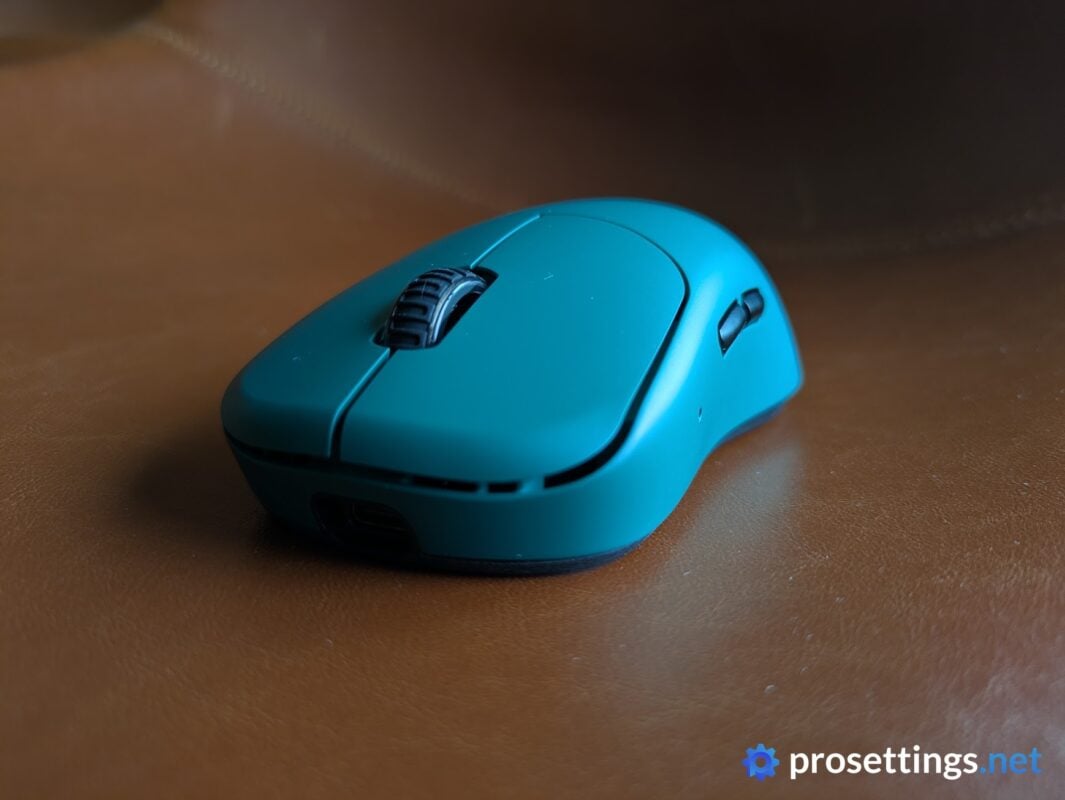
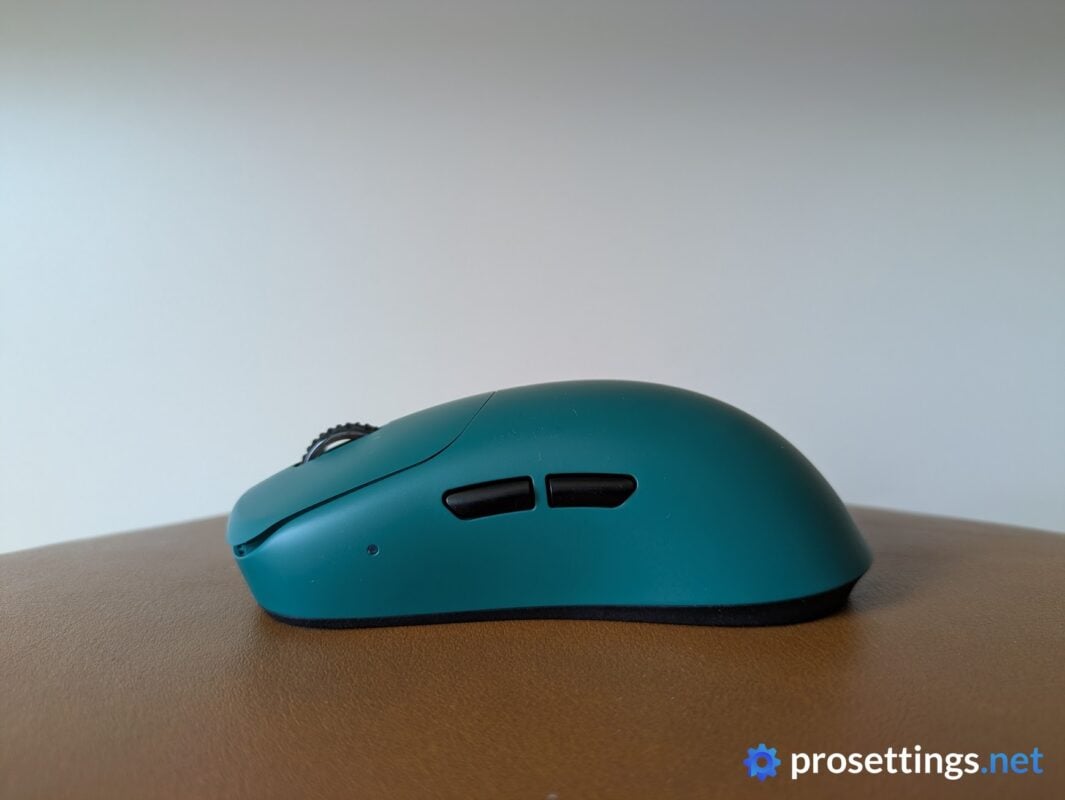
At the time of writing, the NP-01 Ergo can be bought in four different colorways. You get Galapagos Green, Deep Purple, Obsidian Black, and Lake Green. I got the Galapagos Green version, and I like it. It’s a nice, classy, and deep color that’s applied consistently across the entire shell.
VAXEE’s colors these days pretty much all look good to me, though. The current lineup is far removed from the washed-out, desaturated colorways the brand used to offer.
I also like that you can get some quite unique colors. Most brands release a white and a black version, and then call it a day. VAXEE offers a wide range of colors, so there’s something there for everyone.
Shape, Coating, and Mouse Feet
I have 18×10.5cm hands and use a claw grip.
Shape
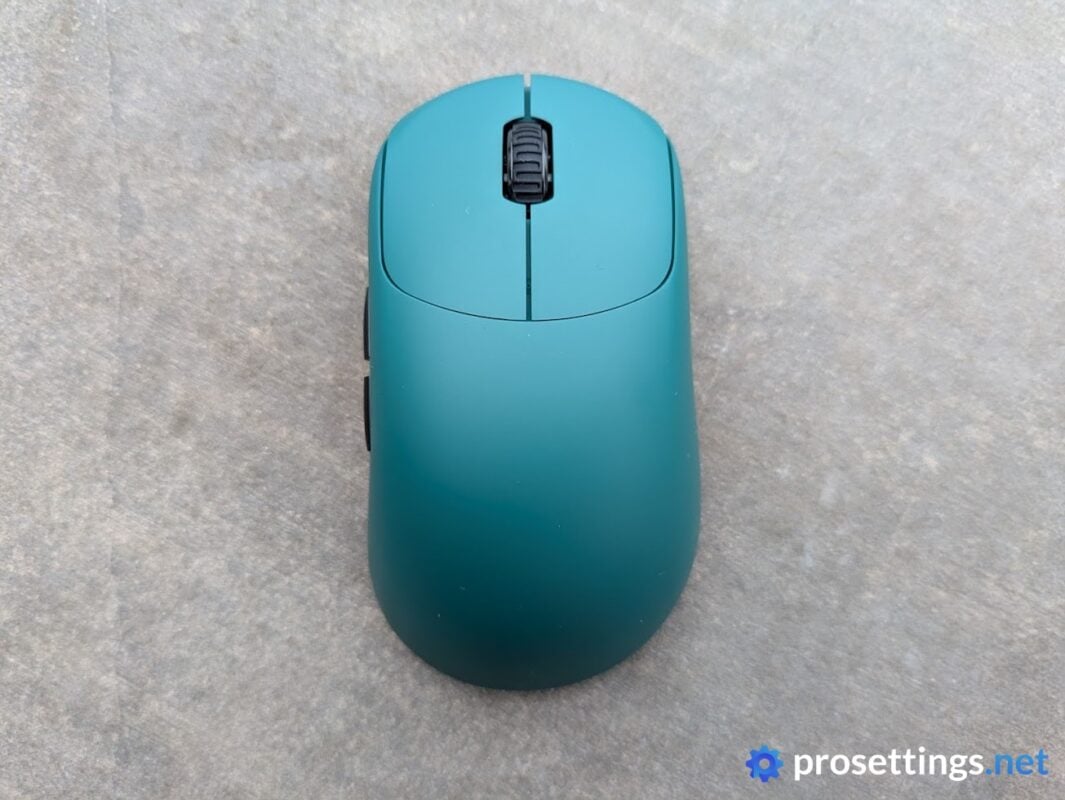
The NP-01 has always been lauded for its interesting design that sits somewhere between ambidextrous and ergonomic mice. It has asymmetrical sides with some curves like you’d find on ergo mice, but its top portion is more akin to what you’d get with an ambidextrous mouse, due to the rather flat hump and neutral top.
This NP-01 Ergo moves the whole mouse a little more towards the ergonomic side, with a top that slopes down gently towards the right. In addition to the top tilt, the thumb indentation on the left side has been deepened, leading to a more locked-in feeling when using the mouse.
So what you end up getting is a mouse that feels like a middle ground between traditional ergo mice (like the VAXEE E1) and ambi mice (like the VAXEE XE).
To put it shortly: if you’ve ever felt that an ambi mouse is too flat, and an ergo mouse is too curved, this might just be the tonic you need. For me, this is the best NP-01 shape so far. I like the increased amount of lock-in that it offers, and the thumb groove is a welcome addition as well for my grip style.
One thing I will say is that you do lose some of the nimbleness that you got with the regular NP-01. With the back portion being more formed, the NP-01 Ergo tends to lock into your palm (particularly the left side) a bit more, making it sit more stably in your hand. Whether that’s a good thing or a bad thing depends on your preferences, of course.
Coating
VAXEE’s coatings are fantastic. They’re not necessarily the easiest coatings to keep clean (if you sweat a lot, you’ll be cleaning the mouse quite often, since the surface develops certain ‘shiny spots’ in often-used places) but in terms of performance and feel, they’re amazing.
I had no grip issues at any point, whether I was playing with cold hands or sweaty hands. And even during intense, multi-hour sessions, the mouse’s coating felt reliable, consistent, and was a joy to use.
Mouse Feet
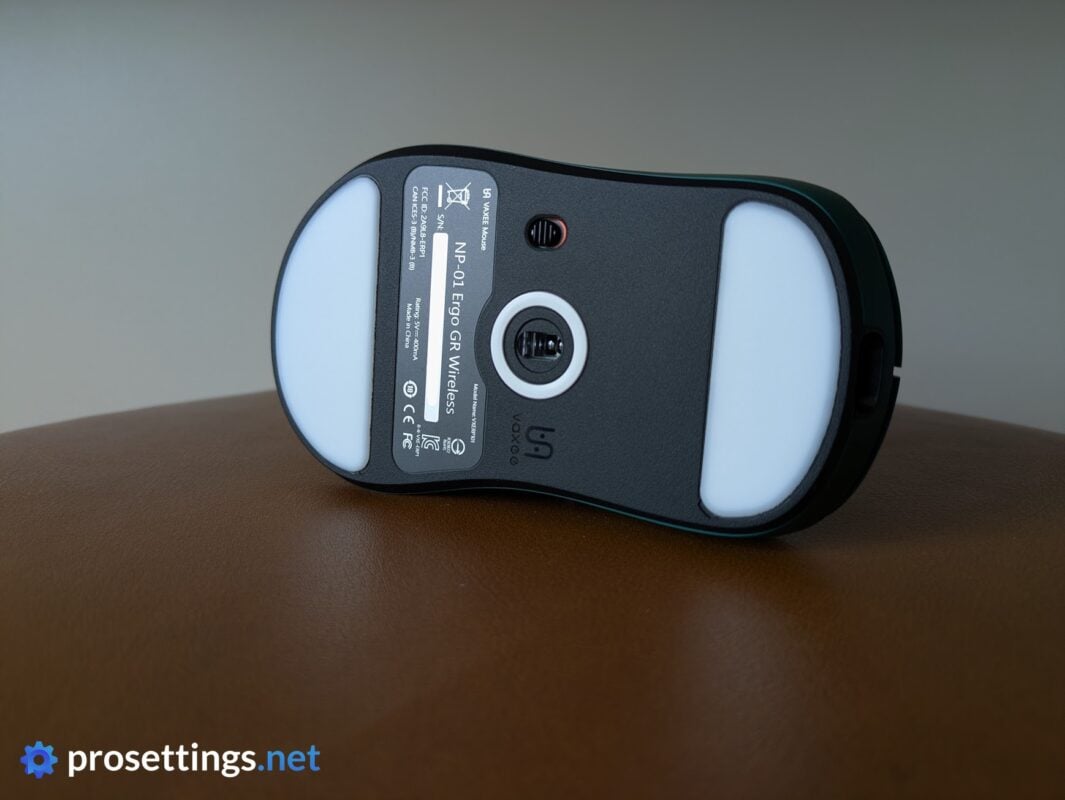
VAXEE’s stock feet are, like the coating, fantastic. These are nicely rounded straight out of the box (meaning no breaking in is required) and offer a medium glide that edges on fast (for stock skates).
Unless you’re extremely particular about the exact type of mouse skates that you like, there’s absolutely no need to swap these out for third-party skates. And with the fact that you get a replacement pair in the box, you can keep a fresh, pristine glide for a long time.
The included dot skates, to me, feel similar in terms of quality and performance. They can alter the overall glide quite drastically depending on the number of dots and their precise placement, so if you want to customize your glide a little bit, you can always experiment with these. And if you don’t like the dots and you ruined your larger skates while taking them off, there’s a replacement pair right there in the box.
Recommended Grip Types
In my eyes, the NP-01 Ergo works perfectly for both claw and palm grippers, though it does seem to be a shape that’s made primarily for claw grips. You can still get away with palming it if you have smaller hands and don’t want a super filled palm, however.
What I wouldn’t necessarily recommend it for is fingertip grip. The slightly angled and asymmetrical shape doesn’t lend itself particularly well to that type of grip. Of course, if you like the shape and design and you’re confident that you can fingertip it, by all means go for it. This section is just a guideline, not gospel.
Buttons and Scroll Wheel
Buttons
There’s still no mention of optical switches in VAXEE’s press releases or marketing materials, and the NP-01 uses the trusty mechanical Huanos under the hood.
I personally don’t have an issue with these switches. They’re reliable, industry-proven, and they feel very nice and crispy. Click tensioning is also dialed-in well on the NP-01 Ergo.
However, I do feel like VAXEE should start looking at optical switches at some point. I get that early iterations of opticals felt vastly inferior in terms of click feeling to mechanical switches, but that time has passed. There’ll always be those who swear by mechanical switches, claiming that opticals feel way worse, but I think that the differences for most people are small enough nowadays to justify experimenting with them.
With that out of the way, the button implementation is spot on here. If I press down on mouse 1 really hard and move my finger a bit, I can sense some switch grinding, but I never replicated this in actual usage scenarios, so for me it’s not an issue. Other than that nitpick, I have nothing to remark. Pre- and post-travel, as well as side travel, are all very much within acceptable ranges, and the ol’ Huanos actuate with a pleasing and reassuring click.
Side Buttons
Both side buttons feel great. There’s noticeably more travel to the buttons if you press them near the edges, though, and if you press mouse 4 hard near the back, you can get it to go inside the shell a little bit. That’s a minor annoyance in an otherwise very nice set of side buttons, however.
Both actuate with a nice clicky sensation, and if you avoid the back of mouse 4, there’s no annoying post-travel present. The buttons are also very easy to tell apart and sensibly placed.
Scroll Wheel
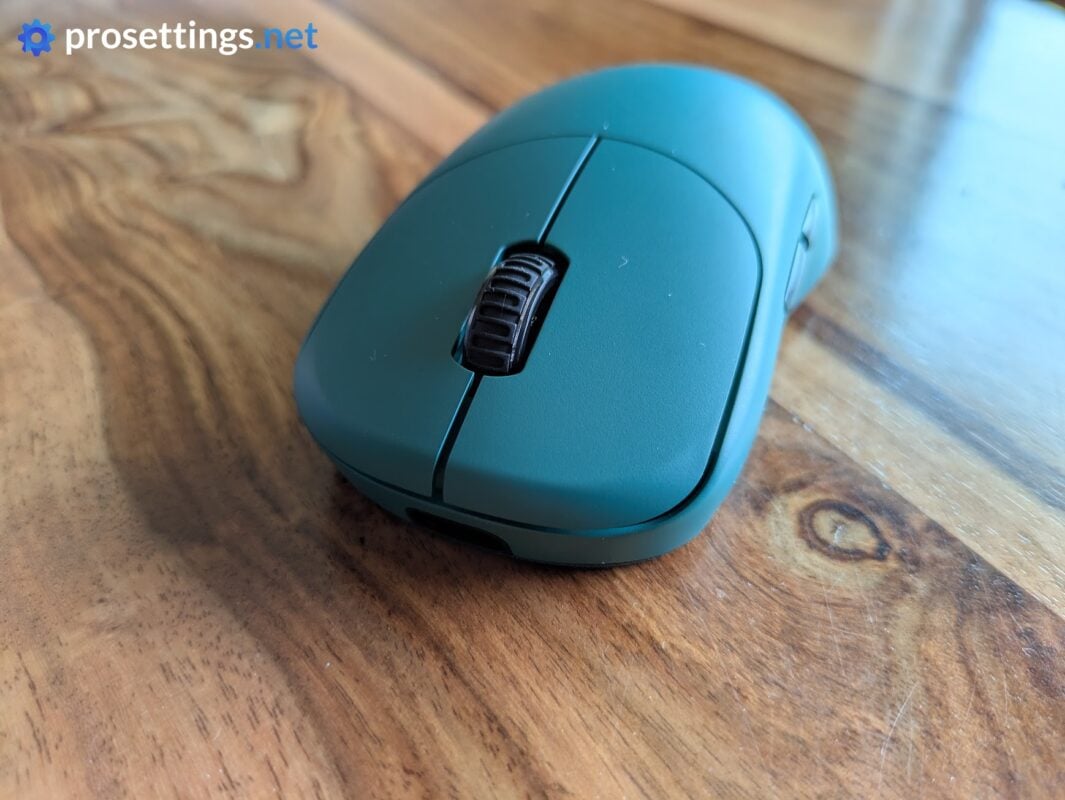
The scroll wheel that you’ll find on the NP-01 is very textured for extra grip. When operating the wheel, it’s rather quiet, and the steps between each individual scroll are accurately represented without any ghost scrolls or missed inputs.
In terms of tactility, it’s on the heavier side. As such, if you do a lot of scrolling for work or other endeavors, this might not be amazing in the longer term. For gaming, however, it feels great. If you’re someone who switches weapons with the wheel, for example, you’ll find that the added assurance of this slightly heavier wheel makes it easy to know when to stop scrolling.
One thing I should note is that pressing the wheel itself feels quite a bit harder than on previous VAXEE mice. I don’t know if this is something specific with my unit, or if this has been tightened up across the entire range. For me, it’s edging towards being too stiff, as I sometimes accidentally scrolled while trying to press the wheel during matches.
Build Quality and Weight
As for the build quality, I can be short: it’s amazing. The whole mouse feels extremely well-built, and there is no rattling when I shake or tap the mouse. Squeezing it at various points also does not reveal any unwanted shell flexing.
The weight, to me, also feels fine. This mouse won’t please the players who are firmly invested in the lightweight race, but for the majority of gamers, anything within that 50-60 gram range hits the sweet spot. At 58 grams, this is admittedly near the top of that, but the mouse never felt heavy to me.
That’s also because the weight balance is very much on point. If you grab the NP-01 Ergo with two fingers anywhere near the middle, it will stay almost perfectly horizontal. Due to this, picking it up and placing it down for big swipes never feels as if you’re handling some unwieldy product.
Sensor and Everyday Performance
Sensor
The NP-01 Ergo houses VAXEE’s new Core1 sensor, and that’s a very impressive sensor. It’s capable of DPI adjustment in increments of 1, for example. It obviously also goes all the way up to 8000Hz for those who prefer higher polling rates.
In terms of implementation, everything is also handled exceptionally well here. Even at 8000Hz, performance is consistent and error-free across the board.
After the release of the NP-01S V3 (which was the first mouse to feature the Core1 sensor), I saw some people claiming that they could feel a big in-game difference between the Core1 and other sensors, but I’ll be honest and say that I personally can’t.
Maybe some users feel that difference because VAXEE places a lot of emphasis on having a ‘true-to-hand’ feeling. Motion Sync, for example, is off by default. And the brand has always placed a lot of thought into making their mice as responsive and consistent as they can be. So if you’re coming from mice that place more emphasis on that ‘smoothness’ feeling, I imagine it might be a difference you can feel if you’re sensitive to that kind of stuff.
With that said, if you’re coming from a modern top gaming mouse and you’re not doing any 1:1 lab-style testing, I personally wouldn’t expect any major changes to your gameplay due to the sensor. That’s not a dig at VAXEE, it’s just a fact that modern gaming sensors have been performing flawlessly for many, many years now. And while I applaud technological advancements in sensor tech, you shouldn’t get a mouse based on the sensor alone. There are far more important things when choosing the right gaming mouse for you.
Configuring the Mouse
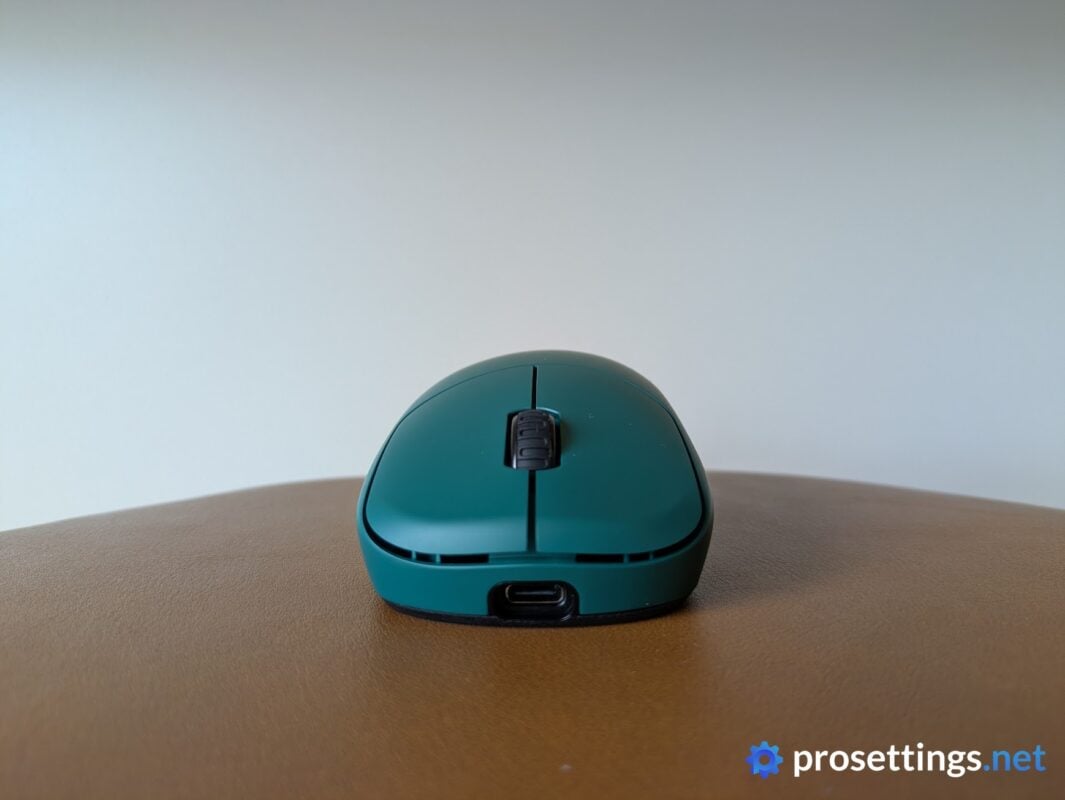
On the new cylindrical dongle, you can quickly change the polling rate, DPI, and swap between three different profiles. You can also quickly check the battery life by pressing the middle and right buttons together. That’s a handy addition in my opinion.
Those who want to configure their mouse on a deeper level need to turn to VAXEE’s web driver. That is an excellently executed web driver. It looks and feels super clean, is easy to understand, and didn’t present any bugs during my testing.
I should note that it’s not the most in-depth program out there. Those who like to create macros, for example, are out of luck, as you cannot do that with the NP-01 Ergo.
Battery Life
Battery life has never been a big strength of VAXEE mice, and that doesn’t change here. With Competitive Mode on, you can expect around 32 hours at 1000Hz, and 23 hours at 8000Hz. That’s very low, but it should be noted that Competitive Mode basically devotes all of the mouse’s resources to being as responsive and gaming-ready as possible.
If you set the mouse to the more regular Standard Mode instead, you can get around 100 hours at 1000Hz out of a full charge.
Alternatives
The NP-01 Ergo has one of the most unique shapes on the market. If you want to try this particular shape, VAXEE is pretty much the only (reliable) manufacturer offering it. If you like what you’re reading and would like to go smaller, the NP-01S Ergo could be considered. That’s a smaller version of this mouse. It does not have the new dongle and sensor, but in terms of performance it should be very close to what the NP-01 Ergo offers.
Conclusion
The VAXEE NP-01 Ergo is another excellent gaming mouse from a brand that rarely seems to miss these days. It takes the unique NP-01 shape and pushes it a little further towards the ergonomic side without turning it into a full-on traditional ergo mouse. The end result is a shape that feels extremely interesting, and for me personally, extremely comfortable. It’s my favorite iteration of the NP-01 line so far.
There’s not a lot to complain abouth, here. The coating and mouse feet are fantastic, the build quality is excellent, the weight balance is spot on, and the new Core1 sensor performs flawlessly. The updated dongle is also a nice quality-of-life improvement, and VAXEE’s web driver is clean and easy to use.
It’s not all perfect, though. Battery life in Competitive Mode is still quite poor compared to a lot of the competition, the scroll wheel click on my unit is edging towards being too stiff, and I would like to see VAXEE experiment with optical switches at some point. Those have matured enough to be considered, if you ask me. These things aren’t dealbreakers for me, but they’re worth keeping in mind, especially given the premium price (179 euros in the EU) that VAXEE mice command.
All things considered, though, the NP-01 Ergo delivers where it matters most. It’s a well-built, extremely responsive gaming mouse with a fantastic, unique shape and very few true downsides.
If you’ve always liked the idea of the NP-01 but wanted something that locks into the hand a little more, or if traditional ergonomic mice feel too curved and ambidextrous mice feel too flat, this could very well be the sweet spot you’re looking for.
This product was received for free from the manufacturer and given to our reviewer to test and review. Brands and manufacturers have no editorial control over our reviews. For more information, check out our review FAQ.
Former semi-pro gamer turned writer, product reviewer, and community manager.

