Introduction
When the Logitech G Pro X2 SUPERSTRIKE debuted less than one year ago, there probably weren’t many people expecting a follow-up version so soon. And yet, here it is. The newest version of Logitech G’s flagship mouse is presented by the brand as a meaningful upgrade over the previous one and introduces some commonly-requested changes. In our full Logitech G Pro X3 SUPERSTRIKE review, you’ll find out everything you want to know about this mouse.
At A Glance
Logitech G Pro X3 SUPERSTRIKE
Used by 23 players ()It’s a great mouse, so it’s getting a good score, but I do expect a much bigger jump in features and overall polish by the time the X4 releases.
Pros
- HITS switches are the way of the future
- Being able to customize the feel and behavior of mouse switches is very useful
- Fantastic battery life
- Safe, trusted shape
- Good build quality
Cons
- Too expensive
- Feet feel too scratchy
- Side buttons feel slightly mushy
- Scroll wheel does not live up to the price tag
Specs
| Sensor | HERO 2 |
|---|
| DPI | 100-44000, in steps of 100 |
|---|
| Polling Rate | 125 / 250 / 500 / 1000 / 2000 / 4000 / 8000 Hz |
|---|
| Button Switches | Logitech HITS |
|---|
| Connection | Wireless |
|---|
| Shape | Ambidextrous |
|---|
| Length | 11.8 |
|---|
| Height | 3.9 |
|---|
| Weight | 59 |
|---|
| Width | 6.2 |
|---|
First Impressions
Packaging
Inside the box of the Logitech G Pro X3 SUPERSTRIKE, you will get:
- The mouse itself
- Grip tape
- A USB receiver
- A USB-C-to-USB-A dongle
- User documentation
- An additional ‘POWERPLAY hatch puck’ which is covered in mouse feet material
Given the fact that Logitech have hiked prices again, I would love to see more here. Replacement mouse feet feel like a bare minimum, but at these prices I would also like to see additional mouse feet options. Maybe some feet made from the same materials as what we saw on the Superlight 2c, or even a sheet of dot skates.
The Mouse
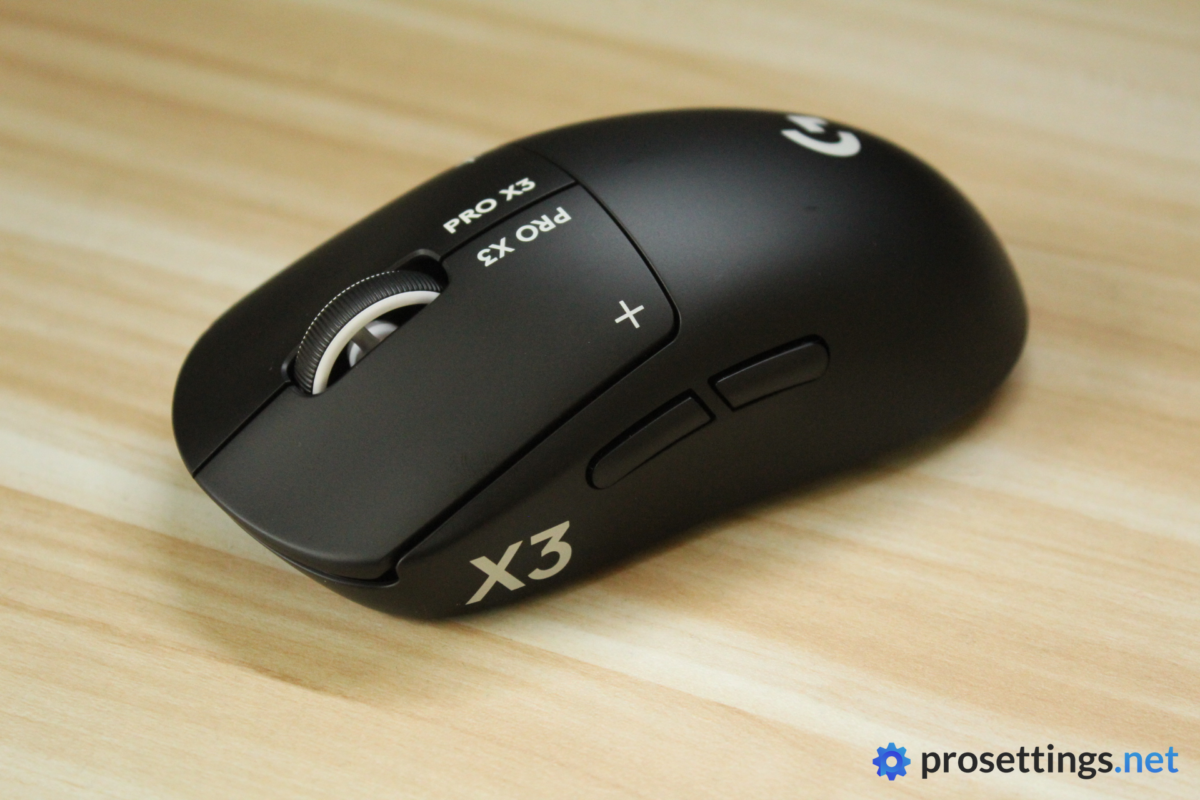
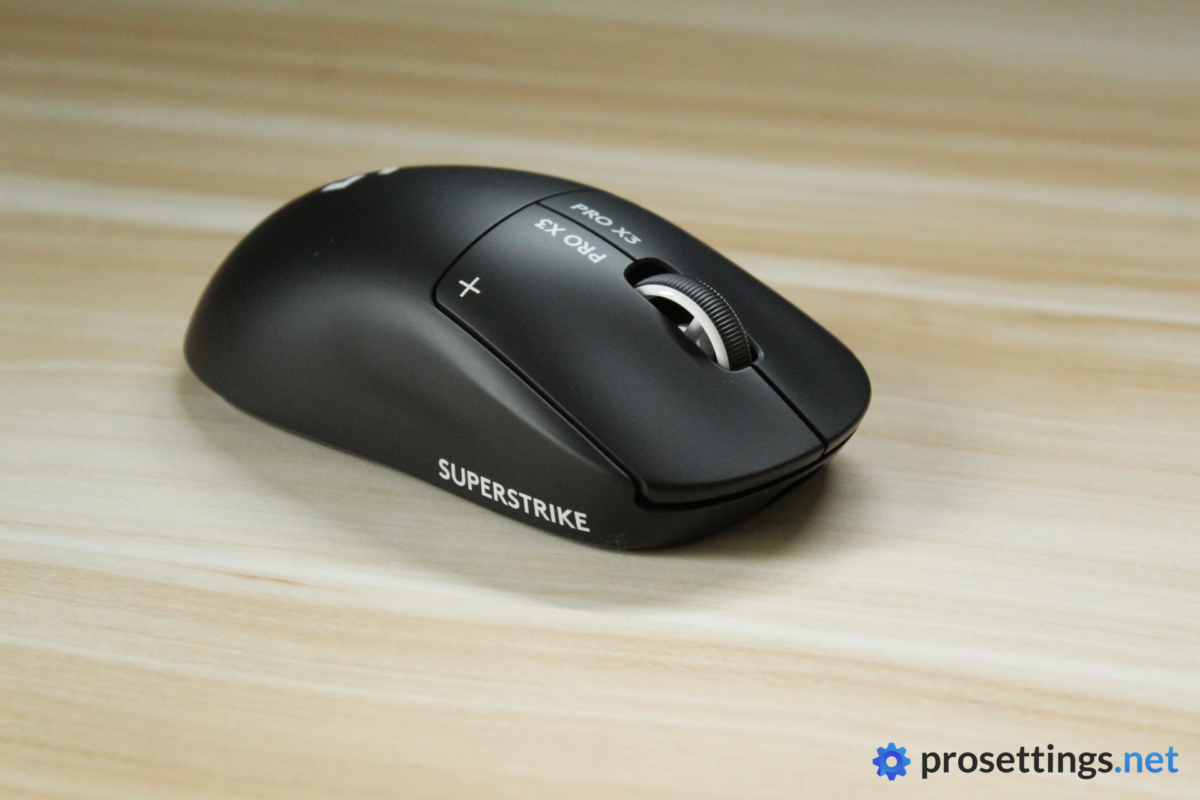
The X3 SUPERSTRIKE is available in two finishes at launch: Magenta and Black. Notably, the black buttons with the white crosses and text that we saw on the X2 SUPERSTRIKE remain. The Magenta Eclipse version, for example, still has the black buttons. I like this style, as it’s a cool visual ‘gimmick’ to easily identify SUPERSTRIKEs in the wild.
Aside from the color, pretty much nothing has changed externally. This is still the same shape that debuted all the way back in 2018, and that makes sense to me. This mouse line is still one of the most popular gaming mice in pro gaming, so Logitech would be silly to make any big changes to it.
I will say that I would love to see their other shapes get some love, too. People have been clamoring for a G703 refresh for so long now that I doubt it’ll ever happen, but recent-ish models like the 2c (basically a mini version of this mouse) and the Dex are quite recent, so it would be cool to see them get the HITS system as well.
What Has Changed?
The X3 SUPERSTRIKE is described by the brand as being a substantial step up, earning it the right to be a new version instead of a ‘refresh’. I think the whole ‘is it an X3 or X2.5’ discussion is a bit of a semantic tug-of-war (what’s in a name anyway), but I’ll let the reader be the judge. These are the headline changes introduced with the X3:
- The weight balance is now much better (more centered)
- The weight in non-EU countries is now very slightly lower (roughly 2 grams)
- The mouse has a new custom-designed chipset, thus extending the battery life by 50%
These are very welcome changes, but sadly the price also changed. In my X2 SUPERSTRIKE review, I already criticized the price, and now Logitech has added another $20. This results in a mouse that costs an eye-watering $199.99 at MSRP.
I know that life in general is always getting more and more expensive and you also pay for the development of new tech and so on, but I think that the price is just too high. The X2 SUPERSTRIKE (which was the mouse that actually debuted the HITS system; this X3 does not feature any huge technological leaps of that kind) was released this year at $179.99, so I find it very strange that this updated version suddenly has to cost $199.99.
And that’s where my main issue with this release starts to show. The X3 fixes one of the biggest complaints people had with the X2 and makes a substantial improvement to the battery life, but at first glance it feels more like the polished version of the X2 than a completely new generation.
Shape, Coating, and Mouse Feet
Shape
My hand size is 18×10.5cm and I use a claw grip.
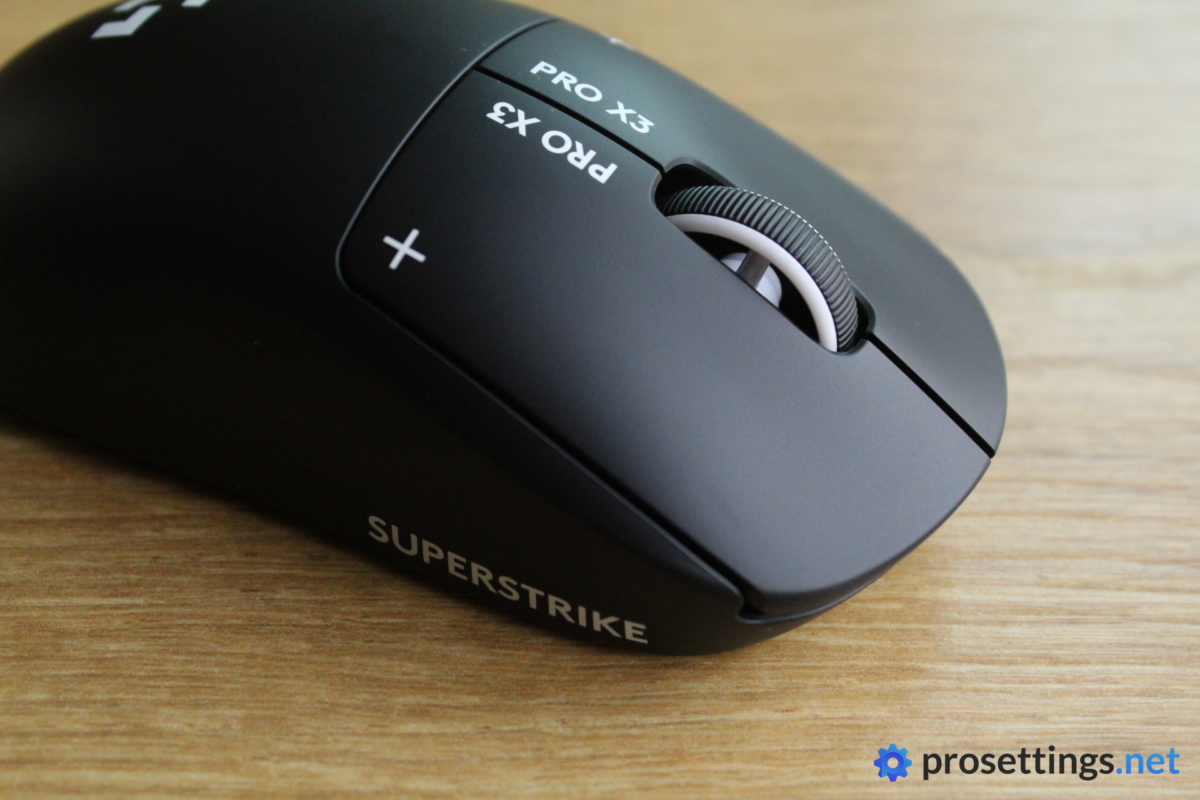
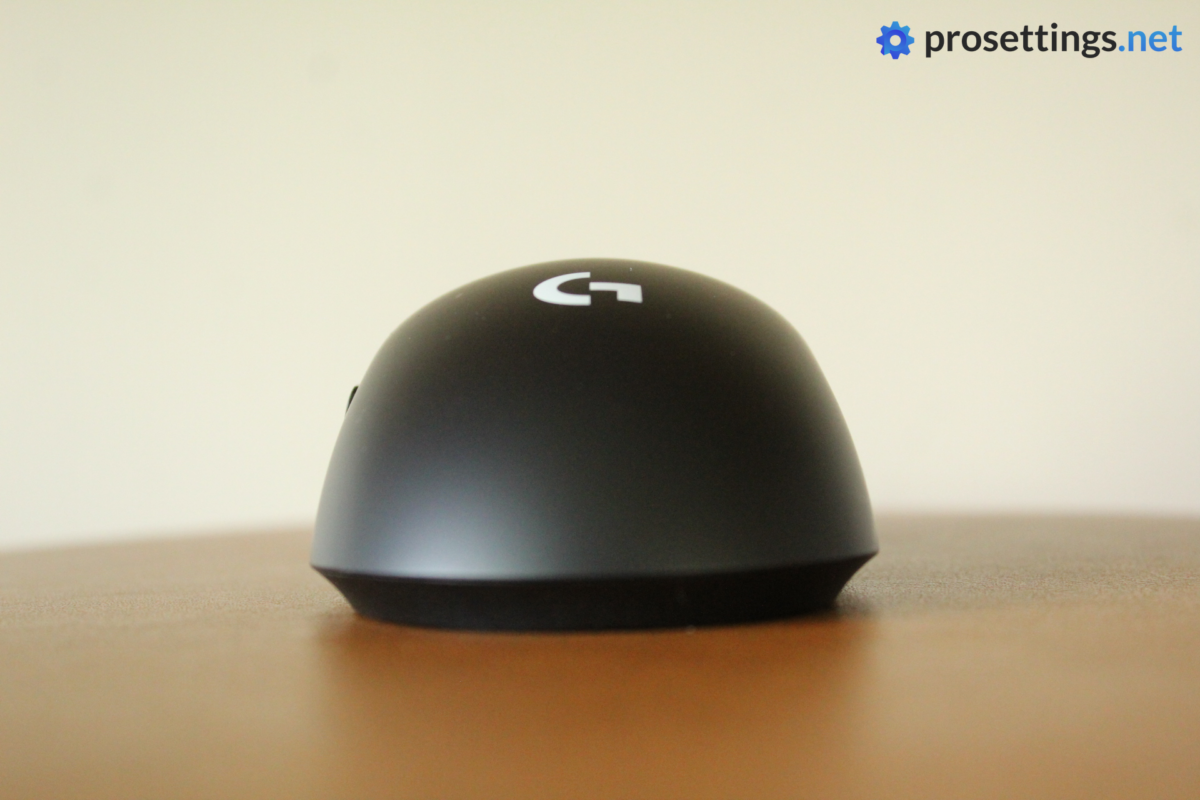
The shape of the SUPERSTRIKE is famous for being as close to a ‘one-size-fits-all’ type of shape as possible. It’s extremely safe, with absolutely no curves or indents that might be perceived as controversial. The mouse is also quite flat-feeling, with a gradual hump at the back. This shape is often referred to as ‘the potato’ within the community, and that pretty much describes it well in my opinion.
So obviously, it’s not the mouse for people who want a shape that feels custom-fitted. It’s simply too generic for that. The upside is that the vast majority of gamers should be able to find a comfortable grip almost immediately. There’s very little adjustment involved; you can pick it up and start playing at close to your best level within a matter of minutes, which is something that can’t be said for more specialized shapes or designs.
That ‘pick it up and play’ factor is a big reason why this line has been so popular, I think. The shape is familiar, reliable, and flexible enough to accommodate a wide range of grip styles without ever feeling awkward. If that’s what you’re looking for in a mouse, this shape will work wonders. If you want something that feels a bit more formed, skip this.
Coating
The coating on Logitech G’s flagship mice hasn’t changed for a pretty long time now. And that’s for good reason, as it’s quite simply very good.
The very slightly rubberized-feeling coating does a great job at delivering a steady grip at all times, no matter if your hands are sweaty or completely dry.
I will say that the black version (which I got to test) does show hand oils and fingerprints a little bit too quickly for my liking, but other than that minor nitpick, there’s pretty much nothing I can say about the coating. It works, and it keeps working even during marathon sessions.
Mouse Feet
Over the years, Logitech G’s flagship mice have always been dragged by parts of the community for their subpar mouse feet. The discourse momentarily stopped when Logitech added much better feet to the Superlight 2c, and then started right back up again when those feet were replaced again with the release of the X2 SUPERSTRIKE.
Logitech claims that these UHMWPE feet are more durable than the ones they used on the 2c, but this is a $200 mouse aimed at highly competitive gamers. Surely, this crowd would prefer smoother, slightly less durable feet over feet that feel worse, but last longer?
With that said, I don’t want to overstate the issue. Yes, the feet are below par in today’s market. They are too scratchy (this is especially noticeable on pads with a coarse surface) and, for many, they will also feel too slow. But it’s not as if they’re completely unusable. Hundreds of pros use these mice when playing at the highest levels, and the vast majority of those pros don’t ever swap out their skates for aftermarket options. So I’d say that the average gamer will be fine with these.
Summarizing: they’re definitely not great, but they’re also not bad enough to ruin the mouse. In my opinion, Logitech should just bring back the feet that they used on the Superlight 2c and put this whole debate to rest.
Recommended Grip Types
Due to the aforementioned super safe shape, the Logitech G Pro X3 SUPERSTRIKE can be used by a very large variety of hand sizes and grip types.
It’s obviously not a specialized shape, so if you’re looking for that ultimate locked-in feeling ambi mouse, for example, it will not deliver that sensation, but pretty much anyone (save for people with extremely large or small hands) should be able to find a grip that works for them on this mouse.
Buttons and Scroll Wheel
HITS
HITS stands for Haptic Inductive Trigger System. In short, it allows users to set the actuation point of the clicks themselves. The accompanying haptic feedback that happens when you click can also be customized. Logitech’s mice are, at the time of writing, the only mice that feature this kind of technology.
The efficacy of HITS has been a topic of great debate over the past couple of months, but I personally love the technology. It won’t make you an S-tier gamer overnight, nor will it fix laggy reflexes or anything like that, but I noticed clear and repeatable benefits during my testing. Whether those translate to consistent improvements in real-life gaming scenarios is another matter entirely, but to me, this is absolutely not a gimmick. If you’re someone who is obsessed with min-maxing their gaming setup, this mouse is well worth considering for that reason alone.
Even beyond the performance, I see these switches as an absolute win. Being able to dial in a click so that it feels just right for your personal preferences (or even the specific game you’re playing) feels great. I’ve tested a pretty large number of mice over the years that felt pretty much perfect, but had a click that felt too light, meaning that I stopped using them. With HITS, situations like that are a thing of the past.
Something I did notice is that the haptic feedback feels weaker in the X3. I had to set my haptic feedback to 3 in order to match the feedback I use on my X2 (I set that to 2), as using the same setting felt noticeably weaker. That’s not a dealbreaker, but it’s worth noting if you’re considering upgrading.
Buttons
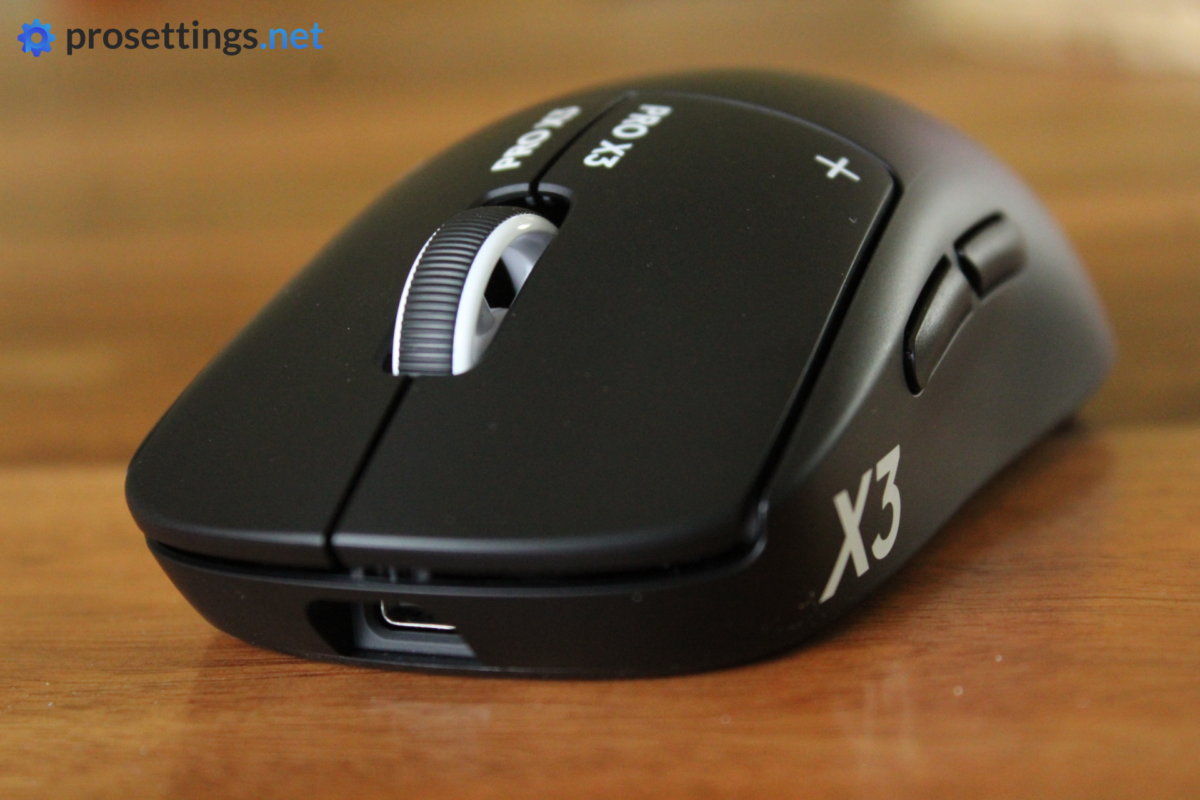
If you’ve never used HITS buttons, it’ll feel a bit strange at first. Instead of a very crispy, very tactile ‘snap’ like what you’d get from a mechanical mouse switch, you’re getting more of a vibrating pulse feeling here. It feels very similar to what you get from a Macbook trackpad or a Steam Deck.
I personally don’t mind that sensation. However, if you’re someone who is very particular about the way switches feel and click, you may want to take note here, as it is very different from a traditional offering.
With that said, I’ve been using the X2 SUPERSTRIKE as my main mouse since it came out, and I never really looked back at other switches. I can still appreciate a tactile, well-balanced mechanical click of course, but I haven’t ever felt like I was missing something with the X2 SUPERSTRIKE.
For me, technology like this is the way forward for serious gaming mice.
The actual buttons feel well-implemented. Pre- and post-travel vary depending on your settings, so I can’t really comment on those aspects, but the side travel is very limited, and there’s no grinding when you’re holding a button down.
As an added bonus, the main buttons are completely silent as well. That’s great news for people who like to game in the vicinity of their housemates.
Scroll Wheel
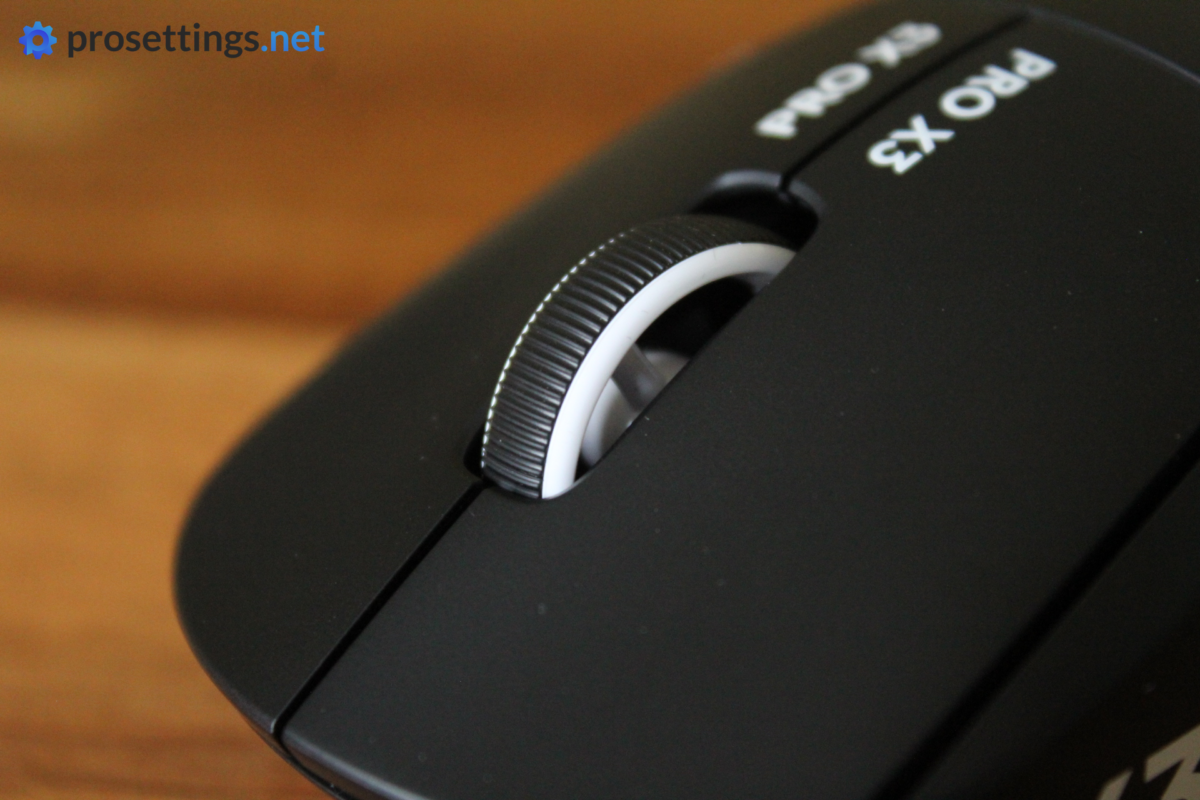
The scroll wheel is good, but nothing more than that. It grips well and it misses no steps when scrolling. I also didn’t encounter any ghost scrolls. Additionally, the tensioning on both the scroll steps and the wheel click feels good, as I experienced no accidental clicks when trying to scroll and vice versa. So in terms of performance, I have no remarks.
In terms of feeling, it feels a bit dated. The click itself is a tad mushy and I find the steps when scrolling to lack a bit of definition, for example. Additionally, I personally like a bit more texturing on the rubber part of the wheel itself.
As I said, it feels like a wheel that’s simply ‘good’. I have no issues using it for gaming and work, but it can be argued that ‘simply good’ is perhaps not good enough for a $200 gaming mouse.
Side Buttons
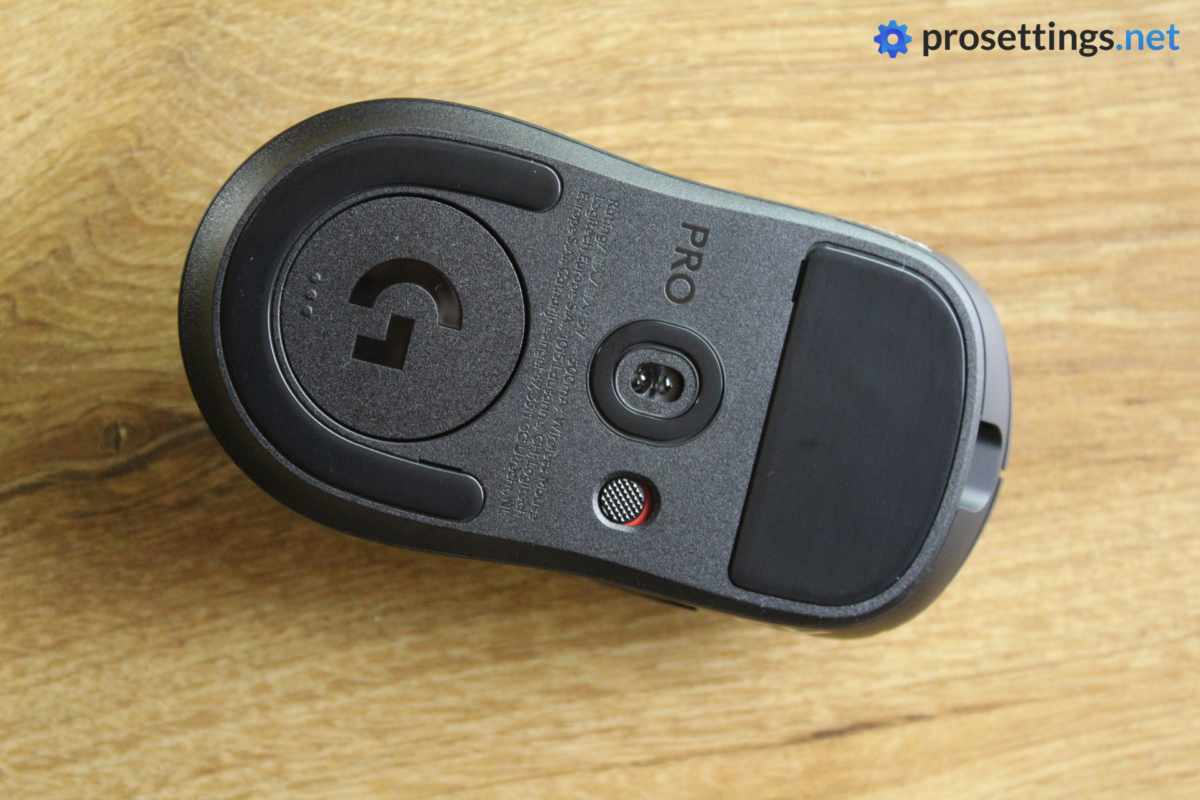
The side buttons feel a bit too mushy for my liking. Luckily, there’s not a lot of post travel (which is one of my pet peeves with side buttons) so they feel okay to use, but there’s no denying that these could be better.
Build Quality
In terms of build quality, I can’t say that I have any complaints. The side of the shell can technically flex a little bit if you apply a lot of pressure, but this has no effect on the performance of the mouse (it doesn’t trigger any buttons on my unit) and I frankly question if anyone plays with a grip that’s strong enough to allow this flex to become an issue. I noticed this on the X2 SUPERSTRIKE as well, to be complete, but the sides of this particular X3 unit feel stronger to me.
Aside from that, I have no remarks. The mouse is dead silent when tapping, shaking, and even squeezing it.
Sensor and Everyday Performance
Sensor
The X3 SUPERSTRIKE still uses Logitech’s HERO 2 sensor, but it has been upgraded slightly. You won’t notice any of this in-game, though. It already was and still is a top-performing sensor that flawlessly delivers your every move to the game/PC. On top of that, it’s backed by Logitech’s flawless LIGHTSPEED wireless tech, so you’re not going to have any issues with the performance.
Of course, I still properly tested the mouse, and I found no evidence of any sensor issues that would be noticeable in-game. Tracking, flicking, latency, and so on: it all lines up with what you’d expect from a modern-day top gaming mouse.
Something that has changed is the chipset. The NxLOGI chipset was added in order to significantly improve battery life, and it’s also being marketed as increasing the overall performance of the mouse. As always, with sensors, I want to temper expectations, though. Flawless mouse sensors have been the norm for many, many years now. As long as they’re implemented properly, the vast majority of modern sensors will feel completely identical to 99% of gamers. So don’t expect this new chipset to influence your gameplay.
That’s not to say that companies should stop innovating, by the way. I welcome innovation and improved components, even if it’s only on paper. As long as the improvements don’t get in the way of the overall usability of the product, I’m all for it. And here, I absolutely welcome the NxLOGI chipset. Not because of the performance improvements (you will not notice this) but because of the battery life improvement. More on that later.
Weight
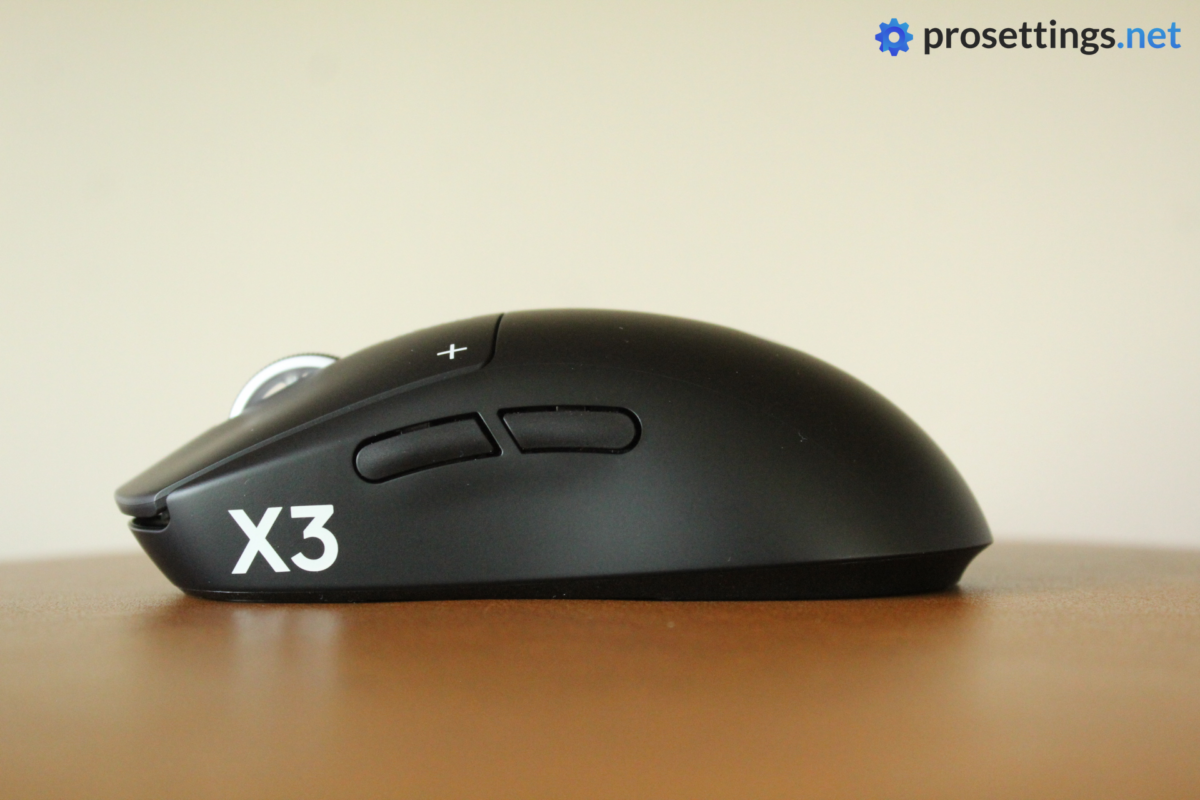
One of the major points of criticism when the X2 SUPERSTRIKE launched had to do with the weight balance. This was noticeably off-center, and that has been fixed now. That’s a major upgrade, as the off-center balance was something that bothered a lot of people.
Logitech also says that the weight of the mouse has been reduced, and while that’s technically true, I wouldn’t call this a big change at all. In most markets, there’s a weight saving of 2 grams. It’s something, but it’s definitely not a life-changing difference. And, if you’re in the EU, there are no weight savings at all due to local regulation in regards to battery housing.
So yes, the weight has been reduced. But no, not by a meaningful amount. The weight balance change is far more significant.
With that said, I personally do not mind the current weight of the mouse. I’d prefer it around 55 grams (which is closer to the current ‘industry standard’) but the X3 SUPERSTRIKE’s weight is still comfortably within the acceptable range.
Configuring the Mouse
Sadly, Logitech still has not released their own web driver. Multiple brands (big and small) at least allow the option to use a web driver these days, so it’s a little bit disappointing to see that Logitech still hasn’t followed suit.
Configuring the mouse is thus done within G HUB, and I have to say that I’m not a big fan of this. It randomly changes from onboard memory mode to software mode, for example, and saving certain settings to the onboard mode just feels very counterintuitive for me.
The program is very stable and allows you to fine-tune everything you’d want (including creating macros) so the functionality is there; I just find the layout and user experience to be somewhat lacking.
In any case, I really do hope that the people at Logitech are working on their own web driver as we speak. To me, that’s a vastly superior way of customizing your mouse’s behavior.
Battery Life
As noted earlier, the battery life has now been increased, and quite significantly so. That’s mostly good news for higher polling rate users, as the battery life at 1000Hz was already quite satisfactory.
With the X3 SUPERSTRIKE, you can expect up to 135 hours of battery life on a single charge; that’s 45 hours more than on the X2. That’s all thanks to the new chipset, which greatly increases the efficiency of the mouse.
I was already very satisfied with the battery performance of the X2 SUPERSTRIKE, so this upgrade makes things even better. I play at 2000/4000Hz with haptics set to 3 (on the X3) and I could very easily go multiple days without even thinking of needing a charge. That’s quite impressive.
Alternatives
It’s been a couple of months since the release of the first HITS mouse, but no other brand has been able to replicate what Logitech has been doing. As such, there are no true 1:1 alternatives on the market, given how the HITS buttons are one of this mouse’s main selling points.
Logitech G Pro X2 SUPERSTRIKE vs Logitech G Pro X3 SUPERSTRIKE
One of the most important questions for early adopters is probably whether they should upgrade, and my answer is ‘no’. Unless the off-center weight balance of the X2 bothers you to the point where it influences your gameplay, I would say that the X3 does not do enough to warrant an upgrade.
The other big, noticeable change comes in the form of the battery life, and that can be negated by simply charging your X2 from time to time.
If you’re interested in the SUPERSTRIKE in general, I’d recommend going for the X3, as that’s the better mouse. However, the X2 offers an experience that’s pretty much the exact same for less money. So, if you’re on a budget, or you can’t justify spending $200 on a mouse, the X2 SUPERSTRIKE is a great option, especially since you might now find it on sale here or there.
Conclusion
The Logitech G Pro X3 SUPERSTRIKE is, in a vacuum, one of the best gaming mice on the market. The HITS system is the way of the future in my opinion, and the mouse shape and overall platform have proven themselves to be elite-tier on the world’s most prestigious esports stages over the past nine years.
I say ‘in a vacuum’ for a reason, though. I reviewed the X2 SUPERSTRIKE not even ten months ago, and the X3 feels more like the mouse Logitech meant to release at the start of the year than a completely new iteration. The improved weight balance is a meaningful update and the battery life is substantially better, but beyond that, the experience feels extremely similar.
I know this whole ‘is it really worthy of the X3 name’ debate is mostly a semantics discussion and I wouldn’t have minded this release if the price remained the same; it would feel like a refresh of the existing product to address community remarks. But right now it kind of feels like Logitech are releasing the mouse they meant to release at the start of the year and treating it as some entirely new experience in order to justify adding $20 to the price tag. And that price tag (which is now up to $199.99) is also why I might sound a bit more critical than I normally do. A mouse that’s more expensive than basically any other (non-boutique) gaming mouse on the planet warrants a little more scrutiny, in my opinion.
If they added better feet (they can take the ones they put on the Superlight 2c; no need to reinvent the wheel), improved the scroll wheel, and maybe took down the weight so that it landed in the 55-gram range (that would still be well within the preferred weight range for pros), this would be a truly benchmark-setting mouse, and it would evaporate 99% of common complaints overnight. Right now, it feels like the equivalent of a game update with patch notes that only say things like ‘improved performance in certain areas’; it’s good that those exist and that those updates are made, but the average player won’t really notice them.
It’s a great mouse, so it’s getting a good score, but I do expect a much bigger jump in features and overall polish by the time the X4 releases.
This product was received for free from the manufacturer and given to our reviewer to test and review. Brands and manufacturers have no editorial control over our reviews. For more information, check out our review FAQ.
Former semi-pro gamer turned writer, product reviewer, and community manager.

