Introduction
In gaming keyboards, analog switches with customizable actuation points have been the standard for a pretty long time now. Having a switch that allows you to tweak the actuation point (and comes with other benefits such as Rapid Trigger) makes for a more responsive, reliable product. Logitech HITS represents the first time this kind of technology makes its way to gaming mice. In this article, we’ll explain how it works and what the benefits are.
If you are interested in the user experience rather than a technical exploration, we have a dedicated article for that.
Traditional Switches
Before we get into the thick of things, it’s important to get a basic understanding of how traditional mouse switches work.
For many years, gaming mice used microswitches to register mouse presses. These use a thin metal plate that bends when a switch gets pressed, causing the other end of the plate to move, thus making contact.

This is a simple way of registering key presses, and it allows manufacturers to tweak their switches to some extent. Using a heavier metal plate, for example, can result in a heavier click.
However, there are some drawbacks to this technology. The actuation point is set, for example, and cannot be changed. Furthermore, mechanical switches can fail over time due to excessive usage and components wearing out. And, due to the usage of a metal sheet, these mice also need to introduce a ‘debounce delay’ because the sheet can ‘bounce’ two times instead of one, causing unintended double clicks.
Most of these issues have been solved for a couple of years now by optical switches, but those still have a fixed actuation point and don’t allow for any sort of customization.
Haptic Inductive Trigger System (HITS)
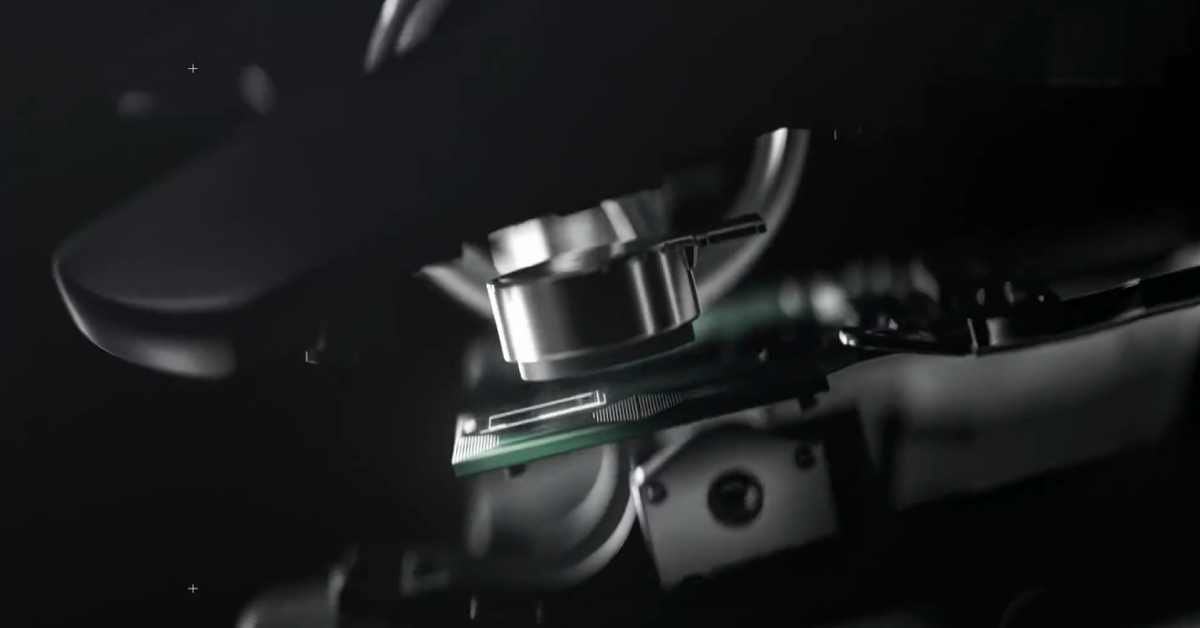
Logitech’s HITS uses electromagnetic sensors in their switches instead of a plate/contact point assembly. The main advantage of using electromagnetic sensors lies in the fact that the switch can detect the entire range of motion. The sensor thus knows exactly how far a switch has been pressed at all times.
This leads to some very interesting applications.
Custom Actuation Point
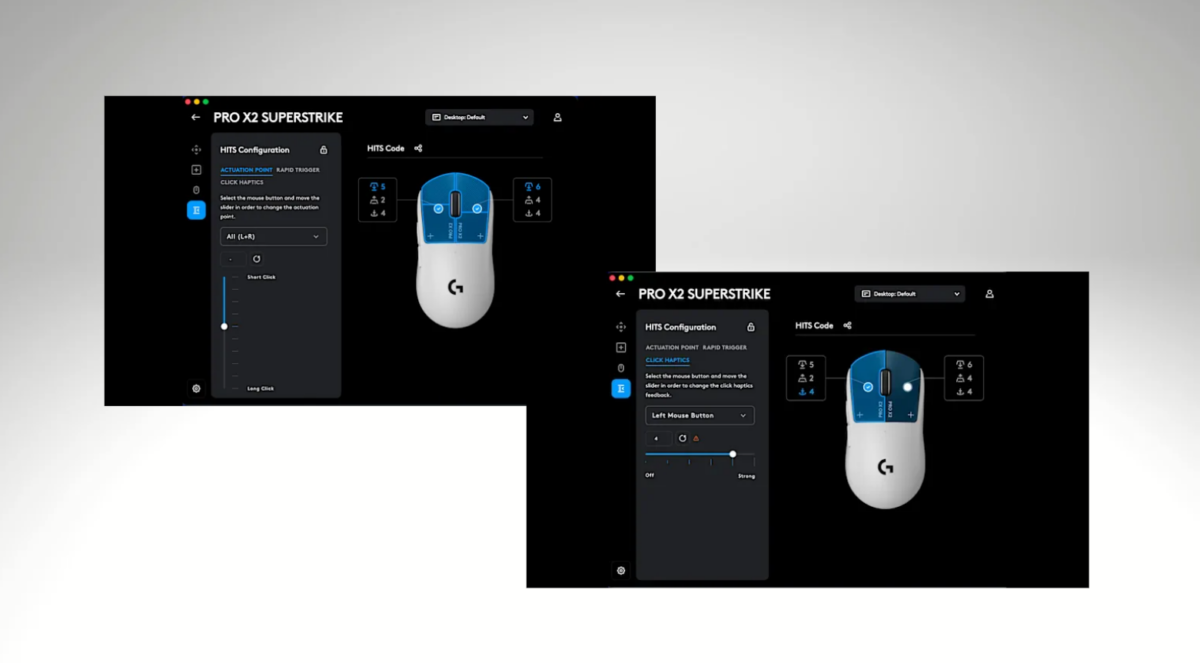
One of the most important benefits of a system like HITS is that it allows the user to choose exactly at which point the mouse should actuate. Simply set a desired trigger point in the software, and the mouse will treat that as the point where the click registers.
This is incredibly handy because the sensitivity of a click is a personal thing. Some people prefer ultra-sensitive switches, others want a deeper actuation point. Furthermore, it also allows users to tweak the mouse based on the application. If you’re playing a game, you might want the buttons to be more sensitive than when you’re working, for example.
Rapid Trigger
When you press a traditional switch down, it needs to travel back past the actuation point before it can be activated again. That’s not the case with HITS. The sensor can immediately detect when a switch gets released (i.e. it starts traveling up again) and thus assign a new state (on/off) immediately across the entire movement range.
This allows users to use features like Rapid Trigger, which is basically a dynamic actuation point. When enabled, once you let go of a press, the mouse will detect it, and then set a dynamic actuation point based on your preferred settings. This means that you can press the button all the way down, release it just a little bit, press it again, and still have the press registered. It can lead to way faster spam-clicking and a more consistent overall experience.
Haptics
For mouse switches, the performance and actuation point is one thing. However, contrary to what we see on keyboards, mouse switches also need to have tangible feedback when a button activates. Trying to time shots or even clicking around on a spreadsheet without that ‘click’ feeling is extremely uncanny.
For this reason, HITS also includes micro-motors that create haptic, tactile feedback so that users know exactly when a press has been registered.
This haptic feedback can be customized, too. Users can go for some very heavy feedback, or even turn it off entirely. This further emphasizes the customization aspect of HITS. Being able to dial in how your clicks perform and feel can be seen as a huge boon.
Of course, haptic motors won’t feel exactly the same as traditional clicks. The HITS clicking vibration has been described as ‘akin to a Macbook trackpad’ so that’s definitely something to keep in mind if you’re particularly attached to how traditional switches feel.

Conclusion
Logitech HITS is basically the analog switch revolution that rocked the keyboard world, placed in gaming mice. This technology allows users to customize the behavior of their switches, from the actuation point to the vibration feedback that you get when a mouse press gets registered.
As with any technology, it will have supporters and detractors. The click feeling, for example, is very different from what we’re used to from mechanical and analog switches. And not everyone will find the advantages that it brings with it to be worth it. With that said, it can’t be denied that this is pretty revolutionary tech, so we’re excited to see how other manufacturers respond to Logitech’s latest innovation.
Former semi-pro gamer turned writer, product reviewer, and community manager.

