Introduction
ZOWIE is a special brand. The people behind it have always done things their way, and that has led the brand to have a large share of very dedicated fans. Still, times change, and so do standards. So when ZOWIE unveiled their latest lineup refresh, we were very curious to see what they’d done to bring their models in line with today’s expectations. In our full ZOWIE U2-EW review, you’ll find out everything you need to know.
At A Glance
ZOWIE U2-EW
Used by 4 players ()Even if you’ve never tried a ZOWIE mouse, the U2-EW is an easy mouse to recommend.
Pros
- Fantastic main button implementation and click feel
- Very interesting shape
- Coating performs well
- Meaningful updates to the sensor configuration options (granular DPI adjustment + 8000Hz)
- Charging dock is extremely handy
- Receiver screen makes driverless customization easy
Cons
- Expensive
- I would love to see optical switches being considered at this point
- Coating shows fingerprints and oils easily
- No optional (web) driver for people who like to use macros etc.
Specs
| Sensor | ZOWIE Z1 |
|---|
| DPI | 100-42000, in steps of 100 |
|---|
| Polling Rate | 125 / 500 / 1000 / 2000 / 4000 / 8000 Hz |
|---|
| Button Switches | Huano |
|---|
| Connection | Wireless |
|---|
| Shape | Ambidextrous |
|---|
| Length | 12.3 |
|---|
| Height | 3.8 |
|---|
| Weight | 52 |
|---|
| Width | 5.8 |
|---|
First Impressions
Packaging
Inside the box of the ZOWIE U2-EW, you will find:
- The mouse itself
- User documentation
- A USB-C-to-USB-A charging cable
- A set of replacement mouse feet
- A set of additional (more controlling) mouse feet
- The enhanced receiver
For me, that’s about everything I expect and need. Some may want grip tape included, which would be a fair ask, but I personally never use grip tape, so for me it’s not something that feels like it’s missing.
The Mouse
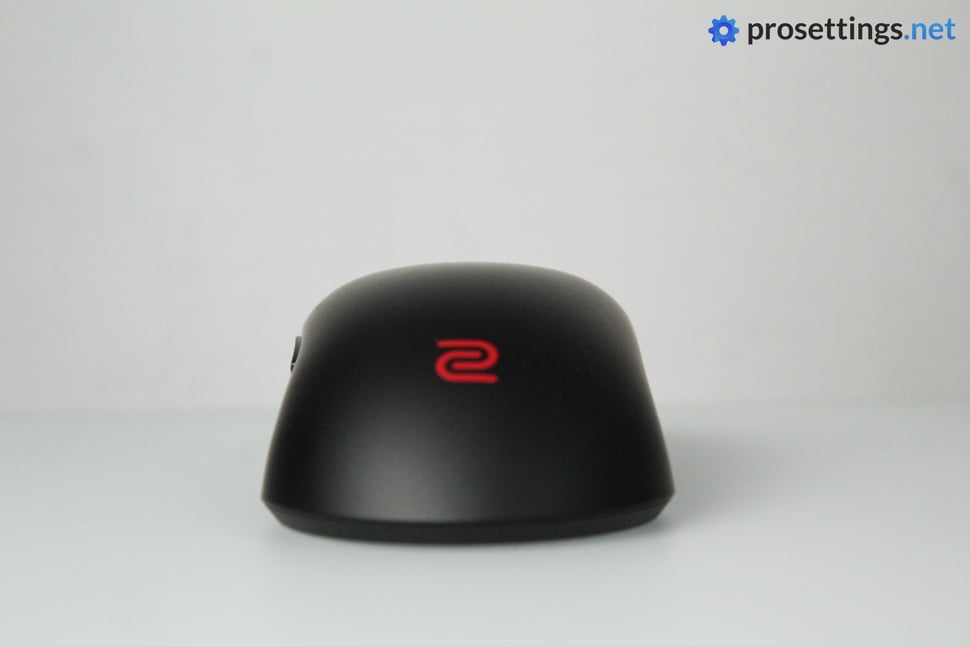
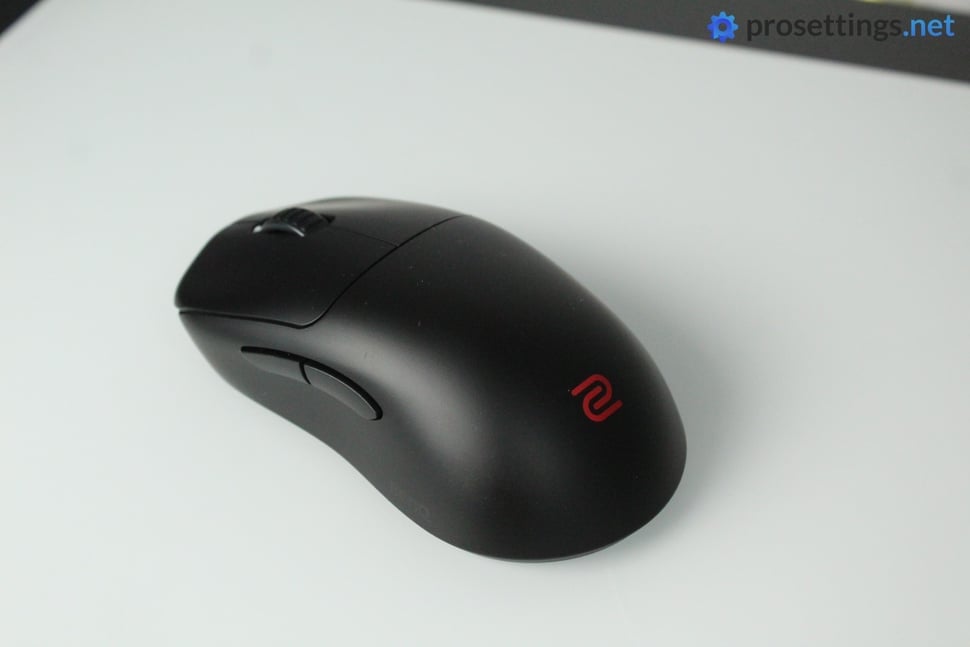
The ZOWIE U2-EW is a very plain mouse. It’s completely matte black, save for the logo on the back, and has no cutouts or other edgy designs. It’s a mouse that could very easily be mistaken for a regular office mouse, so if you like understated products that don’t draw too much attention, this is a great pick.
I personally like this design. It’s synonymous with ZOWIE’s products at this point in time, and it would be a shame to see the brand trying to make their products flashier or more ostentatious.
What Has Changed?
Compared to the DW line of products, there have been quite a few changes.
The most obvious change can perhaps be seen on the front. The buttons on all EW mice are now split from the shell, and they sport ZOWIE’s Rhythm Click system, which is meant to make the buttons a lot more responsive-feeling than previous buttons.
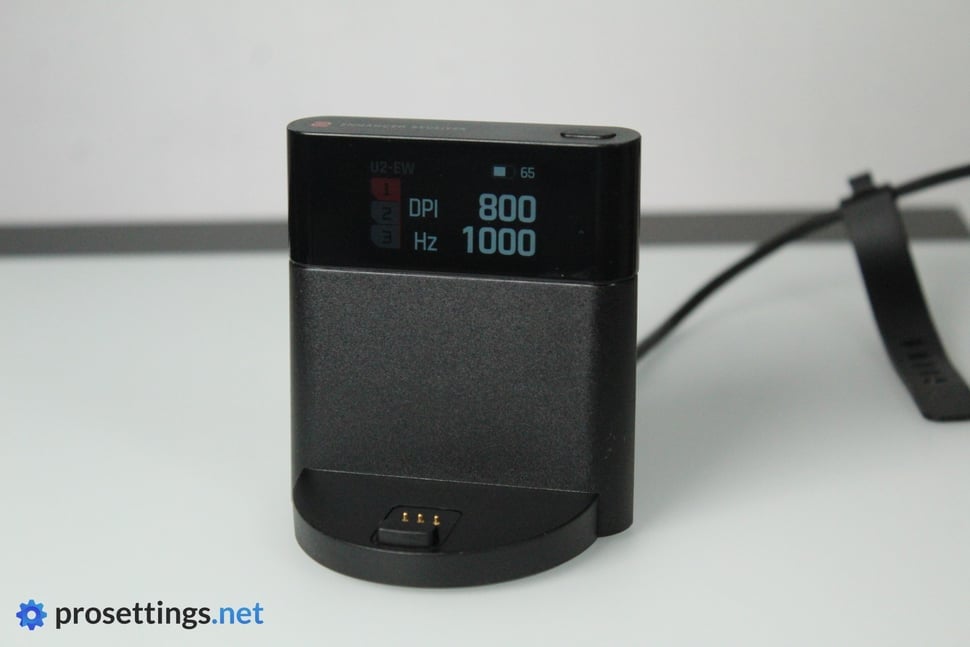
The receiver/charging dock has also received an update. This now has a screen on it, which you can use to check the battery life, user profile, or adjust the mouse. You can now also finely tune the DPI, from 100-42000 in steps of 100, which will be a welcome addition for those who use an uncommon DPI.
There’s also a new sensor and revamped internals, leading to an increased battery life (of ~140 hours), a maximum polling rate of 8000Hz, and a weight reduction to 52 grams.
Finally, there’s also an improved coating.
That’s quite an impressive list of changes, and that is also reflected in the price. With an MSRP of $169.99, the ZOWIE EW mice aren’t quite as expensive as some other flagship releases from major brands, but it does mark yet another brand that’s making a price jump. I know that innovation costs money and that life gets more expensive as the years go by, but it would’ve been really nice to see this mouse around the $150 mark.
Shape, Coating, and Mouse Feet
I have 18×10.5cm hands and I use a claw grip.
Shape
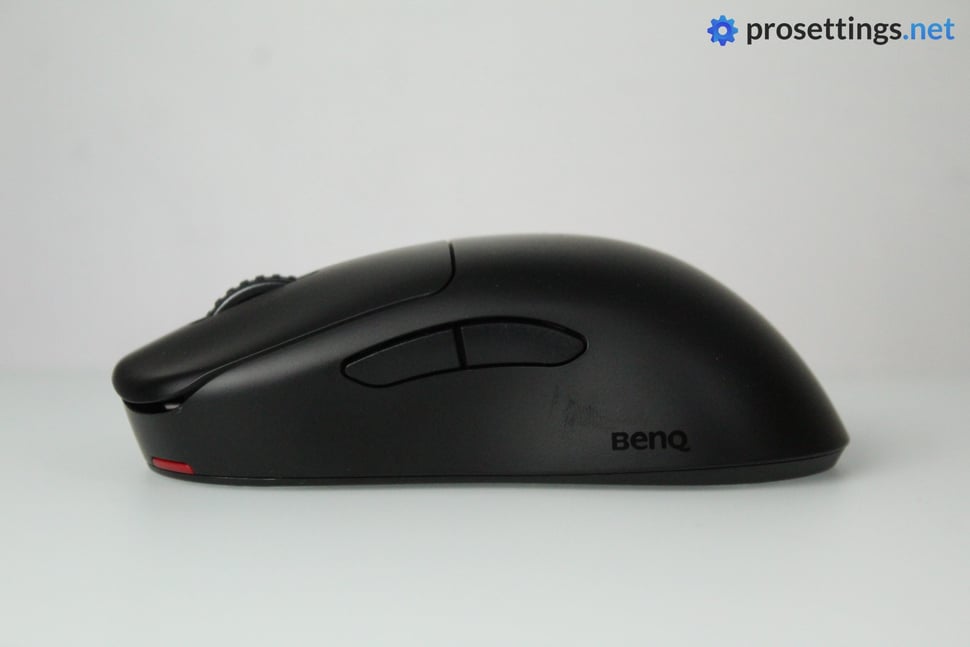
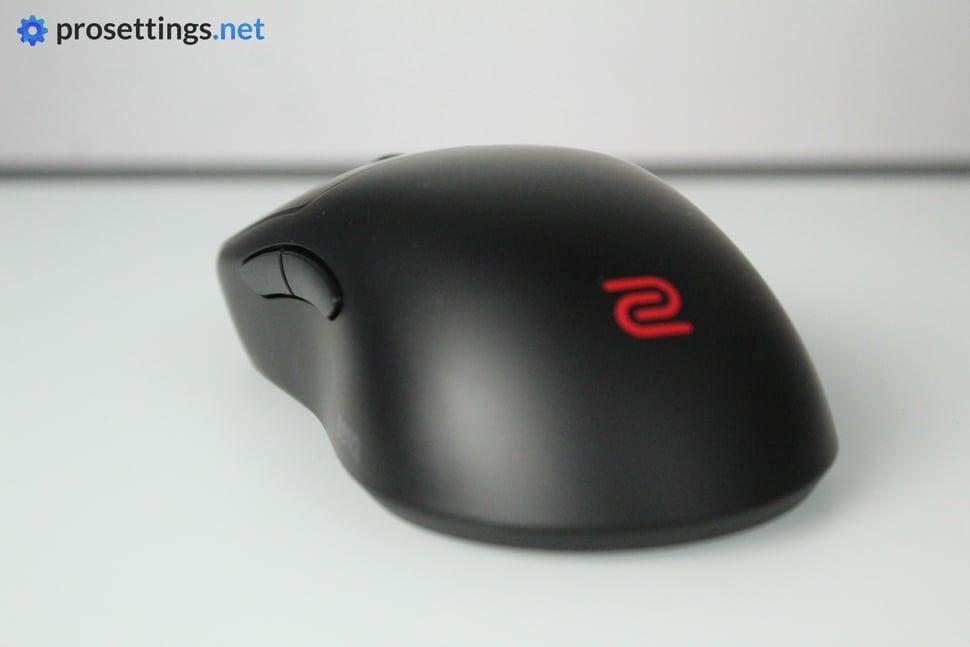
The ZOWIE U2 has a very interesting shape design. In short, it’s basically a ‘regular’ ambidextrous mouse, but with a very thin middle section that moves into an only slightly expanded front section.
So, what you’re getting here is a mouse that offers a ton of stability and goes hard on that ‘locked-in’ feeling, but due to the thinner front section and indented middle, you’re also getting a great deal of maneuverability for smaller, finger-based movements. The back, which stays rather wide, combines with a quite steep hump to provide more of that locked-in feeling.
It’s difficult to describe how this shape feels, but imagine holding a regular ambidextrous mouse (such as ZOWIE’s S2) and giving it a firm squeeze right down the middle. If you’ve ever used an ambidextrous mouse and thought ‘I wish I could squeeze it a bit to give more room for my thumb,’ then this could be your perfect answer.
It’s an interesting ‘best of both worlds’ type of feeling, where you’re getting some of the nimbleness of a small mouse combined with the stable feeling of a larger, more filling mouse.
All of the above does mean that it’s not a very specialized mouse, though. So if you’re looking for an experience that trends hard in one particular direction (either stability or maneuverability) you might be better off skipping this. But if you want to try something new, this is absolutely a unique and super interesting shape to try out.
Coating
ZOWIE’s coatings have been performing pretty much perfectly for me for years now. I did have complaints about fingerprints showing up and the coating feeling a bit too smooth (I prefer more texturing) but those were subjective.
So when I saw that ZOWIE announced that they had further refined their coating, I had high hopes that they at least fixed the fingerprint issue. They even specifically mentioned in the press release that it’s ‘designed to resist fingerprints and oil transfer.’
Sadly, it’s not the case. Fingerprints still show up very easily. It does seem like it fares marginally better than the coating on the DW mice that I tested, but I still wouldn’t call the fingerprint and oil resistance ‘good’ or anything like that. It’s still quite disappointing.
With all of that said, I am just talking about aesthetics here. As I’ve noted in other reviews, ZOWIE’s coatings are among the best on the market when it comes to pure performance and feel, and that’s by far the most important aspect. The U2-EW does not disappoint on that front. It feels great with dry hands as well as with sweaty hands, and it also doesn’t develop that ‘icky’ feeling like older ZOWIE models did when they were used for prolonged periods of time.
Personally, I still would like a slightly more textured coating, but that’s merely a subjective preference. Beyond that, the sensitivity to prints is pretty much the only thing left to fix with this coating.
Mouse Feet
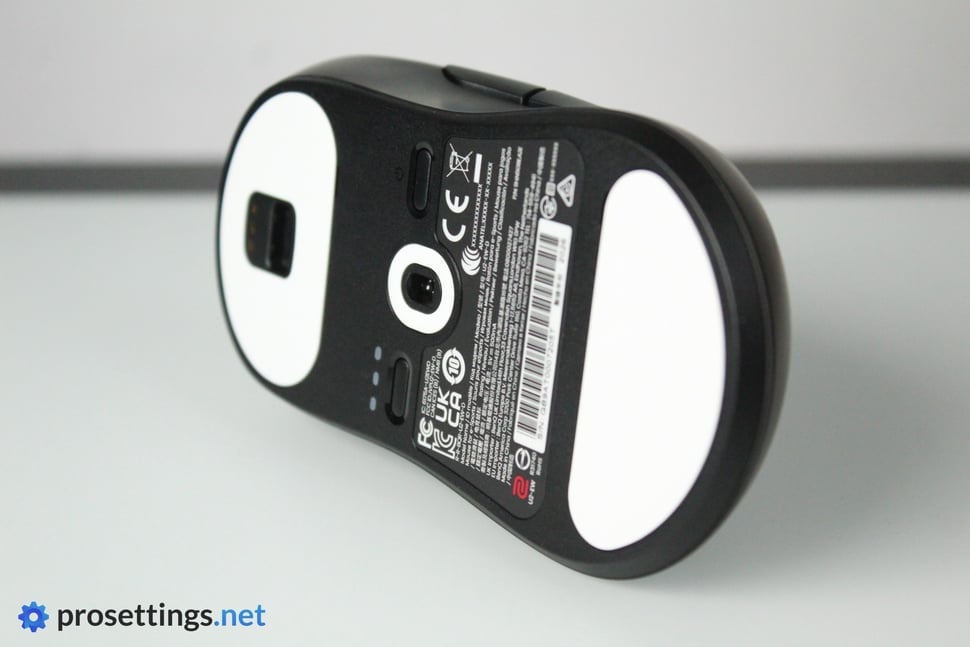
The feet glide nicely and smoothly straight out of the box. On my unit, there was no need for a break-in period, either.
In terms of speed, the installed stock skates are what I’d call ‘medium’, with a slight edge towards speed. The included black alternative skates are also medium in terms of glide, but trend towards the slightly slower end of the spectrum. Neither of the sets veer into any extreme end of the spectrum.
All of this is to say: the vast majority of gamers will be absolutely fine with these skates. Unless you have an established preference for a certain, specific type of skate or glide, there’ll be no reason to swap these out.
I also love the fact that there are replacement feet included. That way, if you accidentally damage your stock skates while removing them to try out the slower skates, you can just put on the new ones. It’s a clever and user-friendly addition.
Recommended Grip Types
From my experience, the ZOWIE U2-EW feels like a mouse that’s tailor-made for claw grip. You can fingertip or palm it, of course, but in my opinion it really shines when you claw grip it.
Buttons and Scroll Wheel
Buttons
When ZOWIE advertised their new Rhythm Click system, some fans were hoping for a take on configurable switches, but we’re not getting that here. ZOWIE is still using mechanical switches, more specifically the Huano Blue Shell Pink Dot switches with a transparent housing.
I personally would’ve loved to see optical switches, as I think those are the way forward for gaming mice, but I do know that there are people who prefer mechanicals for their click feeling. And if you are looking for a supreme click feeling, this is your mouse.
I’m not 100% sure of all the changes ZOWIE made to their clicks internally, but as far as I’m concerned, they’re a huge hit. Pre-travel as well as post-travel is dialed in quite perfectly on my unit, and there’s no perceivable sideways movement to speak of whatsoever. The actual clicks feel extremely crisp, but not overly heavy. That, combined with a snappy rebound, makes this one of the most satisfying sets of main clicks I’ve used in a while.
Click weight is partially down to preference, but for me these are perfect, too. I can spam these with no issue, and I can also reliably tap-fire in games like CS2. In short: these new clicks are a huge improvement, and are some of the best in the business.
With all of that said, I am still in the optical switches camp. I am not a mouse switch aficionado and am not that particular about how a switch feels (as long as it’s implemented properly and not too mushy, I’m good) so for me, the advantages of opticals outweigh the negatives. But if you’re someone who prioritizes click feel over anything else, ZOWIE has definitely made the right choice here. And given how ZOWIE is a brand that’s known for following their own ideas and not necessarily surfing along with current hype waves, it’s also fitting in a way that they’re still on mechanical switches.
Scroll Wheel
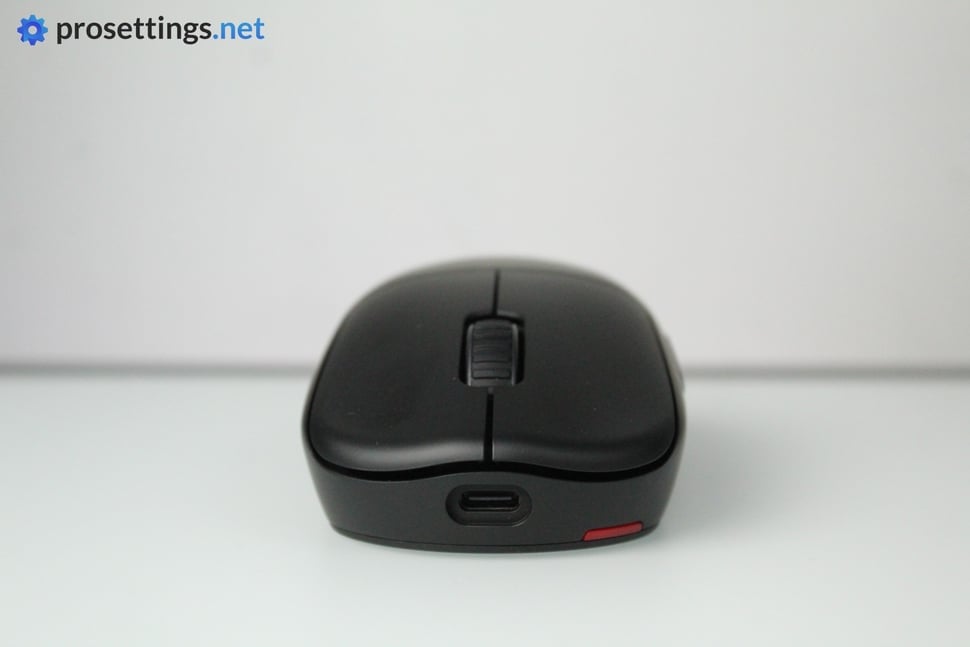
The scroll wheel is rubberized and feels very grippy under all circumstances. In terms of performance, it works exactly as it should. I didn’t get any accidental scrolls or clicks during my testing, and the tensioning of the wheel click is also dialed in perfectly.
It should be noted that ZOWIE wheels are quite loud and rigid, though. I love them for gaming, but I wouldn’t like using these for work. That’s okay, since ZOWIE mice are quite explicitly gaming mice and not productivity or mixed-usage mice, but it can be good to know if you’re considering the U2-EW.
Side Buttons
I don’t really have any remarks on the side buttons. They’re easy to distinguish, and they actuate with a pleasant click. Furthermore, and most importantly, they do not travel inside the shell after being pressed. In short, this is a very good set of side buttons.
Build Quality
Weight reductions are sometimes accompanied by build quality compromises, but that does not seem to be the case here. The U2-EW is a true ZOWIE mouse in the sense that it feels extremely well-made, and like it would survive multiple rough LAN tournaments.
The shell doesn’t really flex in any meaningful way when pressed, and there’s also no noise coming from the mouse when I’m tapping and shaking it.
It’s good to see that ZOWIE mice have survived the move towards the lower end of the 50-gram range without sacrificing any of that trademark ‘built like a tank’ feeling that everyone associates ZOWIE with.
Sensor and Everyday Performance
Sensor
Inside the ZOWIE U2-EW sits the ZOWIE Z1 sensor, which has been (like pretty much all modern sensors) co-developed with PixArt. This is a flawless sensor, and as far as I can tell it has been implemented well. I couldn’t detect any perceivable movement errors or delays, and the performance is stable across a variety of games and testing scenarios.
As you may know, modern sensors have been flawless for many years now. As such, you shouldn’t expect any tangible performance benefits from one top sensor to another. Sure, on paper sensor A might be better than sensor B, but in practice, 99.5% of gamers won’t be able to tell the difference between modern top sensors.
So while this new Z1 sensor does not give the mouse an upper hand over the older 3950 that was in the DW version in terms of actual gameplay, it does introduce a number of other meaningful changes.
For example, you can now configure the DPI on a more detailed level instead of having to choose between ZOWIE’s preset steps. That’s great news for gamers who like to use an uncommon DPI. Additionally, the EW mice are also capable of polling rates up to 8000Hz, which brings the ZOWIE mice in line with modern standards.
More options are always better, so this sensor swap is a welcome change because of the fact that it introduces more possibilities for users.
Weight
The U2-EW weighs 52 grams, and other ZOWIE EW mice also hover around the 50-gram mark. This means that the EW mice are in line with current industry-leading mice, and that they even surpass super popular mice such as the Logitech flagship products.
Weight isn’t everything and is down to personal preference to a certain degree, but I think the people at ZOWIE have made a good choice here. Fifty grams or thereabouts is light enough to be considered modern, but it’s not so light that people who don’t necessarily want the lightest pointer available will have trouble controlling the mouse. The weight, in my opinion, is spot on.
Configuring the Mouse
ZOWIE mice are still driverless, so you’re not getting any kind of web driver or accompanying software here. For me, that’s fine, as I don’t do any in-depth tweaking to my mice anyway, but if you’re someone who likes to use macros or rebind buttons, this can be good to know.
Configuring the mouse is now done via the dongle, which has a display on it. Pressing the button on the display for three seconds enters configuration mode, and from there you can tweak things such as the DPI, polling rate, LOD, and so on. A Motion Sync toggle is also available, as well as a toggle for Performance Mode, which is basically a mode that diverts all attention to the performance of the mouse and disables all battery saving features.
You can store up to three different profiles on the mouse itself, which is also a nice touch.
Finally, you can also adjust the click response time, but that doesn’t change anything about how fast the click actuates. It’s more of a traditional debounce delay setting like what was found on the older DW models.
All in all, I do like this new approach to customizing the mouse. Since ZOWIE first hit the scene, there are many more parameters to adjust when it comes to a mouse’s performance, so it was all becoming kind of confusing to use a bunch of button combinations. This screen on the receiver really does help streamline the process, and I love its addition. Furthermore, it’s easy to quickly see the battery life of the mouse by pressing the receiver button.
Battery Life
The reported battery life with Performance Mode on at 8000Hz is 22 hours. With Performance Mode off and set to 1000Hz, you’re getting an impressive 143 hours. Given how easy it is to switch profiles, it’s perfectly feasible to use one profile for browsing and work, and then another for gaming to save on battery life.
But even if you just leave it at 8000Hz on Performance Mode, you’re probably not going to run out of battery life ever, since the receiver also doubles as a charging dock. With the fact that modern gaming mice draw a lot more power, I find it puzzling that other brands haven’t researched a charging dock solution like ZOWIE has. For me, it’s absolutely a major plus.
Getting into the habit of placing the mouse down on the receiver when you’re stepping away from the PC essentially ensures that it’s always going to be charged, and for me it’s a big quality-of-life improvement compared to having to plug a mouse in to charge.
Furthermore, it doesn’t really negatively influence the weight. The U2-EW comes in at 52 grams, which means that it’s playing in the same ballpark as other flagship mice from big companies that don’t have a charging dock.
If you ask me, the charging dock is a fantastic addition, and I’m glad it’s still here.
Alternatives
Considering the rather unique shape of the ZOWIE U2, I don’t know of many alternatives that offer a 1:1 replacement in terms of overall feel. There is of course the ZOWIE U2-DW, but I feel like the EW does enough to warrant recommending it over the DW, even if the latter comes at a reduced price. In terms of shape, they are the exact same, though, so if you want to experience the shape without paying top dollar for the latest release, going for the U2-DW can be a good idea.
Conclusion
The ZOWIE U2-EW is a successful modern interpretation of the U2. Pretty much all of the things that needed updating have been updated, but ZOWIE did not stray from their design principles, either. What we end up with is a mouse that I think will resonate with both fans of the brand as well as newcomers.
The shape is of course the star of the show, and that remains unchanged. This unique approach offers a pleasing mix between the locked-in feeling that you get from a more filling mouse and the nimble maneuverability of smaller mice. If you’ve ever felt like you wanted to pinch the side of your ambidextrous mouse to make more room for your thumb, this might fit you like a glove.
Beyond the shape, we also see meaningful improvements. The main buttons feel absolutely fantastic, the weight is now in line with today’s flagship market, you get 8000Hz polling, more granular DPI adjustment, and you get a screen on the receiver to make configuring your mouse or checking its status a lot easier.
But it’s not perfect, either. I personally would’ve preferred quality optical switches, the new coating is still a fingerprint magnet, and the price hike does not sit well with me, either. Those complaints don’t take anything away from the fact that this is a very complete gaming mouse, though.
In essence, I think ZOWIE has done exactly what they needed to do with the EW line. They’ve brought the internals and weight up to modern standards without abandoning the design philosophies that made their mice so popular in the first place. Sure, ZOWIE doesn’t chase all of the latest trends, but not every brand needs to do that. And even if you’ve never tried a ZOWIE mouse, the U2-EW is an easy mouse to recommend.
This product was received for free from the manufacturer and given to our reviewer to test and review. Brands and manufacturers have no editorial control over our reviews. For more information, check out our review FAQ.
Former semi-pro gamer turned writer, product reviewer, and community manager.

