Introduction
In today’s world of gaming keyboards, it’s not enough to just have analog switches. There are dozens of high-quality analog boards on the market right now, so brands that want to stand out in this space have to offer something exciting or new. And Melgeek is definitely a company that can do that. This latest release features a bold design, complete with a knob, extra programmable buttons, and an OLED touchscreen. Is that enough to make it an option worth considering? Find out in our full Melgeek VIVA63 review!
At A Glance
Melgeek VIVA63
Staff's Choice
Innovation Award
If you don’t care about the screen or overall design, there are plenty of more affordable keyboards that deliver the same performance, but if this rather unique combination speaks to you, there should be nothing holding you back from trying it out.
Pros
- Unique design
- Excellent gaming performance
- Great acoustics
- Good web-based driver
- Touchscreen looks beautiful and actually adds functionality
Cons
- It should come with plain black keycaps to replace the accent caps at this price
- RGB strip on the control unit looks nice, but creates an asymmetrical visual experience
Specs
| Form Factor | 65% |
|---|
| Switches | TTC Pro KOM HE |
|---|
| PCB | Hotswappable |
|---|
| RGB | Yes |
|---|
| Height | 4.3 |
|---|
| Width | 33.0 |
|---|
| Length | 11.5 |
|---|
| Weight | 890 |
|---|
First Impressions
Keyboard
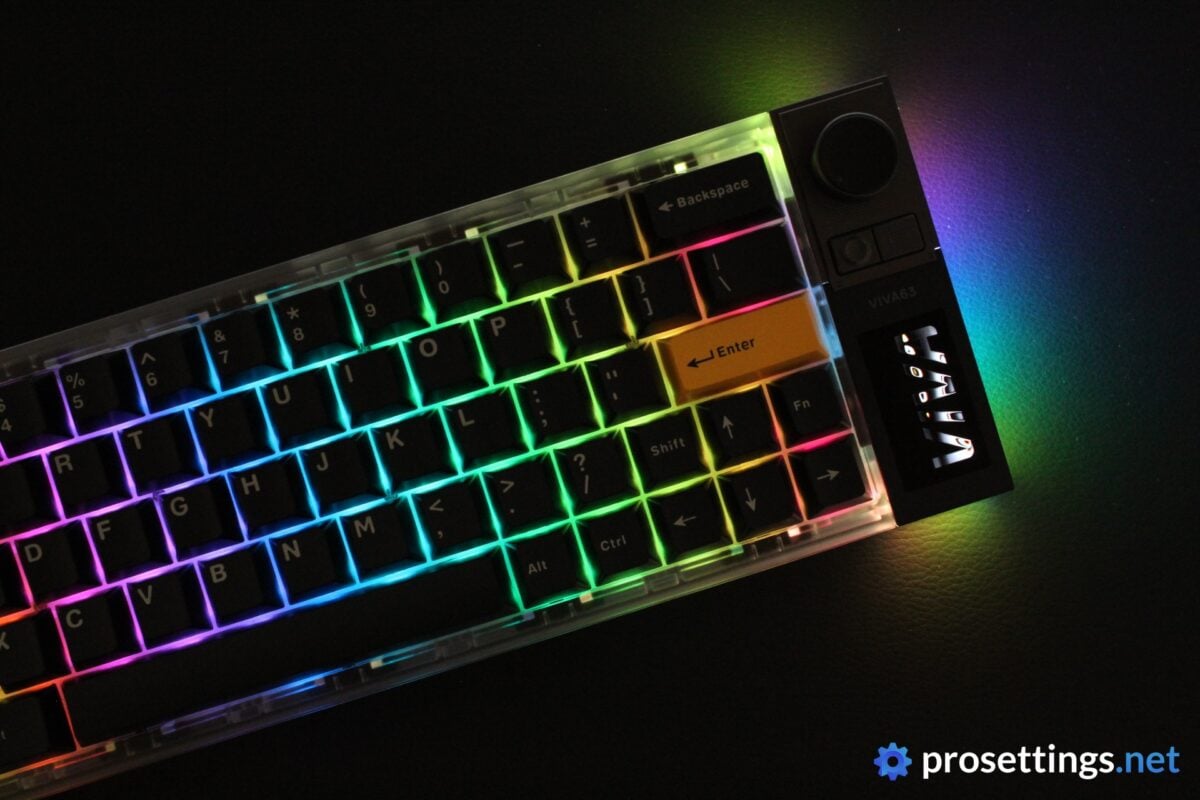
The keyboard is certainly an eye-catcher. From the translucent plastic case to the ‘side console’ with an OLED screen and a retro-looking knob-and-buttons arrangement, this is without a doubt a unique product. I really like the retro-futuristic vibe that this board has going for it, and I particularly love the fact that Melgeek has resisted the temptation to put translucent keycaps on this board like they did with the Made68 Ultra V2. Regular keycaps always look a lot cleaner, in my opinion, so I support this choice, though perhaps it would be good to also offer a version with transparent caps for the people who like that type of vibe.
Speaking of keycaps: not everyone will love the yellow accent keys that come with the board, so I find it kind of puzzling that Melgeek did not include plain black replacement caps for these.
All in all, I really like the vibe of the VIVA63. It’s something that’s a bit different, without going overboard. To me, it looks more like a cool custom-built keyboard rather than a board that screams ‘I’m made for gamers’, and I’m all for that. I could do without the huge ‘VIVA63’ at the back of the keyboard, but I don’t ever look at that part anyway, so it’s not a major downside for me.
RGB
The RGB on the Melgeek VIVA63 is quite impressive. Due to the translucent case, you get a bit of a ‘glow effect’ when using the built-in lighting. The side control hub also has an LED light strip that spans across the entire hub, which, in combination with the OLED screen, makes for a truly impressive light show. If you put RGB-focused keycaps on this board (the stock keycaps are solid, so they’re not the best for RGB fans) then you’ll no doubt be extremely impressed by the light show.
Something that I personally don’t like is the asymmetry of it all. The RGB strip on the control hub looks amazing, but it’s only on the right side, which makes it so that the whole glow of the board looks ‘off’ to me. It would’ve looked a lot better if the RGB strip covered the entire board. Luckily, it’s possible to turn off the RGB strip entirely to restore some symmetry, but that then does kind of defeat the purpose of having it in the first place.
Packaging
Inside the box of the Melgeek VIVA63, you will find:
- The keyboard itself
- User documentation
- A switch/keycap puller combo
- A USB-C-to-USB-A cable
At $199.00, this is not the most expensive gaming keyboard on the market, but it’s certainly not cheap, either. As such, I would have loved to see some replacement keycaps in the box. And, as I mentioned earlier, I would’ve also liked to see plain black escape and enter keycaps for those who don’t love the yellow accent caps. It’s quite standard to include plain caps, even on much cheaper keyboards, so it’s a bit of an oversight that Melgeek isn’t including those here.
Features and Build Quality
Materials and Design
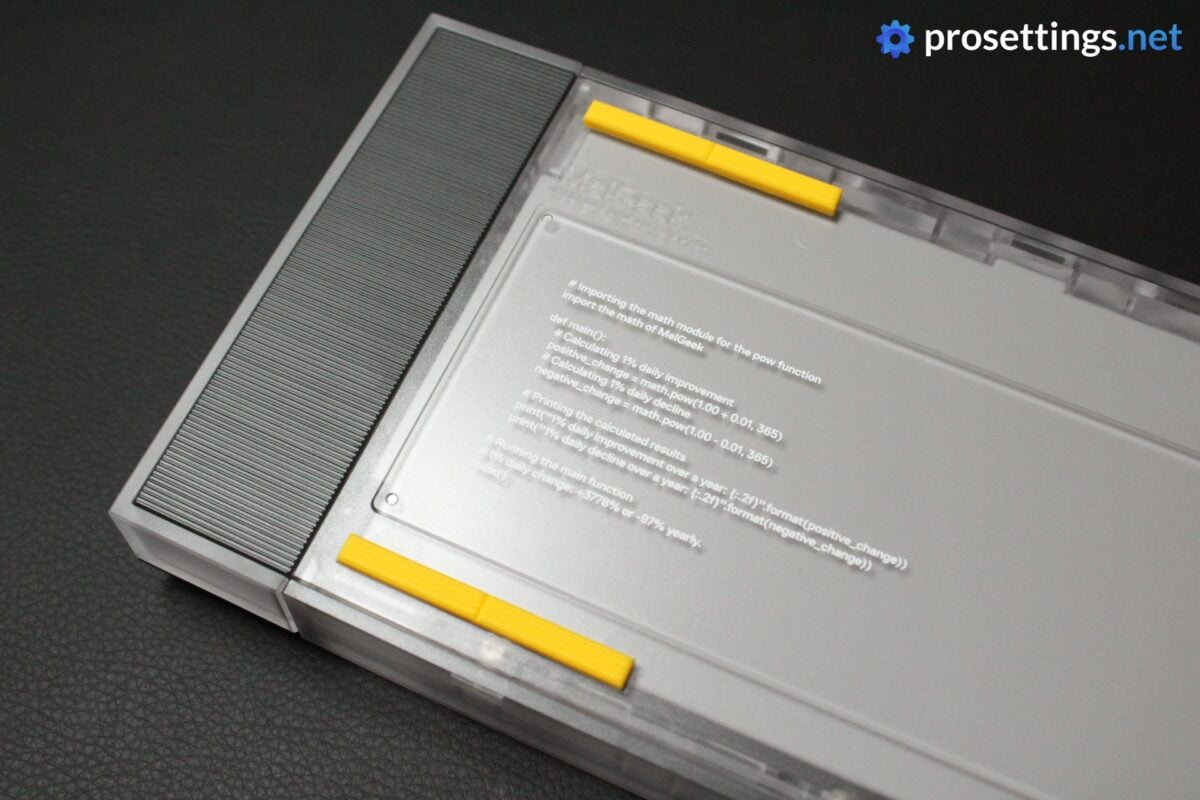
The case is completely made out of translucent plastic, but it feels quite sturdy. It flexes a tiny bit when I apply a lot of pressure to the case, but this is not something that would ever happen during normal usage. Under normal conditions, the board feels reliable and well-built.
Some people may lament the fact that a $199.00 keyboard uses a fully plastic case, but obviously you need to use plastic if you want a translucent case. And this translucent case is part of what makes this board stand out, so I think it was an excellent decision.
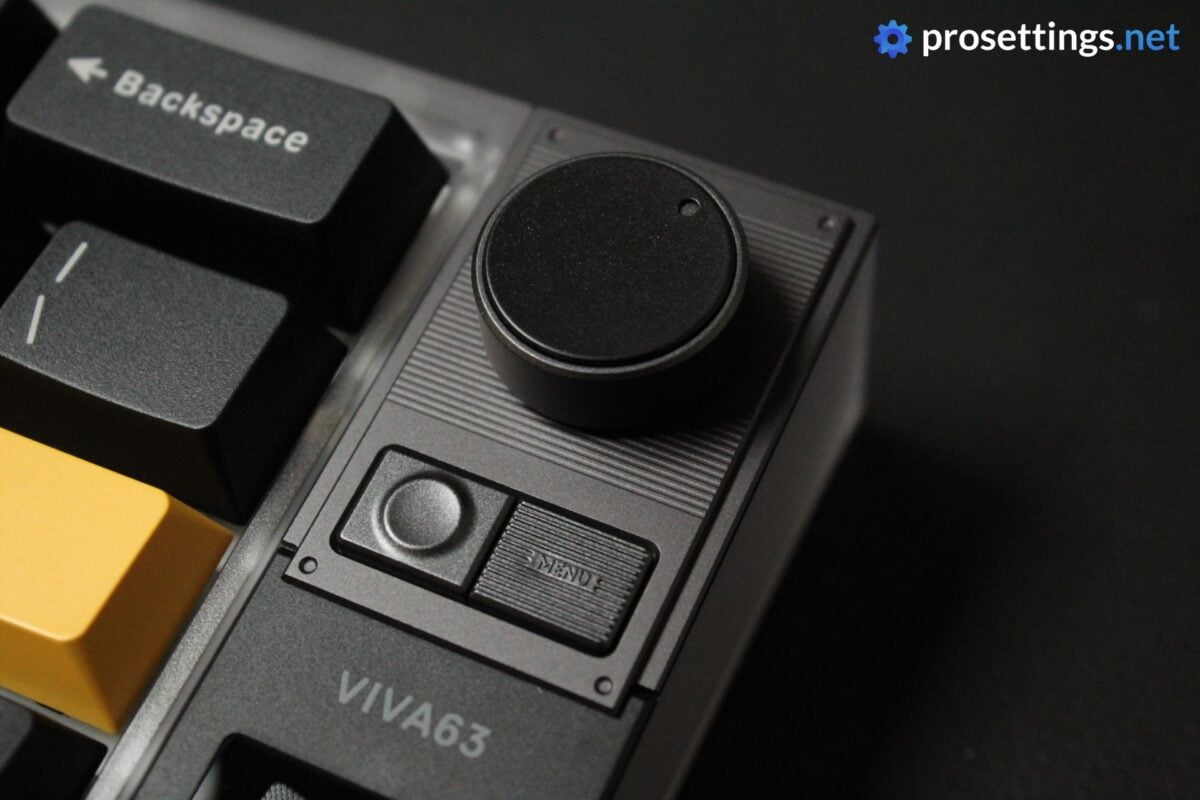
As I said, in terms of design, the keyboard has a cool retro-futuristic theme to it. That’s because of the translucent case, but also due to the knob and buttons section, which looks like it comes straight out of a Blade Runner prop with the horizontal lines.
Beauty is in the eye of the beholder, of course, but I think the design looks cool and unique, and is well put together.
OLED Touchscreen and Knob
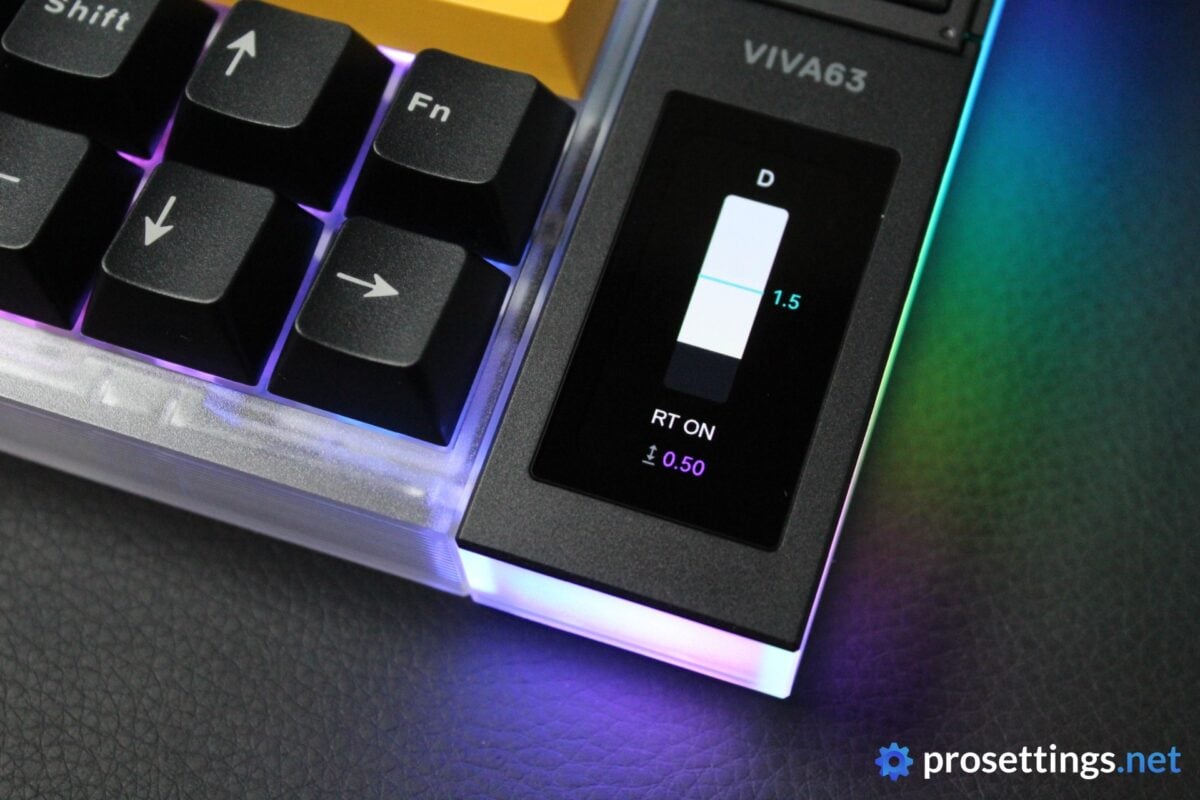
One of the defining features of the VIVA63 is the OLED touchscreen. While I used to find screens on gaming products gimmicky, my opinion on them has changed over the past couple of years. With so many customization options and parameters to tweak, having a screen to quickly see what profile you’re on (for example) is extremely handy.
And this screen takes it up a notch by being touch-sensitive. This means that you can quickly summon buttons that are missing due to the smaller layout, such as Insert or Delete. You can also see the live switch actuation status, switch profiles, tweak the keyboard’s performance, and so on. The knob and buttons can be used to navigate the on-screen menu, too.
When you’re not using the screen, you can upload custom GIFs or images to use as a screensaver, adding another layer of personalization. The screen looks beautiful and sharp, so whatever you decide to put on there will be displayed in its full glory.
In short: I love all of this. I find it super handy to be able to quickly check what actuation level or custom profile I’m on, and having the ability to still use keys like Delete due to it being touch-sensitive is a genius touch. I also like being able to add a touch of personalization through a custom screensaver on the screen.
For me, this is the best implementation of a screen on a keyboard I’ve seen so far.
Keycaps
The stock keycaps feel good. They’re thick, consistently printed, and feel nice to the touch in both sweaty and dry conditions. They’re lightly textured to boot, which is something that I like. The font is also pleasingly neutral.
I love the fact that Melgeek resisted the temptation to go all in on the ‘RGB glory’ and went with a more subtle and classy set of stock keycaps.
Customization
In-depth keyboard customization can be done through Melgeek Hive. That’s a web-based configuration program, and it works really well. The program looks clean, is easy to understand, and any changes you make register pretty much instantly. I also did not encounter any bugs whatsoever during my testing.
Within Hive, you can rebind keys, change the lighting, create macros, tweak the gaming performance of the board, and so on. Everything you need is there. You even get some strange, non-keyboard-related features such as a crosshair library, which is a bit of a puzzling addition to me. Still, it being there doesn’t hurt anyone, so I’m all for its inclusion.
Switches
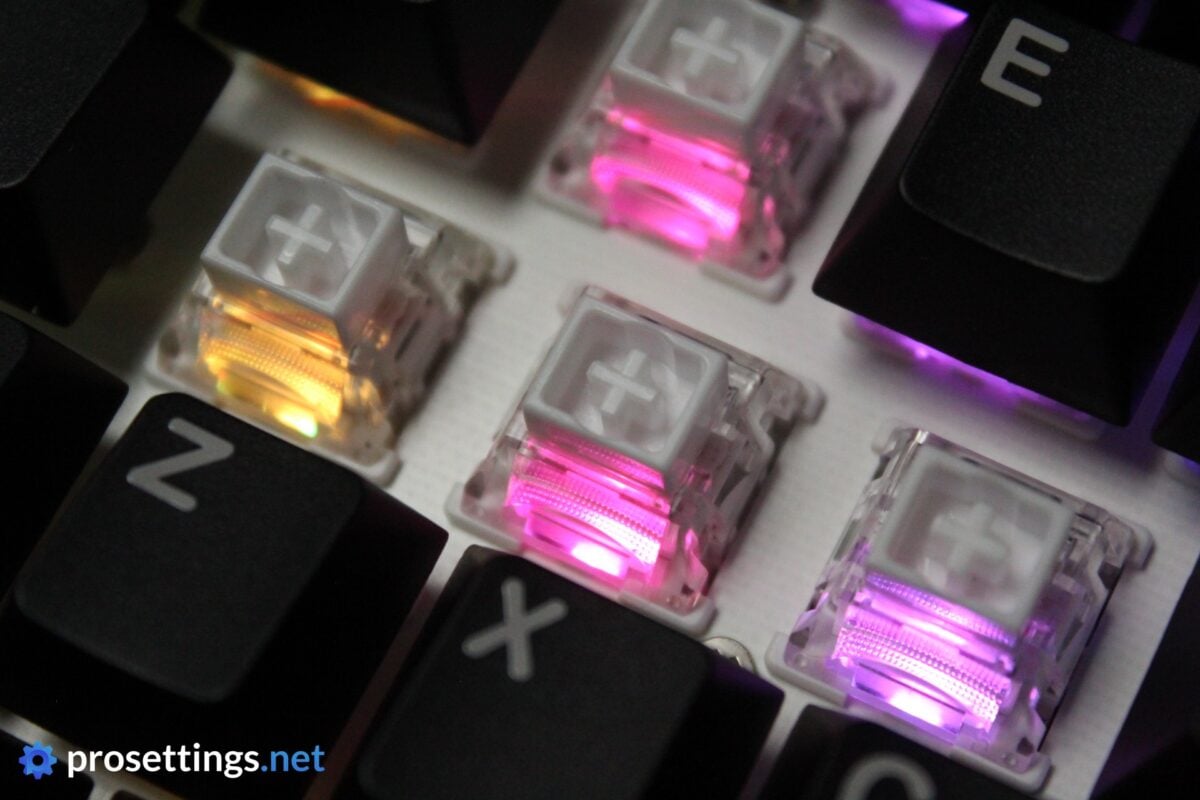
Within the VIVA63, Melgeek is using Melgeek x TTC Pro KOM HE switches. These have an independent anti-interference shield, which is supposed to help ward off magnetic interference. I personally haven’t had any issues with interference on any of my gaming keyboards, but these issues do definitely exist, so it’s cool to see that switches are being developed to combat this.
In terms of feel, the switches are good. Stem wobble is limited to a very acceptable range, and the switches are smooth across the entire actuation range. Despite their 35g actuation force, they don’t feel overly sensitive in practice. So for me, they feel pretty much perfectly dialed-in. Though if you want a heavier type of switch, this may not be your thing.
In terms of sound, they’re perhaps a bit clackier than I would like, but that’s a subjective thing.
Typing and Gaming Experience
Gaming Experience
As far as I’m concerned, gaming keyboards have been ‘solved’ for now. You can customize the actuation point of any capable analog board in such detail so that it perfectly matches your style and setup, and features like Rapid Trigger are standard nowadays. As such, the only way to differentiate between different keyboards is to look at the implementation and depth of features.
And the Melgeek VIVA63 absolutely delivers here. One minor restriction is that you can ‘only’ go to an actuation point of 3.3mm (the current standard for most boards is 4mm) but I highly doubt that this is something that will bother most people. In terms of performance, pretty much everything else is there. You get in-depth Rapid Trigger customization, SOCD, Rappy Snappy, and all of the usual things you’d expect out of a modern top-grade gaming keyboard. All of the more niche features are also nicely explained within Hive.
And it’s all implemented well. I don’t notice any lag or bugs when I’m using the board for gaming. So in terms of gaming performance, the Melgeek VIVA63 is up there with the best that today’s market can offer.

Typing Experience
Melgeek is a brand that’s known for their excellent-sounding keyboards. The VIVA63 carries on that torch. I personally like a deeper, more muted sound, so it’s not the best-sounding board out there for me, but that’s a personal opinion. Objectively speaking, the board sounds fantastic.
Thanks to no less than five foam sound-absorbing layers, there’s absolutely no case ping or other unwanted noise. Switches as well as stabs have been lubed adequately and thus feel and sound very nice, and Melgeek has even included space bar foam for good measure. In terms of sound, this is among the very best mass-produced gaming keyboards you can get right now.
The typing feel, then, is rather stiff, despite the fact that the switch plate is an FR4 plate, which is a material that’s usually known for being a bit flexible. Again, though, this is a matter of personal preference. Some people love a stiff and super responsive typing feel, while others like a bit more flex. So this isn’t a pro or a con, but rather just an observation.
Sound Test
Alternatives
Today, there’s a myriad of compact analog gaming keyboards to consider. However, most of them don’t have a screen. And I don’t know of a single keyboard with a touchscreen. As such, if you’re in the market for a keyboard with this exact set of features, I’d say there are no 1:1 alternatives on the market right now.
The Corsair Galleon 100 SD also has a screen and an array of buttons that you can tweak, so in terms of performance, it feels similar to the touchscreen on a base level. However, the Galleon 100 SD comes with Virtual Stream Deck, giving it a much, much wider array of possibilities than the Melgeek VIVA63. It’s also a much, much larger full-size keyboard, so the actual user experience will vary quite drastically.
As always, if you have any questions about how this keyboard fares versus other (reviewed) keyboards, feel free to reach out in the comments. I answer any and all comments on reviews.
Conclusion
The Melgeek VIVA63 is one of those keyboards that could’ve easily ended up being a ‘style over substance’ type of board. With a screen, a translucent case, an LED bar on the right, and a knob-and-buttons array, you’d be forgiven for thinking ‘they added all of the gimmicky features they could find.’ Luckily, the actual keyboard underneath all of that is really good.
In terms of raw gaming performance, there’s nothing to complain about. You get pretty much all of the features you’d expect from a modern analog board, the switches feel great, and I didn’t encounter any issues during my testing. If we’re splitting hairs, the VIVA63 isn’t as customizable as some of its super popular peers, but in actual usage, I doubt most people will notice that. We’re speaking about things such as a 3.3mm maximum actuation vs. 4.0mm, for example.
So the bones of the board are really good. But the extras deliver, too. There are other keyboards with screens, but the fact that this is a touchscreen really adds to the usability of the screen and makes it so much more than just a fun little visual gimmick.
It’s also a very pleasant board to use outside of gaming. It sounds fantastic, the switches feel good, the keycaps are well-done, and in general it just feels like a very pleasant keyboard to use for work and productivity purposes.
Granted, if you don’t care about the screen or overall design, there are plenty of more affordable keyboards that deliver the same performance, but if this rather unique combination speaks to you, there should be nothing holding you back from trying it out.
This product was received for free from the manufacturer and given to our reviewer to test and review. Brands and manufacturers have no editorial control over our reviews. For more information, check out our review FAQ.
Former semi-pro gamer turned writer, product reviewer, and community manager.

