Introduction
MelGeek is a brand that’s known in keyboard enthusiast circles, but not necessarily in the gaming scene. With the Made68 Ultra, the brand is trying to change that. The second version of that board has just released and is being used by a couple of pros, so naturally we had to try it out for ourselves. In our full MelGeek Made68 Ultra V2 review, you’ll find out everything you need to know about this ambitious keyboard.
At A Glance
MelGeek MADE68 Ultra V2
Used by 5 players ()A lot of companies try to get that perfect match between a custom-style board that a keyboard enthusiast would be proud of and a top-tier gaming keyboard, but none come as close as MelGeek.
Pros
- Best-in-class typing feel and sound
- Full aluminum case
- Great build quality
- Lots of personalization options due to the many RGB elements and customizable sidebars and light bars
- Great gaming performances
Cons
- Transparent keycaps won’t suit everyone, and there’s no regular cap option
- Quite expensive (though you do get a lot in return)
Specs
| Form Factor | 65% |
|---|
| Switches | Flip King Magnetic Switches, KOM Lite Magnetic Switches |
|---|
| PCB | Hotswappable |
|---|
| RGB | No |
|---|
| Height | 4.0 |
|---|
| Width | 31.9 |
|---|
| Length | 11.7 |
|---|
First Impressions
Keyboard
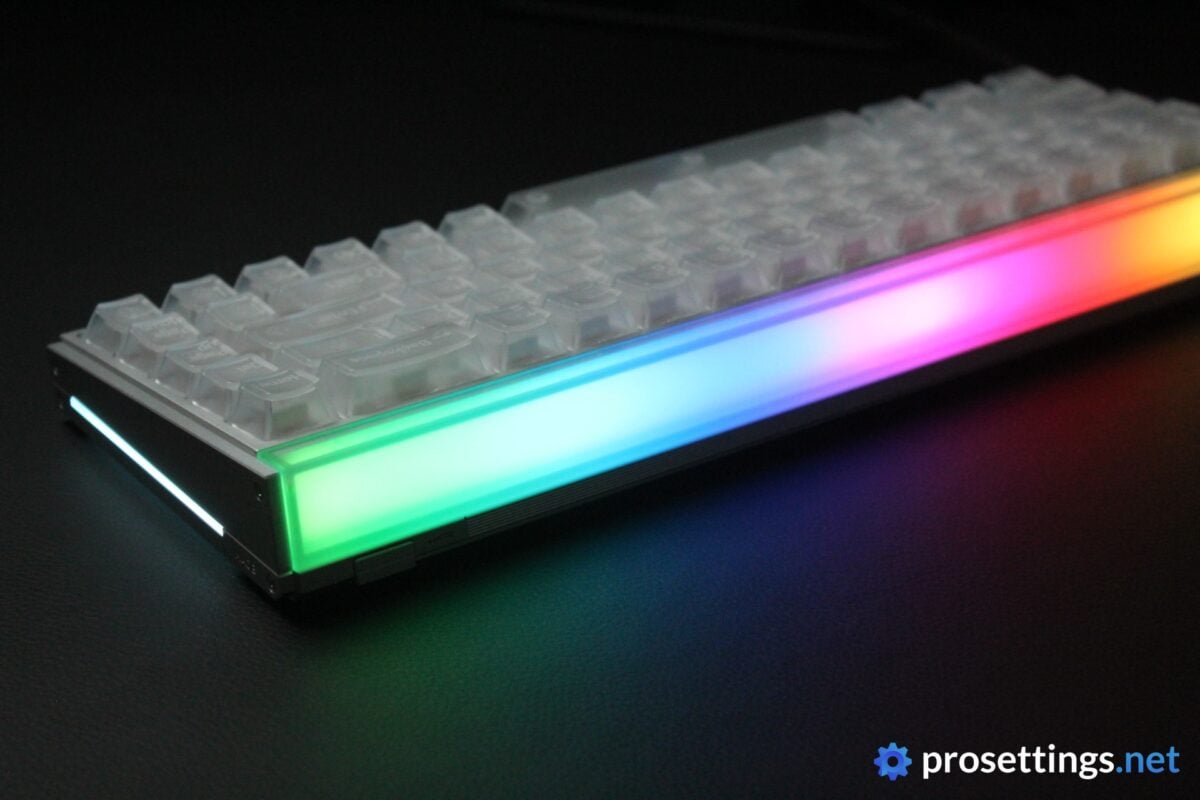
It’s quite immediately obvious that the MelGeek Made68 Ultra V2 is a gaming keyboard. First off, there are the RGB strips down the sides, as well as a huge RGB element at the back. And then, there are the keycaps. As it stands, the Made68 Ultra V2 is only available with transparent keycaps, so if the RGB doesn’t catch the eye, then the keycaps will.
Something that does not scream ‘gaming keyboard’ is the build. The case is full aluminum and has some really nice little details to it. It’s obvious from the get-go that this is a huge step up compared to most other gaming keyboards, which heavily utilize plastics.
So, in short, the Made68 Ultra V2 absolutely makes an impression. Think of the design what you will (I’ll elaborate on my thoughts a bit further down in the review) but I think MelGeek made some very interesting decisions here. Had they gone for a full plastic HE board with no ‘quirky elements’, it would just be yet another option in a sea of extremely similar HE keyboards. This one has character and a unique style, and I like that.
I also love the form factor. I think 65% is the ultimate keyboard size, as I find 60% too small for a ‘do it all’ keyboard, and TKL too large. But that’s obviously highly subjective.
RGB
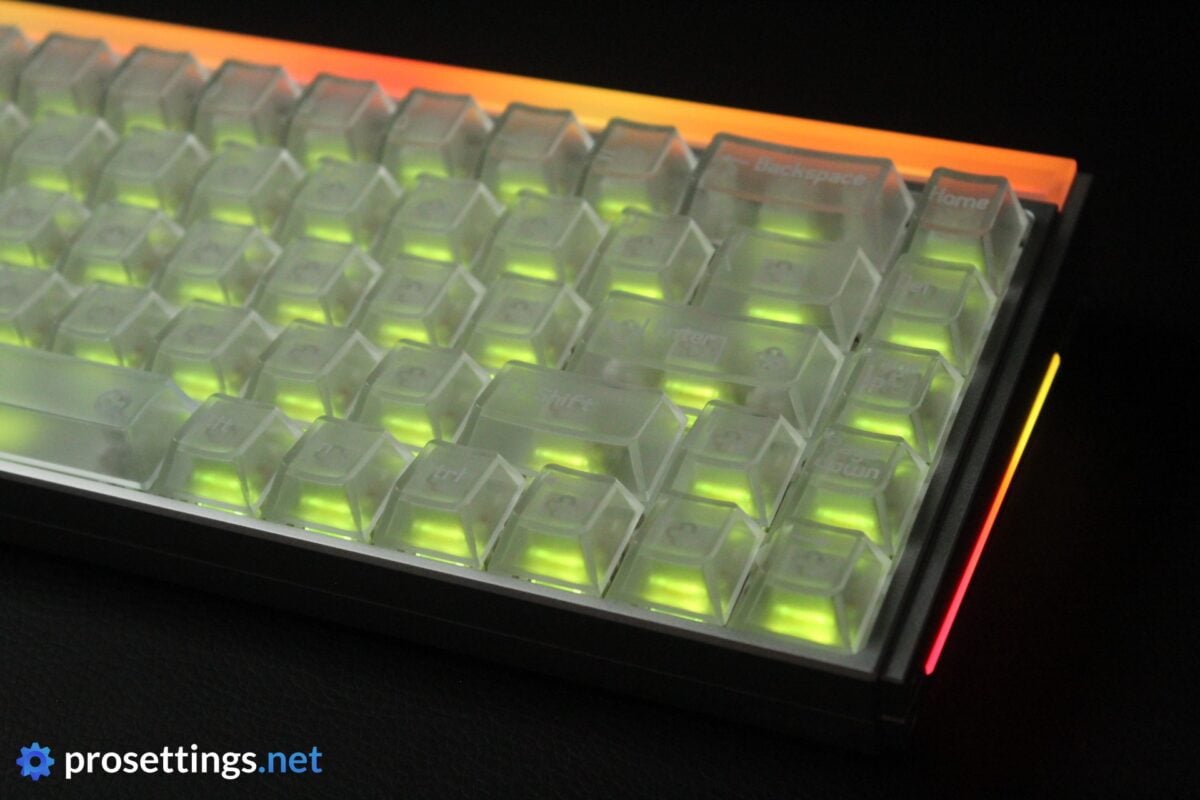
If you’re a fan of RGB, this is practically your dream keyboard. The transparent keycaps allow a ton of light to pass through, which already gives the board an edge over solid-capped boards. But the real showstoppers are the RGB elements, particularly the one at the back. This frosted light bar spans the entire width of the keyboard and looks absolutely stunning. I love the fact that they put a frosted cover over the RGB LEDs so that you get a subtle, smooth eyecatcher rather than a ‘naked’ array of LEDs.
You can also choose from a huge variety of scenes. Everything from reaction-based RGB profiles that change based on the sounds your PC is playing (for example) to more traditional, static scenes: it’s all there. You can go really crazy with the RGB.
I don’t use RGB backlight for my keys anymore these days (or I set it to a plain white) but I really love the RGB light bar here. Combined with the side panels, you can create scenes that match your mood, setup, or even the weather without looking like a traditional gamer keyboard.
Packaging
Inside the box of the MelGeek Made68 Ultra V2, you will find:
- The keyboard
- Extra keycaps
- A USB-C-to-USB-A cable
- User documentation
- MelGeek stickers
- A keycap/switch puller combo
I like the fact that MelGeek didn’t go for the traditional plasticky switch/cap puller and are offering something a bit more premium, but I do miss some additional switches in the box. Switches don’t cost a ton, but it can be handy to have a spare or two in case something breaks. Especially with keyboards in this price range (the MSRP of the Made68 Ultra V2 is $259.99), I kind of expect there to be spares.
Features and Build Quality
Materials and Design
As I mentioned earlier on in the review, the MelGeek Made68 Ultra V2 is an extremely impressive keyboard. The case is made out of aluminum, for starters. Apart from the light bar, there’s not a plastic element in sight, which gives the Made68 Ultra V2 an obvious leg up on most of the competition. It feels sturdier and a lot more premium than most gaming keyboards out there. So, if you’re after that custom-built keyboard vibe, this is it.
In terms of the design, it’s also a hit for me. I mentioned that I don’t like the transparent keycaps, but if you swap those out for a more traditional set, the board immediately transforms. If you then set the light elements to plain white (or any other neutral color) or simply turn them off, you’ve got a very sleek, professional-looking keyboard.
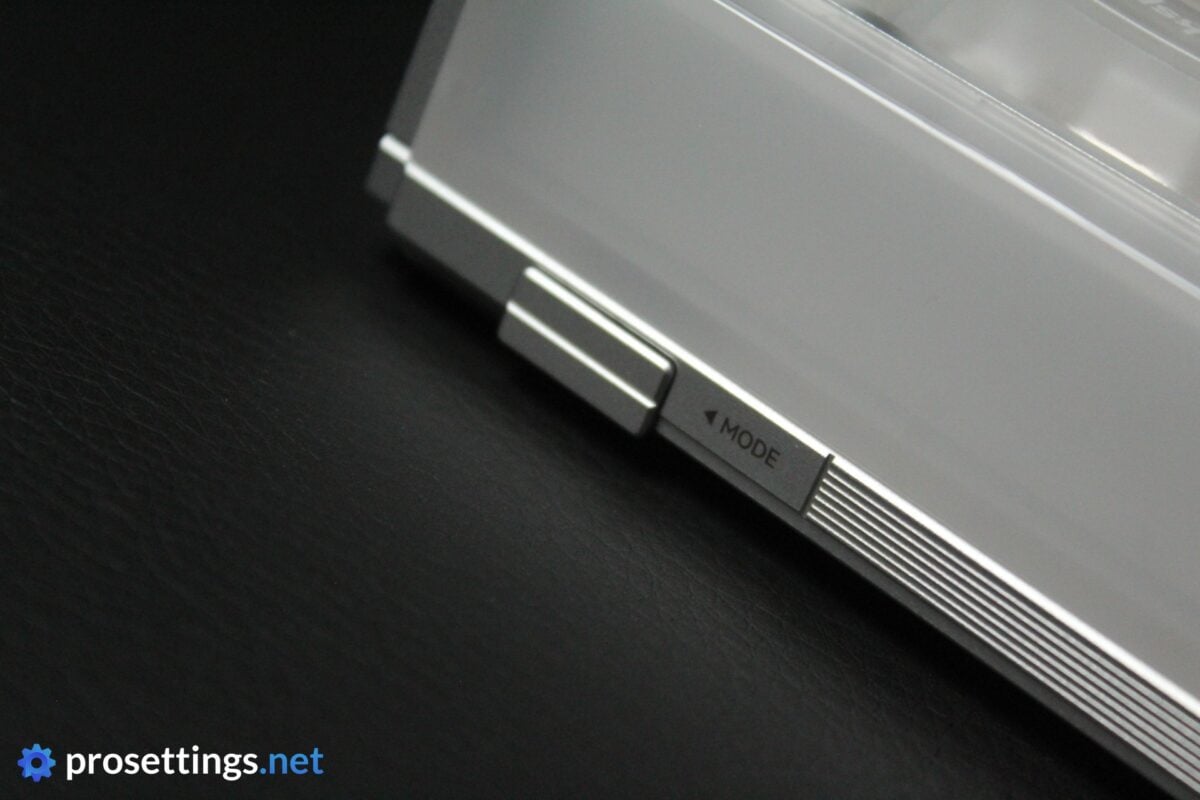
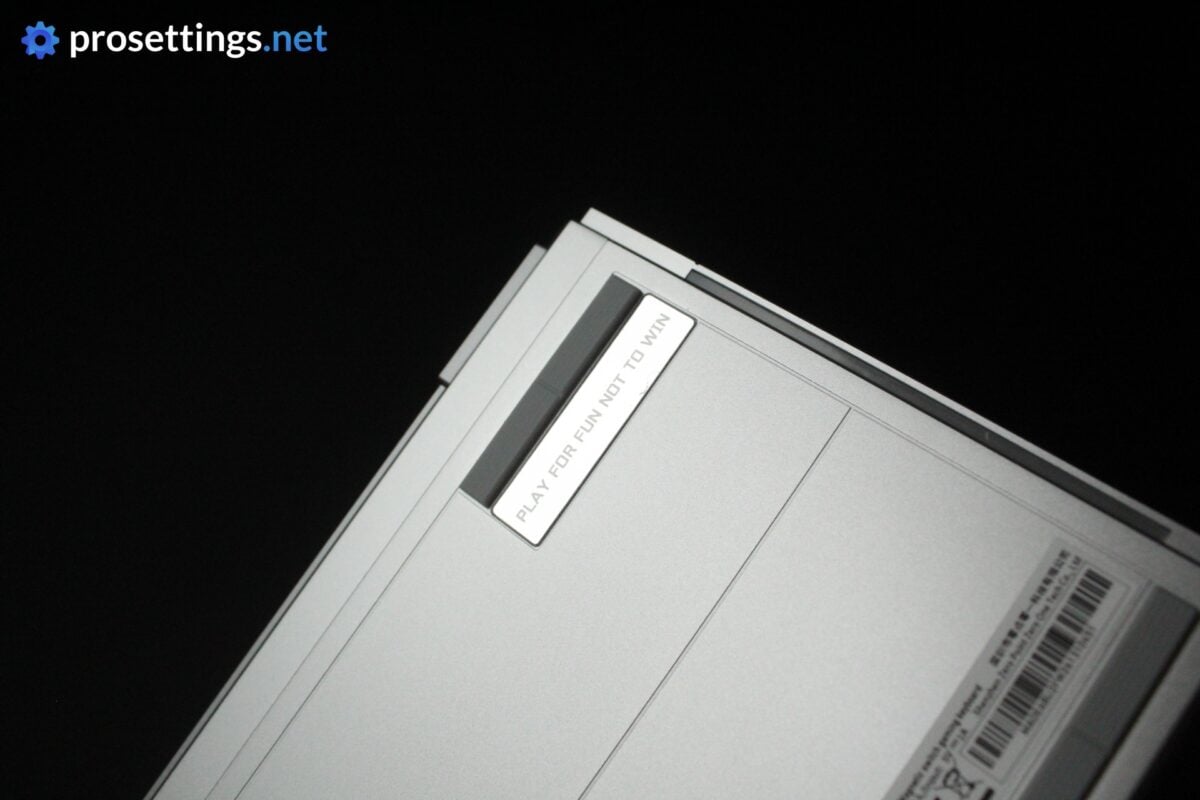
I also like the small design touches. The debossed logos and the ‘play for fun not to win’ badge on the bottom are little design flourishes, but the physical button to switch modes that’s hidden at the back is a really clever addition in my opinion. If you only rock one keyboard, it’s easy to remember the shortcuts, but if you test and use a ton (like I do) it’s cool to have a dedicated button to switch between gaming and productivity modes.
Customizable Case
In case you’re not in love with the stock design of the MelGeek Made68 Ultra V2, you’ll be happy to know that the side panels and the light bar can be swapped out. You can order different parts on MelGeek’s website, or you can 3D print your own light bar. This adds an extra touch of personalization for people who like to go the extra mile when it comes to modifying their peripherals.
Something that I like here is that the extra options are already available to order. Over the years, I’ve seen a lot of peripheral companies adding these types of customization options, but quite often it’s just an afterthought that doesn’t get followed up on. Here, it seems like the extra parts are already in production, which is cool.
Keycaps
As you’ll have noticed, I don’t like the look of the keycaps. That has nothing to do with MelGeek; I just don’t like transparent keycaps. I know I’m not the only person on earth with that opinion, too. As such, it would be cool to see a version that has more traditional stock keycaps. I have a bunch of aftermarket sets lying around, but not everyone will, so people who want a regular set of keycaps will have to pay extra on top of an already quite expensive keyboard.
With that out of the way, I have to say that the keycaps feel good. They have a very mild texturing to them, which I prefer over completely smooth caps, and the printing is even and consistent. So if you do like the look, you’ll be happy to know that this is a quality set of caps.
Customization
Any customization can be done via MelGeek’s Hive web app. Most keyboard brands have pivoted towards a web app (sometimes as an alternative to an existing downloadable program) and I love that evolution.
What I also love is the execution of Hive. It’s a super clean program that’s very easy to understand. It also works without any issues. Inside Hive, you can program macros, rebind buttons, tweak the gaming performance, and so on.
The only downside I could discover here is that firmware updates reset your keyboard to factory settings, which can be really annoying if you have a bunch of very detailed profiles set up. I rarely update the firmware of my peripherals though, unless there’s a huge update, so this is not a very big deal to me personally.
If you download Hive 2.0, you can also use AI to help with the creation of lighting profiles and the likes, but I consider that stuff to be more of a gimmick. In addition to that, I personally don’t need or want to use AI for everything. So I was fine with just the web app, and I imagine people will be.
Switches
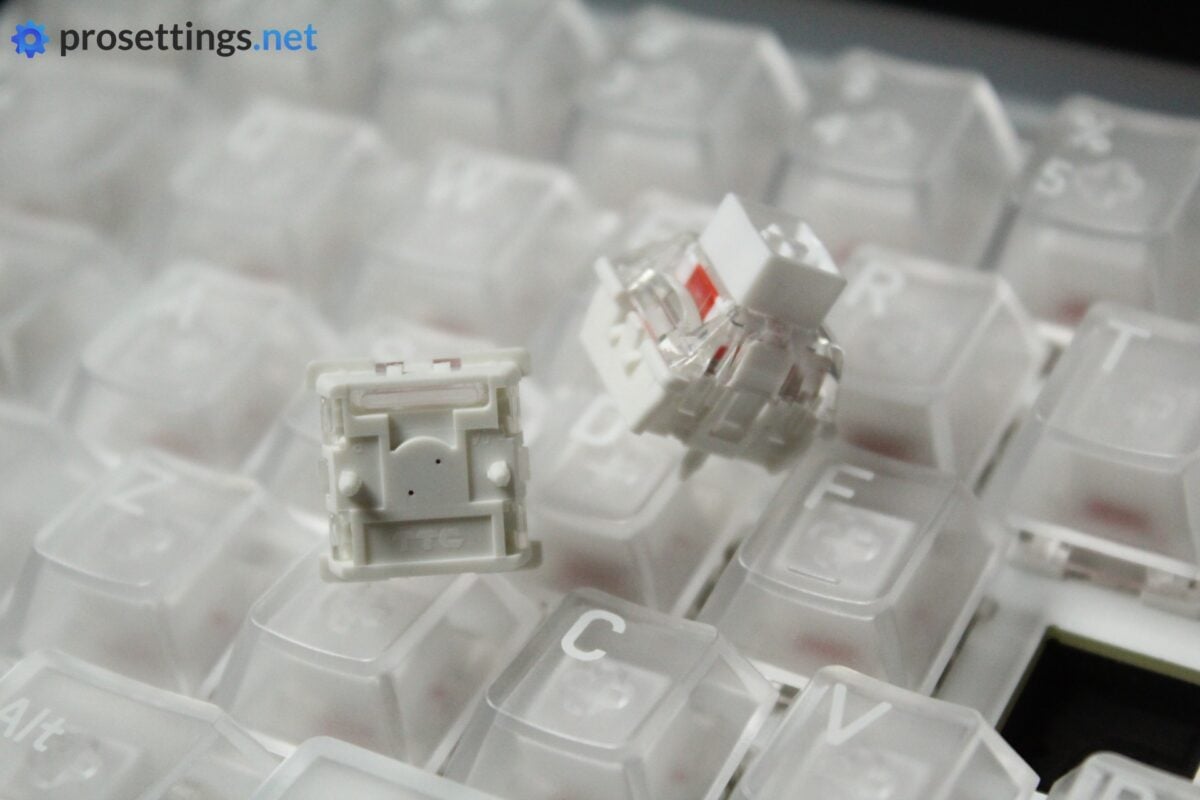
Most Made68 Ultra V2 boards come with TTC Flip King switches, though there’s also a version with TTC KOM Lite switches. I tested the Flip Kings and I really like these.
Most quality linear switches nowadays feel very smooth, so it was no surprise that these felt smooth as well. Something that sets these switches apart is the large, square stem. This does a great job at preventing wobble, leading to a very consistent typing and gaming feeling. Lastly, the tensioning is also pretty much spot on in my opinion. It’s light enough for gaming, but it’s not so loose that it feels overly responsive for a heavy typist like myself.
The sound is something I like as well. These sound quite thocky, without getting into that ‘oily’ territory.
In summary: these are quite premium, expensive switches, and you do feel and hear that when you’re using the board.
Typing and Gaming Experience
Gaming Experience
In terms of gaming, the MelGeek Made68 Ultra V2 offers pretty much everything you’d want. It has SOCD, Rappy Snappy, and of course, Rapid Trigger. Rapid Trigger also has in-depth customization where you can tweak the dead zone and the RT sensitivity, which is good for people who like to tinker with these settings.
People who don’t want to do all of that can also simply use pro player profiles, which are also present in Hive. Right now, you can choose between five DRX players, but perhaps more are coming in the future.
In theory, the features and options aren’t as detailed as what today’s top brands like Wooting offer, but the reality is that the vast majority of gamers won’t need all those super in-depth customization features.
And, in practice, the MelGeek Made68 Ultra is a board that can go toe-to-toe with today’s finest offerings. In terms of latency, consistency, and responsiveness, I can’t say anything bad. This is a board that performs excellently for a wide variety of games.
Typing Experience
Gaming keyboards have gone through a veritable renaissance in terms of acoustics and feel over the past couple of years. The bar is constantly rising, meaning that boards that were considered ‘amazing’ just two years ago are now often called ‘middling’.
In my opinion, MelGeek has raised the bar yet again. The switches feel and sound amazing, and the board itself is well-engineered to offer a great sound experience. Inside the case, there’s plate sandwich foam, a sound-absorbing switch pad, silicone dampener rings, and a latex base foam. Combine this with an FR4 switch plate and you get a lovely, balanced sound (leaning towards thocky) that beats pretty much everything else on the market right now.
The gasket-mounting system combined with that FR4 plate offers a slightly flexible typing experience (it can’t be too flexible because that would mess with the consistency of the HE switches) that I personally prefer over the stiffer experience that you get from the more common aluminum plates.
One might say that sound and feel is subjective. And I agree. Some might not like the sound signature of this keyboard, and that’s completely fine. But when we look at subjective factors like the stabilizers, the (lack of) case ping, and the consistency of the entire experience, it’s easy to say that this is a fantastic keyboard. To me, this is the new benchmark for typing feel and sound in gaming keyboards.
Sound Test
Alternatives
There are tons of HE keyboards on the market right now. As such, I won’t be comparing it to every possible option out there. Instead, I’ll compare it to other similar form factor keyboards that I’ve tested, and to the current ‘top dog’.
MelGeek Made68 Ultra V2 vs IQUNIX EV63
Though they’re pretty much inseparable in terms of gaming performances, I personally see the MelGeek Made68 Ultra V2 as the better board. It has a more solid case design, sounds slightly better, and has marginally better switches. The web app is also easier to navigate. With that said, the IQUNIX EV63 is also quite a bit cheaper, so these are pretty logical differences.
As such, if you’re deciding between the two, I’d say it’s a matter of budget. If you like what you’re reading about these types of gaming boards (more premium case, big focus on acoustics and feel) and you want the very premium option, go with the MelGeek. If you’re content with a slightly ‘downtuned’ version (which still means that it’s a fantastic keyboard, to be clear) then go with the IQUNIX EV63.
See our IQUNIX EV63 review
MelGeek Made68 Ultra V2 vs Wooting 80HE/60HE
Despite the fact that these are completely different products in my opinion, it’s always good to compare to the industry standard. In terms of typing feel, case finishing, and just overall aesthetics and feel, the MelGeek Made68 definitely wins for me. In terms of gaming performances, the Wooting takes the cake since it offers more options. Most gamers won’t notice any differences between these two boards in-game, but with margins (in terms of performance) becoming smaller and smaller, it comes down to details like this.
Knowing this, I’d say it’s a matter of priorities. If gaming is your absolute number one concern, go with the Wooting. It’s cheaper and is more feature-rich. If you want a more premium experience that more or less delivers the same gaming experience but with fewer in-depth options, go with the MelGeek Made68.
See our Wooting 60HE v2 review
Conclusion
The MelGeek Made68 Ultra V2 was a huge surprise to me. A lot of companies try to get that perfect match between a custom-style board that a keyboard enthusiast would be proud of and a top-tier gaming keyboard, but none come as close as MelGeek.
Of course, that comes at a price. This keyboard is more expensive than many of today’s top alternatives, but you do get a lot in return for your money. The case feels excellently made, the RGB is tasteful but can go wild if you want it to, the premium switches are amazing, and the gaming performances are up there with the best of the pack. On top of that, you get a clean and easy-to-use web driver, fantastic acoustics, and a customizable case. You can even add your gamertag to the light bar if you’re so inclined.
In short: this is one of the most complete keyboards I’ve tried so far. It’s not as in-depth in terms of gaming options as something like a Wooting 60HE v2, but most gamers won’t realistically notice any difference while gaming. And for many, the fantastic build quality and great sound will be a welcome tradeoff.
It’s niche, of course. It’s expensive, made by a smaller brand, and appeals to a rather small demographic (gamers who also care deeply about how their board sounds and feels) but for me, this is an absolute winner and my new main keyboard.
This product was received for free from the manufacturer and given to our reviewer to test and review. Brands and manufacturers have no editorial control over our reviews. For more information, check out our review FAQ.
Former semi-pro gamer turned writer, product reviewer, and community manager.

