Introduction
For many years, the gaming mouse scene has remained relatively stagnant. There was (and still is) the race to the bottom in terms of weight and higher polling rates were also a minor development, but the last huge technological leap was arguably made when flawless wireless tech was invented. Luckily, manufacturers keep developing and innovating, and right now the mouse market is perhaps at its most exciting point in many years. Corsair is throwing their hat in the ring with their very own tech, co-developed with Aimlabs CEO Wayne Mackey: a sensor that has different sensitivities in various directions, based on your personal aiming profile. In our full Corsair Sabre V3 Pro review, you’ll read all about that and much more.
At A Glance
Corsair Sabre V3 Pro PureVector
Staff's Choice
Innovation Award
In a nutshell: the V3 Pro comes with optical switches, a web driver, an optical scroll wheel encoder, and it debuts new (optional) sensor tech. Stick all of that in a safe shape that’s miles lighter than what mainstream competitors are putting out and you’ve got a serious release.
Pros
- Extremely low weight of 37g
- Safe shape
- Optical switches + optical scroll wheel encoder
- Respectable battery life
- Uses a web driver
- PureVector creates custom sensitivities in 8 directions based on player performance
Cons
- Extremely expensive
- PureVector is underwhelming in its current form
- Lack of transparency and customization once PureVector is calibrated
- Some minor QC issues
Specs
| Sensor | Corsair Marksman X |
|---|
| DPI | 100-42000, in steps of 1 |
|---|
| Polling Rate | 125 / 250 / 500 / 1000 / 2000 / 4000 / 8000 Hz |
|---|
| Button Switches | Optical Switches |
|---|
| Connection | Wireless |
|---|
| Shape | Ambidextrous |
|---|
| Length | 11.9 |
|---|
| Height | 3.8 |
|---|
| Weight | 37 |
|---|
| Width | 6.2 |
|---|
First Impressions
Packaging
Inside the box, you will find:
- The mouse itself
- A USB receiver
- A USB-C-to-USB-A charging cable
- User documentation
- Extra (large) mouse skates
- An alcohol pad
- A set of white grips
- A set of black grips
For a mouse that costs $179.99 (MSRP), I would expect all of this to be included, and luckily Corsair has delivered. Other brands that charge a premium can learn a thing or two from what you get within the box here, but I’m still a bit miffed about the fact that we’ve seen yet another price rise for gaming mice. Corsair is far from the only brand to raise prices for their flagship models so I won’t single them out, but I do wonder when this will finally stop. Prices really are getting quite outrageous.
The Mouse
There are multiple versions of the Sabre V3 Pro available. In addition to the regular plastic version, there’s also a magnesium version and a carbon fiber version. Additionally, Corsair have also developed an ergonomic version, which also has three different material finishes available. This review is about the regular V3 Pro.
As with the V2 Pro, the most noticeable aspect is, for me, the weight. Coming in at 37 grams, the Corsair Sabre V3 Pro is one of the lightest gaming mice made by mainstream manufacturers. It weighs a lot less than today’s mainstream weight range of 50 to 60 grams, so it will probably take some time before you fully get used to the mouse if you’re coming from a device with a regular weight.
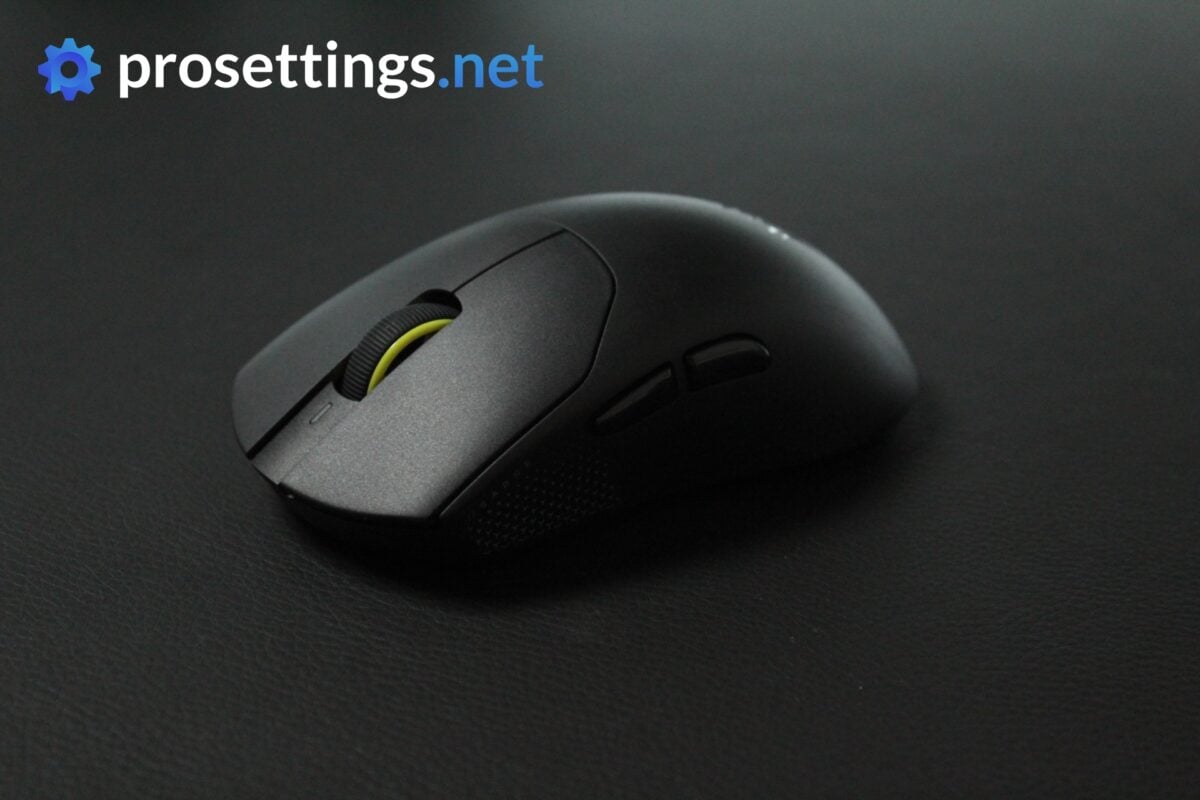
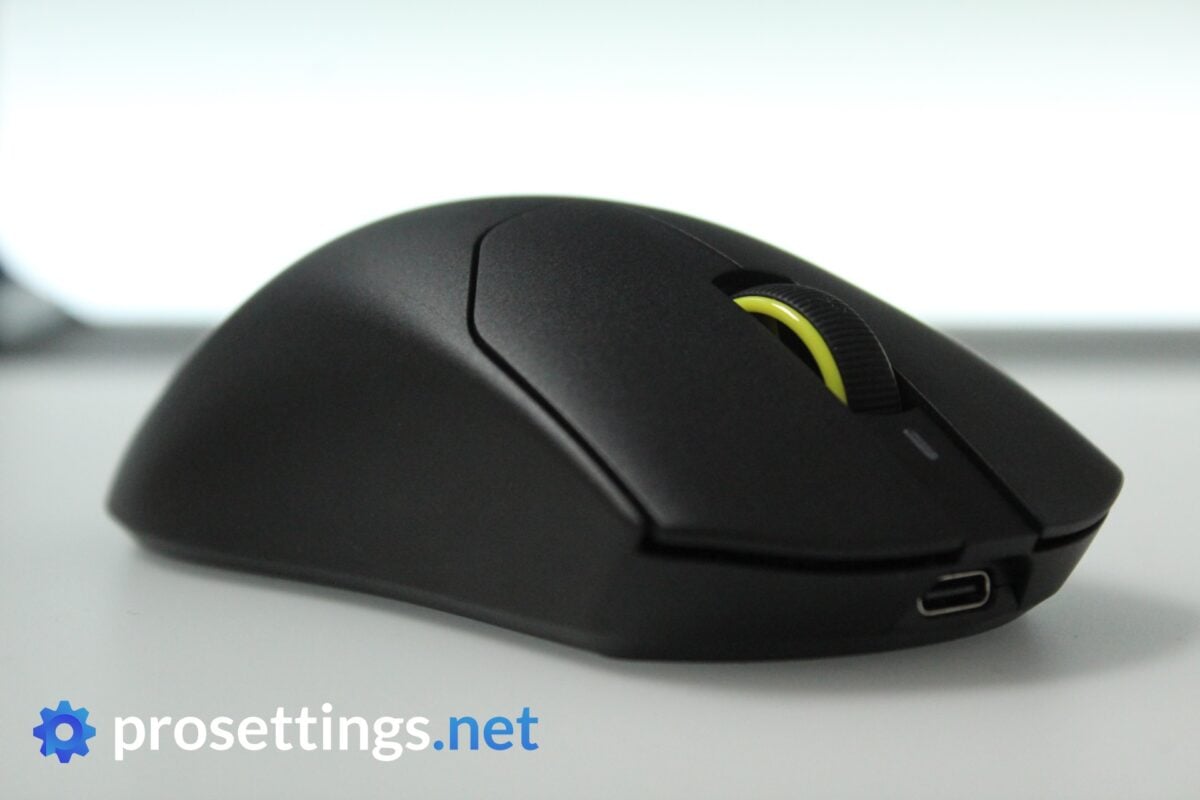
Aside from the weight, there’s nothing to the mouse that really jumps out immediately. It’s a simple black mouse with minimal branding and no ostentatious design elements.
Shape, Coating, and Mouse Feet
Shape
My hands are 18×10.5cm and I use a claw-dominant grip.
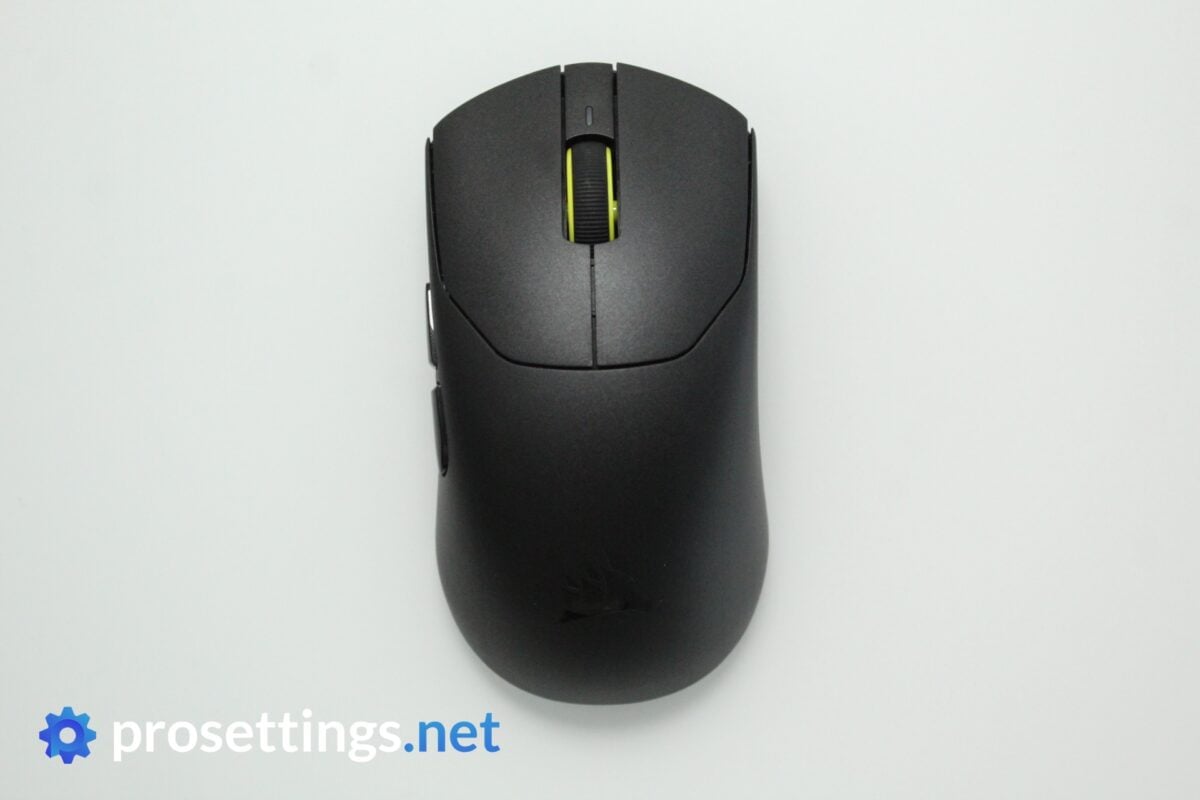
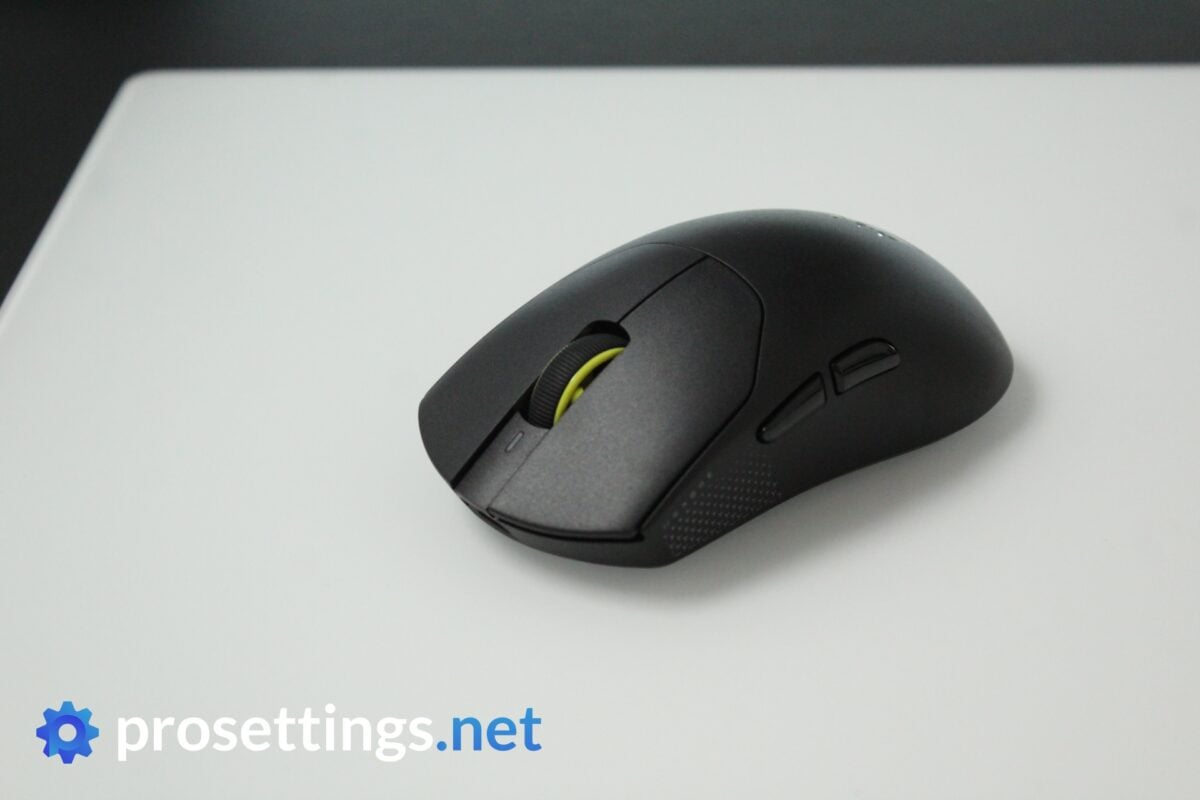
The Corsair Sabre V3 Pro is on the smaller side, but aside from that it sports a very safe design. Curves and dents are limited to a minimum, the hump is centralized, the back doesn’t flare out drastically, …
In short, there’s nothing revolutionary or new about this shape, but I think that was what Corsair was going for in order to appeal to a sufficiently wide audience. As long as you don’t have super large hands, you’re bound to find a way to reliably grip this mouse.
Coating
The coating feels plasticky rather than rubbery or chalky. As a consequence, grip can be a little bit of an issue if you have completely dry hands. That’s an issue with many modern mice though, and in all other scenarios, the Sabre V3 Pro performs fine.
In addition to that, sweat, oils, and fingerprints are handled nicely. The Sabre V3 Pro can go a long way before you need to clean it, and the coating also keeps feeling comfortable, even when used during sweaty sessions.
I personally like the in-hand sensation of more rubberized-feeling coatings better, but that’s mostly a preference thing. Performance-wise, I don’t have any big objective complaints about this coating, so I’d say it’s good.
Mouse Feet
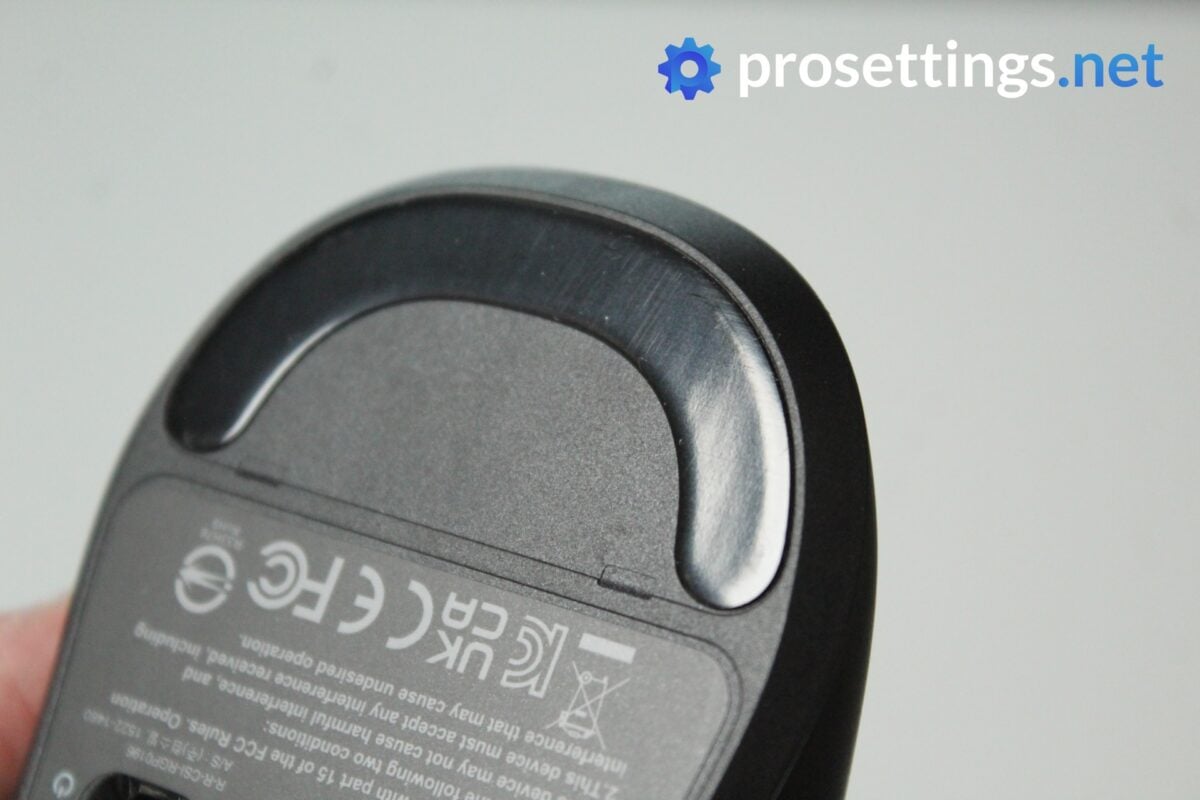
The same UPE feet that were used on the Sabre V2 Pro can also be found on the V3 Pro. I’d say these are okay. They’re not super quick, nor are they super slow, which is in line with that ‘mouse that fits everyone’ type of product that Corsair seems to want to make here.
On my copy, both sets of skates are rounded straight out of the box and require no break-in period. Personally, I would’ve liked to see slightly slicker/faster skates on a mouse like this, however. I don’t mind slower and more controlling feet on a larger or heavier mouse, but on something as nimble and small as the Sabre V3 Pro, the skates feel a little ‘off’ due to their lack of speed. Quality-wise, they’re good.
Recommended Grip Types
For me, this mouse feels like an ideal claw or fingertip mouse. Palm gripping the mouse is not something I’d recommend, unless you have very small hands.
Buttons and Scroll Wheel
Buttons
With the V3, Corsair’s flagship competitive gaming mouse has finally made the switch to optical switches. That’s a change that I can only applaud, as I criticized the lack of opticals in my review of the V2 Pro.
The switches themselves feel quite good. They actuate with a pleasingly crispy sensation and feel better than the mechanicals Corsair used in the V2 Pro.
The implementation is quite decent. On my unit, there’s a bit too much pre-travel, but not to the extent that it actively bothered me while using the mouse. Post-travel is well within acceptable margins.
There is some switch grinding if you move the button side-to-side while pressed, but you have to deliberately do this in order to feel it. If I’m using the mouse normally (while spraying my gun in CS2, for example), I don’t notice this.
What all of the above means is that the buttons on my unit feel quite good, but the QC can be tightened up a bit, so not every unit may feel the same. If the pre-travel or switch grinding was just a bit more pronounced, for example, it would be something I could feel while using the mouse normally, and thus impact my experience with the mouse while gaming. So I recommend you check these things as soon as you get your copy.
Scroll Wheel
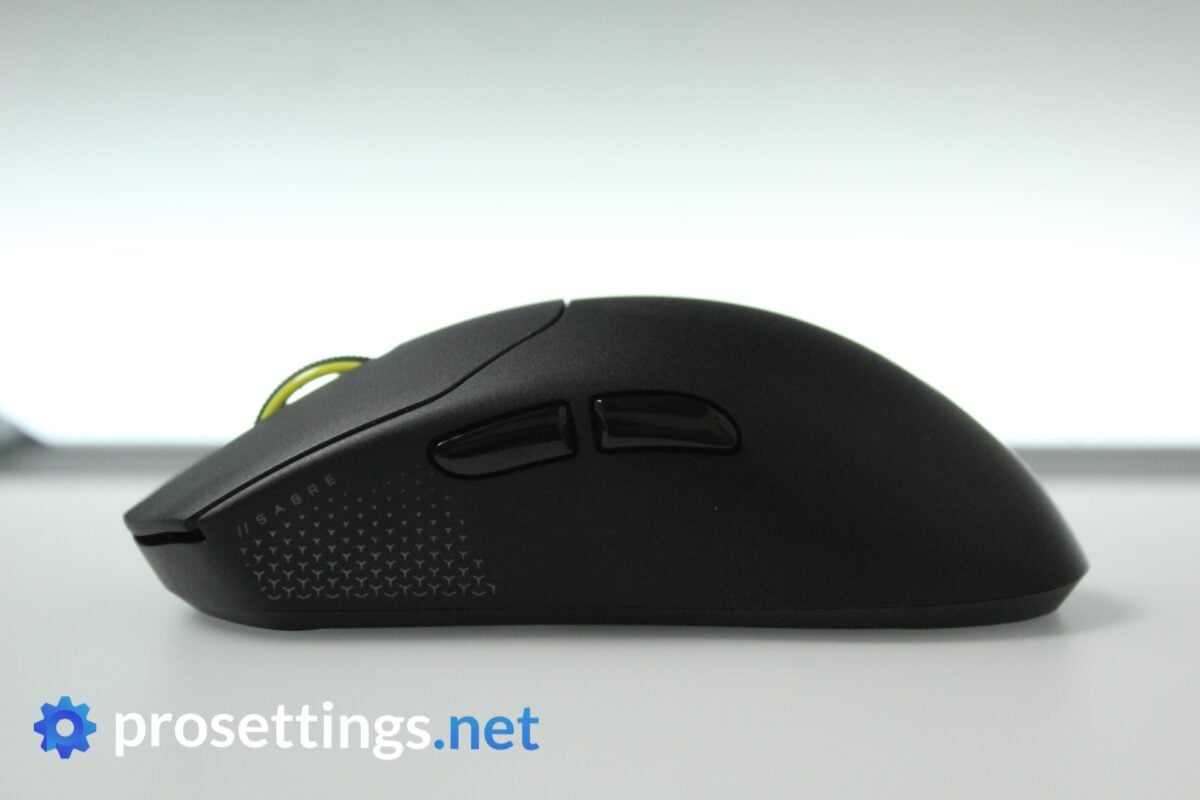
I have no complaints about the scroll wheel. Individual steps are pronounced enough to use the wheel as a weapon or item switcher in-game, and I didn’t notice any missed or erroneous steps while playing. Clicking the wheel produces a nice click, and requires just about the right amount of tension.
Do note that the wheel is quite heavy, though. I like that in a gaming mouse, but if you like a smoother wheel with lighter steps, this might not float your boat.
Side Buttons
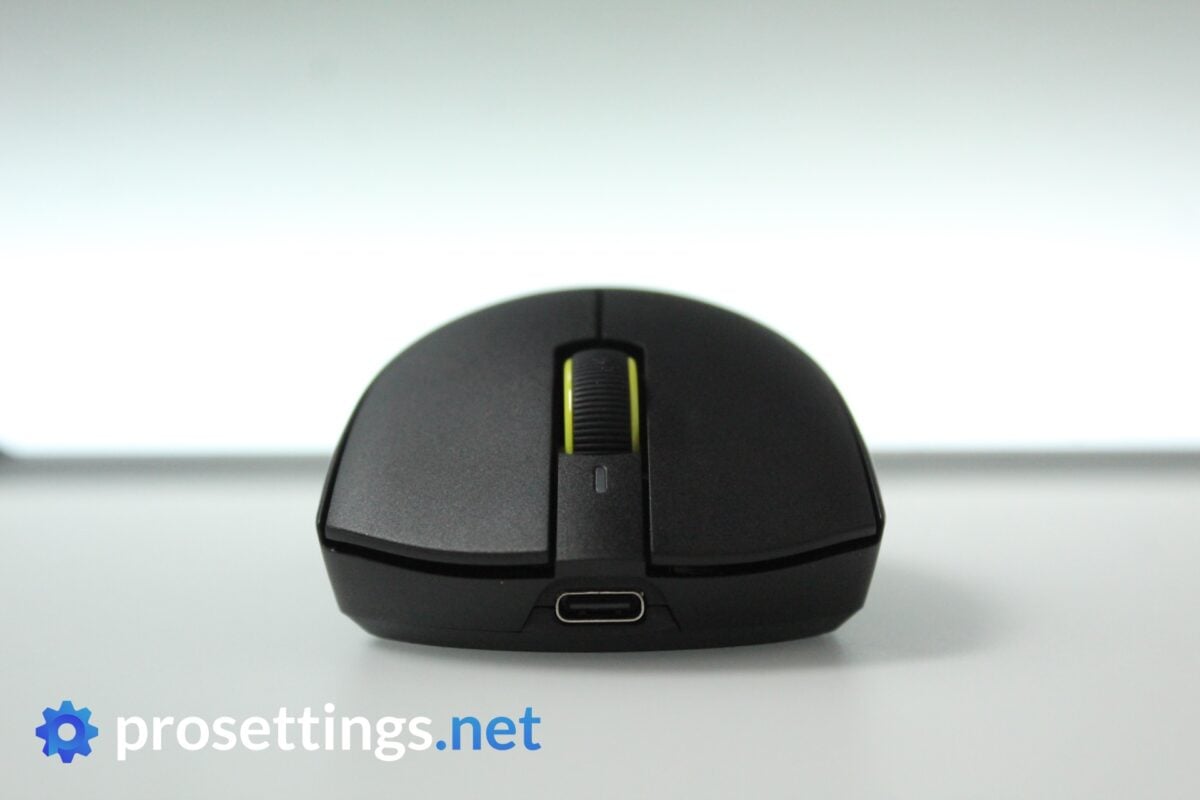
Both side buttons have a bit too much post-travel, but other than that I would say they feel good. The click is noticeable, pre-travel is limited, and both buttons are very easy to distinguish in the heat of battle.
Build Quality
As a whole, the Corsair Sabre V3 Pro feels well-built. You can hear a faint rattle when you shake the mouse vigorously, but I confirmed that that’s a part of the scroll wheel coming up against the side of the button rather than a loose or broken component within the shell.
Speaking of the shell: this is still quite flexible. If you press hard on the sides, you can get the side button to actuate, for example. The back section doesn’t have that flex problem that the V2 had, though, which is good to see.
So the flex issue that plagued the V2 is partially fixed, but I’d love for Corsair to also address the side flex. Not because it limits performance (you need an impractical grip strength before you actuate a button while playing) but because it can make the mouse feel almost spongy, depending on how you grip it. To some, that may also make the mouse feel cheap.
As a whole, though, I’d say that the overall build quality is decent. It is a 37-gram mouse, after all, so you naturally can’t expect it to feel like a solid brick.
PureVector
PureVector in Theory
The standout feature of this mouse is the PureVector aspect. This is a feature that Corsair developed with Aimlabs, and in short, this is a personalized directional sensitivity.
This, according to Corsair, is necessary because every player has an inherent aim bias. Even pros have (to a much lesser extent than casual players) directions in which they aim better. From my experience with aim trainers, I usually underflick when I need to flick to the top left, for example.
PureVector aims to solve this by assigning a personalized sensitivity profile. You simply go into Aimlabs, play a couple of tasks, and you then get a directional sensitivity profile. For my profile, my sensitivity when aiming up and to the left would be a bit higher, to counter my underflicking. Important to note is that this is static: instead of having one set DPI for all directions, you now get multiple different ones for different directions. It’s not cheating, but more akin to using mouse accel or something like that.
All of this is saved on the mouse firmware itself, so you don’t need to have Aimlabs or any other software running in order to use the technology.
PureVector in Practice – Setup
I like brands that try to innovate. I also like the idea behind PureVector. So I think it’s really cool that Corsair and Aimlabs are trying something new here. However, in its current state, I find it to be a little bit underwhelming.
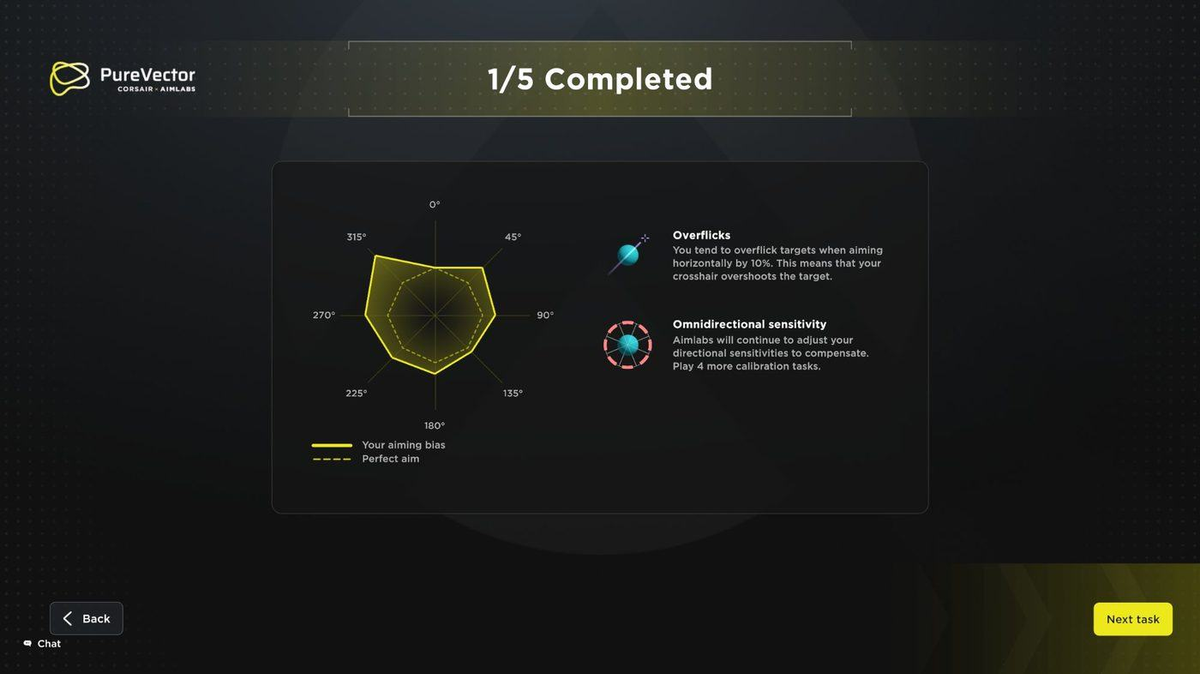
It all starts with the calibration. In order to calibrate your personal sens, you have to play five tasks of Spidershot, which is a flicking minigame in Aimlabs. I fully understand that they didn’t want people to sit through a calibration session of an hour, but I find playing the exact same task (where you’re standing still and flicking to quite big targets) to be somewhat limiting.
Every time you complete a round, you get a little graph telling you about your aiming bias. That’s cool, but once you’re done with the five rounds, that’s kind of it. I was quite excited to see some explanation on what sensitivity profile the software chose for me, but I didn’t get anything like that. Just a message in Corsair’s Web Hub saying that my sens was calibrated, and that was it. No slider to tweak the intensity of the different adjustments, no indication as to what the exact DPIs are, …
I’m not expecting a multi-page performance report here, but just some text saying things such as ‘we noticed you tend to overflick to the top left, so we made your sensitivity x% higher there‘ would go a long way in making this whole process more intuitive in my opinion. Now, you’re kind of left in the dark in regards to what the technology is doing for you.
PureVector in Practice – Gaming
Corsair claims up to a 33% improvement in aim speed with PureVector.
I’m no aim god (my excuse is that I don’t have time to grind anymore) but I have tested dozens of mice and have been gaming for my entire life, so I’m obviously quite experienced. And try as I might, I couldn’t really notice a difference with PureVector on. I tried it for a couple of weeks while also testing other mice and using my main and I honestly didn’t feel like I played any better with PureVector on. Granted, I also didn’t play worse, but I still had bad days on the Sabre V3 Pro, like I do with every other mouse. It didn’t feel like it prevented me from making aiming mistakes or anything like that.
I think that’s because, in its current iteration, PureVector seems quite limited. I have no doubts that it can improve your performance in Spidershot, because that’s exactly what it measures: how are your flicks when standing completely still while having to shoot balloons? Real aim is a lot more than that though. It’s tracking, moving, turning, timing, and so on. And these things are much harder to determine in a simple aim trainer. Overflicking can easily be measured and quantified; having a tendency to track left-moving targets across a certain distance better when you’re moving left versus moving right is much harder to analyze.
What I’m getting at here is that static flicking is one aspect of your aim, but it’s an incredibly small aspect. If these kinds of flicks happen to be a major weakness for you as a gamer, I can imagine PureVector helping out quite a lot, but if you have a decent amount of experience playing with a mouse and keyboard, don’t expect your aim to improve by 33%.
PureVector – Conclusion
If you were thinking PureVector would be some kind of built-in cheat that acts as a crutch to almost completely iron out aiming mistakes, think again. In its current form, I see it being kind of helpful for beginning players in very niche scenarios, or for gamers who play aim trainers as their main game, but it’s just too limited right now to be considered a real improvement factor for anyone else.
My personal experience with the tech is one thing, but even looking at it purely theoretically, one can see how this is still in its infancy. For example, if I underflick to the left, PureVector might compensate with a higher sensitivity when aiming left, but if I’m also someone who tends to lead my target too much when tracking to the left, won’t this tendency only get amplified by the increased PureVector sensitivity? Won’t the net benefit in real gaming scenarios (where you need both flicking and tracking) thus be nullified to 0%?
With all of that said, I want to end this section by saying that I always welcome innovation. Rome wasn’t built in a day, and I do see where they want to go with this technology. Seeing as you can still use the mouse regularly and PureVector is optional, I am all for the inclusion of PureVector. I’d love it if this becomes a thing that gets refined over the coming months and years. If they go any further, a balance between smoothing over player error and hardware cheats will have to be found (most of us will remember Snap Tap) but I do see the vision. And I’m excited to see where this will go in the future.
Sensor and Everyday Performance
Sensor
Within the Sabre V3 Pro sits the Marksman X sensor. That works as expected on my end. Sensor performance is very good across the board, and I noticed no inconsistencies that would show up when gaming or using the mouse normally during my testing.
Weight
With a weight of just 37 grams, this is an extremely lightweight mouse. And that is something that you notice. If you’re not used to ultralight mice, you may want to set aside a couple of hours to get used to a mouse like this, because it can easily feel way less controlled than other mice, especially if you have a light grip and/or a fast mousepad.
A really common question with these kinds of mice is always ‘is the weight better?’ and my answer is always the same. It’s up to you. Some people really love playing with ultralight mice, while others prefer a bit of heft. There is no right or wrong answer here. There is an upper limit to what is considered to be smoothly usable, but don’t let anyone tell you that you absolutely need to shave off every gram possible to live up to your full potential.
With that said, I definitely think this is an impressive mouse. Going for a sub-40-gram mouse in a day and age where most of the big brand mice are still weighing 50-60 grams is a bold choice, and one that I applaud.
Configuring the Mouse
You can configure the mouse’s behavior in Corsair’s Web Hub. This is a clean, easy-to-use program, and I personally absolutely prefer it over having to use a downloadable program.
Inside Web Hub, you can change the DPI, rebind buttons, create macros, and do pretty much all of the things you need to do when configuring a gaming mouse.
Once you get to PureVector, this changes. For that, you need Aimlabs, which is a free aim training program that’s available on Steam. These days, Aimlabs is quite bloated with tons of extra features, skin packs, contests, and so on, but if you want to configure PureVector you get taken straight to that page if you do it from within Corsair’s Web Hub, so that’s all good.
What I don’t love is that you need an account for Aimlabs. If I’m playing a game via Steam, I don’t want to create an extra account just for one particular game. Why not just log me in via my Steam account, like pretty much all games do? If you only want to use Aimlabs for PureVector, you can simply log in as a guest, but if you want to use it for aim training and tracking stats, you should probably make an account, which I find to be annoying.
Battery Life
Battery life has been improved compared to the V2 Pro. You’re now getting up to 140 hours at 1000Hz, and up to 25 hours at 8000Hz. I don’t use 8000Hz (I go for 2000 or 4000) so I don’t have any extended experience with that, but the battery life is certainly respectable from my experience. I could quite easily go multiple days without having to charge the mouse, so as long as you plug it in every couple of days, you should be good to go.
Alternatives
Given how this is the first mouse that comes with PureVector, there are no 1:1 alternatives, at least not on the performance side. Granted, PureVector in its current iteration doesn’t feel drastically different from a regularly performing sensor to me, but it’s still a defining feature of the mouse.
If you like the weight and shape and don’t really need PureVector, you can consider the Corsair Sabre V2 Pro. It’s the same shape and pretty much the same weight. It is technically inferior to the V3 Pro (optical switches vs mechanical switches, build quality, …) but the user experience will feel quite similar to most.
Conclusion
Throughout the review, I often noted that certain aspects aren’t perfect, but I applaud Corsair for trying to innovate or make a bold choice. And that’s pretty much my summary of this mouse. It’s quite niche with the weight and the PureVector implementation, and it’s not a perfect product, but I do applaud the brand for trying to make a splash. Who needs another 55-ish gram rehash of the same type of mouse with the same specs we’ve all been seeing release for the past two years anyway?
Should you get this purely because of PureVector? I wouldn’t say so. Not in its current iteration. But it is promising tech that, if given the chance to mature a bit, could genuinely become an option even for more experienced players.
Even if we leave PureVector out of the equation, though, it’s still a very interesting mouse. Corsair has listened to most of the major complaints around the Sabre V2 Pro and put out a better version of that mouse, and that’s also worth mentioning. Sadly, this also caused quite a major price hike, but that’s something that pretty much the whole industry is guilty of right now, so this is not unique to Corsair.
In a nutshell: the V3 Pro comes with optical switches, a web driver, an optical scroll wheel encoder, and it debuts new (optional) sensor tech. Stick all of that in a safe shape that’s miles lighter than what mainstream competitors are putting out and you’ve got a serious release. It’s not perfect (the button implementation could be better, PureVector feels a little underwhelming) but it’s worth looking into if you’re interested in gaming mice or you’re looking for an ultralight mouse from one of the big brands.
This product was received for free from the manufacturer and given to our reviewer to test and review. Brands and manufacturers have no editorial control over our reviews. For more information, check out our review FAQ.
Former semi-pro gamer turned writer, product reviewer, and community manager.

