Introduction
ZOWIE has been absolutely dominating the professional gaming monitor market for years now. And for most of those years, their products have quite comfortably been the best options. But over the past year or so, we’ve seen a number of competitors vying for the crown, and while ZOWIE’s lead has never really been threatened, many fans of the brand were waiting to see what the next move would be. That next move is here now, in the form of a 1440p gaming monitor. In our full ZOWIE XQ2566X review, you’ll find out whether it’s a new milestone in the long story of the brand, or if it’s a dud.
At A Glance
ZOWIE XQ2566X
Used by 10 players ()The ZOWIE XQ2566X is basically the traditional ZOWIE monitor experience in a 1440p package. If you know a thing or two about ZOWIE monitors, that’s probably all you need to know.
Pros
- Pretty much best-in-class motion clarity at 360Hz
- Image quality is good for a TN monitor
- Lots of QoL features to make a gamer’s life easier
Cons
- Very expensive
- Pretty much only suitable for dedicated esports players
- Comes with all the TN drawbacks (poor viewing angles, subpar color reproduction, …)
Specs
| Size | 24.5 |
|---|
| Resolution | 2560×1440 |
|---|
| Aspect Ratio | 16:9 |
|---|
| Refresh Rate | 360 |
|---|
| G-Sync | No |
|---|
| FreeSync | No |
|---|
| Panel Tech | TN |
|---|
First Impressions
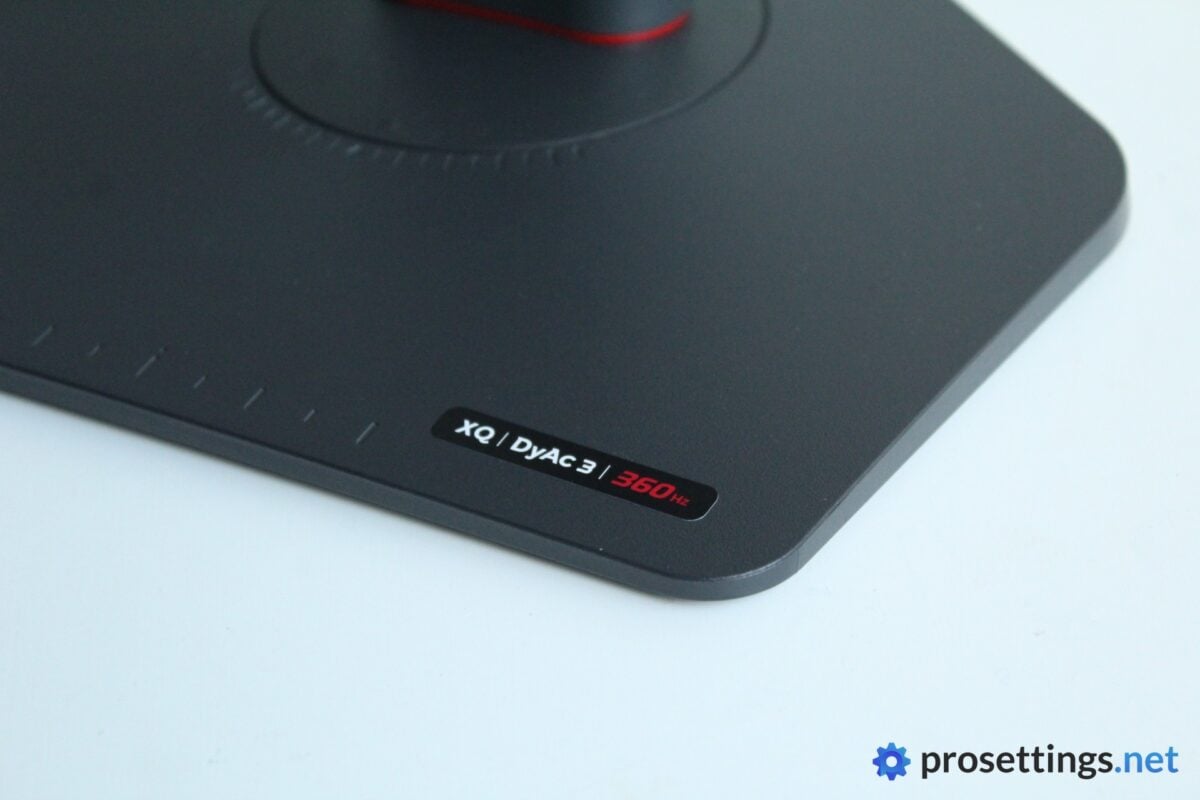
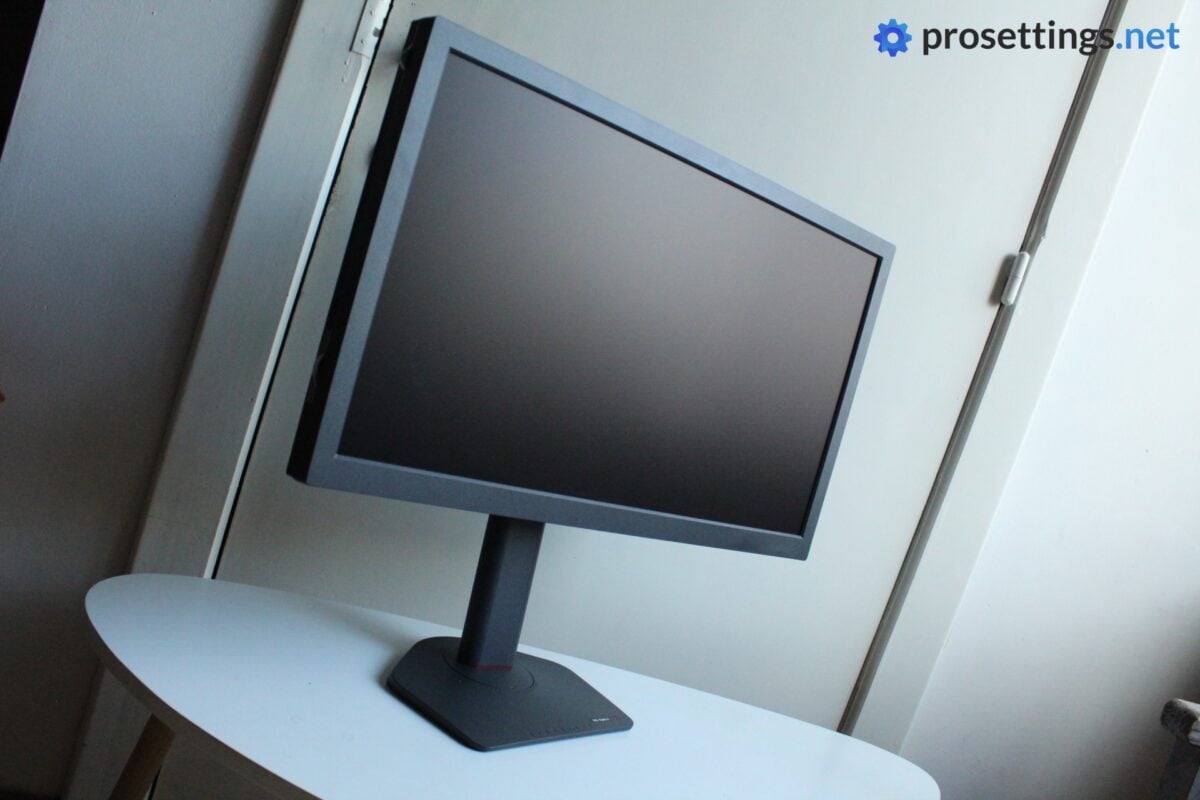
ZOWIE monitors aren’t the sleekest products on the market. They’re thick, and have quite large bezels. But they also don’t scream ‘I am a gaming product,’ and I really appreciate that. The dark grey color looks nice, the stand has a small footprint, and you won’t find any RGB strips on the back or anything like that.
Personally, I would like the bezels to be thinner, but other than that I don’t really have any complaints with the way this monitor looks. And there’s also an explanation for the bezels, which I’ll come to later.
The box is also really well-done, and designed in such a way that it’s easy to repack the monitor, should you need to. This is good news for people who travel to LANs every now and again.
Inside said box, you will find:
- A DP cable
- An HDMI cable
- Privacy shields (which now attach via magnets)
- An S-Switch (a controller ‘puck’ for the OSD)
- User documentation
- A power cable
- The monitor itself
- The monitor stand + base
Assembling the monitor is ludicrously easy, and after you’ve done so it’s a simple matter of configuring it to your needs (you can use the markings on the stand to assist with that) and you’re ready to game.
One important note: while the XQ2566X doesn’t necessarily look like a gaming monitor, it very much is a gaming monitor. Everything around the XQ2566X, from the text on the box to the marketing materials online, emphasize the fact that this is a monitor for hardcore gamers. ZOWIE never attempts to market this as a ‘one size fits all’ solution. That’s important to note when reading about this product.
Build and Operation
Design
As I mentioned earlier, ZOWIE monitors are quite basic. If you’d have this monitor on a desk in a serious office environment, no one would bat an eye. The mix of textured and glossy grey plastics admittedly don’t look that premium once you inspect them closer, but I personally don’t really care about the looks of a monitor’s shell.
What’s far more important to me is the stand and its stability and operation. And that’s fantastic here. The footprint is quite small, but the monitor is extremely stable, even at the highest setting. This small footprint isn’t just there for aesthetics: pro gamers do not want a massive stand taking up too much desk space (which can be limited on cramped tournament desks), so a well-designed stand that’s as small as possible is a huge bonus, and quite simply smart design.
The aforementioned markings all over the stand are a smart touch as well. The precise position of your monitor is extremely personal, but difficult to replicate by feel. These markings help with perfectly dialing it in.
Even the bezels have a reason for their thickness. They’re meant to function as a frame for the panel, giving a clearer visual distinction between the game and the outside world. For home gaming, sat against a wall or stationary background, this isn’t a huge bonus. But if you’re facing a big crowd, with tons of different lights dancing around, this frame can absolutely help.
In short: everything about the design screams esports. Not a single compromise was made to appeal to the productivity crowd, or to make the monitor more palatable for casual users. If you want a monitor that strikes more of a balance, you should probably click away.
Build Quality and Adjustability
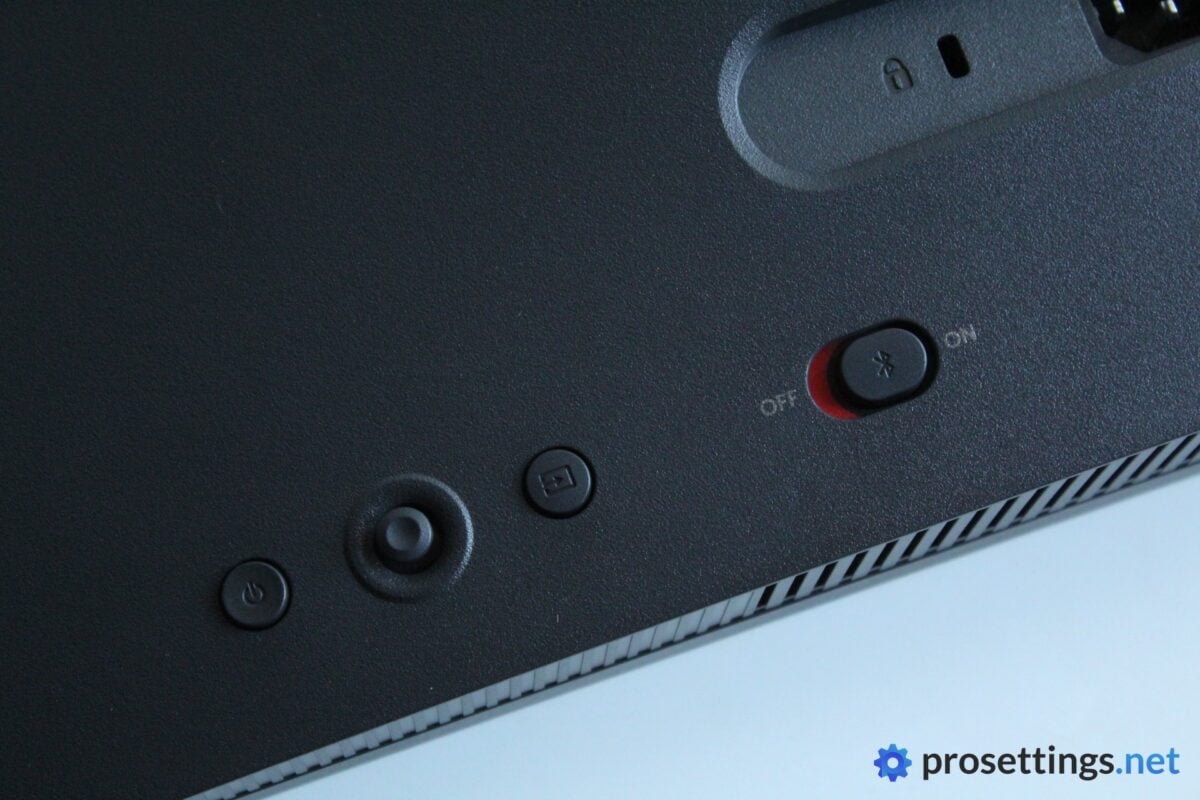
ZOWIE’s recent monitors have all felt great to adjust en operate, and this one is no exception. The new and improved stand feels even better than before. All adjustment points operate smoothly and have a wide range of motion. In addition to that (and perhaps most importantly) the monitor also stays in position. Even after a couple of ‘gamer rage desk slams’, the XQ2566X stays exactly where it should be.
You can adjust the monitor in all the right ways: you can tilt and rotate the panel, rotate the stand, and adjust the panel height. This allows you to get a perfect fit for your specific preferences.
In terms of the build quality, I have no complaints. As I said earlier, it’s not the sleekest-looking monitor on the market, but there’s no creaking, nor are there any obviously weaker parts in the panel housing. It’s a solidly built product.
And it also houses some improvements. There’s now a built-in gyroscope, for example. With this, you have an on-screen representation of the tilt of your monitor, so that you can dial it in perfectly. It’s a cool touch, and representative of the way these ZOWIE monitors are always improving.
Image Quality and Settings
Picture Quality
First things first: this is a TN panel. That has known shortcomings over other, more common/modern panel technologies. Namely in the form of weaker color reproduction, poorer viewing angles, and lower contrast. So you should absolutely not expect this monitor to go toe-to-toe with similarly priced content-focused monitors. It’s not made for that.
Instead, it’s made for gaming. ZOWIE still uses TN panels because their engineers and designers firmly believe that TN is the superior technology when it comes to motion clarity and response times. So again: if you’re expecting anything other than a product that’s laser-focused on esports, you should step away.
With that said, for a TN panel, the picture quality is very good. The 1440p resolution aids a great deal in making the image quality look more ‘premium’ so to say, and ZOWIE has been putting out very good-looking TN panels for quite some time now. Colors are quite lively, blacks are decent (even with DyAc 3 enabled) and overall, you can get quite a satisfying picture out of the XQ2566X after some tinkering with the settings. Again: for a TN panel.
To summarize: this monitor definitely wouldn’t be my first port of call if I was shopping for a dedicated panel to watch the latest streaming hits on, but unless you’ve got experience with monitors, you likely won’t be dissatisfied with the XQ2566X for content consumption. You won’t be ‘wowed’ either, though. It’s passable. That’s it.
One final thing to note: viewing angles are quite bad. Once you start moving a bit, you’ll see the colors start to shift on the panel, so if you’re the lounging type, this can become irritating quite quickly.
Settings
Older ZOWIE X-series monitors were quite clearly marketed for tactical shooter players. That didn’t stop gamers who specialized in other genres from using them, but Battle Royale enjoyers will be happy to know that this XQ2566X is specifically tailored towards games like Fortnite, Apex Legends, and PUBG.
This also translates to (some of) the built-in settings. In addition to ZOWIE staples like Black eQualizer, there’s also the Color Filter mode, which is specifically made to desaturate harsh ‘walls’ of color like the ‘zone walls’ in Battle Royale games. I’m no expert at BR games at all (I got a couple of wins in Apex Legends when it first came out, but that’s my only claim to fame in the genre) but this mode does actually seem to work in Apex.
In addition to all of that, you’ve got the regular adjustability options like color vibrance, brightness, sharpness, contrast, and so on.
For me, one of the best features of ZOWIE monitors is how customizable they are. There is no ‘one size fits all’ type of profile, and you can really get some drastically different images just by tweaking a couple of settings here and there. As such, it’s very easy to find a profile that suits your preferences as well as the game you’re maining.
If you can’t find a profile yourself, ZOWIE’s Setting to Share program makes it easy for users to download and export settings, and we also have an extensive list of logged pro player settings should you be interested.
Notably, there are no built-in hardware-level crosshairs or anything like that. To me, that’s not an issue, as I never use these types of things. But it can be good to know.
Performance
Gaming Performance
With a refresh rate of ‘just’ 360Hz, this is not the fastest ZOWIE monitor out there. And while it’s true that refresh rates are extremely important, ZOWIE has made the bet that this mix of a higher resolution with a slightly lower (but still incredibly high) framerate makes for the perfect BR panel.
The reasoning behind it is simple. In BR games, you’re often shooting at small targets in the distance. Those targets are often surrounded by detailed, colorful environments. Having a higher resolution (and thus a higher pixel density) can help with spotting those small collections of pixels. The furthest target you’ll encounter in a game like CS2 would probably count as a mid-range engagement in Fortnite, so the reasoning makes sense.
But does it translate to a real-world advantage? Well, yes. A higher in-game resolution results in a sharper image, that’s no secret. So if your PC can run the game at 1440p, playing BR games at those resolutions can give you an advantage in certain scenarios where you’re tracking faraway targets.
Do note that the differences will be rather minor, though. Don’t expect a higher resolution to function as a wallhack or something. But if you’re playing in a sweaty lobby at the peak of your abilities, you take anything you can get to boost your chances. And in my opinion, a higher resolution does help in these types of games, but I should note again that I’m by no means a BR expert.
Combine the resolution with the now-industry-standard refresh rate of 360Hz and ZOWIE’s DyAc tech and you’ve got a panel that works great. Particularly for BR games and other games where distance-engagements and clarity of vision are more important than raw framerates and speed, but you can just as easily lay down the law in a CS2 lobby using this monitor. After all, 360Hz is the current industry standard refresh rate. It’s not some budget-oriented spec.
Everyday Performance
As you’ve no doubt been able to gather by reading this review, the ZOWIE XQ2566X is a single-purpose monitor. It’s an esports-focused monitor that does not make any compromises whatsoever. So naturally, it’s not the best choice for people who spend half their monitor hours browsing YouTube and binging Netflix.
While it’s of course perfectly possible to enjoy your favorite show with this monitor (it’s not as if it’s an unwatchable display; not at all), it should also be considered that this costs around $1,000. And at that price, there are many alternatives that would suit casual gamers way better for way less money, so you should really only consider this product if you’re a truly dedicated esports player who wants one of the best (BR) monitors they can get right now.
As an esports monitor, it’s utterly fantastic, though. It’s among the best you can get. And nifty features such as a built-in gyroscope to accurately tilt your monitor to just the right angle and an NFC chip to import settings via a phone app make this one of the best overall gaming packages in the monitor business. You just have to live with the fact that it won’t be very good at anything else.
DyAc 3
The XQ2566X is not only the first 1440p ZOWIE monitor, it’s also the first DyAc 3 monitor. ZOWIE’s proprietary motion blur reduction tech now utilizes a direct-backlight solution (compared to a dual-backlight solution in DyAc 2 and a single-backlight solution in DyAc 1) to provide users with higher brightness levels and improved motion clarity.
Does this work? Yes. Does this result in dramatic differences? No.
Don’t get me wrong: it’s nice to see that ZOWIE is still improving on their tech, even when many players already consider them to be the best out there, but the gains are marginal. If you’re coming from a regular office monitor (or even a cheaper 144Hz monitor) and switching to the XQ2566X, you’ll feel like a completely different player, there’s no doubt about that. But the switch from something like an XL2566K, for example, to this one will be much less noticeable.
That’s not to say that DyAc 3 isn’t worth it. To me, the jump to DyAc 3 feels more significant than the jump between DyAc 1 and 2. It’s quite incredible how smooth and sharp everything feels, even in games like CS2 (which this monitor isn’t marketed for). Getting ZOWIE’s trademark response times and motion clarity in a 1440p package feels amazing. I haven’t yet tested G-Sync Pulsar displays in-depth, so I can’t quite compare to that tech, but as of right now I’d consider this to be the winner in terms of overall esports performance at these refresh rates.
ZOWIE XQ2566X vs ZOWIE XL258X+
The XQ2566X is ‘only’ 360Hz, but it does come with ZOWIE’s DyAc 3 technology. So that begs the question: how does it stack up to ZOWIE’s other flagship monitors? Particularly the XL2586X+ with its mind-blowing 600Hz refresh rate.
For me, the XL2586X+ still feels like the more responsive monitor when I play at 1080p. If I’m able to (almost) saturate its monstrous refresh rate, the games I play feel that tiny bit more natural, even though the difference is small.
But I should also state that I main tactical shooters and games like Overwatch for my competitive fix. Those are quite different from the BR games that the XQ2566X is made for, and they’re (mostly) pretty easy to get high framerates in. And, when I cap the XL2586X+ to 360Hz, the XQ2566X wins it for me, mostly thanks to DyAc 3 offering a smoother experience.
So, if you’re deciding between these two options, you should mostly think about the frames your PC gets in your game(s) of choice. If you ‘only’ get around 400, the XQ2566X is absolutely the better choice. And of course, the latter also offers a higher max resolution, giving it another leg up on the XL2586X+.
Conclusion
The ZOWIE XQ2566X is basically the traditional ZOWIE monitor experience in a 1440p package. If you know a thing or two about ZOWIE monitors, that’s probably all you need to know.
If you don’t, then you should know a couple of things. The most important thing is that this is a laser-focused gaming monitor. It’s not meant for anything else. You can use it to watch shows of course, but at $1,000, there’s a whole world of options that are cheaper and better-suited for those multitasking users. This uses a TN panel, after all. And those are not known for their picture quality.
If you are a serious esports player, however, and you’re in the market for a 1440p gaming monitor and you don’t want to make any compromises in terms of performance, this is pretty much it right now. It’s not miles and miles better than top-end OLED competitors, but the motion clarity and overall sharpness is just that tiny bit better compared to alternatives I’ve tried, and that makes this the best option for gamers who want the best of the best at 1440p.
Obviously, there are also drawbacks. The price is one thing. No matter which way you spin it, $1,000 for a TN monitor is difficult to swallow in this day and age. That aforementioned laser-focus is another. This monitor is very much a one-trick pony, making it a very difficult-to-justify purchase for all but the most hardcore of gamers.
But, if you are the target audience, then this is a fantastic purchase. The resolution bump is one (big) thing, but ZOWIE’s other improvements also represent a meaningful step forward for their monitors.
I’ll close by saying the same thing that I say in pretty much every recent ZOWIE monitor review, but I really feel like they’ve mastered the TN panel. I’d love to see what they can do with a modern OLED monitor.
This product was received for free from the manufacturer and given to our reviewer to test and review. Brands and manufacturers have no editorial control over our reviews. For more information, check out our review FAQ.
Former semi-pro gamer turned writer, product reviewer, and community manager.

