Introduction
The SteelSeries Apex Pro line of keyboards has been popular in pro gaming (particularly in Fortnite) for the better part of a decade. As such, it’s only logical that we had to take a look at the latest generation. This brings a number of improvements over the first editions, not only in terms of performance but also in terms of sound and feel. In our full SteelSeries Apex Pro Gen 3 review, you’ll find out if this board is worthy of its status as an icon.
At A Glance
SteelSeries Apex Pro TKL Gen 3
Used by 32 players ()t3xture

Peterbot

MAJ3R

cooper

The SteelSeries Apex Pro Gen 3 is a couple of years old at this point, but it’s still one of the best gaming keyboards you can get from a mainstream brand.
Pros
- Great gaming performances
- Nice typing feel
- Nice sound
Cons
- F row, numpad, etc. don’t have OmniPoint switches
- Case feels a little bit thin
- Customization options aren’t as in-depth as on some other boards
Specs
| Form Factor | TKL |
|---|
| Switches | OmniPoint 3.0 |
|---|
| PCB | Non-Hotswappable |
|---|
| RGB | Yes |
|---|
| Height | 4.2 |
|---|
| Width | 35.5 |
|---|
| Length | 12.9 |
|---|
| Weight | 974 |
|---|
The Different Versions
For my review, I received all three versions. I will speak about them all in the review, but I mostly used the TKL for testing, since that’s the most popular one in pro gaming.
SteelSeries offers three different versions of the Apex Pro Gen 3: full size, TKL, and 60% (called the ‘Mini’). In terms of raw performance, all three are the same. The main cluster of keys has SteelSeries’ OmniPoint 3.0 switches, and they all have the same stabilizers, internals, and so on. As such, if in-game performance is your only concern, you only need to choose a size.
Other than the size, the differences between the boards are as follows:
- The full size and TKL versions come with a wrist rest, whereas the Mini does not have one.
- The full size and the TKL versions have an OLED display and media controls (in the form of a volume wheel and action button), whereas the Mini does not.
- The TKL version can also be bought as a wireless keyboard, whereas the other ones do not have a wireless version yet.
First Impressions
Keyboard
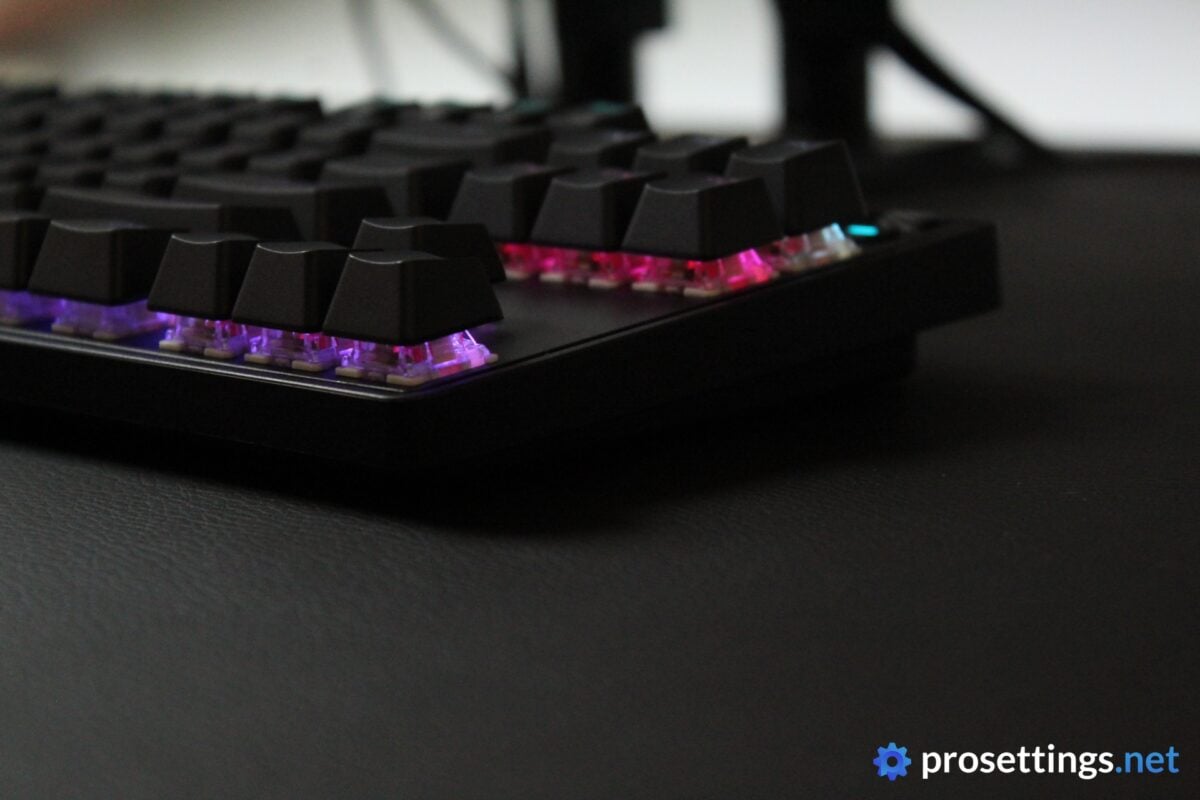
It’s been years since I last reviewed an Apex Pro keyboard. I also used Apex Pro keyboards as my main for quite some time, so everything that I see here looks and feels familiar, but not quite the same. The larger sizes still have that OLED screen, for example, but the case edges have been straightened out a bit to make the boards look a bit more modern.
For me, that was a good change. These new SteelSeries boards look sleek and clean, and they would fit right into any setup. Bezels are practically non-existent, making especially the Mini version look and feel super compact.
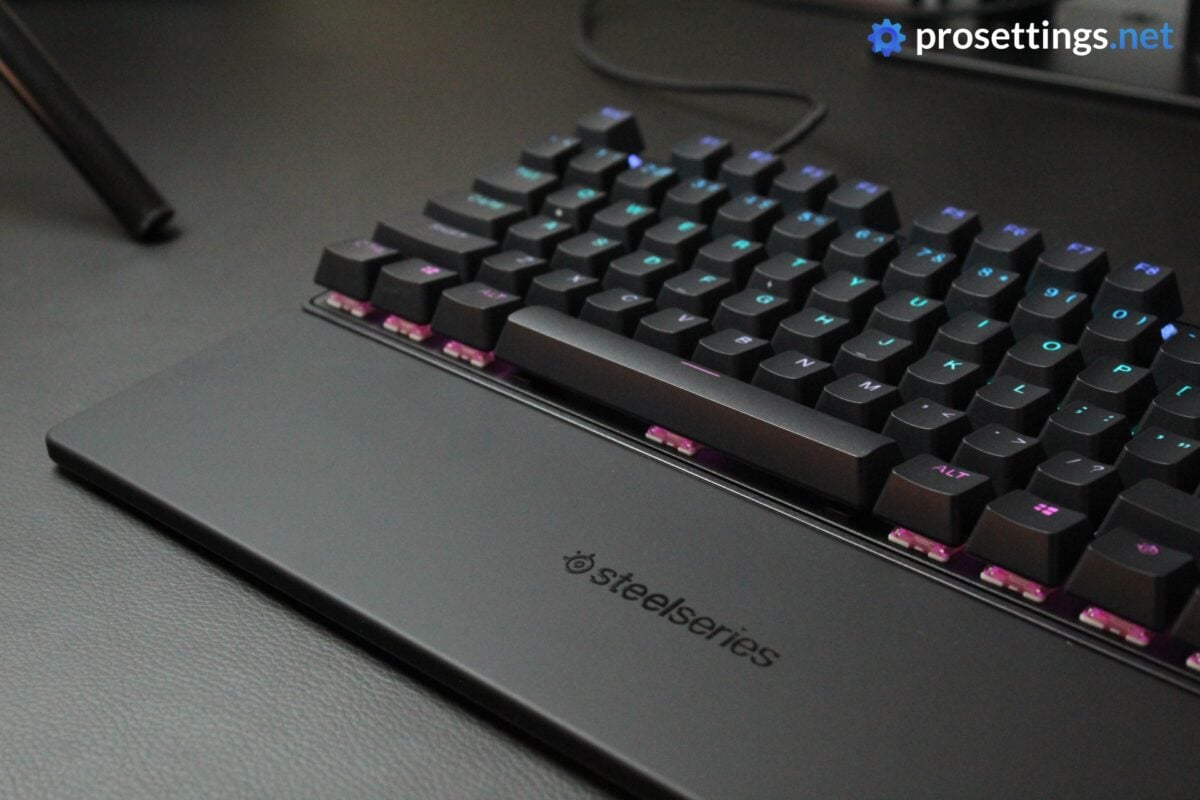
Branding has also been kept to a minimum. You have a blacked-out SteelSeries logo on the wrist rest (which only comes with the TKL and full size versions) and some SteelSeries logos on the sides of the case and the function button, but that’s it.
All in all, this is a very subtle board with no extreme design decisions.
RGB
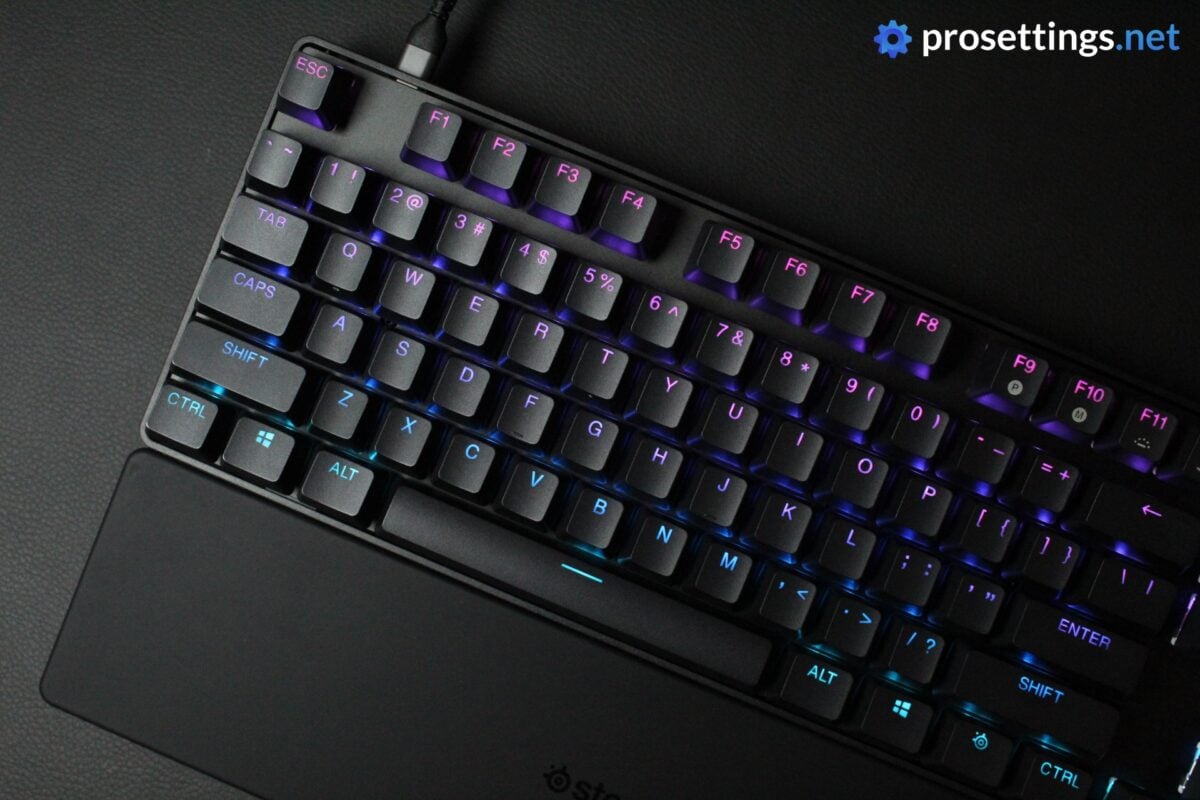
The black versions (the TKL also comes in white) have a black backplate, meaning that light doesn’t really bounce off of it. As such, most of the RGB shines through the keycaps. The legends on those are quite large, however, so you’re getting a pretty good show despite the fact that this is a plain black keyboard.
Lighting effects are consistent and bug-free, and transitions from one effect to another look seamless no matter what type of effect you’re using.
If you really want a super bright and eye-catching keyboard, you should probably opt for the white version, but most people won’t have any issues with the lighting featured in the Apex Pro Gen 3.
Packaging
Inside the box of the SteelSeries Apex Pro Gen 3, you will find:
- The keyboard itself
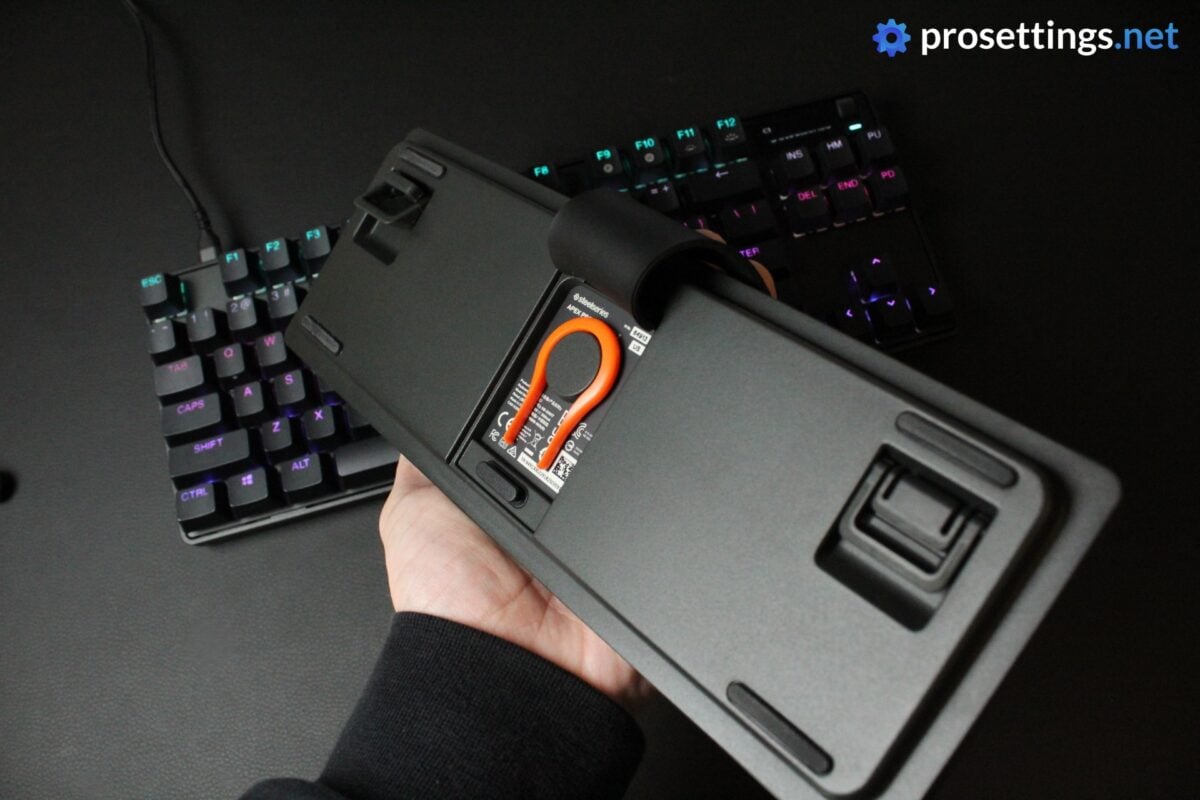
- A keycap puller (found underneath a latch on the bottom of the keyboard)
- A USB-C-to-USB-A cable
- User documentation
- Wrist rest (full size and TKL versions only)
Given that the OmniPoint switches are now hot-swappable, it would’ve been cool to see a switch puller included, and I also always like to see spare switches included, but other than that you’ll find everything that you need in the box.
Features and Build Quality
Materials and Design
The entire case of the Apex Pro Gen 3 is made of plastic. The top plate (which sits flush with the top of the case) is made of aluminum.
That’s the standard setup for many gaming keyboards, but it should be noted that the plastic that’s been used for the case isn’t the thickest. When I pick the keyboard up and twist both ends, it flexes a bit. Obviously, that’s not a problem if you’re just using the board to game with, but you should be wary if you’re planning on taking your board with you. Don’t place it in a cramped backpack, for example.
The included wrist rest feels okay to me. It’s quite thin but it’s grippy and feels comfier than what most other brands are putting out there these days.
All in all, the Apex Pro Gen 3 is a simple keyboard in terms of design.
OLED Screen
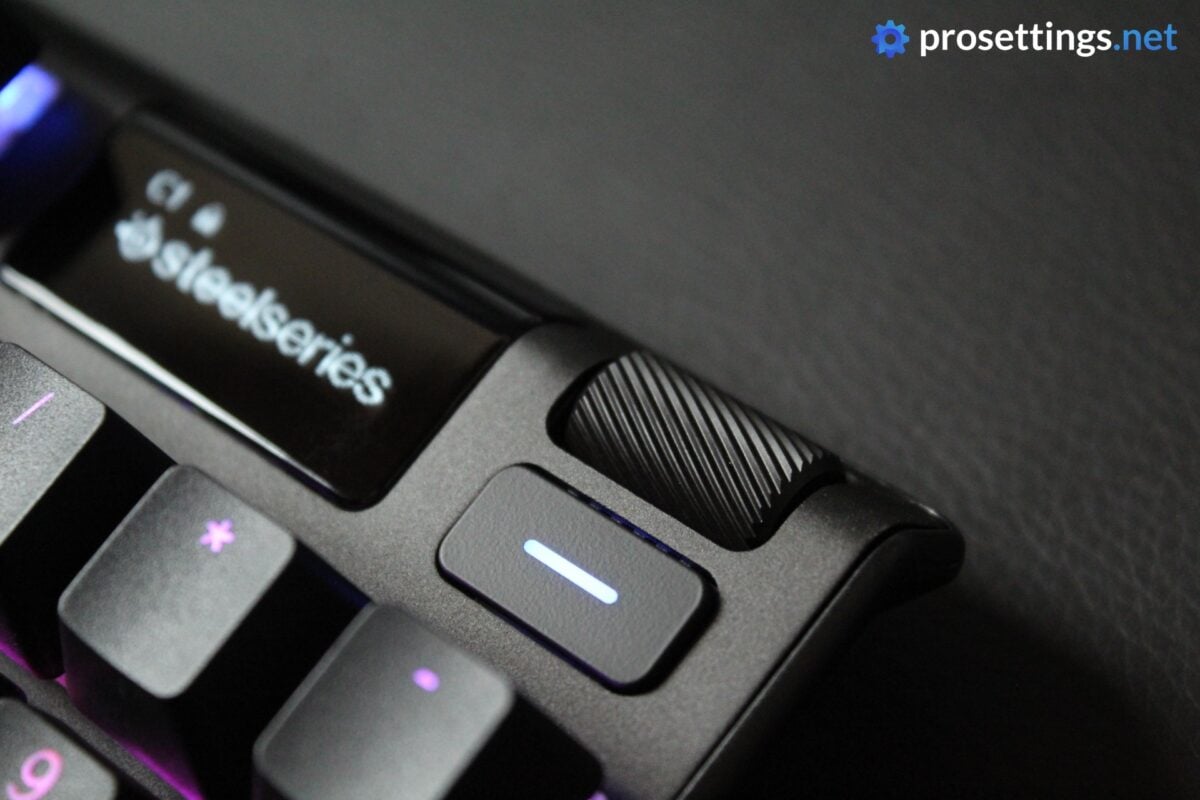
On the TKL and full size, you’ll find an OLED screen and two media controls in the top right. This OLED screen can do two things: it can show you information and help you with on-the-fly customization, or it can display a custom graphic.
Back when keyboards were extremely limited in terms of performance customization, I called this screen gimmicky, but I don’t hold that opinion anymore. In a time with customizable switches with Rapid Trigger and the likes, where people have different profiles for different games and applications, it can be extremely handy to quickly see what profile or setting you’re on.
So, for me, this OLED screen is a handy addition to a keyboard like this, but it has to be said that it’s a rather basic screen. It does its job of course, but I’ve seen similarly priced keyboards with much better screens. To be fair, though, the Gen 3 boards have been out for around two years, whereas those other boards I’m talking about released in the last two months or so. And, in any case, a screen is better than no screen to me.
Still, it’s a potential area of improvement should there ever be a Gen 4.
Keycaps
The PBT keycaps feel good. They’ve got a medium texturing to them and they handle sweat and oils nicely. They’re not the thickest stock caps out there, but I don’t have a problem with these and wouldn’t think of swapping them out if I were to main this keyboard.
One subjective thing: I don’t really like the font. It’s quite large and ‘in your face’. This is great for when you’re gaming and need to find a key quickly, but I’m not a fan of the overall look.
I do like that SteelSeries has printed the secondary functions of the applicable keys on the front, though. If you’re using a 60% keyboard that doesn’t have this front-printing, it can be quite annoying if you’re trying to find a certain setting that’s in the secondary layer under the function row. Having the front printing eliminates this problem entirely, which drastically smooths out the learning curve associated with the product.
Customization
Configuring the board is done via SteelSeries’ GG software. At the time of writing, there is no web driver for this keyboard. To me, that’s a bit of a missed opportunity, as most of the scene is moving towards (optional) web drivers. Again, though: this board has been out for quite some time, so I won’t hold the lack of a web driver against it. It’s merely something SteelSeries should consider for future iterations.
In terms of customization programs, SteelSeries GG is very decent. It’s pretty quick and easy to use, and was bug-free during my testing. There’s some bloat in the software itself, but you’re never prompted to try anything out, nor are you bothered by ‘this feature is unavailable unless you install x or y‘ types of messages if you want to use the board normally, so it gets a pass from me.
In SteelSeries GG, you can assign multiple actions to one key, change the actuation level on a per-key basis, activate Rapid Trigger, change bindings, and so on. It all works without a hiccup.
One aspect that I absolutely loved is the Protection Mode, which is a feature that’s (as far as I know) exclusive to SteelSeries keyboards right now. I’ll speak more about this in the ‘Gaming Experience’ section.
Switches
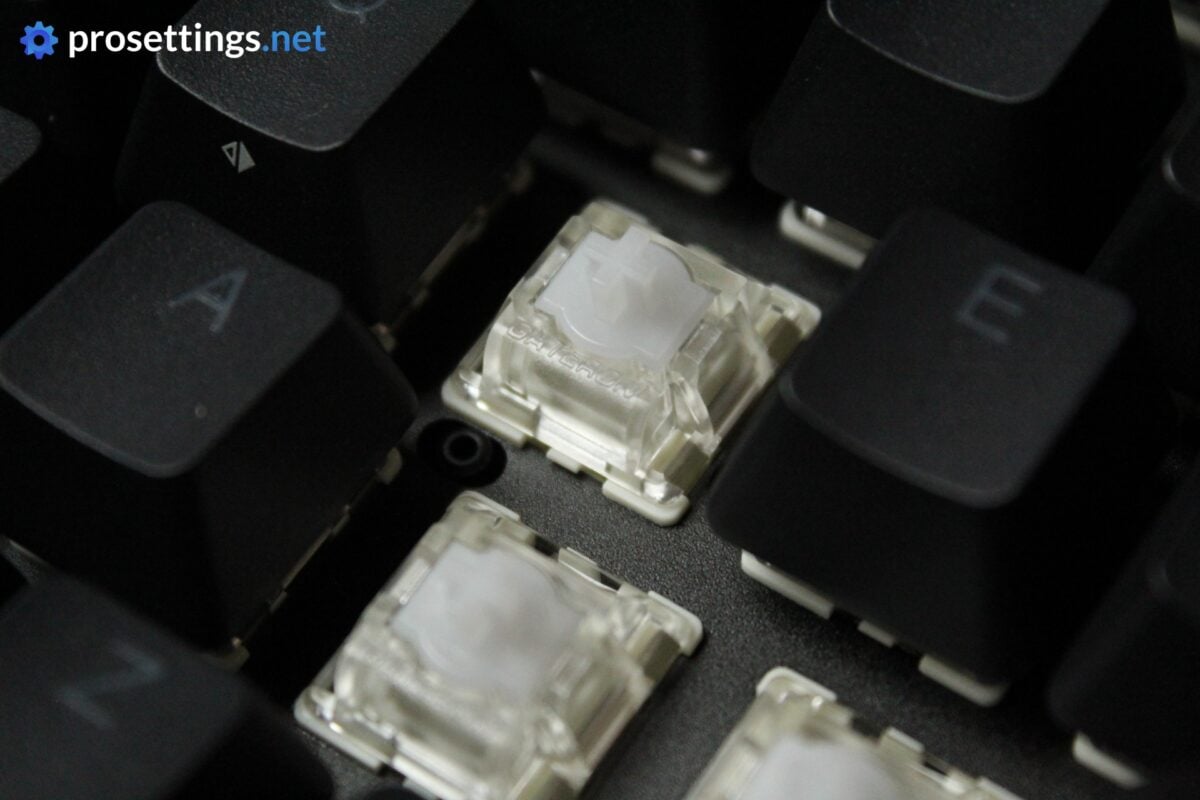
SteelSeries is on the third iteration of their OmniPoint switches. These OmniPoint 3.0 switches feel great to me. They’re made in collaboration with Gateron, and they feel very smooth across the entire range.
In terms of the required force, they feel right in the middle (they’re not overly light but not extremely heavy either) and I love the slight bounciness that they have. So for me, these are a real hit.
I should say that there is a bit of stem wobble, though. This is not something that annoys me personally, but if you’re sensitive to this kind of thing you may want to take note.
One thing that I really don’t love is that, on the larger sizes, keys in the F row, numpad, and so on do not have OmniPoint switches underneath them. Granted, not many people need analog switch features on those keys, but it still feels a bit strange to me. Cost-cutting measures like this can be excused on budget boards, but the Apex Pro line sits in the higher registers in terms of pricing. As such, I’d really love to see this rectified in future generations.
Typing and Gaming Experience
Gaming Experience
In terms of pure gaming performance, the Apex Pro Gen 3 is up there with the best of the pack. I could not discern any in-game performance differences between the Apex Pro Gen 3 and today’s top boards in terms of latency and responsiveness.
In terms of tech, it has everything one might expect. There’s Rapid Trigger, but also SOCD and, of course, the ability to set the actuation points of every individual key with an OmniPoint switch underneath it.
People who are new to the whole analog switches thing might also want to try out QuickSet, which automatically applies a settings profile according to the game you’re playing. That’s a helpful way to get you started in the world of analog switches.
One thing I will say is that the Apex Pro Gen 3 does not offer as much in-depth customization as some rivals do. For example, you cannot change the up- and downstroke sensitivity of the Rapid Trigger feature. This is a niche feature, but if you’re someone who really likes to go super in-depth with customization, this is something to note.
With that said, the Apex Pro Gen 3 does offer a feature that others do not, and that’s Protection Mode. With Protection Mode, the sensitivity of surrounding keys gets reduced while you’re pressing a certain key. It’s also a kind of niche feature, but I have had instances where I accidentally pressed a certain key that I didn’t want to press while gaming. Especially if you have your keys set to a low actuation point, a fat-finger can happen quickly, so I’m all for this feature.
All in all, the Apex Pro Gen 3 performs great for gaming. Unless you need super in-depth customization of features like Rapid Trigger, this board is up there with the best.

Typing Experience
SteelSeries has done a lot to make the typing experience better on their keyboards. They have added foams underneath the switch plate and to the PCB. Then, there’s also a silicone sheet on the bottom of the case. Stabilizers are also (lightly) lubed.
What this results in is a typing experience that’s really pleasant. It’s not the best-sounding gaming keyboard I’ve tried, but it beats most other mass-produced keyboards in my opinion. If I were to speak in tiers, I’d place this in A tier, just below S.
Stabilizers are rattlier than what today’s top-sounding boards offer, but there’s no case ping or hollowness, and the switches feel and sound good. I would not be mad if I had to use this keyboard for work for an extended period of time.
Sound Test
Alternatives
The Apex Pro Gen 3 line comes in three different sizes, so there are many alternatives. Rather than going over them one by one, I will compare it to some of the most popular boards in pro gaming right now.
SteelSeries Apex Pro Gen 3 vs Razer Huntsman V3
Both keyboards are available in multiple sizes. In terms of performance, they are also pretty much indistinguishable from one another when gaming. The Huntsman line does have more in-depth customization features, however. Both keyboards currently only offer software-based customization if you want to go deeper than surface-level; there’s no web driver.
In terms of typing experience, the Apex Pro Gen 3 wins for me. The Huntsman sounds more hollow and high-pitched, and I prefer the fuller and more natural-sounding Apex Pro Gen 3.
If you’re deciding between these two, it’ll be a case of what you value most: in-depth customization (Razer) or typing feel and sound (SteelSeries).
Read our Razer Huntsman V3 Pro TKL 8KHz review
SteelSeries Apex Pro Gen 3 vs Wooting 80HE / 60HE v2
In terms of in-game performance, both boards feel very much the same. The Wooting boards have more in-depth customization options, however. Additionally, Wooting offers a web driver for in-depth customization, which I personally prefer over a downloadable program.
In terms of typing experience, it depends on what you’re comparing to. In comparison to the regular Wooting 80HE, the Apex Pro wins it for me. Compared to the Wooting 60HE v2, the differences become smaller. I personally still prefer the Apex Pro, but it’s mostly down to what kind of sound you prefer.
Read our Wooting 80HE review
Conclusion
The SteelSeries Apex Pro Gen 3 is a couple of years old at this point, but it’s still one of the best gaming keyboards you can get from a mainstream brand. The typing experience is very nice, the performance is up there with the best, and it’s available in multiple different sizes.
It’s not the most exciting keyboard on the market (anymore) but it’s reliable, well-made, and has proven itself in pro play.
As is the case with all products, the Apex Pro Gen 3 is not without its faults of course. It has some catching up to do in terms of in-depth customization of features like Rapid Trigger, for example. And the case feels a bit thin and flimsy for such a premium-priced product.
All in all, though, this is a very solid option to consider if you’re looking for an analog keyboard. I do very much look forward to seeing what SteelSeries will do with the (hypothetical) Gen 4.
This product was received for free from the manufacturer and given to our reviewer to test and review. Brands and manufacturers have no editorial control over our reviews. For more information, check out our review FAQ.
Former semi-pro gamer turned writer, product reviewer, and community manager.

