Introduction
Right before the analog keyboard boom happened, low-profile (often referred to as ‘LP’) keyboards were steadily becoming more and more common in the gaming scene. Then, when brands started focusing on delivering their own analog boards, LP boards were shifted to the backburner, but recently, we’ve seen new releases popping up here and there. Razer has decided to combine their state-of-the-art keyboard tech with the LP form factor, and in our full Razer Huntsman V3 Pro Low-Profile TKL 8KHz review, you’ll find out whether it’s a hit.
Update October 2026: we erroneously referred to this keyboard as the first Low Profile analog board from a big gaming brand, but that’s not the case. We updated the review’s text slightly to reflect this change.
At A Glance
Razer Huntsman V3 Pro Low-Profile TKL 8KHz
Used by 1 player ()Spinx

This is the first low-profile analog gaming keyboard that Razer has made, and in terms of gaming performances, it’s pretty much executed flawlessly. So for that, it gets our innovation award.
Pros
- Fantastic gaming performances
- Web driver is great
- Low-profile + gaming is a great combination to reduce wrist strain
Cons
- Rattly stabilizers
- Sound of the switches isn’t very pleasing
- Shorter travel distance means less customization options for the switches (but this is by design)
- Expensive
Specs
| Form Factor | TKL |
|---|
| Switches | Razer Low Profile Analog Optical |
|---|
| PCB | Non-Hotswappable |
|---|
| RGB | Yes |
|---|
| Height | 2.5 |
|---|
| Width | 36.0 |
|---|
| Length | 13.8 |
|---|
| Weight | 710 |
|---|
First Impressions
Keyboard
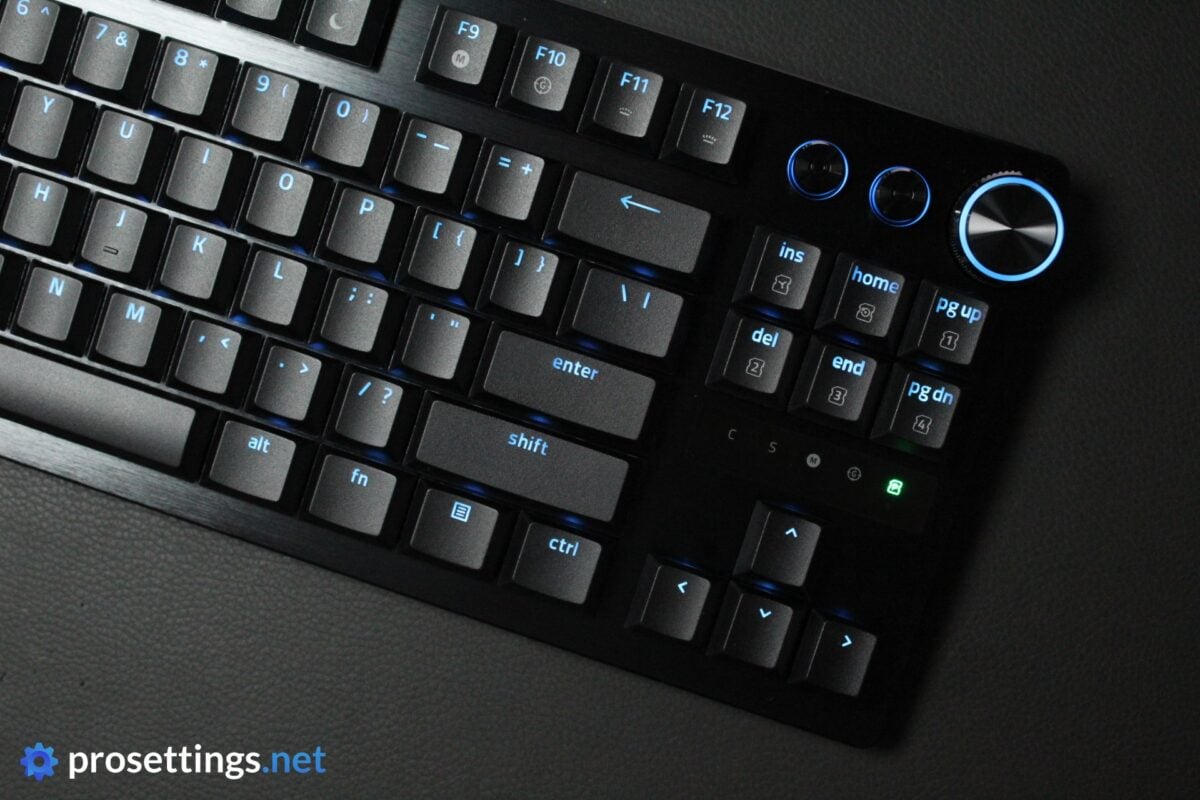
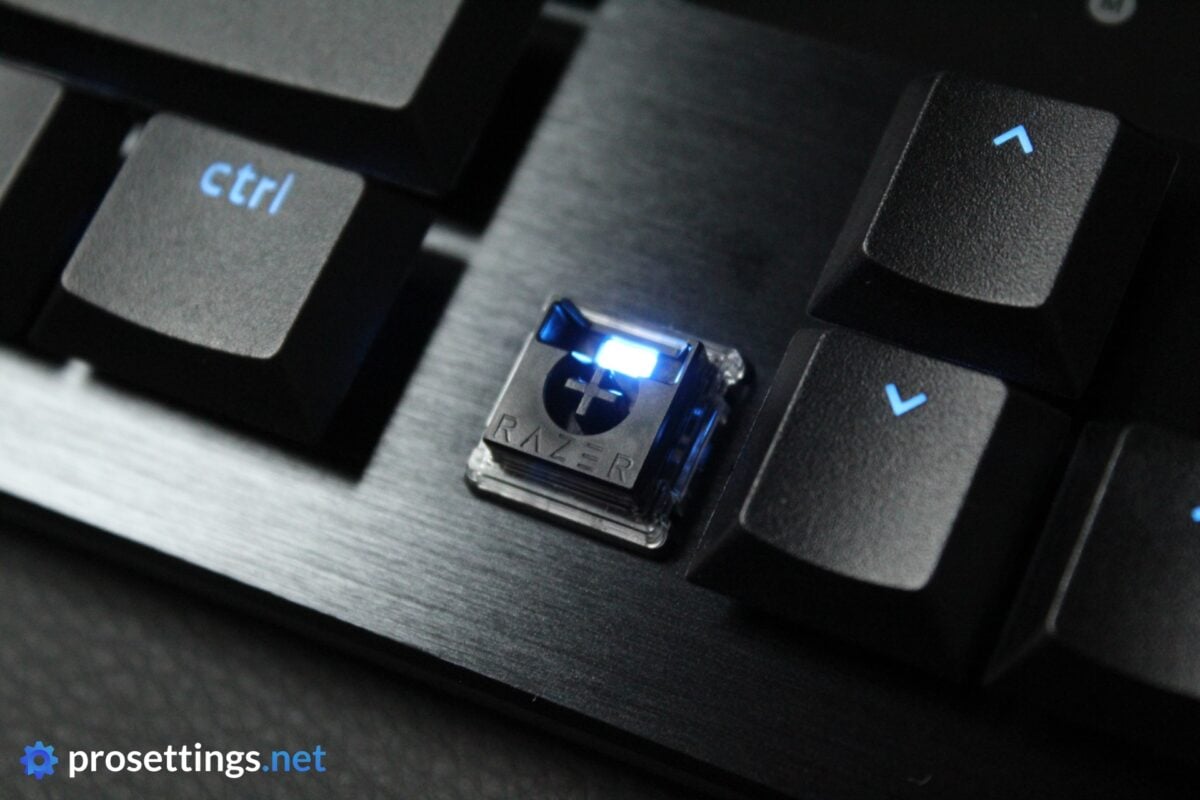
By far the most noticeable aspect of this keyboard is, of course, the thickness. This board feels and looks more like something that you’d find attached to a laptop, with the flat keycaps and thin chassis. The thinner design is definitely obvious, even to most non-keyboard enthusiasts, and it looks more akin to a productivity-related keyboard than a gaming keyboard at first glance (with the RGB turned off) due to this.
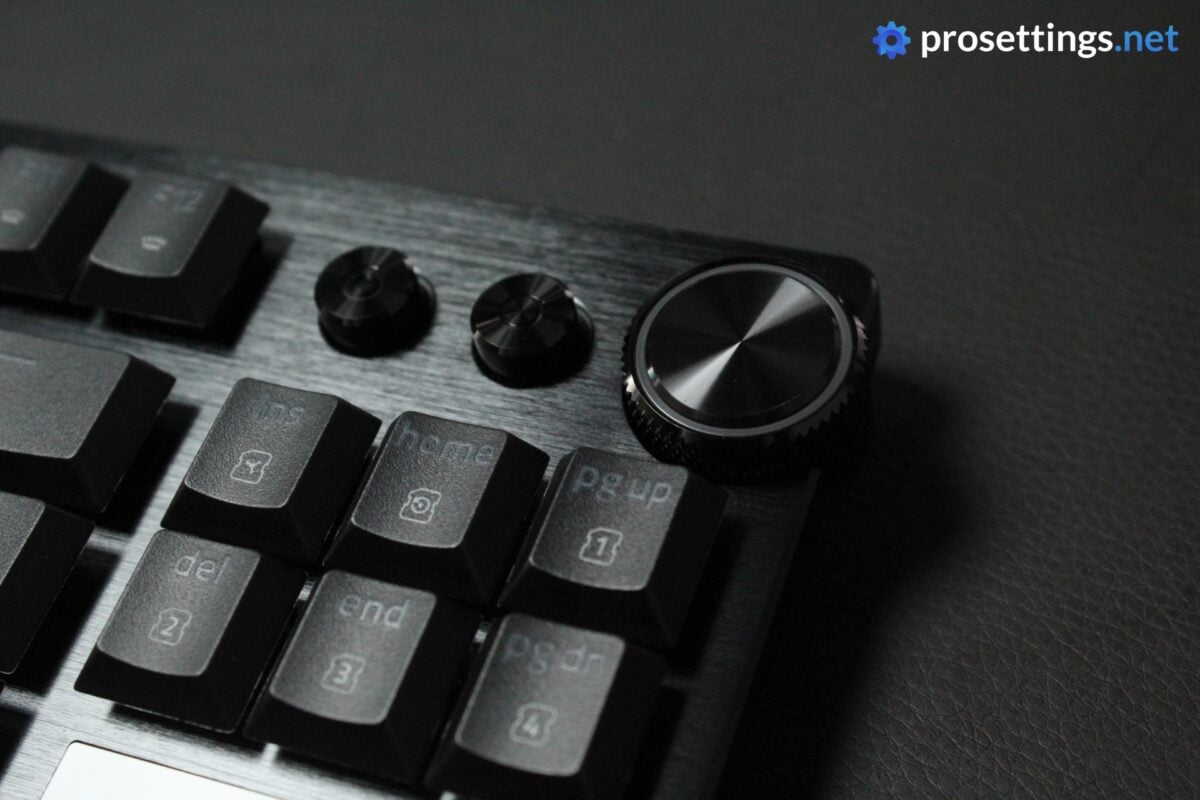
Aside from the low-profile aspect, the Razer Huntsman V3 Pro Low-Profile TKL 8KHz (I will refer to it as ‘Huntsman V3 Pro Low-Profile’ at some points in the review) looks like any other Huntsman board. Brushed aluminum top, media dial and shortcuts, and very minimal branding.
RGB
Razer keyboards always do a great job in terms of the RGB, and that is no different here. Colors are displayed accurately, transitions between different colors and/or effects look seamless and reliable, and there are no glitches.
I should note that some of the larger keys don’t let the light through completely evenly. The ‘enter’ text, for example, is notably brighter in the middle than it is towards the sides. Additionally, the Huntsman V3 Pro Low-Profile also has a blacked-out backplate, which absorbs light rather than reflecting it. This means that it won’t be the brightest or most amazing light show out there.
But those are nitpicky complaints. If you like RGB on your peripherals, this keyboard certainly won’t disappoint.
Packaging
Inside the box of the Razer Huntsman V3 Pro Low-Profile, you will find:
- The keyboard itself
- User documentation
- A quickstart guide
- A USB-C-to-USB-A cable
- Razer stickers
That’s quite enough for me. With this being a low-profile keyboard, a wrist rest isn’t necessary, and it’s also not a hotswap board, so extra switches are not required, either.
Features and Build Quality
Low-Profile Design
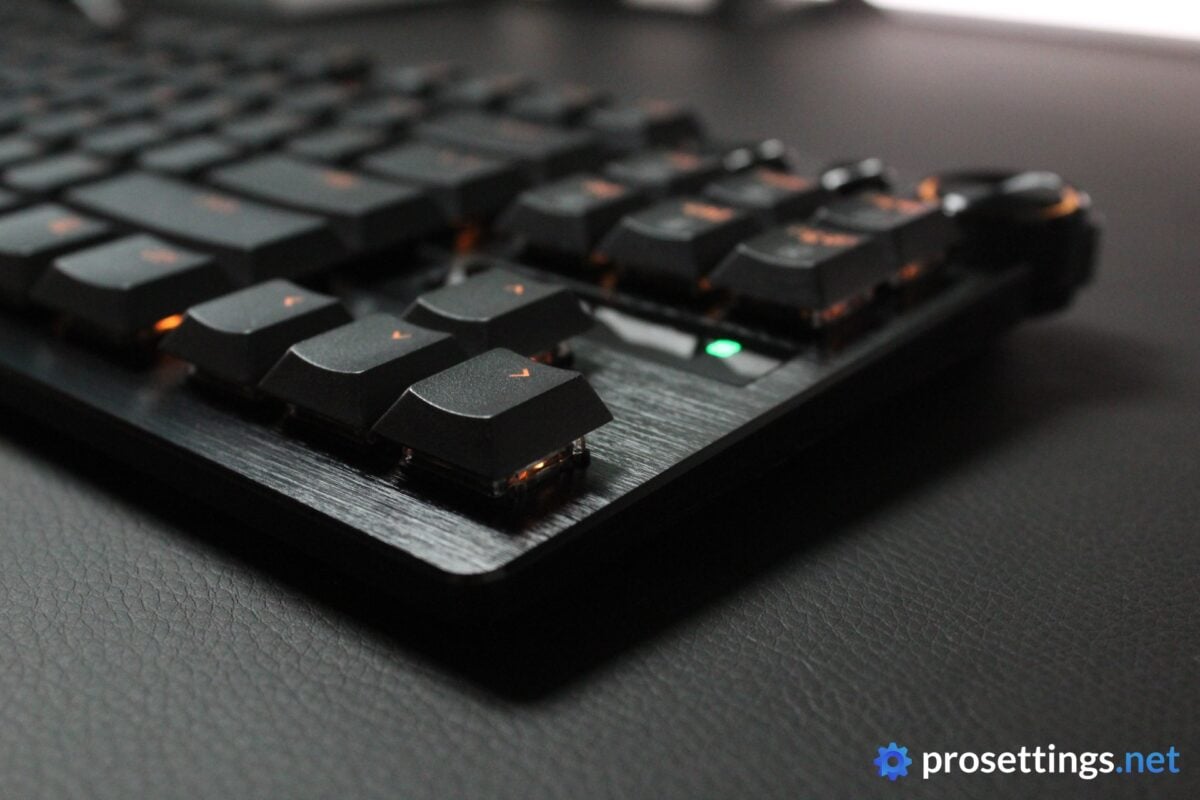
This is one of the first low-profile analog keyboards to hit the market, and the first I personally get to try. In my eyes, low-profile keyboards and pro gaming seem like a match made in heaven.
If you’re behind your desk playing games for hours every single day, it pays off to maximize ergonomics, and a low-profile board is more ergonomic than a regular one. And sure, you can use a wrist rest with a traditional keyboard, but most brands don’t include a wrist rest, and a lot of gamers don’t use them.
In terms of performance, there’s not really any difference. Low-profile boards won’t make you play any better, faster, or more reliably. It’s mostly a preference thing. I say ‘mostly’ because there’s the obvious fact that low-profile switches have a shorter travel distance (these bottom out at 2.8mm) so you do have a shorter customizable switch range on a low-profile board compared to on a full-size board. Other than that, there are no differences, however. A low-profile board might feel faster to some due to the different hand position when using it, but it isn’t any faster on paper.
Materials and Design
In a previous Huntsman review, I mentioned that Razer’s design style for their flagship boards might be going out of style, but I actually kind of like the brand’s traditional design on this low-profile board. I think, because a low-profile keyboard inherently looks a bit more futuristic (to me at least), it suits this type of aesthetic a little bit better.
In terms of build quality, the Huntsman V3 Pro Low-Profile feels great. One might expect it to bend easily due to how thin it is, but that’s absolutely not the case here. The whole keyboard feels sturdy and well-made, and there’s no unwanted flexing when typing either.
One remark I have here is that the aluminum top plate (which covers most of the board; there’s a tiny plastic section on the underside) is quite prone to showing fingerprints and smudges. That’s not a huge deal since there’s not a ton of aluminum that isn’t covered by keys, but it can be good to know.
Keycaps
The keycaps on this LP version feel extremely similar to the caps on the regular Huntsman V3 Pro keyboards. They are perhaps slightly less textured than the ones that you find on the fuller-sized versions, but the differences are incredibly minor in any case. If you like the regular version’s keycaps, you’ll also like these.
For me, these keycaps feel great. They handle sweat and finger oils really well, and they feel consistently made. Obviously, with them being a lot thinner, they can feel a bit ‘cheaper’ to some, but that’s just something that you’ll have to live with if you’re going for a low-profile keyboard.
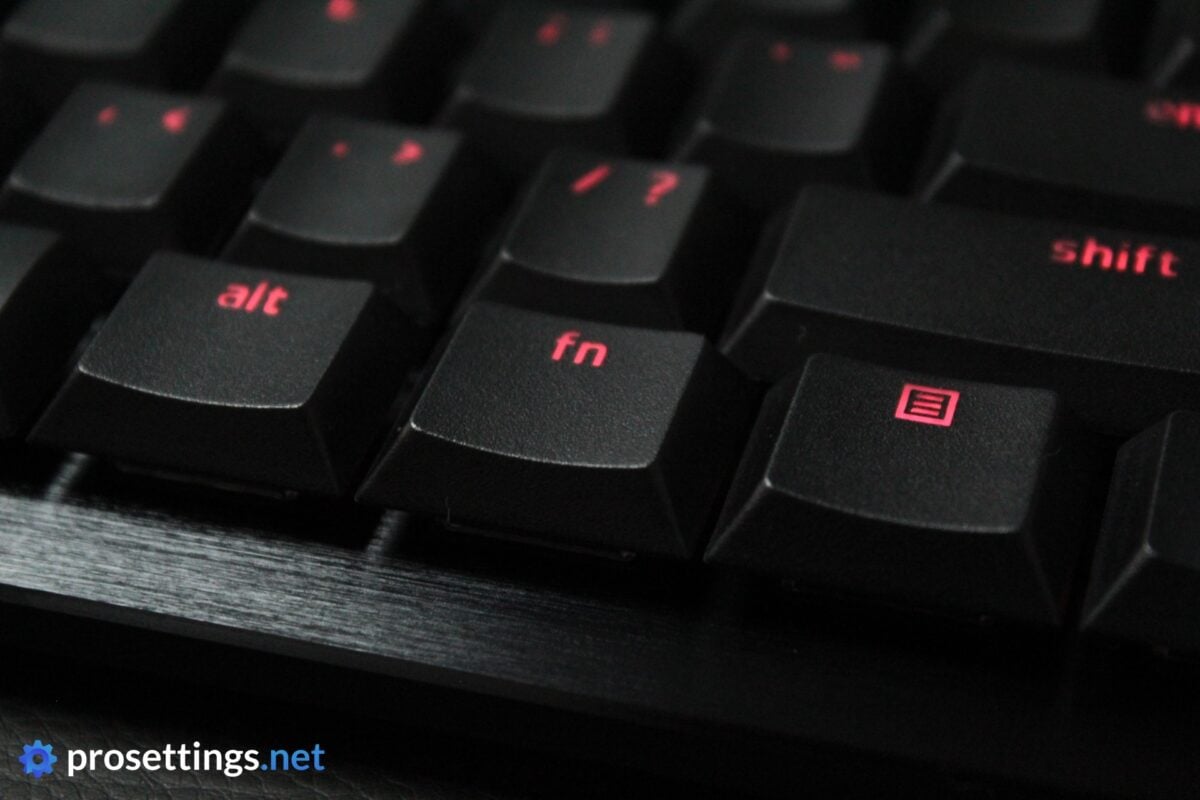
The font is something I’m not a fan of (it looks a bit too ‘playful’ for me) but other than that I can’t say anything bad about these keycaps.
Customization
In terms of keyboard customization, Razer is playing in the top leagues these days. Firstly, there are the on-board adjustments that you can make, which consist of actuation level adjustments etc. Then, for any deeper stuff, you can use either Razer’s Synapse program or Synapse Web, which is the brand’s web-based configuration program.
Inside Synapse, you can rebind buttons, record macros, finely tune the Rapid Trigger behavior, and so on.
In terms of keyboard fine-tuning, Razer is up there with the very best, and the fact that you can now use either their downloadable program or their web driver to tweak your Razer keyboard is amazing.
I should also applaud the engineers at Razer for the way Synapse Web works. It’s in beta right now, but I did not encounter any bugs or issues. Everything is clearly laid out, easy to understand, and works flawlessly.
If you’re after pretty much the maximum amount of configurable options, Razer has you covered.
Switches
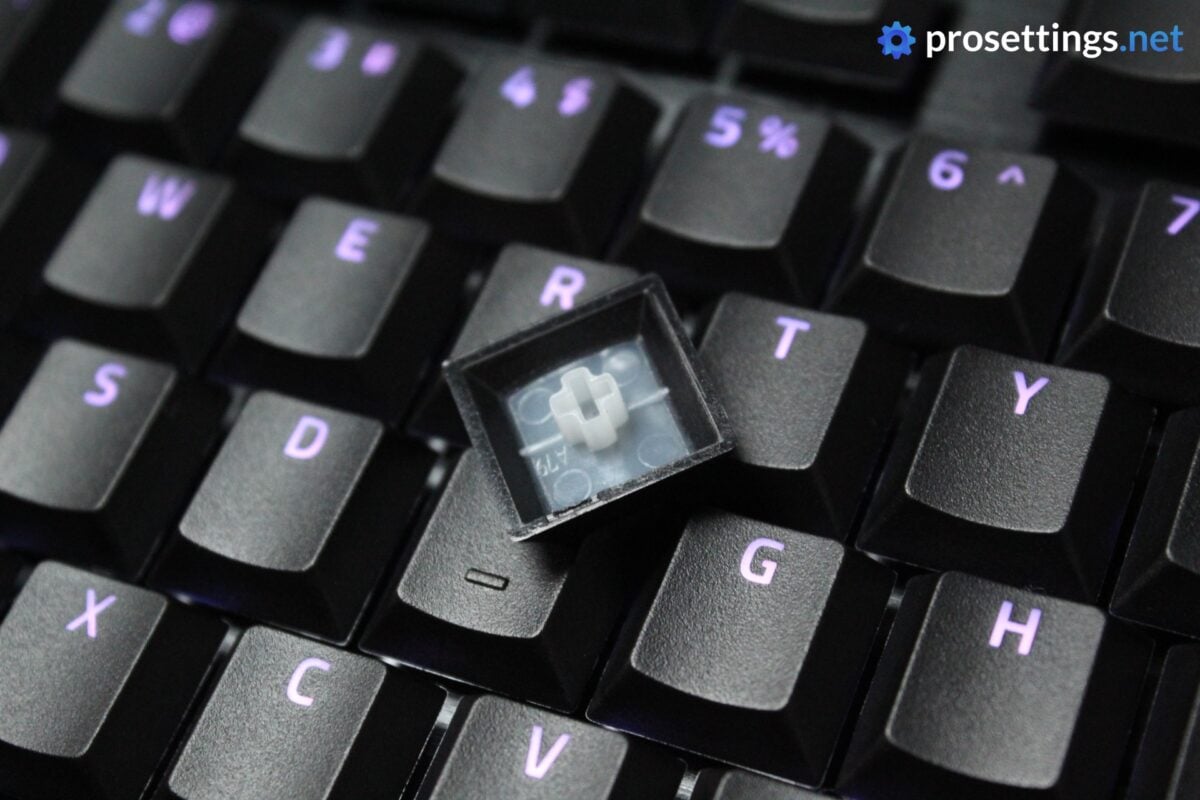
This board is the first one to feature Razer’s Low-Profile Analog Optical switches. And to me, they pretty much feel like Razer’s most recent analog switches, only with a shorter travel distance. They have the same 40G actuation force as the full-size switches, so if you’re making the switch from another Razer board, this will feel quite seamless.
I should mention that the user experience with low-profile switches is quite different, though. They have a much shorter travel distance, for one, so they bottom out a lot quicker. If you’re someone who is sensitive to bottoming out, or you’ve got a bunch of elaborate multi-key actuation setups going that use the full range of a normal analog switch, you may want to take note of this.
With that said, the switches themselves feel very good. They’re smooth, and button wobble is pretty much not a factor here due to the stem design. The sound is perhaps a bit too much like what you’ll hear on a chiclet laptop keyboard instead of what you’d expect out of a nice, enthusiast-grade keyboard, but this is the first iteration of this particular switch, so I’m inclined to let that slip. If this form factor proves to be a success, Razer will no doubt release new iterations of this switch in the future.
Typing and Gaming Experience
Gaming Experience
Gaming on the Razer Huntsman V3 Pro Low-Profile TKL 8KHz feels fantastic. I personally do not use intricate multi-layer setups on my analog boards, so the lack of switch depth did not bother me one bit.
In fact, I even found the low-profile form factor to feel better for longer sessions. Not in the sense that I performed better, but the flatter wrist profile quite simply felt a bit more comfortable to me after a couple of hours. The difference for me personally wasn’t astounding, but it was there, so if you’re someone who has comfort issues with traditional gaming keyboards, this could be the answer to your prayers.
As far as the actual keyboard performance goes, I can be short: it’s top notch. Razer is continuously adding new features to their latest releases, and this Huntsman V3 Pro Low-Profile also adds recently released software features such as Snap Flex to the mix, where you bind one action to a key press and then another action to the key release. That’s super handy for jump throws in games like CS2, for example.
So if you were thinking this would perform like a stripped-down full-size Huntsman, then think again. The only difference in performance I could perceive was the shorter travel distance. Aside from that, this offers flagship Razer performance in a low-profile package.
Typing Experience
I really love the Huntsman V3 Pro LP for gaming, but I don’t like it for typing. The reason for that is twofold.
Firstly, I am a rather heavy typist, so I constantly bottom out the switches. This, to me, feels slightly annoying.
Secondly, I don’t like the sound of the keyboard. The spacebar, for instance, is quite rattly. That’s a shame, since Razer has been doing better on this front with their recent releases. The switches also sound a bit noisy and hollow to me, leading to a typing experience that doesn’t exactly please me.
If you’re considering this keyboard purely to game with, this will be no issue, but if you’re also going to be using it for productivity and other tasks, you might want to take note of this. As I said, the sound of the switches I can somewhat excuse (this is relatively new tech, after all) but rattly stabilizers and the likes in this day and age are quite a bit more difficult to look past.
Sound Test
Conclusion
In terms of gaming performance, Razer has managed to deliver a flawless low-profile experience that matches the customization abilities and performance of their top boards. So for that, it gets our innovation award.
Moving past the low-profile aspect, it’s also quite simply an amazing analog keyboard. In terms of customization options, performance, and features, this is up there with the very best of the market right now, so if you’re looking for a low-profile gaming keyboard, you probably have no reason to wait for anything else right now.
But if you do not care for the low-profile aspect, the value proposition becomes less attractive. This board is very much priced like a flagship product, and that can feel a bit hard to stomach if you listen to the rattly stabilizers, for instance. It also feels kind of odd to pay pretty much the same price for this as you would for the regular version, given the fact that this keyboard quite obviously uses less materials.
Sure, you could argue that the cost difference between a regular keycap and a low-profile keycap is extremely small, but you also get a wrist rest included with the regular version, so I still think this LP version would’ve been better if it were priced below the $200 mark.
All that aside, this is an impressive product. I hope this catches on and prompts Razer and other manufacturers to devote some attention to low-profile boards again, as I do feel like there’s a (niche) market to be tapped here.
This product was received for free from the manufacturer and given to our reviewer to test and review. Brands and manufacturers have no editorial control over our reviews. For more information, check out our review FAQ.
Former semi-pro gamer turned writer, product reviewer, and community manager.

