Introduction
Ever since the release of the Huntsman V3 Pro line, Razer keyboards have been extremely popular in the pro scene. The Huntsman boards show up in basically every ‘most used’ article, and in 2024, Razer was even crowned as the most-used keyboard brand across all of our analyzed games thanks to the Huntsman’s success. When popular product lines get a new entry, it’s of course always a head-turner. So when Razer released an HE version of their iconic keyboard, we had to check it out for ourselves. Read our full Razer Huntsman V3 HE Magnetic 8KHz review to find out everything you need to know.
Note: our reviewer tested both versions. The TKL version will be referenced for the purposes of this review (since that’s the most popular form factor) but everything you read here will also apply to the 65% version.
At A Glance
Razer Huntsman V3 HE Magnetic TKL
Used by 7 players ()Staff's Choice
Budget Choice
The Razer Huntsman V3 HE Magnetic 8KHz is a bit of an odd release. It seems quite explicitly marketed by Razer to be a budget-oriented alternative to the full-featured Pro line, but I think it’s quite simply a better product.
Pros
- Great gaming performance
- Affordable (for a gaming keyboard from a big brand)
- Web driver is great
Cons
- Sound still is ‘just’ okay
- Design is starting to look a bit old school and outdated
Specs
| Form Factor | TKL |
|---|
| Switches | Razer Hall Effect Magnetic |
|---|
| PCB | Non-Hotswappable |
|---|
| RGB | Yes |
|---|
| Height | 3.8 |
|---|
| Width | 36.2 |
|---|
| Length | 14.0 |
|---|
First Impressions
Keyboard
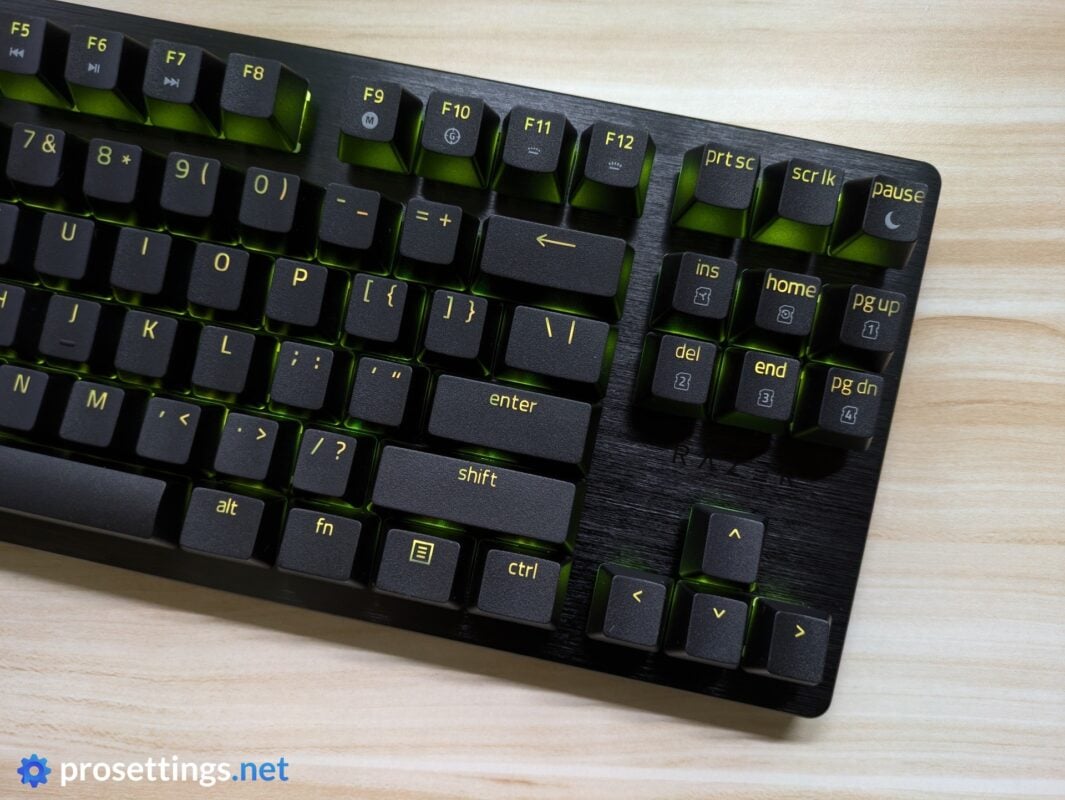
The Razer Huntsman V3 HE Magnetic 8KHz (I will refer to this board as ‘Huntsman V3 HE’ at some points) is a typical Razer gaming keyboard in terms of its looks. That means that it has a brushed aluminum top and a plastic bottom case, with the switches sitting directly atop the aluminum plate.
This gives it a bit of an aggressive look (most office-oriented boards have ‘sunken’ switches) but it’s not an over-the-top board either, even though it might look a bit old school in terms of design by now. If you turn off the RGB (or you set it plain white) then this keyboard won’t turn any heads in a more business-oriented setting.
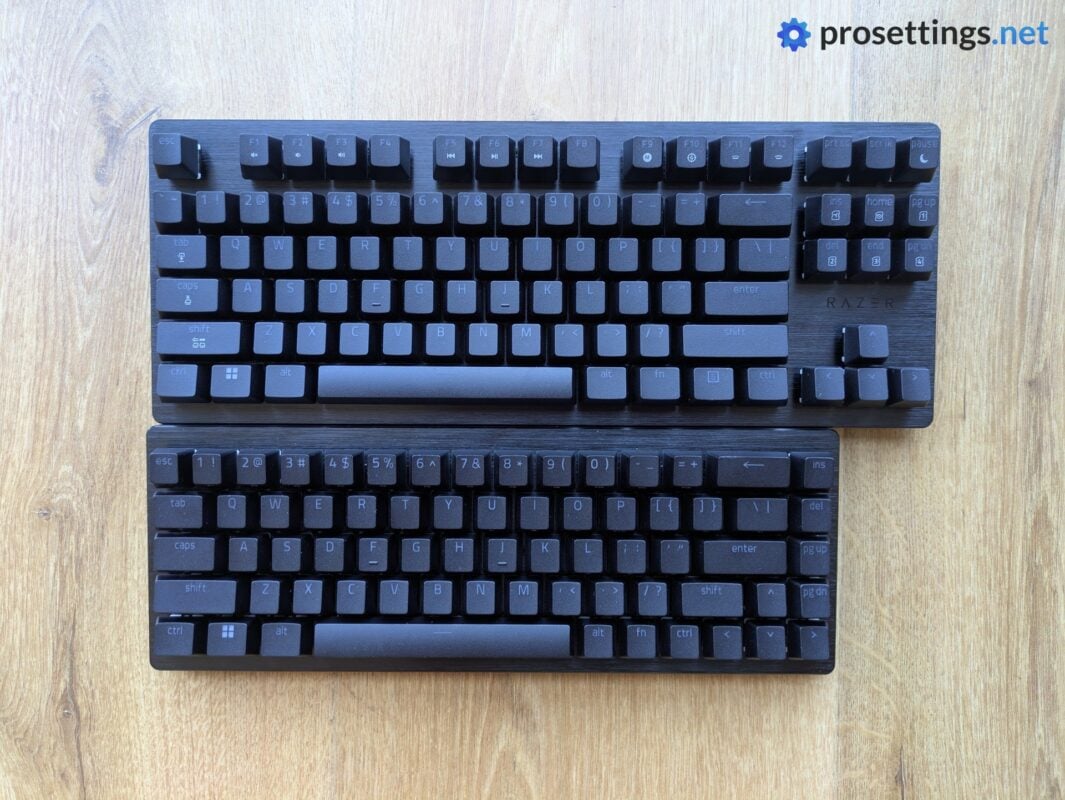
Currently, there are two versions of the Huntsman V3 HE Magnetic 8KHz available; a TKL version, and a 65% version. I particularly love that they added that last one. To me, 65% is the ultimate keyboard layout. It still gives you the arrow keys and a bunch of other useful buttons (contrary to a 60% board) but it’s a lot more compact than a TKL board. It’s nice to see that Razer has added this layout to their lineup.
Lastly, I want to mention the price, because it was a very pleasant surprise to me. At $139.99 for the TKL version, this is quite an affordable gaming keyboard. For reference: the flagship V3 Pro TKL 8KHz costs $229.99 in its cheapest finish. That is a huge difference. Go for the 65% version, and you’re looking at $119.99. For a top-tier gaming keyboard from a massive brand like Razer, that’s very, very cheap.
RGB
Razer’s RGB does not disappoint. There are lots of effects to choose from (you do need to install Synapse to get to the more advanced effects) and they all work flawlessly. Transitions are smooth, and colors are vivid and accurate.
It should be noted that this is a ‘dark’ keyboard, however. The legends on the keys are quite thin, and the backplate is plain black, meaning that there’s not a lot of assistance for the RGB to really pop. So, if you like that ‘ethereal glow’ that some white-backplate keyboards offer, you should note that you’re not getting that here.
What Has Changed?
Naturally, a lot of people will be wondering about the difference between the two Huntsman versions. The answer is that there’s not a big difference at all.
The V3 Pro is positioned as the flagship product, and it comes with Razer’s Analog Optical switches. These are, according to Razer, slightly more accurate than their HE Magnetic switches, and also 8% faster. That sounds like a big deal, but in reality it’s not. The Analog Opticals, for example, have a 0.48ms response time, whereas the HE Magnetic switches clock in at 0.60ms. Both of these numbers are so low that it’s pretty impossible to feel a difference in-game.
Aside from the switch tech difference, the HE TKL does not have the media buttons and wheel that you see on the Pro version, nor does it have the array of LEDS above the arrow keys, so it has fewer ‘premium features’.
That’s about it as far as the differences between the two versions go.
Packaging
Inside the box of the Razer Huntsman V3 HE Magnetic 8KHz, you get:
- The keyboard itself
- User documentation
- A quickstart guide
- A USB-C-to-USB-A cable
- Razer stickers
Notably, there’s no wrist rest included here, not even with the TKL version. I don’t mind that (especially given the price point) but it’s quite clear that Razer is trying to position this as a more budget-oriented board compared to their flagship products.
Features and Build Quality
Materials and Design
The Huntsman V3 HE is, like its analog siblings, a sturdy keyboard. The case itself is made out of plastic, but the top plate is made from aluminum and covers the entire width and length of the bottom case. As such, you’re getting a keyboard that can stand up to quite a bit of twisting and flexing.
It’s also not too heavy, which is a bonus for the intended audience (professional and competitive gamers), but it never feels cheaply made or weakly built. As such, the Razer Huntsman V3 HE Magnetic 8KHz is a well-built keyboard that feels like it can withstand a couple of rough backpack trips to LAN tournaments and the likes.
In terms of the overall design, both current versions of the board are remarkably unremarkable. There’s one Razer logo above the arrow keys, and that’s blacked out. Without this logo, you’d be hard-pressed to even know who made this keyboard, as even the trademark volume dial and media keys cluster is absent from the TKL version. If you’re a fan of straightforward gaming keyboards, this will no doubt tickle your fancy.
I do feel like this more aggressive design, with the switches sitting directly atop an aluminum plate, might be going out of style, though. I wonder what Razer can do if they would try to make a more ‘cozy’-looking keyboard, or a board that follows the current design ideas a bit more.
One final note: the aluminum top plate does not handle dust and fingerprints well, so if you’re sensitive to these things, you’ll be cleaning this keyboard quite often.
Keycaps
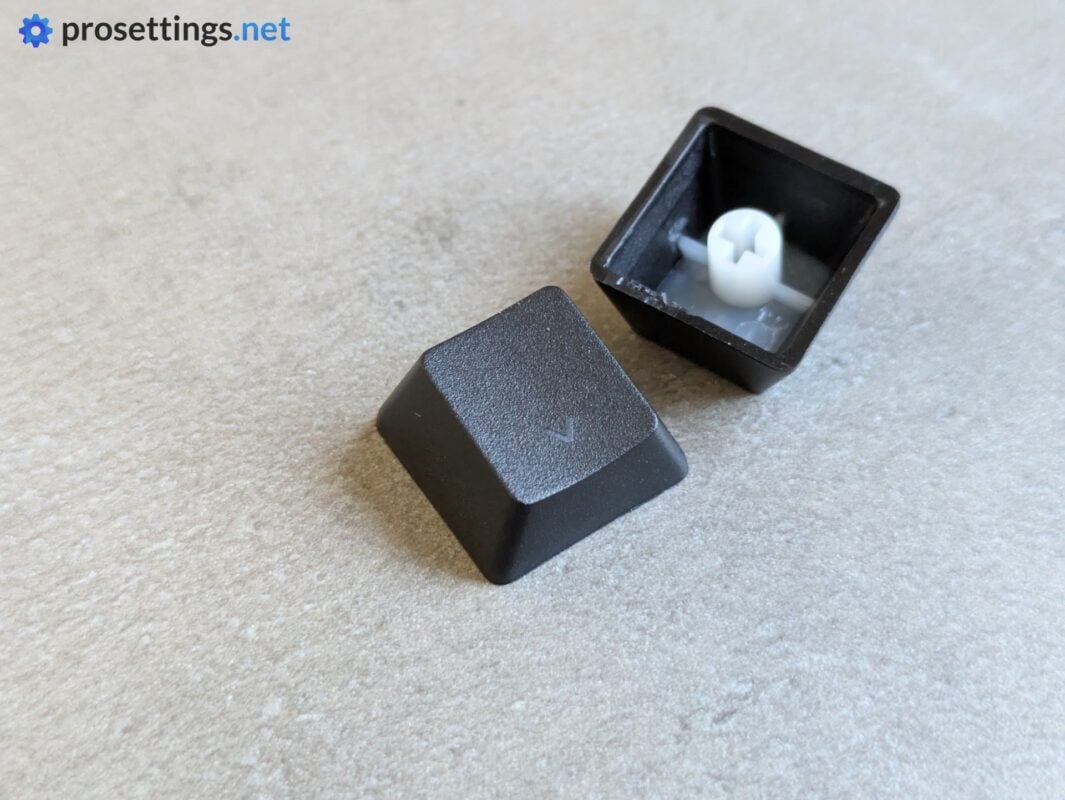
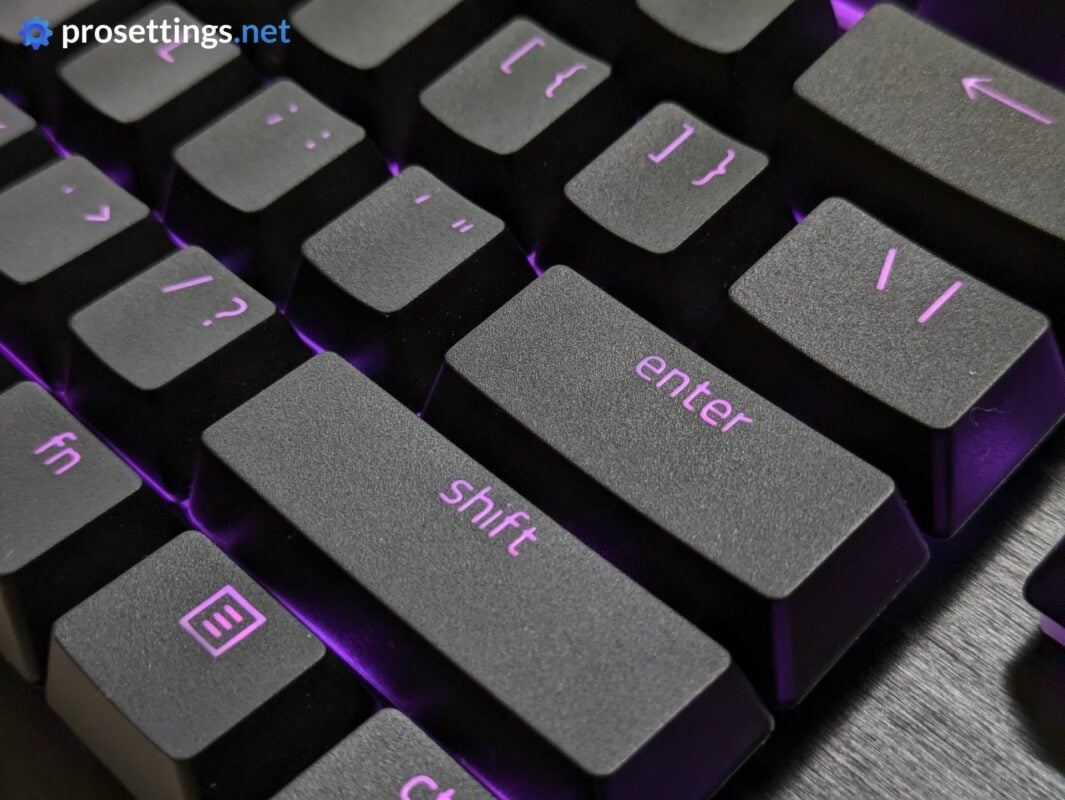
Razer’s stock keycaps feel nice to me. They’re quite thick and feel very consistent in terms of their finishing. You can see some cutting residue on the bottom of some caps, but I don’t have an issue with that, as this is a part of the keycap you never see anyway.
Something to note is that these caps are really heavily textured. I personally like that, but if you prefer a smoother material when typing, this might start annoying you after some time, as they are among the ‘rougher’ keycaps I’ve tested so far.
Some keycaps don’t let the light through completely evenly (this is mostly noticeable on keys with words like ‘home’ on them) and I personally don’t love the font, but those are minor remarks. The feeling (which is the most important factor if you ask me) is spot on with these.
Customization
The Huntsman V3 HE Magnetic 8KHz is the first Razer board in the lineup that’s compatible with Synapse web. Within Synapse Web, you can make pretty much all of the changes that you’d want to make to a gaming keyboard. You can tweak the actuation, customize the behavior of features like Rapid Trigger, create macros, rebind keys, change the lighting, and so on.
For some of the more in-depth lighting profiles, you’ll have to download the full Synapse software, but all performance-related tweaking can be done via the web driver.
Personally, I love this. As someone who tests a ton of gear and is often playing in different locations, it’s so liberating to just be able to visit a webpage to customize your gear’s performance. And things like a quick sanity check to see if you’re on the right profile before the match starts also become a lot easier if you can just quickly go online rather than having to download a heavy piece of software.
I appreciate the fact that Razer is also offering Synapse as a downloadable program. I know that some people are hesitant to use web drivers, so offering both options is really a win for everyone.
In terms of usability, Synapse Web is practically a mirror of the downloadable program. I find it easy to use and navigate, and I did not encounter any bugs during my testing.
Switches
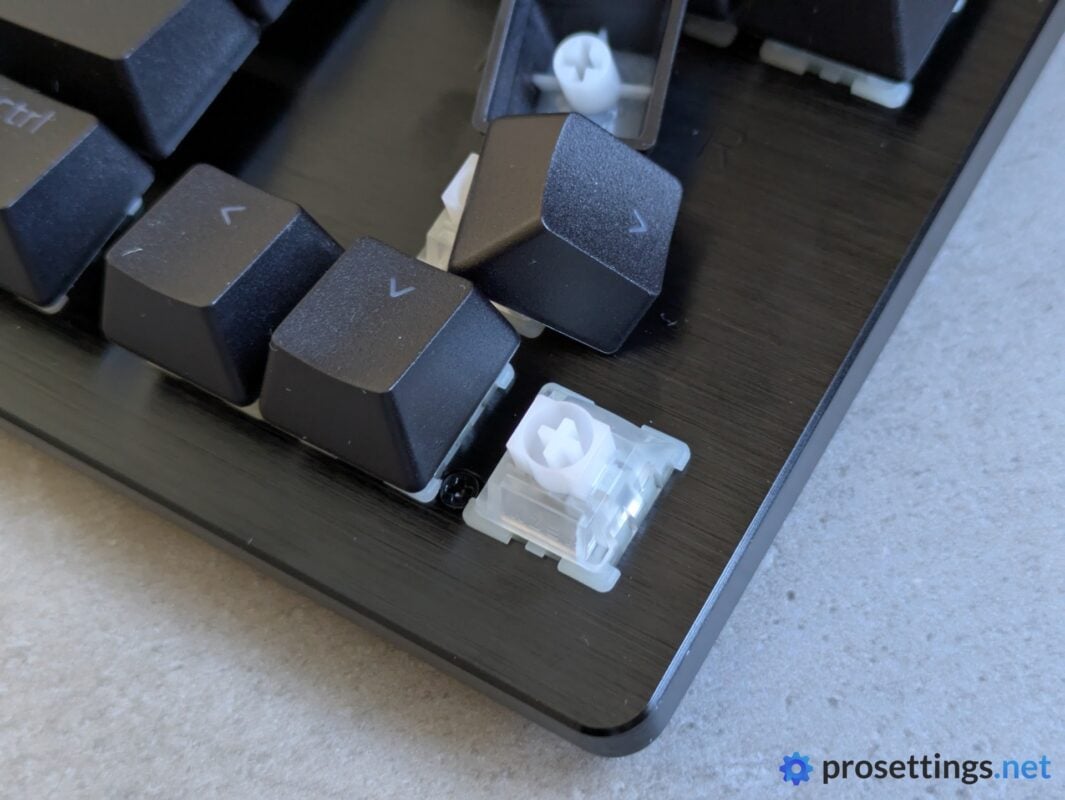
Razer’s very own Hall Effect switches are aptly called Razer Hall Effect Magnetic. In terms of the feeling, they are very much in line with their optical switches. They’re quite light, and smooth all the way through. There’s no grinding feeling when using the switches, and they all feel consistently lubed and perform in a similar fashion. It does feel like there’s a little bit more wobble than on Razer’s optical switches, though the difference isn’t huge.
I personally like switches to be a bit heavier than what’s on offer here, but that’s simply a personal preference, not a subjective remark. Aside from that, I have absolutely no issues with these.
One thing to note: these Razer Hall Effect Magnetic switches have a non-proprietary bottom layout and they are not soldered to the PCB. So technically, it’s possible to replace these switches. Razer does specifically claim that it’s not a hotswap keyboard though, so I assume this is just meant to make the board more easily repairable should a switch fail. Other switches do work (as in ‘they send a signal’) but they’re quite clearly not guaranteed to perform exactly as Razer’s own switches perform. So I’d advise you to leave the switches in there, should you purchase this board. You’re clearly not meant to swap these out for third-party switches.
Typing and Gaming Experience
Gaming Experience
In Razer’s own marketing for this keyboard, they quite clearly say that these HE switches are second-best to their analog switches. And while this might be true in a highly controlled lab environment (Razer has no reason to lie about their own tech) I have to say that I can’t notice a difference in real life.
Using both versions side-by-side with my usual settings, I could not for the life of me notice any in-game difference in the games that I usually play. The HE felt every bit as responsive as the analog. That’s logical, too. The differences between both pieces of tech, while present, are so small that I doubt any human can reliably and consistently identify the difference based on performance alone.
This HE version even has the advantage (for now) over the Pro version, since it debuts new features. There is Snap Flex, for example, where you bind one action to a key press, and another action to the release. This is basically a built-in jumpthrow bind for games like CS2. There’s also Dual-Keypress Priority, which is meant to enhance your WASD inputs by preventing opposite directions (such as pressing D while holding A) from being activated if you’re also holding W.
The abovementioned features might not be game-defining, but they are new. And they do offer extra functionality. I have no doubt that they’ll make it to the flagship models via a firmware update in the near future, but I personally see the HE boards as superior to the analog boards in terms of gaming performance right now due to the fact that they offer more features and perform the same in-game.
In terms of reliability, the Razer HE Magnetic switches are good, too. There were no dropouts and no consistency issues. The Huntsman HE is a top gaming keyboard.
Typing Experience
The Razer Huntsman V3 HE Magnetic 8KHz is Razer’s best-sounding keyboard yet. I don’t know if that’s solely down to the switches or whether the internals have also seen another upgrade to the soundproofing foams and rubbers, but this HE version follows the recent Razer trend where the successor sounds just a bit better than the predecessor.
Importantly, the high-pitched ring that I observed in previous boards seems to be all but gone. That alone makes this a much more pleasant-sounding keyboard than the other ones in the Huntsman line in my opinion, though I do realize that this is also down to personal preference.
Compared to the wider market, the Huntsman V3 HE sounds okay. There’s no case ping, for example, but the board does not sound as ‘full’ as some other competitors. Razer has gone through some extra steps to improve the sound (such as adding space bar foam) but it’s still not quite there yet, as there’s still some of that hollowness coming through. There’s also a very slight rattle present in the spacebar stabilizers.
So it’s not the best, but certainly not the worst, either. If anything, the Huntsman V3 HE is an excellent example of how high the standards today are. If this came out just 18 months ago, it would be among the best-sounding gaming keyboards on the market. Today, it’s ‘just’ decent.
The typing experience, then, is very stiff. Whether you like that is down to personal preference, but it can be good to know. There’s pretty much no bounce or flex to this keyboard when typing.
Sound Test
Alternatives
There’s no shortage of TKL HE boards, so I’ll only compare the Razer Huntsman V3 HE Magnetic 8KHz to the most popular alternatives. If you have any questions about specific comparisons, feel free to reach out in the comments.
Razer Huntsman V3 HE vs Razer Huntsman V3 Pro
To me, the HE is the superior board right now. The only reason to go for the Pro version is if you really want the wrist rest, the LED panel, or the media control array. Beyond that, I would always suggest the V3 HE. It has the exact same build, features (plus some extra), and it sounds better. All of this at a much lower price.
See our Razer Huntsman V3 Pro TKL 8KHz review
Razer Huntsman V3 HE vs Wooting 80HE
When comparing these two boards, it’s a matter of deciding what matters most. In terms of price, the Razer Huntsman V3 HE is the clear winner, and both are extremely similar in terms of performance. Hence, if you’re looking for the best bang-for-buck option, I would recommend the Huntsman V3 HE.
The Wooting, however, is a much more ‘open’ platform. It’s more mod-friendly, and there are a bunch of options (for switches as well as case finishes etc.) available directly from the manufacturer to make it your own. In addition, Wootility is also a better web app. That’s not a slight against Razer though, as Wootility very much serves as the benchmark in my opinion.
In short: the Wooting 80HE is the more ‘premium’ option, whereas the the Huntsman V3 HE is the more barebones, ‘get to business’ option.
See our Wooting 80HE review
Conclusion
The Razer Huntsman V3 HE Magnetic 8KHz is a bit of an odd release. It seems quite explicitly marketed by Razer to be a budget-oriented alternative to the full-featured Pro line, but I think it’s quite simply a better product. It costs less, performs the same (the HE even has a bit more features right now; though that probably won’t last long), sounds better, and it even comes in a sweet-spot 65% version.
I don’t know if I’m missing something really obvious here, but I would personally find it very difficult to justify spending (a lot) more money on the Pro version, unless I’m specifically looking for those media controls and the LED display. I don’t doubt Razer’s claims that their analog Pro version is even faster than this HE version, but we’re talking about margins that the overwhelming majority of gamers won’t be able to notice even if they were actively looking for it, so for me that would not be worth the extra price of admission.
Looking at the Huntsman V3 HE on its own, it’s quite simply a really good gaming keyboard. It’s not without its faults (the sound isn’t perfect, for example) and it’s quite barebones in terms of ‘flourishes’ (extra knobs etc.) but for the money this is pretty much among the best options out there right now. Especially if you compare it to other big brands. It’s a big win, and I’m curious to see where Razer will take this HE thing.
This product was received for free from the manufacturer and given to our reviewer to test and review. Brands and manufacturers have no editorial control over our reviews. For more information, check out our review FAQ.
Former semi-pro gamer turned writer, product reviewer, and community manager.

