Introduction
Glass mousepads have been getting more and more popular among aim-focused gamers. At the time of writing, we even saw a tier-one CS2 pro (EliGE) using a glass pad at the most recent Counter-Strike Major. But even with this (niche) popularity, mainstream brands did not really pay any attention to glass until now. With the Atlas Pro, Razer has entered the glass market, and they’re aiming to win the hearts of both enthusiasts as well as casual gamers. Whether they succeeded is something you can read in our full Razer Atlas Pro review.
At A Glance
Razer Atlas Pro
Used by 2 players ()turkish

yunie

Staff's Choice
Innovation Award
The ultra-thin design makes this far more comfortable than any other glass pad I’ve tried, the rounded edges are well-executed, and as an added bonus, the clean aesthetic means you don’t have to go for an anime-themed setup just to play on glass.
Pros
- Very thin, making it very comfortable
- Nicely rounded edges add to the overall comfort
- Decent sense of control (for a glass pad) makes it a good ‘gateway pad’
- Looks sleek and clean
Cons
- Extremely expensive
- Not very portable (though that’s inherent to glass pads)
| Height | 40 |
|---|
| Length | 50 |
|---|
| Thickness | 1.9 |
|---|
| Stitched edges | No |
|---|
| Material | Glass |
|---|
| Overall Glide | Speed |
|---|
| Foam Firmness | N/A |
|---|
| Static Friction | Very Low |
|---|
| Glide Difference X/Y | 6.4 |
|---|
| Dynamic Friction | Very Low |
|---|
First Impressions
First things first: I am not a glass pad aficionado. I’ve tested and reviewed a bunch of them, but I am someone who loves controlling pads, so glass pads naturally don’t tend to stay on my desk for long. As such, I won’t be comparing this pad to the many pads made by more niche brands. I’ll mostly be judging this on its own merits and against the general mousepad scene.
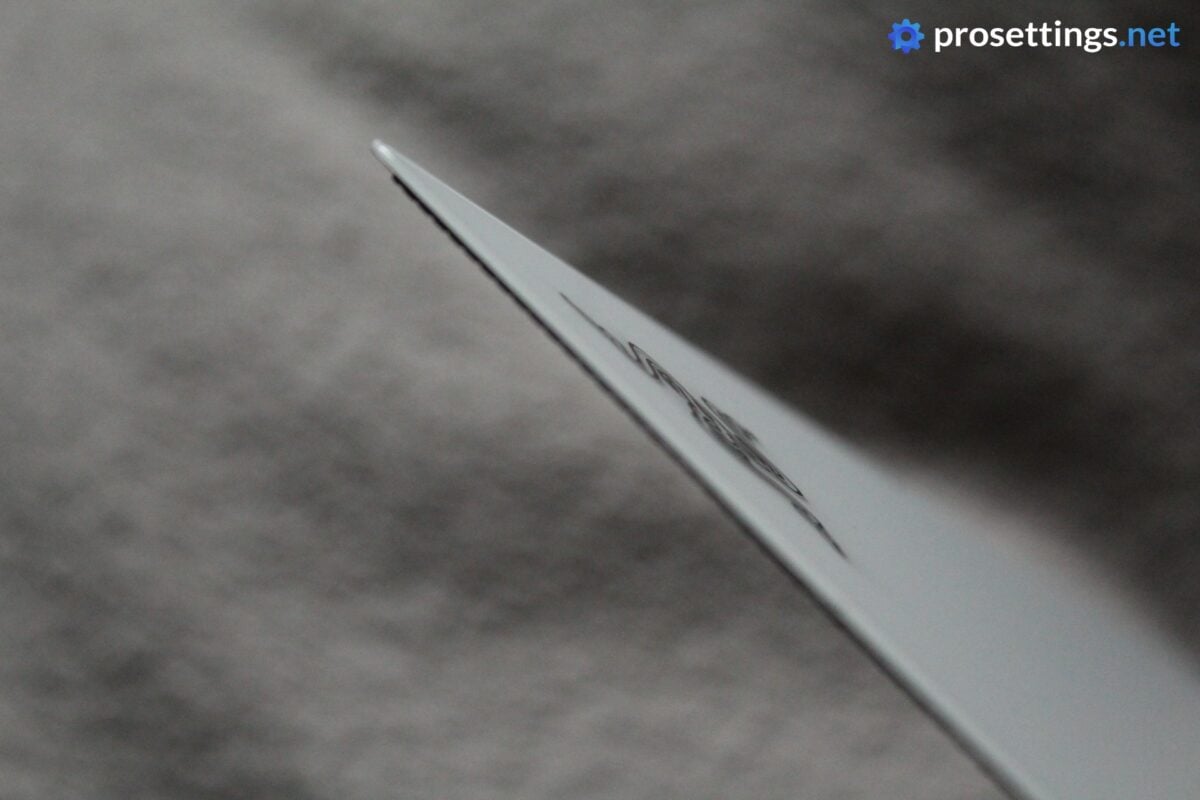
With that out of the way, the first thing that struck me was just how thin the Razer Atlas Pro is. At 1.9mm including the rubber base, this is by far the thinnest glass mousepad I’ve ever tested. According to Razer, it’s even the thinnest glass gaming pad in the world, but that’s a claim I can’t verify. But in short: this is an extremely thin pad. So much so that we’ve decided to give it our Innovation Award.
The second thing I noticed was the design. Or rather the lack of it. The Atlas Pro comes in two versions: the black version and the white version. Both versions look clean and sleek, which is a massive difference from what you usually see with glass pads.
I don’t know why, but glass pads seem to be mostly adorned with anime girls or anime-style artworks, and I personally don’t like that type of artwork on a mousepad. I know that this is completely subjective, but I find it refreshing that Razer resisted the temptation to make this an overly busy and ‘gamery’ pad and simply focused on making this look clean.
Finish and Overall Quality
Glass pads don’t have stitching, foams, or fabrics to worry about. As such, they can be thought of as ‘easier’ to execute properly, but there’s a lot to think about with glass pads, too.
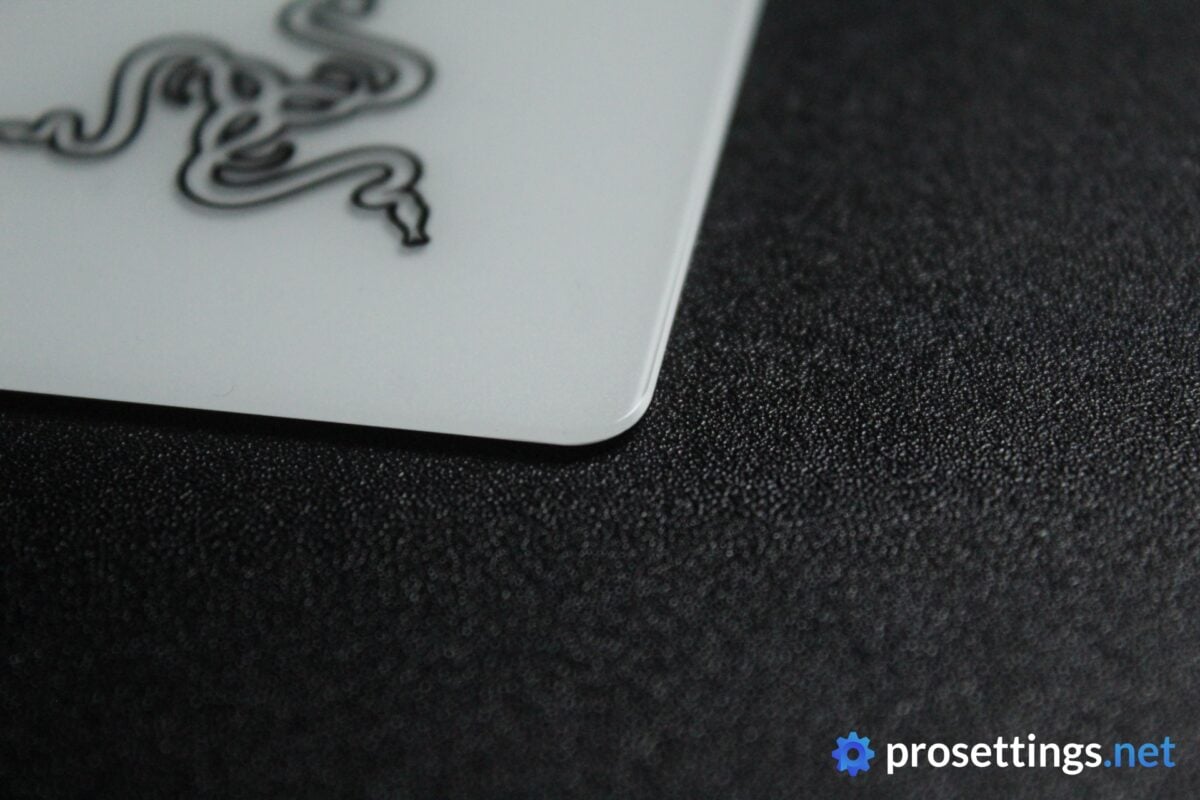
The edges, for example, need to be rounded properly. Otherwise, moving your arm across a sharp glass edge will get tiring really quickly. Razer has done a great job here. The fact that this pad is so ridiculously thin obviously also helps with the comfort levels, but I should also note the well-rounded edges.
The surface itself is also completely flat. That sounds like it should be a given (given that it’s basically a glass slab) but you’d be surprised how often one encounters slightly warped pads. I also did not find any inconsistencies on the gliding surface, which is another good sign.
All in all, the Razer Atlas Pro looks and feels like a high-quality glass pad. Of course I didn’t expect anything less. With an MSRP of $129.99, this is a pad that costs multiple times what even a high-end traditional cloth pad would cost. Knowing that, the quality absolutely has to be there. Luckily, Razer delivered.
Performance
Glide
The Atlas Pro is a glass pad. As such, no one will be surprised that this is a fast pad. If you’re coming from a cloth pad, this will feel extremely slippery and fast, even if you’re used to speed-focused cloth pads.
However, within the realm of other glass pads, the Atlas Pro isn’t a super fast one. There’s a decent sense of control present, and you’re not getting that full ‘Bambi on ice’ feeling that you’re getting with some glass pads. The Atlas Pro offers just enough resistance to still give you some micro-correction opportunities without feeling as if you’re trying to position an ice cube on a hot pan.
As a consequence of this little bit of added friction, small adjustments feel less twitchy and more calculated. Those smaller movements feeling too slick is precisely what makes glass pads too uncanny to use for most people, so it’s interesting to see that Razer has tried to rectify that with the Atlas Pro.
The Atlas Pro is a pad that’s quite a bit more approachable than I thought it would be as a result of the aforementioned. As mentioned, it’s still a super slick and fast pad (it’s glass, after all) but it feels quite a bit more natural to use for cloth users than a dedicated speed glass pad. If you’re someone who always wanted to try out a glass pad, this might be a great option for that transitional period.
Base
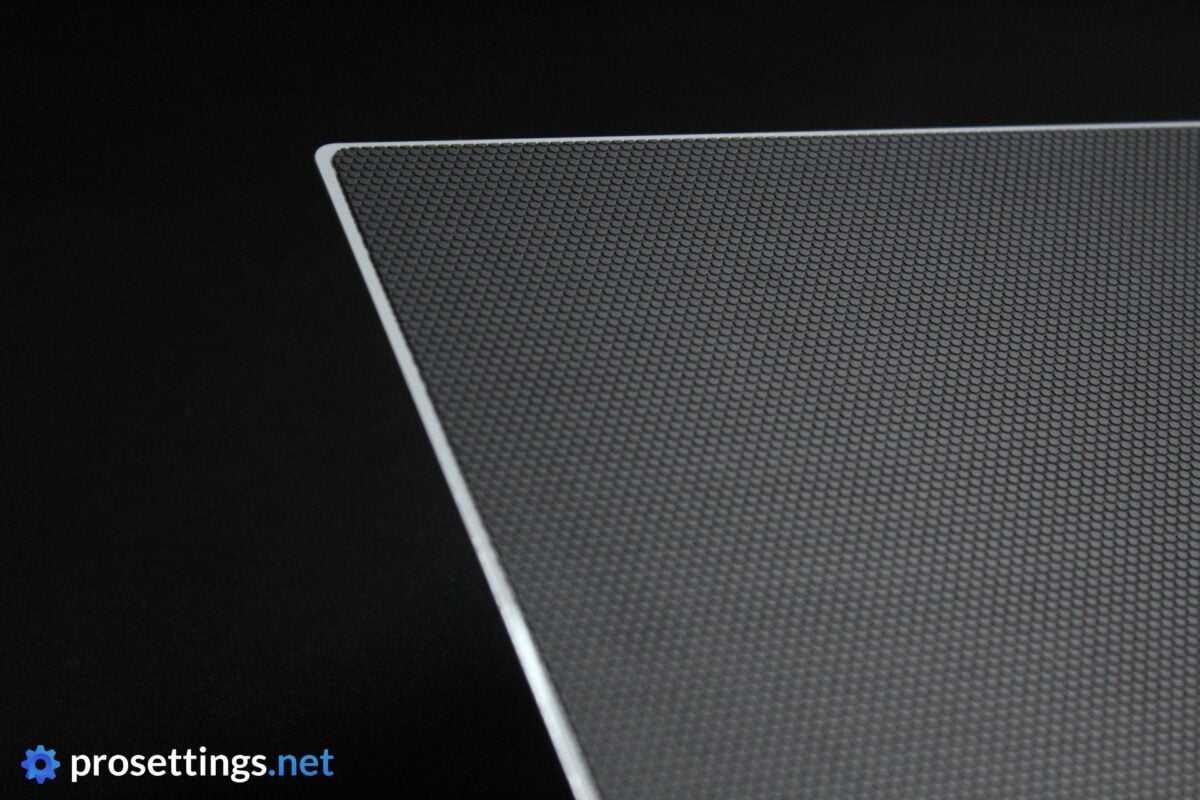
The rubber base does a good job at holding the pad in place. I personally had no slippage issues during my testing. Initially, I kind of feared that a pad this thin and light would slide around all over the place, but that did not happen.
When you place the pad down on a flat surface, it kind of feels like it displaces the air underneath and kind of ‘vacuum sucks’ itself to the surface. Naturally, it won’t be as steady on uneven surfaces, but I tested it on various tables and desks and you would have to be using a very slippery and rocky desk if you want this pad to move around while gaming.
All in all, I’m very satisfied here.
Everyday Usage
The Razer Atlas Pro is a glass pad, so it will come with all of the quirks that glass pads have. For one, it’ll be noisier than cloth pads. The sound of mouse feet coming down onto the surface, the scratching sounds of swipes: all of this can be heard on a glass pad. I do have to say that the Atlas Pro is a bit more quiet than most other glass pads I’ve tried, but it’s still going to annoy your roommates if you use it for an extended amount of time.
In addition to this, glass pads are also quirky with liquids. You can wipe sweat, spills, and stains right off, but until you do that, the pad will feel drastically different in the moist spots. So if you’re playing in a humid environment, you’ll want to be swiping often. The other side of the coin is that, once you’ve wiped off the liquid, the pad goes right back to feeling like it always does. So you won’t have to worry about the pad slowing down during sweaty sessions like you would with cloth pads.
Something that I really liked about the Atlas Pro in particular is that it’s so thin and the edges are nicely rounded. I quite often get annoyed when using glass pads because I start to become extremely aware of the edges after a while, but that’s not the case here. The pad is so thin that I never felt any pressure, and that is a major boon if you ask me.
Alternatives
As I mentioned, I don’t have a deep enough frame of reference within the glass pad scene to rank the Atlas Pro against every glass competitor out there. What I can say is that, compared to the glass pads I have tried, this is the thinnest and most comfortable of them all, and the one with the most approachable glide. That last aspect is particularly important, in my opinion. The learning curve is not as high with this pad, and that combined with the very comfortable edges and thickness makes this a great ‘gateway pad’.
Because of the fact that it’s so thin and approachable, I don’t really consider any of the other glass pads I’ve tested to be a true 1:1 alternative. As usual, though, feel free to ask any question that may come up in the comments.
Conclusion
The Razer Atlas Pro is a glass pad that addresses my biggest issue with glass pads: the comfort. The ultra-thin design makes this far more comfortable than any other glass pad I’ve tried, the rounded edges are well-executed, and as an added bonus, the clean aesthetic means you don’t have to go for an anime-themed setup just to play on glass.
The glide is, obviously, fast. It’s a glass pad, after all. But there’s a decent sense of control here by glass standards, which gives you a bit more room for micro-corrections than the hyper-fast options in this category. That makes this pad an approachable entry point into the world of glass mousepads.
It’s not for me personally. I’m a control pad player, and I think it’ll always stay that way. The Atlas Pro hasn’t changed that. It’s also a very expensive pad, so this is not a casual purchase by any means. But if you’ve been curious about glass pads and the comfort or glide put you off, this is the one you should take a look at. It’s well-made, it’s clean, and very comfy.
This product was received for free from the manufacturer and given to our reviewer to test and review. Brands and manufacturers have no editorial control over our reviews. For more information, check out our review FAQ.
Former semi-pro gamer turned writer, product reviewer, and community manager.

