The most popular monitors are calculated based on 104 professional Rainbow Six Siege players.
Introduction
Getting your gear up to scratch should be a priority for anyone who wants to play games at any competitive level, and this perhaps goes double for a monitor. Getting a higher refresh rate monitor for competitive FPS gaming is a necessity.
These high refresh rate gaming panels can cost a pretty penny though, so it’s important that you get yourself something that suits your setup and budget. To help you decide on your next purchase, we’ve been taking a look at what the pros are using and we’ve distilled that knowledge into this list that you see right here. We’ll go over the most used displays in the Rainbow Six Siege pro scene and give you a brief rundown of each individual product so that you can make an informed decision after reading this article.
You can also check out our monitor spec list, where we have the specs of over 80 gaming monitors.
Our Guide
The Pro Usage Top 5 gets updated continuously and instantly so that you can always get an accurate overview of what the pros are using at any given time. In the body of the article itself, we go over the five most popular pro products in no particular order and, when relevant, we also give you some extra options in the form of products that fall just outside of the top 5 or are otherwise relevant.
What makes a monitor good for Rainbow Six Siege?
It’s no secret that a high refresh rate monitor offers you a myriad of advantages over a regular 60 Hz panel, so it’s absolutely unsurprising to see that pretty much no professional player is using a 60Hz panel, with 240Hz being the most used refresh rate. Rainbow Six Siege pros were a bit slower to adopt the 240Hz+ panels but these days we see the same as with our other analyzed games: 240 frames per second is the way to go, and top teams can often be found on 360Hz.
Seeing as you want to prioritize smoothness (i.e. framerate) over graphical fidelity we also see that the vast majority (around 92%) of pros are using the standard 1920×1080 resolution, meaning that a high resolution or ultrawide monitor isn’t necessary for competitive gaming. In fact, pros often use a lower resolution in order to gain frames. With computers becoming more and more powerful, we might see a switch towards 1440p displays in the (not so distant) future, but for now 1920×1080 still very much is the going resolution in the professional scene.
In short: you’ll want a fast monitor. Curved or ultrawide displays look great for productivity, media consumption, and single player experiences but they’re wholly unnecessary for competitive gaming (and the required extra processing power might even have a negative impact on your performance, depending on the power of your PC) so if you want to get the best and smoothest experience possible we recommend a refresh rate of at least 240 frames per second.
ZOWIE XL2546
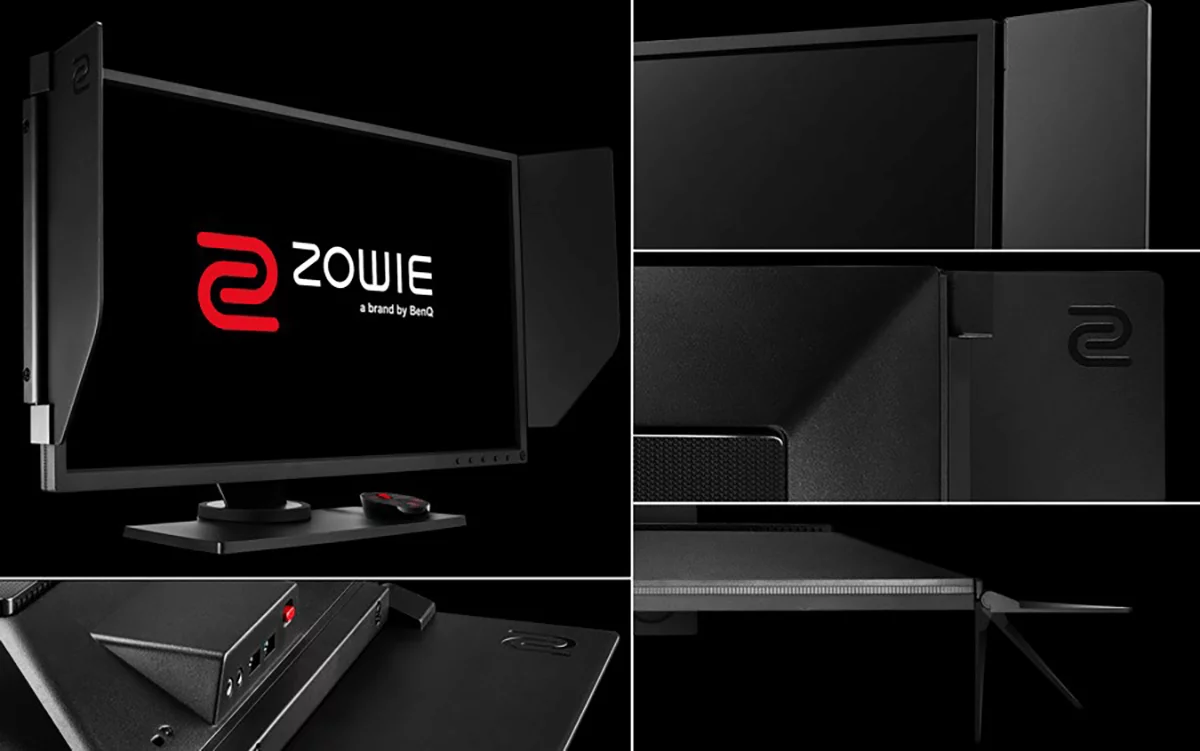
The ZOWIE XL2546 is a legendary monitor that propelled ZOWIE to become the #1 supplier of gaming monitors across all of our analyzed games.
And that was no surprise. ZOWIE is a brand that is laser-focused on competitive gamers, so the XL2546 came with everything that a competitive gamer would want. The (at the time) blazingly fast 240Hz refresh rate was accompanied by features such as the S-Switch for increased quality of life while tuning settings, and ZOWIE’s own DyAc technology to make the monitor even smoother.
Nowadays, the XL2546 shows its age a bit. If you’re interested in a 240Hz monitor from ZOWIE, we’d steer you towards the newer versions. But there’s no doubt that the XL2546 is a legendary gaming monitor that will still serve you well today, so if you can find one at a good price, you’ll be gaming with no restrictions for years to come.
ZOWIE XL2546
Used by 21 Rainbow Six Siege players ()Staff's Choice
Pro's Choice
The BenQ Zowie XL2546 is, without a doubt, one of the best gaming monitors money can buy right now. From the careful attention to detail (the monitor position markings, the headphone holder, …) aimed at esports enthusiasts to the absolutely superb performance in games; the XL2546 is a complete package for anyone who wants to up their game with a rockstar monitor.
Pros
- Very fast response times
- 240Hz is a noticeable improvement over 144Hz, though the jump is smaller than when going from 60Hz to 144Hz
- Subtle design
- S-Switch makes controlling the OSD extremely easy
- DyAc works as advertised
Cons
- TN panel doesn’t make for the best picture quality
- Viewing angles aren’t good
Specs
| Size | 24.5 |
|---|
| Resolution | 1920×1080 |
|---|
| Aspect Ratio | 16:9 |
|---|
| Refresh Rate | 240 |
|---|
| G-Sync | No |
|---|
| FreeSync | No |
|---|
| Panel Tech | TN |
|---|
ZOWIE XL2546K

As the successor to the very loved and lauded XL2546, the XL2546K introduces a number of improvements over its predecessor. The stand has been made smaller, and the actual panel itself is thinner too, making this a monitor with a smaller footprint than its predecessor. Aside from this, there have also been improvements made to the panel, giving you a better picture quality, and the K line also comes with BenQ’s Setting to Share, which means that you can import and export monitor settings profiles online.
All in all, this is a worthy successor to the XL2546, so if you’re choosing between these two options and money isn’t an issue we would definitely recommend the XL2546K over the older version.
ZOWIE XL2546K
Used by 11 Rainbow Six Siege players ()Benjamaster

NearZ

Faallz

Mowwwgli

Staff's Choice
Pro's Choice
If you’re looking for a competitive gaming monitor this is a fantastic option, and it’s without a doubt one of the best monitors you can buy right now.
Pros
- Stand has a small footprint
- Subtle design
- Markings on all adjustable points to help with achieving the perfect panel position
- S-Switch and joystick make navigating the OSD a breeze
- Lightning fast response times
- Myriad of gaming-focused options to configure and use
Cons
- Viewing angles aren’t great
- Picture quality isn’t the best due to the usage of a TN panel
Specs
| Size | 24.5 |
|---|
| Resolution | 1920×1080 |
|---|
| Aspect Ratio | 16:9 |
|---|
| Refresh Rate | 240 |
|---|
| G-Sync | No |
|---|
| FreeSync | No |
|---|
| Panel Tech | TN |
|---|
ZOWIE XL2540
The XL2540 is the exact same monitor as the XL2546, but it comes without DyAc. If you’re absolutely sure that you can live without this technology you can definitely go for the XL2540, but otherwise we would strongly recommend an XL2546 model. Even if you don’t end up using DyAc, it’s always handier to turn it off than to have to buy an entirely new monitor in case you do want to start using it.
ZOWIE XL2540
Used by 5 Rainbow Six Siege players ()The XL2540 is the DyAc-less sibling of the ZOWIE XL2546. Aside from that, there are no differences between the two monitors.
Pros
- Subtle design
- S-Switch is amazing to navigate the OSD and change settings
- Very fast response times
Cons
- Viewing angles aren’t great
- Picture quality could be better
- Lack of DyAc (see towards the XL2546 for that)
Specs
| Size | 24.5 |
|---|
| Resolution | 1920×1080 |
|---|
| Aspect Ratio | 16:9 |
|---|
| Refresh Rate | 240 |
|---|
| G-Sync | No |
|---|
| FreeSync | No |
|---|
| Panel Tech | TN |
|---|
ZOWIE XL2566K
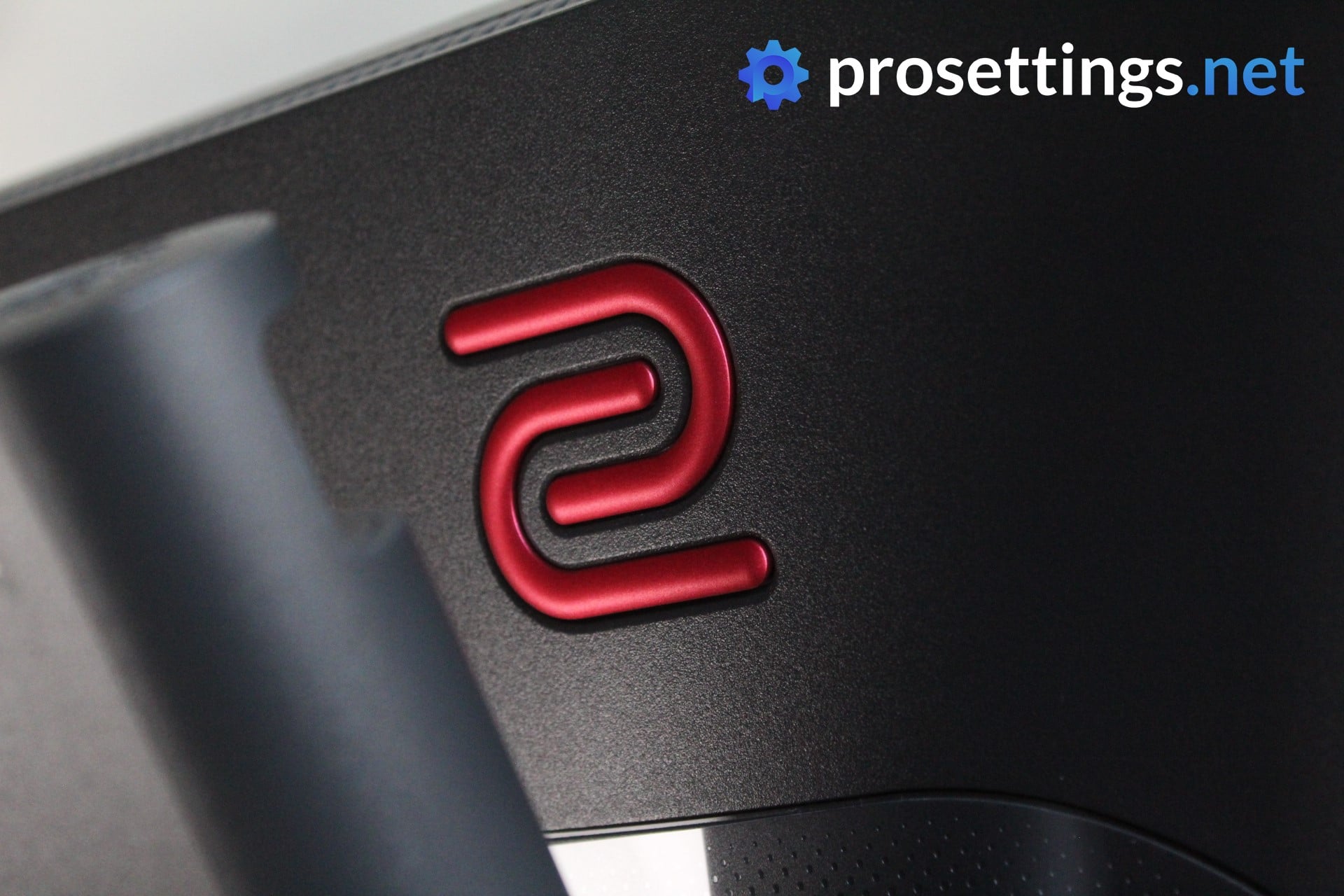
It took ZOWIE a while to come out with a 360Hz monitor of their own, but when they did, they came out swinging. This XL2566K shot up to be one of the most popular monitors across all of our games in no time, and it’s one of the main reasons we consider 360Hz to be the de facto ‘standard refresh rate’ in the pro gaming scene right now.
What you’re getting with the XL2566K is a monitor with a very good picture (for a TN panel, at least) and top tier motion clarity. Couple that with insane response times and a design that has competitive gamers as the first priority, and you’ve got one of the best gaming monitors on the business right now.
It’s only 1080p and it’s a TN monitor, so this is reserved for people who take their gaming seriously, but if you are one of those people then the XL2566K is a fantastic option.
ZOWIE XL2566K
Used by 9 Rainbow Six Siege players ()Staff's Choice
Pro's Choice
If you are a competitive gamer who takes their game extremely seriously and you want to get the fastest and smoothest gaming monitor to help you be the best player you can be, then you have to get the ZOWIE XL2566K right now.
Pros
- 360Hz refresh rate along with fast TN panel makes it one of the smoothest monitors out there
- Subtle design
- Small footprint of the base
- Lots of QoL features such as the stand markings, the S switch, the included (and detachable) glare panels, …
- Picture quality is great for a TN panel…
Cons
- … but it doesn’t match IPS panels when it comes to quality
- Expensive for a 1080p monitor
- Low viewing angles
Specs
| Size | 24.5 |
|---|
| Resolution | 1920×1080 |
|---|
| Aspect Ratio | 16:9 |
|---|
| Refresh Rate | 360 |
|---|
| G-Sync | No |
|---|
| FreeSync | No |
|---|
| Panel Tech | TN |
|---|
AOC AG251FZ

AOC isn’t the most well-known brand out there but their products have been making some waves. We first saw them pop up in the CS scene and now they’ve also made their way to the pro Rainbow Six: Siege world so there must be something good about the AG251FZ.
The 251FZ has the usual 240Hz refresh rate combined with a 1ms response time but this monitor also supports FreeSync for that smooth gaming experience.
Like most respectable top of the line gaming monitors, AOC has packed theirs with a bunch of features meant to make your life as a gamer easier. With their Shadow Control you can make darker areas in the game a bit lighter without overexposing bright areas, for example. That’s great to help you weed out those corner campers.
With a fully adjustable stand, audio ports, USB ports, and a headphone hanger this is definitely made to be considered as the ultimate battlestation monitor, and there are without a doubt plenty of arguments that support the AG251FZ’s spot in this article.
AOC AG251FZ
Used by 6 Rainbow Six Siege players ()Alem4o

The AOC AG251FZ is a fantastic 1080p 240Hz option. It is highly adjustable, performs good in games, and needs little to no tweaking in order to get the best out of it.
Pros
- Great gaming performance
- Picture quality is nice out of the box
- Highly adjustable
Cons
- Stand has a rather large footprint
- TN panel doesn’t make for the best picture quality
Specs
| Size | 25 |
|---|
| Resolution | 1920×1080 |
|---|
| Aspect Ratio | 16:9 |
|---|
| Refresh Rate | 240 |
|---|
| G-Sync | No |
|---|
| FreeSync | Yes |
|---|
| Panel Tech | TN |
|---|
Best Monitor for Rainbow Six Siege – Conclusion
It’s obvious: you need a refresh rate of at least 240Hz. This isn’t just a ‘quality of life’ improvement either; these higher refresh rates can and will help you hit your shots with more accuracy. Aside from that you’ve got a lot of options, though, and with PCs becoming more and more powerful, we might even see 1440p monitors becoming more commonplace in the future. For now, though, the standard is 240Hz 1080p, so if you’re looking for a dedicated Rainbow Six Siege monitor we would recommend looking in that direction if your PC and budget can handle it.
If you have any questions you can reach out to us on Twitter, Discord, or in the comments. We try to reply to all comments!

