Introduction
In a game such as League of Legends, where a lot of extremely vital actions are mapped to your keyboard, it’s of crucial importance to have a nice keyboard that you personally like. You don’t want to get caught out missing a crucial cast because you didn’t fully actuate a key or what have you, and it’s equally important to not ‘fat finger’ (whereby you accidentally press a certain key) either.
In order to help you out with your choice, we’ve analyzed what the top LoL pros are using. You can use this guide in addition to our articles on keyboard sizes and switches (both mechanical as well as analog) in order to find your next perfect gaming keyboard.
Related: Gaming Keyboard Spec List
Our Guide
The Pro Usage Top 5 gets updated continuously and instantly so that you can always get an accurate overview of what the pros are using at any given time. In the body of the article itself, we go over the five most popular pro products in no particular order and, when relevant, we also give you some extra options in the form of products that fall just outside of the top 5 or are otherwise relevant.
What makes a keyboard good for League of Legends?
For starters we’ll get the obvious out of the way: League of Legends professionals, just like pros in the other games that we analyze, don’t use rubber dome keyboards, generally speaking. The advantages of a mechanical/analog keyboard over a membrane board are well documented, but in short: dedicated (gaming) keyboards are much more responsive, last longer, and allow for almost infinite customization which results in a myriad of options to choose from.
Looking at what the LoL pros use we see that you’ll probably want to consider a TKL (or smaller) board if LoL is your main game. The reason for that is pretty simple: space. Unless you’ve got a very peculiar playing style you’ll almost never have to use the numpad for this game, so you might as well spring for a smaller form factor. You don’t really lose any functionality, but you do gain a ton of space, so the advantages are definitely there. Of course there are other factors to consider too: if you use the numpad a lot for work it might be a good idea to go for a full sized keyboard, but it’s definitely worth thinking about how often you use that part of the keyboard if you ask us.
Aside from this it’s important to consider whether you want a mechanical or an analog board. It can be argued that analog switches aren’t as advantageous in games like LoL vs in shooters, but the tech is still extremely impressive, so it pays off to think about it.
Logitech G Pro X
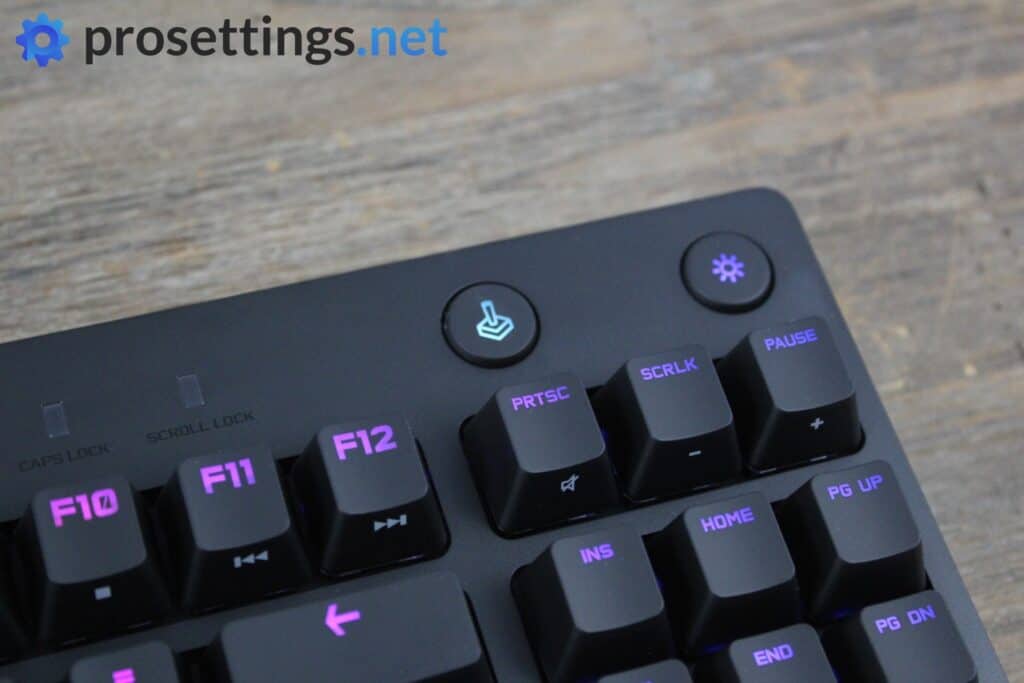
The Logitech G Pro line is aimed at competitive and professional gamers, and judging from our data they do a pretty good job at that. This particular G Pro X keyboard is quite a bit older at this point in time, but it’s still a popular choice.
What you’re getting here is a no-nonsense TKL keyboard with hotswappable switches. Aside from that, there’s not a ton to note, and if you’re interested in a Logitech gaming keyboard, we would recommend the newer version of this board, like the G Pro X Rapid. Those have more up-to-date features.
Logitech G Pro X Keyboard
Used by 14 League of Legends players ()
What you’re getting is a solidly built gaming keyboard without any unnecessary frills that’ll last you a pretty long time and delivers everything you’d want out of a competitive gaming keyboard. Nothing more, but certainly nothing less either.
Read review (08/2020)
Pros
- Hot-swappable PCB means changing switches is very easy
- Sturdy build quality
Cons
- Keycaps don’t feel very premium
- Non-standard bottom row means that switching out keycaps can be a hassle
Specs
| Form Factor | TKL |
|---|
| Switches | GX Blue Clicky, GX Brown Tactile, GX Red Linear |
|---|
| PCB | Hotswappable |
|---|
| RGB | Yes |
|---|
| Height | 3.5cm |
|---|
| Width | 36cm |
|---|
| Length | 15.5cm |
|---|
| Weight | 980g |
|---|
Logitech G Pro X TKL Rapid

The Logitech G Pro X TKL Rapid is the high-performance evolution of the TKL line, specifically designed to compete in the Rapid Trigger era. Swapping traditional mechanical switches for Magnetic Analog switches, this board allows you to customize the actuation point of every single key with 0.1mm precision. For League players, this means you can set your Flash or Ultimate keys to be incredibly sensitive for frame-perfect reactions, while leaving other keys with a deeper press to avoid accidental fat-fingering.
If you’re looking for a Logitech keyboard that is up-to-date with today’s standards, the Logitech G Pro X TKL Rapid is a great option to consider.
Logitech G Pro X TKL RAPID
Used by 13 League of Legends players ()
-
Doggo

-
Driver

-
Kaiwing

-
JoJo

Specs
| Form Factor | TKL |
|---|
| Switches | Unspecified Optical Switches |
|---|
| PCB | Non-Hotswappable |
|---|
| RGB | Yes |
|---|
| Height | 3.8cm |
|---|
| Width | 35.7cm |
|---|
| Length | 15.0cm |
|---|
| Weight | 950g |
|---|
Logitech G Pro X TKL

Confusing naming schemes and gaming companies go hand in hand, and that’s also true for Logitech. The G Pro X was a wired board with swappable switches, and its successor, the G Pro X TKL (often called the Lightspeed) is a wireless evolution of that. It drops the hot-swappable switch feature of its predecessor but it does come with high-end PBT keycaps and Logitech’s ever-reliable LIGHTSPEED wireless. It does not come with analog switches, however, as those were only introduced in the TKL Rapid.
This is a good choice for players who want to go wireless and stay within Logitech’s ecosystem, but if you don’t mind a wire we’d recommend the more full-featured successor of this board.
Logitech G Pro X TKL Keyboard
Used by 10 League of Legends players ()
-
Delight

-
Siwoo

-
deokdam

-
Rest

It’s a decent gaming keyboard, but nothing more than that. Had it come out at the end of last year it would’ve been a different story, but gaming keyboard technology is going through a phase of rapid changes, and it seems like this one can’t keep up.
Read review (11/2023)
Pros
- Good build quality
- Comes with an amazing carrying case
- Flawless and lossless wireless connection
- Stock PBT keycaps feel good
Cons
- Stabilizers are a little rattly (especially the spacebar)
- Expensive
- No hotswap functionality
- Not having switches where the actuation point etc. can be customized is a miss in a board aimed at competitive gamers
- Volume wheel feels flimsy and can’t be programmed
Specs
| Form Factor | TKL |
|---|
| Switches | GX Brown Tactile, GX Red Linear, GX Blue Clicky |
|---|
| PCB | Non-Hotswappable |
|---|
| RGB | Yes |
|---|
| Height | 3.4cm |
|---|
| Width | 35.2cm |
|---|
| Length | 15.0cm |
|---|
| Weight | 950g |
|---|
Razer Huntsman V2
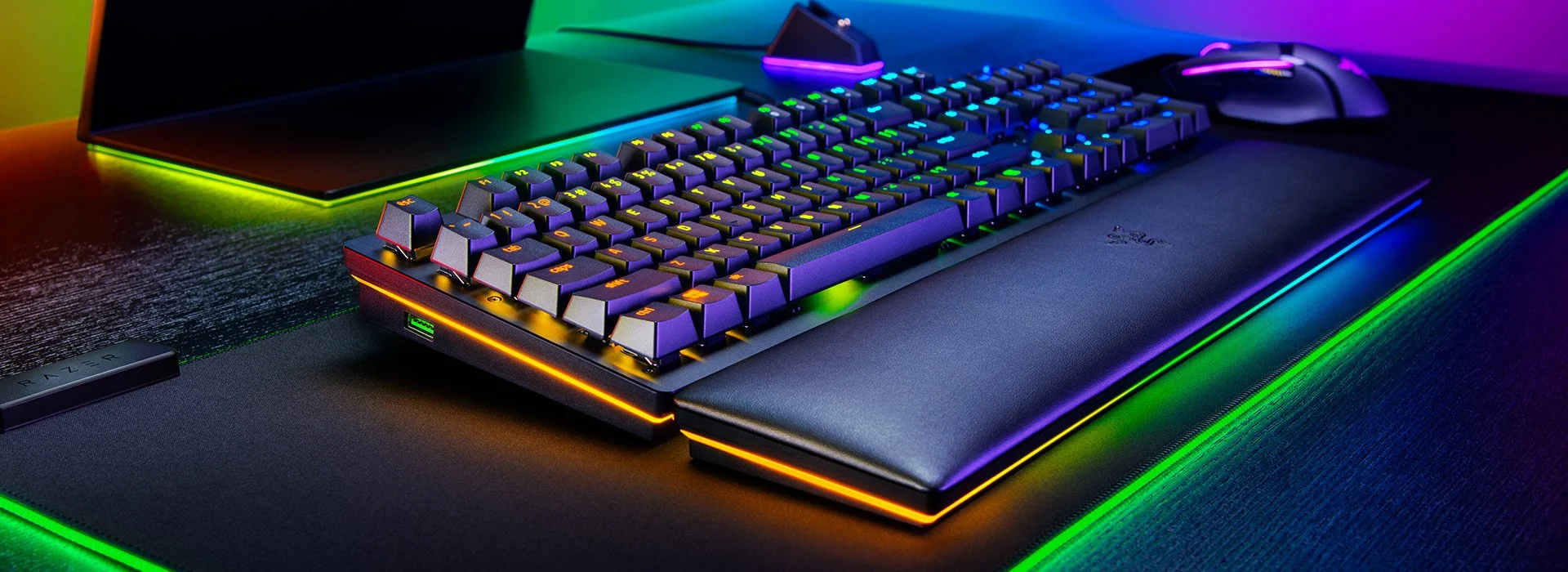
The Razer Huntsman V2 was a pioneer for speed, being one of the first to mainstream keyboards to offer an 8000Hz polling rate alongside super fast linear optical switches. It’s still a very competent board that features high-quality PBT keycaps and a luxurious wrist rest. However, in the current landscape, it is starting to show its age. While it’s still a reliable workhorse, it lacks the advanced analog features that have since become the standard for top-tier competitive play. It’s a solid budget-friendly entry into the optical world, but it no longer sits at the cutting edge. If you’re looking for that and you want to buy Razer, we recommend looking at the brand’s newer offerings.
Razer Huntsman V2
Used by 9 League of Legends players ()
The Razer Huntsman is one of the fastest gaming keyboards out there. The Razer Optical switches feel smooth and responsive, and those combined with a polling rate of up to 8000Hz make this one speedy board.
Pros
- Feels very fast and responsive for gaming
- Included wrist rest is comfy and feels high quality
- Sturdy build quality
- PBT keycaps
- Opto-mechanical switches are very smooth
Cons
- Stabilizers aren’t the best
Specs
| Form Factor | Full Size |
|---|
| Switches | Razer Linear Optical |
|---|
| PCB | Non-Hotswappable |
|---|
| RGB | Yes |
|---|
| Height | 4.5cm |
|---|
| Width | 44.6cm |
|---|
| Length | 14.2cm |
|---|
| Weight | 1238g |
|---|
Razer Huntsman V3 Pro TKL

Razer’s Huntsman V3 Pro TKL offers a range of features that cater to serious League of Legends players -and gamers in general. It’s equipped with analog optical switches, has durable PBT keycaps, and a wrist rest for added comfort during long sessions. Additionally, the keyboard includes a programmable dial and two extra buttons for people who like a ‘base station’ type of feeling.
One of the standout features of this keyboard are the switches. They have the ability to adjust the actuation point from 0.1mm to 4.0mm, meaning that you can tweak the precise sensitivity of each individual key. In addition, features Rapid Trigger technology ensures that keys reset immediately after release, enabling faster responses during intense gameplay scenarios, such as during critical combos and quick ability activations.
With its blend of customizable performance and practical features, the Huntsman V3 Pro TKL is a reliable option for League of Legends players who want the best that keyboard tech has to offer right now.
Razer Huntsman V3 Pro TKL
Used by 8 League of Legends players ()
Staff's Choice
Pro's Choice
Razer Huntsman V3 Pro TKL is a best-in-class gaming keyboard. It’s also a very mediocre typing keyboard due to its loudness and subpar typing sound. I feel like those two sentences are the most important things to know for people who are considering purchasing this board.
Read review (04/2024)
Pros
- Comes with a wrist rest
- Good gaming performance
- Customizable switches + Rapid Trigger
- Comes with a multifuctional dial
Cons
- Expensive
- Typing sound is loud and not pleasing
- Wrist rest is of lower quality than on older Razer keyboards
Specs
| Form Factor | TKL |
|---|
| Switches | Razer Analog Optical |
|---|
| PCB | Non-Hotswappable |
|---|
| RGB | Yes |
|---|
| Height | 3.9cm |
|---|
| Width | 36.4cm |
|---|
| Length | 14.0cm |
|---|
| Weight | 720g |
|---|
Best keyboard for League of Legends – Conclusion
If the League of Legends professionals are to be believed you’re going to probably want a mechanical/analog TKL keyboard, but other than that there are plenty of options to choose from. Which one is best for you will definitely depend on your personal tastes, but hopefully you’ve learned a thing or two from this guide. If you’re interested in the topic you can always browse our other (keyboard) guides and if you have any questions please feel free to reach out in the comments of the relevant article or on social media.
Former semi-pro gamer turned writer, product reviewer, and community manager.

