Introduction
The Logitech G Pro X Superlight line represents gaming mouse royalty. The G Pro Wireless (the predecessor to the Superlight line) was responsible for one of the biggest leaps in gaming mouse technology of all time with the fact that it went wireless with a flawless connection and sensor, but it had been a while since Logitech truly innovated. Until now. With switches that allow you to customize the actuation point and haptic feedback, Logitech G is attempting to further the scene once more. Find out if they succeeded in our full Logitech G Pro X2 SUPERSTRIKE review.
At A Glance
Logitech G Pro X2 SUPERSTRIKE
Used by 61 players ()
-
m0NESY

-
jL

-
w0nderful

-
something

Staff's Choice
Innovation Award
Whether this mouse is worth its price tag is up to the reader to decide. But the SUPERSTRIKE is without a doubt one of the most innovative mice of the past decade.
Pros
- HITS switches are the way of the future
- Switches offer noticeable performance benefits
- Being able to customize the actuation point and click feedback is super useful
- Safe, trusted shape
- Great battery life
Cons
- Feet are somewhat scratchy
- Side buttons aren’t up to par
- Extremely expensive
Specs
| Sensor | HERO 2 |
|---|
| Polling Rate | 125 / 250 / 500 / 1000 / 2000 / 4000 / 8000 Hz |
|---|
| Button Switches | logitech_haptic |
|---|
| Connection | Wireless |
|---|
| Shape | Ambidextrous |
|---|
| Length | 11.8cm |
|---|
| Height | 3.9cm |
|---|
| Weight | 61g |
|---|
| Width | 6.2cm |
|---|
First Impressions
Packaging
Inside the box of the Logitech G Pro X2 SUPERSTRIKE, you will find:
- The mouse itself
- Grip tape
- The USB receiver
- A USB receiver extender dongle
- A USB-C-to-USB-A charging cable
- User documentation
- An additional ‘POWERPLAY cover puck’ with mouse feet material on it
What you’re getting is quite okay, but for a mouse that represents yet another bump in flagship pricing (the MSRP is $179.99) I would’ve liked to see some additional mouse feet at least.
The Mouse
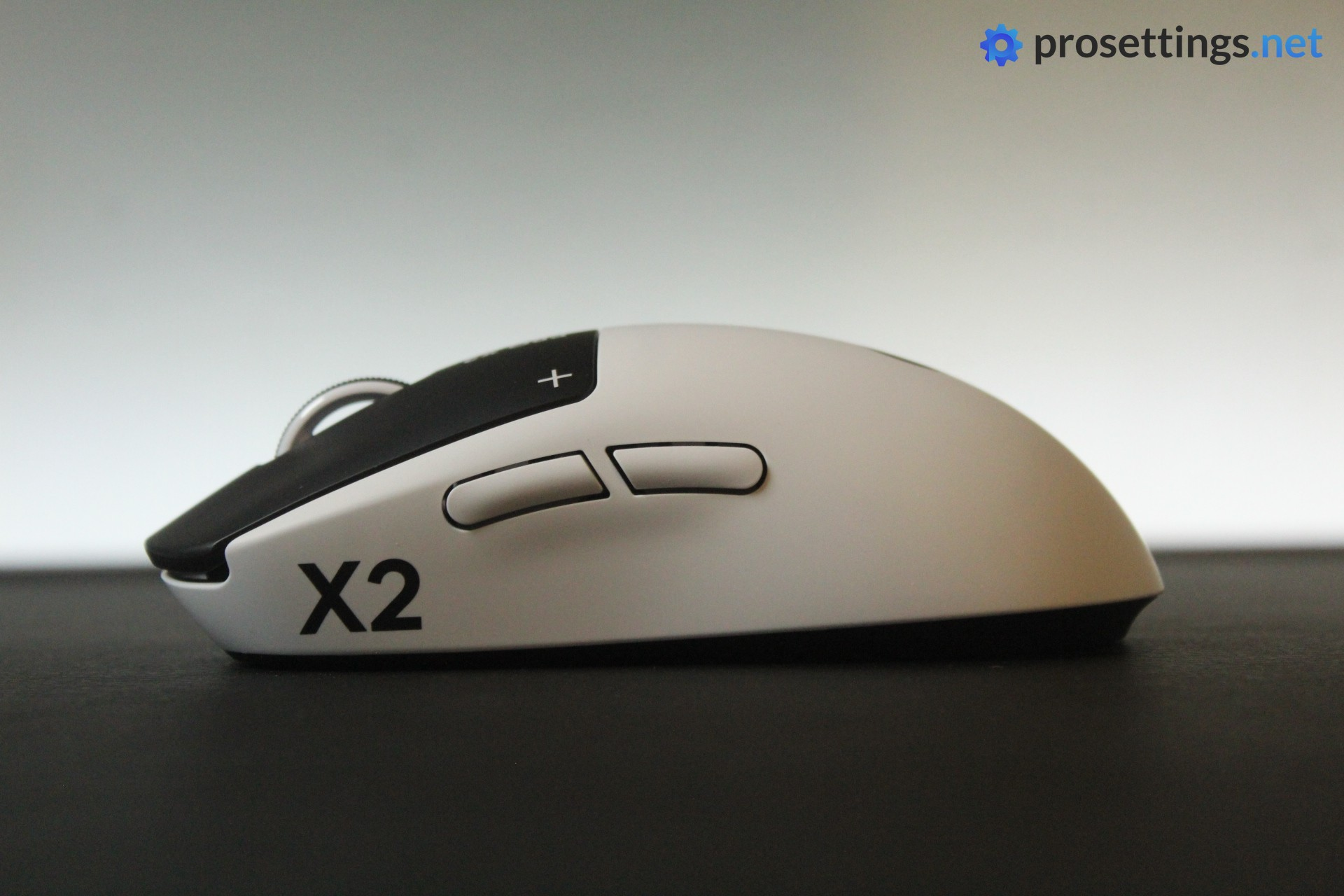
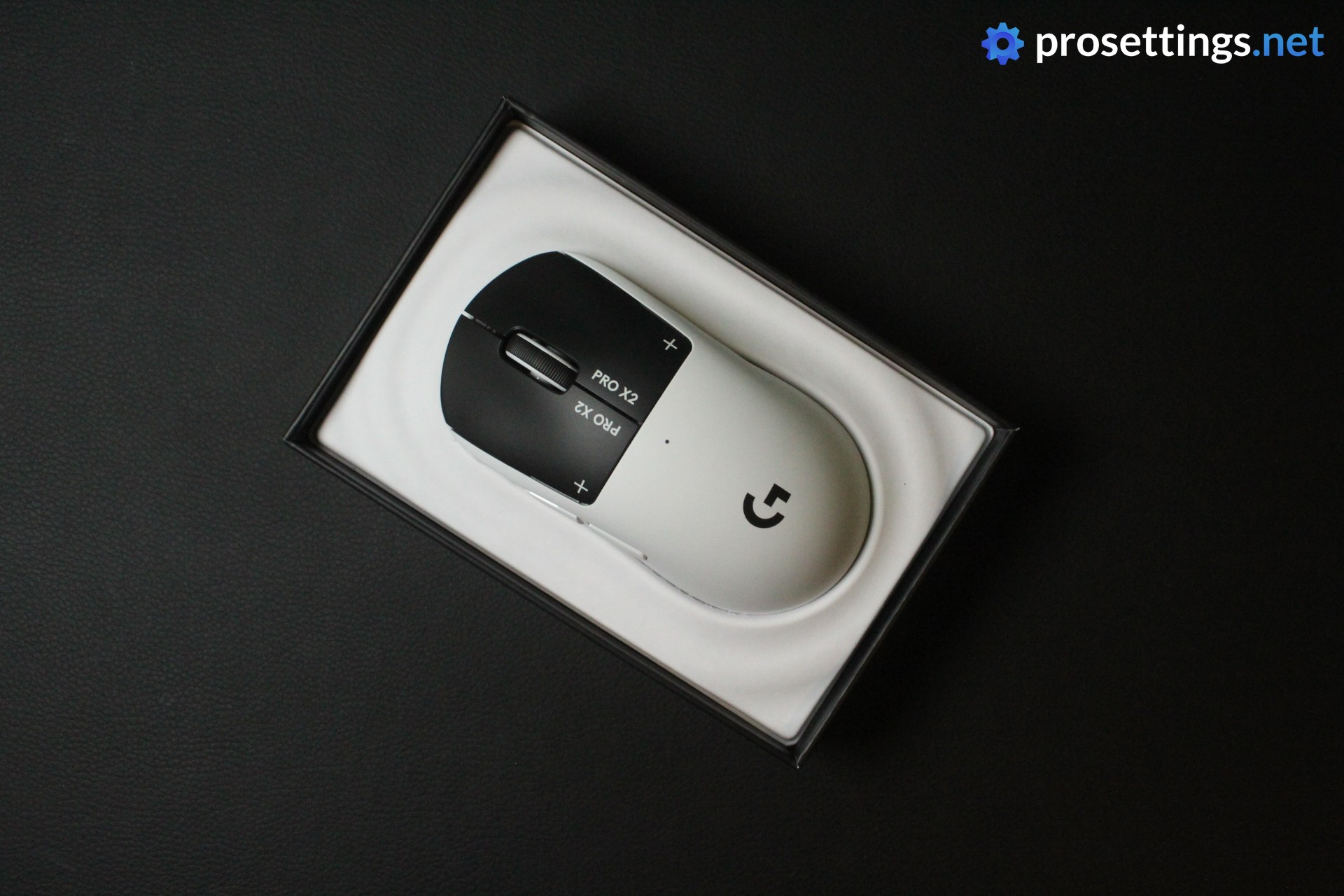
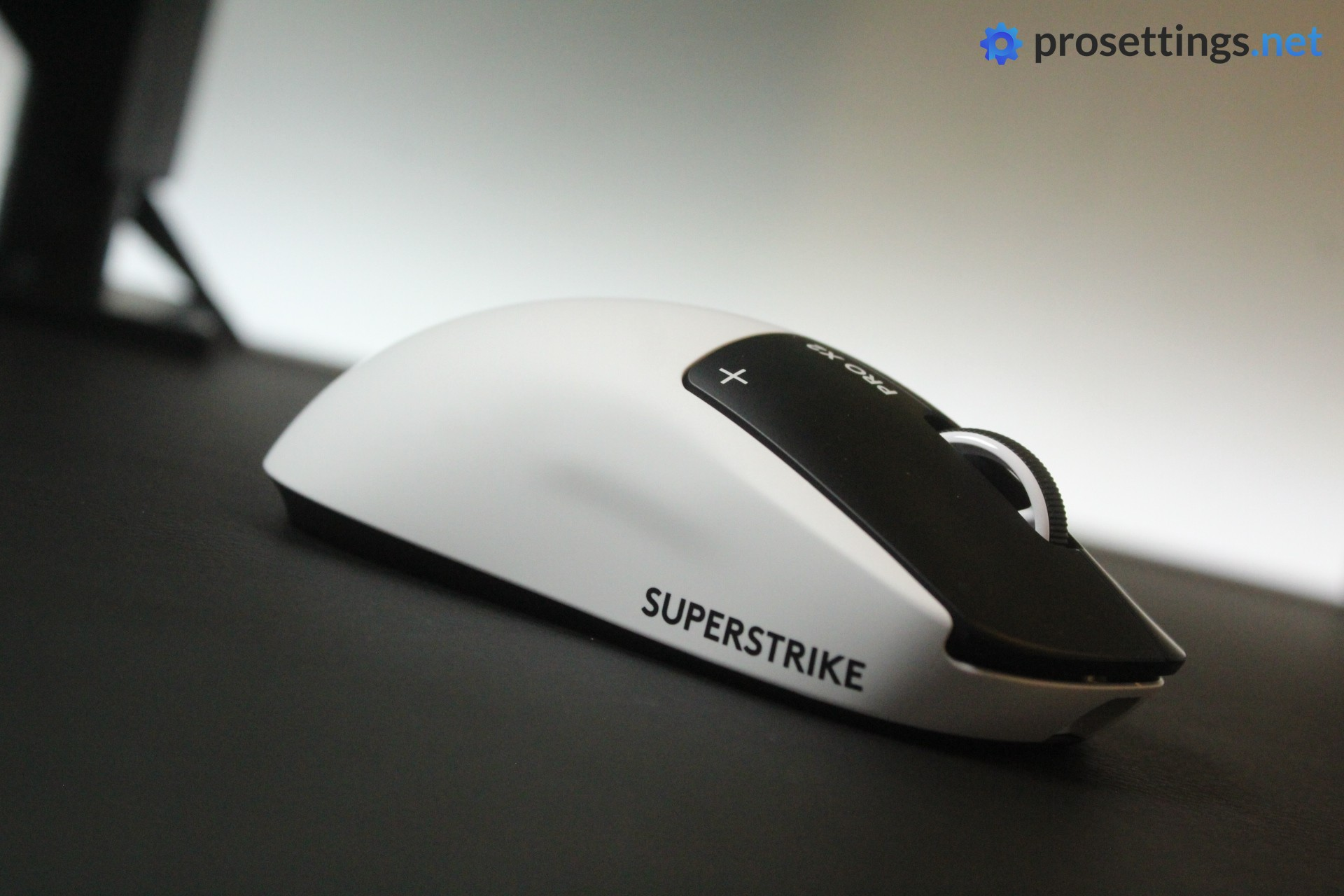
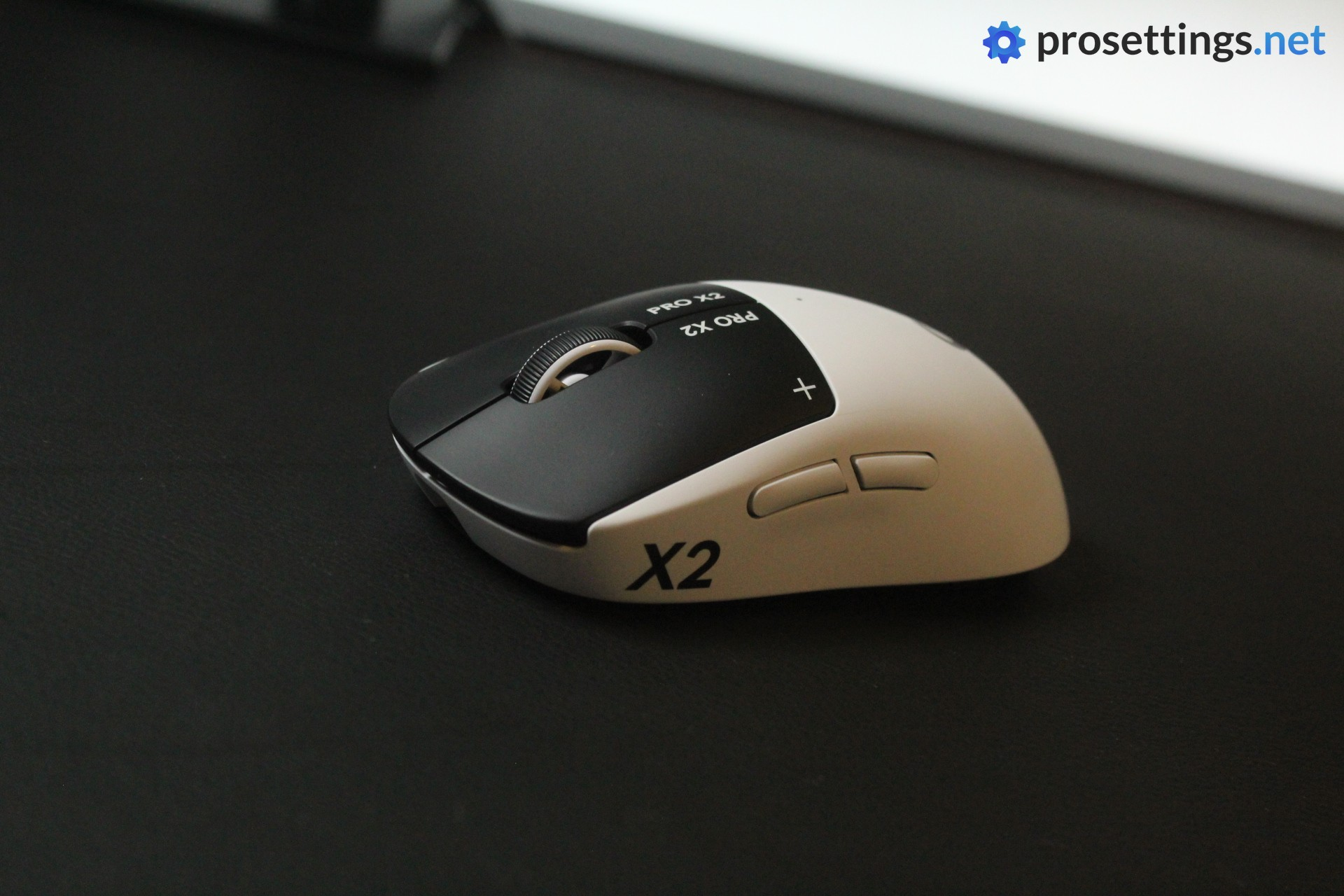
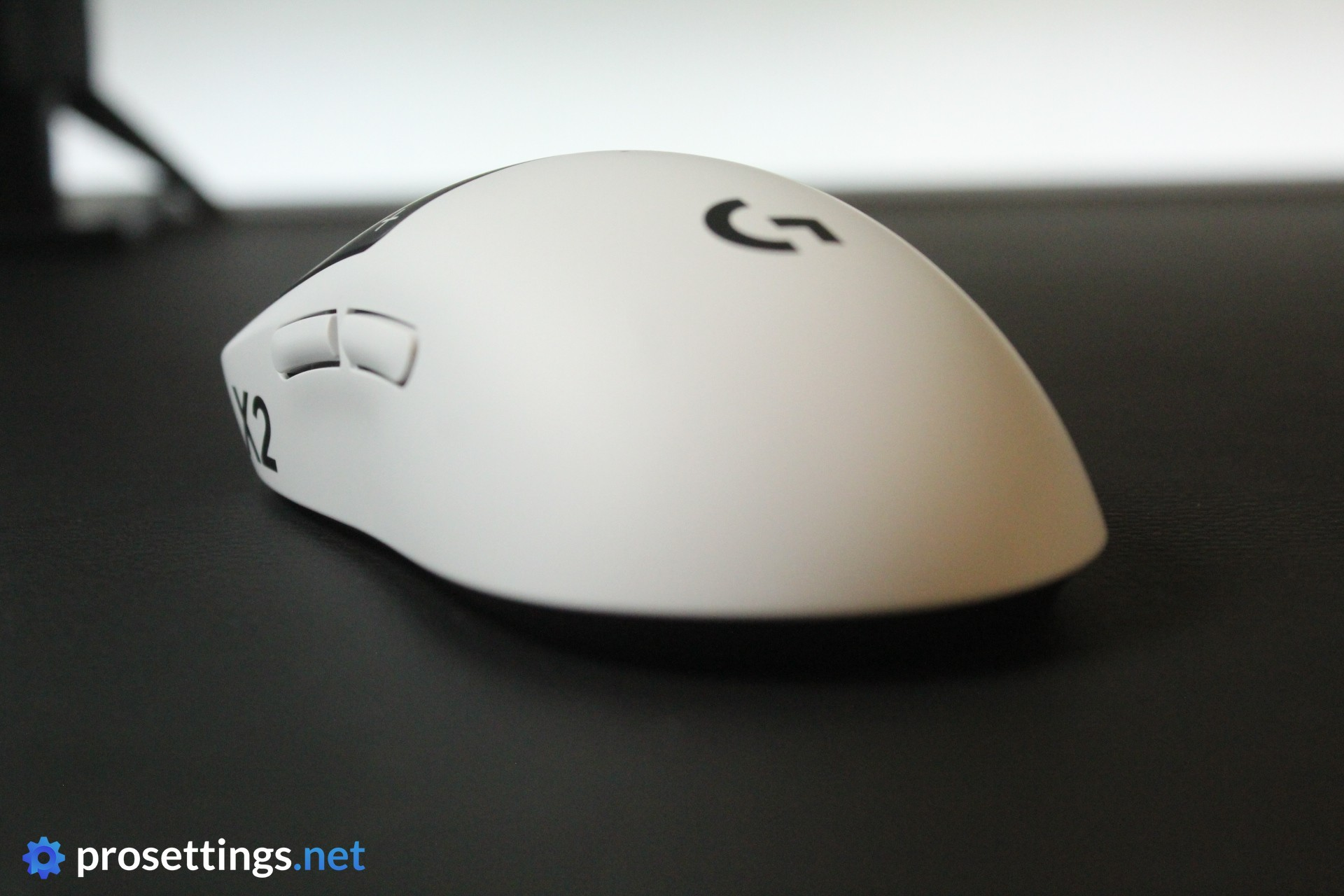
Whereas previous Logitech G flagship mice looked quite restrained on release, the SUPERSTRIKE is a bit more styled. The mouse itself is white, with a large ‘X2’ on the left side and ‘SUPERSTRIKE’ on the right side. There’s also the Logitech G logo at the back. The buttons are black, with two ‘+’ and ‘PRO X2’ decals on either side.
I like this look. It’s a little different without being overly flashy or gaudy. And it also reminds me of one of my favorite skin lines in CS2, the .
Aside from the looks, nothing has changed about the mouse shell itself. It’s still the exact same design as the Superlights and the G Pro Wireless.
One thing has changed compared to the most recent mainline release in the Pro line, and that’s the feet. The Superlight 2c launched with different and, to many, improved PTFE feet but those have now been replaced by the UHMWPE feet that feel very similar to what we got on earlier Logitech G releases. More on that later on in the review.

Shape, Coating, and Mouse Feet
Shape
My hand size is 18×10.5cm and I use a claw grip.
If you’ve been a bit of a serious gamer over the past decade, you’ll probably know all about this shape. The SUPERSTRIKE uses the exact same shape that Logitech G’s flagship mice have been using for many years now, and that’s for a reason. It’s still by far the most used shape (if you count all models) in pro gaming, so Logitech G would be silly to change this winning recipe.
What you’re getting here is a design that is extremely safe. It’s often (lovingly) referred to as a potato due to its lack of deep curves. The hump is situated towards the middle and feels very gradual. The middle indentations are quite shallow, and the same can be said for the back flare. There’s some minor overhang near the front to help with picking the mouse up and some extremely subtle comfort grooves on the main buttons, but that is pretty much it.
What this results in is a mouse that feels very ‘standard’. No matter what your grip is, you’ll be able to find a way to hold this mouse in a comfortable and reliable way. That’s a strength, but also a weakness to some.
If you’re someone who likes a bit of curvature or you’re looking for a shape that’s a bit more specialized to handle your specific grip style, then this absolutely won’t be it. It’s basically the most neutral and safe shape on the market today.
Coating
As far as I can tell, the coating hasn’t changed. To me, that’s fine, as I quite like it. It handles sweat and finger oils quite adequately, and it feels grippy under all circumstances, no matter how dry or moist my hands are.
The coating itself feels ever-so-slightly rubberized rather than textured. It does so without feeling overly chalky, which is another plus for me since I dislike chalky coatings.
In short: the coating feels and performs great.
Mouse Feet
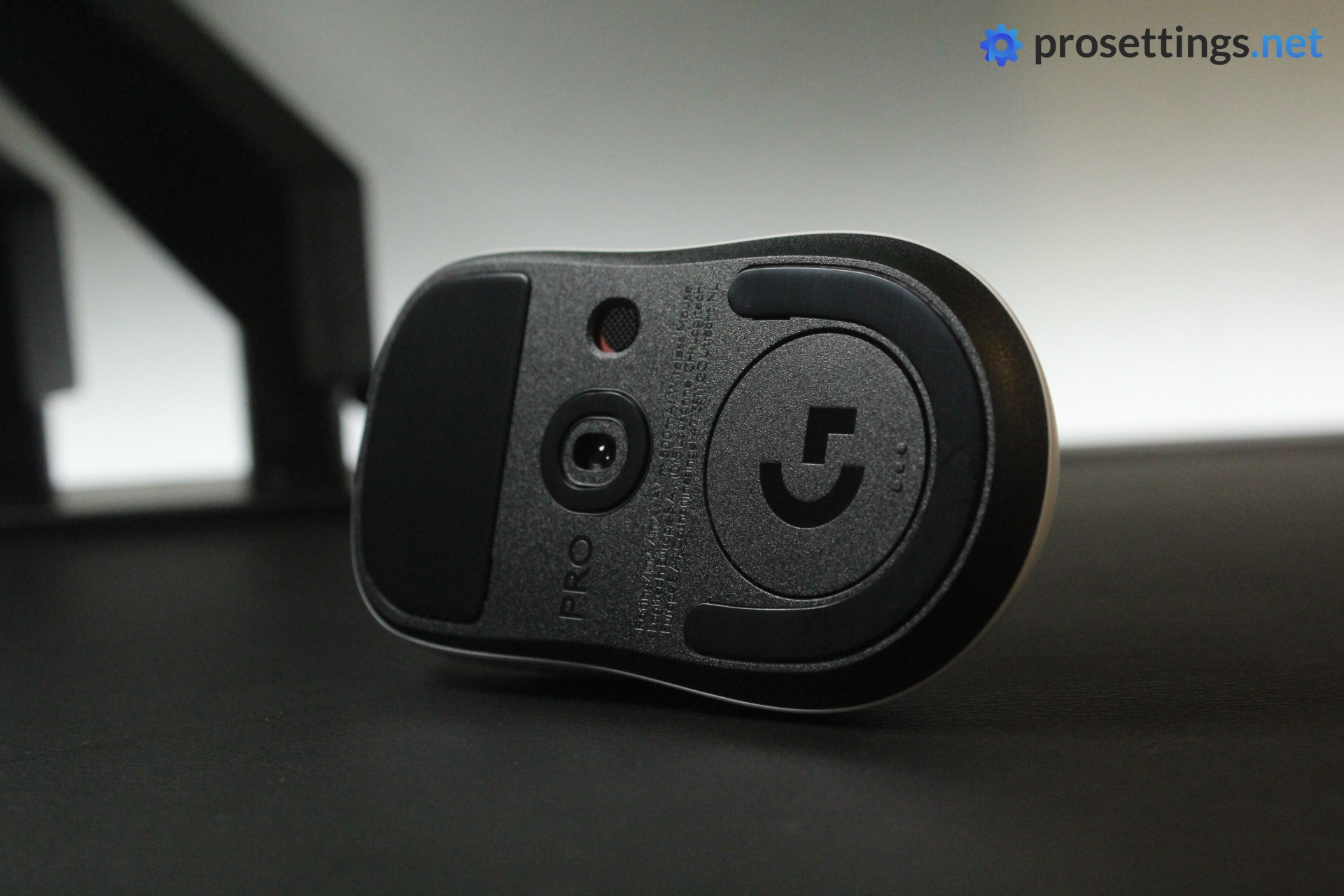
When I first unboxed the Logitech G Pro X2 SUPERSTRIKE and took the stickers off of the feet, I had to do a double take. Gone are the almost universally lauded feet that we saw on the recent Superlight 2c release; in are these black UHMWPE feet.
Pretty much every review I read online mentioned that the Superlight 2c’s feet were superior to the other Logitech G feet (and I agreed on that, even writing ‘I’d encourage Logitech to also place these skates on their larger models‘) so this is a really puzzling move to me. It was so puzzling that I reached out to Logitech about it, and they said that these feet offer greater durability and a lighter weight, allowing for longer-lasting performance over time.
If it was a question of durability, I would much rather have seen an extra pair of those improved Superlight 2c feet instead of these. Because even if I don’t have as many issues with these feet as some other people in the community, it’s quite clear that they’re not great, especially not in this day and age. They’re not completely horrible for me, but they do feel more scratchy than I’d expect from a mouse at this price point.
In terms of glide, they’re quite slow. For me, that’s okay because I like a more controlling setup, but if you’re someone who likes slick and/or faster skates, you will absolutely want to look at aftermarket options.
Recommended Grip Types
The Logitech G Pro X2 SUPERSTRIKE can work for all grip types. Do note that it’s not a super small mouse, so it might not work as a fingertip mouse for people with smaller hands.
Another thing to note is that the mouse is front-heavy. So if you have a fingertip grip style where you grab the mouse towards the back, you may want to take note of that as well.
Buttons and Scroll Wheel
HITS
As you probably know by now, Logitech G has debuted its Haptic Inductive Trigger System with the Pro X2 SUPERSTRIKE. This means that you’re getting a fully customizable click, with an adjustable actuation point and adjustable haptic feedback.
This, to me, is a revolution. For starters, it allows for faster response times. In my testing, I saw the following:
- 8-9% improvement in response times in purely reflex-based scenarios (Human Benchmark)
- 5-6% improvement in response times in reflex-based scenarios that also required mouse movement (Aimlabs Detection scenario)
- 6-8% increase in clicks per second with Rapid Trigger (clicking normally)
- ~20% increase in clicks per second with Rapid Trigger (using butterfly clicking and jitter clicking)
Whether or not those are significant numbers is up to you to decide, because that will also depend on your main game and all of that.
But even ignoring the raw performance, I see the HITS system as an absolute win. Being able to dial in the precise actuation and feedback feeling of your clicks is huge. It allows for next-level personalization, where in tactical shooters you might use heavier clicks with an even heavier right click to avoid accidental scope-ins, whereas in MOBAs you could use super light clicks with Rapid Trigger enabled.
Additionally, I’ve reviewed a good number of mice where I liked pretty much everything aside from the weight of the clicks, so if HITS becomes a common thing, issues like that would also be a thing of the past.
If you want a (much) more in-depth report on how the HITS system fared for me, you can check out my dedicated article on my experience with it, but suffice it to say that I am a huge fan.
Buttons
Having fancy new tech underneath your buttons is all well and good, but if your buttons don’t feel good, it’s all for nothing. Luckily, the buttons on my unit feel great. I can’t really talk about pre- and post-travel (as this is something you can dial in yourself) but there is no side movement or switch grinding when pressing down on a button.
If you’re considering trying out this mouse, you should note that the HITS clicks feel very different from any other gaming mouse clicks. You can dial in the haptic feedback yourself, but at all levels you’re getting a short vibrating sensation that feels like a Macbook trackpad or something you get from a Steam Deck. For me, this feels good. But I’ve never been very particular about how a switch feels in isolation, though. If you’re someone who places a great deal of importance on how crispy and tactile a switch feels, the feeling of these HITS switches might be a problem for you.
Lastly, I do have to say that I was surprised by how consistent and natural this all feels. Yes, it’s very different from a traditional switch, but it doesn’t feel gimmicky or overly rumbly. The haptic feedback is short, precise, and non-distracting. I really like how the team has implemented this.
Scroll Wheel
The scroll wheel hasn’t changed compared to older models. It’s a middle-of-the-road type of wheel in terms of tensioning. It has a textured rubber strip running across its length to help with grip, and this works well.
I experienced no missed or accidental steps. The tension required to press the wheel also feels good to me.
It’s a good but unremarkable scroll wheel.
Side Buttons
The side buttons on my unit feel okay. There’s a not too much post travel or pivoting (where the button can travel inside the shell if you press it near the edge) but they feel noticeably less tactile and solid than what you’re getting on today’s top mice. This feeling is exacerbated due to the fact that they have quite a bit of pre-travel.
They’re not outright bad to me, but this is definitely an area that Logitech G can still improve on. These might have been fine when the Superlight released, but in this day and age I’d expect better from a flagship-priced mouse.
Build Quality
Tapping or shaking the Logitech G Pro X2 Superlight does not reveal any noise. The side of the shell is quite flexible compared to other recent mice of similar weight, however.
On my unit, that’s not a problem. I could not get anything to actuate or creak when applying pressure (normal amounts as well as targeted amounts). I also could not get the shell to meaningfully flex when using the mouse normally (on a mousepad while working or playing games) so all is well on this front. If you have an extremely strong grip, or you’re sensitive to this kind of thing, you may want to check your mouse before committing to using it, though. If the flex is a bit more present on certain units, I can imagine this being an issue for some, as it tends to flex right where I put my thumb.
With that said, I can only review what’s in front of me, and the build quality on my unit is good.
Sensor and Everyday Performance
Sensor
Under the hood, you will find Logitech G’s HERO 2 sensor. This has been around for years now and has been used by hundreds of pro gamers on the biggest stages in the world with no issues. It’s a flawless sensor that’s backed by Logitech G’s flawless LIGHTSPEED tech and goes up to 8000Hz without any problems.
In my testing, I encountered no reliability issues, nor any latency or tracking issues.
Weight
Weight has always been a point of contention in the gaming mouse scene. There are those who are convinced that any mouse above 50 grams isn’t worth your time as a serious player, but I don’t agree with that. Neither do most pros, for that matter.
I’ve spoken to many brands and pros over the course of my career, and it’s quite clear that there’s a range of weight that pros like their mice to be in. This SUPERSTRIKE is definitely in the upper range of that, but I absolutely wouldn’t call it ‘heavy’.
Obviously, if you know you love extremely lightweight mice and/or you’re used to featherweight mice, this might not sit well with you. But if you’re someone who doesn’t necessarily have a preference and you’re sitting on the fence due to the weight, I would tell you to not worry. Yes, the SUPERSTRIKE doesn’t break any weight records, but ~60 grams is absolutely fine for the vast majority of people. The weight won’t be holding you back.
One thing to note is that the weight balance is somewhat off here. When I grab the mouse in the middle, it immediately tilts forward. That’s because the HITS system is quite a bit heavier than traditional switches. With my grip style, this off-center balance doesn’t bother me, but if you have a grip style that relies on a mouse being either balanced or back-heavy (like most unbalanced mice are) then this is something you should take into account.
Configuring the Mouse
If you want to configure anything on the mouse, you’ll need Logitech G HUB. I’m not a huge fan of this program, as it ‘assumes’ too many things. When using G HUB, I often find that the DPI of my mouse changes at (seemingly) random moments, for example. I don’t want all of that, I just want to set one DPI value and be done with it. I also find saving things to the onboard memory to be needlessly convoluted and complicated. So G HUB is not my favorite driver program at all.
Everything you need is there in the software, though. You can adjust the actuation point, haptic feedback, DPI, and so on. You can also record macros and rebind buttons.
For me, web drivers are the way forward, so I really hope Logitech G is close to releasing one for their products.
Battery Life
The SUPERSTRIKE is rated at 90 hours on Logitech’s website, but that’s (like with all brands) in the very best conditions. If you go for a higher polling rate and/or more robust haptic settings, the battery will drain faster.
The battery life is quite impressive though, as far as I can tell. With a polling rate of 4000Hz and haptics set to 2-3, I easily got multiple days out of it. That contains working as well as some gaming after hours each day.
Alternatives
Considering the fact that the Logitech G Pro X2 SUPERSTRIKE is the first mouse in the world with HITS, there are no direct alternatives. There, quite simply, isn’t anything on the market right now that matches the feeling and performance of the SUPERSTRIKE.
If you don’t care about the HITS system, you can always go for the Superlight 2, which is essentially the same mouse without the trigger system.
Conclusion
The Logitech G Pro X2 SUPERSTRIKE represents a major leap in gaming mouse technology, if you ask me. It also represents a major leap in gaming mouse prices, as this one drives up the ‘standard’ flagship price of $149.99 by another $20. I know that new technology costs money, and I know about inflation and all of that, but to me these price rises are becoming a bit hard to stomach. It’s starting to make these flagship gaming mice inaccessible to a lot of people, and that wasn’t the case just a couple of years ago. I do hope that the ceiling has now been reached.
With that out of the way, I have to say that I am extremely impressed by the SUPERSTRIKE. With its HITS system, it’s pretty much setting a new benchmark for other manufacturers. To me, these switches are vastly superior to anything else that’s out there right now. And that’s not only because of the performance benefits. It’s also because being able to finely tune how a mouse feels is quite simply amazing and extremely useful. It represents a new era of customization, and I wouldn’t be surprised if other manufacturers are already figuring out how to implement the tech in their own products.
As for the actual mouse, there isn’t much to say that hasn’t been said already. The SUPERSTRIKE uses the exact same shell as the Superlight and the G Pro Wireless before that. It’s an extremely safe, tried-and-tested shape that will suit the vast majority of users.
As with any product, there are downsides. The feet aren’t up to par, the side buttons feel a bit mushy, and the side flexes a tiny bit in certain scenarios. But none of these issues are present enough (on my unit) to form a real problem.
Whether this mouse is worth its price tag is up to the reader to decide. But the SUPERSTRIKE is without a doubt one of the most innovative mice of the past decade.
This product was received for free from the manufacturer and given to our reviewer to test and review. Brands and manufacturers have no editorial control over our reviews. For more information, check out our review FAQ.
Former semi-pro gamer turned writer, product reviewer, and community manager.

