Introduction
Stripped down, lightweight ambidextrous mice are ‘the meta’ right now in the competitive gaming scene. But that does not mean that every gamer wants the same. There has always been, and always will be, a market for more full-featured mice with extra buttons and (usually) a thumb ledge. Corsair’s latest release is a new take on that familiar type of mouse. With Virtual Stream Deck integration and today’s latest in terms of mouse tech, this should be a true hit. In our full Corsair Nightsword v2 Wireless review, you’ll find out whether it is.
At A Glance
Corsair Nightsword v2 Wireless
Corsair set out to make an interesting gaming/productivity mouse hybrid, and that has worked out well.
Pros
- Virtual Stream Deck gives you a nearly endless amount of extra input options
- Great build quality
- Accessible shape
Cons
- Weight balance feels off to me
- Coating gets dirty easily
- Buttons sound and feel a bit hollow
Specs
| Sensor | Marksman S 33K |
|---|
| DPI | 100-33000, in steps of 50 |
|---|
| Polling Rate | 1000 / 2000 / 4000 / 8000 Hz |
|---|
| Button Switches | Optical Switches |
|---|
| Connection | Wireless |
|---|
| Shape | Ergonomic |
|---|
| Length | 13.0 |
|---|
| Height | 4.1 |
|---|
| Weight | 90 |
|---|
| Width | 7.8 |
|---|
First Impressions
Packaging
Inside the box of the Corsair Nightsword V2 Wireless, you will find:
- User documentation
- A USB receiver dongle
- A receiver extender
- A USB-C-to-USB-A charging cable
- The mouse itself
I know that this mouse is not made for ultra competitive gamers, and that more casual players are less likely to really care about their mouse feet, but it would’ve been nice to see replacement feet here. With an MSRP of $129.99, this is not exactly a budget mouse.
The Mouse
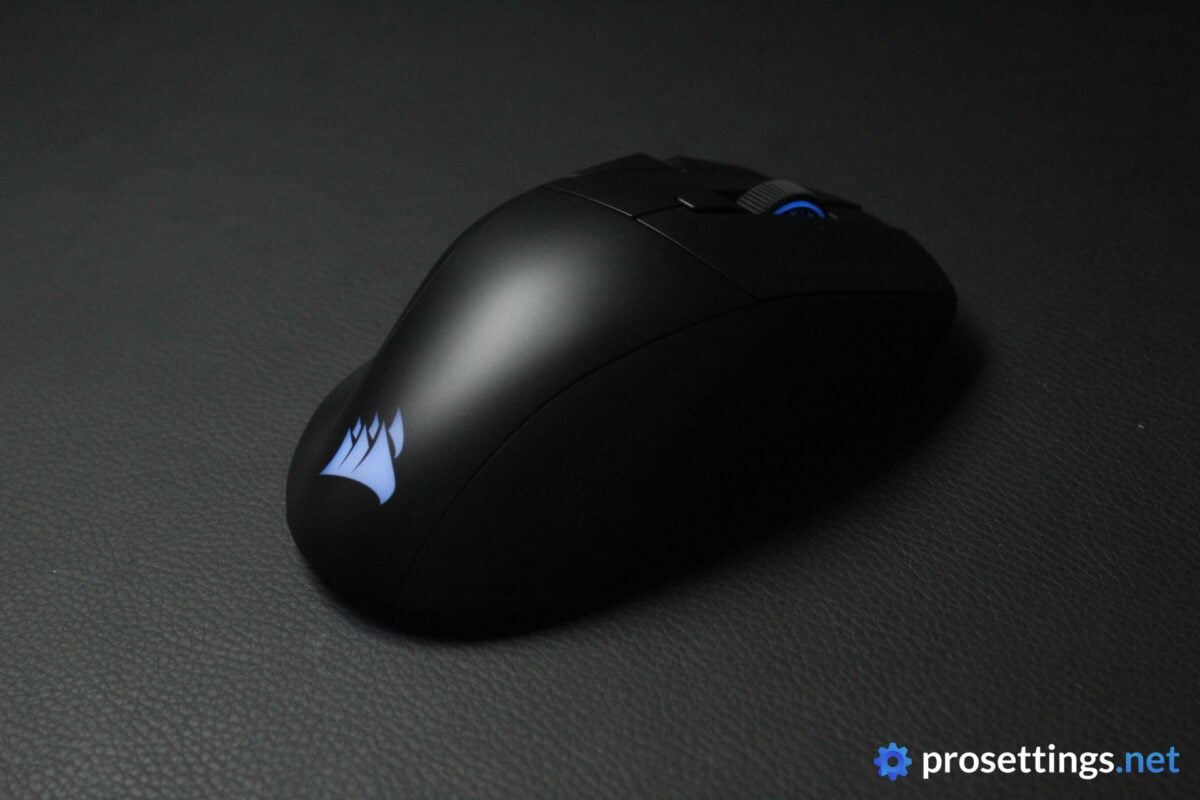
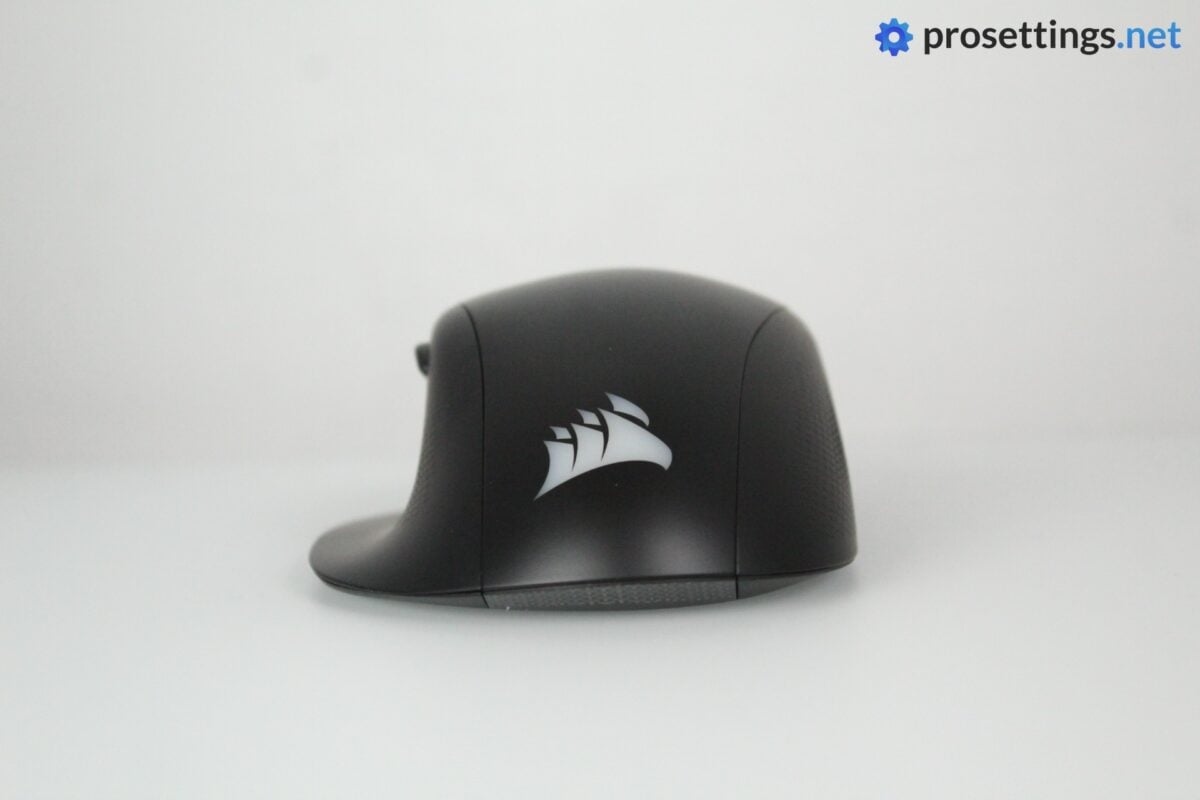
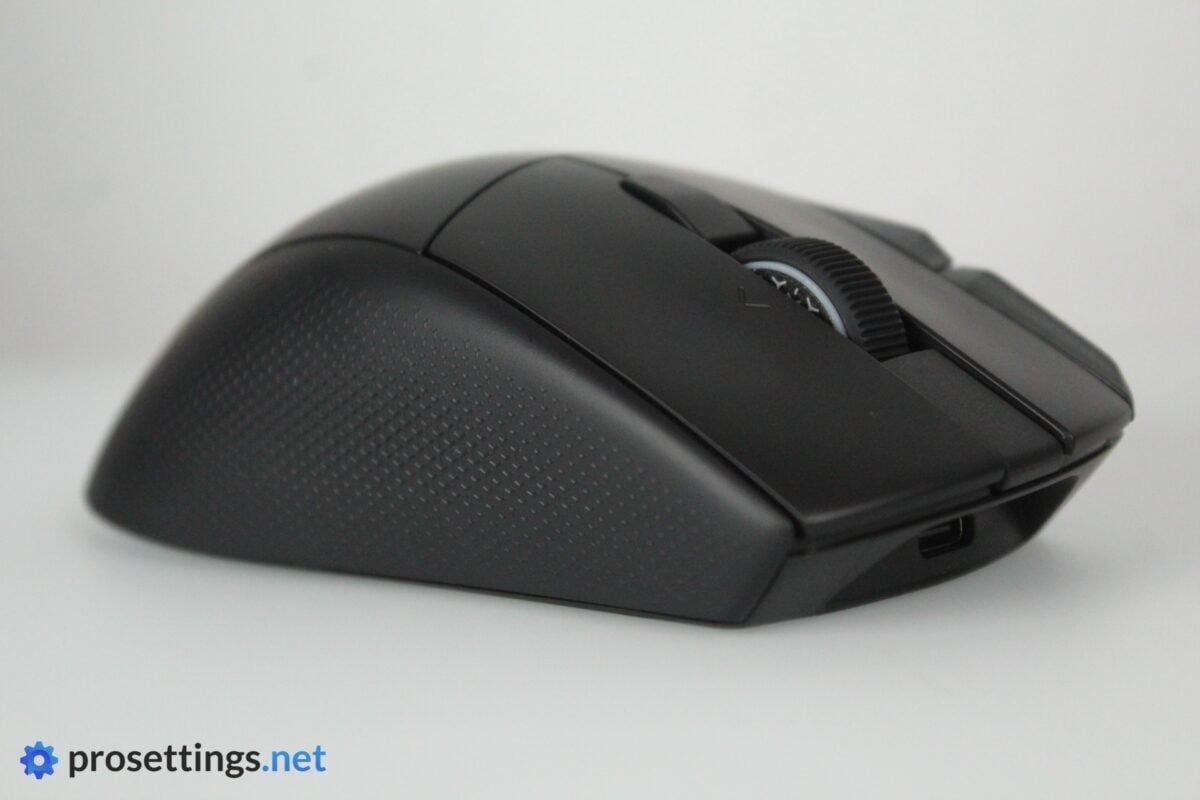
The Corsair Nightsword v2 Wireless is big and robust, has a ton of extra buttons, and even comes with a thumb ledge. This design style (which is similar to the Logitech G502 and Razer Basilisk) is quite popular in certain circles, but it’s obviously not ideal for sweaty competitive gaming sessions. The fact that this is not a competitive-focused mouse is also betrayed by the LED logo at the back, a feature that the vast majority of truly esports-focused mice did away with some years ago.
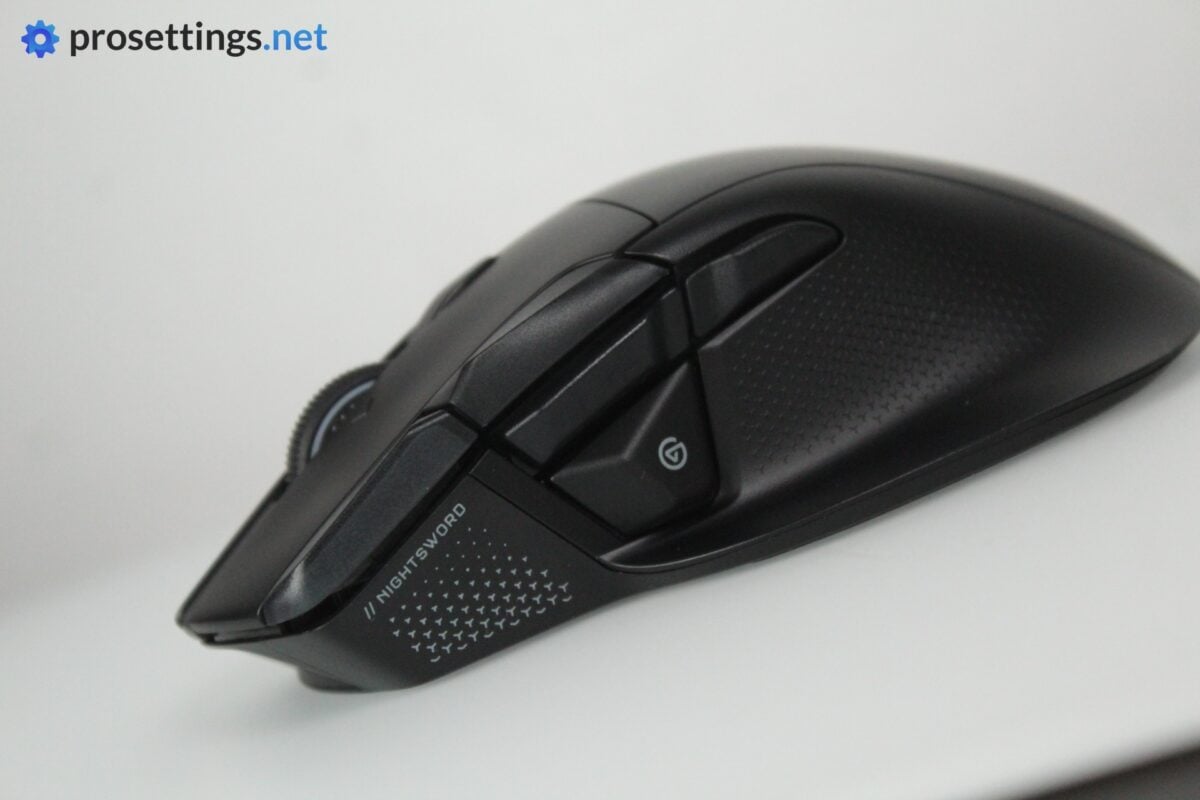
As far as buttons go, you get a lot. There’s one underneath the scroll wheel, there are two next to the left mouse button, and there’s an additional button right underneath the traditional mouse 5 button. Aside from that, you obviously also get the traditional two side buttons like you find on pretty much all gaming mice.
One final thing that’s quite noticeable at first is the weight. At 90 grams, this is way above current industry standards for competitive mice, but for this type of thumb-ledge, full-featured mouse, I’d say it’s actually surprisingly light. I’ll go deeper on the weight (balance) further down in the review, though.
Shape, Coating, and Mouse Feet
I have 18×10.5cm hands and use a claw grip.
Shape
Looking at the Nightsword v2 Wireless, you might expect it to be a super curvy affair, but it really isn’t. The actual mouse itself (minus the thumb ledge) is quite neutral, with a centralized hump that’s almost front-focused, and a very gradual slope at the back. The sides do have some curvature to them, but compared to traditional ergonomic mice, they are quite flat. The mouse tilt is also rather limited, with a minor tilt that starts halfway across the main buttons.
This results in a mouse that almost feels like an ambidextrous mouse, with a thumb ledge tacked on to it. It’s a strange experience at first, but that’s only because of the fact that similar mice have a more curved design. Once you’re used to this neutral form factor, it’s actually quite the comfy mouse. The fact that it doesn’t force your hand to hold it in a certain way means that there are a lot of different grip types and finger positions you can use.
One thing to note: despite the more neutral shape design, it’s still not a very nimble mouse. It’s large, and has a thumb ledge, so it’s absolutely not going to be the mouse for you if you’re looking for something that disappears in your hands.
Coating
I’m not in love with the coating. It shows fingerprints and finger oils quite easily, and the top section also isn’t very grippy. Luckily, the main grip sections (the sides) have textured ‘crosses’ to them, which helps a lot with the grip. These textured crosses trap dead skin and other small debris quite easily, though, so the mouse starts looking dirty rather quickly due to the combination of the grips trapping skin and the top showing fingerprints.
In terms of performance, the coating is quite okay (thanks to the textured sides) so I can’t complain too much, but there’s work to be done here in terms of the overall feel and cleanliness.
Mouse Feet
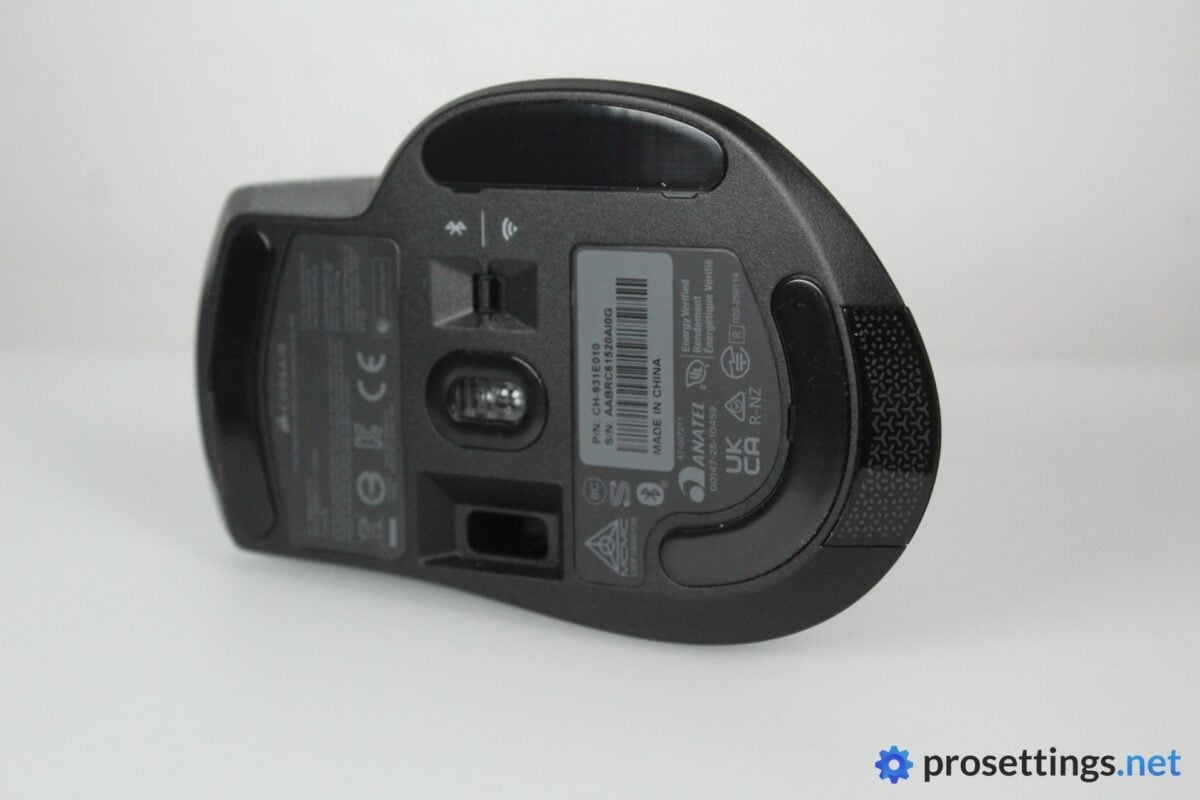
The mouse feet are decent, but they have some scratchiness to them. I can kind of forgive that since this is a mouse that’s aimed towards more casual usage scenarios, but if you prefer that ultra-smooth sweep of top-tier mouse skates, you won’t be loving these. With that said, the vast majority of gamers probably won’t have any issues here. They’re not distractingly scratchy; they’re just not as smooth as some recent top-tier mouse skates out there.
To dust off an old meme, I’d say these are not great, not terrible.
Recommended Grip Types
Due to the more neutral shape, the Nightsword V2 Wireless can be used by a wider range of grip types than other mice of this kind. But it’s still a mouse with a thumb ledge, so I wouldn’t call this a safe shape.
Palm grippers will probably really like this shape, and it’s also possible to claw grip it, so long as you grip your mice in a way where your thumb would not feel hindered by the thumb ledge. Fingertip gripping is something I wouldn’t recommend with this shape.
Naturally, though, all of the above is just a guideline. If you fingertip grip and you know that you’ll love a shape like this, go for it by all means.
Buttons and Scroll Wheel
Buttons
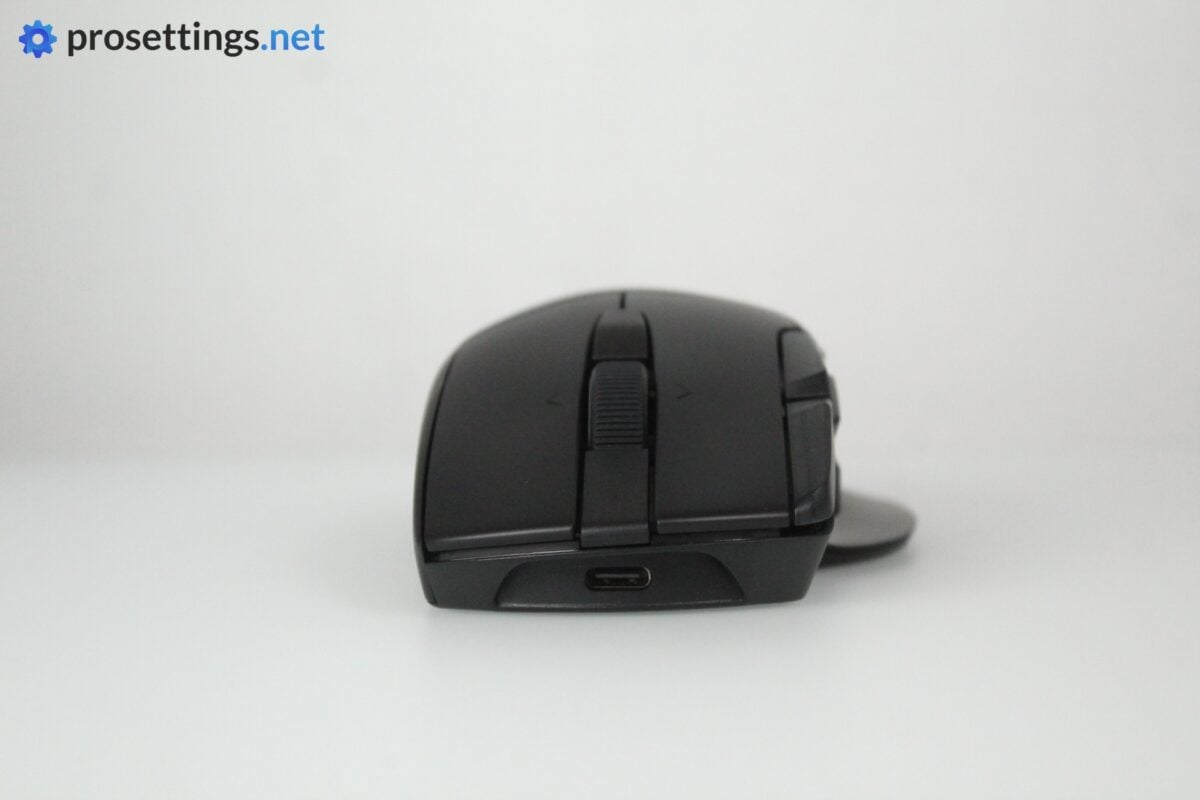
The main buttons have optical switches underneath them. That’s not something that Corsair usually includes in their mice, so it’s nice to see the brand going with the times and implementing optical switches.
In terms of click feeling, there’s something to be desired, though. Both main clicks feel quite hollow, which is a feeling that’s accentuated by the rather ’empty’ sound that they make when actuated. Once you have a headset on, these things don’t bother you, but on a purely objective level, these main buttons are some ways behind the competition right now in terms of feel.
Luckily, the buttons are implemented fantastically, and that’s by far the most important part to me. Pre- and post-travel are dialed in nicely, and there’s no switch grinding or sideways movement when holding the buttons.
In a nutshell: the buttons are serviceable, but they remind me of early-gen optical mice. There are better implementations on the market in this day and age, and if you’re sensitive about the sound/feeling of the actual switches, these might not float your boat.
Side Buttons
The side buttons feel quite good. They actuate with a pleasing click and there’s very limited post-travel. They’re also easy to distinguish due to the very large gap between them. No complaints from me on this front.
What I will say is that the mouse 5 button sits directly above the Stream Deck button. I don’t know if this is user error or if there’s a learning curve involved for everyone, but I did fat-finger that Stream Deck button quite a few times during my first hours of usage. This is something you may want to take note of if you’re immediately going to be using the mouse for important matches or something like that.
Extra Buttons (and Stream Deck Button)
The defining feature of the Corsair Nightsword v2 Wireless is the array of extra buttons that you get. There are four extra buttons in total, but you can also tilt the scroll wheel to the left and right, which gives you six extra input options. All buttons are well-placed and feel fine to use on my unit.
Needless to say, these inputs can be extremely handy. Being able to bind so many actions to your mouse gives you a lot more options in-game. Input-dense games like MMOs can be a lot easier to handle with a mouse like this, for example. But it doesn’t end there: for productivity, a mouse like this is a blessing, too. Binding work-related shortcuts to the extra buttons can save you tons of hours over time.
But the biggest win here is the Virtual Stream Deck button. Pressing that opens up a world of nearly endless possibilities, and as a long-time user of a physical Stream Deck, I can only sing this software’s praises. You can bind incredibly powerful macros and actions to your Stream Deck profile that go far beyond what other productivity-focused mice can do. It’s also super easy to set up and install; you’ll have a customized product that’s tailored to your specific gameplay or workflow in no time.
Obviously, the Stream Deck button won’t be a big benefit to people who only play tac shooters (which require little to no extra inputs) but if you’re looking for the maximum amount of extra control that you can get at your fingertips, the Virtual Stream Deck products are a dream come true.
Scroll Wheel
The scroll wheel is on the stiffer side, but it performs well. Individual steps are easily distinguishable, and I did not encounter any accidental scrolls while trying to click it and vice-versa. It’s also very grippy due to the heavily textured rubber ring that’s used.
As an added bonus, it’s also very quiet. That’s a big win for a mouse that’s positioning itself as a gaming/productivity mouse hybrid, as it means you won’t annoy your housemates or coworkers when scrolling through documents or websites.
Build Quality and Weight
In terms of build quality, the Corsair Nightsword v2 Wireless excels. Usually with these types of mice, you can hear all sorts of rattling when you shake the mouse, but that’s really not the case on my unit. The shell itself also feels very good; there’s no flexing or bending when I apply pressure at various points.
Then, there’s the weight. I can already predict that some people will laugh this mouse away due to the 90 gram weight, but I don’t mind it. If this were a small, esports-focused mouse, I’d say that it’s way too heavy, but this is a big, full-featured mouse with a bunch of bells and whistles. The weight, to me, feels totally appropriate. And let’s not forget that there are gamers out there who don’t like super lightweight mice to begin with.
So for me, the weight is no issue. The weight balance, however, kind of is. I grip the mouse with my thumb placed right before the Elgato button (with the tip of my thumb touching it) and my ring finger near the front on the right side, and when I pick the mouse up with a slightly looser grip, it tilts back. Perhaps other users won’t have as big an issue with this as I do, but I find the weight balance to be off.
Sensor and Everyday Performance
Sensor
The Corsair Marksman S sensor is a proven player at this point in time. It can go up to 8000Hz (like you’d expect from modern gaming mice) and, in general, performs fine. In terms of latency and responsiveness, I couldn’t detect any issues during my testing period, so you can expect the same kind of performance from the Nightsword v2 as you can expect from other top-tier gaming mice.
One thing I will say is that I noticed some polling rate instability at higher settings (4000+ Hz) but this did not translate to any in-game issues.
I say this in pretty much every review, but modern gaming sensors have been flawless for many years now. Unless a sensor is particularly poorly-implemented, most gamers will not notice any differences between individual sensors.
Configuring The Mouse
Corsair’s Web Hub is what you need to configure this mouse. Simply visit a webpage and you’re good to go. In Web Hub, you can do all the regular things like adjust the DPI, create macros, rebind buttons, and so on. There are people who don’t like the fact that Corsair seems to be phasing out iCUE (their older, downloadable driver program) but I am team web driver all the way, so for me this is completely fine.
One thing to note is that you’ll need to download the Stream Deck software to use the Virtual Stream Deck button. That’s a bit of a shame since this mouse, as such, isn’t a totally web-based mouse, but given how powerful Virtual Stream Deck is, I also realize that there’s no way to really put all of that functionality inside a web driver.
Battery Life
With the LED turned off, Corsair’s marketing says you can expect up to 170 hours of battery life with the 2.4GHz dongle. Obviously, that’s at 1000Hz, but that’s a pretty impressive number regardless. Turn up the polling rate, and that battery life drops quite substantially, as is the case with all other high-polling rate mice.
I did not do any super precise testing with the battery, but I was quite happy with the duration of a single charge, even at 4000Hz.
Alternatives
Most other big brands make a similar type of mouse, but I haven’t tested any of these in a long time, so I can’t give you a fully backed opinion on them. One thing that should be noted is that no alternative will have access to Virtual Stream Deck. And that, to me, is a very interesting factor. Virtual Stream Deck is by far the most powerful macro/utility tool I’ve personally tested, so if you’re looking for a thumb-ledge mouse with the highest amount of personalization possible, I’d say it’s this one.
Conclusion
Corsair set out to make an interesting gaming/productivity mouse hybrid, and that has worked out well. If you’re a hardcore competitive gamer, this is absolutely not the product for you, but not every gaming mouse has to serve the same audience.
The Corsair Nightsword v2 Wireless is a great, but not perfect mouse that’ll be an ideal fit for more casual gamers who want a mouse with a virtually limitless number of extra input options and/or for people who want their mouse to also serve as a productivity powerhouse.
There are some flaws, but I think that the intended audience will be able to overlook those.
This product was received for free from the manufacturer and given to our reviewer to test and review. Brands and manufacturers have no editorial control over our reviews. For more information, check out our review FAQ.
Former semi-pro gamer turned writer, product reviewer, and community manager.

