Introduction
Analog keyboards are the (new) standard in the pro scene, so as a consequence they’re also popping up in many brand lineups. Sadly, analog gaming keyboards do usually cost a pretty penny, so when a big brand releases an affordable option, our heads naturally turn. Corsair’s latest promises top-tier gaming performance at a budget-friendly price, and in our full Corsair Clipper Pro Mini 60 review, you’ll find out whether it’s a good option.
At A Glance
Corsair Clipper Pro Mini 60
Corsair is asking way less than what most other big brands are asking for their analog boards, but they are delivering an experience that, in a lot of ways, feels very similar.
Pros
- Very affordable
- Good gaming performances
- Good typing sound and experience for the price
Cons
- Feels quite cheap
- Keycaps aren’t the best
Specs
| Form Factor | 60% |
|---|
| Switches | MGX Hyperdrive Core |
|---|
| PCB | Non-Hotswappable |
|---|
| RGB | Yes |
|---|
| Height | 3.6 |
|---|
| Width | 29.4 |
|---|
| Length | 10.3 |
|---|
| Weight | 414 |
|---|
First Impressions
Keyboard
To me, one of the most noteworthy aspects of the Clipper Pro Mini 60 has nothing to do with the board itself, but rather the price. With an MSRP of $99.99, this is one of the cheapest analog keyboards I’ve personally seen. I know that there are even more affordable options out there, but those are from (relatively) unknown brands. The fact that a big brand like Corsair is selling a full-featured 60% analog board at this price is quite impressive.
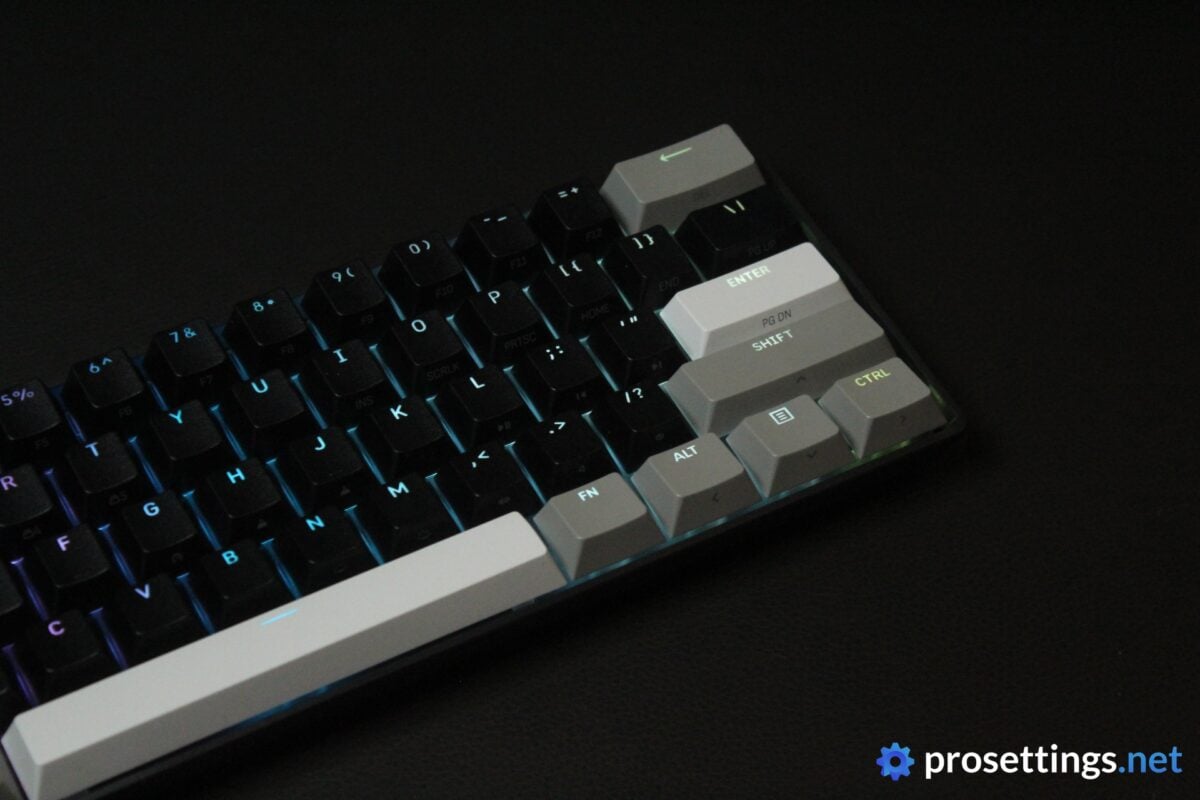
On to the keyboard itself, then, and there’s not much to say there. This is a basic, plastic 60% board that weighs surprisingly little. The only immediately eye-catching feature are the keycaps. Rather than the usual full-black affair, these consist of varying shades of grey and black, giving the keyboard a rather unique, custom-built look.
RGB
The RGB is quite basic. The keycaps let through a decent amount of light, but there aren’t any special features or design elements to make the board pop more. Everything also flows smoothly and reliably; I saw no bugs or flickering lights during my testing.
Packaging
Inside the box of the Corsair Clipper Pro Mini 60, you will find:
- The keyboard itself
- User documentation
- A USB-C-to-USB-A cable
That’s pretty basic, but at this price I can live with that. In the world of analog gaming keyboards, this is a budget product, so one shouldn’t expect a ton of bells and whistles.
Features and Build Quality
Materials and Design
As I mentioned, the Clipper Pro Mini 60 is an all-plastic keyboard. It’s also incredibly light. Additionally, the case flexes quite easily, especially when you press it near the middle. All of those factors combined make for a board that feels a bit ‘cheap’ when using it.
Of course, that’s quite logical. At these prices, you shouldn’t expect a super premium aluminum case, for example. But I do wonder if the board wouldn’t feel a bit better if they went for a slightly thicker case.
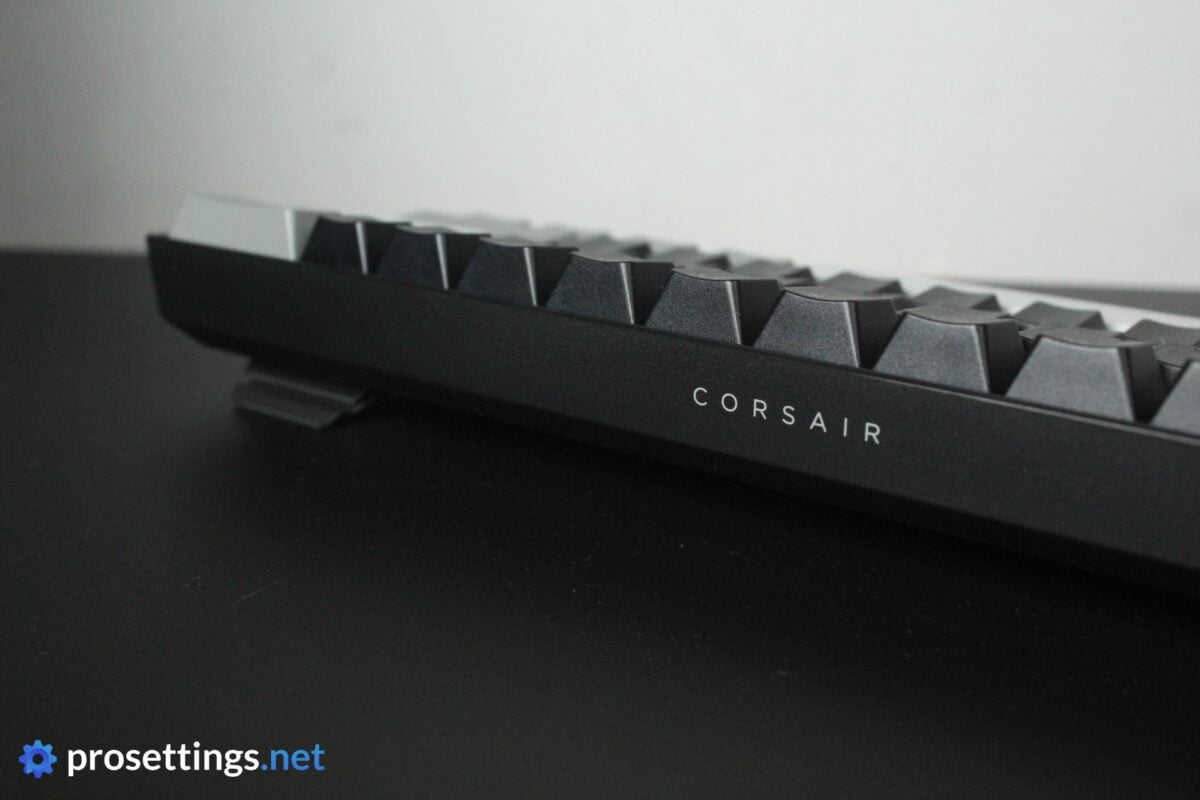
Aside from the plastic feeling, I do have to say that I like the board. The case is quite low, and the switches are recessed in said case, giving you a typing sensation that’s quite flat and close-to-the-surface, almost like a mix between a low-profile keyboard and a regular one. I like this feeling, and it feels quite ergonomic to me.
The case itself is very basic. There’s some minimal branding on the sides and back, but other than that it’s just a plain black, plastic case. This makes for a board that’s sleek, subtle, and very compact.
One last interesting feature is the IP57 waterproof rating. For me personally, that’s of no consequence, but I know two or three friends who have ruined a keyboard by accidentally spilling liquid, so this might be great news to some people. In any case, it does add to the overall durability of the board, which is cool to see.
Keycaps
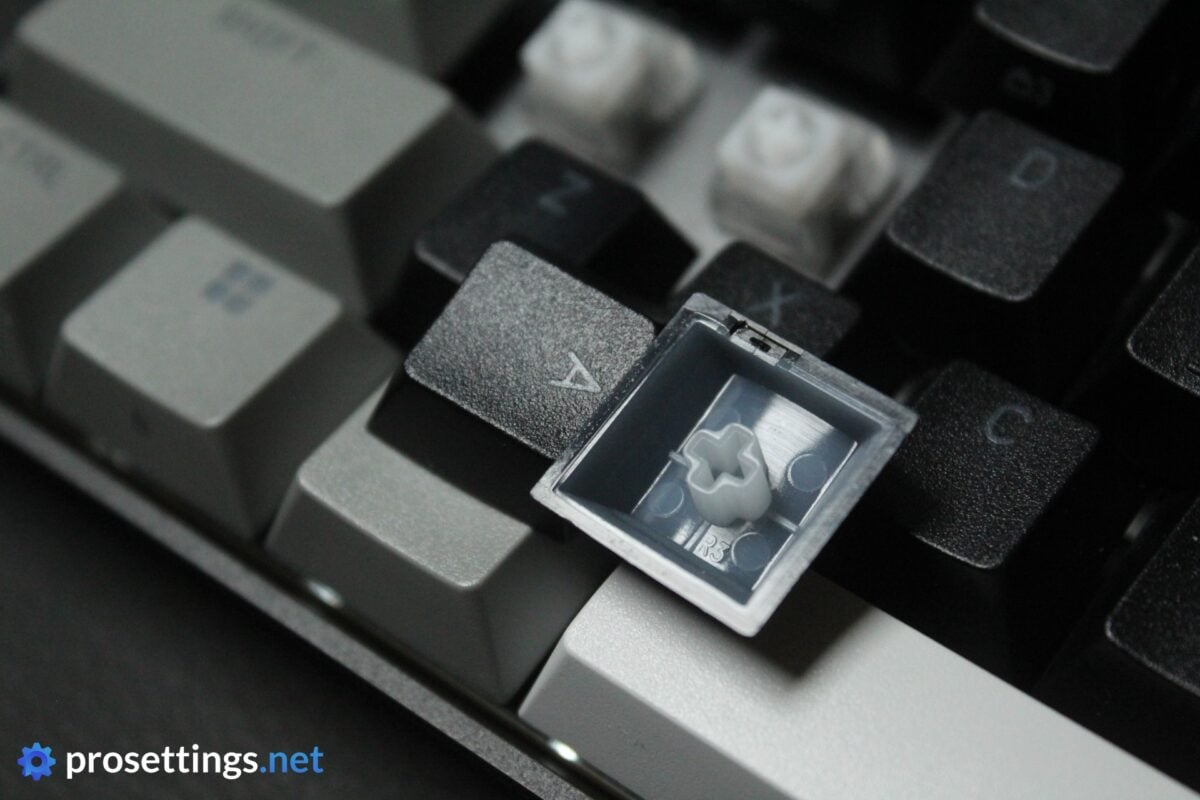
The double-shot PBT keycaps that come on the board feel okay. They’re slightly thin and not as well-finished or consistent as keycaps that you might find on more expensive keyboards, but these are not things you will notice when using the board normally, unless you have lots of experience with keycaps.
The font isn’t exactly my favorite, but I do appreciate the fact that Corsair has put the legends for the FN layer buttons on the front of the caps. This drastically lowers the learning curve associated with using a 60% keyboard.
The texturing feels fine. It feels a bit more ‘shallow’ than what you’d perhaps expect when looking at photos, but all in all I can’t say that I have any huge problems with this set of keycaps. The caps match the budget-first idea behind the keyboard.
Customization
Customization can be done via Corsair’s WEB HUB. Here, you can change key bindings, create macros, and change the RGB. You can also configure features such as Rapid Trigger or Tap Lock (where a first key press ‘locks’ an action, and a second press stops the action). Obviously, you can also change the actuation level.
What’s noticeable here is that it’s all quite in-depth. Sure, the Rapid Trigger range isn’t as wide as on some competing products (it goes from 0.2mm to 3.8mm) but you do get to configure press/release sensitivities for RT, and you have a host of other features related to analog switches as well. You can even bind up to four different actions to one single key, which is quite impressive.
Everything works quite well, though the Corsair WEB HUB isn’t the fastest program of its kind I’ve seen. If you change between tabs, it always takes a while to load, for example. I also had the program reset on me once during testing. This is nothing more than a minor annoyance, and WEB HUB is perfectly usable in its current state, but it is an indication that some polishing might be required over the next couple of months.
Switches
Corsair has been using their own MGX HyperDrive analog switches for quite some time now, and you’ll find a variation of those in this board.
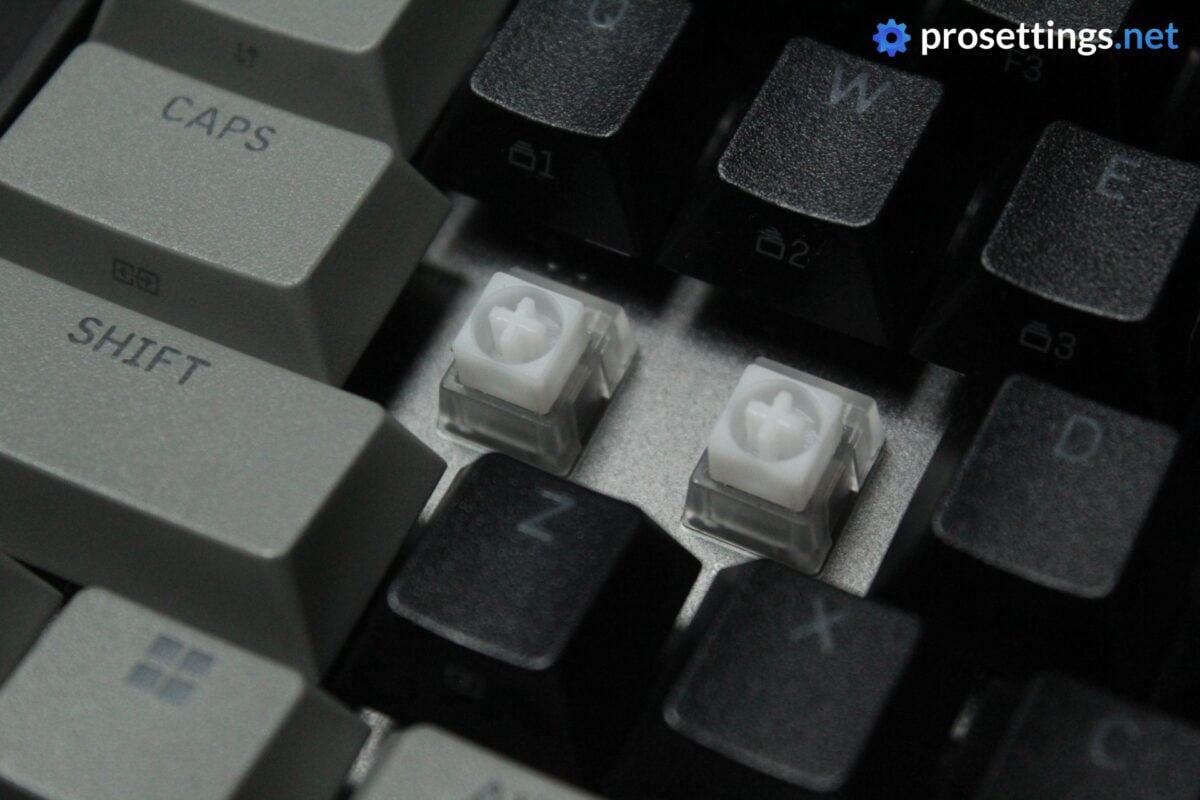
The Hyperdrive Core switches feel slightly grittier than the regular Hyperdrive switches I tried from Corsair before. They’re not as smooth, at least not on this unit, and that’s something that you do notice.
With that said; they feel okay to me. They have a pleasant tensioning to them and they’re not annoyingly gritty or anything. They’re also very much a middle-of-the-road type of switch, so I think most people will be perfectly happy using these for gaming and working.
As a bonus, the large stem prevents pretty much all instances of button wobbling, which is a nice extra.
One thing to note: this board isn’t hotswappable, like most modern gaming keyboards. That a consequence of its water- and dustproofing, so there’s a reasonable tradeoff, but it can be good to know.
Typing and Gaming Experience
Gaming Experience
As I mentioned earlier in the review, Corsair has managed to pack a lot of performance into this board. Standard features like Rapid Trigger have multiple customization options, and there are a lot of extra features present that are meant to enhance your gameplay.
And indeed, if you’re coming from a regular mechanical keyboard, you will absolutely notice a difference. There’s a reason boards like these have become the standard in the professional gaming scene, and the Corsair Clipper Pro Mini 60 can stand next to today’s top performers on most fronts.
Boards like the Wootings of this world have a slightly wider customization range, for example, and you might notice some other small differences here and there, meaning that they’re technically/objectively ‘better’, but in terms of real-life performance, this is a great board for all types of games.
Certainly in terms of price-vs-performance, you can’t really go wrong with this one.

Typing Experience
When I saw that this was a board priced at the budget end of the spectrum, I feared that it might be a big miss in terms of the typing feel and sound. After all, that’s where most brands make compromises when it comes to gaming keyboards.
To my huge surprise, this board actually sounds better than boards that cost double the price. The case is designed to absorb pings and other unwanted sounds, and the addition of various plastic and rubber sheets inside and under the PCB assembly make for a keyboard that sounds, for the price, absolutely amazing.
Everything from the stabilizers and switch sounds to the acoustic treatment of the case; this board punches way above its weight class in terms of the typing experience. It’s not as good as some of today’s top boards (like the recently reviewed MelGeek Made68 Ultra V2) but then again: those boards cost more than double the price of this one.
Sound Test
Alternatives
At this point, there are tons of 60% analog keyboards on the market. But the vast majority of those (from the more known brands, at least) situate themselves in a higher price bracket than this one. With an MSRP of $99.99, this is one of the most affordable keyboards of its kind. As such, I don’t really see any 1:1 alternatives that I have hands-on experience with, as the price is one of the keyboard’s defining features in my opinion.
If you’re curious about the user experience versus any other board that I have reviewed, feel free to ask away in the comments. I aim to answer every single comment.
Conclusion
For me personally, the Corsair Clipper Mini Pro came out of the blue, but it’s a very interesting release.
Corsair is asking way less than what most other big brands are asking for their analog boards, but they are delivering an experience that, in a lot of ways, feels very similar.
There are some compromises of course, but Corsair has made some clever decisions if you ask me. For example, rather than disregarding the typing experience entirely, they made a board that sounds better than what many big-brand competitors are asking for boards that go for twice as much. The performance in-game is also good, even though the gaming feature customization isn’t as deep as on some of today’s top offerings.
For me, the compromises are most obvious in the materials. The all-plastic case feels very thin, and that combined with keycaps that feel a little bit cheap and inconsistent makes for a board that definitely doesn’t have that ‘premium’ feeling when you first place it on your desk. But the typing sound, performance, and amount of tweaking you can do more than make up for this if you ask me.
If you’re looking for an analog gaming keyboard from one of the big brands and you don’t want to spend too much money, this is a fantastic choice.
This product was received for free from the manufacturer and given to our reviewer to test and review. Brands and manufacturers have no editorial control over our reviews. For more information, check out our review FAQ.
Former semi-pro gamer turned writer, product reviewer, and community manager.

