Introduction
The professional gaming scene is becoming more sophisticated by the day. As such, it’s not strange to see companies entering the furniture market in an attempt to convince gamers who want to upgrade their desk setup to join their ranks. Blacklyte is one such company. We’ve already reviewed one of their desks, and today we’re looking at the flagship model. In our full Blacklyte Atlas review, you’ll find out if this is worth the extra cash over the Lite version, and if it’s a good option in general.
At A Glance
Blacklyte Atlas
It has a number of quite unique features that set it apart from other offerings, and if those features are things you absolutely want in a gaming desk, then by all means go for this one. But if you’re looking for the best bang-for-your-buck sit-to-stand experience, you’re better off looking elsewhere.
Pros
- Very sturdily built
- Smooth, quiet height adjustment
- Minimal wobble at the higher settings
- Fantastic cable management tray
- Packaged nicely
Cons
- RGB lights may not appeal to everyone
- Desktop mat feels lower quality and doesn’t sit flush in some areas
- Height memory function was unreliable at times
- Accessory ecosystem is limited
- Very expensive
- Cable management tray and cover feel lower quality and the cover scratches easily
Unboxing and Assembly
Packaging
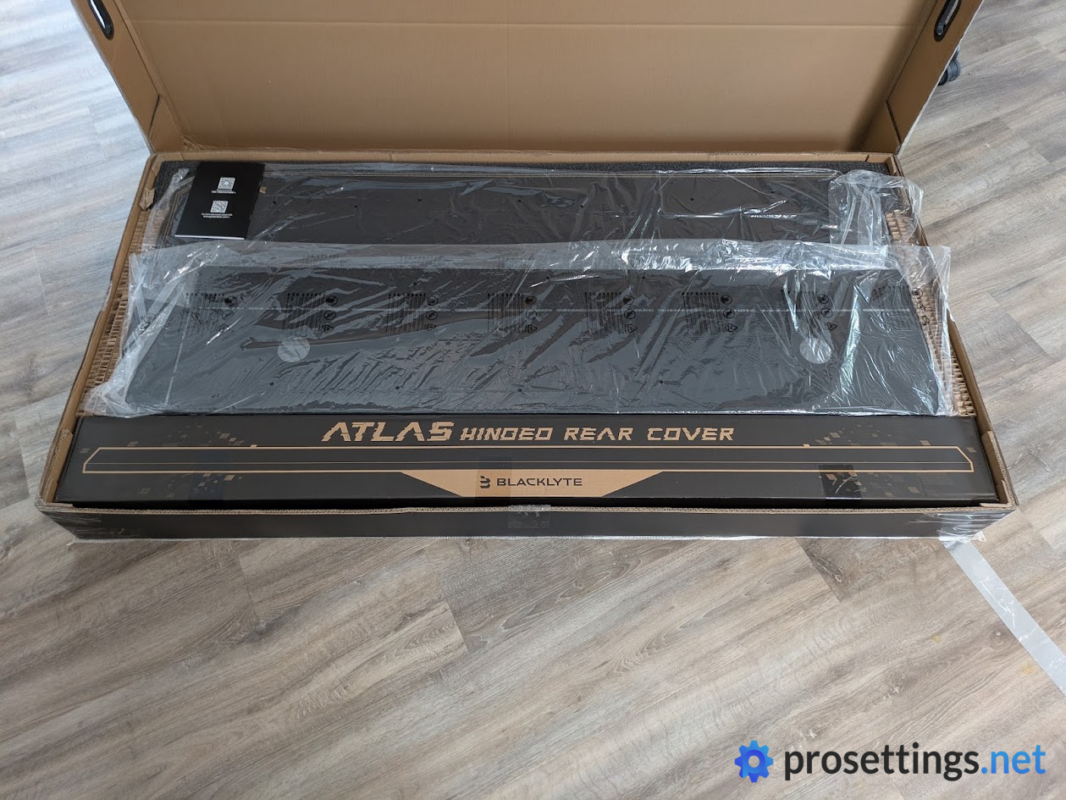
The first thing to note is that the packaging (this consists of multiple boxes) is extremely heavy. That’s to be expected with a big desk with a motor inside of it, but it’s good to know that you likely won’t be hauling this thing up several flights of stairs by yourself. In general, it’s a good idea to have someone present when you’re moving/building the desk.
The packaging itself is nice. All of the individual parts are thoroughly protected with cardboard, and there was absolutely no transit damage to be seen when I unboxed the desk. It’s not the absolute most premium unboxing experience I’ve ever experienced, but it does the job perfectly.
Furthermore, you’ll also find all the tools that you need right there in the box, along with ample extra screws. So even if you manage to lose some screws (we’ve all been there) you should be able to put this thing together without additional tools or worries.
Assembly
The assembly instructions are rather clear, but the included hex screwdriver isn’t of the best quality, and didn’t 100% fit on some of the screws, which made the assembly process a bit more fiddly than it could’ve been.
Beyond that, assembly was quite easy and straightforward. This was also largely down to some smart QoL ideas that Blacklyte had. The legs, for example, attach via a ‘snap to secure’ system, meaning that you don’t have to hold these heavy components in position while you’re trying to attach screws.
There were quite a few of these magnetic/snap-on sections during the assembly process, and they really made the whole ordeal a lot easier, so kudos to the engineers for coming up with this.
As I said, though: it’s extremely handy to have a friend present when you’re building this desk. It’s very heavy, and while you can technically rotate the desk yourself, you will risk damaging either your floors or the desk itself in the process.
The Desk Itself
Style and Finish
Contrary to the Lite version, the flagship Atlas only comes in one size. The desk measures 70 cm deep overall, but roughly 10 cm at the rear is occupied by the cable-management cover, leaving around 60 cm of conventional work surface. You can absolutely put stuff on the cable management cover, but it’s good to know that the actual desktop itself is around 60cm deep.
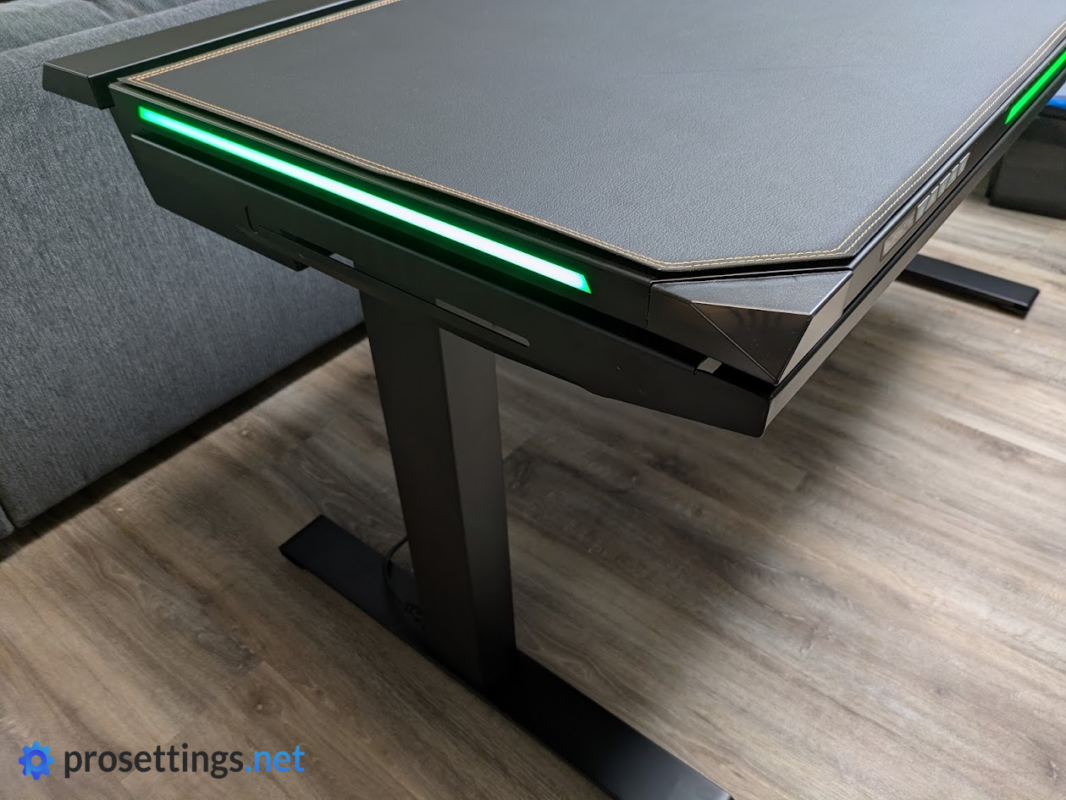
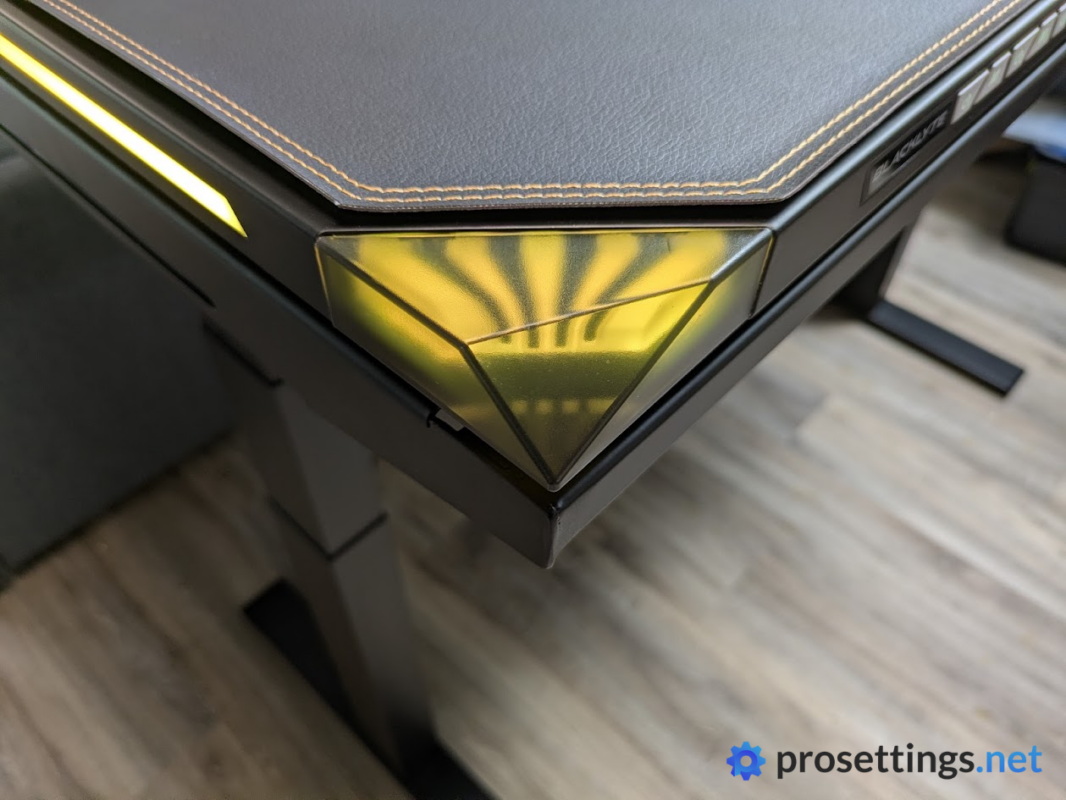
The Blacklyte Atlas definitely isn’t a subtle desk. With its matte black finish (you can only get one finish) and built-in RGB strips, it’s on the ‘louder’ side as far as the overall design goes.
Personally, I don’t love these RGB elements. To me, they would make more sense at the back of the desk (to create a nice diffused effect when the desk is up against a wall). But that’s obviously a personal preference thing. A friend of mine, for example, really loves the look.
The RGB elements look nice and work well. They can be controlled via the on-board panel for basic functions, or you can download a driver program to let the lights respond to what’s on your monitor, or set lighting schedules and the like. This program works quite well most of the time. It can be difficult to navigate at first though, and I also noticed some small bugs during my testing.
Finishing in general is quite good, with one exception: the desktop surface and cable management tray. The tray, for example, is very thin and feels kind of cheap. The desktop surface also feels a bit underwhelming, as if it’s made from a lower-quality type of metal than the rest of the desk.
Luckily, these things don’t matter that much. The cable management tray is hidden underneath the desk, and the desktop gets covered by a full-size magnetically attaching faux leather desk mat. So while I wouldn’t call these things big issues, I would expect a little more from a desk at this price.
Height Adjustment
Obviously, one of the standout features of this desk is the fact that you can adjust its height. Being able to stand while working has a lot of benefits, so if you’re someone who spends hours behind their desk every single day, it’s worth considering the investment.
On the Blacklyte Atlas, the height adjustment goes smoothly. There are no hiccups or noises across the entire height range (72cm to 137cm) and the motors are quiet as well. The height also stays consistent; it’s level at all times, and there’s no sagging.
As with the majority of two-legged sit-to-stand desks, there’s some wobble at the highest levels. But with the Atlas, it’s very limited. I had no issues using this at the highest settings, and if you drop the desk down to sitting levels, it’s completely solid without any wobble.
In general, it works great as a sit-to-stand desk. There’s one quirk, however: the memory function sometimes seems to freak out. When I press a button to raise/lower the desk to a saved height, the desk starts to move, only to then return to the previous height. This can be ‘fixed’ by trying again a couple of times or by manually moving to the desired height, but it’s obviously not ideal. I did not have this issue with the Lite version that I reviewed (and am still using as my main desk), so this might be a problem that’s limited to this specific unit, but it’s obviously something I need to mention.
It’s also worth noting that there are only two savable height presets. That’s fine for most single-user setups, but if you’re sharing the desk with others, it can feel kind of limiting.
Build Quality
The materials used are thick and sturdy. As a whole, it feels like a very well-built desk that will last a long time. The desktop itself doesn’t sag or bend, which is a bonus. With an advertised max weight of 125kg, you can place even the heaviest of gaming setups on the desk without any issues.
This peace of mind is, in my opinion, worth the extra weight and ‘bulk’. I have used desks in the past where the desktop slightly bent under the weight of two monitors and a PC, and that doesn’t instill a lot of confidence. With the Blacklyte Atlas, I feel like I could lie next to the setup on the desk to take a nap and it would all be okay.
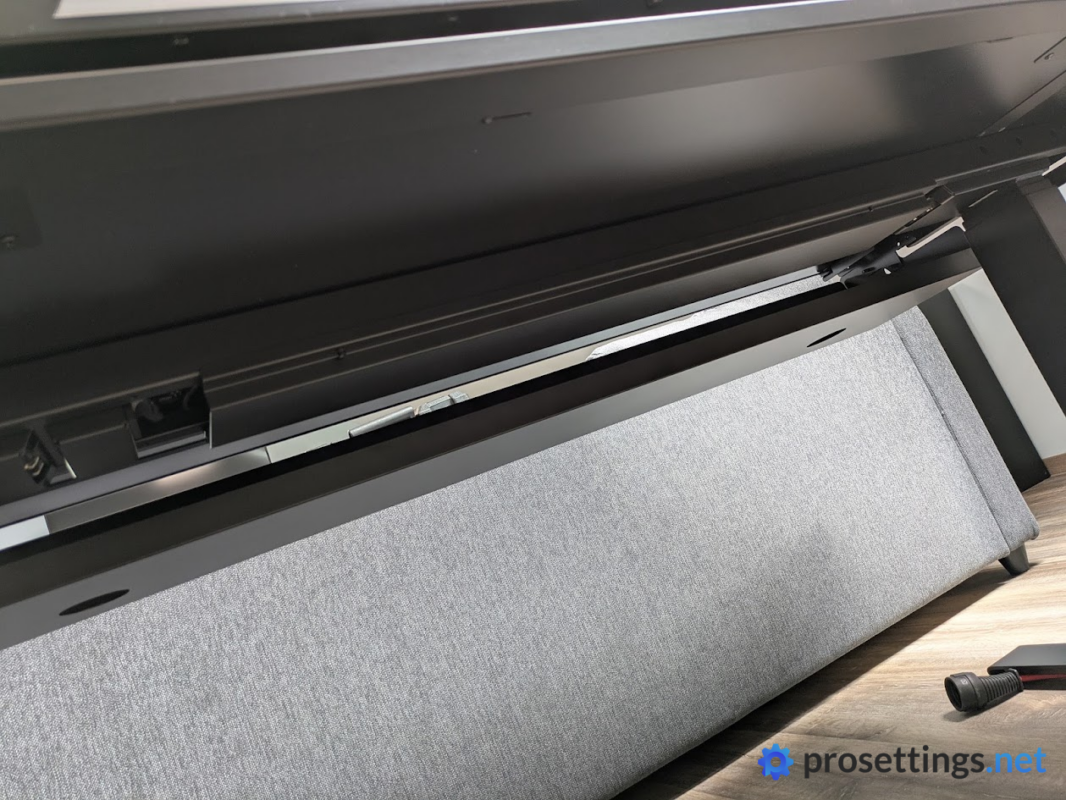
Sadly, it’s not all good news. The cable management cover, for example, scratches extremely easily. I noticed this when we turned the desk around after assembly, and there were a bunch of scratches from small debris/dust particles on the floor. That can be written off as user error (we should’ve been more careful) but then I also tested the scratch resistance with a flathead screwdriver by gently applying pressure, and I managed to make visible scratches very easily.
The above isn’t a huge problem, but it is something to be aware of. Be careful with hard metal objects such as keys, clamps, and whatnot.
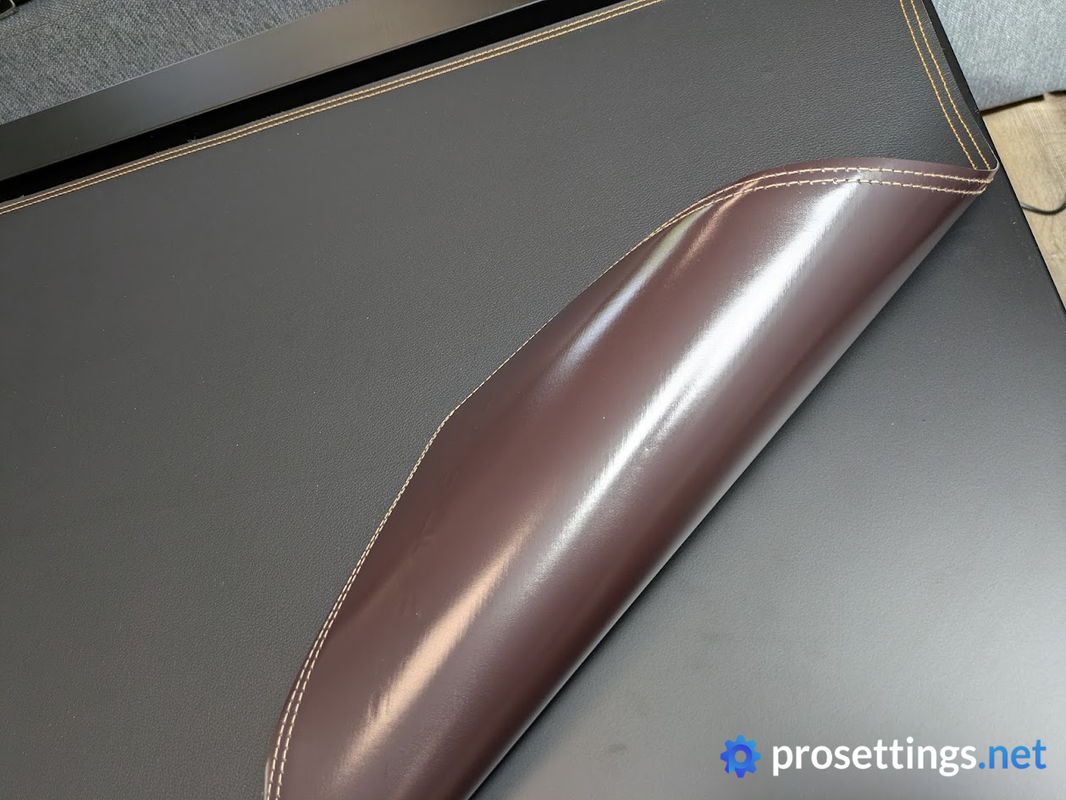
Finally, the included magnetic desktop cover doesn’t feel great to me. It’s quite thin, for starters. It doesn’t feel very premium due to this. Additionally, some of the edges don’t fully attach to the desk itself, so there’s always a raised edge on some sections of the desk. This, again, isn’t disastrous on its own, but this is a $1,000+ desk, so I would expect these things to feel a bit more premium.
Cable Management
The cable management tray on the Blacklyte Atlas is great. It spans the entire width of the desk and is very deep as well. You can pretty much just dump everything in there (including power bricks etc.), close it, and be on your merry way.
Quite often, cable management trays are so small or thin that you still end up underneath the desk with a roll of cable ties between your teeth, but that’s absolutely not the case here. Cables disappear into the small slit at the back of the desk, and then they’re out of sight. As a reviewer, this kind of easy-access cable management system is also a boon, since it means I don’t have to waste time pulling cables through tiny holes every time I change gear.
The power supply for the desk is also integrated into the legs. This further emphasizes the sleek and cable-free look that you can achieve with the Blacklyte Atlas.
If cable management is something that you care about, this will be a dream come true. I love this system.
Everyday Usage and Additional Options
Aside from the aforementioned quirk with saved settings, the Blacklyte Atlas is quite easy to use. The faux leather desktop cover means that it never feels cold to the touch, though it can get annoying if you’re a sweaty person. Collision detection perhaps isn’t as sensitive as it should be, but I am always very careful when raising or lowering desks, so I had no issues here.
I will say that, given how the entire desktop is magnetic, I find it to be a bit of a missed opportunity that Blacklyte doesn’t sell other desktop covers, though. To me, this seems like an easy way to have users customize their desk, especially since the Atlas only comes in one color.
In the marketing, it’s also emphasized that there’s a ‘modular, secure range of add-ons’, which is cool, but currently the only desk-related accessories in the store are single and dual monitor arms. Something like a magnetically attaching headset holder, for example, seems like a very logical addition to the ecosystem, but perhaps these things are planned for the future. Given how this desk has been out for two years, however, it doesn’t give me a great deal of confidence that we’ll see a ton of new add-ons soon.
Conclusion
The Blacklyte Atlas is a very sturdy desk and the motors work perfectly, so the core experience definitely delivers. The cable management is also fantastic, and if that’s your absolute priority, then the Atlas is a good option to add to your list.
Sadly, some small finishing details (such as the scratch-prone cable tray cover and the desktop mat that doesn’t sit flush with the surface it’s on) do let it down. These aren’t huge problems individually, but this is a $1,000+ desk, so I would expect these things to feel a bit more premium.
The built-in RGB is another one of the Atlas’s more unique features. If you’re really keen on getting a desk with built-in RGB lights and/or excellent cable management, then the Atlas makes a lot of sense. If you don’t really care about the RGB aspect, however, it becomes more difficult to recommend this over other offerings at this price.
The Blacklyte Atlas was the company’s first desk, and that shows at times. The Atlas Lite, despite being cheaper, does some things better than this one, for example. It offers more presets, more finishing options, and has a larger desk surface.
So, in summary: this is a niche product. It has a number of quite unique features that set it apart from other offerings, and if those features are things you absolutely want in a gaming desk, then by all means go for this one. But if you’re looking for the best bang-for-your-buck sit-to-stand experience, you’re better off looking elsewhere. At the Atlas Lite, for example.
This product was received for free from the manufacturer and given to our reviewer to test and review. Brands and manufacturers have no editorial control over our reviews. For more information, check out our review FAQ.
Former semi-pro gamer turned writer, product reviewer, and community manager.

