
Introduction
It doesn’t matter what game you’re playing; if you want to take it a bit seriously, you’ll want to get yourself a good setup. But what is a good setup? That answer depends on your game of choice. Online, a lot of gear guides are tailored towards shooter games, but in this article we’ll take a look at the best MMO gear.
Our Choices
Important to note is that this guide is based on our own choices. It’s not based on pro data or pro usage, like the majority of our other guides.
Here, our staff has chosen gear that perfectly suits life as an MMO player, but can also double for productivity usage and other games. In other words: this is not an MMO-only setup, but rather an MMO-focused setup. When you get this, you won’t be limited to just playing MMOs.
One thing to note is that, should a product not make it to the list, it doesn’t mean that it’s a bad product. For this guide, we’ve chosen to go for one product in each category, but there are tons of other options out there. Feel free to check out our review section to see hundreds of gaming gear reviews.
Monitor – Sony INZONE M10S
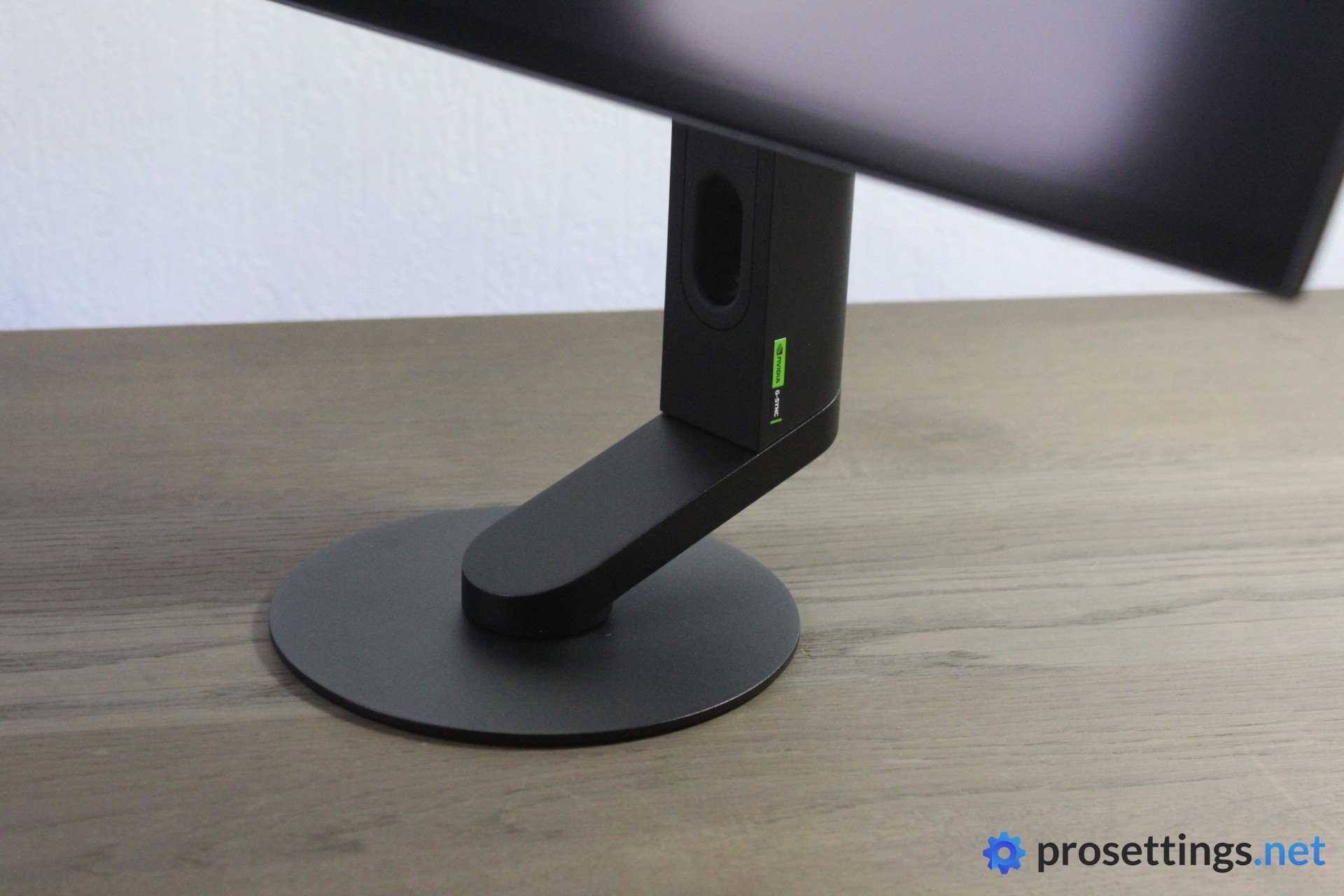
There is also a Sony INZONE M10S II available, but we haven’t tried that one.
An MMO monitor doesn’t necessarily need to be the fastest one on the block. High framerates are always an advantage, but that advantage is not as apparent in MMO games. In fact, we’d argue that a higher resolution can be more beneficial in MMO games than a super high refresh rate.
But if you’re a competitive gamer who also uses their setup for work or other purposes, why not get both? The Sony INZONE M10S offers just that. It’s slightly bigger than today’s 24″ standard (for competitive gaming monitors), and with its 2560×1440 OLED display, you can see everything in the world of Azeroth (or any other MMO world) with beautifully detailed colors and images. The bigger screen can also help spot details in MOBAs etc.
What we like about the M10S is that it can also be used as a sweaty, competitive shooter monitor. You can turn the display into a 24.5″ display with the flick of a switch, and with a max refresh rate of 480Hz, you can absolutely play faster-paced games such as shooters and still realize your full potential.
As a final bonus, the INZONE M10S also works great for work and media consumption. The image quality is great, and so is the color representation. So, if you want a monitor that can do it all without leaning too hard into that super tryhard FPS-focused realm where 1080p TN monitors still shine, this can be a great choice.
SONY INZONE M10S
Used by 35 players ()The Sony INZONE M10S is one of the most well-rounded gaming monitors I’ve tested, and it’s one of the best candidates out there if you’re a competitive gamer who doesn’t want to sacrifice image quality.
Pros
- Great gaming performances
- 24.5″ mode is handy for people who want the best of both worlds
- Great image quality and color representation
- Best-in-class stand
- Looks and feels premium
Cons
- Extremely expensive
- Anti-glare coating can sometimes make text etc. look a bit hazy
Specs
| Size | 27 |
|---|
| Resolution | 2560×1440 |
|---|
| Aspect Ratio | 16:9 |
|---|
| Refresh Rate | 480 |
|---|
| G-Sync | Yes |
|---|
| FreeSync | No |
|---|
| Panel Tech | OLED |
|---|
Mouse – Corsair Scimitar Elite Wireless SE
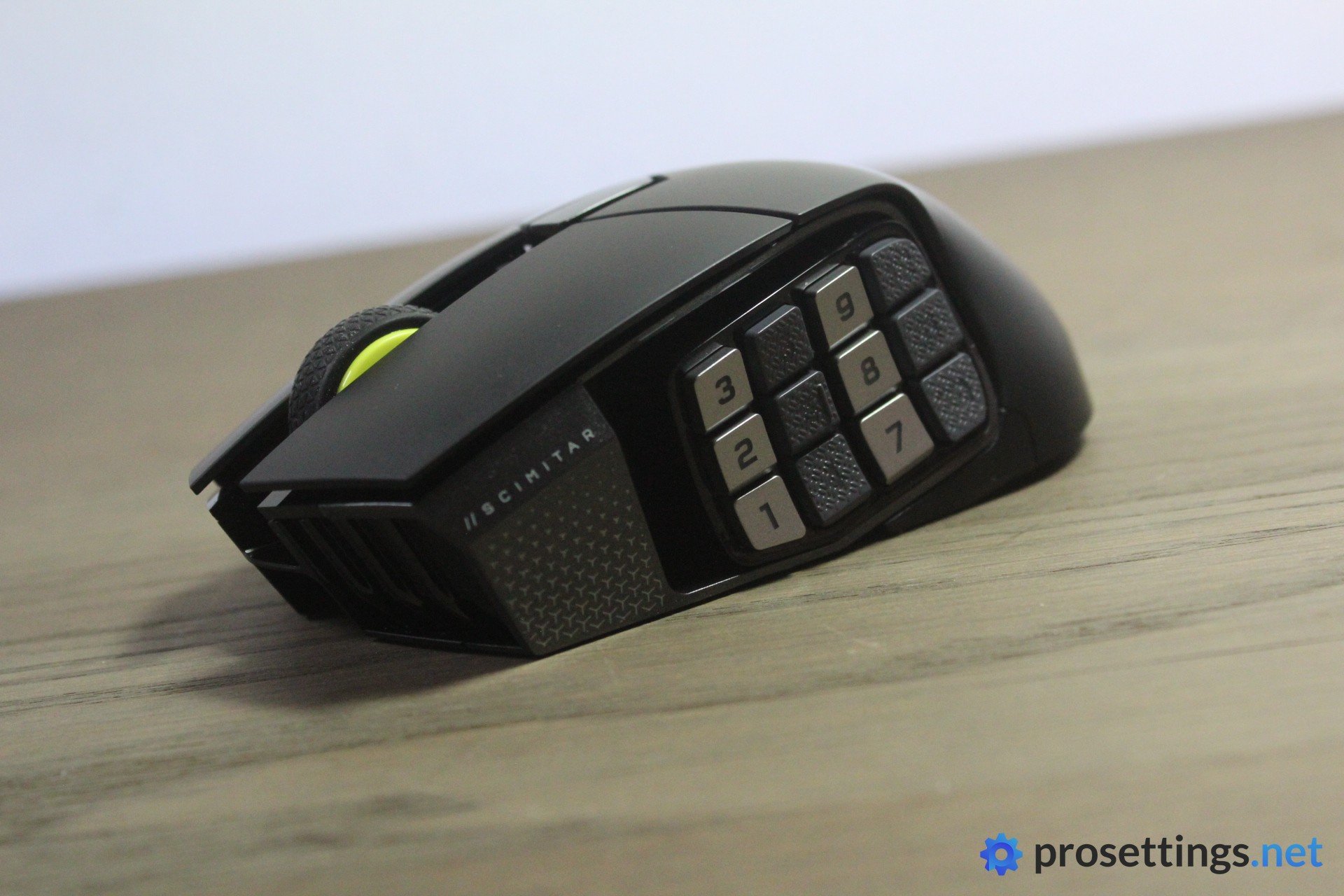
Strictly speaking, you don’t need an MMO mouse. There are plenty of high-level players who use a regular gaming mouse just fine. But using an MMO-focused mouse is so convenient if that’s your main genre that we would be wrong to suggest just a regular mouse.
The Corsair Scimitar Elite Wireless SE is, if you ask us, the best option on the market right now. It has that array of extra buttons down the side that a lot of other mice also offer, but it goes above and beyond with it.
For starters, you can tweak the position of the side panel. That’s very handy, because precise thumb placement matters a lot if you’re using these super small buttons for abilities and so on. What’s more is that you can also use Virtual Stream Deck with this mouse. In short, this allows for a vast world of further customization. You can do something as simple as setting a button to open up a video with a ranking guide, or you can go much, much more in-depth. The possibilities are basically endless.
This added functionality is super handy for MMO players, but it also makes the mouse into a productivity powerhouse. Work, video editing, browsing, … the Virtual Stream Deck integration will make your life a lot easier.
For the reasons above, it’s our pick for best MMO mouse right now.
Corsair Scimitar Elite Wireless SE
If you’re looking for a mouse that’s perfect for ability-heavy games or want a mouse that doubles as a serious productivity tool, this is one of the better options on the market today.
Pros
- Stream Deck integration makes this into a productivity/streaming powerhouse
- Great battery life
- Dual connectivity (Bluetooth and 2.4GHz) adds further productivity powerhouse points
- Tons of extra input options that are quite easy to tell apart
- Customizable side panel is a good idea
Cons
- Main buttons feel a tad mushy
- Shape isn’t safe at all
Specs
| Sensor | Marksman S 33K |
|---|
| DPI | 100-33000, in steps of 50 |
|---|
| Polling Rate | 125 / 250 / 500 / 1000 Hz |
|---|
| Button Switches | Optical Switches |
|---|
| Button Force | 72.5 |
|---|
| Connection | Wireless |
|---|
| Shape | Ergonomic |
|---|
| Length | 11.8 |
|---|
| Height | 4.1 |
|---|
| Weight | 113 |
|---|
| Width | 7.2 |
|---|
Keyboard – Corsair Vanguard Pro 96
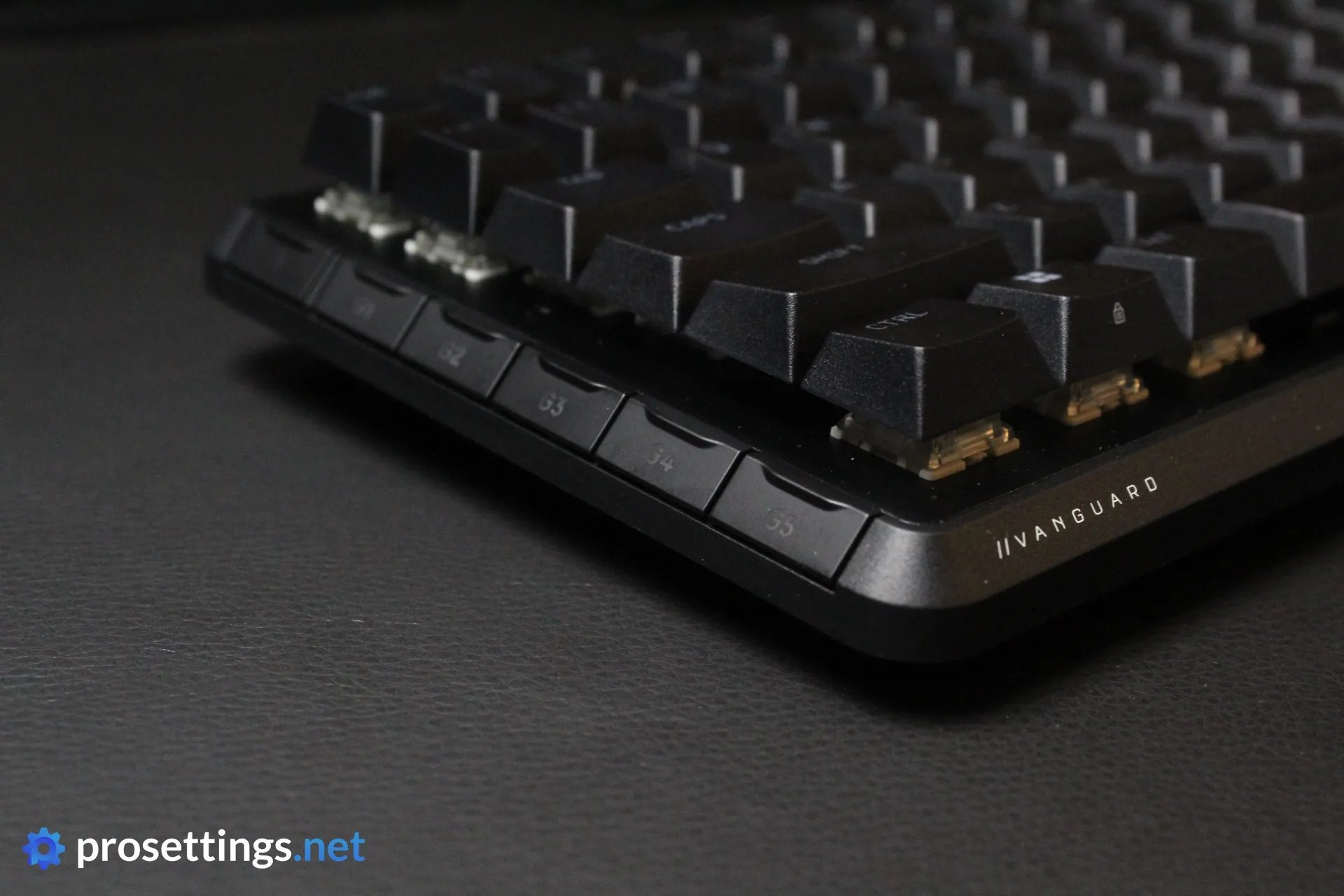
If you’re into MMOs, a super compact keyboard is not going to fulfill your needs. You’ll want to at least have the option to bind some abilities or macros to extra keys, and that’s where the Corsair Vanguard Pro 96 comes in.
For starters, it comes with Virtual Stream Deck integration, meaning that you have a nearly endless amount of actions, macros, and rebinds you can create.
On top of that, it also has a bunch of extra buttons on the left side of the keyboard. These are implemented in a really graceful manner so that they stay out of the way if you’re just WASD’ing your way around a game, but they’re there if you want to use them.
Furthermore, the board uses HE switches, allowing you to make use of Rapid Trigger technology to make your spamming a lot quicker and more consistent. This tech will also come in really handy if you like to play shooters every now and then.
And if all of the above doesn’t sound convincing enough, the keyboard also offers a fantastic typing experience. It sounds great and the switches are smooth. All in all, it’s the perfect keyboard for people who want a ton of extra input options.
Corsair Vanguard Pro 96
Used by 5 players ()shox

Gumayusi

Knight

Mixigaming

Corsair really seems to be back on track with their keyboards. The K70 Pro TKL was already a very fine keyboard, but I think they’ve taken it up a notch with the Vanguard Pro 96.
Pros
- Beautiful LCD screen displays keyboard info and can display custom gifs or images
- Great typing experience
- Virtual Stream Deck integration is a powerful tool for keyboards
- Web-based driver is amazing
- Good gaming performances thanks to the HE switches
- Side buttons are perfectly integrated into the design
Cons
- USB port on the bottom is located in a very strange position
- Wrist rest feels uncomfortable to use
- Case feels a bit less premium than it should at this price point
Specs
| Form Factor | 96 |
|---|
| Switches | MGX Hyperdrive Switches |
|---|
| PCB | Hotswappable |
|---|
| RGB | Yes |
|---|
| Height | 4.3 |
|---|
| Width | 38.8 |
|---|
| Length | 14.1 |
|---|
| Weight | 1090 |
|---|
Mousepad – Razer Gigantus V2
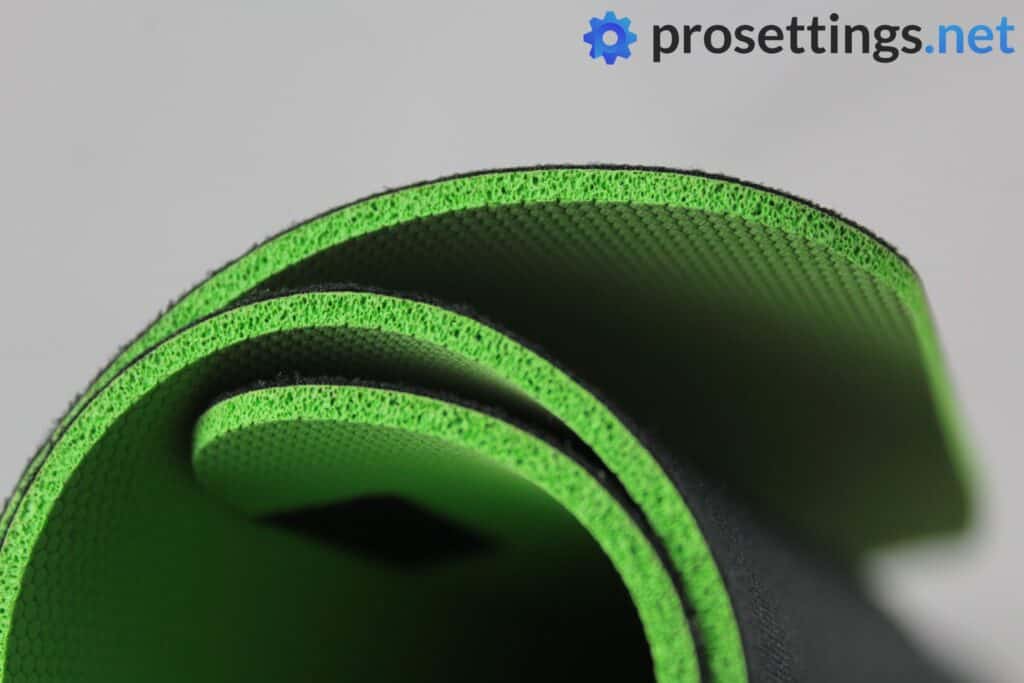
For MMO gaming, you don’t really need a super precise mousepad. But that doesn’t mean that you don’t need a pad. For starters, a mousepad prevents your mouse feet from grinding down as quickly as they would on a bare desk. And secondly, it provides you with a comfy and consistent surface to mouse around on.
So we’d absolutely recommend going for a quality gaming mousepad, without spending a ton on a super premium, shooter-focused product. And that’s where the Razer Gigantus V2 comes in. It’s available in a ton of different sizes and special edition prints, so you’re bound to find something that matches your setup. In addition to that, it doesn’t cost an arm and a leg, either.
Most MMO gamers play at higher sensitivities than shooter gamers, so you don’t technically need a huge mousepad, but some people do like the neat and tidy look of an extended mousepad, and that option is available here, too.
One note: the Gigantus V2 is on the more controlling side. If you like a slick or speedy glide, we’d recommend something like the Logitech G440.
Razer Gigantus V2
Used by 168 players ()Brollan

xertioN

AslaN

Sheydos

Staff's Choice
Pro's Choice
If you’re looking for a pad that’s a bit more controlling without feeling murky or extremely gritty then this is definitely one to consider.
Pros
- Decent humidity resistance
- Decently thick and consistent foam
Cons
- Can move around (a bit) during particularly intense matches
- Stitched edges have been removed when compared to the V1
Specs
| Height | 40 |
|---|
| Length | 45 |
|---|
| Thickness | 3 |
|---|
| Stitched edges | Yes |
|---|
| Material | Cloth |
|---|
| Overall Glide | Medium |
|---|
| Foam Firmness | Firm |
|---|
| Static Friction | High |
|---|
| Dynamic Friction | Medium |
|---|
Headset – Razer BlackShark V3 Pro
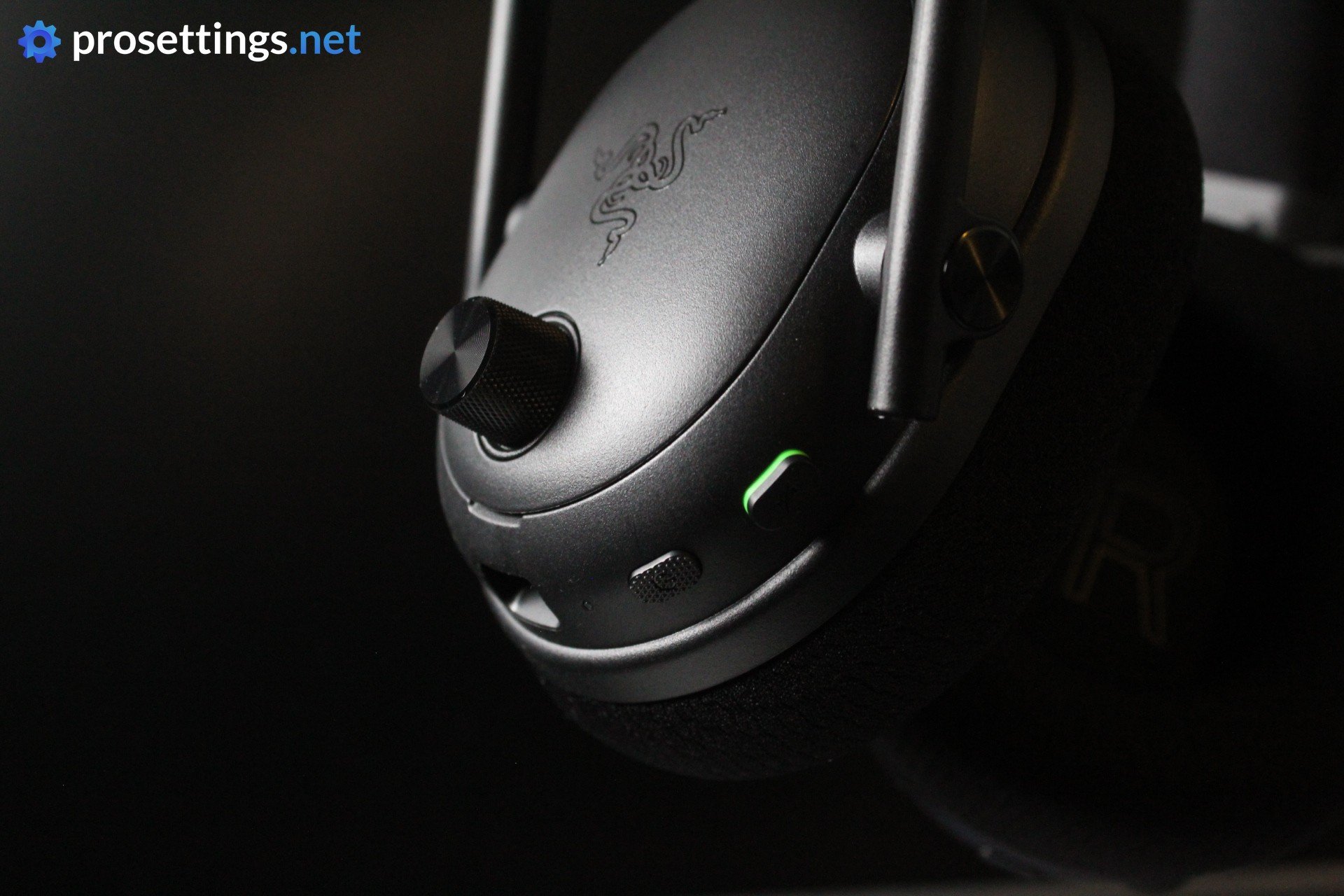
MMO games don’t require special audio equipment, so why not go for the current king of gaming headsets?
The Razer BlackShark V3 Pro is one of the most fully-featured headsets on the market today, as it comes complete with ANC, dual wireless connectivity (2.4GHz + Bluetooth), great sound quality, and a reliable build. It also has a great microphone, and a bunch of EQ settings to tweak both the microphone and the sound that comes out of the headset itself.
It’s not as good for music consumption as a dedicated pair of headphones that only focuses on that particular aspect, but it’s certainly good enough to jam out to your favorite tunes without getting annoyed.
In essence, this is pretty much the most complete gaming headset on the market right now, and it’s a product you can use for anything from leveling in the Deadmines in WoW to spraying enemies through smoke based on sound cues in CS2.
Razer BlackShark V3 Pro
Used by 422 players ()Staff's Choice
Pro's Choice
The Razer BlackShark V3 Pro doesn’t mess with a winning formula. It refines it. With upgraded drivers, a fantastic mic, ANC support, and dual wireless connectivity, it’s clear Razer listened to what reviewers and users had to say. The result is a gaming headset that can proudly call itself one of the very best in the world right now.
Pros
- Great audio quality
- Great gaming performance
- Good ANC performance
- Great mic
Cons
- Very expensive
- Heavier than the predecessor, which might not feel comfy for everyone
Specs
| Type | Closed-Back |
|---|
| Connection | Wireless |
|---|
| Noise Cancelling | Yes |
|---|
| Microphone | Detachable |
|---|
Chair – Secretlab Titan EVO
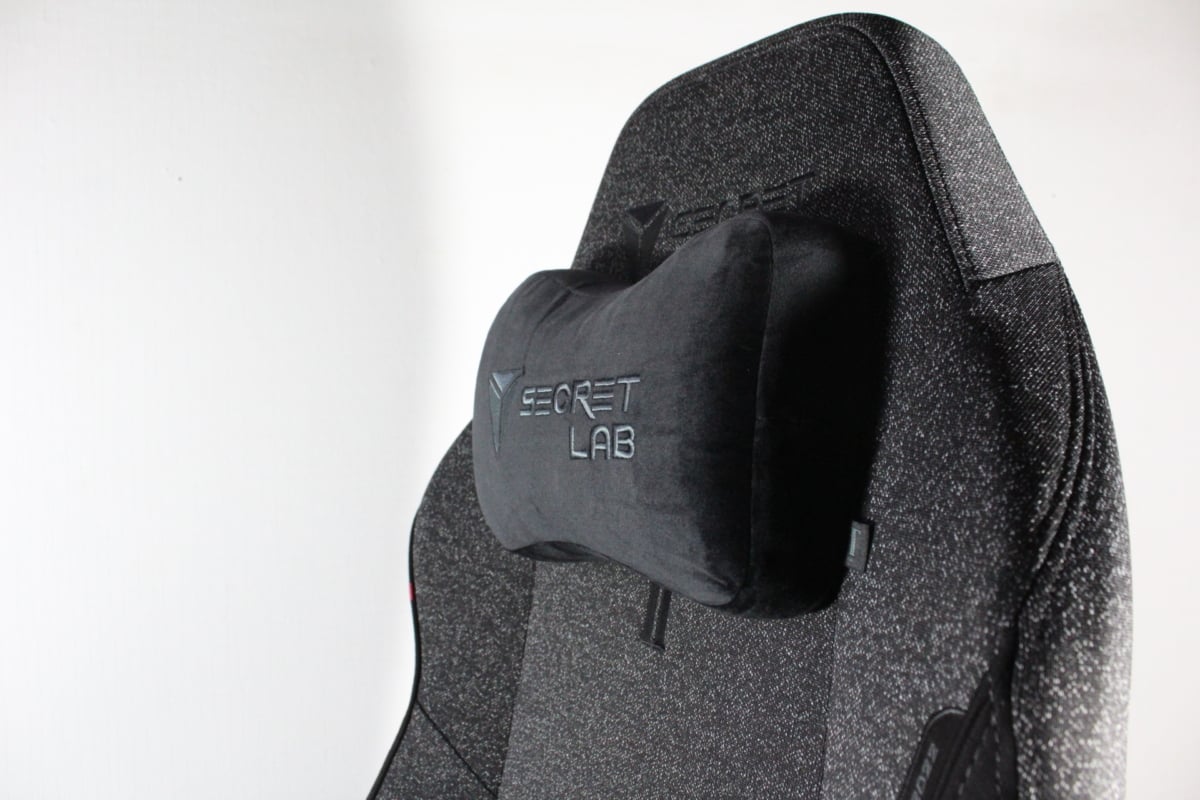
If you’re going to be grinding for hours, you’ll want to sit comfortably and responsibly. So it makes sense that we’re recommending one of the most popular and well-liked gaming chairs on the market, the Secretlab Titan EVO.
This chair has been used by pro gamers at the most important tournaments for many, many years now, and it’s proven to be a very reliable companion for those who are spending hours behind their desk grinding away. It’s been made to accommodate varying postures that one might take up throughout the day, and has been designed to let its users sit in an ergonomically responsible position, even if they’re gaming or working for hours.
It’s adjustable in all the right ways (including an adjustable lumbar support section) and comes in a wide variety of finishes, including WoW-themed versions. You can also choose between PU leather and fabric, so you can easily find a chair that suits your personal preferences and setup.
The Titan EVO has a strong reputation in the world of pro gaming, so this is our choice for this guide.
Secretlab Titan EVO 2022
Used by 219 players ()Staff's Choice
Pro's Choice
The firmer cushion and padding definitely won’t suit everyone, but if you’re someone who prefers a firmer support area over a cloudy feeling for your bottom then this Secretlab Titan Evo 2022 is one of the better gaming chairs out there at this point in time.
Pros
- Great finishing and attention to detail
- Fantastic packaging and instructions, making assembly a breeze
- Adjustable in all the right ways
- Softweave fabric feels great
- Backrest reclines for the ‘lounging experience’
Cons
- Cushioning is firmer than some other similar options, some might dislike this
- Magnetic neck cushion isn’t as secure as it should be
Specs
| Adjustable Seat Height | Yes |
|---|
| Adjustable Seat Depth | No |
|---|
| Adjustable Armrests | Yes |
|---|
| Adjustable Backrest | Yes |
|---|
| Lumbar Support | Built-in and adjustable |
|---|
| Material | Real Leather, Artificial Leather, Fabric |
|---|
| Max Weight | 180 |
|---|
Desk – Secretlab Magnus Pro
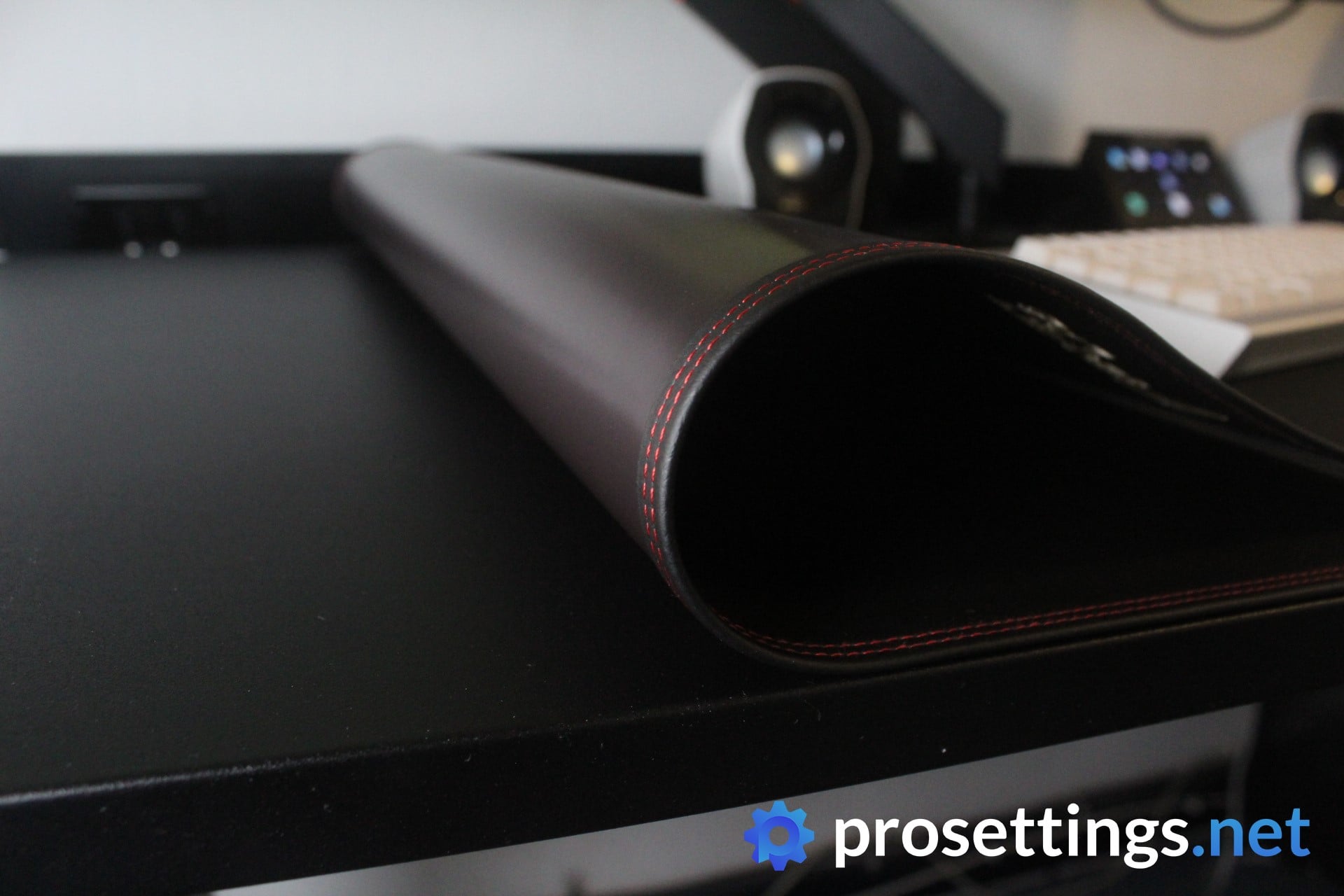
If you want to invest in your desk, we’d wholeheartedly recommend a sit-to-stand desk. Not because you’ll necessarily want to be standing up while gaming, but because it allows for a wide range of adjustability. It’s been well-documented that you need to stand up every once in a while if you have a sedentary lifestyle, so a desk like this can really help with that.
Standing up for ten minutes when you’re winding down during a corpse run can make you feel a lot better, both physically and mentally. And there’s also the added benefit of being able to set your desk height to the exact position that you prefer when sitting down.
There are a lot of sit-to-stand desks out there, but we particularly chose the Magnus Pro for its customizability and cable management. The power cable is integrated into the desk legs, which gives the desk a super clean look, and then there’s the desk-wide and huge cable management tray as well.
If that’s not enough, Secretlab also sells a large variety of accessories for the desk. This ranges from monitor arms all the way to small magnetic cable holders that you can attach to the magnetized desktop anywhere you like. This makes it so that you can tweak your personal Magnus Pro so that it perfectly fits your setup and use case.
Finally, there are also more than 25 magnetic desktop covers available, so you can style your desk any way you want.
Secretlab Magnus Pro
Used by 11 players ()f0rsakeN

something

Jinggg

mindfreak

If you’re a power user and/or you’re looking for a top tier desk, I can wholeheartedly recommend the Secretlab MAGNUS Pro.
Pros
- Very smooth and reliable operation of the motorized legs
- Fantastic cable management options
- Sleek looks
- Easy to assemble, with great packaging and clear instructions
- Magnetic ecosystem is a fantastic idea
- Robust materials and great build quality
Cons
- Expensive, especially if you add a couple of add-ons
- Both the leatherette and the metal desk tops get smudged easily
- Touch controls are a bit too sensitive
- A bit of wobble at higher height settings
- Heavy
Conclusion
Choosing a perfect setup isn’t easy. Even for us gear nerds. But we’re quite confident that we have assembled a top-tier MMO-focused setup in this article. Obviously, a lot of what makes a setup ‘good’ is personal, but pretty much all of the pieces in this setup are multifunctional. Their MMO features are the most important aspect, but they can also be used for work and other games. So if you’re looking for the best MMO gear, this should be a great place to start.
Please let us know if you have any questions, and feel free to browse our other guides and review section for even more inspiration!

