The most popular mice are calculated based on 167 professional League of Legends players.
Introduction
League of Legends is a game that has been at the forefront of the gaming world for over a decade now. With the game (and its professional scene) showing no signs of slowing down, we still see thousands of new players entering the fray every single day. And while the game is relatively straightforward to learn, it is extremely difficult to master. So, as usual, if you really want to climb to the highest ranks you will want to have a reliable set of peripherals that doesn’t hold you back when gaming.
The gaming mouse is one of the most important pieces of gear for any gamer. Despite the fact that aiming is less of a factor in LoL than it is in some of the shooter games that we analyze, we do notice that LoL pros trend towards basically the same mice as professionals in shooter games.
In this article we’ve gathered the most used mice in the LoL pro scene. We’ll give you a brief rundown of what you can expect out of them, as well as give you some background info on what constitutes a good mouse. This list should serve as an ideal baseline for anyone who wants to get a new gaming mouse for League of Legends.
Related: Gaming Mouse Spec List
Our Guide
The Pro Usage Top 5 gets updated continuously and instantly so that you can always get an accurate overview of what the pros are using at any given time. In the body of the article itself, we go over the five most popular pro products in no particular order and, when relevant, we also give you some extra options in the form of products that fall just outside of the top 5 or are otherwise relevant.
What makes a mouse good for League of Legends?
Contrary to what you might think, there’s a relatively low amount of League of Legends pros that choose to use a so-called ‘MMO/MOBA mouse’ with lots of side buttons. Despite the fact that most MMO/MOBA mice these days have a flawless sensor, they still don’t get picked up very often by the pros. That’s probably because of the fact that, compared to a game like WoW where there are sometimes dozens of buttons that need to be within reach, LoL doesn’t have all that many abilities that you need to focus on.
What you will definitely want is a mouse that performs reliably and consistently. Once you’ve found a mouse that’s on par quality-wise, it’s also critically important to make sure that it suits you. It makes absolutely no sense to go for a mouse that has all the right specs on paper but has a shape that you just don’t agree with, so please do make sure that you use something that’s comfortable for your personal grip style, both for short stints as well as for marathon sessions.
In short: you’ll want a mouse that performs flawlessly at all times that suits your personal hand size and grip style. If you want to get yourself a mouse with a ton of side buttons there are definitely options but seeing as the most popular choices among pros are relatively ‘simple’ (on the outside at least: the technology behind these top tier mice is super impressive) pointers we’re going to be focusing on those in this article.
Logitech G Pro X Superlight
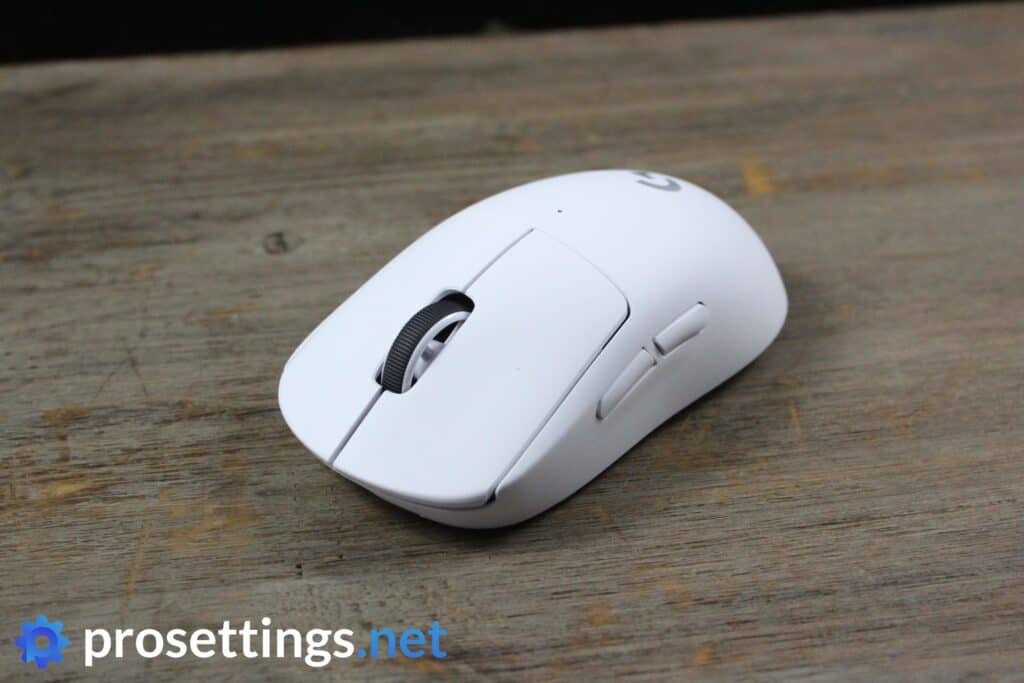
The Logitech G Pro X Superlight is an industry standard. It has been succeeded by the Superlight 2 and the SUPERSTRIKE, but the original Superlight is still very much a worthwhile product. Even in today’s landscape, it would be considered a decent-to-good gaming mouse, and that’s wildly impressive for a product that came out over five years ago.
With its ‘one size fits all’ type of shape, this is a great mouse to choose if you’re a beginner or you don’t really know what you want out of a mouse, doubly so because the original Superlight can often be found on sale.
It’s not the most technologically advanced mouse on the market, nor is it the objective best, but you still can’t go wrong here.
Logitech G Pro X Superlight
Used by 21 League of Legends players ()Inspired

Bwipo

shad0w

PerfecT

Staff's Choice
Pro's Choice
If you’re looking for an ultra lightweight wireless mouse with a safe shape this is a top option.
Pros
- Fits most hands and grip styles
- Good battery life
- Flawless wireless performance
- Lightweight
Cons
- Micro USB charging port
- High price
Specs
| Sensor | HERO |
|---|
| DPI | 100-25600, in steps of 50 |
|---|
| Polling Rate | 125 / 250 / 500 / 1000 Hz |
|---|
| Button Switches | Omron |
|---|
| Button Force | 65 |
|---|
| Connection | Wireless |
|---|
| Shape | Ambidextrous |
|---|
| Length | 12.42 |
|---|
| Height | 3.96 |
|---|
| Weight | 62 |
|---|
| Width | 6.06 |
|---|
Logitech G Pro X Superlight 2
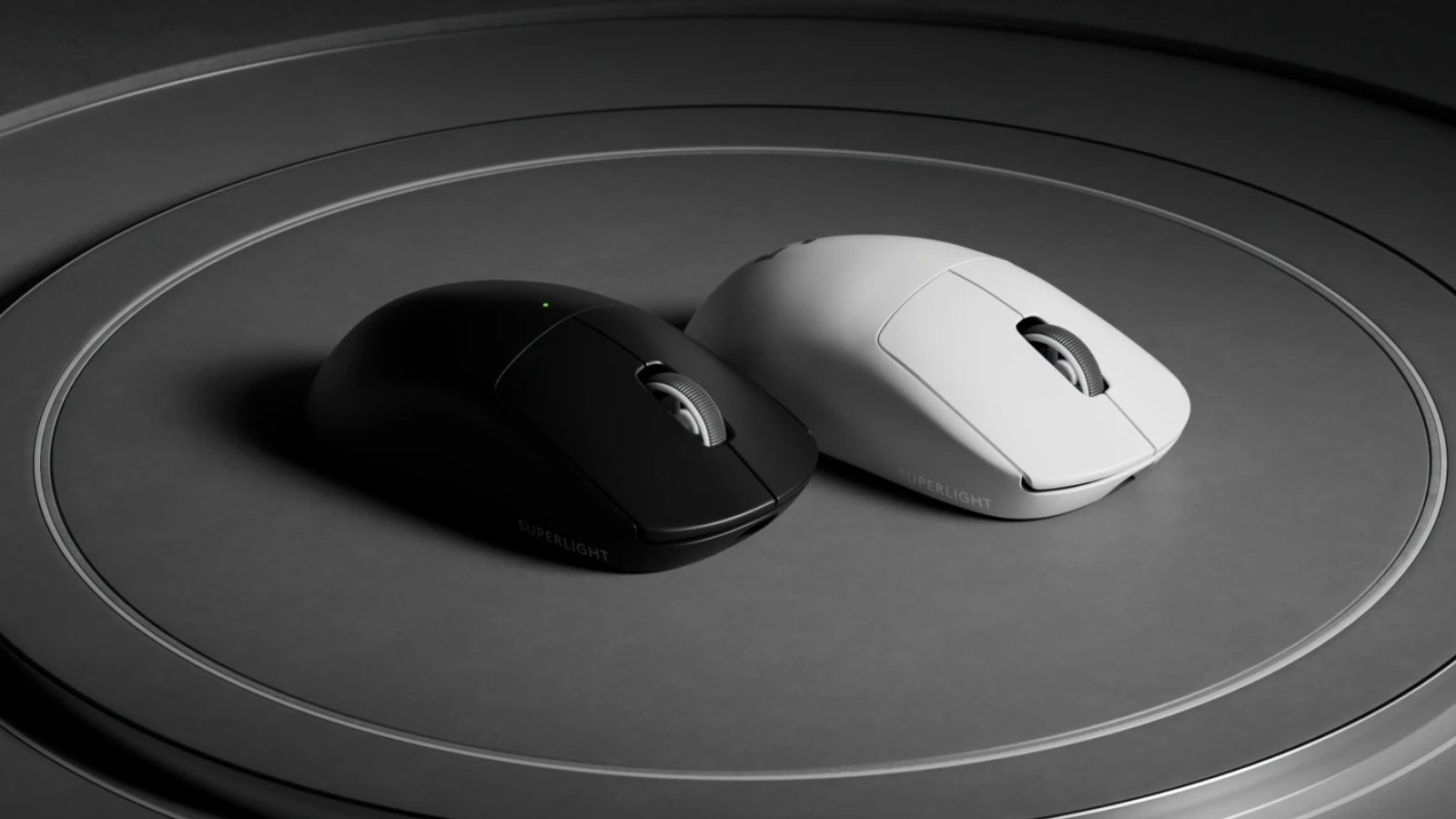
The Logitech G Pro X Superlight 2 is the successor to the wildly successful Superlight, and it brings a number of improvements without changing anything to the design. For starters, you get a sensor that’s capable of polling rates up to 8000Hz. You also get a hybrid switches underneath the main buttons, and a slightly lighter weight.
In terms of specs and real-world feel, there haven’t been any huge changes, but that makes a ton of sense. The Superlight was by far the most successful mouse in the pro scene for years, so it would’ve been silly for Logitech to make tons of changes.
What you’re getting with the Superlight 2 is that super familiar, extremely safe shape in a package that lives up to today’s gaming mouse standards. If you’re looking for a simple, no-nonsense mouse with top tier specs, this is a good one to go for.
Logitech G Pro X Superlight 2
Used by 24 League of Legends players ()Staff's Choice
Pro's Choice
Logitech played it safe with the Logitech G Pro X Superlight 2, but that’s understandable. It’s a new version of one of the most-loved mice in all of professional gaming that introduces a couple of tweaks to bring Logitech’s flagship offering in line with today’s mouse standards.
Pros
- Super safe shape that’ll fit anyone
- Nice coating
- Extremely reliable wireless and sensor performance
- Addition of USB-C charging and optical switches addresses the two most commonly heard complaints about the GPX
- Sensor calibration tool in G HUB is really handy
- Good battery life
Cons
- Clicks feel heavier than on earlier versions, which might not sit well with everyone
- Bottom skate has a different shape, which feels like an unneeded change
Specs
| Sensor | HERO 25K |
|---|
| DPI | 100-32000, in steps of 50 |
|---|
| Polling Rate | 125 / 250 / 500 / 1000 / 2000 / 4000 / 8000 Hz |
|---|
| Button Switches | LIGHTFORCE Hybrid |
|---|
| Button Force | 98.4 |
|---|
| Connection | Wireless |
|---|
| Shape | Ambidextrous |
|---|
| Length | 12.42 |
|---|
| Height | 3.96 |
|---|
| Weight | 59 |
|---|
| Width | 6.06 |
|---|
Razer Viper V2 Pro
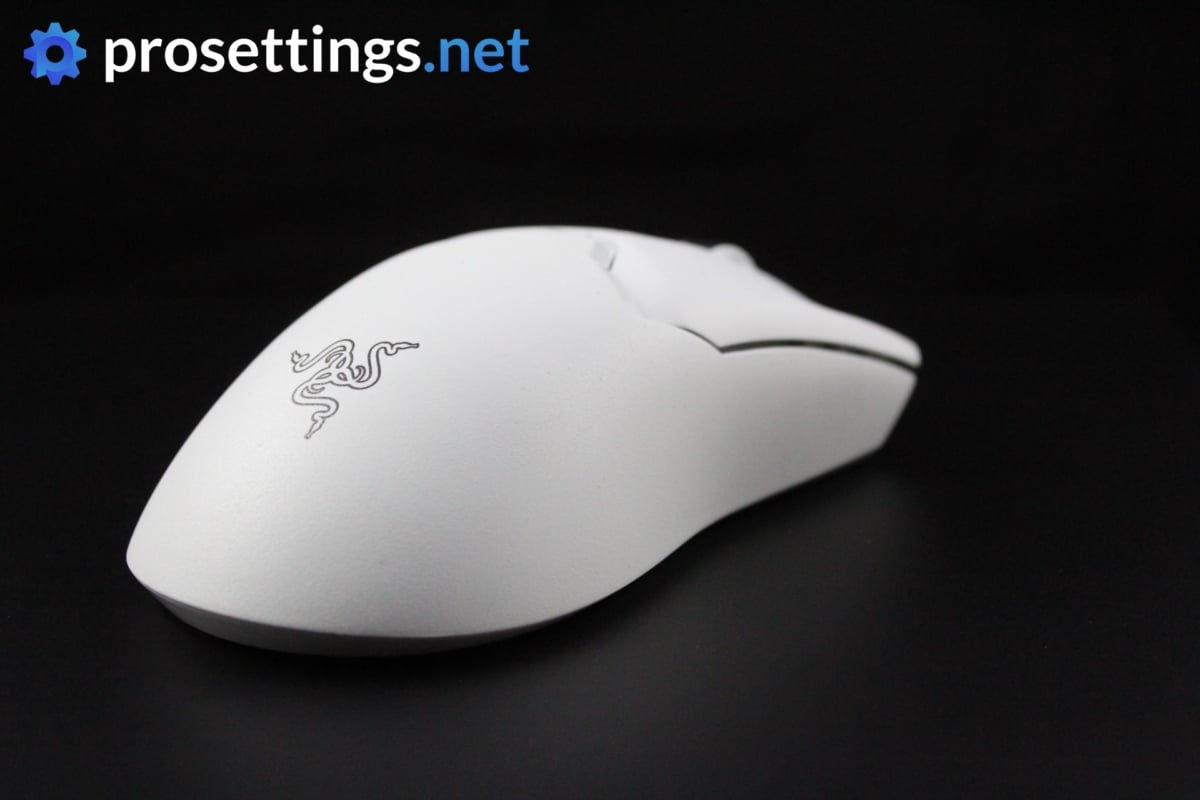
The Viper V2 Pro is the successor to the Viper Ultimate. It’s the last mouse in the Viper lineup before Razer changed the design, so if you’re looking for a Viper that isn’t as boxy and compact as the current Vipers, this might be it. With its flat, neutral shape, it’s still a favorite among people who enjoy that kind of shape.
In terms of specs, you’re obviously not getting cutting edge features. The mouse is years old, after all. Still, it brings some very respectable specs to the table, and you absolutely won’t feel hindered by the performance of this mouse while playing the game.
Razer Viper V2 Pro
Used by 7 League of Legends players ()kamilius

Fresskowy

Staff's Choice
Pro's Choice
All in all, the Razer Viper V2 Pro is an impressive release, and if you’re looking for a very lightweight wireless ambidextrous mouse you should take a look at this one. It’s packed full of exciting tech, performs flawlessly, and it feels rock solid despite weighing less than a tennis ball.
Pros
- Grip tape included
- Lightweight
- Gen 3 optical switches feel and perform great
- Flawless wireless performance
- Removed right side buttons make for a more consistent grip, but makes the mouse unusable for lefties
- Capable of 4KHz polling rate in wireless mode (with separate dongle)
Cons
- A bit too much post travel on the main buttons
- High price
- Loses the dock functionality that the V1 had
- 4KHz polling rate not achievable out of the box (you need a separate dongle)
Specs
| Sensor | Focus Pro 30K |
|---|
| DPI | 50-30000, in steps of 50 |
|---|
| Polling Rate | 125 / 250 / 500 / 1000 / 4000 Hz |
|---|
| Button Switches | Razer Optical |
|---|
| Button Force | 75 |
|---|
| Connection | Wireless |
|---|
| Shape | Ambidextrous |
|---|
| Length | 12.57 |
|---|
| Height | 3.77 |
|---|
| Weight | 59 |
|---|
| Width | 6.14 |
|---|
Logitech G Pro Wireless
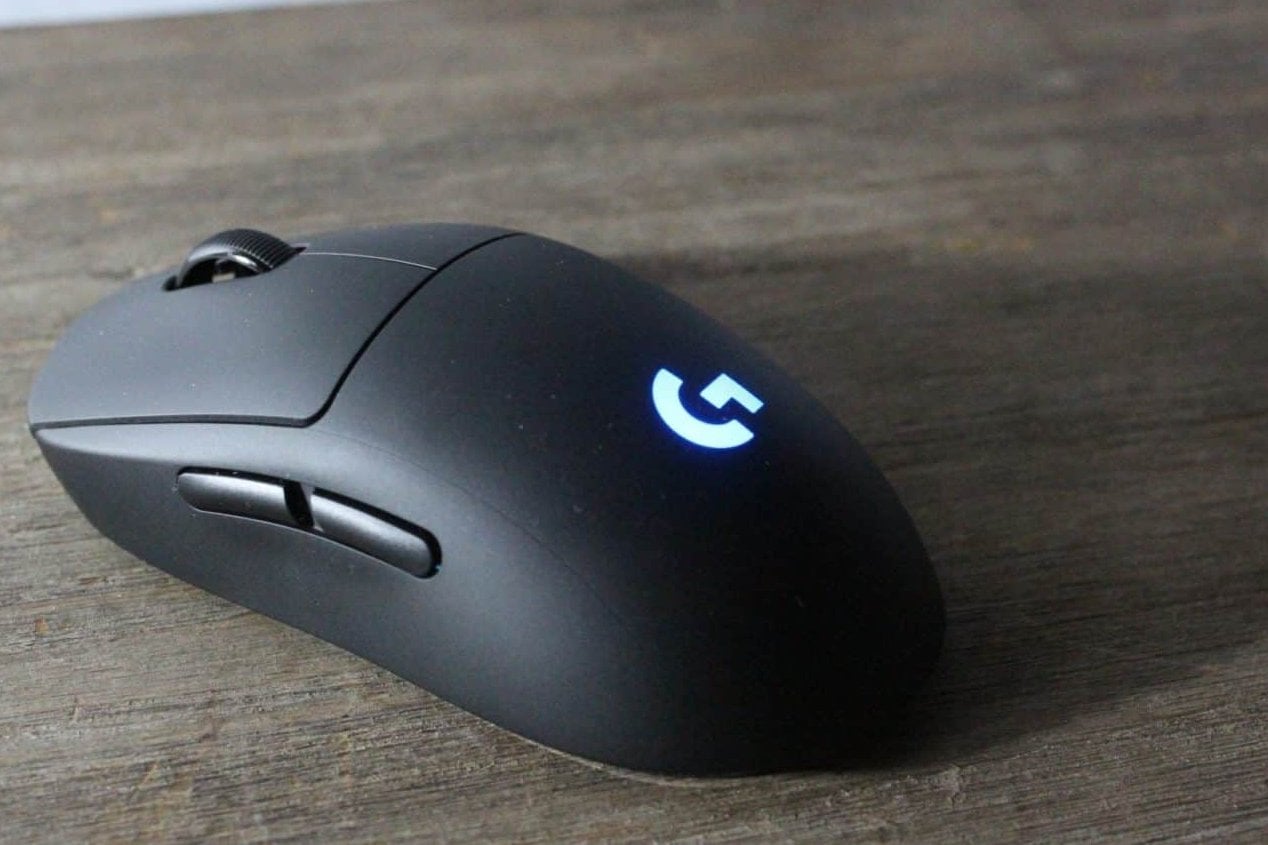
The Logitech G Pro Wireless was the mouse upon which the Superlight line was built, and it is the mouse that kicked off Logitech’s dominance in the pro scene. With a shape that has remained unchanged for almost a decade now, it’s quite evident that the brand hit the jackpot.
While the G Pro Wireless can absolutely still serve you well in LoL (or any other game, for that matter) it also has to be said that it’s an old mouse. If you’re considering this Logitech shape, we would recommend going for newer versions like the Superlight.
Logitech G Pro Wireless
Used by 17 League of Legends players ()Staff's Choice
Pro's Choice
Logitech has set out to create the ultimate gaming mouse with the G Pro Wireless, and as far as I’m concerned they have succeeded in that task. It’s without a doubt one of the most hyped up releases of the past few years, and for good reason too.
Pros
- Fits most hands and grip styles
- Flawless wireless performance
- Great battery life
Cons
- High price
- Micro USB charging port is getting outdated
Specs
| Sensor | HERO |
|---|
| DPI | 100-16000, in steps of 50 |
|---|
| Polling Rate | 125 / 250 / 500 / 1000 Hz |
|---|
| Button Switches | Omron |
|---|
| Connection | Wireless |
|---|
| Shape | Ambidextrous |
|---|
| Length | 12.5 |
|---|
| Height | 6.3 |
|---|
| Weight | 81 |
|---|
| Width | 6.3 |
|---|
Logitech G703
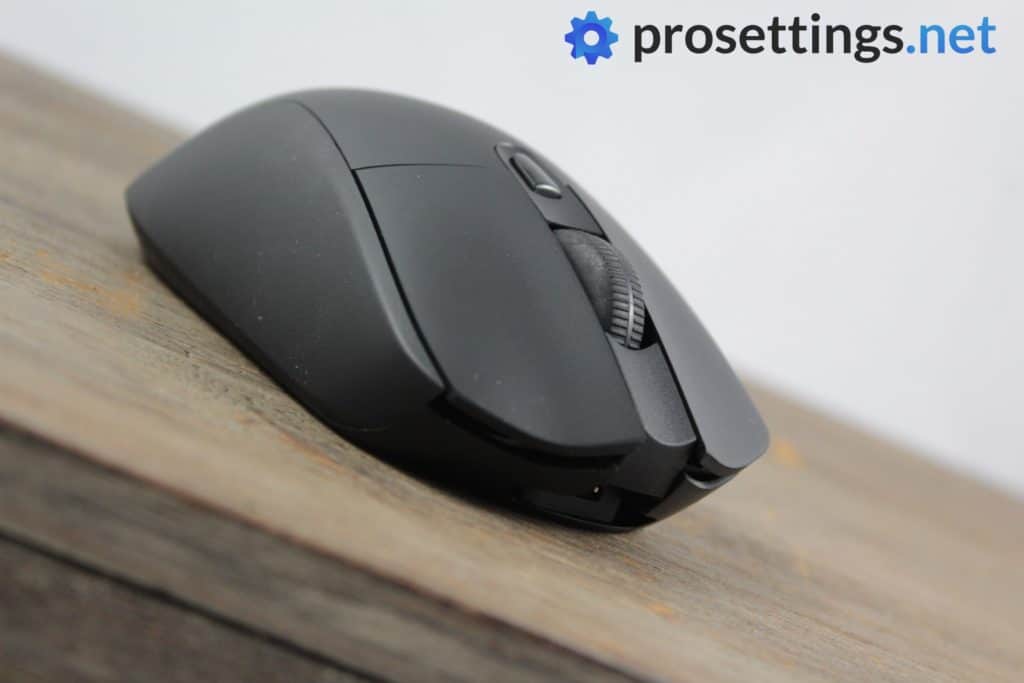
The Logitech G703 is a cult mouse. It was released along with the G Pro Wireless as one of the first flawless wireless mice, and while the G Pro Wireless has gone on to receive multiple updates and still serves as Logitech’s flagship line, the G703 has seen a lot less attention.
What you get here is a mouse with a unique shape that seems to be pretty much ‘love it or hate it’. The very pronounced hump that’s located towards the back of the mouse definitely doesn’t suit everyone, but if you like that sort of palm-filling action in a mouse this is a great choice.
The G703 is a very old mouse, but if you can live with its shortcomings, it’s an interesting option to consider for people who want an ergonomic shape.
Logitech G703
Used by 6 League of Legends players ()If you can (quite literally) get over the rather awkward hump this is gonna be a great mouse for just about anyone. The G703 is a top tier wireless mouse, featuring a flawless sensor, perfect wireless connection, and some of the best buttons in the business.
Pros
- Flawless wireless performance
- Unique ergonomic shape
Cons
- A bit heavy/unwieldy
- Stock feet could be smoother
- Micro USB connection is outdated
Specs
| Sensor | HERO |
|---|
| DPI | 100-12000, in steps of 50 |
|---|
| Polling Rate | 125 / 250 / 500 / 1000 Hz |
|---|
| Button Switches | Omron |
|---|
| Connection | Wireless |
|---|
| Shape | Ergonomic |
|---|
| Length | 12.5 |
|---|
| Height | 4.3 |
|---|
| Weight | 105 |
|---|
| Width | 6.7 |
|---|
Logitech G Pro Gaming Mouse
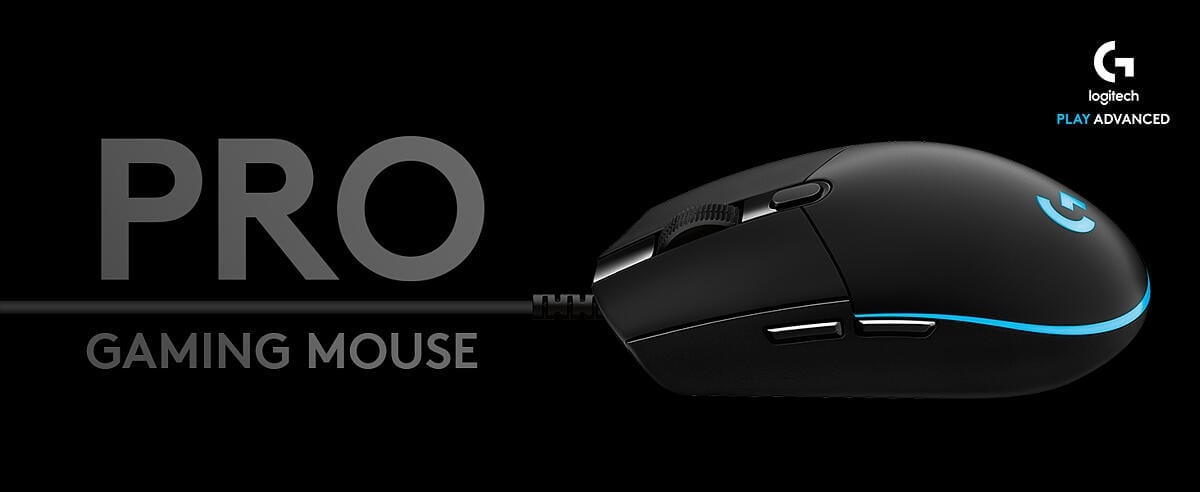
Originally this was just called ‘G Pro’, but to avoid confusion with the G Pro Wireless that came behind it (and has a completely different shape) people often refer to it as ‘G Pro Wired’, even though it’s officially called ‘G Pro Gaming Mouse’. What’s in a name, right?
In any case: this small mouse was quickly adopted by professional gamers as their main piece of kit, and even though its popularity has faded over the years, this small ambidextrous mouse (with a shape that’s often lovingly referred to as ‘an egg shape’) still remains popular. Recent models of the G Pro Gaming Mouse feature Logitech’s flagship HERO sensor and have an improved cable compared to the early 3366 versions, so if you’re planning on buying this one it’s a good idea to look out for these changes, as the improved cable does make for a much more pleasant experience.
If you love smaller ambidextrous mice and/or you’re someone who mains a fingertip (of fingertip inspired) grip then this could very well be the mouse of choice for you. It’s a great ‘no nonsense’ compact gaming mouse.
Logitech G Pro Gaming Mouse
Used by 3 League of Legends players ()The Logitech G Pro Gaming mouse is a great budget option for people who want to play with a smaller mouse.
Pros
- Top performance on a budget
Cons
- Pill-shaped design isn’t very comfy
Specs
| Sensor | HERO |
|---|
| DPI | 100-25600, in steps of 50 |
|---|
| Polling Rate | 1000 Hz |
|---|
| Button Switches | Omron |
|---|
| Connection | Wired |
|---|
| Shape | Ambidextrous |
|---|
| Length | 11.6 |
|---|
| Height | 3.8 |
|---|
| Weight | 81 |
|---|
| Width | 6.2 |
|---|
Logitech G903
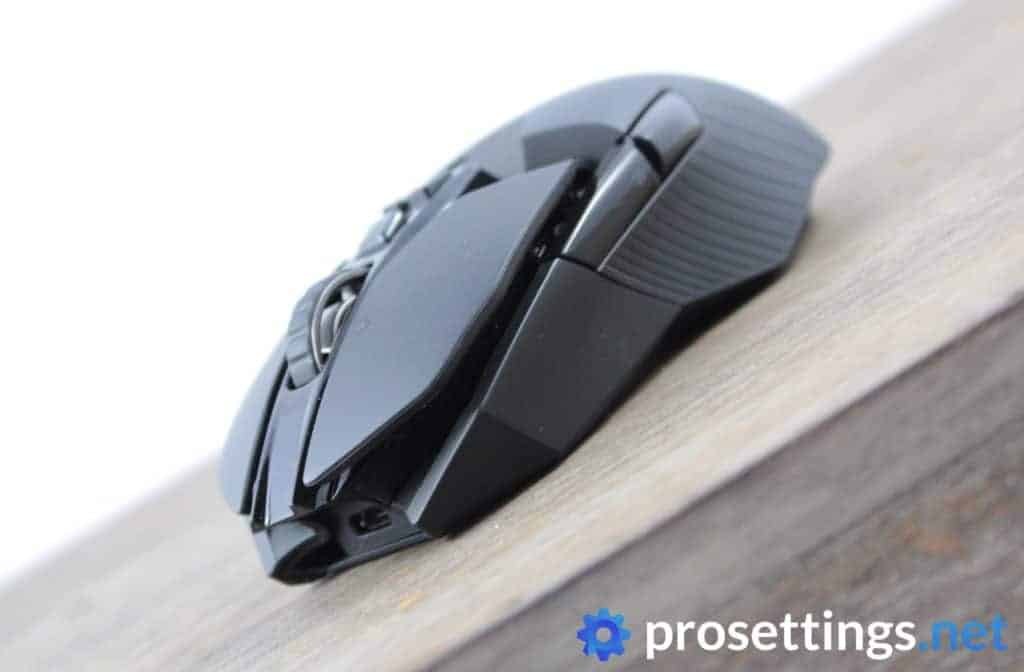
The Logitech G903 is a mouse that comes with a ton of extra buttons and features, making it a mouse that’s, in theory, ideal for MMO gaming. The fact that it’s on the heavier side makes it a little less suited for competitive FPS gaming but seeing as aim is much less of a factor in MMO games such as League of Legends, this is definitely a good one to consider if you’re looking for a gaming-grade mouse with extra functionality.
Due to the extra features it can double as a work/productivity mouse, and thanks to the fact that it has side buttons on both sides it’s also a product that can seamlessly be used by left-handed gamers. If you prefer heavier mice and/or you want to get as many extra features as possible on your mouse, this might very well be it.
Do note that it’s an older mouse, though. It’s much heavier than current-day mice, and also uses outdated tech such as Micro-USB.
Logitech G903
Used by 6 League of Legends players ()Aiming

The G903 has a nice and comfortable shape and packs all the features you could ever need on a gaming mouse (minus maybe a sniper button) and it has an amazing scroll wheel to boot. This all means that it’s a pretty hefty and large mouse (at 110 grams) but if you can get over that this is one of the better gaming mice out there in its category.
Pros
- Tons of extra buttons and options to configure
- Flawless wireless performance
Cons
- Heavy
- Can feel bulky due to the size and weight
Specs
| Sensor | PMW 3366 |
|---|
| DPI | 100-12000, in steps of 50 |
|---|
| Polling Rate | 125 / 250 / 500 / 1000 Hz |
|---|
| Button Switches | Omron |
|---|
| Connection | Wireless |
|---|
| Shape | Ambidextrous |
|---|
| Length | 13 |
|---|
| Height | 3.9 |
|---|
| Weight | 110 |
|---|
| Width | 6.6 |
|---|
Razer DeathAdder V3 Pro
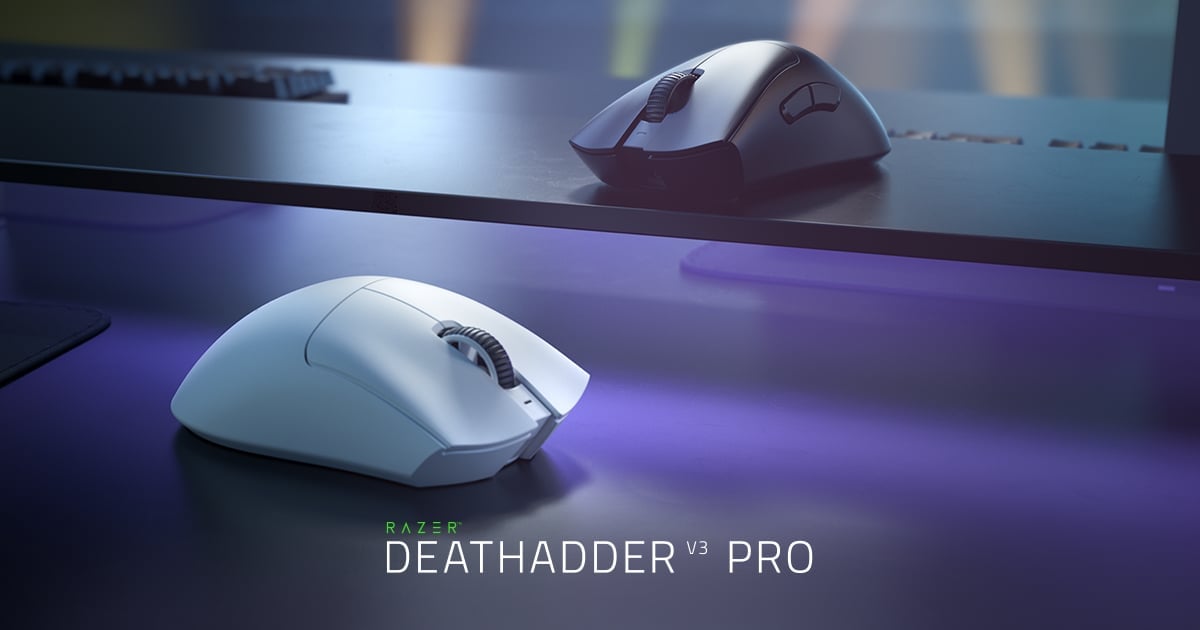
The Razer DeathAdder has been the weapon of choice for absolute legends such as Faker, but it’s also quite simply an iconic mouse outside of LoL.
This famous mouse design underwent significant design changes when it went from the V2 to the V3, and now it’s a lot boxier and more approachable than its predecessors.
Under the hood, you get a top tier sensor and optical switches, and all of this comes bundled in a lightweight package. If comfort if what you’re looking for, you should give this one a try. It’s been succeeded by the DeathAdder V4 Pro, but the changes between both mice are quite small, so if you want to try that new DeathAdder shape without paying for the current top tier model, the V3 Pro is still a great option.
Razer Deathadder V3 Pro
Used by 9 League of Legends players ()Staff's Choice
Pro's Choice
The DeathAdder V3 Pro is aimed squarely at competitive and professional gamers who desire performance above all else, and it hits the mark on all fronts.
Pros
- Great build quality
- Flawless wireless connection
- Great battery life (90 hours)
- Capable of 4KHz polling rate in wireless mode (with separate dongle)
- Gen 3 optical switches feel great
Cons
- Price is high
- Side buttons have too much post travel
- Shape change might not sit well with everyone
- 4KHz polling rate not achievable out of the box (you need a separate dongle)
Specs
| Sensor | Focus Pro 30K |
|---|
| DPI | 100-30000, in steps of 50 |
|---|
| Polling Rate | 125 / 500 / 1000 / 4000 / 8000 Hz |
|---|
| Button Switches | Razer Optical |
|---|
| Button Force | 81 |
|---|
| Connection | Wireless |
|---|
| Shape | Ergonomic |
|---|
| Length | 12.95 |
|---|
| Height | 4.21 |
|---|
| Weight | 63 |
|---|
| Width | 6.13 |
|---|
Razer Viper V3 Pro
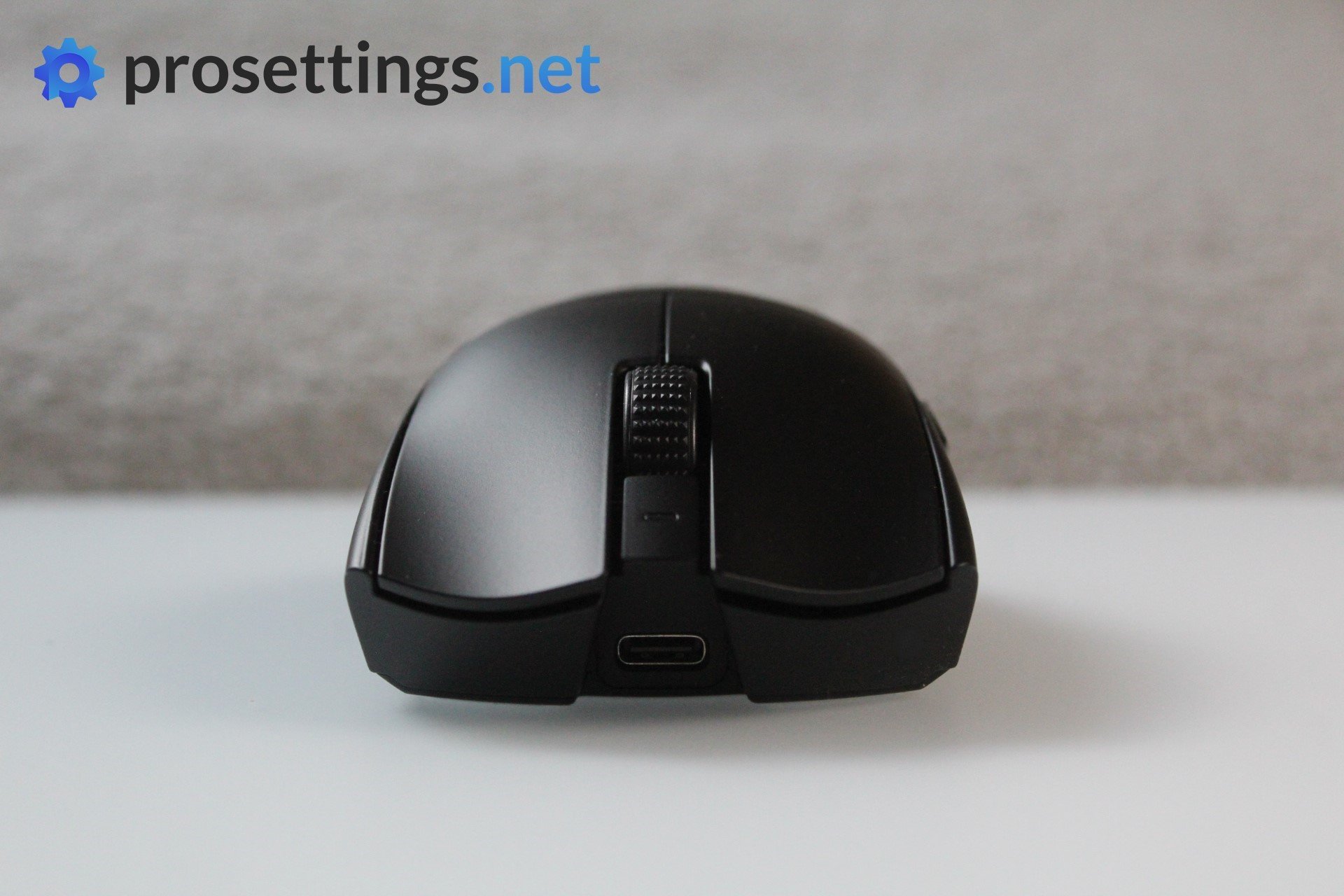
The Razer Viper V3 Pro was without a doubt one of the strongest releases of 2024. It has top tier internals (including a flawless sensor capable of polling rates of up to 8000Hz as well as optical switches) and a great build quality, all packed into a shell that weighs a mere 54 grams.
These top specs (along with the safe and neutral shape) helped propel the mouse to become one of the most used gaming mice of all time.
If you want a lightweight ambidextrous gaming mouse with top internals that’s made by one of the scene’s biggest brands, this is a good choice.
Razer Viper V3 Pro
Used by 6 League of Legends players ()Staff's Choice
Pro's Choice
As far as I am concerned, the Viper V3 Pro is the new benchmark for gaming mice.
Pros
- Fantastic gaming performance
- 8KHz wireless polling rate out of the box
- New shape is a lot safer
- Good coating
- Razer optical switches feel great
Cons
- Expensive
- Side buttons feel a bit mushy
Specs
| Sensor | Focus Pro 35K Optical Gen-2 |
|---|
| DPI | 100-35000, in steps of 1 |
|---|
| Polling Rate | 8000 Hz |
|---|
| Button Switches | Razer Optical |
|---|
| Button Force | 67.6 |
|---|
| Connection | Wireless |
|---|
| Shape | Ambidextrous |
|---|
| Length | 12.71 |
|---|
| Height | 3.99 |
|---|
| Weight | 54 |
|---|
| Width | 6.39 |
|---|
Best Mouse for League of Legends – Conclusion
Even though League of Legends is completely different from the majority of the games that we analyze, the basic principles of choosing the right gaming mouse don’t change at all. You will want a mouse that offers you a lossless connection (be it wired or wireless) that is comfortable for you, so in a way the best mouse for League of Legends depends on personal preferences. We write these guides in order to inform you on current trends in the pro scene, but if you feel like the shape of our number one mouse wouldn’t suit you it would be unwise to go for that one just because the majority of professionals are using it.
Hopefully this guide has helped you decide on your next purchase. Feel free to browse our other guides and reviews in order to get even more information on the subject. As always: if you have any questions, feel free to reach out to us on social media or in the comments of the relevant articles. We’re always glad to help!

