From the 25th of March to the 1st of April 2026, you have a chance at winning a free Apex Pro TKL Gen 3 on X!
Introduction
The analog keyboard revolution has been one of the most exciting developments in the gaming peripheral space over the past few years. As you might know if you’re a regular reader on our site, the rise of boards with adjustable actuation and features like Rapid Trigger has been massive, and it shows no signs of slowing down. At the center of that shift, you’ll find the SteelSeries Apex Pro.
After all, SteelSeries was the first mainstream brand to bring adjustable actuation to the gaming keyboard market with their OmniPoint switch that allowed players to customize exactly when their keypresses registered. As such, it can be argued that the Apex Pro paved the way for the analog keyboards we see dominating the scene today.
Since those days, SteelSeries has continued to iterate on their formula. The current Apex Pro lineup is now in its third generation (Gen 3) with the latest OmniPoint 3.0 switches, and it’s available in three different sizes. In this article, we’ll go over what makes these boards stand out and give you a little bit of backstory on why these boards are so well-liked in the pro scene.
Pick Your Size
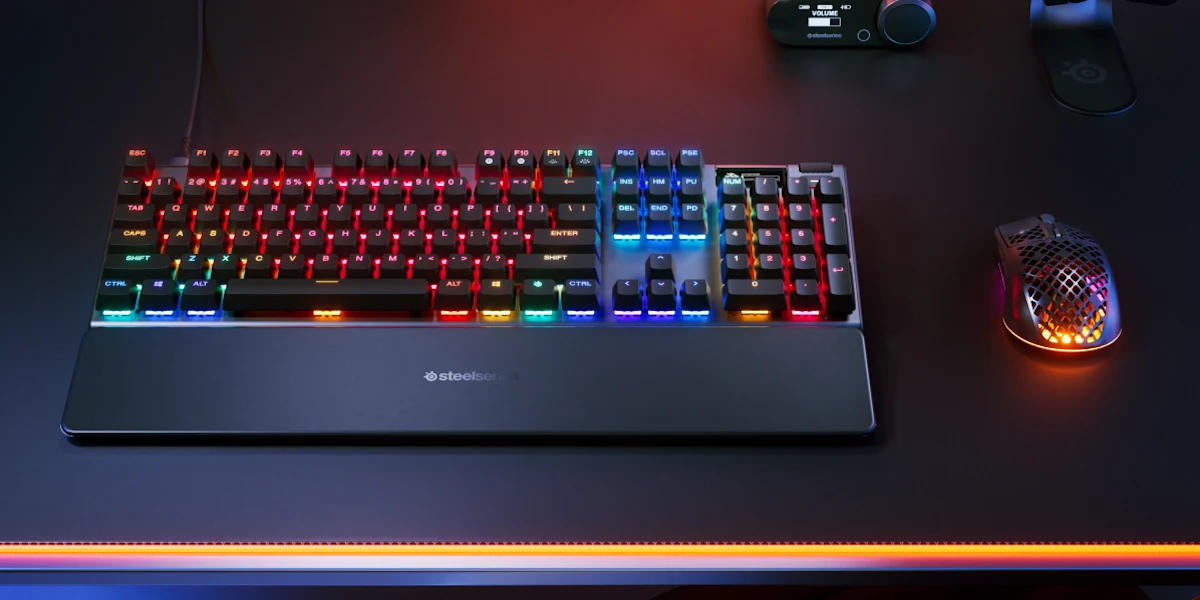
One of the handiest things about the Apex Pro lineup has always been that it’s available in three form factors, namely full-size, TKL (tenkeyless), and Mini (60%).
All three sizes come with the same OmniPoint switches, the same adjustable actuation range, the same software support, and the same gaming features. The core performance is identical across the board. This is worth emphasizing because, with some other brands, you sometimes see features get cut or changed when a board gets shrunk down. Or, you might see staggered releases, where the 80% version gets released a year or so later, with different (newer) features.
Of course, there are small differences in the amount of ‘extras’ you get. The larger sizes come with a display and media controls, while the 60% version does not have any of that. Additionally, both the TKL and the full-size option include a wrist rest in the box, which isn’t the case with the 60%.
In terms of popularity in the pro scene, the TKL definitely takes the cake, with the mini version coming in second. Full-size boards aren’t popular in the pro scene right now, but it’s nice to see that the option is there for gamers who want a numpad.
Popular in Fortnite
The Fortnite scene is where SteelSeries boards have found a particularly strong following, so we’ll reference the game here and there in this article.
The Apex Pro TKL in particular has been a staple in the Fortnite pro scene for years because it was basically the first mainstream board to offer this type of adjustable actuation that can be so handy in the game, so SteelSeries amassed a big following among top pros early on in the lifespan of analog keyboards.
Given the fact that the Apex Pro boards are among the best analog options even to this day, it’s not hard to see why Fortnite pros are so hooked on these boards. They’ve been around forever, feel reliable, and receive regular updates to keep them up-to-date with today’s demands.

What’s New In Gen 3
The most recent version of the Apex Pro is the Gen 3, which launched in late 2024. The changes haven’t been extreme (which is logical; never change a winning recipe, after all) but rather come in the form of meaningful improvements to make the user experience better.
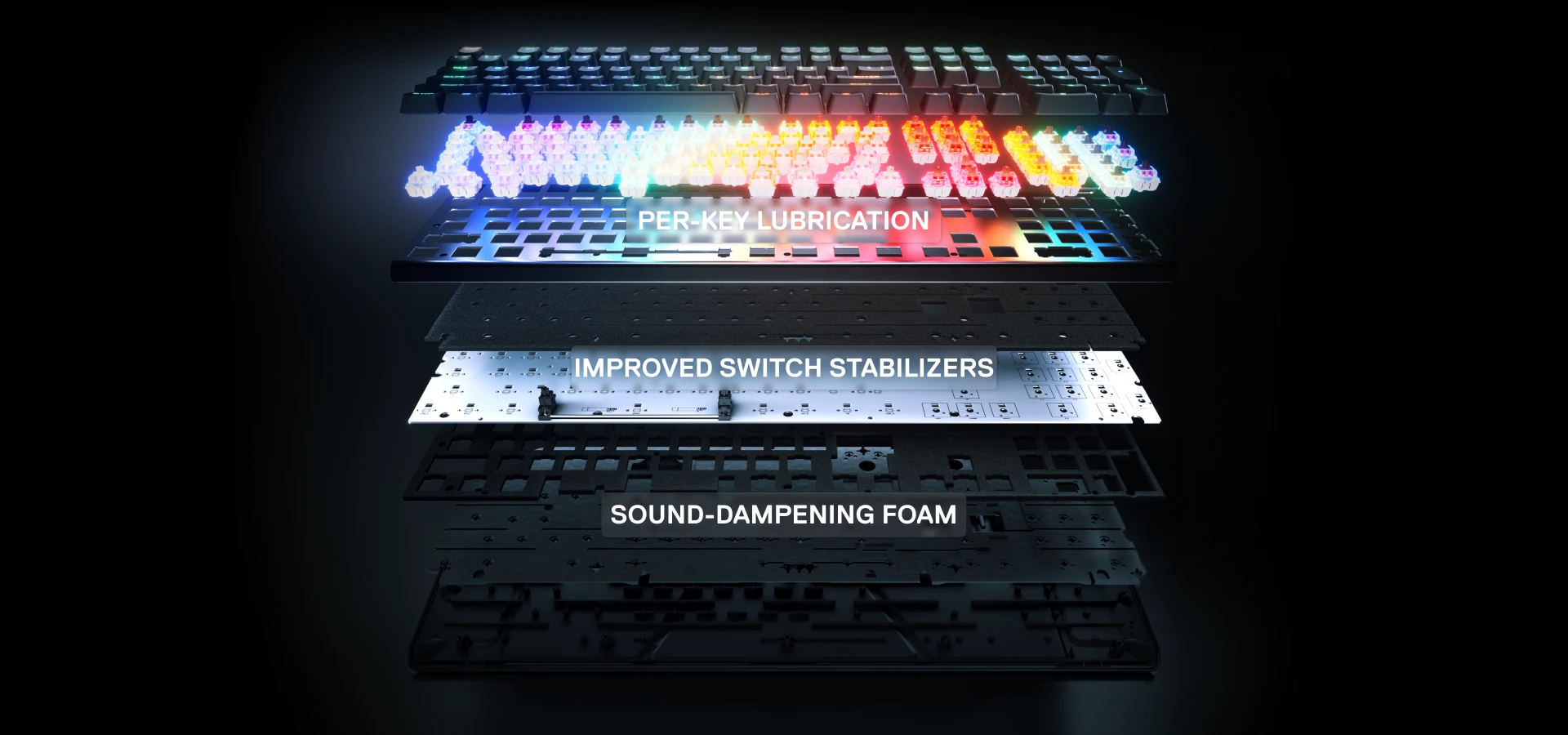
The switches, for instance, have been upgraded to OmniPoint 3.0 for improved precision and a larger actuation range. On the build quality side, SteelSeries added per-key lubrication, improved the stabilizers, and added a variety of sound dampening foams in order to improve the typing feel and sound. The result is a board that sounds and feels noticeably better than previous generations.
On the software side, the Gen 3 introduces GG QuickSet, which provides game-ready presets for popular games like Fortnite, VALORANT, and Apex Legends. For people who are new to analog keyboards or just don’t want to spend time tinkering, it’s a useful addition that’ll get you in the action immediately.
There’s also Protection Mode, which is a SteelSeries-exclusive feature. This reduces the sensitivity of keys surrounding the key you’re pressing, preventing accidental inputs from nearby keys. What’s cool here is that it only reduces the sensitivity of those keys while you’re pressing the other one. So you can still play with super sensitive switches if that’s what you like, you’re just reducing your chances of accidentally rolling onto the wrong key (reload, for example) when pushing another one. A smart, and practical feature.
Adjustable Actuation
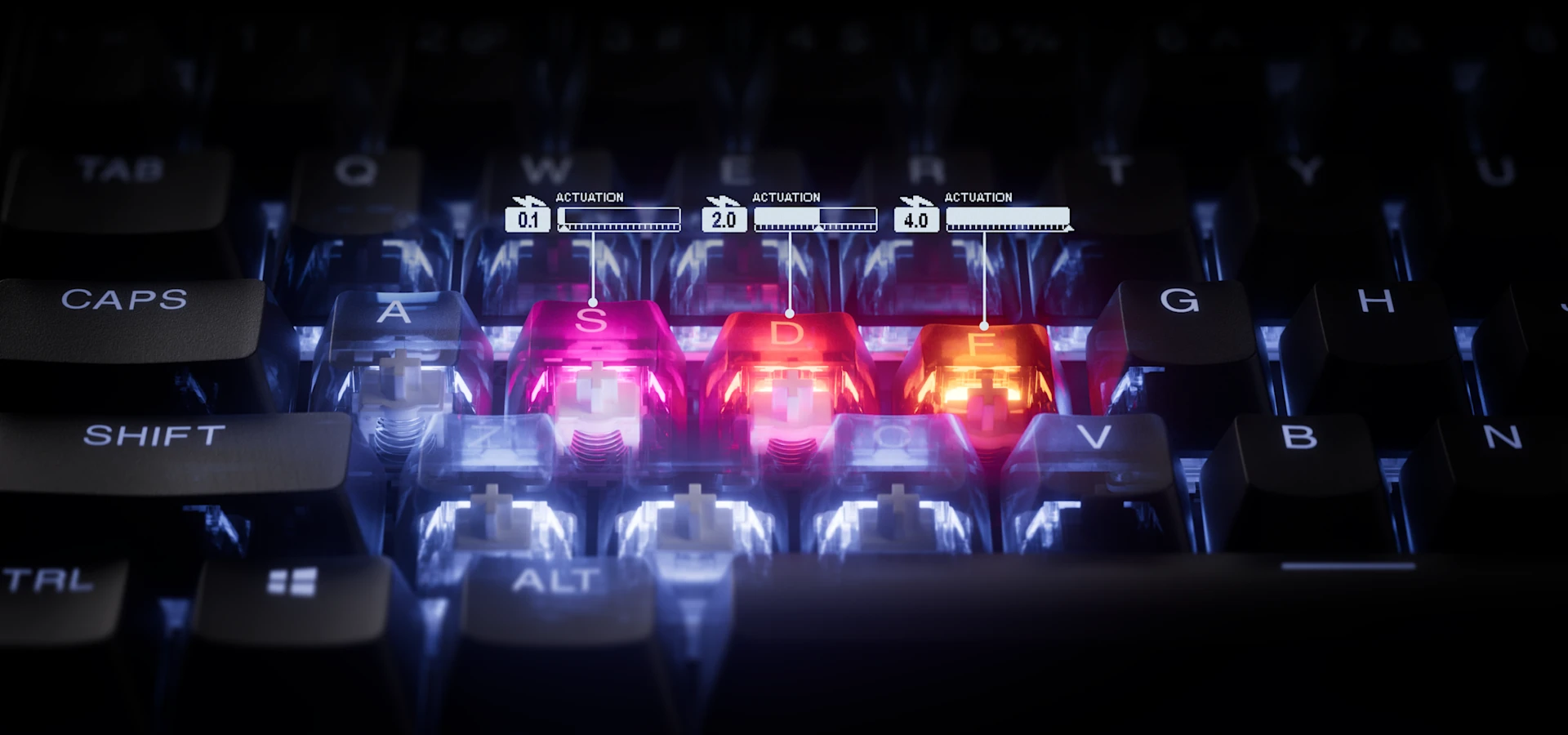
The headline feature of the Apex Pro has always been its adjustable actuation. It was the main focus for the first generation of boards, after all. The latest generation takes this to its most refined level yet. With OmniPoint 3.0 switches, you get 40 levels of per-key actuation ranging from 0.1mm all the way to 4.0mm. That’s a very wide range, going all the way from ‘this triggers if I look at it funny’ to ‘you need to press the key down fully before it actuates’.
For context, a traditional mechanical switch typically actuates at around 2mm. And that’s a fixed point, too, meaning that every keypress registers at the same distance, every single time. With the Apex Pro, you can set your WASD keys to actuate at 0.1mm for the absolute fastest possible response, while setting something like your reload key to a deeper actuation in order to prevent accidental presses in the heat of battle.
This level of customization is far beyond what traditional mechanical boards can offer, and it’s especially valuable in games where movement and snappy, fluid inputs are of the essence. In Fortnite, for example, building, editing, and movement all happen at an incredible pace, and having your movement keys actuate at the shallowest possible point can translate into faster strafes, quicker edits, and more responsive builds. Meanwhile, setting utility keys deeper helps you avoid that all-too-annoying fat-finger moment where you end up reloading (or doing something similar) in the middle of a firefight.
Rapid Trigger
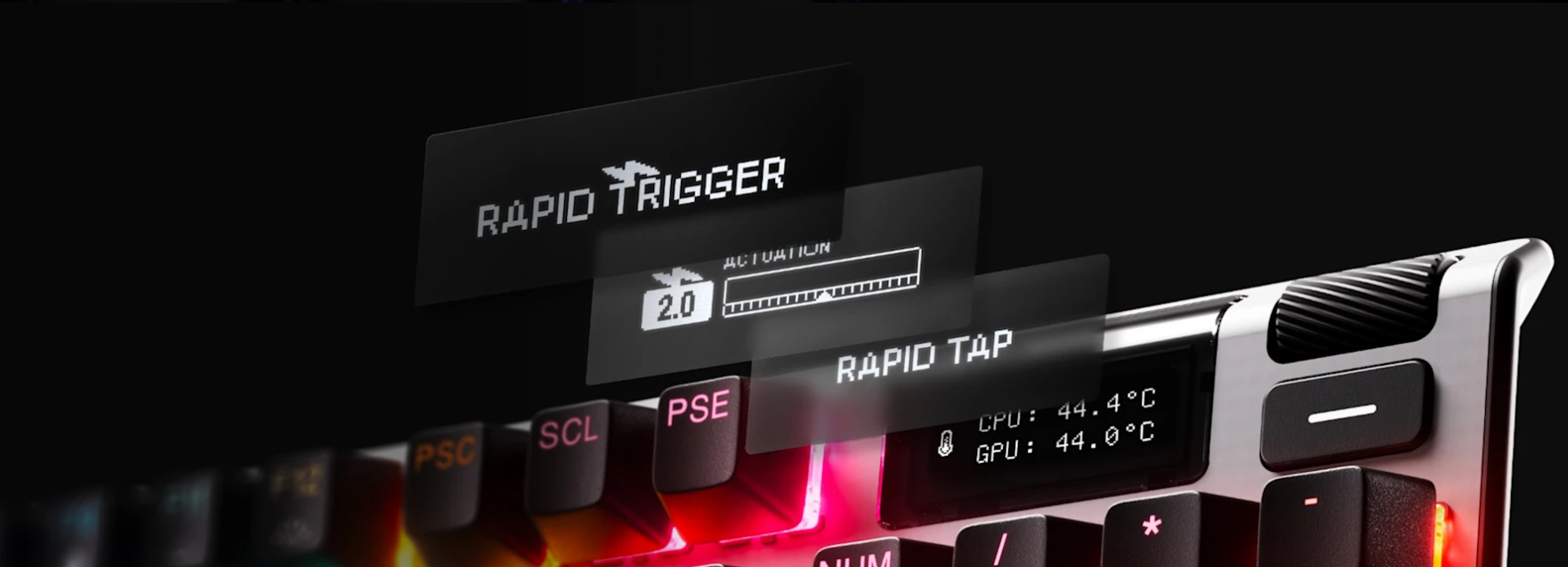
Rapid Trigger is perhaps the defining feature of analog keyboards, so of course SteelSeries also has an implementation of it on the Apex Pro.
On a traditional keyboard, this actuation point also acts as the reset point. After you press a key, you need to lift it past that reset point before it can be triggered again. So if your actuation point is at 2mm and you press down to 3.8mm, you need to lift all the way past 2mm before you can press the key again. This seems like no big deal, but it can create friction while gaming, especially when you’re trying to do things like counter strafe in shooters or spam inputs in fast-paced games.
With Rapid Trigger, the key becomes active again as soon as you start lifting your finger. The reset and activation points are dynamic, based on the actual travel distance of the key. This means that the key doesn’t need to travel all the way back up before it can register another press. It makes repeated inputs faster and more consistent, and it makes the keyboard feel significantly more responsive during quick actions.
This results in a keyboard that feels a lot more responsive and ‘with you’ than a traditional mechanical keyboard. The sensitivity of Rapid Trigger is also adjustable on a per-key basis, so you can dial it in to your preferences.
Rapid Tap
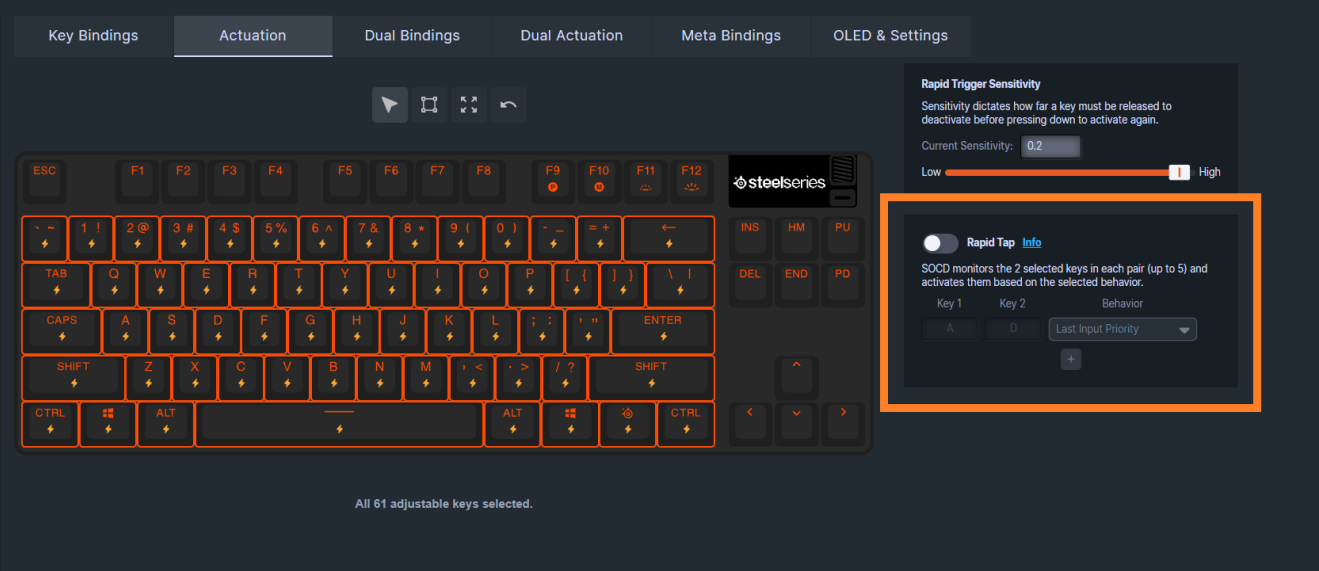
Rapid Tap is SteelSeries’ implementation of SOCD, which stands for Simultaneous Opposing Cardinal Directions.
In essence, when you’re holding down one key (for example, the ‘A’ key to move left) and you press the opposing key (‘D’ to move right), the most recently pressed key takes priority without you having to release the first key. This makes counter-strafing, for example, a lot easier to do, since you basically eliminate an entire source of user-error (namely pressing both opposing directional keys at the same time, thus canceling movement).
In Fortnite (where the Apex Pro has been among the most popular boards for years) this tech can make your movement feel a lot snappier when changing directions, making you even harder to hit.
One important note: SOCD is not allowed in all games. Valve has notably banned the usage of SOCD features in Counter-Strike 2, for example. So before you start using this technology, it’s important to check if it’s allowed in your game of choice.
Conclusion
The SteelSeries Apex Pro has come a long way since its debut in 2019. It introduced adjustable actuation to the mainstream gaming audience, and it has continued to evolve with each generation. The current lineup, with its OmniPoint 3.0 switches, Rapid Trigger, Rapid Tap, and deep per-key customization, offers a feature set that’s hard to match.
Perhaps most importantly, all of these features are available across all three form factors. Whether you go for the full-size, the TKL, or the Mini, you’re getting the same core performance. That’s a genuinely nice thing in a market where downsizing your board sometimes means giving up features.
If you’re in the market for an analog keyboard and you want something from a brand that has been doing this longer than most, the Apex Pro is well worth considering.


