Introduction
Wooting’s gear needs no introduction. They’re the most popular keyboard manufacturer in the pro scene thanks to their flawlessly performing keyboards that are mod-friendly and made with incredible attention to detail. It was the 60HE that really gave the Dutch company the traction it needed to go mainstream, so naturally we’ve been very excited to check out the second iteration of this legendary board. In our full Wooting 60HE v2 review, we’ll go deep on how the board feels and performs, so that you know exactly what you’re getting into.
At A Glance
Wooting 60HE V2
Used by 76 players ()
-
f0rsakeN

-
Twistzz

-
device

-
Jinggg

Staff's Choice
Pro's Choice
It’s the most complete gaming keyboard package I’ve tested so far, in my view. If you want a 60% gaming keyboard that scores highly on all fronts, this is the one for you.
Pros
- Great gaming performances
- Friction-fit PCB is amazing
- Split spacebar option adds extra input options
- Good typing feel and sound
- Sturdy build quality
- Wootility is great
Specs
| Form Factor | 60% |
|---|
| Switches | lekker_tikken_medium |
|---|
| PCB | Hotswappable |
|---|
| RGB | Yes |
|---|
| Height | 2.8cm |
|---|
| Width | 30.5cm |
|---|
| Length | 11.5cm |
|---|
| Weight | 606g |
|---|
First Impressions
Keyboard
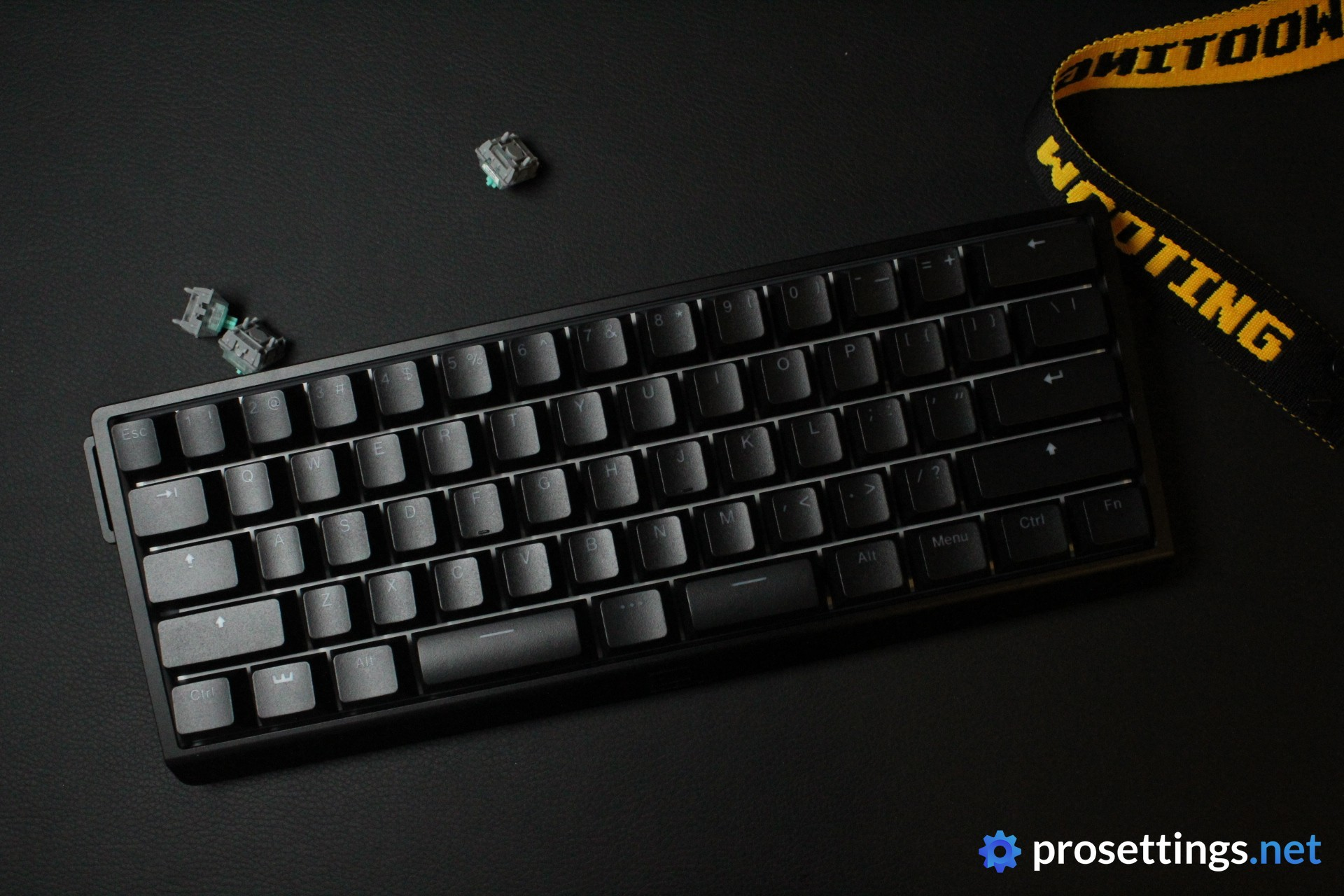
Wooting has multiple versions of the 60HE v2. There’s a version with an aluminum case, and one with a plastic case. In addition to that, Wooting also sells a regular spacebar version as well as a split spacebar version. For my review, I got the aluminum edition with a split spacebar.
Naturally, the most eye-catching feature of the board is the spacebar. Split spacebars are somewhat common in the enthusiast keyboard scene, but most gamers’ eyes will likely widen when they see the split edition of this board. I’ll go in depth on how this feels and functions further down in the review if you’re interested, but I can already say that the learning curve was very small for me.
Aside from the spacebar, the 60HE v2 looks quite unassuming. The aluminum case is nicely finished and has a couple of modern-looking edge work to it, but all things considered this is not a particularly eye-catching keyboard. It’s sleek, modern, and subtle.
RGB
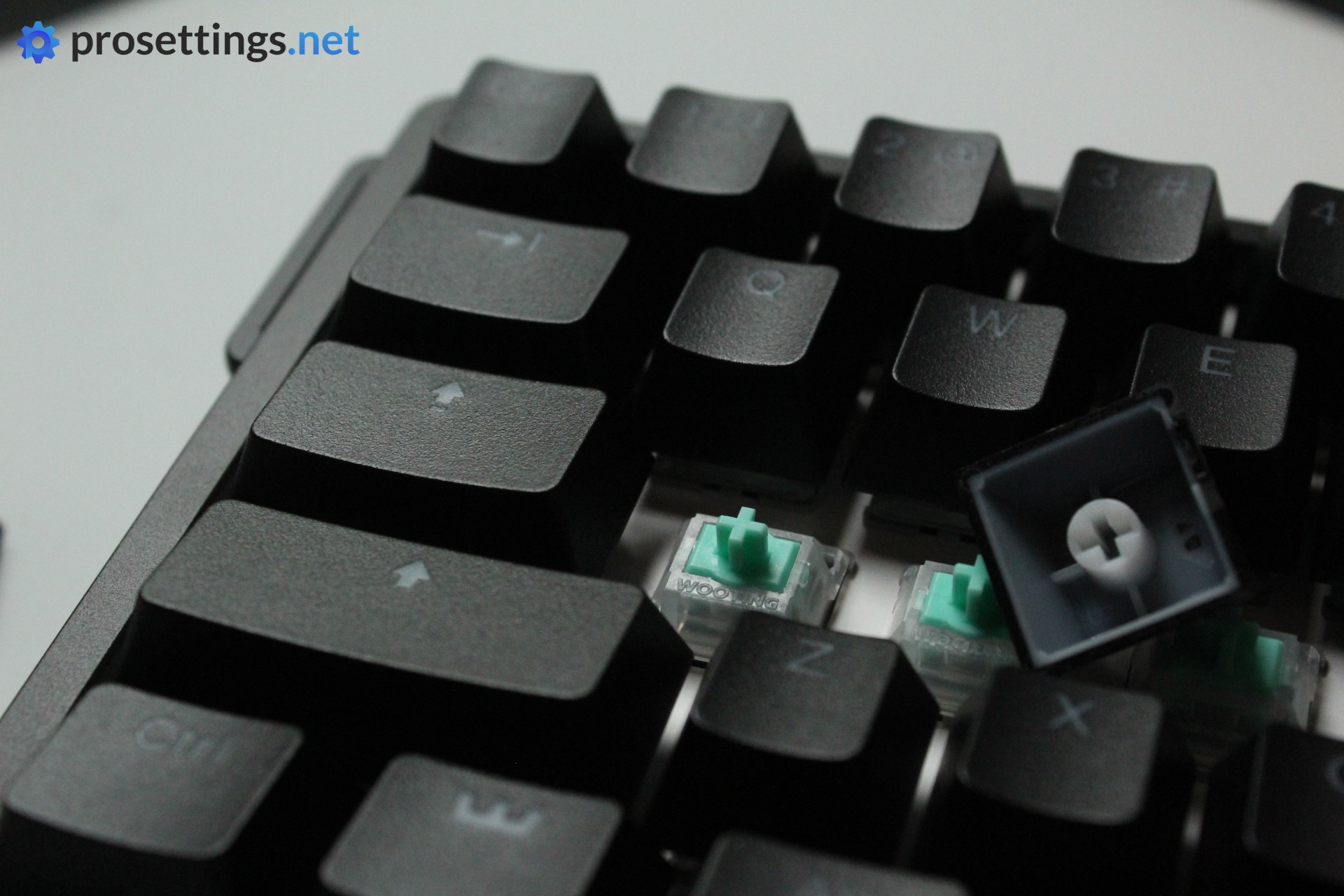
The 60HE v2 has a white backplate. This means that the light that comes from the RGB LEDs tends to bounce off of that plate, giving it a more ‘ethereal’ look. If you’re someone who loves a good light show, this is a huge bonus.
Wooting’s RGB effects look really good, too. They’re consistent, with no glitches when transitioning from one color or effect to another. Additionally, the fact that this is a board with analog switches gives it a lot more power when it comes to effects. For instance, you can have the area around the key you’re pressing light up more intensely depending on how deeply you’re pressing a key.
There are tons of possibilities here, and Wooting’s RGB options look extremely satisfying.
Packaging
In the box of the Wooting 60HE v2, you get a ton of goodies. You’ll find:
- The Wooting strap and attachment tools
- A USB-C-to-USB-A cable
- A keycap/switch puller combo
- Replacement switches
- A module removal tool
- Spare silicone plugs
- EDPM case foam to replace the silicone foam that’s pre-installed
- A Wooting greeting card
- User documentation
- Spare screws
- Wooting stickers
That’s everything you need with a keyboard, and small touches like the greeting card give the whole experience a more personal touch, which I like. It’s evident that Wooting is still a company run by passionate people.
Features and Build Quality
Materials and Design
As I mentioned, I got the aluminum version for review. I did not receive the ABS version for testing, so I can’t comment on that.
The unit I received feels and looks nice. The matte aluminum case does a great job at keeping fingerprints away, and the whole keyboard feels like a quality piece of equipment.
Something that I particularly like is that Wooting has now added a ‘no strap’ piece to the board. This can be used to replace the strap connector piece in case you don’t want to use a strap at all, resulting in a flat side. I don’t use the Wooting strap, so I appreciate the fact that I can make the board look a lot cleaner, visually speaking.
In terms of the overall design, there’s not much to note. There is of course the split spacebar (more on that later) but aside from that we don’t see any crazy design elements here. This is a well-built, good-looking keyboard that would not look out of place in a lineup of enthusiast custom-built keyboards.
Friction Fit Module
Wooting has always been big on customization. The first version of the 60HE was deliberately made to be easy to take apart and fit popular aftermarket cases, but they’ve gone a step further with the v2. With the friction fit module, you don’t need screws at all if you want to take the whole keyboard module (switches, PCB, switch plate, etc.) out of the case.
At first, I feared that this would result in a ‘loose’ board with a PCB that could fall out at any time, but that’s really not the case. Once the PCB is in, it doesn’t move unless you want to take it out. And if you do want to take it out, it’s as simple as just lifting it with the help of the tool and then removing it. If you want to place it in again, just lower it and give it a slight, loving press, and you’ll find that it’s perfectly secure and in place.
I absolutely love this. I am someone who likes to tinker with things and customize my gear a bit, so having the ability to swap cases on the fly is amazing. You could even have two modules (if you wanted to go crazy) with different switches and keycaps and swap between those depending on your needs and mood.
Keycaps
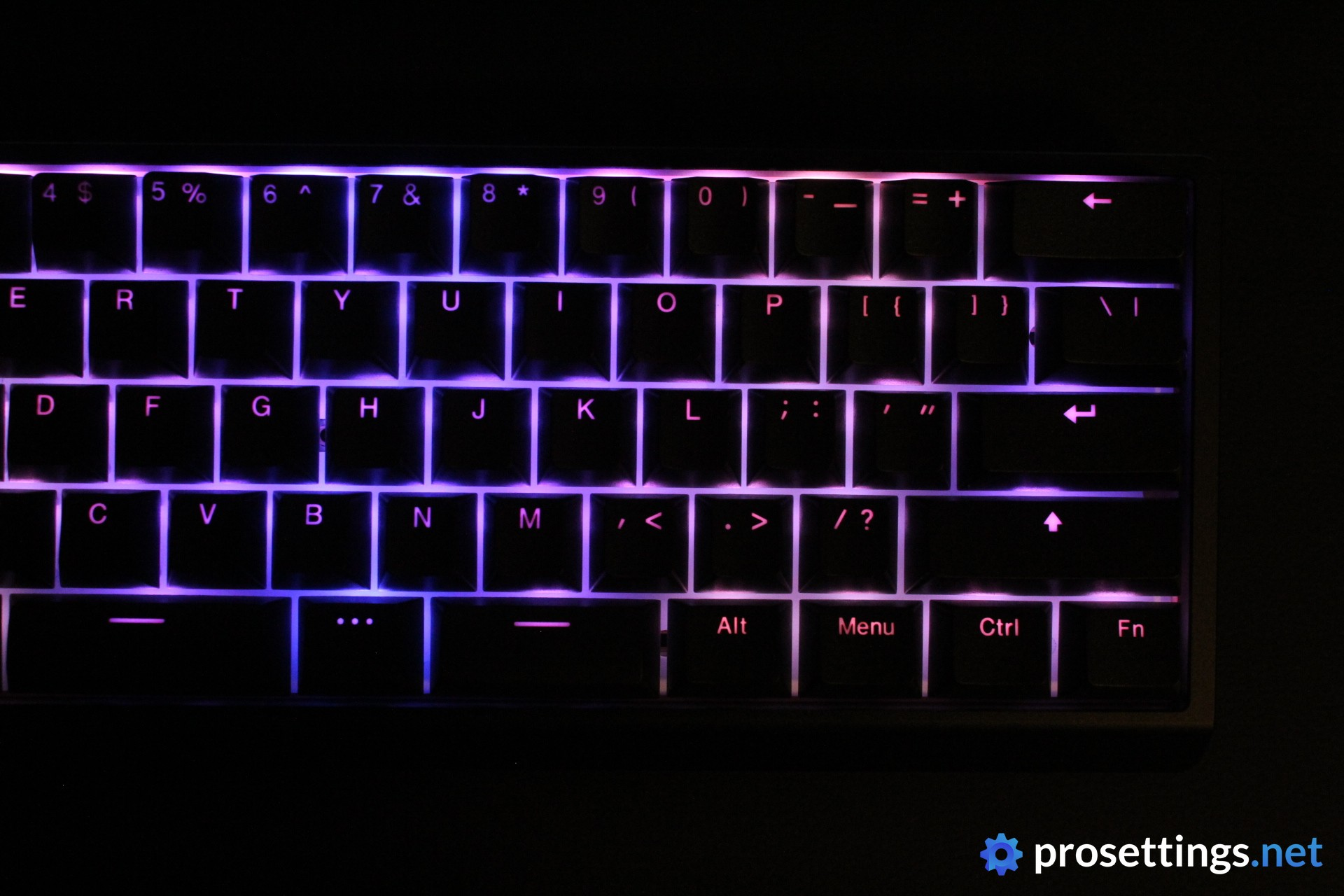
The PBT keycaps that the Wooting 60HE v2 comes with are great. They’re slightly textured, handle sweat and oils extremely well, and their legends are quite neutral and don’t draw any unwanted attention. I really like these, and see absolutely no reason to swap them out.
Customization
Wooting was the company that debuted web-based configuration tools, and if you ask me, they’re still the reigning champions on this front. Wootility is a piece of kit that just keeps getting better and better, and I absolutely love it.
The convenience of not having to download or open cumbersome software every time you want to change a setting is amazing, and Wootility is also amazingly well thought-out and easy to use if you ask me.
In terms of features, it’s also vast. Everything you expect to be able to do with a modern analog keyboard, you can do. And the best part of it all is that it works without any hiccups or bugs. Change a setting, save it, and you’re good to go. It’s consistent, easy, and works perfectly.
I am fully aware that I’m practically glazing Wootility right now, but there’s quite simply nothing to remark if you ask me. On the board itself, you can save up to four different profiles, each with their own lighting effects and performance features.

Split Spacebar – How Does It Feel?
Despite going through a mechanical keyboard phase back in 2020-2021, I had never actually used a split spacebar keyboard until I got the Wooting 60HE v2. As such, I was a bit worried that I would find the whole experience difficult to get used to, but that wasn’t the case. I discovered that, with my typing style, I pretty much never hit the spacebar right in the middle, so that whole middle section is essentially wasted space.
Following this, I pretty much only needed a couple of minutes to adjust to the split spacebar for productivity purposes. And now, I love it.
When working and writing, I don’t personally see a big uptick in productivity with a split spacebar since I already use a mouse with tons of extra buttons for shortcuts etc., so I don’t have a need for it on my keyboard. But for gaming it does really feel like a bonus, because you simply get extra input options that don’t require you to move your hand or fingers in an awkward manner. I bound that ‘center spacebar button’ to various things, but I ended up using it for push-to-talk in the end because it allowed me to speak without having to move my WASD fingers. Of course, the possibilities are pretty much endless, and you can bind whatever you want to that particular button.
All in all, the split spacebar is definitely a bonus to me. It’s not some game-changing feature (for me at least) but I do like it better than a regular spacebar.
Switches
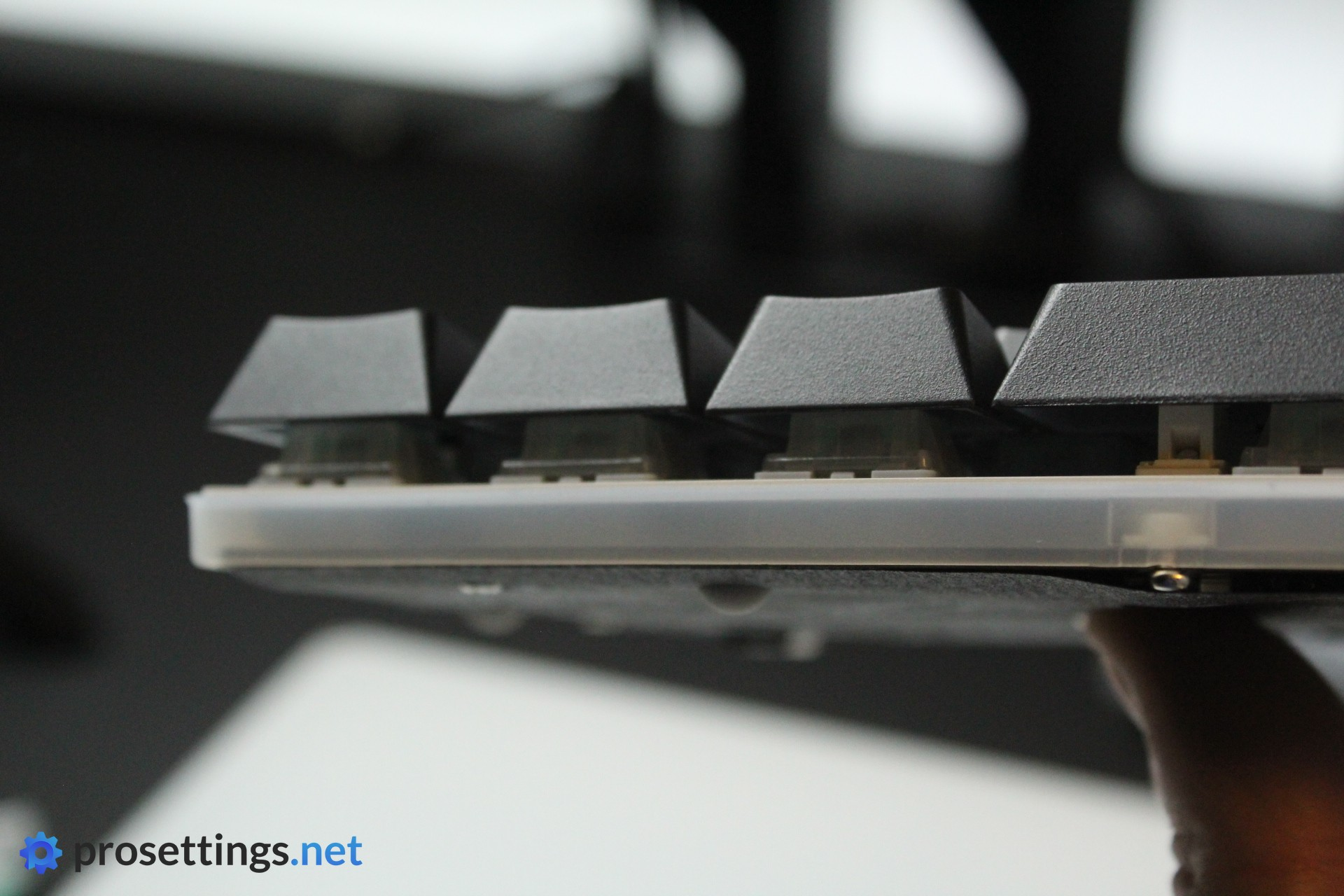
Under the hood, Wooting decided to go with their new Lekker Tikken switches. That’s Dutch for ‘tasty typing’, and that name is apt. They sound great and they feel great to type on as well. Stem wobble is extremely minimal, and each switch feels pleasant to press all the way through the full travel range. To me, these are a very clear upgrade over the Lekker switches that came in the first version of the Wooting 60HE, as the Lekker Tikken switches sound more pleasing, are quieter, and feel smoother.
What I also like here is that these switches aren’t extremely light. The actuation force is around 40 grams, making it so that you need a tiny bit of force in order to get the switch going. From that point on, it’s smooth sailing, and the switch doesn’t really get noticeably heavier when bottoming out. This is a setup that I personally love. There’s just enough resistance to prevent accidental fat-fingering, and the press feels extremely consistent once you’re pressing it further down.
To me, these are the best Wooting switches yet.

Typing and Gaming Experience
Gaming Experience
Wooting keyboards are up there with the best of the best when it comes to gaming performance and features, and the 60HE v2 doesn’t change that at all.
In terms of performance and features, there isn’t a keyboard on the market that beats the Wooting 60HE v2. Some might match it to the point where you won’t notice a difference in-game, but there’s no doubt that this is as good as it gets right now.
Wooting’s implementation of their analog switches is sublime, and I did not have any issues with consistency or input precision in all of my testing. Once you’ve dialed in all of the features (like Rapid Trigger etc.) to match your personal playing style, this is absolutely a keyboard that will make you play more consistently and, as a consequence, better.
If you’re coming from a regular mechanical keyboard and you’re wondering whether or not a board like this is worth it: yes, it is. All of the various features and technologies can be tweaked in Wootility so that they perfectly match the way you play to the point where you’re getting a keyboard that feels like it was custom-designed for you.
Lastly, there’s the fact that the Wooting 60HE v2 can run at 8000Hz. I’ll be blunt about this: this is not something that I notice in practice. It’s cool to see it included (I’ll never be against brands that upgrade their tech and push the envelope, as long as it doesn’t get in the way of the usability of the product) but you shouldn’t expect this to elevate your gameplay in any meaningful way.
Typing Experience
Back when it first released, the Wooting 60HE sounded pretty darn good for a mass-produced keyboard. Times have changed, however, so Wooting definitely had to step up if they wanted to keep up with the market. And that, they did.
They’ve included a silicone mat at the bottom of the case, PORON foam between the plate and PCB, and a little sheet that sits between the switches and the PCB. There’s also a ‘tape mod’ sheet on the bottom of the module with some really cool information printed on it. In addition to all of this, the friction fit system also means that the module doesn’t really come into contact with the case via any ‘hard pieces’ like screws etc.
All of this definitely seems like it works. The Wooting 60HE v2, to me, sounds and feels really good to type on. The stabilizers work perfectly and aren’t very rattly at all, the switches themselves (as I mentioned before) sound good, and there’s no case ping or other unwanted noises when typing.
In terms of pure sound, it’s not my favorite board out there right now, but that’s mostly down to personal preferences. On a technical level, this is very well-executed, and I would absolutely not hesitate to use this board for work or other productivity-related activities.
Sound Test
Alternatives
At this point, there are tons of 60% analog gaming keyboards out there, so there’s not much use in comparing the regular version of the 60HE v2 to a randomly selected list of 60% keyboards.
What’s important to know when considering the 60HE v2 is that it’s, for me, the most attractive overall package on the market. In terms of software, case design, typing feel, gaming performance, sound, and so on, it either sits at the very top of the market or it is very close to it, making this an ideal ‘I want the best of everything’ board.
However, if you don’t really care about certain aspects (maybe the typing sound isn’t that important to you, for example) being done to a very high standard, you can find a large variety of more affordable boards that cut some corners here and there. If you have any questions about how it stacks up to a certain specific board, please do not hesitate to reach out in the comments. I answer every single comment.
When we look at the split spacebar, the list of alternatives basically becomes non-existent. I personally don’t know of any top-tier gaming keyboard that offers a split spacebar, so if that’s what you’re after then the Wooting 60HE v2 is pretty much your only option right now.
Conclusion
The Wooting 60HE v2 is a worthy successor to the 60HE, in my opinion. Some will say that it doesn’t bring a ton of new stuff to the table in terms of gaming features, but the first version of the 60HE is still a top gaming keyboard, so not much needed to change there.
What you’re getting here is more refinement, rather than features that will drastically change the way you game. Wooting has made the typing experience a lot better by devoting more attention to how things feel and sound, for example. The friction fit PCB is also an amazing addition that makes the board extremely easy to mod. The switches also feel and sound better. The aluminum case feels and looks great, and is a definite upgrade over the plastic case that the first version came in, but there’s still a plastic version for more budget-conscious people.
In essence: you’re getting that familiar Wooting gaming performance in a package that’s much closer to a custom-built enthusiast keyboard. If that’s what you’re looking for, then the 60HE v2 is a great choice. It’s the most complete gaming keyboard package I’ve tested so far, in my view. If you want a 60% gaming keyboard that scores highly on all fronts, this is the one for you.
This product was received for free from the manufacturer and given to our reviewer to test and review. Brands and manufacturers have no editorial control over our reviews. For more information, check out our review FAQ.
Former semi-pro gamer turned writer, product reviewer, and community manager.

