Introduction
EPOMAKER has been in the keyboard scene for many years. It’s a brand that’s well-respected among enthusiasts, but it has never really managed to get a foothold in the gaming space. With the recent release of a bunch of analog, gaming-focused keyboards, the brand hopes to change that. Today, we’re taking a look at the TMR (Tunnel MagnetoResistance) version of their gaming board. In our full EPOMAKER HE75 V2 TMR review, you’ll find out whether it’s worth considering.
Update 31st of July 2026: Shortly after review, EPOMAKER contacted us to let us know that the AI assistant (mentioned under ‘Customization’) has been removed from their software after customer feedback.
At A Glance
EPOMAKER HE75 V2 TMR
The EPOMAKER HE75 V2 TMR is a good-but-not-great keyboard.
Pros
- Great typing sound and feel
- The rotary knob can be replaced by two switches; great idea
- Wireless connectivity in an analog gaming keyboard
Cons
- Gaming performance isn’t always consistent
- Feels/looks a bit cheap
- No web driver
- Software is confusing to navigate
Specs
| Form Factor | 75% |
|---|
| Switches | EPOMAKER Creamy Jade |
|---|
| PCB | Hotswappable |
|---|
| RGB | Yes |
|---|
| Height | 4.3 |
|---|
| Width | 32.4 |
|---|
| Length | 13.8 |
|---|
| Weight | 980 |
|---|
First Impressions
Keyboard
The EPOMAKER HE75 V2 TMR comes in at $129.99 at MSRP. That’s quite affordable for a gaming keyboard that’s wireless to boot, and it’s something that you notice when you unbox the keyboard. The whole board is made out of plastic and feels quite light and, for lack of a better term, cheap. It’s not that I mind plastic boards, but something about the way this is finished and the materials they’ve chosen here screams ‘budget’ to me.
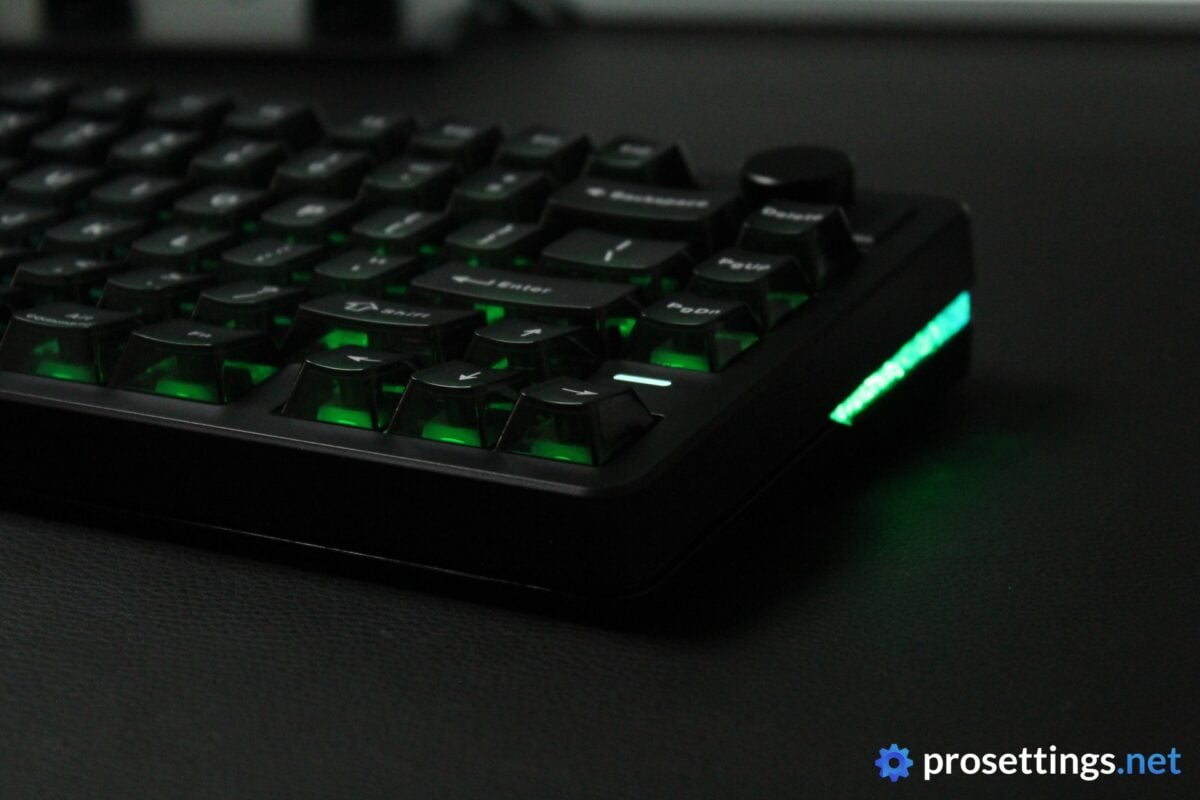
The keycaps also catch the eye quite quickly. These caps have transparent sides in combination with a translucent top, giving them a rather unique look.
All of the above give the HE75 V2 TMR a very unique look within the current gaming keyboard landscape.
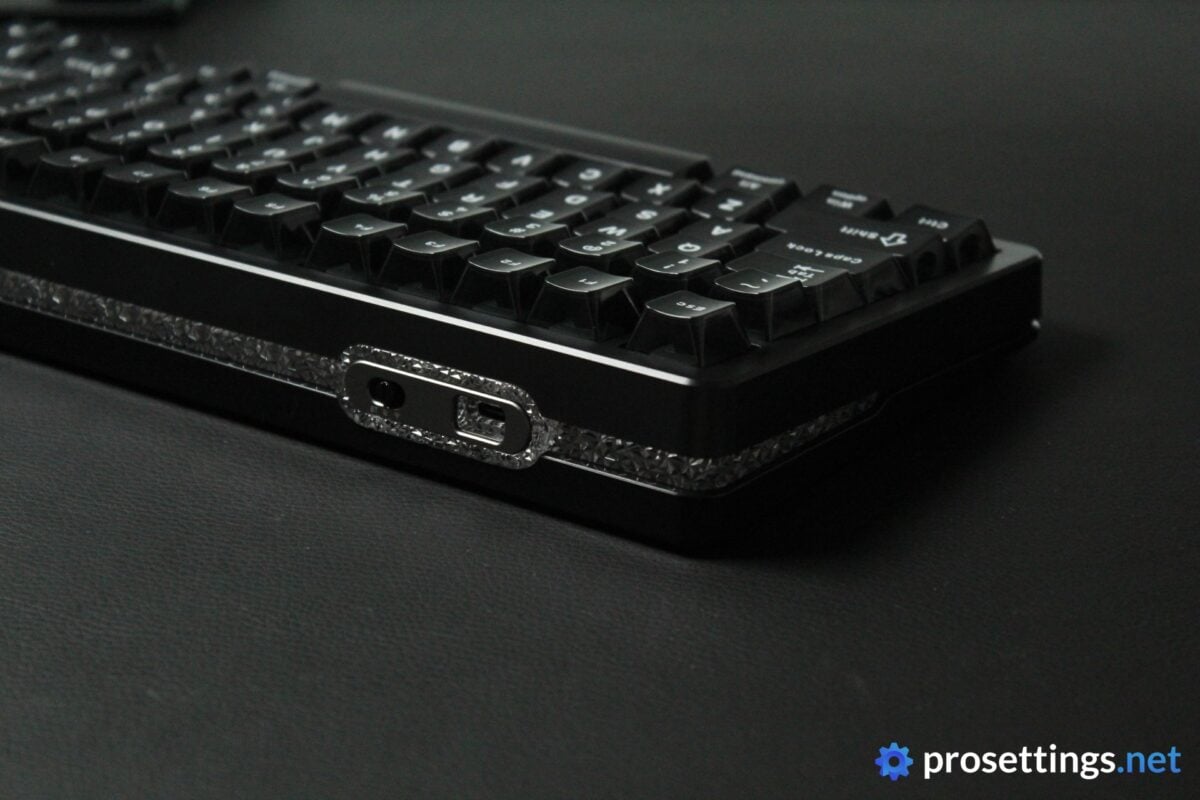
Finally, there’s also the connectivity. You can connect the board via Bluetooth, a 2.4GHz wireless dongle, or via USB-C. That’s a lot more options than what most competitors offer, and is certainly a pro for the board as a whole.
RGB
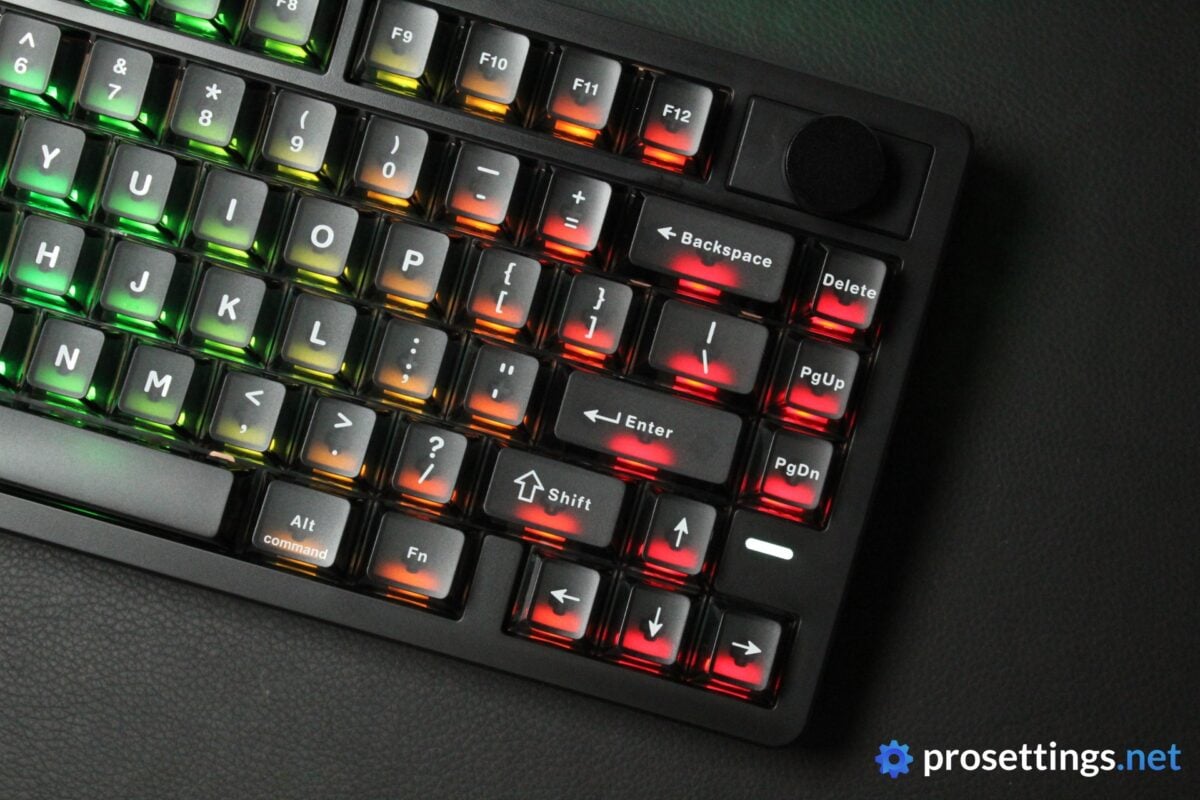
Due to the semi-translucent keycaps, the RGB can really ‘shine’wow’. There are lots of cool effects to choose from, and the colors and effects are consistent. But it should be noted that the RGB experience is quite unique here. With the way these keycaps have been designed, you can see the individual RGB elements sitting underneath the keys. This results in an RGB lighting that’s a lot ‘blockier’ than the more ethereal glow you’re probably used to.
Additionally, the smoky finish of the black keycaps that are on the board that I tested quite obviously desaturate the RGB elements somewhat. So, if you’re someone who wants super bright and vivid RGB that flows naturally, you may want to steer clear. However, if you’re looking for a slightly more unique and ‘out there’ RGB experience, this definitely offers that.
Packaging
Inside the box of the EPOMAKER HE75 V2 TMR, you get the following:
- The keyboard itself
- A USB-C-to-USB-A cable
- A wireless receiver dongle (this is ‘hidden’ underneath one of the flip-up feet)
- A keycap/switch puller combo tool
- Spare switches
- User documentation
Considering the fact that this is a relatively affordable gaming keyboard, I am very satisfied with the amount of extras you’re getting here. You get four extra switches, for example. There are brands charging top dollar that don’t even add one. So kudos to EPOMAKER for all of this.

Features and Build Quality
Materials and Design
The EPOMAKER HE75 V2 TMR is an all-plastic board. That does not necessarily have to be a bad thing (tons of great keyboards are made of plastic) but I do not really love this design.
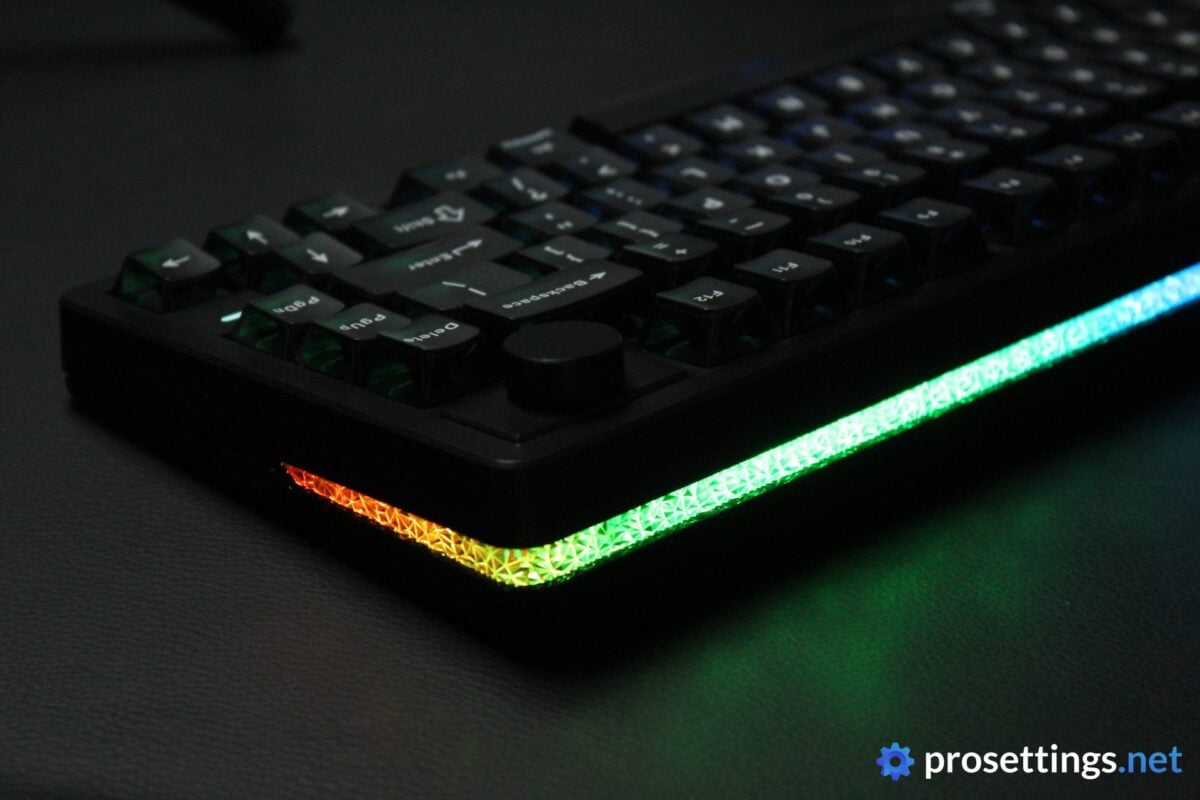
The plastics they’ve used have quite a glossy finish to them, which cheapens the look a little bit. And the RGB strip on the sides and back has this textured finish that, to me, looks a bit gaudy. I also don’t like the way the keycaps look. I’ll address those a bit further in the review, but the black semi-translucent caps kind of remind me of a smoky tavern.
Suffice it to say, I don’t like the design. But that’s obviously personal preference. What isn’t subjective is the build quality, and that’s quite good. The board (like most plastic keyboards) flexes a little bit when I twist the product, but I found nothing during my testing to indicate that this is a badly-built keyboard. There’s also no unwanted flexing or creaking when using the board normally. So despite the cheap look and feel, the board does actually feel good once it’s been put to the test.
One feature that I absolutely love is that the rotary knob can be removed and replaced by two switches. It’s quite a genius decision, even though it does mean that the knob assembly feels like it’s not fully streamlined into the design. But that’s a compromise I’m very willing to make if it means more customization and options.
Keycaps
I’m not a fan of the keycaps. I would have preferred the top to be completely solid, rather than this translucent thing they’ve got going on now. With the tops also letting light through, you can see the section where the switch stem goes through the switch when the lights are on brightly. This, in combination with the printed lettering, makes for a messy look. I also don’t like the font, which looks too playful for me.
So aesthetically, they’re not my thing at all, but I also don’t really love the execution. I would’ve preferred a bit more texturing to the keycaps, as these are quite smooth. Additionally, larger keys (such as the spacebar) are also quite prone to showing fingerprints and oils. This is usually not very visible due to the keycap design, but if light hits the board at a certain angle, you can definitely spot it.
In terms of the overall quality, the keycaps are good though. They’re certainly thick enough, and they’re well-executed in terms of the overall consistency and tolerances.

Customization
You can customize the EPOMAKER HE75 V2 TMR through EPOMAKER’s own software. In this software, you can rebind buttons, create macros, tweak the RGB, change the performance of the switches, and so on.
In terms of performance, the software works fine. It did not crash on me once, and all settings were applied promptly and stayed exactly how I wanted them to be.
But I do have to say that the software is quite confusing. Changing more in-depth settings is not always as straightforward as I’d like, and as such it can be irritating to set up at first. There’s an ‘AI assistant’ inside the software, but when I asked that assistant something, it replied in Chinese, so that was not very useful.
In short: the software works fine, but it can use some QoL improvements. There’s also no web driver available currently, which is a bummer to me.
Switches
The board ships with EPOMAKER Creamy Jade HE switches. These are factory-lubed and have a crowd-pleasing actuation force of 45g. With their standard MX design, they’re slightly wobblier than some of the box-stem designs I’ve seen over the past two years, but other than that I do not have any issue with these switches at all.
I like the actuation force, I like the bounce-back, and I like the way they sound as well, with their slightly thocky sound profile. Additionally, they also feel very smooth all the way across the travel range. No complaints from me.
TMR
Notably, the HE75 V2 TMR is a TMR keyboard. This stands for Tunneling Magnetoresistance. In essence, this is the same as an HE (Hall Effect) keyboard, since it also uses magnets to determine the exact position of the switch. However, whereas HE boards use a change in voltage to detect switch movement, TMR boards use a change in resistance to do the same. This results in higher precision and lower energy consumption.
In practice, this allows a board like this to go wireless. Previously, wireless analog keyboards were very niche because of the power draw of analog switches. TMR fixed most of those issues, so it does represent a pretty big leap forward in that sense.
Customization is also improved, as TMR boards can be customized down to 0.01mm, whereas HE boards are generally limited to 0.1mm increments.
Typing and Gaming Experience
Gaming Experience
As I mentioned, TMR allows you to customize your switches down to 0.01mm. It has to be said that a 0.1mm switch movement is already virtually impossible to reliably distinguish when using a gaming keyboard, though.
For me, the EPOMAKER HE75 V2 TMR felt like any other analog keyboard on the market. I didn’t feel any faster with it, and I didn’t feel as if the switches were any more consistent. That’s not to say that I don’t believe that TMR can be better on paper. But it’s just that: on paper. Not in-game. That doesn’t mean brands shouldn’t push the envelope by implementing new tech, but I just want to be clear here and clarify that you shouldn’t expect a world of difference.
The board itself, then, is fine. The amount of customization you can do is not as in-depth as with the market-leading boards (it also goes to 3.5mm, whereas lots of competitors go to 4.0mm) but the vast majority of gamers (myself included, to be clear), will be able to do everything they need to do in order to fine-tune their experience.
Something I did note is that the board sometimes behaved erratically. There were some occasions where a key I was holding seemed to very briefly ‘lose’ contact, and Rapid Trigger also did not work correctly on some (rare) occasions, something that perhaps was tied to those contact loss moments.
These moments were not frequent or long enough to ruin my enjoyment with the board, but it is something you’d rather not see. I checked to see that I did not set certain switches to ridiculous RT settings or something like that, but this was not the case.
Outside of the aforementioned moments, the EPOMAKER HE75 V2 TMR functioned perfectly well in-game.
Typing Experience
Early generations of analog gaming keyboards pretty much all sounded quite horrific compared to enthusiast boards. The scene has come a long way, though. The EPOMAKER HE75 V2 TMR is one of the better-sounding gaming keyboards out there, if you ask me.
I say that because the sound profile (it’s very much on the thockier, bassier side) is right up my alley, but also because it’s just objectively a very pleasant experience. The stabilizers feel and sound great, all switches sound consistent, there’s no case ping, …
I know of a couple much more expensive gaming keyboards that could learn a lot of lessons from EPOMAKER in regards to the acoustics, so massive props to the team at EPOMAKER for this. If a relatively affordable keyboard can sound this good, there’s really no excuse for other releases to sound subpar.
Going Wireless
Wireless gaming keyboards are rare. That’s because gaming switches consume too much power, so it wasn’t really feasible in the past to make a gaming keyboard wireless. With TMR technology, that’s no longer an issue. And that, to me, is the most noticeable pro that TMR has over HE and other analog technologies. It seems like the days of custom coiled cables with aviator connectors are well and truly behind us, with many users going for cleaner aesthetics. As such, I imagine there’s quite a substantial market for wireless gaming keyboards.
With the RGB on, you can expect around 20 hours of in-game time at 2.4GHz. I did not really test Bluetooth, as that technology is not compatible with gaming due to the latency.
For me, the wireless aspect worked perfectly. I did not notice any dropouts (the aforementioned switch errors also happened in wired mode, so I’m inclined to say it’s not a problem with the wireless connection) and the responsiveness also seemed to be on-par with what I’d expect out of a wired keyboard.

Sound Test
Alternatives
There are not many TMR keyboards on the market just yet, so I do not have any hands-on experience with true feature-for-feature alternatives.
If you’re pitting this board against other gaming-oriented 75% boards, you just need to consider a few factors. If wireless is your main thing, this is one of your only options. In terms of acoustics, this board is also up there with the best, so if that’s a major deciding factor for you, that’s another notch on the belt of the HE75 V2 TMR.
The Meletrix BOOG75, for example, rivals it in terms of sound and has much better build quality, but the Meletrix costs significantly more, and it only supports a wired connection. So if you want wireless + great sound + analog performance, the HE75 V2 TMR is basically one of your only options.
If you’re purely looking for gaming performance, though, today’s current top choices like the Wooting 80HE are better choices, even though none of today’s top dogs are wireless.
Conclusion
The EPOMAKER HE75 V2 TMR is a good-but-not-great keyboard. It sounds quite fantastic, the switches are nice, the gaming performance is solid (but not best-in-class), and it supports a lag-free wireless connection. It also does all of this for a relatively affordable price. I say ‘relatively’ because an MSRP of $129.99 isn’t something to sneeze at, either.
If all of the above sounds like it’s exactly what you want, then you probably shouldn’t hesitate to pull the trigger. But if you’re after something specific, like pure gaming performance or great build quality, you should look elsewhere. It’s not a sin for a keyboard that’s cheaper to not match the performance of its more expensive peers, but it should also be noted that you’re paying extra for the TMR (and thus wireless) tech.
And that TMR tech also does not have a meaningful impact on gameplay for me. It’s great that the tech is being used (since it has some advantages over other analog switches) but the greatest advantage lies in the fact that it consumes less power, thus enabling wireless connections. If that’s not interesting to you, you’re honestly better off going with a wired keyboard.
This product was received for free from the manufacturer and given to our reviewer to test and review. Brands and manufacturers have no editorial control over our reviews. For more information, check out our review FAQ.
Former semi-pro gamer turned writer, product reviewer, and community manager.

