Introduction
Corsair’s Sabre v2 Pro was one of the most interesting mainstream releases of last year. It seemed to be a popular release, too, as we’re now seeing two new versions of the Sabre v2 Pro line popping up in the form of a carbon fiber version and a magnesium alloy version. In our full Corsair Sabre v2 Pro MG review, you’ll find out whether the magnesium alloy version is worth it over the regular one and the carbon fiber one.
At A Glance
Corsair Sabre v2 Pro MG
The Corsair Sabre v2 Pro MG is a really cool addition to Corsair’s lineup. The magnesium alloy shell with the huge holes offers a distinctively different in-hand feeling than what you get from most other mice.
Pros
- Extremely sturdy
- Magnesium alloy offers a different in-hand feeling
- Great clicks (though they’re not optical)
- It’s cool to see some more exotic options from a big brand
- Web-based driver is nice
Cons
- Side buttons could be better
- Not super light for a mouse with this many holes
Specs
| Sensor | Marksman S 33K |
|---|
| Polling Rate | 1000 / 2000 / 4000 / 8000 Hz |
|---|
| Button Switches | corsair_mech |
|---|
| Connection | Wireless |
|---|
| Shape | Ambidextrous |
|---|
| Length | 12.3cm |
|---|
| Height | 3.9cm |
|---|
| Weight | 55g |
|---|
| Width | 6.4cm |
|---|
First Impressions
Packaging
Inside the box of the Corsair Sabre v2 Pro MG, you will find:
- User documentation
- A USB-C-to-USB-A charging cable
- Grip tape
- Alcohol pad
- Extra (larger) mouse feet
- The USB receiver
I quite like the things they’ve added to the package, but I do wonder why there’s no carrying case included like with the CF version. I know that this MG version costs $50 less, but with an MSRP of $149.99, it’s still not a cheap product, and it very much seems to be a premium offering in the Sabre line.
With that said, pretty much no brand is offering a carrying case with their mice, so I won’t hold it against the Sabre v2 Pro MG.
The Mouse
There are now three Corsair Sabre v2 versions. There’s the regular plastic version, the carbon fiber version (called the CF) and this magnesium alloy version. In terms of pricing, this one sits in the middle.
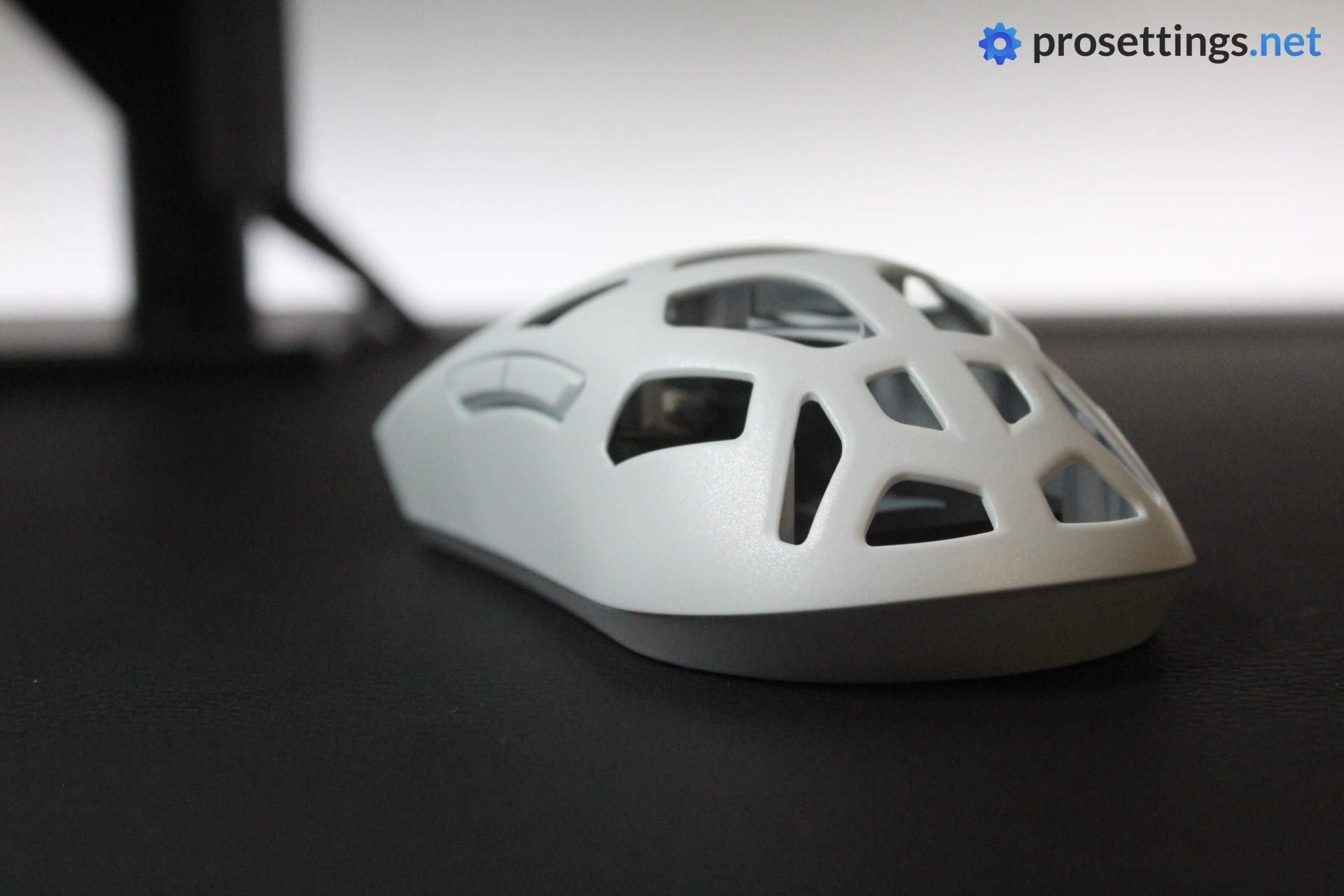
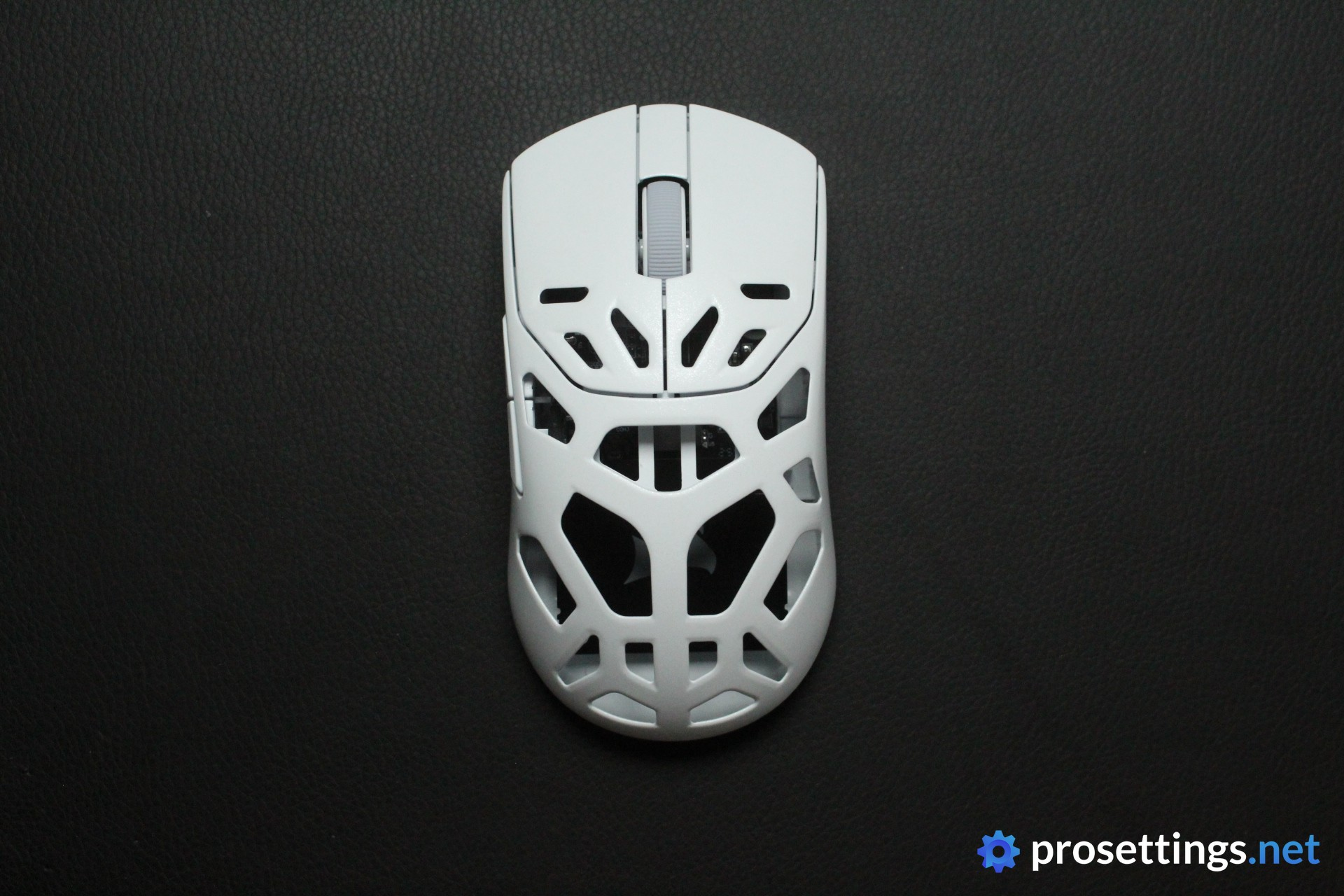
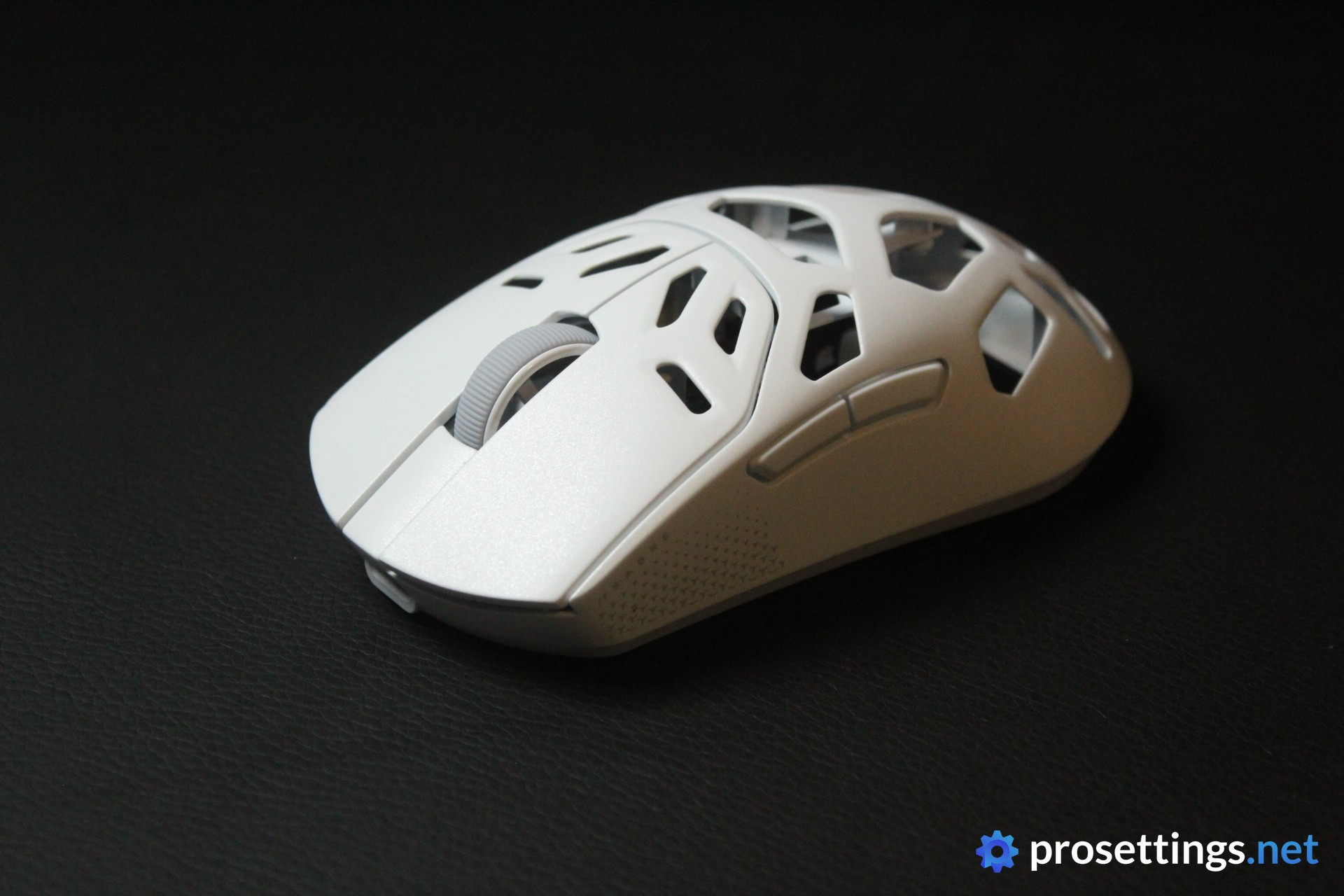
When you first lay your eyes on the mouse, it’s immediately obvious that this is not your average pointing device. The shell has huge cutouts in it, giving the mouse an edgy, futuristic look. And then there’s also the shell material. This is the first time I’m really testing a magnesium alloy mouse, so I was curious to see how the material would feel, but it actually feels quite normal. It’s not slippery or overly metallic to the touch at all. I’ll elaborate on that further down in the review though.
The MG version is available in black and in white. I got the white version to test, and I’m quite happy about that. To me, it looks cleaner than the black version, as the decals aren’t as obvious and the scroll wheel isn’t yellow.
Shape, Coating, and Mouse Feet
Shape
My hand size is 18×10.5cm and I use a claw grip.
The Corsair Sabre v2 Pro MG has the exact same shape as the CF version. For context: that means that both ‘special edition’ mice are larger than the regular plastic one.
What you’re getting in terms of shape feels familiar. This is a shell that was meant to accommodate as many hand sizes and grip styles as possible, with little to no sudden curves or bumps. There are many mice with a similar design idea behind them on the market, so if you have any experience with gaming mice at all and you know that you like this type of safe ambidextrous shape, then this will fit you like a glove.
To get a little more detailed: the hump is centralized and quite gradual, resulting in a mouse that doesn’t fill the palm too much. The center section is indented a little bit, while the front has a tiny overhang to help with picking up the mouse. It’s a decently flat, medium-sized ambi mouse.
I will say that the huge holes in the mouse do influence the in-hand feeling somewhat. Particularly near the top, my hand sometimes ‘got into’ the holes, leading the mouse to feel a tiny bit smaller/different. It had no real effect on my overall grip or my performance, but it can be good to know if you have smaller hands or you want a super consistent experience.
Coating + Material Choice
The magnesium alloy material seems to be slightly textured/powdered. This does seem to help with grip, as the mouse feels very grippy to hold for me, even with dry hands.
The sides can feel a little bit icky with hand oils and sweat after particularly intense sessions, but I did not find the Corsair Sabre v2 Pro MG to be particularly difficult to keep clean on the surface.
A lot of that obviously has to do with the shell design. There’s quite simply a lot less palm-to-mouse contact due to the huge holes, so there aren’t as many places for gunk to build up. On the flipside, that also means that dust and other particles can quite easily get into the shell of the mouse.
Even after using the mouse for a couple of days, I already saw some tiny hairs and dust particles inside the shell. If you’re someone who likes their stuff to feel and look clean, you’ll have a much harder time keeping this looking pristine. And you’ll need to keep a can of compressed air on your desk.
Finally, the material choice does somewhat impact the feeling in the sense that the mouse feels cool for a longer period of time. The huge holes reduce contact (meaning less heat buildup) and the magnesium alloy seems to dissipate heat more effectively than most plastic shells, so if you’re someone who’s struggling with feeling overheated or sweaty during gaming, this mouse might have some unexpected benefits.
Mouse Feet
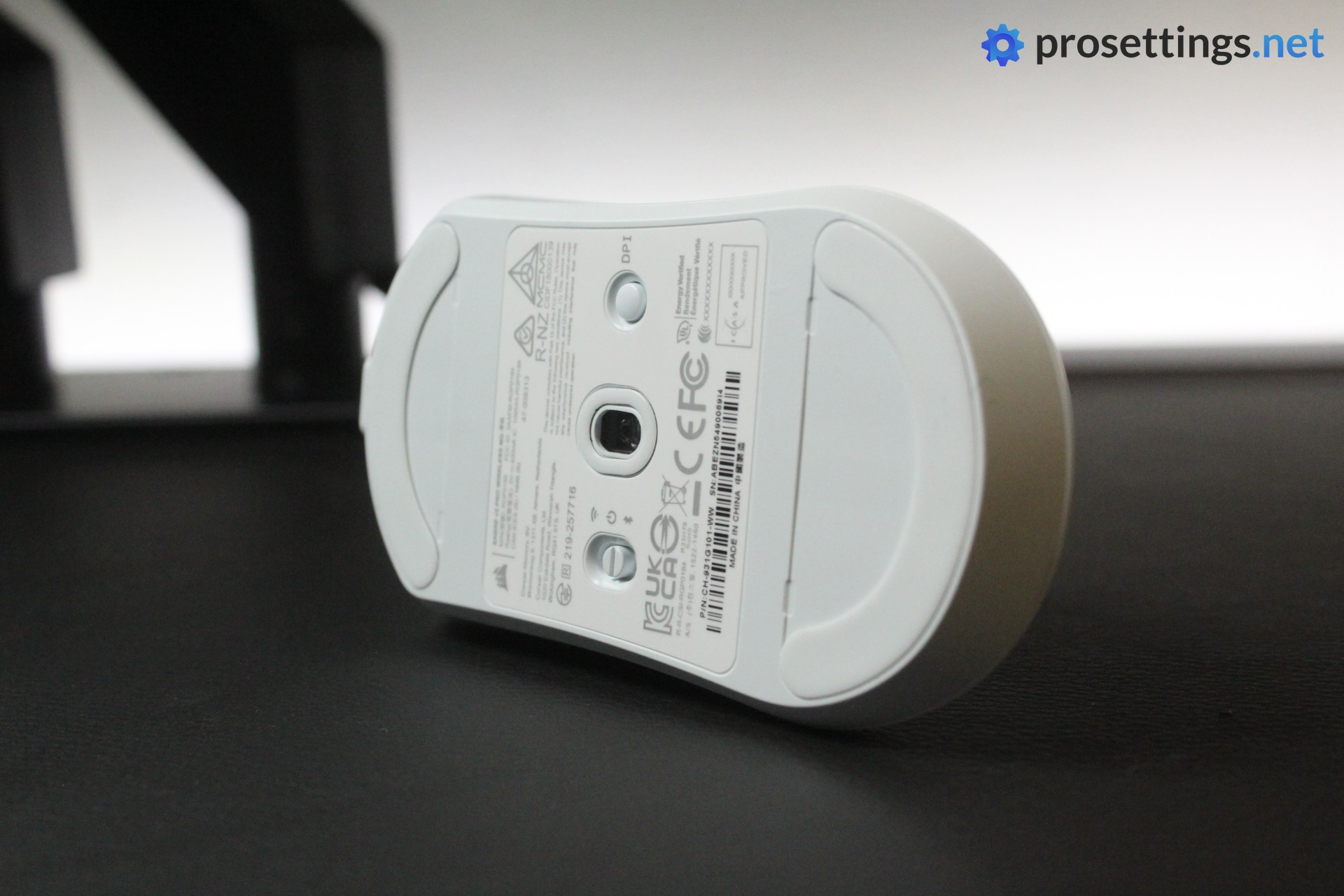
I’ve tested three Corsair Sabre mice by now, and for some reason the feet on this one feel much better than on the others. I don’t know if it has something to do with the shell design or if I simply had bad luck with feet in the past, but even the small feet glide decently smoothly on the Corsair Sabre v2 Pro MG. There is some minor scratchiness on glass pads, but nothing out of the ordinary.
I do prefer larger feet, so I installed those quite quickly, and they glide smoothly and reliably as well. They’re not the fastest stock feet on the market, but I like the smooth control that they offer.
Recommended Grip Types
The Sabre v2 Pro MG seems to be an ideal claw- or fingertip grip mouse from my experience. Due to the overall shape and the very large holes, I wouldn’t necessarily recommend it as a palm grip mouse, but everyone obviously has unique preferences and grip styles, so don’t consider this section as gospel.
Buttons and Scroll Wheel
Buttons
Corsair is using their own mechanical switches in their Sabre v2 Pro lineup. These feel nice and crispy, but I personally would trade away some of that feeling for an optical switch. I know not everyone feels the same way, but I prefer the reliability and durability of optical switches over mechanical switches, especially in mice that have a hard focus on competitive gamers.
With that said, I do have to say that the clicks feel good. The buttons are implemented pretty much perfectly on my unit. There’s no side travel nor switch grinding, and both pre- as well as post-travel are well within normal ranges. The only ‘bad’ thing I can say here is that clicks themselves have a light-to-medium tension to them, and I would’ve liked them to be a slight bit heavier. That’s merely a personal preference though, and not a slight against the mouse itself.
In short: the main buttons are extremely satisfying.
Scroll Wheel
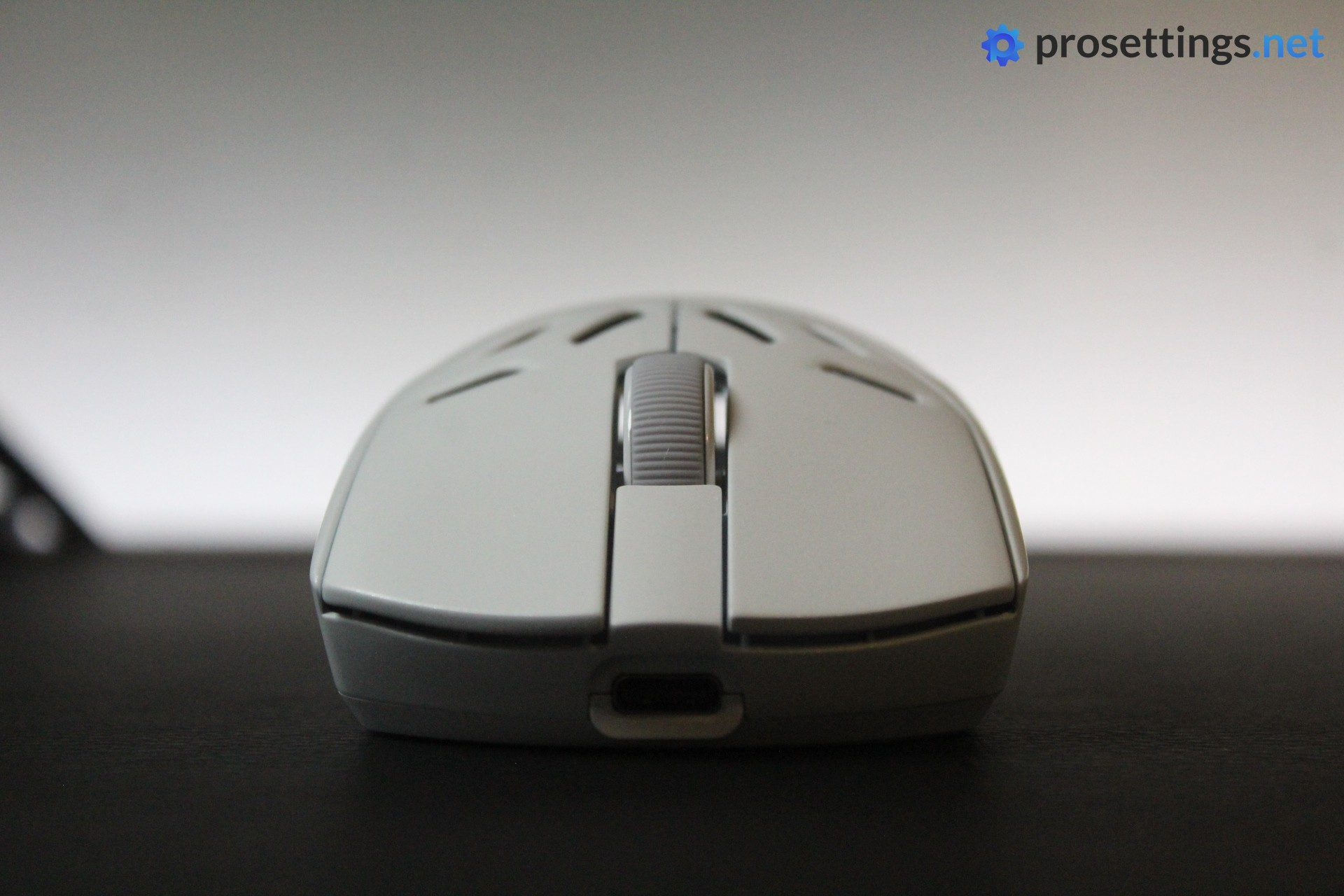
The plastic scroll wheel has a textured rubber element running across the length to help with grip. It does a good job at that. The tactility between steps is medium; not too heavy, nor too light.
If I were to nitpick, I would say that the mouse wheel click feels a little bit too stiff. This led me to press down harder than I wanted to, causing me to accidentally scroll once or twice. Otherwise, there are no issues with this wheel at all.
Side Buttons
The side buttons feel decent to good. Mouse 5 is good, with minimal travel once the button has been pressed and a pleasingly tactile actuation.
Mouse 4 feels mushier. This is due to the actual click feeling duller, and also due to the fact that the button has quite some post travel. Making things worse, the top of the button pretty much sits flush with the shell once you’ve pressed it, and the post travel causes it to travel further down. This makes mouse 4 feel a bit awkward and unresponsive to use on my unit. If they could get this up to the quality of mouse 5, the side button set would feel a whole lot more satisfying.
Build Quality
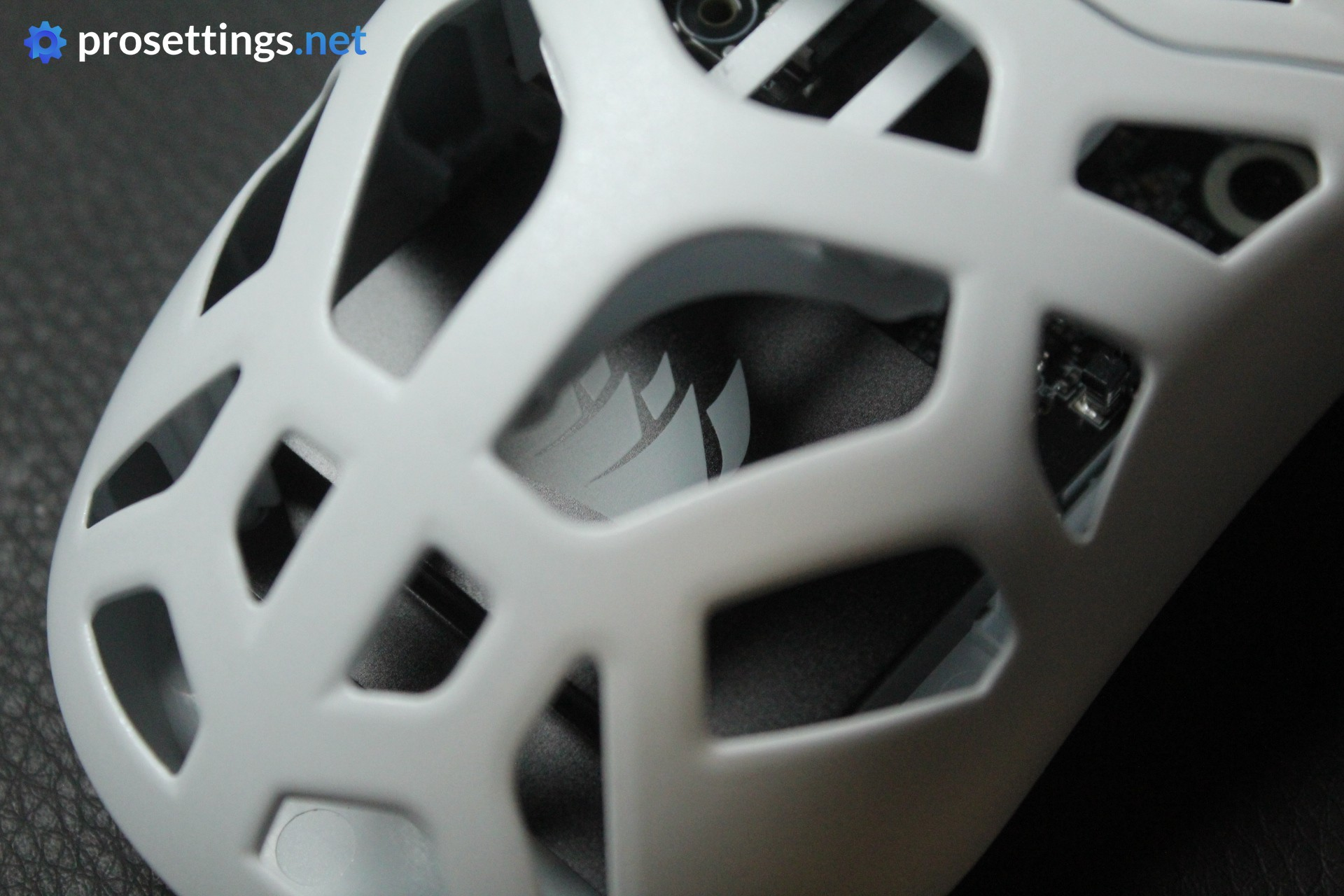
This is the first time I’m really testing a magnesium alloy mouse, so I was curious to see how solid the shell felt. And I have to say that this is one of the most solid-feeling mice I’ve ever tried. I cannot get the top shell to flex whatsoever, and even if I press down really hard on the thin sections between holes, there’s no movement.
Adding on to that, there’s no noise at all when tapping or shaking the mouse. This makes the Corsair Sabre v2 Pro MG one of the most solidly-built mice I’ve ever tested.
In essence, the MG feels and looks unique. The material choices also seem to deliver on what was promised: an extremely strong shell at a (relatively) low weight, without being more expensive than top-tier mice from other big brands.
There is one thing I do worry about slightly, and that’s how the insides will hold up. I’ve used many mice with holes in them (some for months at a time as my main) over the years, but none had holes quite as big as this one. As such, I worry if people who excessively sweat might be lowering the lifespan of their product. Dust and debris getting into the shell easily and moving around freely inside also can’t help.
I did not have any issues with performance or durability during my testing, but it is something to think about.
Sensor and Everyday Performance
Sensor
Corsair’s own Marksman S sensor is capable of polling rates up to 8000Hz and is very much in line with today’s top options in terms of performance. Every company has their own version of a PixArt sensor nowadays, but the reality is that there isn’t a lot of difference in practice. Gaming mice sensors have been flawless for years now, so factors like shape and so on are a lot more important when deciding on a mouse.
Obviously, implementation still matters. That’s done well here, though. Polling rates at 4000Hz and 8000Hz show some minor instability, but this is nothing I noticed in-game. Furthermore, I noticed no dropouts or other performance-limiting events during my time with this mouse.
Configuring the Mouse
Corsair was one of the first huge brands to move to a web-based driver to configure their peripherals. It’s a move that I absolutely applaud. A web driver is simply superior to downloadable software to me, and I love the convenience of merely having to open a webpage when I want to check the battery level or make some small changes.
With that said, I initially thought it would be an ‘and’ scenario instead of an ‘or’ scenario. By this I mean that it’s worth noting that this mouse is not compatible with Corsair’s downloadable configuration program, iCUE. To me, that’s not a disadvantage. I’m not heavily invested in one particular ecosystem to begin with and I would love for all brands to move away from downloadable drivers eventually, but seeing how Corsair already has iCUE and has used it for years, it would’ve been nice if that was still an option for people who prefer that avenue.
Perhaps iCUE support will be added in the future, but it’s not a thing right now.
Battery Life
The battery life of the Corsair Sabre v2 Pro MG is rated at 120 hours at 1000Hz. This drops down to around 20 hours at 8000Hz.
For me, that’s quite okay. I habitually charge my peripherals every other day or close to it, so I never ran into any issues with the battery being depleted when I wanted to game.
Alternatives
The WLMouse BeastX series is an obvious alternative to this mouse. This brand and that particular mouse are used in the pro scene by some players, but I don’t have any personal experience with the brand or the mouse, so I can’t say for sure whether I’d recommend it as an alternative or not.
Corsair Sabre v2 Pro MG vs CF
For those who don’t know: Corsair has released two ‘exotic’ versions of the Sabre v2 Pro at the same time. There’s this and the carbon fiber (CF) version. If you’re deciding between the two, I would wholeheartedly recommend this one. The CF version costs $50 more and also has a super solid shell, but feels much the same as a regular plastic mouse aside from that. This MG version offers a very different feeling due to the shell design and the magnesium alloy having different thermal properties and it performs just as well (better in some areas) as the CF version.
Conclusion
The Corsair Sabre v2 Pro MG is a really cool addition to Corsair’s lineup. The magnesium alloy shell with the huge holes offers a distinctively different in-hand feeling than what you get from most other mice. That alone gives this mouse more of a ‘reason to exist’ than its $50 more expensive sibling, the Sabre v2 Pro CF, which feels more or less similar to regular mice.
There is one thing to be noted here, and that is that the MG weighs a whopping 20 grams more than the regular plastic version. You do get a bigger battery and (much) better structural integrity as a tradeoff, but at first glance you’d expect a mouse that looks like this to weigh less than the current ‘standard’ weight of 55-60 grams. There are, after all, many mice with solid shells and similar internals that weigh as little as this one.
If you can ignore that weight, this is a really fun mouse. It has a very safe shape, great clicks, decent feet, and overall just performs really well. It’s also a mouse using ‘exotic materials’ from a big brand that doesn’t demand a premium. Yes, it costs $149.99, which is very expensive for a gaming mouse, but the reality is that it’s the standard price for flagship mice from big brands.
If you’re looking to spice up your collection or you want an ambidextrous mouse with a safe shape that does things a bit differently, this is a great option to add to your list.
This product was received for free from the manufacturer and given to our reviewer to test and review. Brands and manufacturers have no editorial control over our reviews. For more information, check out our review FAQ.
Former semi-pro gamer turned writer, product reviewer, and community manager.

