Introduction
We’re nearing the end of the year, and it seems like big brands have decided that should be accompanied by headset releases. We’ve already reviewed a bunch of flagship releases, and today we’re looking at Corsair’s entry. Does this latest version do enough to live up to today’s standards, or does it fall flat? Read our full Corsair HS80 v2 MAX Wireless review to find out.
At A Glance
Corsair HS80 v2 Max Wireless
If battery life, wireless range, and build quality are your main concerns, this is a great one to go for. But if you’re mainly looking for great sound (like I expect most people are at this price range) and competitive gaming performance, there are much better options you can get.
Pros
- Simultaneous Bluetooth + 2.4GHz connection
- Comfortable materials
- Great battery life
- Great wireless range
Cons
- No ANC (which is becoming standard at this price)
- Occasionally distorts at higher volume levels
- Microphone is below par
- Not great for music listening and content consumption
- You need to have iCUE running all the time if you want to use a custom EQ
Specs
| Type | Closed-Back |
|---|
| Connection | Wireless |
|---|
| Noise Cancelling | No |
|---|
| Microphone | Non-Detachable |
|---|
First Impressions
The Headset
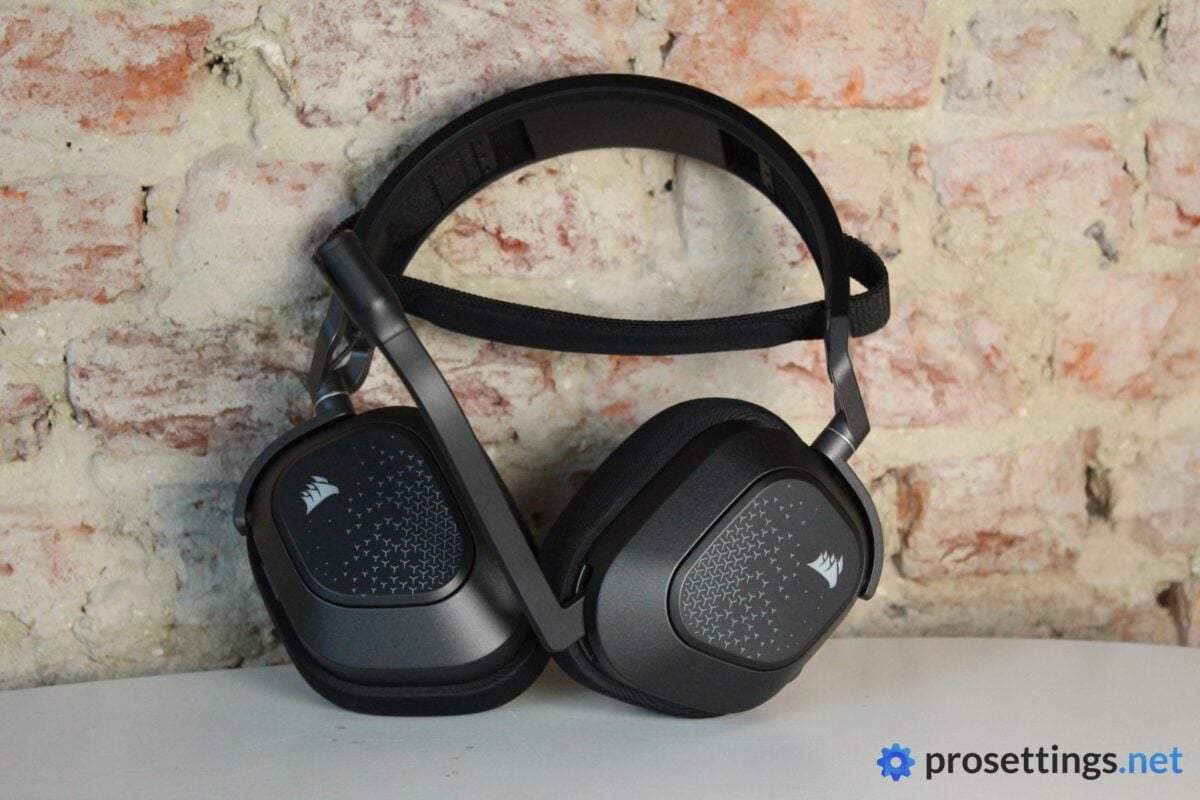
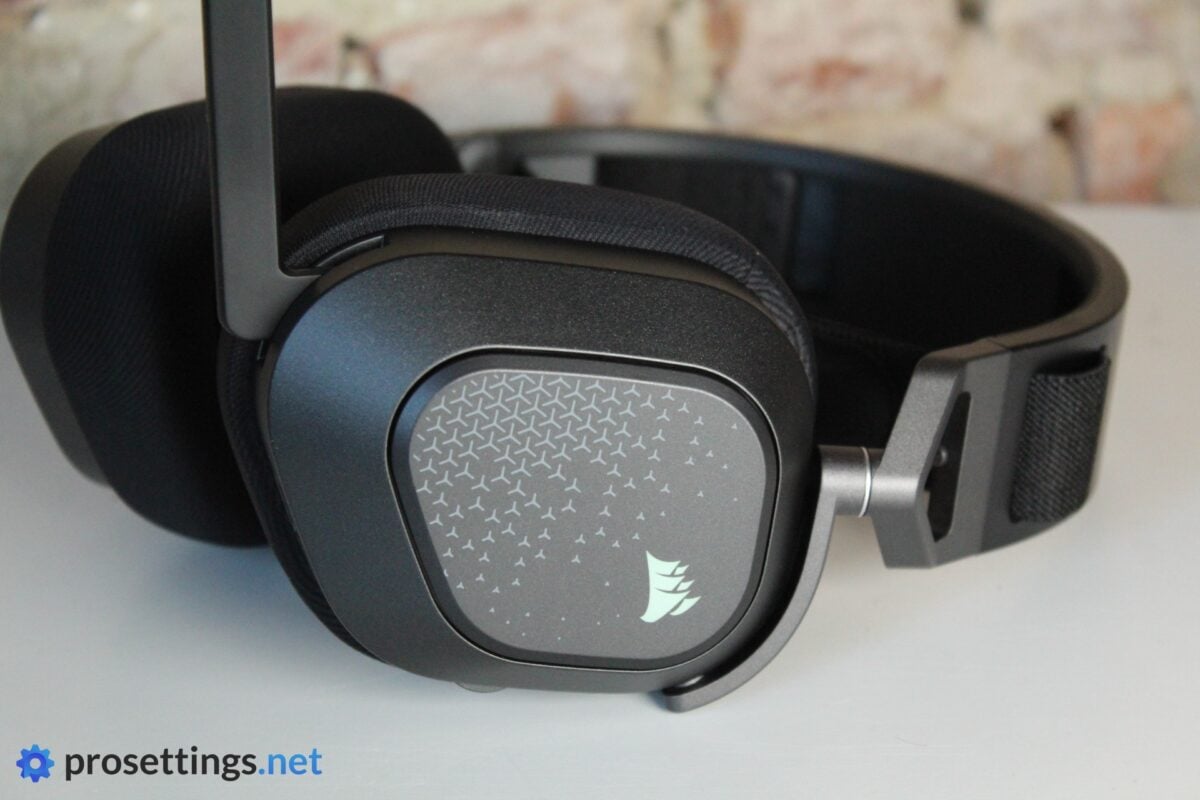
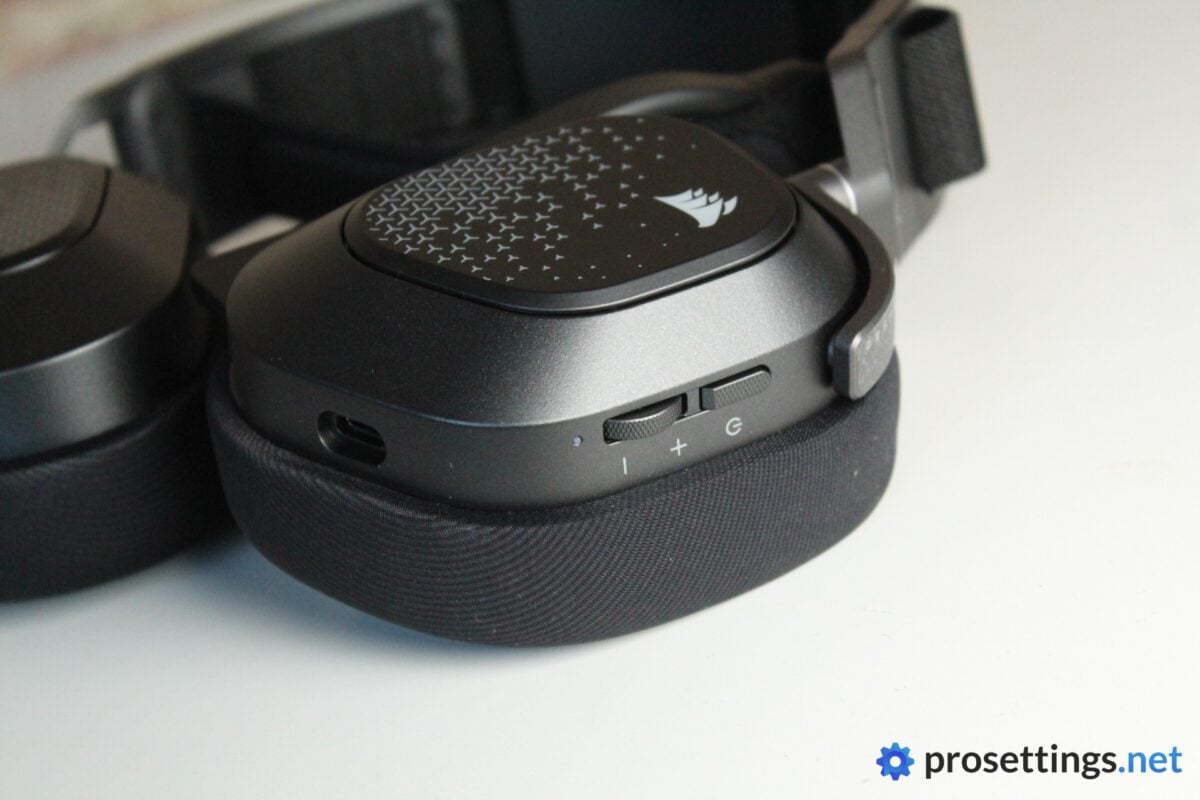
The Corsair HS80 v2 MAX Wireless (I’ll refer to it as the ‘HS80 v2 Max’ in the review at times) immediately feels like a well-made headset. It looks pretty sleek, too. The Corsair logo on the ear cups lights up, but it’s small enough to not become too ‘in your face’. And, when turned off, it looks like a regular off-white printed logo.
I’m personally not a huge fan of the little ‘crosses’ that are dotted all over the ear cup covers (I think it would’ve looked a lot cleaner without them) but they’re not distracting or big enough to detract from the overall look in my opinion.
Packaging
Inside the box, you get:
- The headset itself
- A USB-A wireless receiver
- A USB-C-to-USB-A charging cable
- Warranty information
That’s all you need, but at a price of $199.99, I would have loved to see some additional ear cup covers, or perhaps a carrying pouch.
Build and Comfort
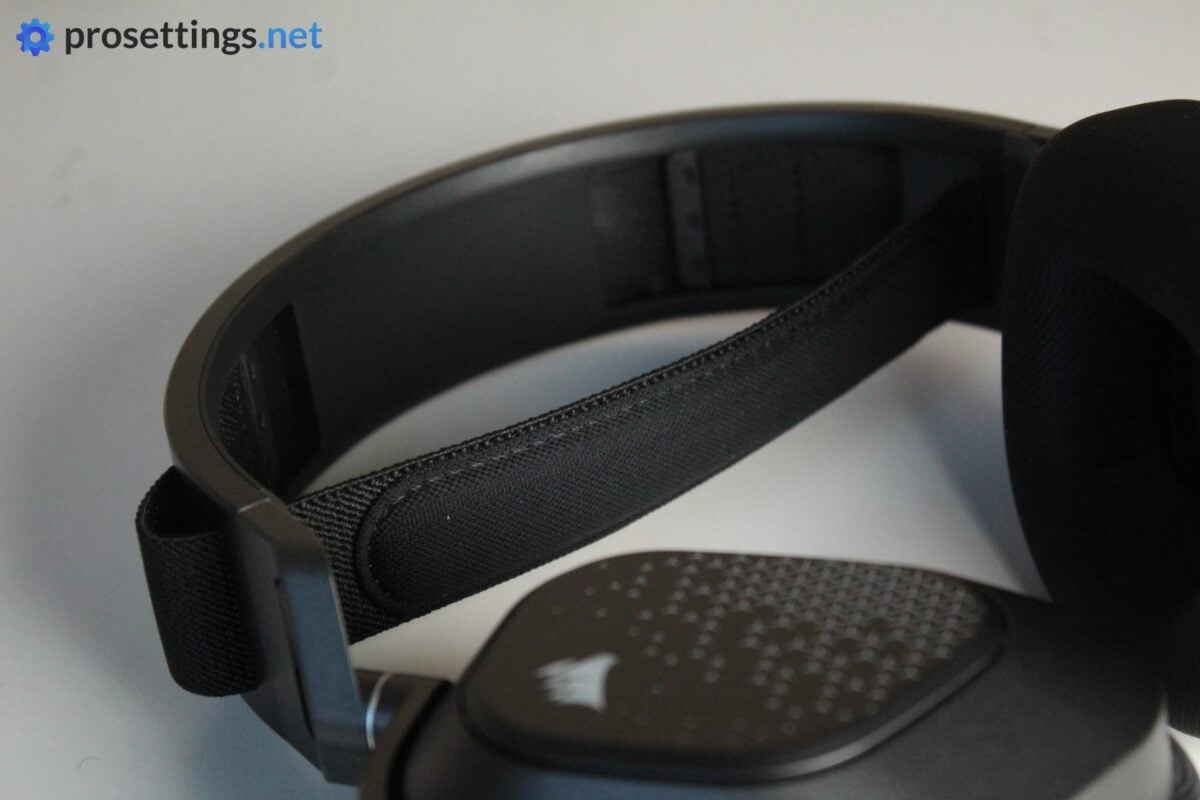
As I mentioned earlier, the Corsair HS80 v2 MAX feels like a well-built product. It’s a mixture of metal and plastic, with a ski goggle-style headband. This headband has a tiny bit of padding on it, but it’s so thin and soft that it honestly kind of feels like it isn’t there. But it’s not really needed, either. The headband itself is flexible enough to provide a comfy fit for hours on end, and it can also be adjusted.
What can’t be adjusted is the clamping force, and this felt a bit strong for me personally. I do have a very big head, so gamers with a regular-sized noggin likely won’t have this issue, but it can be good to know for other big-dome players out there.
Both ear cups can also lie flat, which I always find to be a bonus. I’m lucky enough to often attend LAN evenings with friends, and I find it comfy to be able to let a headset rest on my shoulders whenever I’m taking a break, so this functionality is nice to have.
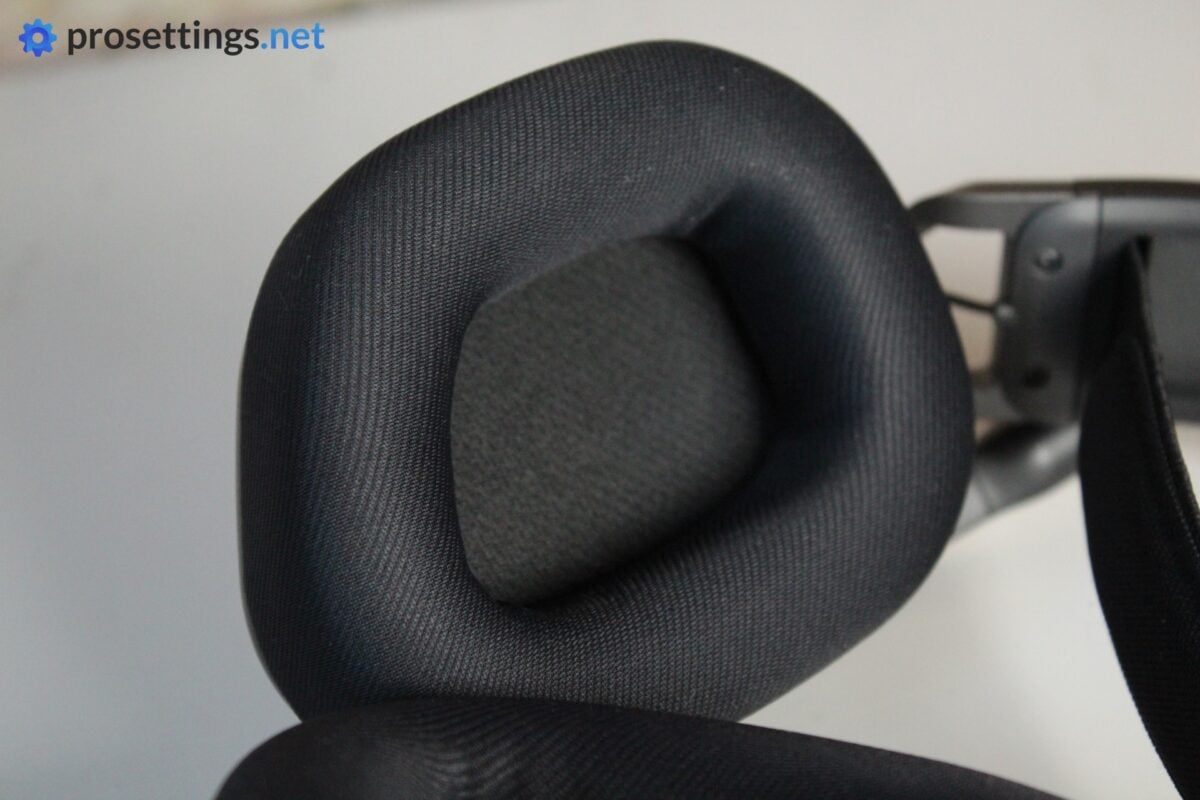
The ear cushions, then, are soft and bouncy. They provide a good amount of comfort for me, but I should mention that I find them to be somewhat small. I have to pretty much position the headset perfectly, otherwise a part of my ear sits underneath the cushion edges. Due to the softness of the foam, that’s not a major comfort issue, but it can become annoying if you’re sensitive to that kind of thing.
Summarizing: the Corsair HS80 v2 MAX is a well-made headset with comfortable materials, but it’s not a great fit for my big head.
Sound and Mic
Microphone
Wireless gaming headset microphones are getting better and better. Sadly, the HS80 v2 MAX’s mic does not live up to the standards set by its recently released peers. There’s quite a bit of static present, and the actual sound has that nasal quality to it that a lot of gaming headset microphones suffer from.
For its purposes (making callouts in-game and perhaps doing some short audio calls) it’s okay, but it’s absolutely nothing more than that. Personally, I expect better from a flagship gaming headset that’s priced at (or around) that $200 mark. I wouldn’t use this for work calls or any extended sessions that require audio, so if you want to use this headset for work meetings and the like, you may want to look out for an external microphone.
One thing to note is that this headset comes paired with NVIDIA’s Broadcast software. Sadly, that’s only meant for AI background noise removal. It does a great job at that, but it doesn’t make the microphone sound any better. And it also requires an extra 1.2GB download if you want to use it.
So in general, the microphone experience is quite disappointing.
Microphone Test (Default Config)
Microphone Test (NVIDIA Broadcast)
Sound Quality
Out of the box, the HS80 v2 MAX has a sound profile that’s, to me, quite warm. Bass is quite emphasized, and mids are also pretty pronounced. The highs can sound quite harsh and hissy, however, and they also lack detail at times, which can be a bit of a problem when you’re using the headset for listening to music.
Corsair’s iCUE driver program does offer a graphic EQ, which can alter the sound profile quite drastically, but sadly, the sibilant highs always seem to stay present one way or another.
One more problem I encountered is the fact that the headset can start sounding muddy quite easily. Again, this is not a huge problem when gaming, but when various audio tracks start kind of blending together when listening to music, it can take away part of the enjoyment. I could also detect some distortion at higher volume levels, though this wasn’t consistently happening and the HS80 v2 gets a lot louder than most gaming headsets I’ve tested, so perhaps this isn’t something you notice at normal volume levels.
So in general, I’d say that the overall sound quality of this headset leaves something to be desired. I know that this is a gaming headset, and that I shouldn’t judge it as an audiophile product. But I’m not doing that. Even within the realm of gaming headsets (especially those that cost around $200), this falls below expectations for me personally.
Gaming Performance
If you turn on a gaming EQ profile, the HS80 v2 MAX Wireless performs adequately. The soundstage isn’t as wide as I’d like it to be though, so certain sounds can appear closer than they are in the game world.
Still, I didn’t really have any problems using this for gaming. Directional audio works as it should, so as long as you are a bit familiar with the game you’re playing, this headset will do the job in terms of letting you know where your enemies are.
With that said, a flagship gaming headset should probably perform a bit better than just ‘average’ when gaming, so I’d say Corsair has some work to do on this front. The new Non-Newtonian Laminate drivers that Corsair has debuted with this release haven’t really convinced me so far.
Features and Everyday Usage
These days, ANC is becoming a standard feature on flagship gaming headsets. Sadly, the Corsair HS80 v2 MAX Wireless does not offer ANC. The passive noise isolation is quite decent, but obviously it doesn’t hold a candle to active noise cancelation, so if you’re gaming in a noisy environment, this is something to take note of.
Controls and Software
On the headset itself, you’ll find a power button, a volume wheel, and a connection toggle button. Muting the mic can be done by flipping it up.
For me personally, the volume wheel is positioned rather awkwardly. With the way I grab the headset, I often found myself accidentally raising or lowering the volume when taking it off. This can be classified as user error (everyone has their own way of grabbing a headset of course) but I still think it could’ve been positioned differently, as I don’t have this issue with most other headsets.
Configuring the headset’s behavior (sidetone, EQ, …) can be done in Corsair’s iCUE. I’m not a fan of this program. It’s heavy, pretty bloated, and on top of that it needs to stay on at all times if you want to use an EQ or anything like that. Once you close iCUE, the headset goes back to the default sound profile, which is a bit of an oversight if you ask me.
Connectivity
The Corsair HS80 v2 MAX Wireless supports simultaneous Bluetooth and 2.4GHz connectivity, which is a nice touch. This means you can take a call on your phone while gaming, without having to swap profiles, devices, or anything like that. If you’re someone who likes to use one headset for all of your content, work, and gaming needs, this is a really handy solution.
Small sidenote: for gaming, you absolutely want to use the 2.4GHz connection. Bluetooth simply isn’t fast and responsive enough for (competitive) gaming. That’s not Corsair’s fault, to be clear, but it can be handy to know.
Battery Life
The battery life is great. On a full charge, you get up to 110 hours, which is a lot more than what most of the competition offers. Even if you use this headset for a full work day and a three-hour gaming session in the evening, you won’t even have to charge this weekly, which is quite impressive.
I don’t do any super detailed battery testing, but I find that Corsair’s claims ring true. During my testing, I only had to charge the headset once or twice.
Wireless Range
If you’re the type to keep your headset on while taking a drink break from gaming, the Corsair HS80 v2 MAX will deliver. I can easily walk through my entire apartment without the signal dropping out. Whether you can do this yourself will naturally depend on your circumstances and the exact build of your house, but compared to other wireless headsets, the HS80 v2 MAX sits among the top of the rankings in terms of range based on my testing.
Conclusion
The Corsair HS80 v2 MAX Wireless is a bit of a frustrating headset. In some areas, it absolutely feels like a modern flagship headset. The build quality is good, the materials feel comfortable, the wireless range is excellent, and the battery life is amazing. Simultaneous Bluetooth and 2.4GHz connectivity is also a nice, modern addition.
Sadly, the audio experience doesn’t quite live up to the rest of the package. And since that’s the most important aspect of a headset, it gets quite difficult to recommend this product at MSRP. The microphone sounds noticeably worse than what some of Corsair’s competitors are offering at this price point, and the sound quality itself also leaves something to be desired. The harsh highs, occasional muddiness, and relatively narrow sound stages could perhaps be excused if they appeared on their own, but together they make it difficult to call this a top-tier headset in this day and age.
There’s also the iCUE implementation. I find that program to be cumbersome to use, and the fact that you need to keep it running at all times to even use a different EQ profile can be quite frustrating, especially since the out-of-the-box sound profile can be considered too warm for competitive gaming.
So in the end, I think it comes down to what you value in a headset. If battery life, wireless range, and build quality are your main concerns, this is a great one to go for. But if you’re mainly looking for great sound (like I expect most people are at this price range) and competitive gaming performance, there are much better options you can get. Even Corsair’s own HS35 v3 Wireless is, to me, a more capable headset.
It’s not an outright bad headset, but being merely average-to-good isn’t enough in today’s gaming headset market.
This product was received for free from the manufacturer and given to our reviewer to test and review. Brands and manufacturers have no editorial control over our reviews. For more information, check out our review FAQ.
Former semi-pro gamer turned writer, product reviewer, and community manager.

