Introduction
Corsair keyboards have existed for a long time. The Elgato Stream Deck has existed for a long time. Elgato has been a subsidiary of Corsair for a long time. And yet, Corsair keyboards and Elgato Stream Decks have never been merged into one product. Until now. Marrying the Stream Deck’s nearly limitless potential for customization with Corsair’s keyboard expertise, this latest flagship release might mean a big leap forward for both brands. In our full Corsair Galleon 100 SD review, you’ll find out whether or not it actually is.
At A Glance
Corsair Galleon 100 SD
This all comes together to give you a keyboard that has limitless possibilities, both for gaming automation/streamlining as well as for productivity. It’s pretty much the ultimate ‘battlestation’ keyboard.
Pros
- Beautiful, sharp screen
- Stream Deck functionality is practically limitless
- Nice typing feel and sound
- Easy to set up
Cons
- No analog switches will immediately disqualify it for some
- Very expensive
- Web HUB can be buggy
Specs
| Form Factor | Full Size |
|---|
| Switches | corsair_mlx_pulse |
|---|
| PCB | Hotswappable |
|---|
| RGB | Yes |
|---|
| Height | 4.2cm |
|---|
| Width | 44.8cm |
|---|
| Length | 15.9cm |
|---|
| Weight | 1392g |
|---|
First Impressions
Keyboard
Let me start off this review with a little anecdote. When I was a child, I often wondered why gaming companies didn’t just put out keyboards with tiny little screens behind each key. This way, people could put anything they wanted on the screen, and style their keyboard exactly how they wanted. I spent a lot of time imagining sick keyboards with flame-throwing Charizards on them. Now that I’m older, I know that the technology didn’t even exist back then, and that gamers also care about how buttons feel and respond.
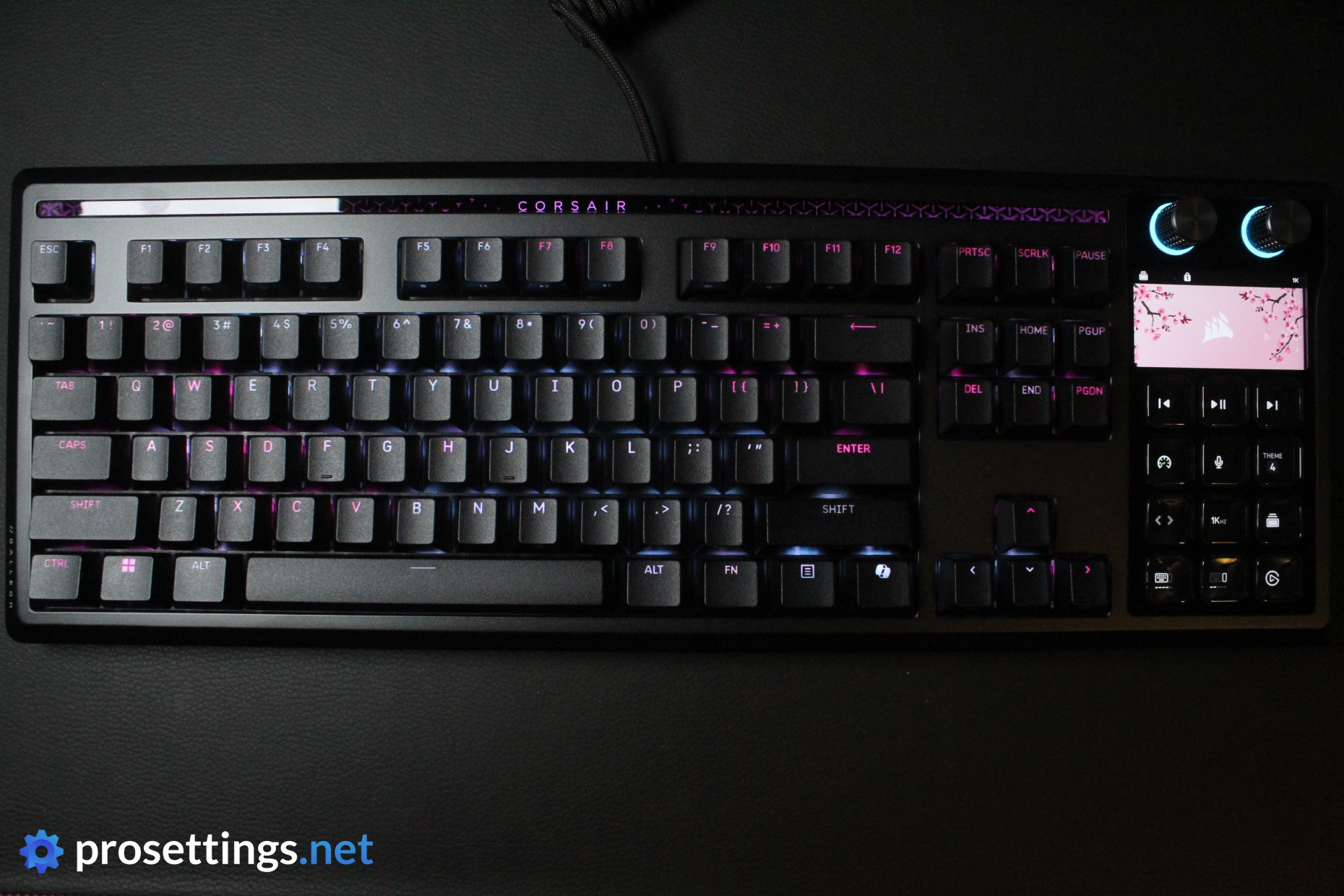
With that said, you can probably imagine how I felt when I first unboxed this keyboard. The Stream Deck portion felt like they let little ol’ me be part of the design team. And obviously, that Stream Deck section is the most eye-catching feature of this board. Especially after turning it on (more on that later), it really catches the eye in a good way.
RGB
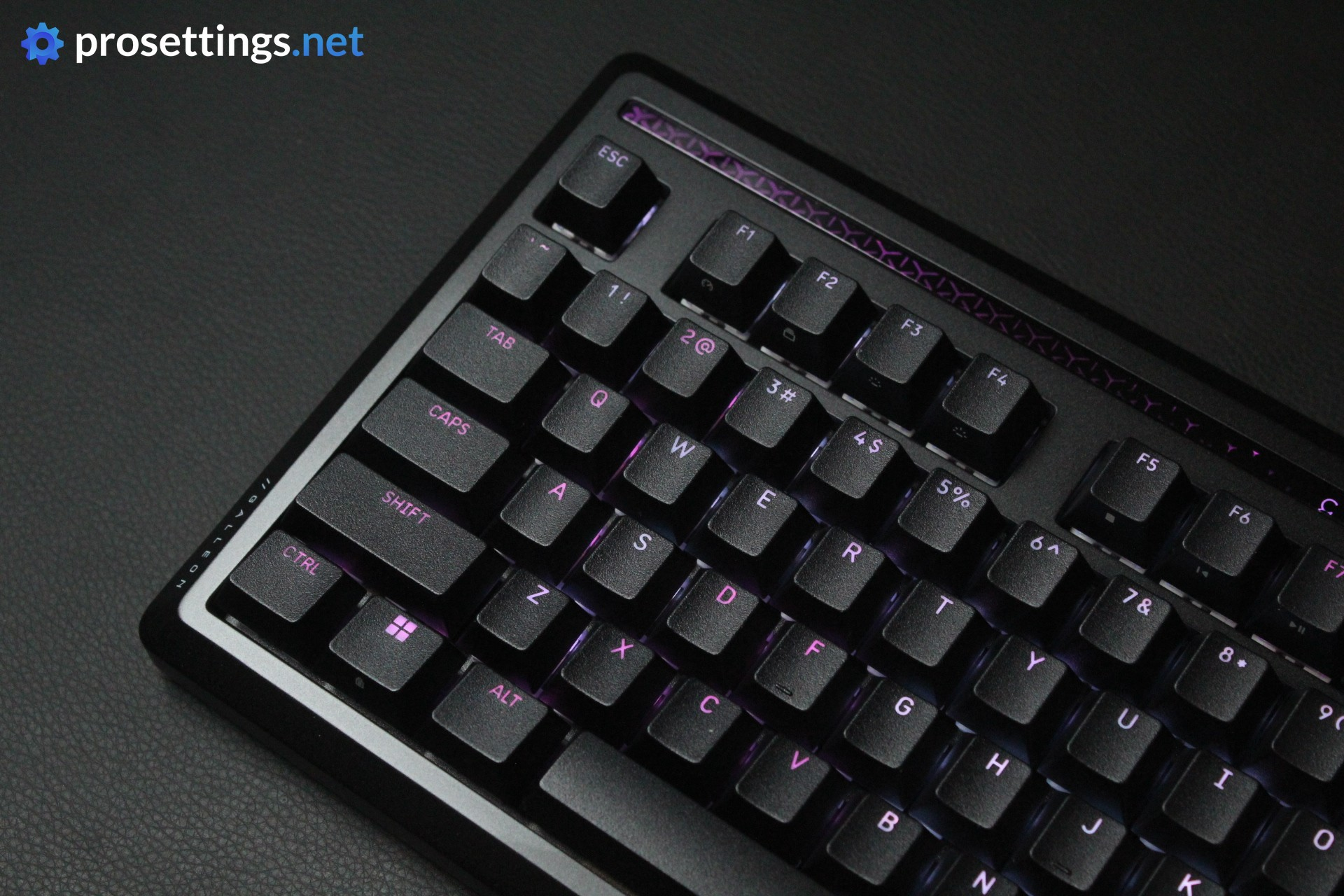
Corsair pretty much never disappoints with their implementation of RGB lighting, and that’s also the case here. The lights themselves are vivid, consistent, and lively.
What really finished the show off is the Stream Deck portion. Granted, that’s not strictly RGB lighting, but if you turn on a preset profile and the Stream Deck goes into ‘screen saver’ mode (which displays a live ‘wallpaper’ that matches the aesthetic of the active RGB lighting) you get a beautiful scene.
With this Stream Deck section, you can also turn personalization up a couple of notches. You can display pretty much anything you want on there, meaning that you can really make this keyboard your own.
If you’re someone who is into pretty lights and fancy effects, this is one of the coolest keyboards you can get right now.
Packaging
Inside the box of the Corsair Galleon 100 SD, you will find:
- A USB-C-to-USB-A cable (x2; the board has USB passthrough)
- A keycap/switch puller combo tool
- A wrist rest
- The keyboard itself
- A keyboard sleeve
- User documentation
That’s pretty good, but as always when these are not included, I should say that I would’ve liked to see spare switches in the box. Additionally, a note about the sleeve: this is a thin, paper-like sleeve that’s used mostly for packaging. It can no doubt be reused a bunch of times, but don’t expect a premium sleeve that will hold up to the rigors of travel here.
Features and Build Quality
Materials and Design
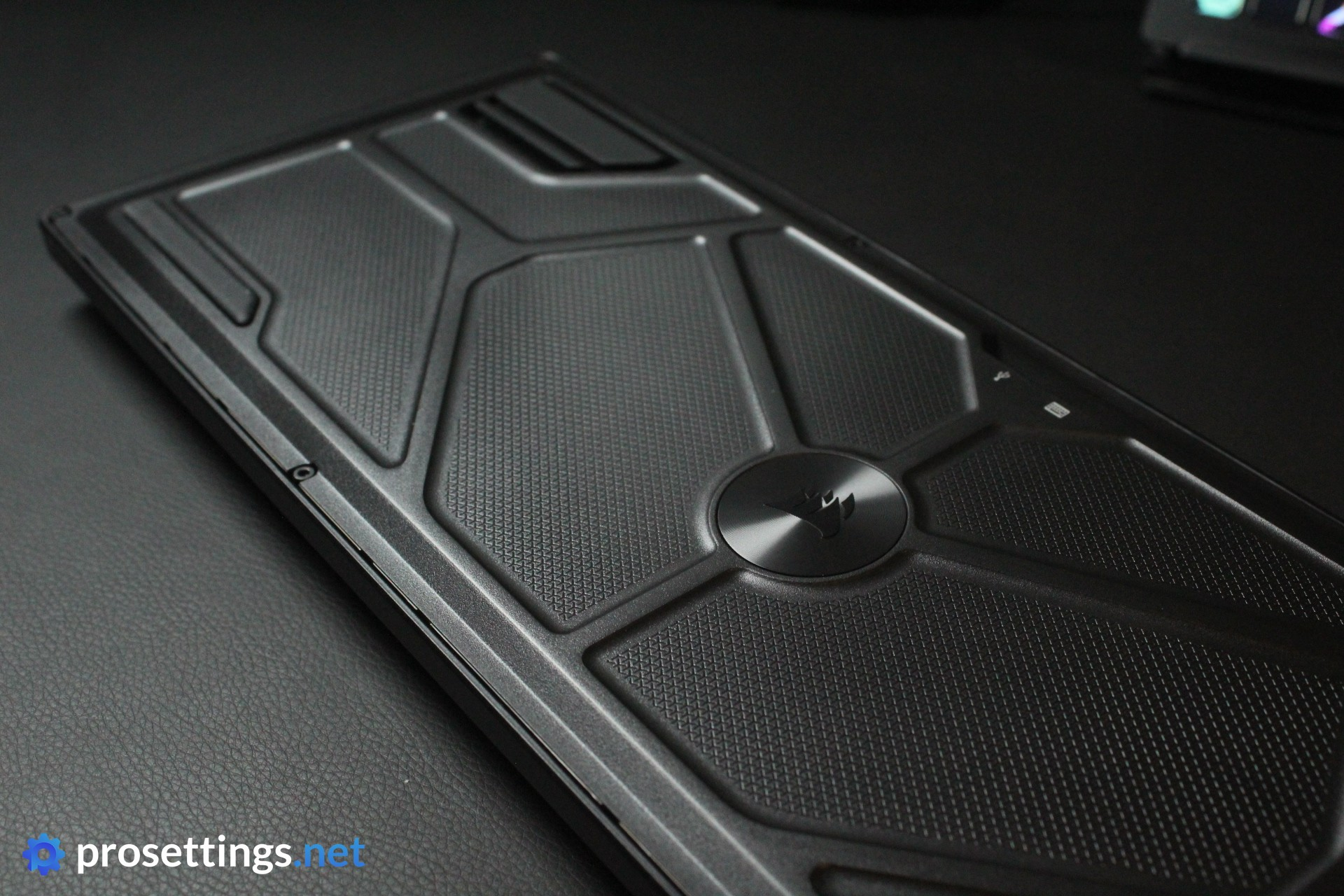
Like most Corsair keyboards, the Galleon 100 SD is made out of plastic and aluminum. Here, the entire top section is made out of aluminum, giving the board a clean and premium aesthetic. Bending the board is pretty much impossible, and the whole board feels strong and reliable.
On the right side, the numpad has been replaced by the Stream Deck section. This also has a display above it. I’m happy that Corsair went with this approach, as tacking on a Stream Deck to a full-sized board would make the whole thing laughably wide. Right out of the box, you can choose between having a numpad or a shortcut panel on the right-hand side. Obviously, you can configure the Stream Deck to do much, much more, but people who are worried that they’ll have to configure an entire numpad before they can use the board ‘normally’ can rest easy.
To me, the board is executed in an elegant manner. It doesn’t look overly bulky, and there are no aggressive curves or edges to the keyboard. This will definitely fit into any setup without issue.
There is also an included wrist rest that attaches magnetically, but this doesn’t feel amazing to me. It feels a bit chalky and not all that comfortable.
Lastly, there’s also a USB passthrough port. That’s a bit of a rarity these days, but I appreciate the addition. This is very much a ‘battlestation-focused’ keyboard rather than something you’d take with you everywhere, so it’s nice to have a port that allows you to charge something while you’re using it.
Stream Deck Section
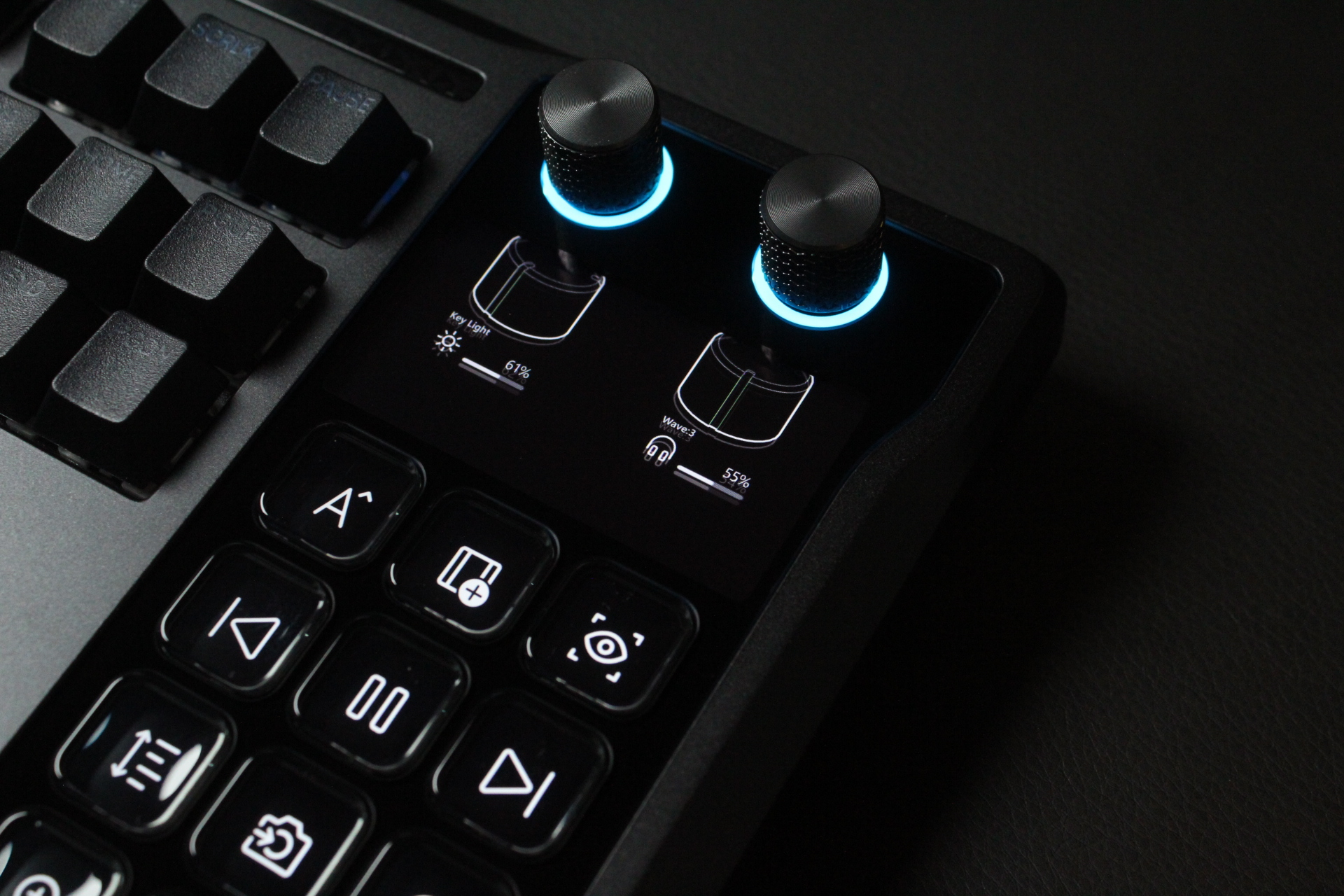
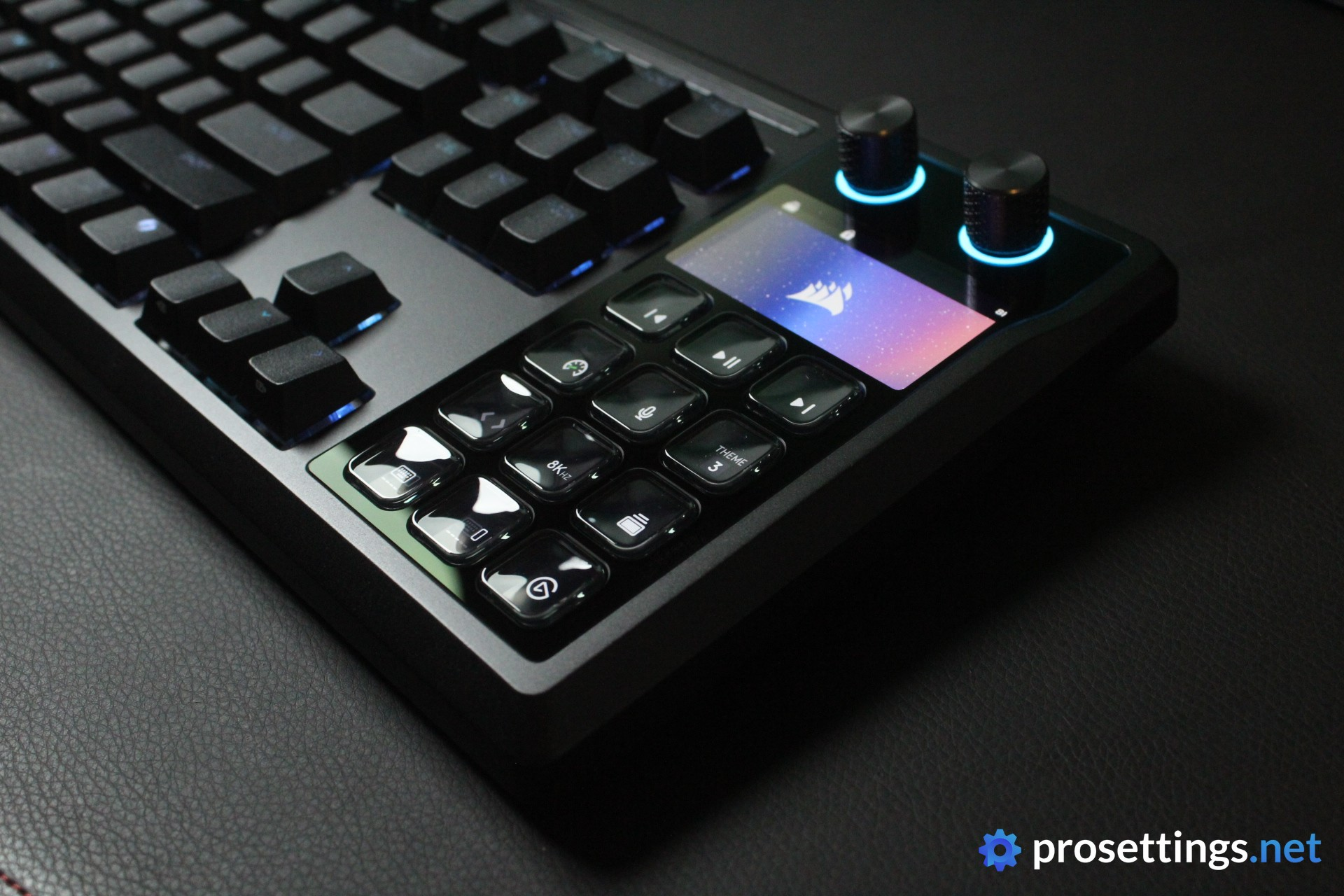
The highlight of this board is obviously the Stream Deck section. Instead of a numpad, there are twelve buttons with a screen behind them. You can set these to display pretty much anything you’d want them to, and in Elgato’s Stream Deck software, you can come up with the craziest macros and shortcuts. There’s also a Marketplace to discover in case you’re new and want to get started straight away.
The buttons themselves obviously feel less ‘mechanical’ than the main buttons on the keyboard, but that’s to be expected. They have a screen behind them, after all. Something that I don’t really love about these (and I also noted this in my Stream Deck review) is that they smudge easily. Given how they’re going to be lit up pretty much at all times, this isn’t super easy to notice, but it is something to be aware of if you’re someone who’s bothered by smudges etc.
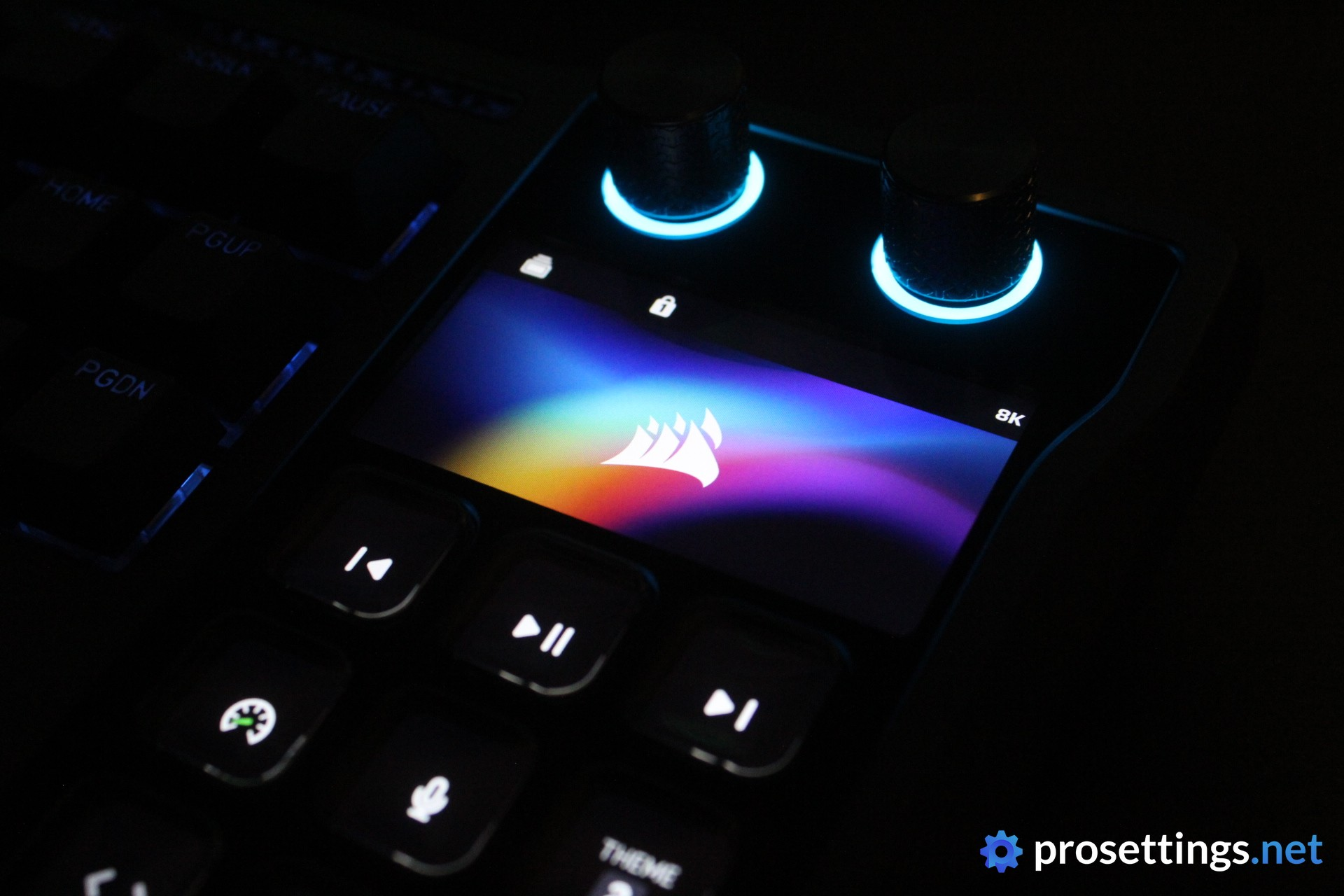
Finally, there’s a display above the buttons. This interacts with the Stream Deck buttons (you can display beautiful screen savers that stretch across the display and buttons) and I love how sharp it is. It doesn’t look or feel like a tacked-on thing to hastily display some information: this looks great, vivid, and lively.
The Stream Deck section is implemented nicely as well. The plate that the section sits on is a bit darker than the rest of the keyboard housing (it would’ve been cool if this looked exactly the same) but there are no awkward bumps or edges. It really feels like part of the board.
Keycaps
There’s not much to say about the keycaps. They’re decently thick, rather heavily textured (which I like) and the legends allow light to shine through evenly. I’m not a huge fan of the fonts that Corsair tends to use, and that’s the same here. It looks a bit too futuristic for me, but I am of course nitpicking when I say that. In terms of feel and finishing, there’s absolutely nothing wrong with these keycaps.
Customization
Corsair was one of the first (and still one of the only) big ‘legacy brands’ to introduce web-based customization programs for their lineup, and I love this. I don’t like having to download heavy, resource-hogging software every single time I want to change something small to my peripherals, so having the option to do this via a web browser is amazing. I will say that I encountered some small bugs while using the web hub, though. The program reset a couple of times while I was changing settings, for example. These weren’t experience-breaking things, but I should mention them regardless.
Good to know here is that, if you want to configure the Stream Deck section, you will need the Elgato Stream Deck app. I’m a huge fan of that one. Ever since I tested the standalone Stream Deck a couple of years ago, I’ve kept it on my desk, so I’m very familiar with the software at this point, but even if you’re new, it’s very easy to use. The drag-and-drop interface and straightforward design make it extremely easy to create your own folders, profiles, and macros. What’s also handy is that you can see your changes in real time. Drop an icon onto a button in the software, and you’ll immediately see it change on the Stream Deck.
Small, thoughtful design ideas and decisions make the Stream Deck super easy to use, so don’t be afraid if you’ve never used one before.
One last important note: this board is not compatible with iCUE, Corsair’s software. This was a decision made by Corsair to prevent software conflicts between iCUE, Web HUB, and Stream Deck, but it’s good to know.
Switches
The switches are by far the most controversial aspect of this keyboard in my opinion. That’s because they are, to my big surprise, not analog switches. Does that immediately ruin a keyboard? No, because not all games benefit as much from having analog switches. And there is something to be said for mechanical switches offering a wider range of options and sounding/feeling better in general. There’s also the cost to factor in; at $349.99, this is definitely not a cheap piece of kit, and adding analog switches would drive up the price even more.
But the Galleon 100 SD is specifically marketed as a gaming keyboard. So I personally would’ve liked to see two versions: one cheaper version with mechanicals, and one ‘all out’ version with analog switches like we saw in the Vanguard Pro 96. Perhaps that analog version will come in the future, but for now we only have the MLX Pulse version.
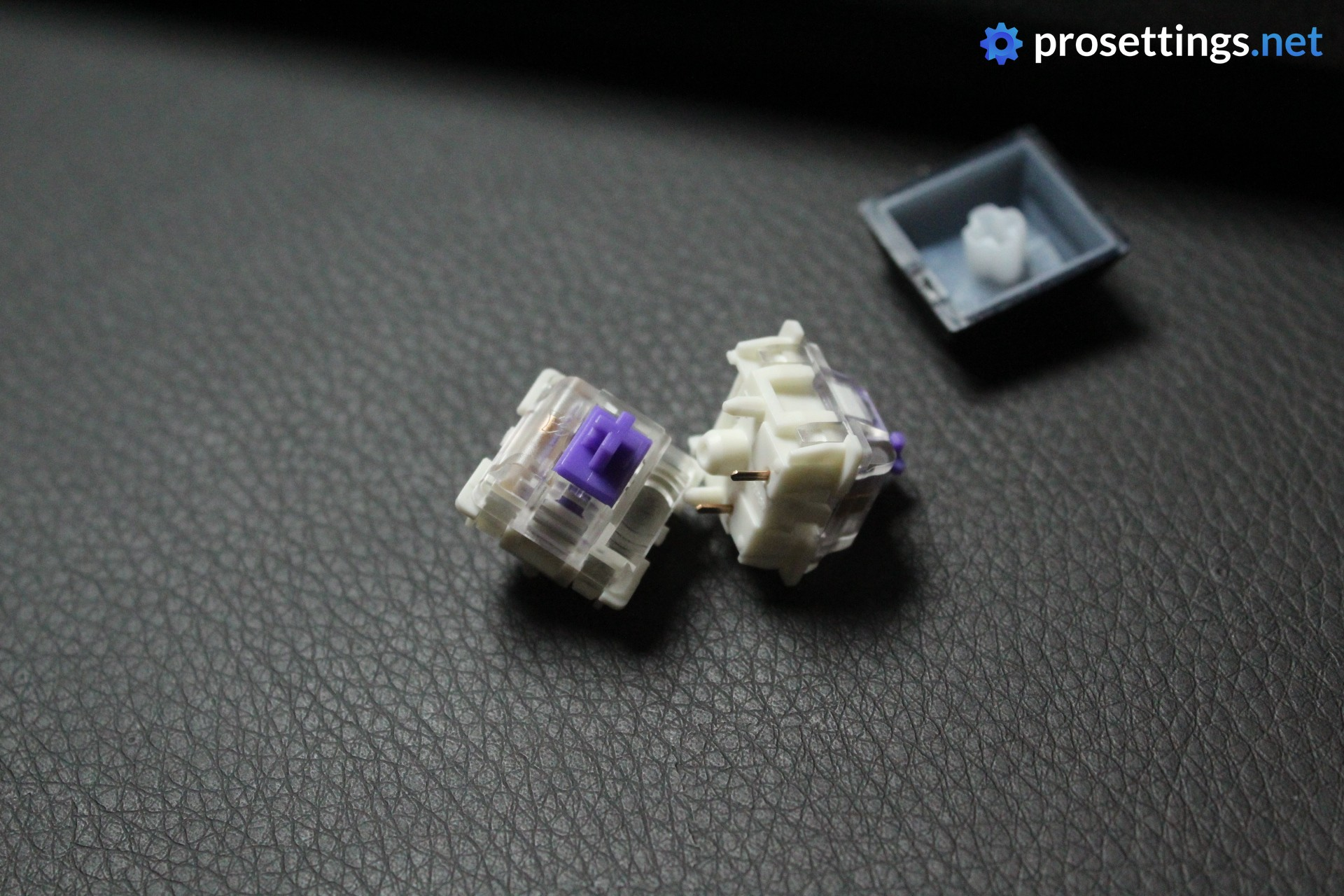
On to the switches then, and I do have to say that I like these. They have a nice and thocky sound to them, and they feel decently smooth. They’re also stable, with stem wobble limited to a minimum. As these are regular mechanical switches, they can be swapped out for a vast variety of aftermarket options, so you can tweak this board to match your preferences exactly.
Typing and Gaming Experience
Gaming Experience
To me, it’s an objective fact that analog keyboards are superior to mechanical keyboards for gaming. Most of our analyzed pros have switched to analog keyboards from various brands, too.
With that said, the benefits of features like Rapid Trigger are most obvious in games with a heavy emphasis on movement and rapid changes. In games like LoL and so on, we don’t see as big of a shift towards analog boards as in some of our other analyzed games, for example.
So, in terms of the gaming experience, I can keep it short: if you want to get the most responsive and most consistent gaming experience where you can tweak the actuation point, use Rapid Trigger, and do things like bind multiple actions to one key, you should skip this. There are better gaming keyboards out there. Notably, there is SOCD (explained in this article) on this board but that is not allowed in some games. So objectively speaking, this board is not going to be as performance-oriented as analog boards.
However, if you mainly play more casually or you care more about the sound and feel of your board than the performance, you won’t feel hindered by this board. There are still top-level pros who use non-analog boards after all, so it’s not a magic bullet, either. Some people also flat out don’t like features like Rapid Trigger.
For me personally though, a non-analog board is a non-starter when considering gaming keyboards. I’ve gotten too accustomed to features like Rapid Trigger and the customization aspect of analog keyboards.
Typing Experience
Corsair has really been upping their game when it comes to the overall sound and typing experience of their boards. That’s also carried over here. The stabilizers sound good, switches feel smooth and consistent, and the board sounds very nice. There’s no hollowness present, nor are there any rattly or loose sounds, even when typing with a very heavy touch.
I wouldn’t have any problems at all using this board for productivity usage. I like the sound, feel, and switches.
Stream Deck
The Stream Deck quite simply is a wonderful tool. It’s not only useful for gaming (you can use it for things like buy binds, demo review tools, shortcuts to practice configs, …) but also for productivity. I am not a streamer, but I’ve had a Stream Deck sitting on my desk for years and it has boosted my productivity so much that it would be difficult to live without it.
I have it set up to do things like display a bunch of timezones, boot up all of my work-related apps and websites with the touch of a single button, and even change my smart lighting. In games, I have various shortcuts that make my life easier. These range from a one-button CS2 nade practice launcher to shortcuts for various in-game actions in Baldur’s Gate 3.
As I mentioned before, Stream Deck is also extremely easy to set up. When I first got one, I knew basically nothing about macro creation and automation. It only took me a couple of hours to have a fully configured Stream Deck with a bunch of very handy shortcuts.
Sound Test
Alternatives
Given the extremely unique nature of the Galleon 100 SD, I’d say that there are no alternatives on the market right now. The functionality and usability of the Stream Deck is unmatched, so while there might be some boards out there from smaller brands with similar-looking functionality, I’d say that this is by far your best option.
Conclusion
The Corsair Galleon 100 SD is a very interesting keyboard. In my opinion, it’s definitely not a keyboard with a strong focus on super competitive gamers. It has no analog switches, after all, something that’s considered to be the standard for top-tier gaming boards in this day and age.
With that said, I don’t feel like this board is aimed at highly competitive players but rather at gamers who play slightly more casually, or don’t play games where analog features really shine. So the exclusion of analog switches can be forgiven somewhat. Corsair has other boards for that anyway. So, if you can live with the fact that you’re not getting analog switches and you’re looking for pretty much the most feature-packed keyboard that you can buy, this is it.
Everything here is executed well. The case is solid and sturdy, the typing experience is great, the keycaps feel good, the lighting looks amazing, the display is gorgeous, and the Stream Deck portion is integrated nicely. It even has a USB passthrough port. This all comes together to give you a keyboard that has limitless possibilities, both for gaming automation/streamlining as well as for productivity. It’s pretty much the ultimate ‘battlestation’ keyboard.
The price is, of course, very high. But if you look at the sum of these parts (a Stream Deck already costs more than a budget gaming keyboard) it’s a little bit more palatable. Still, that does mean that this is an extremely niche product. If this type of board sounds like something right out of your dreams and/or you’re looking for a productivity powerhouse, this board will absolutely not disappoint. If you don’t really care about the Stream Deck section, you should look elsewhere.
This product was received for free from the manufacturer and given to our reviewer to test and review. Brands and manufacturers have no editorial control over our reviews. For more information, check out our review FAQ.
Former semi-pro gamer turned writer, product reviewer, and community manager.

