Mathieu “ZywOo” Herbaut was born on November 9, 2000 and is currently playing for Team Vitality as an AWPer.
...


| Name | Mathieu Herbaut |
|---|---|
| Birthday | November 9, 2000 |
| Country | France
|
| Team | Team Vitality |
Mathieu “ZywOo” Herbaut was born on November 9, 2000 and is currently playing for Team Vitality as an AWPer.


| DPI | 400 |
|---|---|
| Sensitivity | 2 |
| eDPI | 800.00 |
| Zoom Sensitivity | 1 |
| Hz | 1000 |
| Windows Sensitivity | 6 |








| Style | Classic Static |
|---|---|
| Follow Recoil | No |
| Dot | No |
| Length | 1 |
| Thickness | 1 |
| Gap | -4 |
| Outline | No |
| Color | Custom |
| Red | 255 |
| Green | 255 |
| Blue | 255 |
| Alpha | Yes |
| Alpha Value | 255 |
| T Style | No |
| Deployed Weapon Gap | No |
| Sniper Width | 0 |
| FOV | 68 |
|---|---|
| Offset X | 2.5 |
| Offset Y | 0 |
| Offset Z | -1.5 |
| Presetpos | 2 |
| Lower Amt | 5 |
|---|---|
| Amt Lat | 0.4 |
| Amt Vert | 0.25 |
| Cycle | 0.98 |
| Resolution | 1280x960 |
|---|---|
| Aspect Ratio | 4:3 |
| Scaling Mode | Stretched |
| Brightness | 93% |
| Display Mode | Fullscreen |
| Boost Player Contrast | Enabled |
|---|---|
| V-Sync | Disabled |
| NVIDIA Reflex Low Latency | Enabled |
| NVIDIA G-Sync | Disabled |
| Maximum FPS In Game | 400 |
| Multisampling Anti-Aliasing Mode | 4x MSAA |
| Global Shadow Quality | High |
| Dynamic Shadows | All |
| Model / Texture Detail | High |
| Texture Filtering Mode | Anisotropic 4x |
| Shader Detail | High |
| Particle Detail | High |
| Ambient Occlusion | Medium |
| High Dynamic Range | Quality |
| FidelityFX Super Resolution | Disabled (Highest Quality) |
| HUD Scale | 1 |
|---|---|
| HUD Color | Team Color |
| Radar Centers The Player | Yes |
|---|---|
| Radar is Rotating | Yes |
| Toggle Shape With Scoreboard | Yes |
| Radar Hud Size | 1 |
| Radar Map Zoom | 0.7 |

| DyAc | Premium |
|---|---|
| Black eQualizer | 12 |
| Color Vibrance | 20 |
| Low Blue Light | 0 |
| Picture Mode | FPS 1 |
|---|---|
| Brightness | 83 |
| Contrast | 50 |
| Sharpness | 10 |
| Gamma | Gamma 3 |
| Color Temperature | User Define |
| Red | 100 |
| Green | 100 |
| Blue | 100 |
| AMA | Premium |
| Digital Vibrance | 50% |
|---|







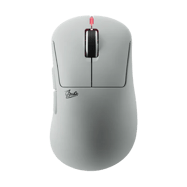
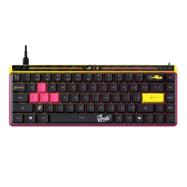
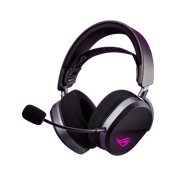








Why he doesnt use new gen2 mouse?
He does its just not updated
he is 100% using gen 1 in blast right now. https://x.com/teamvitalitycs/status/2034716416042049922. gen 2 is in pink only, plus you can see gen 1 dongle at 8 seconds in front os his mousepad. he prolly prefers mechanical btspd over pulsar’s opticals that gen 2 has. gen 1 is ligther, has more spammable switches and way better click feeling.
The switch used in the Gen2 isn’t what he wanted
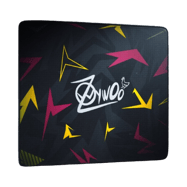
Zywoo Use ZywOo The Chosen Mouse color White in Blast!!!
Source: https://www.twitch.tv/videos/2726199743?t=11h38m47s
Other video: https://x.com/teamvitalitycs/status/2034716416042049922?s=46
Fixed, thank you! 🙂
Crosshair: CSGO-QxVPO-z9mUK-jpQea-P7u8T-6sWPA
Source: https://www.youtube.com/watch?v=xUfFTWL_fu0
Fixed, thank you! 🙂
rt and act parameters?
yes
Already switchin to Gen 2?
I’m sure he will maybe not in pink but why would he use his older model
Is he using Gen2?
anyone kno if his first-person tracer is on?
brightness – 93%
source – https://cybershoke.net/de/profile/zywoo/config
Fixed, thank you! 🙂
why zywoo keep switching resolution from 1280×960 to 1080×768
you mean niko ?
He said once he swtich it lower then when switch back can feel more sharp again
bind for switchhands ?
what mouse size
Just for reference, the desktop height of zywoo is 73.5cm,
Source:https://www.bilibili.com/video/BV1w6fABfEvA?t=16.3
Before people use this config they should know that the movement keys are q, a, s, and d because back then zywoo is using a french keyboard layout. If we are going to translate it to an english keyboard it would be the standard w, a, s, and d. which he is currently using rn
Source: https://www.youtube.com/watch?v=dZd-QQaaIL0 & https://www.youtube.com/watch?v=CLJbCElaTsI
zoom sens in his config is now 0.8
source?
source: trust me bro
zywoo res 1024×768
source?
How do you know bro
Where is the info for sens 6/11 window? I need a proof
You’re joking???
guys what brightness does he use, here says 71, but in cybershoke 93 and in ESL video 93 as well
just 93
What kind of earbuds does Zywoo have?
He back to 1280×960?
Which is the real mouse sens???
2 1 or 2 0.8
“sensitivity”: “2”; “zoom_sensitivity_ratio”: “1”
source: https://cybershoke.net/ZywOo/config
Didn’t he use 1.8 sensitivity and 0.8 zoom?
He usually changes between 1.8/1.9 and 2