The most popular mice are calculated based on 100 professional Rainbow Six Siege players.
Introduction
A mouse is one of the most important pieces of PC hardware that money can buy, and this is even more true if you’re playing a game where one precise shot can change the course of an entire round.
Learning Rainbow Six Siege is difficult enough as is (the game has a pretty steep learning curve, which makes it all the more rewarding to master if you’re asking us) so you definitely don’t want to be held back by your gear in the process. Even if you’re already intimately familiar with all the nooks and crannies of every map you’ll still want to make sure that your mouse does exactly what you want it to do in the game, and that’s where we come in.
We have unleashed our drones in order to scout out what kind of gaming mice the Rainbow Six professionals are using, and we came up with this list. In it you’ll find the most used mice, along with a little bit of information on their standout features. This’ll serve as an ideal baseline for anyone who’s looking for a new mouse for Rainbow Six Siege.
Related: Gaming Mouse Spec List
Our Guide
The Pro Usage Top 5 gets updated continuously and instantly so that you can always get an accurate overview of what the pros are using at any given time. In the body of the article itself, we go over the five most popular pro products in no particular order and, when relevant, we also give you some extra options in the form of products that fall just outside of the top 5 or are otherwise relevant.
What makes a mouse good for Rainbow Six Siege?
Rainbow Six Siege is a rather simple game if you look at the basics; it’s an old school objective-based multiplayer shooter with a relatively low TTK (Time To Kill) and, perhaps most importantly, instant kill headshots. This means that you can get dropped in an instant if you find yourself in a 1v1 situation and your aim isn’t up to par, so for that reason it’s of vital importance that you get a mouse with a sensor that flawlessly translates your movements to the game world.
Older gaming mice used to have smoothing, acceleration, and all sorts of other performance-limiting shenanigans built into the sensor, but luckily this is a thing of the past. All gaming mice that are released by reputable brands today house a flawless sensor, so that’s no longer a thing you need to worry about. Since Rainbow Six is a game with a heavy emphasis on (among other things) aiming duels it’s of paramount importance that you get a mouse that’s comfortable for you. Shape, size, and weight are the most important factors for games like these, so always make sure to get something that suits you personally.
Logitech G Pro X Superlight 2
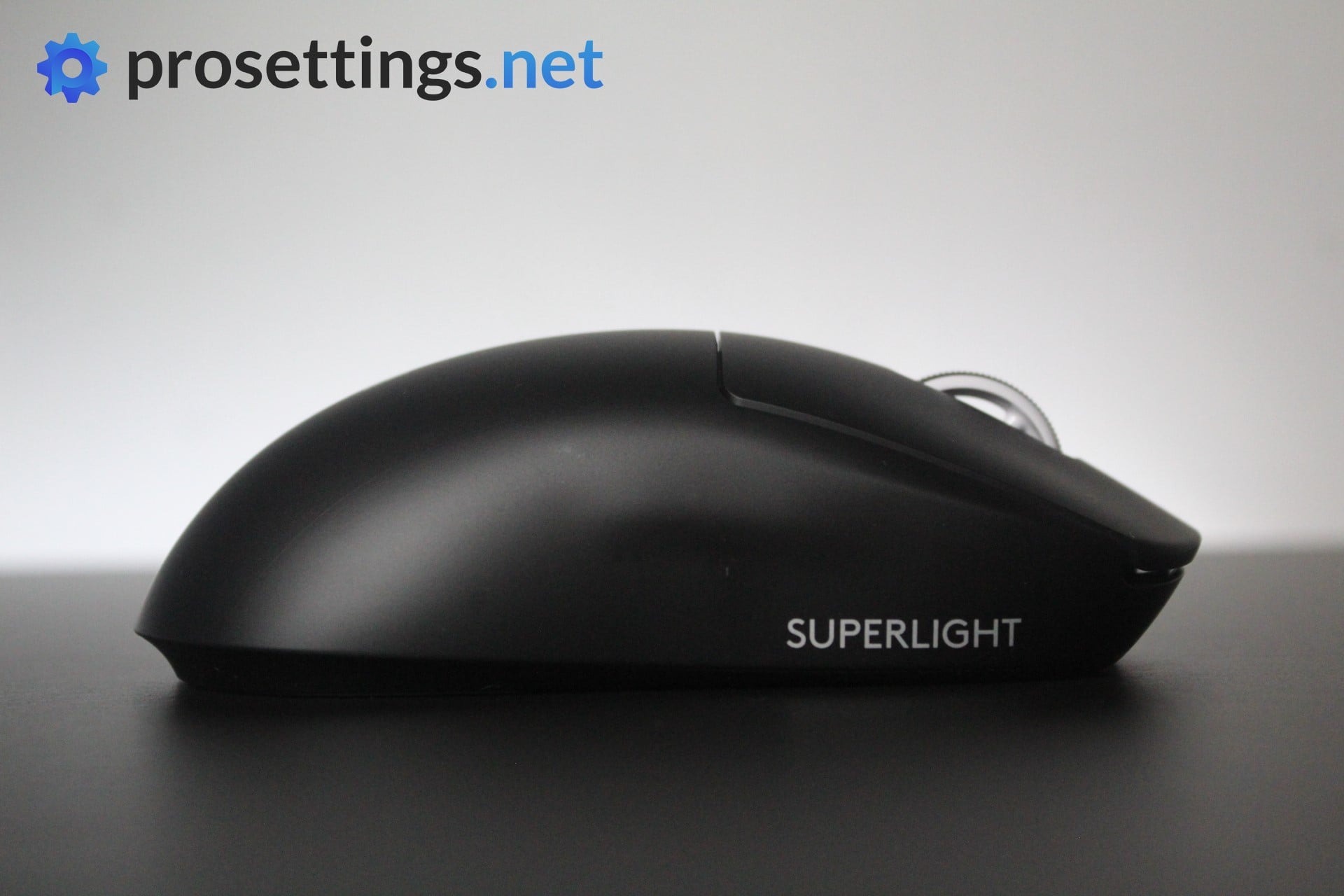
If you’re looking for your first gaming mouse and you’re not quite sure what you want in terms of the shape, or you’re looking for a super safe shape that will fit pretty much every grip style, the Superlight is a good one to consider.
The Superlight 2 keeps the same general shape as the original, so it will feel instantly familiar if you have used other G Pro models. The main differences come from Logitech’s move to a slightly lighter shell, a new sensor (capable of polling rates up to 8000Hz) and updated hybrid switches. This brings Logitech’s flagship mouse on par with today’s standards.
Basically, the Superlight 2 is essentially a cleaner, more refined version of the original one. That one is still competitive, but the Superlight 2 offers a smoother overall experience and is the better choice for players who want the most polished version of Logitech’s lightweight design.
Logitech G Pro X Superlight 2
Used by 12 Rainbow Six Siege players ()
-
Bullet1

-
Paluh

-
Herdsz

-
Kheyze

Staff's Choice
Pro's Choice
Logitech played it safe with the Logitech G Pro X Superlight 2, but that’s understandable. It’s a new version of one of the most-loved mice in all of professional gaming that introduces a couple of tweaks to bring Logitech’s flagship offering in line with today’s mouse standards.
Read review (11/2023)
Pros
- Super safe shape that’ll fit anyone
- Nice coating
- Extremely reliable wireless and sensor performance
- Addition of USB-C charging and optical switches addresses the two most commonly heard complaints about the GPX
- Sensor calibration tool in G HUB is really handy
- Good battery life
Cons
- Clicks feel heavier than on earlier versions, which might not sit well with everyone
- Bottom skate has a different shape, which feels like an unneeded change
Specs
| Sensor |
HERO 25K |
| DPI |
100-32000, in steps of 50 |
| Polling Rate |
125 / 250 / 500 / 1000 / 2000 / 4000 / 8000 Hz |
| Button Switches |
LIGHTFORCE Hybrid |
| Button Force |
98.4 |
| Connection |
Wireless |
| Shape |
Ambidextrous |
| Length |
12.42 |
| Height |
3.96 |
| Weight |
59 |
| Width |
6.06 |
Razer Viper V3 Pro
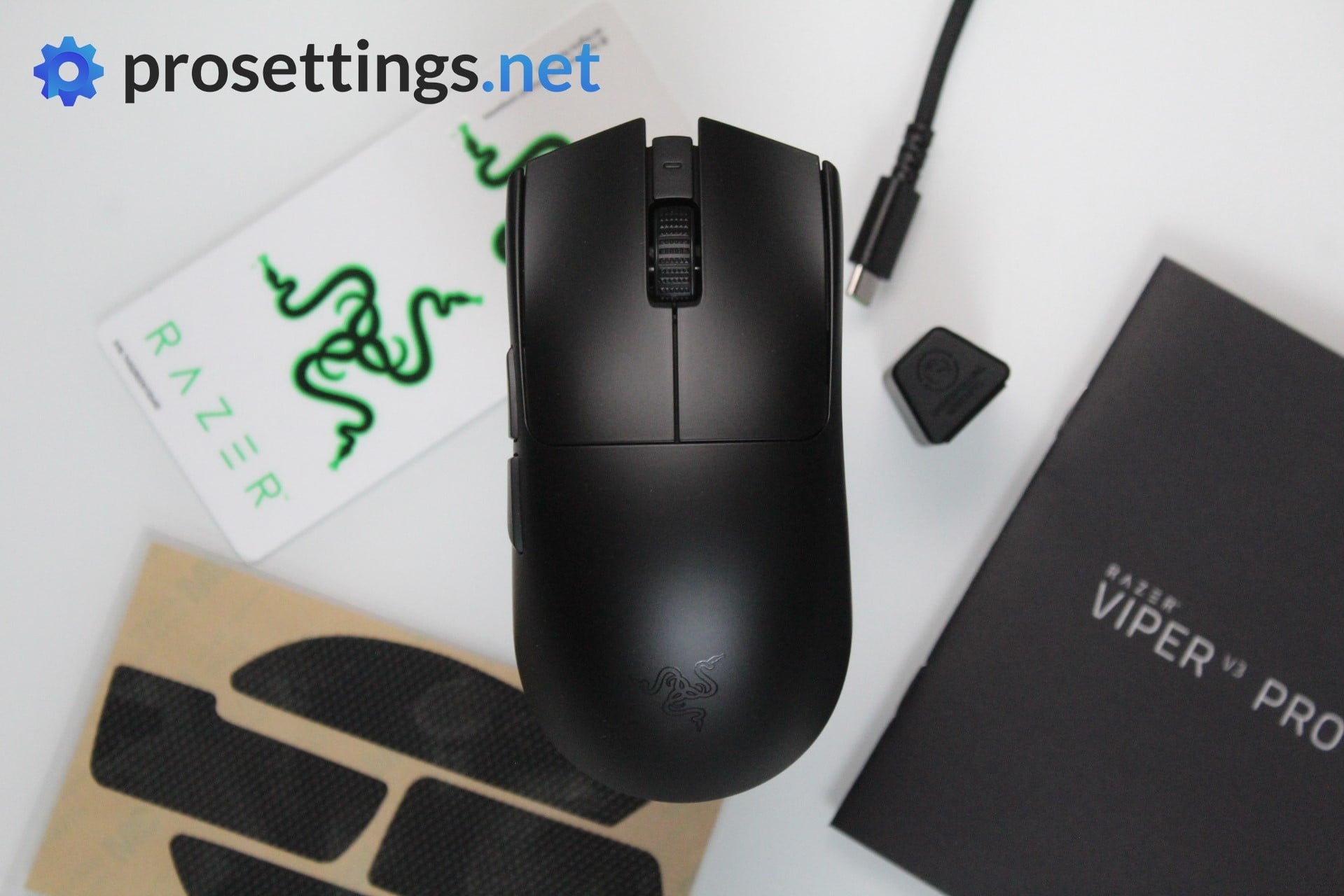
Razer’s Viper V3 Pro is the successor to the Viper V2 Pro, and much like the previous model, it brings impressive performance and features to the table.
The most notable change with the Viper V3 Pro comes in the form of its shape. It has a boxier and more compact build compared to the Viper V2, which makes it a lot safer.
Internally, the Viper V3 Pro features the Focus Pro 35K Optical sensor, capable of reaching 8KHz polling rates. The mouse also houses Razer’s third-gen optical switches, and all of this can be found in a shell that weighs less than 55 grams.
If you’re looking for an ambidextrous gaming mouse with a safe shape and top internals, look no further. The Viper is a bit more molded and formed compared to that other super popular ambi mouse (the Logitech Superlight) so choosing between the two might come down to the shape.
Razer Viper V3 Pro
Used by 8 Rainbow Six Siege players ()
-
oozie

-
Neonical

-
Jigsaw

-
Ewzy

Staff's Choice
Pro's Choice
As far as I am concerned, the Viper V3 Pro is the new benchmark for gaming mice.
Read review (05/2024)
Pros
- Fantastic gaming performance
- 8KHz wireless polling rate out of the box
- New shape is a lot safer
- Good coating
- Razer optical switches feel great
Cons
- Expensive
- Side buttons feel a bit mushy
Specs
| Sensor |
Focus Pro 35K Optical Gen-2 |
| DPI |
100-35000, in steps of 1 |
| Polling Rate |
8000 Hz |
| Button Switches |
Razer Optical |
| Button Force |
67.6 |
| Connection |
Wireless |
| Shape |
Ambidextrous |
| Length |
12.71 |
| Height |
3.99 |
| Weight |
54 |
| Width |
6.39 |
Logitech G Pro X Superlight
The original Superlight became one of the most popular pro gaming mice ever for a reason. Its shape fits a wide range of grip styles, and the HERO 25K sensor still performs at a very high level. Furthermore, it built upon the legacy of the G Pro Wireless (its predecessor).
Even though newer models exist, the Superlight remains a strong option if you want a lightweight mouse without spending on the latest generations. It delivers everything most Siege players need, and if you find it at a good price, it is still one of the safer picks in the ambidextrous category.
Logitech G Pro X Superlight
Used by 9 Rainbow Six Siege players ()
-
MacieJay

Staff's Choice
Pro's Choice
If you’re looking for an ultra lightweight wireless mouse with a safe shape this is a top option.
Read review (11/2020)
Pros
- Fits most hands and grip styles
- Good battery life
- Flawless wireless performance
- Lightweight
Cons
- Micro USB charging port
- High price
Specs
| Sensor |
HERO |
| DPI |
100-25600, in steps of 50 |
| Polling Rate |
125 / 250 / 500 / 1000 Hz |
| Button Switches |
Omron |
| Button Force |
65 |
| Connection |
Wireless |
| Shape |
Ambidextrous |
| Length |
12.42 |
| Height |
3.96 |
| Weight |
62 |
| Width |
6.06 |
Razer DeathAdder V3 Pro
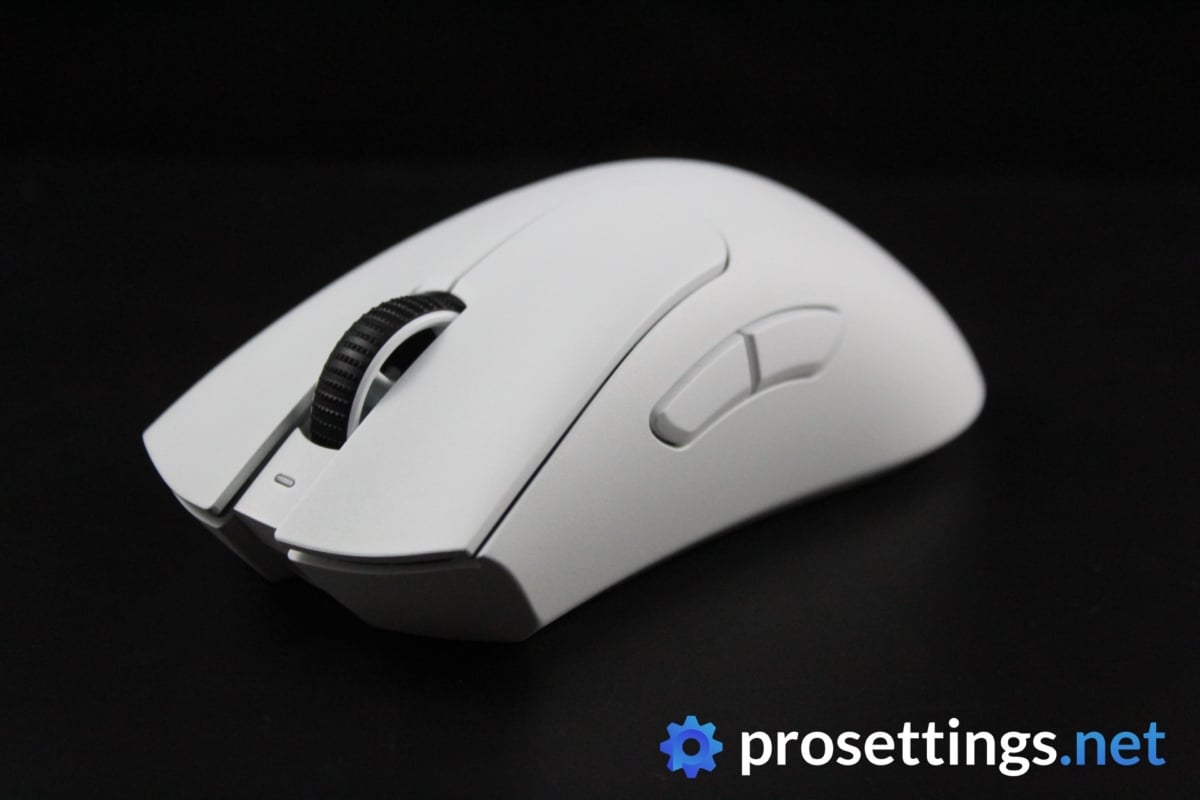
The DeathAdder is one of the most iconic gaming mice on the planet, but it wasn’t showing up in our pro lists for a pretty long time. We can only speculate about the reasons for that, but if there’s one thing we can be sure of it is that the V3 Pro has firmly put Razer’s most known gaming mouse back on the map.
Companies always make a bunch of changes when they put out new iterations of their products, but Razer went a little further with the DeathAdder V3 Pro and made big changes to the shape. Gone is the flat, very large DeathAdder shape and in is a boxier, more ZOWIE EC-like kind of shape. This shape change has made the mouse a lot more maneuverable, and that combined with the cutting edge technology inside of the mouse and the very low weight makes for a product that’s been picked up by a ton of pros in a very short amount of time.
If you are looking for a top tier ergonomic gaming mouse that’s lightweight and is capable of polling rates of up to 8000Hz, then you’ve got to look at the DeathAdder V3 Pro. There’s also the DeathAdder V4 Pro, which improves on this design in some ways, but given that the core gameplay experience won’t differ that much, you can safely go for the V3 Pro if you’re interested in a DeathAdder and you want to save some cash.
Razer Deathadder V3 Pro
Used by 4 Rainbow Six Siege players ()
Staff's Choice
Pro's Choice
The DeathAdder V3 Pro is aimed squarely at competitive and professional gamers who desire performance above all else, and it hits the mark on all fronts.
Read review (08/2022)
Pros
- Great build quality
- Flawless wireless connection
- Great battery life (90 hours)
- Capable of 4KHz polling rate in wireless mode (with separate dongle)
- Gen 3 optical switches feel great
Cons
- Price is high
- Side buttons have too much post travel
- Shape change might not sit well with everyone
- 4KHz polling rate not achievable out of the box (you need a separate dongle)
Specs
| Sensor |
Focus Pro 30K |
| DPI |
100-30000, in steps of 50 |
| Polling Rate |
125 / 500 / 1000 / 4000 / 8000 Hz |
| Button Switches |
Razer Optical |
| Button Force |
81 |
| Connection |
Wireless |
| Shape |
Ergonomic |
| Length |
12.95 |
| Height |
4.21 |
| Weight |
63 |
| Width |
6.13 |
Logitech G Pro X2 SUPERSTRIKE
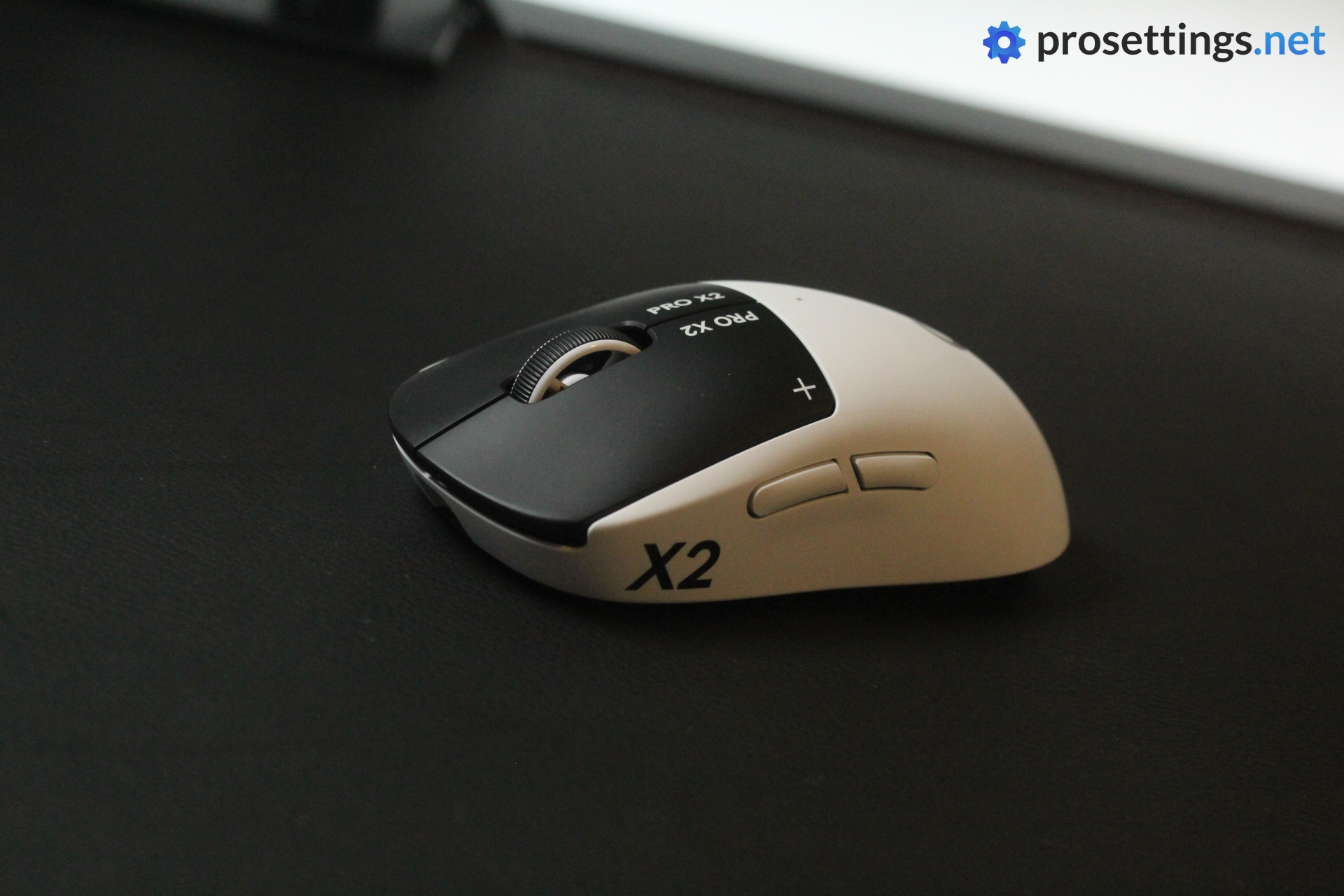
Logitech’s G Pro line has been a staple among Siege professionals for years, so it makes sense that their latest and most advanced mouse is starting to gain traction in the scene. The SUPERSTRIKE looks and feels like a Superlight 2, but underneath the buttons you’ll find Logitech’s new Haptic Inductive Trigger System (HITS) instead of traditional switches.
This system uses inductive sensors and haptic motors, which lets you customize the actuation point and the intensity of the click feedback through G HUB, which is an amazing new piece of technology in the mouse scene.
Everything else is top tier Logitech: the HERO 2 sensor is flawless, LIGHTSPEED wireless is reliable as ever, and polling rates go up to 8000Hz. The weight comes in at 61 grams, which is in the same ballpark as the Superlight 2. It’s an expensive mouse, but for Siege players who are already fans of the Superlight shape and want the most advanced click technology available, the SUPERSTRIKE is an obvious upgrade.
Logitech G Pro X2 SUPERSTRIKE
Used by 8 Rainbow Six Siege players ()
-
Shaiiko

-
SpiriTz

-
Odah

-
Sageon

Staff's Choice
Pro's Choice
Innovation Award
Whether this mouse is worth its price tag is up to the reader to decide. But the SUPERSTRIKE is without a doubt one of the most innovative mice of the past decade.
Read review (02/2026)
Pros
- HITS switches are the way of the future
- Switches offer noticeable performance benefits
- Being able to customize the actuation point and click feedback is super useful
- Safe, trusted shape
- Great battery life
Cons
- Feet are somewhat scratchy
- Side buttons aren’t up to par
- Extremely expensive
Specs
| Sensor |
HERO 2 |
| DPI |
100-44000, in steps of 50 |
| Polling Rate |
125 / 250 / 500 / 1000 / 2000 / 4000 / 8000 Hz |
| Button Switches |
Logitech HITS |
| Connection |
Wireless |
| Shape |
Ambidextrous |
| Length |
11.8 |
| Height |
3.9 |
| Weight |
61 |
| Width |
6.2 |
Logitech G Pro X Superlight 2 Dex
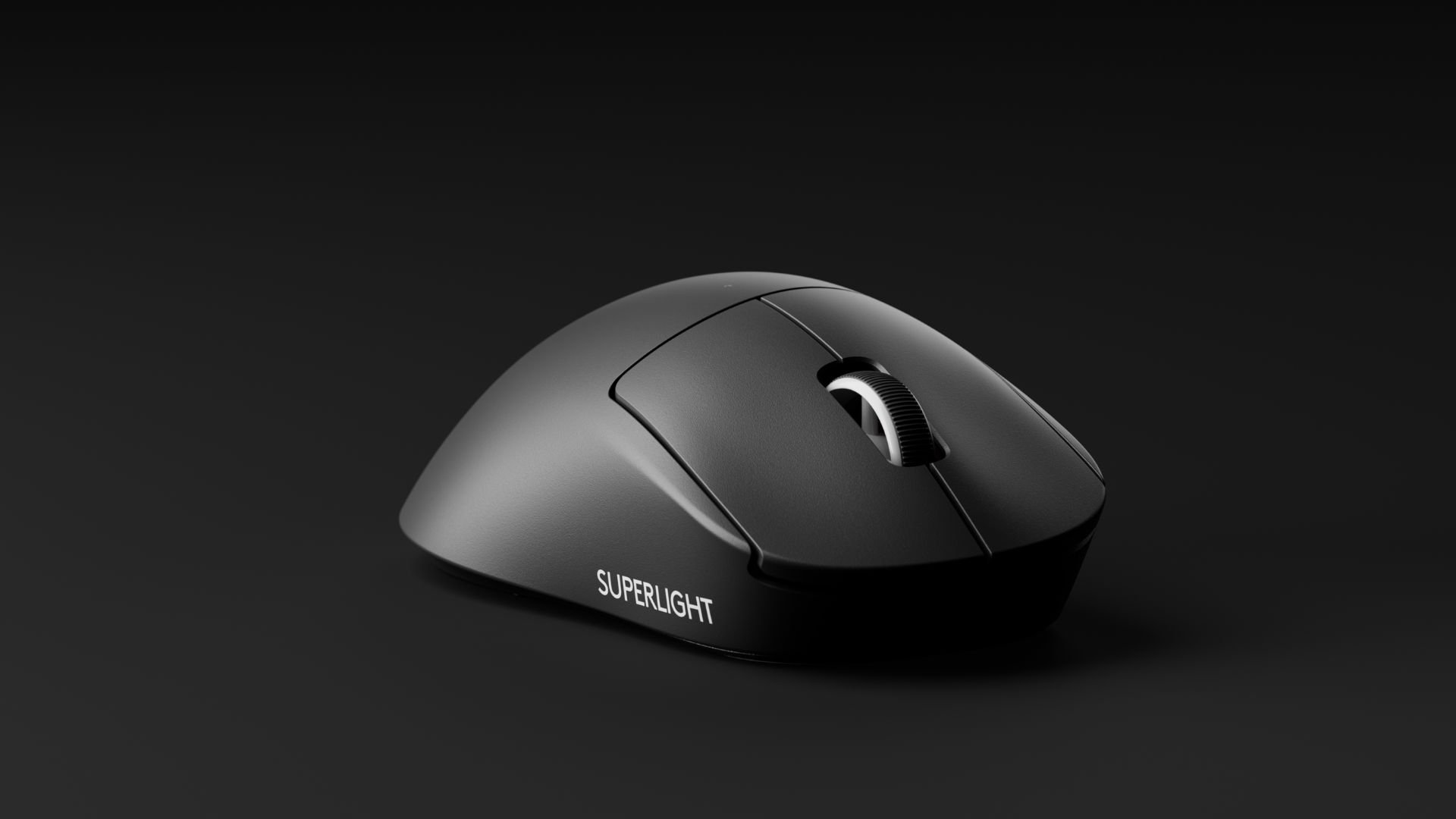
The Dex version of the Superlight is basically the exact same as the normal one, aside from the shell. With the Dex, you’re getting an ergonomic mouse with quite a wide back section, tailored towards gamers who want to experience the Superlight performance in a more palm-filling form factor.
If you like everything that you read about the Superlight and you’re more of an ergo mouse user, this one could be it for you.
Logitech G Pro X Superlight 2 Dex
Used by 4 Rainbow Six Siege players ()
The Superlight 2 Dex is an ergonomic version of Logitech’s flagship Superlight mouse.
Pros
- Great gaming performance
- Good build quality
Cons
- Scroll wheel doesn’t feel great
Specs
| Sensor |
HERO 2 |
| DPI |
100-44000, in steps of 50 |
| Polling Rate |
125 / 250 / 500 / 1000 / 2000 / 4000 / 8000 Hz |
| Button Switches |
LIGHTFORCE Hybrid |
| Connection |
Wireless |
| Shape |
Ergonomic |
| Length |
12.6 |
| Height |
4.4 |
| Weight |
60 |
| Width |
6.8 |
Best Mouse for Rainbow Six Siege – Conclusion
Rainbow Six Siege professionals, in general, seem to prefer to stick to what works for them. We don’t often see them changing out their gear once they’ve found something that has delivered results for them, and we can’t blame them. It’s easy to switch mice every two months due to all of the new tech that’s coming out, but there’s also the fact that any gaming mouse worth its salt has had a flawless sensor for years now, so if you’re playing at the highest levels and you’ve got a device that perfectly suits your needs, there is no need to change it up.
If you have any questions or remarks, please feel free to let us know. We try to answer every single comment!

