The most used keyboards by Fortnite players
The most popular keyboards are calculated based on 325 professional Fortnite players.
Introduction
A keyboard is an often ignored part of a setup, but it really shouldn’t be. Finding a nice mechanical/analog keyboard that has all the functions and specifications that you need can greatly enhance your comfort while playing, and in some cases even your actual gameplay.
With every manufacturer producing gaming keyboards these days, it can be hard to see the forest for the trees. That’s why we’ve been taking a look at the gear that the professionals are using, and we came up with a list of the most used keyboards in the Fortnite pro scene. After all it’s hard to go wrong with what the pros are using, right?
If you want even more info, feel free to check out our gaming keyboard spec list.
Our Guide
The Pro Usage Top 5 gets updated continuously and instantly so that you can always get an accurate overview of what the pros are using at any given time. In the body of the article itself, we go over the five most popular pro products in no particular order and, when relevant, we also give you some extra options in the form of products that fall just outside of the top 5 or are otherwise relevant.
What makes a keyboard good for Fortnite?
First things first: you’ll want a mechanical or analog keyboard. Every analyzed professional uses one of these over a rubber dome keyboard, and for good reason. Mechanical/analog keyboards are simply more reliable and consistent than membrane boards, which is important in a game where missed inputs can easily cost you a fight.
Beyond that, Fortnite places a lot of emphasis on movement, building, and quick edits. This is where newer analog keyboards have started to stand out in the pro scene. Analog switches allow you to fine-tune actuation points and reset keys instantly through features like Rapid Trigger. This can make movement feel more responsive and can help with fast edits and precise builds, which is why many pros have gravitated toward these boards.
That doesn’t mean analog keyboards are mandatory. Plenty of players still perform at a high level on more traditional mechanical keyboards, but if you’re shopping for a new board, we would always recommend an analog one.
Size and extra features are largely down to personal taste. Many pros opt for smaller form factors like TKL or 60% boards to save desk space, but there’s no single “best” layout.
Wooting 80HE
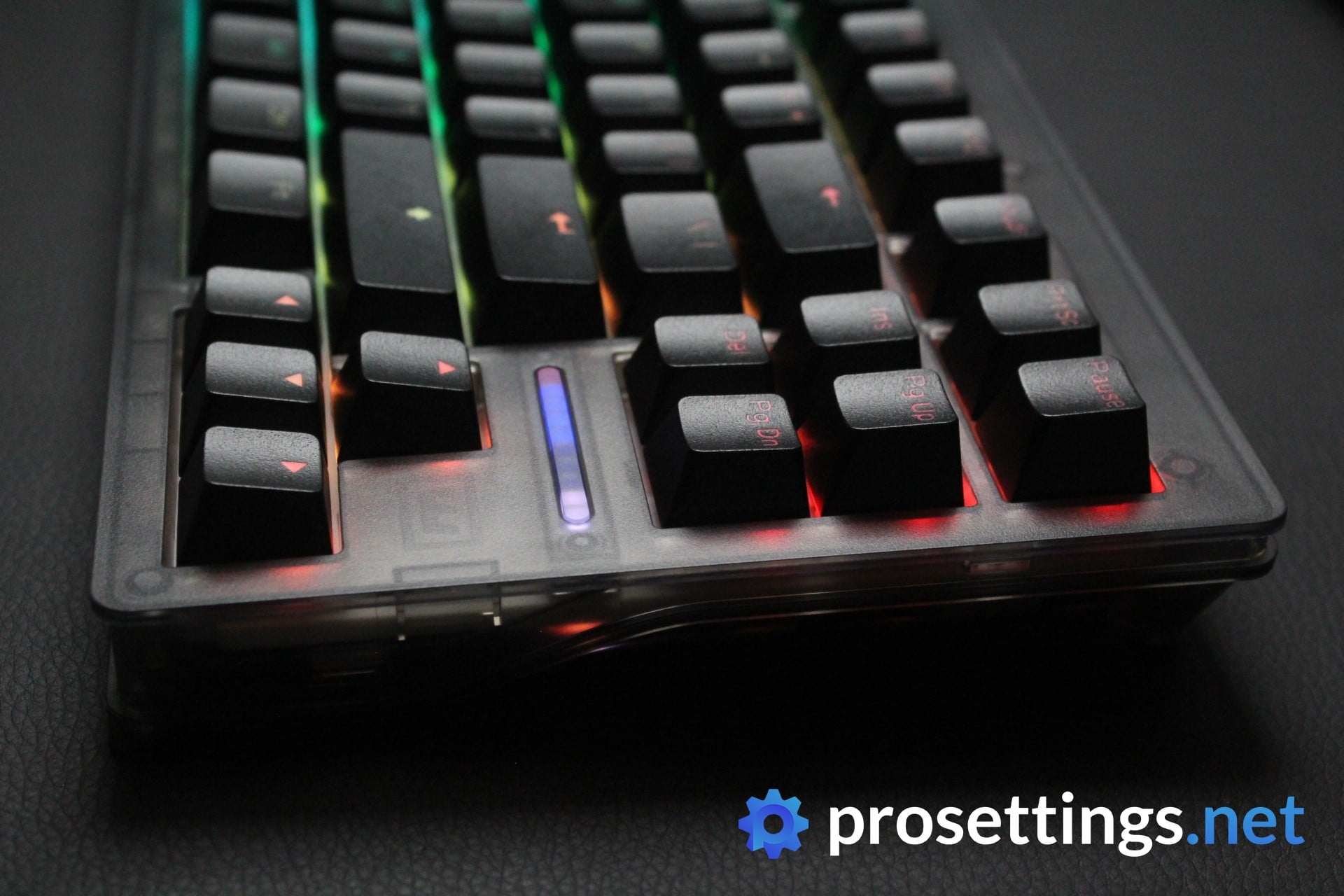
Right after its release, the Wooting 80HE quickly shot up to become a Fortnite favorite, and for good reason. It delivers everything that tons of gamers had been looking for: that benchmark-setting Wooting performance, wrapped into a TKL form factor.
Wooting boards are now everywhere, but they first gained popularity in Fortnite due to the analog input system. Because of how movement and building work in the game, having precise control over key resets and actuation depth can directly impact how fast and consistently you can piece control, edit, and move around. Wooting’s rapid trigger set the world of keyboards ablaze for a reason: the ability to instantly have the actuation point of your switches reset is a massive gamechanger, and Wooting’s implementation is still among the very best.
The Lekker magnetic switches feel smooth and consistent, and they don’t require any lube or mods to feel good out of the box, which is another major advantage of this board.
Then there’s Wootility. That’s a browser-based configuration tool that lets you change pretty much everything about the keyboard without downloading bulky software. You can dial in actuation points, tweak analog curves, set up layers, and save profiles right there in your browser. It’s a small touch, but it does make the board feel a lot more user-friendly.
The Wooting 80HE is the kind of keyboard that’s built around the way competitive players actually play, and this focus on gaming is one of the main reasons that the brand has gotten so big.
Wooting 80HE
Used by 53 Fortnite players ()
-
Pulga

-
Vorwenn

-
DiegoGB

-
Leleo

Staff's Choice
Pro's Choice
The question then becomes: does the 80HE do enough to set itself apart from that competition? My answer is ‘yes’. When you look at the complete package (switch feeling, implementation of the switches, customization, …) there isn’t any board out there that is objectively better than the Wooting 80HE.
Read review (10/2024)
Pros
- Wootility is still amazing and is constantly being updated
- Nice sound improvement over the 60HE
- Tons of customization options, both for performance as well as aesthetics
- Smooth switches straight out of the box
- Best-in-class gaming performance
- Good stock keycaps
- No rattling on any stabilizers
Cons
- Case feels a bit less premium than it should at this price
- Fewer modding options compared to the 60HE
Specs
| Form Factor | TKL |
|---|
| Switches | Lekker |
|---|
| PCB | Hotswappable |
|---|
| RGB | Yes |
|---|
| Height | 2.84cm |
|---|
| Width | 34.6cm |
|---|
| Length | 14.2cm |
|---|
| Weight | 790g |
|---|
Wooting 60 HE
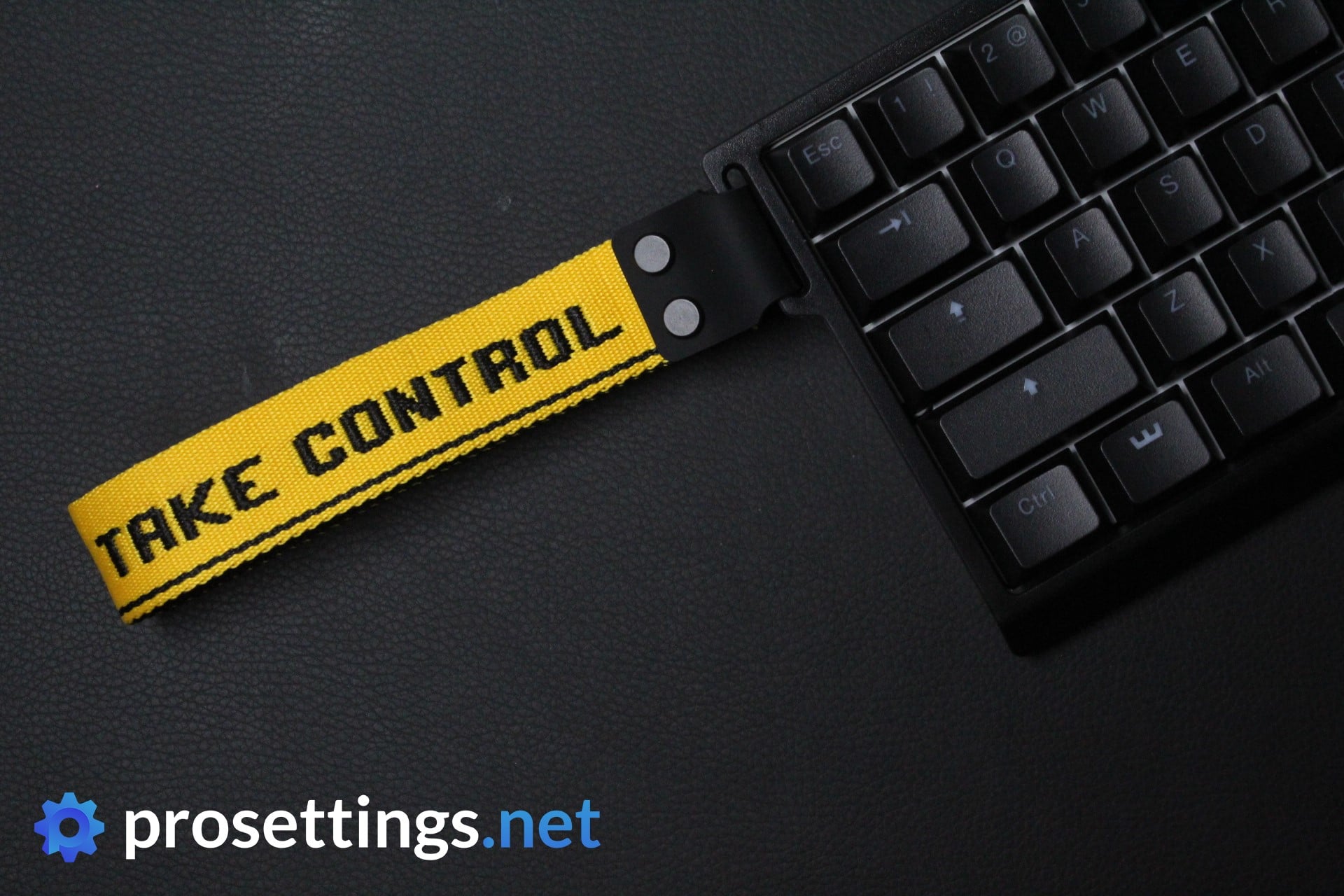
If you’re someone who follows the (professional) Fortnite scene a little bit, you’ll know that the Wooting 60HE is the board that really popularized the Dutch brand.
The Wooting 60 HE is the brand’s first 60% keyboard. Like the 80HE, it houses the brand’s very own Lekker switches. These are fully customizable, meaning that you can adjust the actuation point yourself (or bind two actuation points to one key) but it doesn’t stop there. The Lekker switches also have a Rapid Trigger feature, which means that the actuation point gets reset the moment you let go of the key so that you don’t have to wait until the switch has traveled past the actuation point. This means that you can be ultra precise with your inputs, and that can give you a great advantage in a game such as Fortnite.
Aside from all of this, the 60 HE is also built to be customized. It has a hot-swappable PCB (so you can swap out defective switches without having to buy an entirely new keyboard) and the PCB was purposely made to fit inside most popular aftermarket keyboard cases.
If you want the Wooting experience in a small form factor, or you like modding your keyboards, this or the newer 60HE v2 is the one for you.
Wooting 60HE+
Used by 50 Fortnite players ()
-
itsJerian

-
aqua

-
7ssk7

-
Deyy

Staff's Choice
Pro's Choice
The Wooting 60HE is a keyboard that started a massive revolution in the world of mechanical gaming keyboards and has since become absolutely iconic. If you ask me, it completely deserves this status. This is the best gaming keyboard out there right now.
Read review (03/2024)
Pros
- Very precise and responsive customizable switches
- Best-in-class gaming performance
- Customization can be done in browser and is incredibly easy to use
- Made to be modded, so easy to customize to your liking
Cons
- Typing sound out of the box isn’t the best, but this is a nitpicky complaint
Specs
| Form Factor | 60% |
|---|
| Switches | Lekker |
|---|
| PCB | Hotswappable |
|---|
| RGB | Yes |
|---|
| Height | 3.8cm |
|---|
| Width | 30.2cm |
|---|
| Length | 11.6cm |
|---|
| Weight | 605g |
|---|
SteelSeries Apex Pro Mini / TKL / Full Size
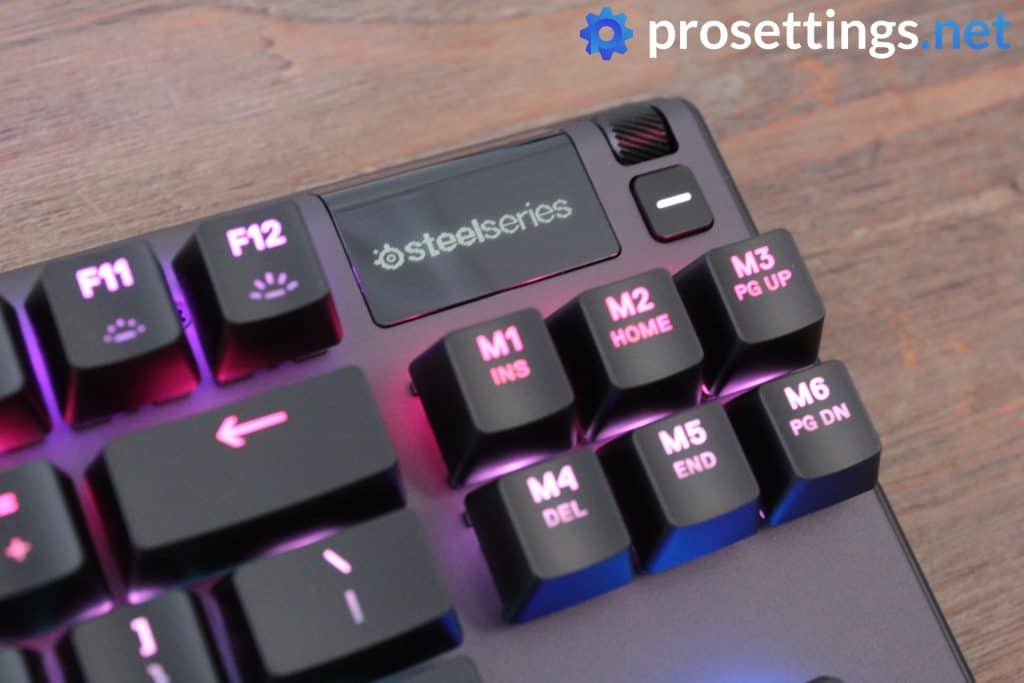
Note: the Apex Pro TKL was renewed in 2023. The 2023 version features Omnipoint 2.0 switches, which have a wider actuation range. The 2023 version also uses PBT keycaps.
The people over at SteelSeries called this keyboard ‘the biggest leap in mechanical keyboards since the invention of the mechanical switch over 35 years ago’ back when it came out. That’s a bold claim, but they did have the features to back that up, and it can be argued that the Apex Pro with its customizable switches paved the way for boards such as the Wooting.
Their OmniPoint switch has a much lower response time and actuation point than what traditional switches offer and you can adjust the sensitivity of these switches individually. The board also offers Rapid Trigger, which resets the actuation point of a switch as soon as you let it go.
All in all this is a very impressive keyboard that’s absolutely packed with features, and SteelSeries boards are still among the most popular with professional Fortnite pros, so if you want to get an analog board from a brand that isn’t Wooting, this should be your first port of call.
The Apex Pro line is available as a full-sized board, a 60% board, or a TKL board. The 60% version does not come with the multifunctional media buttons, which is something to be aware of.
SteelSeries Apex Pro TKL
Used by 32 Fortnite players ()
-
TaySon

-
Megga

-
Commandment

-
Dubs

Staff's Choice
Pro's Choice
In conclusion: I’m sure that this will be a pretty polarizing product but it can’t be denied that SteelSeries is trying to innovate here, and I truly think that they’re on to something. I’m excited to see what the future brings for this kind of switch and technology. Because of this innovation and the overall quality of the board on most fronts it gets the Staff’s Choice award, with the notion that most of the value of this board is in the customizable switches, so if you have no intention of using those you should look elsewhere.
Read review (06/2023)
Pros
- Customizable actuation point for the switches
- Included wrist rest
- USB passthrough
- Sturdy build quality
- Cable routing options on the bottom
- Volume wheel feels nice to use
Cons
- Subpar keycaps
- OLED screen feels a bit gimmicky
- Navigation cluster and function keys don’t have OmniPoint switches
Specs
| Form Factor | TKL |
|---|
| Switches | OmniPoint |
|---|
| PCB | Non-Hotswappable |
|---|
| RGB | Yes |
|---|
| Height | 3.9cm |
|---|
| Width | 35.5cm |
|---|
| Length | 13.6cm |
|---|
| Weight | 772g |
|---|
Razer Huntsman V3 Pro Mini / TKL
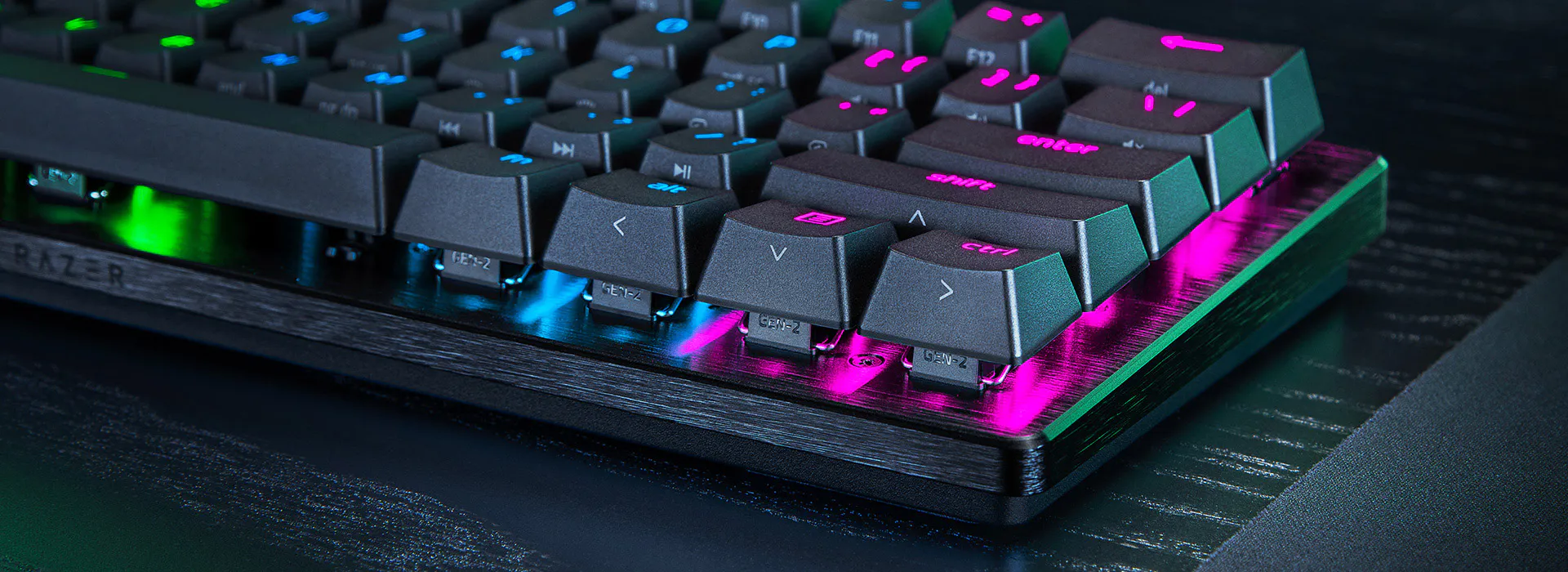
The Huntsman lineup is one of Razer’s main keyboard lineups focused on competitive gaming. It’s available in multiple sizes, though only the TKL and full-size version have media buttons in the top right.
The Huntsman V3 Pro uses Razer’s Gen-2 Optical Switches. You can adjust the actuation level (how deep you need to press the key to register an input) of these switches from 0.1mm up to 4.0mm. You can pair that with Rapid Trigger mode and reset the key with the slightest lift of the finger. To put it simply; a board like this is much more responsive than a traditional mechanical keyboard. Considering how often you need to spam keys in Fortnite, this is going to be really helpful.
In terms of aesthetics, it’s an all-black (see keyboard size differences explained) keyboard with RGB. it’s encased in a brushed aluminum alloy frame which adds to the premium feel of the board. The keycaps are double-shot PBTs, which is a nice bonus.
Razer has managed to pack a lot of performance in such a small form factor, and the Huntsman line is a good choice for people who want a top-performing keyboard for Fortnite.
Razer Huntsman V3 Pro TKL
Used by 27 Fortnite players ()
-
AsianJeff

-
Martoz

-
Gotaga

-
Endretta

Staff's Choice
Pro's Choice
Razer Huntsman V3 Pro TKL is a best-in-class gaming keyboard. It’s also a very mediocre typing keyboard due to its loudness and subpar typing sound. I feel like those two sentences are the most important things to know for people who are considering purchasing this board.
Read review (04/2024)
Pros
- Comes with a wrist rest
- Good gaming performance
- Customizable switches + Rapid Trigger
- Comes with a multifuctional dial
Cons
- Expensive
- Typing sound is loud and not pleasing
- Wrist rest is of lower quality than on older Razer keyboards
Specs
| Form Factor | TKL |
|---|
| Switches | Razer Analog Optical |
|---|
| PCB | Non-Hotswappable |
|---|
| RGB | Yes |
|---|
| Height | 3.9cm |
|---|
| Width | 36.4cm |
|---|
| Length | 14.0cm |
|---|
| Weight | 720g |
|---|
Wooting 60HE v2
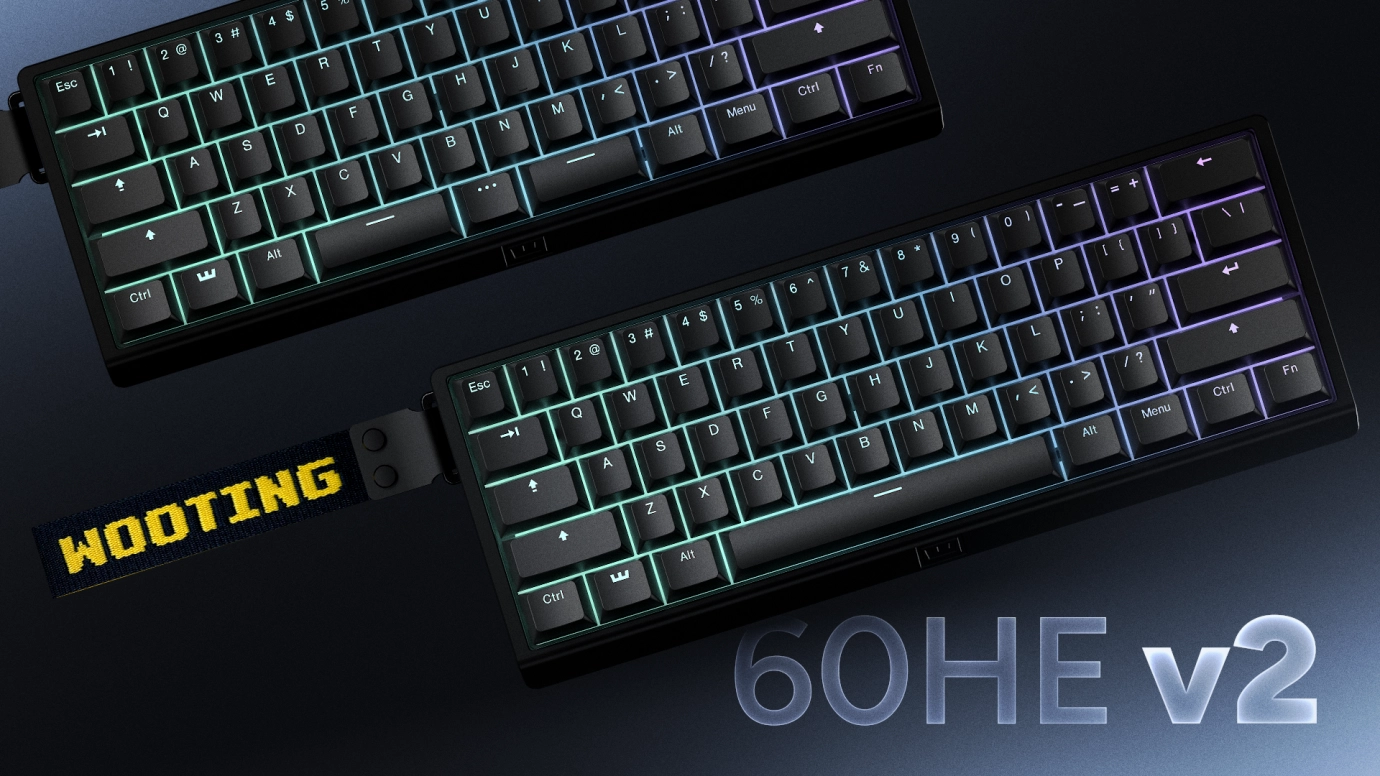
The Wooting 60HE v2 takes what made the 60HE such a dominant keyboard in competitive gaming and cleans up a lot of the rough edges. You still get the same core strengths like the Lekker magnetic switches with adjustable actuation, rapid trigger, and extremely consistent input behavior, and you also obviously still get access to the brilliant Wootility tuning software. But the overall package feels more refined.
Just like other Wooting boards, the v2 is built around performance customization, and the 60HE v2 brings mostly cosmetic and ‘enthusiast-level’ upgrades. With a friction-fit PCB and improved typing sound and feel, this feels like an endgame custom 60HE.
If you want the Wooting experience in a 60% form factor, the 60HE v2 is the version to get. It does the same core job as the original, but it feels more like a finished product out of the box.
Wooting 60HE V2
Used by 6 Fortnite players ()
-
benjyfishy

-
Mongraal

-
acorn

-
Piz

Staff's Choice
Pro's Choice
It’s the most complete gaming keyboard package I’ve tested so far, in my view. If you want a 60% gaming keyboard that scores highly on all fronts, this is the one for you.
Read review (01/2026)
Pros
- Great gaming performances
- Friction-fit PCB is amazing
- Split spacebar option adds extra input options
- Good typing feel and sound
- Sturdy build quality
- Wootility is great
Specs
| Form Factor | 60% |
|---|
| Switches | lekker_tikken_medium |
|---|
| PCB | Hotswappable |
|---|
| RGB | Yes |
|---|
| Height | 2.8cm |
|---|
| Width | 30.5cm |
|---|
| Length | 11.5cm |
|---|
| Weight | 606g |
|---|
Best Keyboard for Fortnite – Conclusion
As you can see, the Fortnite pros seem to prefer smaller boards. The pros are also overwhelmingly switching to analog switches. So, if you’re in the market for a Fortnite keyboard and you don’t exactly know what your preferences are, we recommend going towards a TKL analog keyboard. That should serve as an ideal jumping board for you to figure out what you really want in a gaming keyboard.
Please do let us know if you have any questions or remarks. We do our best to answer everything!

