Introduction
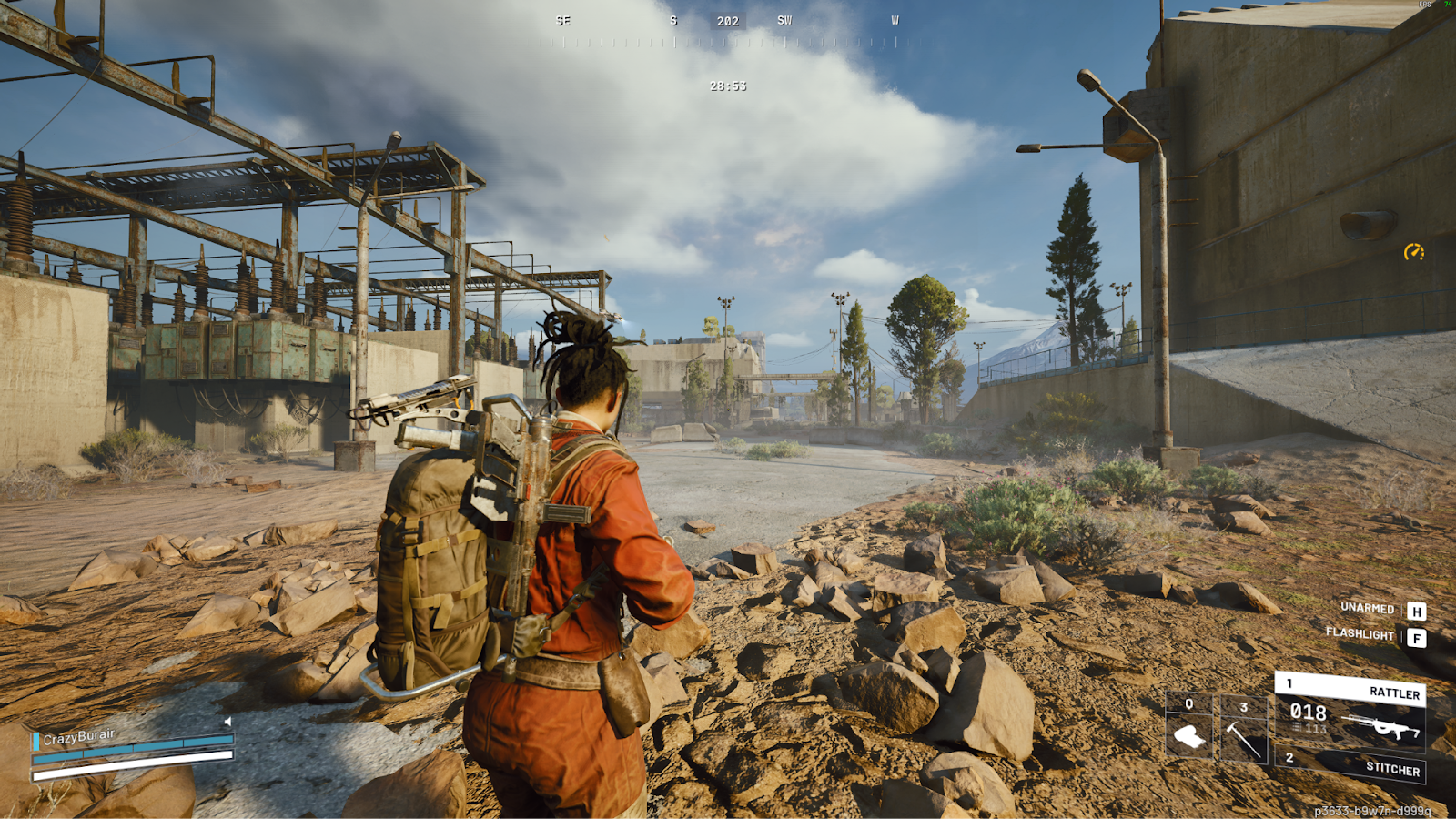
Arc Raiders was one of the biggest games of 2025, and it is still carrying that momentum. The game brought extraction shooters to the mainstream, and it’s all thanks to the genius work by Embark, the studio known for The Finals. Not only did they make a great game, but they also made a game that looks incredibly beautiful and is optimized really well. But, there is still a lot of performance we can squeeze out just by tinkering with a few settings. So, here is our best settings and options guide for Arc Raiders.
Video Settings
Arc Raiders is very well optimized, so you don’t necessarily have to turn down all settings to Low in order to get a competitive experience. Of course, any setting that can cause issues with visibility or add input lag will be changed. The goal is to get high frames without losing the visuals that make Arc Raiders so much fun to play.
| Setting | Value | Explanation |
|---|
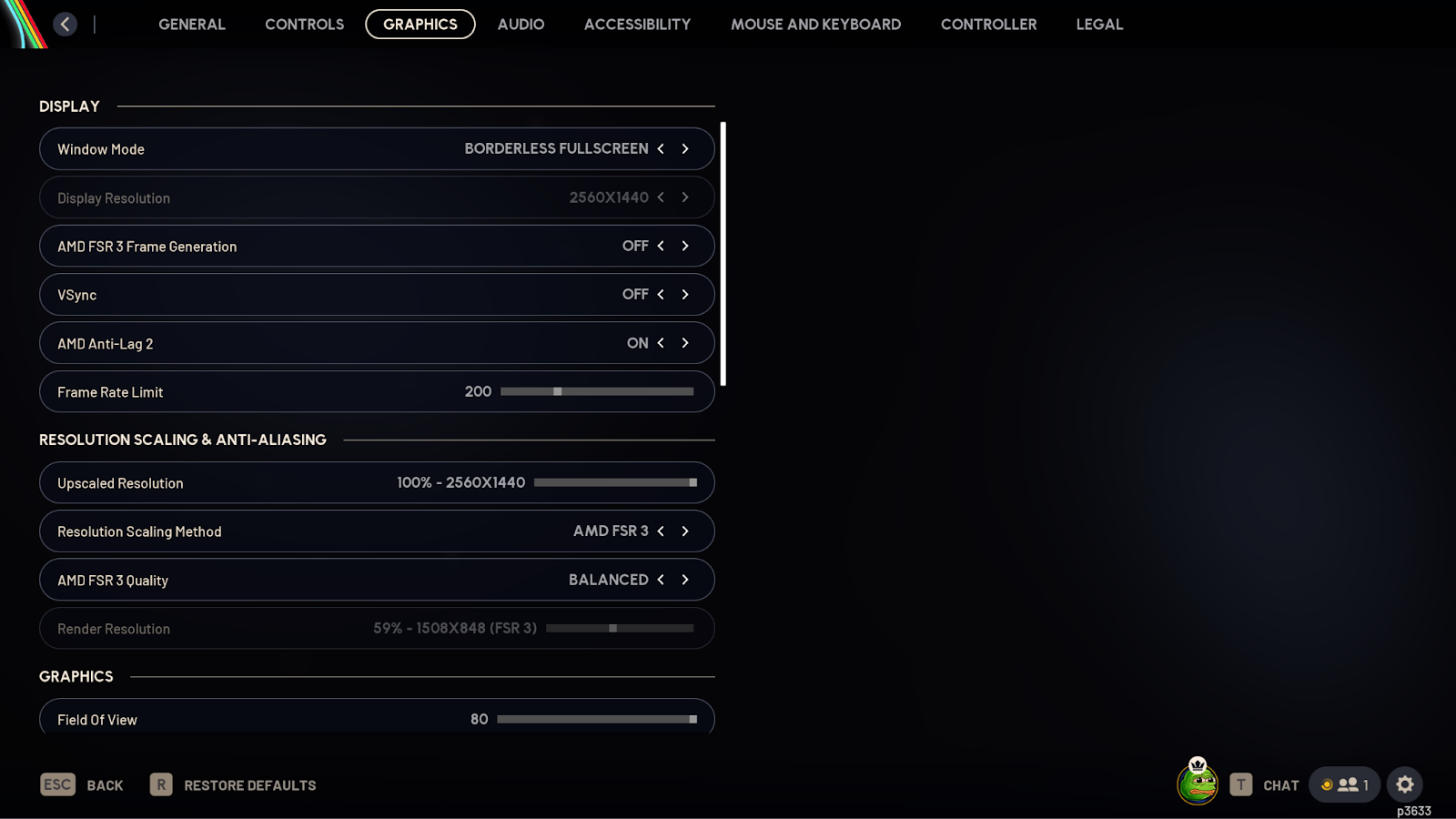
| Window Mode | Preference | No difference in latency between the two modes. |
| Display Resolution | Native | Native gives you the least amount of latency |
| Vsync | Off | Introduces a lot of input lag. Keep it off. |
| AMD Anti-Lag/NVIDIA Reflex | On | Both help in reducing input lag. |
| Frame Rate Limit | Same as Monitor’s Refresh Rate (144, 240, etc.) or uncapped. | You can cap it to your monitor’s refresh rate if you’re having stability issues. |
| Upscaled Resolution | 100% | Use Upscaling instead of changing this |
| Resolution Scaling Method | NVIDIA DLSS CNN for NVIDIA users; FSR 3 for the rest | Upscaling helps a lot in Arc Raiders to get more frames. Play around with the different presets (Balance, Quality, etc) and find one that works for you |
| Field Of View | 80 | A higher Field Of View means you can see more of the battlefield around you. |
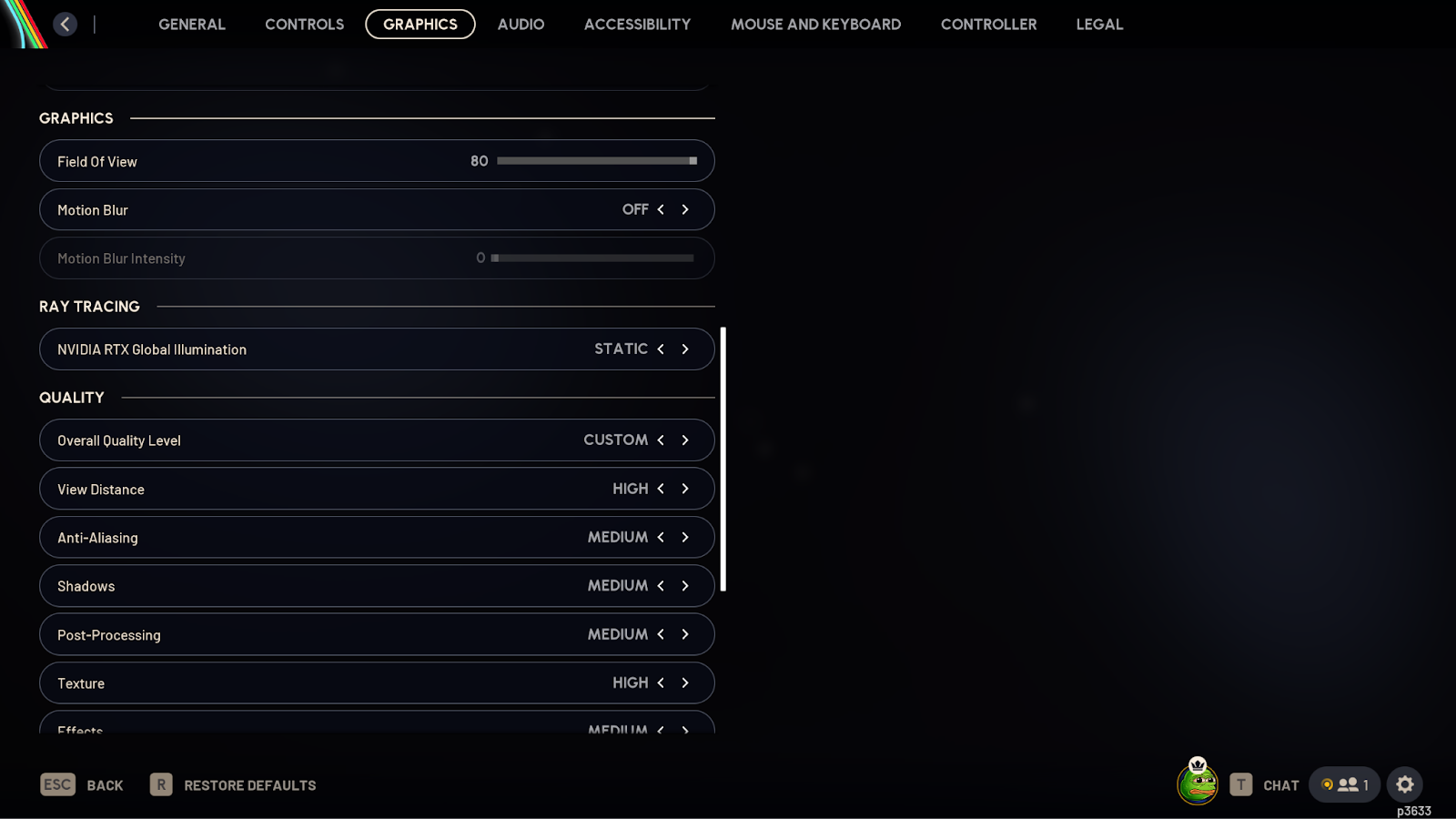
| Motion Blur | Off | Eye candy setting. Can also cause visibility issues, since it introduces artificial blur to the game. |
| NVIDIA RTX Global Illumination | Static | Static keeps the shadows flat, while Dynamic turns on Ray Tracing, which has a high performance cost. As such, stick to Static. |
| View Distance | High/Epic | Performance cost from Low to High is negligible, but going to Epic has a minor cost, so test it out to see if it’s worth it for you. |
| Anti-Aliasing | Medium | Looks best and provides good performance, too. |
| Shadows | Medium | Good balance between performance and quality, go High if you want slightly better looking shadows. It won’t give you any gameplay benefits though. |
| Post Processing | Medium | Anything higher has a moderate performance cost; setting it to Low makes the game look noticeably worse, so we prefer medium. |
| Textures | High | Go lower if you have a low VRAM GPU; it doesn’t affect performance much, only controls how much VRAM is allocated for texture streaming. |
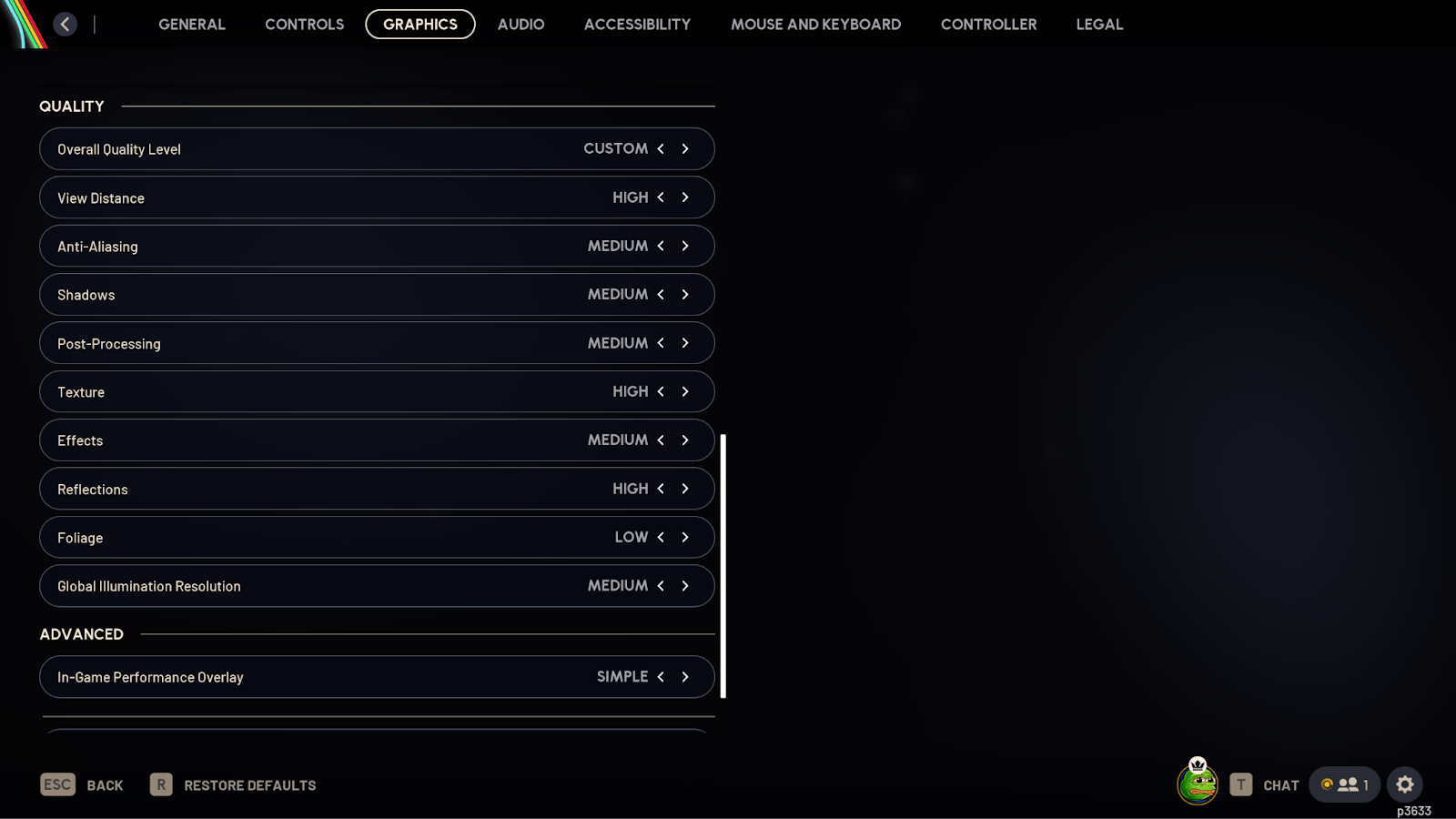
| Effects | Medium | Higher settings have a major impact on performance. However, low to medium isn’t as demanding, so we go for that. |
| Reflections | High | Doesn’t impact performance that much. Don’t go low, as it will turn off the SSR, which will make the reflections look flat. |
| Foliage | Low | Negligible difference in fps from Low to High. However, higher settings make bushes have more volume, so if an enemy is playing on Low, they will be able to see you if you are hiding in a bush that was only visible at High settings. |
| Global Illumination Resolution | Medium | Anything higher has a minor fps cost and no gameplay benefits. |
| In-Game Performance Overlay | Simple | Gives you an FPS count, which is useful for benchmarking of troubleshooting. |
Accessibility and General Settings
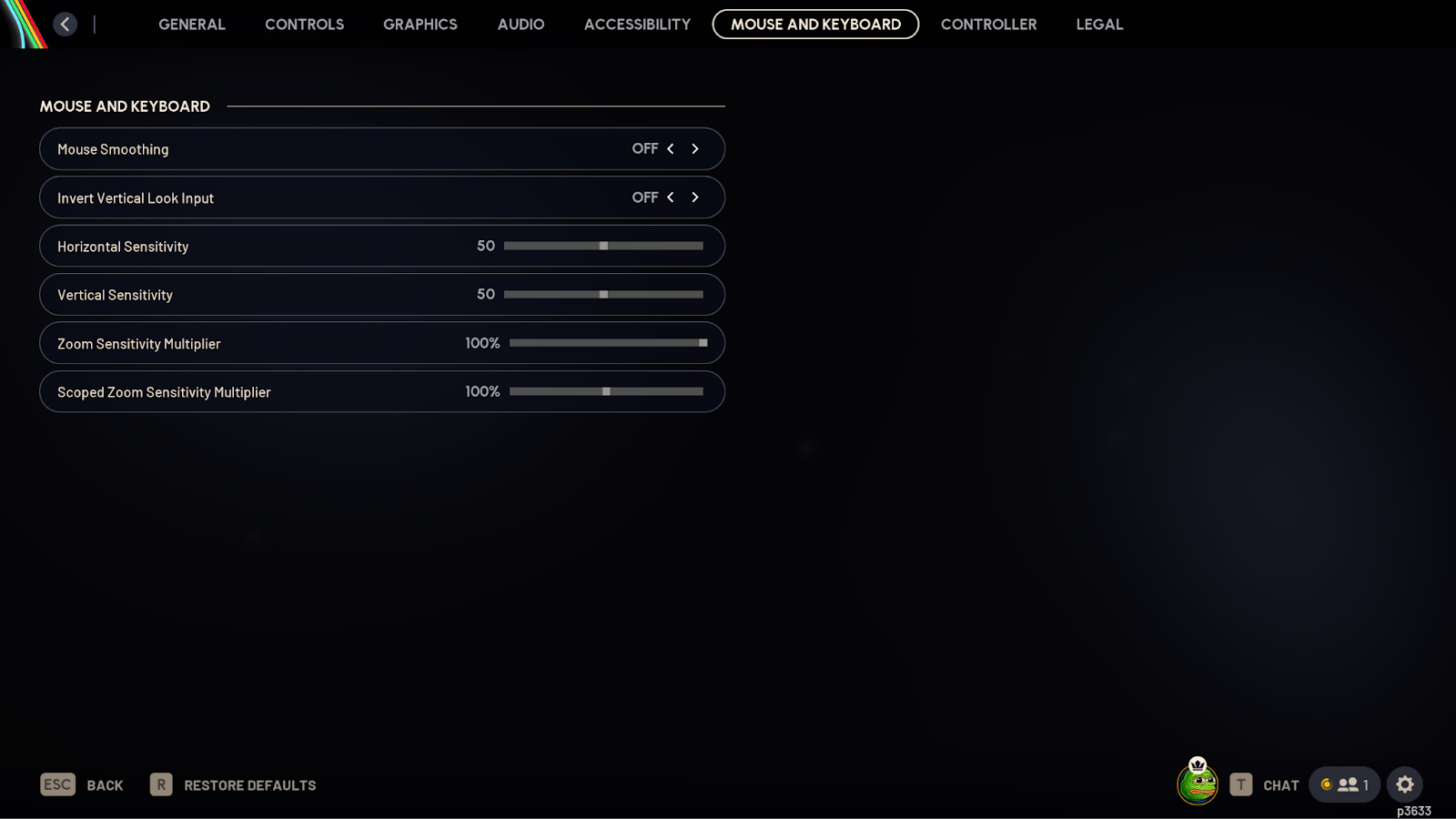
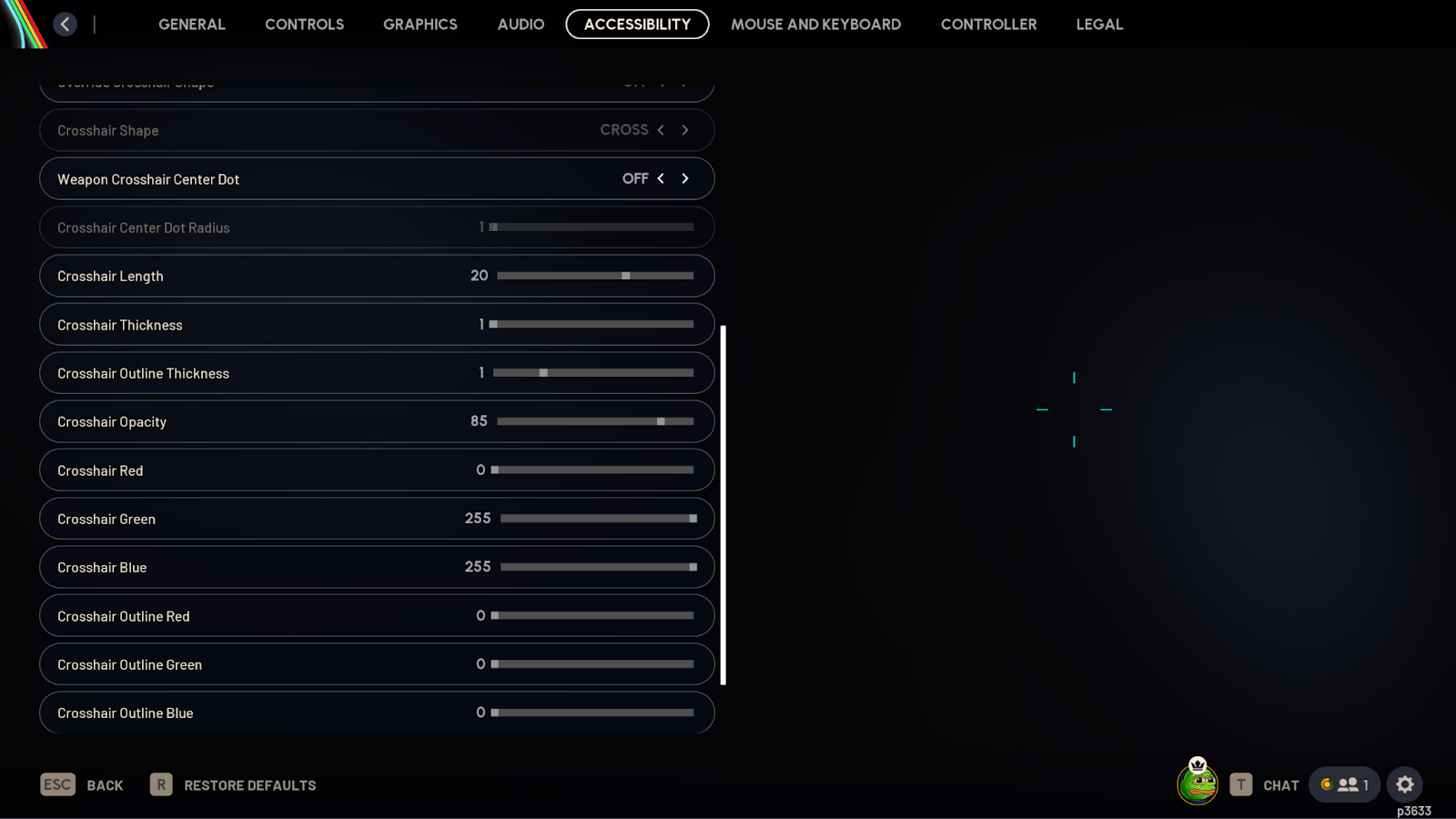
Apart from the performance, there are a couple of settings that you should change for a better gameplay experience.
Firstly, turn off Mouse Smoothing in Mouse and Keyboard Settings, as it can make your sensitivity feel inconsistent.
Next, turn on Invert Flash Color in Accessibility; it will make your screen go black instead of white when you are flashed, which really helps reduce the strain on your eyes from a flash.
Everything else is pretty much down to personal preference.
Crosshair Settings
Crosshairs are generally down to personal preference, and Arc Raiders isn’t entirely about shooting and getting kills, so you don’t need a “pro” crosshair. Just make something that remains visible in all situations and isn’t too distracting. For most people, the default crosshair would be perfect; the only thing you should play around with is the color.
You will find the crosshair settings under the Accessibility tab. The crosshair settings are pretty standard.
However, “Override Crosshair Shape” is one setting you should be aware of. When you pick up different weapons in the game, like a shotgun, the crosshair shape changes (to a circle, for example). If you want to keep it that way, turn it off. If you want the same crosshair for all guns, turn it on.
Conclusion
Embark has done a great job optimizing Arc Raiders. For most people, it runs well without even tweaking anything. However, there is still a lot of performance that you can squeeze out without impacting the visual fidelity that much. Arc Raiders is technically not a competitive shooter, so you don’t necessarily need to play at potato graphics to get as many frames as possible. Part of the appeal of Arc Raider is the visuals and the world you are scavenging in, so finding a balance between visual beauty and reliable performance is where it’s at according to us.
Passionate competitive gamer turned writer.


This is amazing!!!! Can we do marathon too? Because it a better game