Introduction
Pulsar is one of the fastest-growing brands in the esports scene. VAXEE is also a relatively new player that has very quickly gained a ton of respect from both pros and enthusiast. So, when two brands like these collide, we can expect fireworks. In our full Pulsar es FS-1 review, you’ll find out whether or not the expectations have been fulfilled.
Note: this product is the result of a collaboration between Pulsar and VAXEE. However, it’s officially named as the Pulsar eS FS-1 and is not listed on VAXEE’s website. Therefore, Pulsar will mostly be referred to when the brand/designers are being mentioned.
At A Glance
Pulsar eS FS-1
Used by 20 players ()
-
Snax

-
Cryocells

-
ethos

-
keznit

The eS FS-1 feels like a new iteration of that enormously well-liked FK shape, and for that reason alone it will be endgame material for a lot of people.
Pros
- Web driver AND software support for configuration
- Fantastic build quality
- Interesting take on an iconic shape
- Great buttons
- Great mouse feet
Cons
- Extremely expensive
- Coating is hard to keep clean
- Scroll wheel can feel slippery
Specs
| Sensor | XS-1 Sensor |
|---|
| Polling Rate | 8000 Hz |
|---|
| Button Switches | Optical Switches |
|---|
| Connection | Wireless |
|---|
| Shape | Ambidextrous |
|---|
| Length | 12.5cm |
|---|
| Height | 3.7cm |
|---|
| Weight | 57g |
|---|
| Width | 6.4cm |
|---|
First Impressions
Packaging
Inside the box of the Pulsar eS FS-1, you will find:
- The mouse itself
- A USB-A-to-USB-C charging cable
- User documentation
- A Pulsar x VAXEE trading card
- A Pulsar x VAXEE sticker
- The wireless receiver dongle
For an esports focused mouse that retails at an eye-watering $179.99, I would have wanted to see extra mouse feet in the box. Perhaps also some grip tape, even though I don’t personally use it on most mice.
Something I will say is that the unboxing experience is very nice. The packaging looks and feels premium, and everything is nicely presented. Kudos to Pulsar for this.
The Mouse
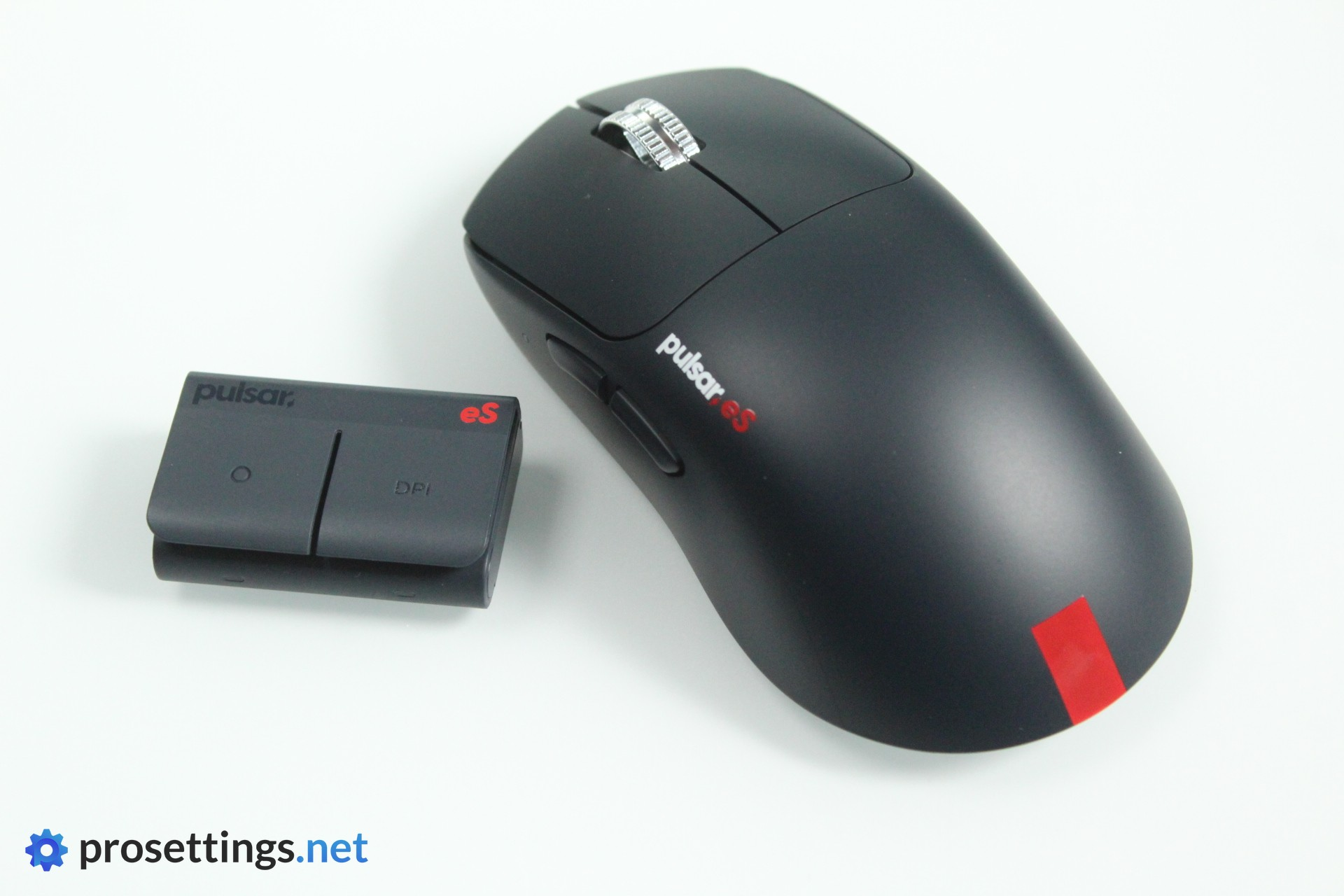
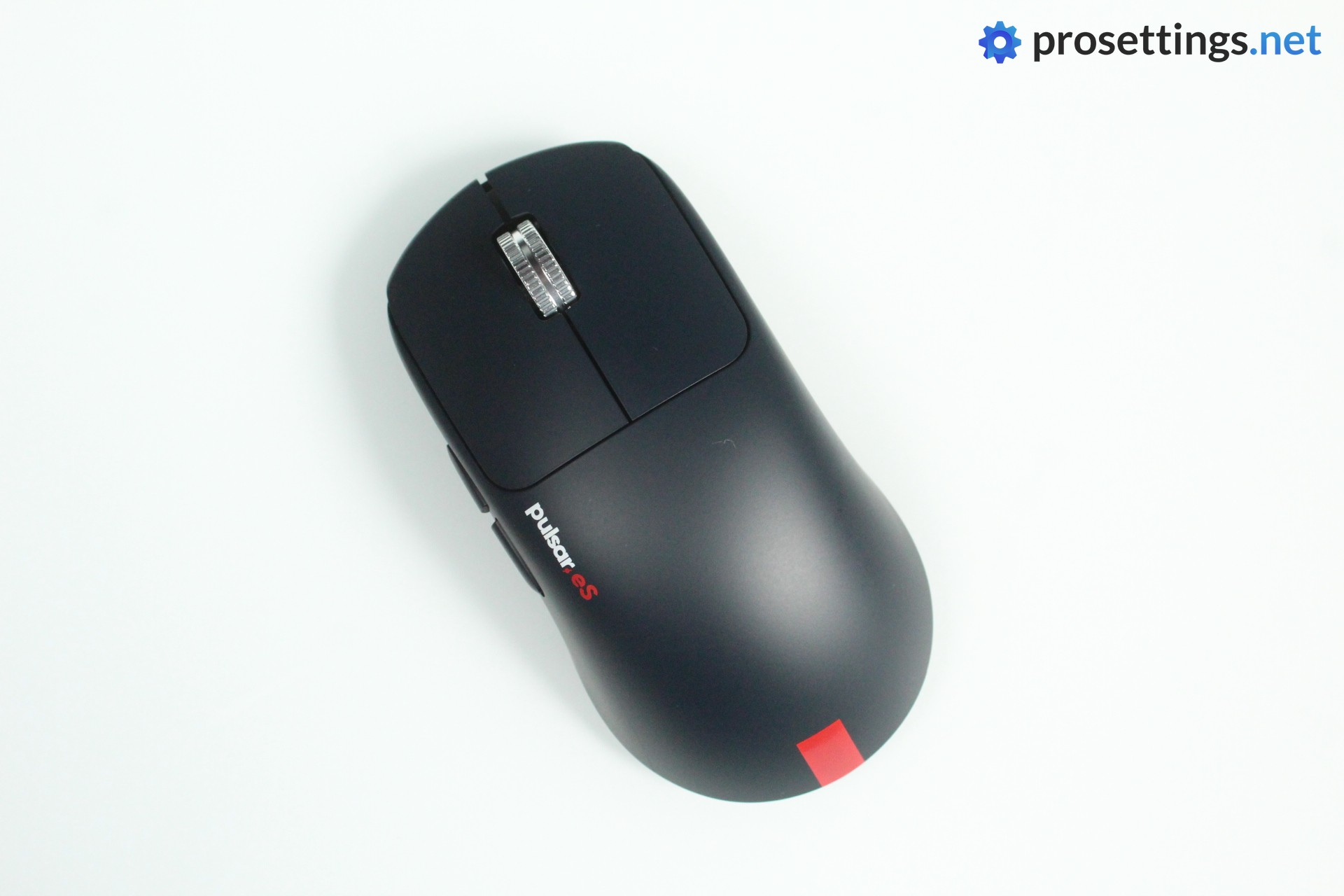
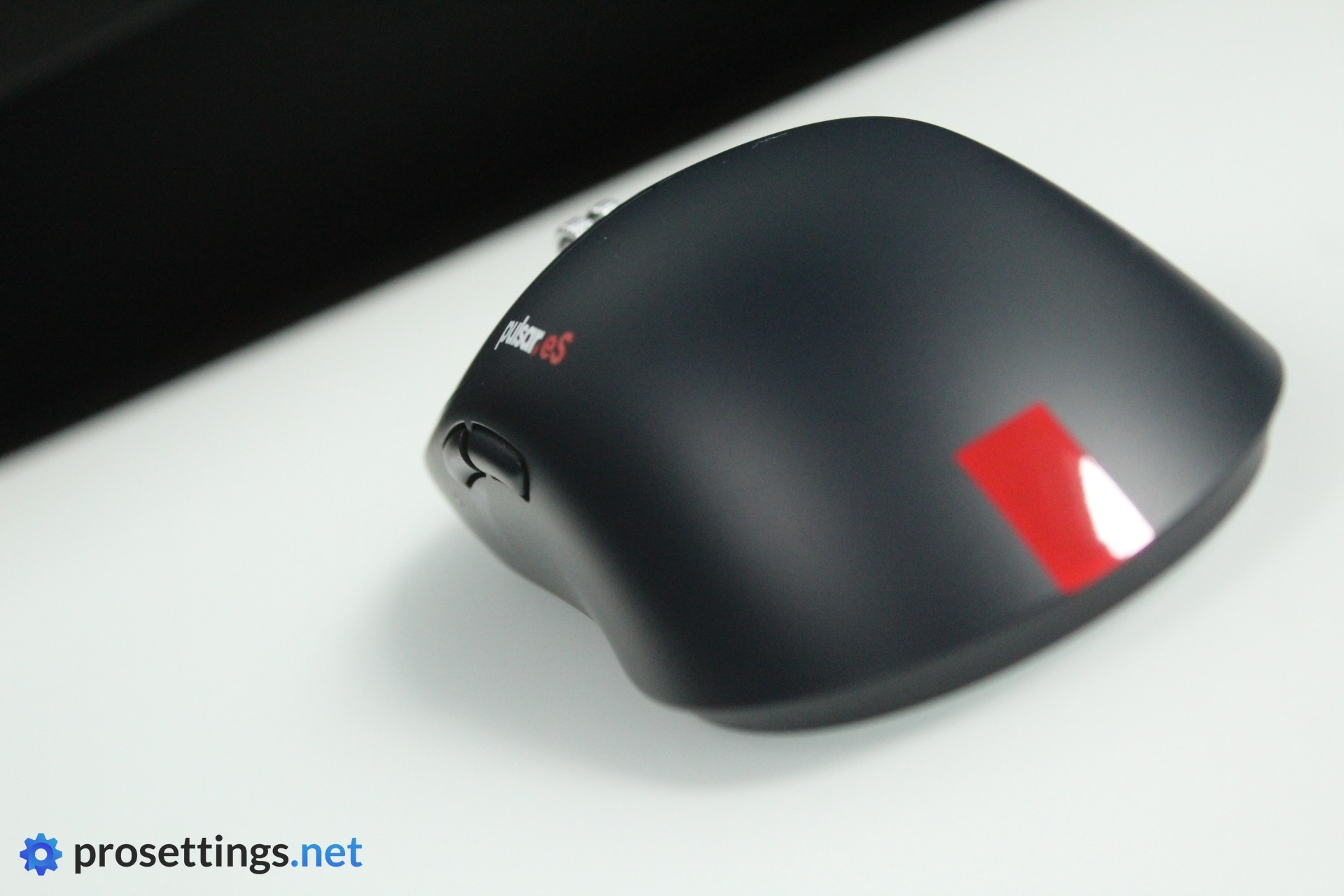
The Pulsar eS FS-1 is an interesting-looking mouse. For starters, there’s the trademark red stripe on the palm portion of the mouse. In addition to that, it also comes with a silver alloy scroll wheel. The dark blue color rounds out a look that feels sporty overall. It reminds me a bit of an old-school race car without sponsor logos applied for some reason. Classy, yet obviously made for performance.
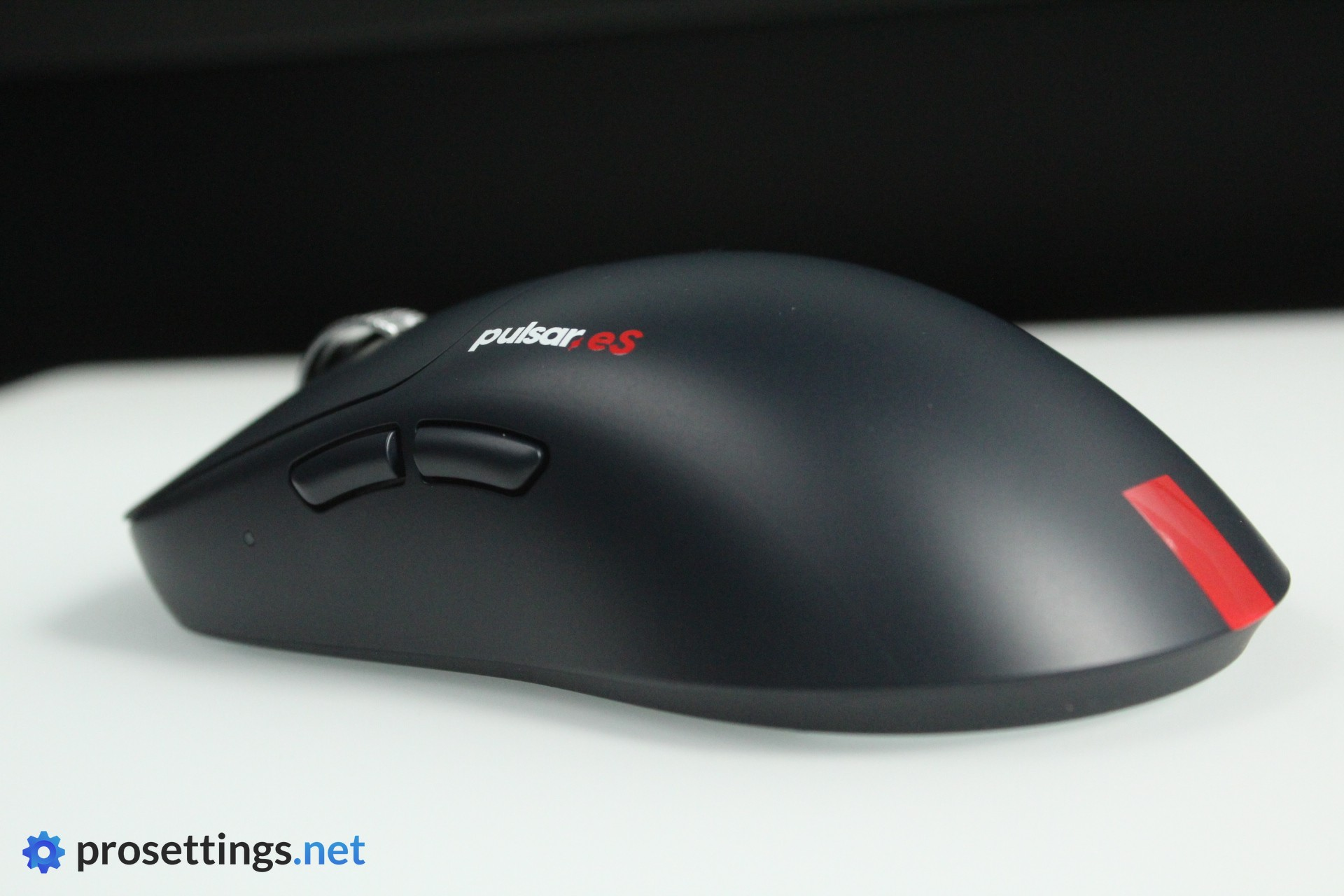
The logo, then, is situated on the top left side of the mouse, which I think is a clever decision. This is a part of the mouse that’s not always covered when using it, making it a lot easier for people to see that pros are using a Pulsar mouse based on photos. Logos on the back of the mouse (where they usually are placed), on the other hand, are pretty much covered at all times, even when a pro relaxes their fingers/hands a bit between rounds. I don’t know if this was a conscious decision or not, but if it was then it’s a clever one if you ask me. Branding is also important, there’s no way around that and Pulsar have been clever about it here.
Price
I alluded to this earlier, but I feel like the price needs a separate section. Good as this mouse may be, it does not exactly bring anything new to the table in terms of performance or features. As such, I find the asking price of $179.99 to be pretty wild. For context: Pulsar’s other flagship mice (including signature versions like the TenZ) retail at $129.99. I struggle to rationalize why this costs a whopping $50 more.
This mouse currently costs as much as the Logitech G Pro X2 SUPERSTRIKE. That mouse did bring new technology to the market, and even there I found the increased MSRP to be difficult to stomach. That goes double for a mouse that isn’t bringing new tech to the market.
Yes, designing a brand new shape costs time, research, and money. And yes, the two brands will want to get their cut. I do understand all of that, but I think mouse prices like these are nearing the point where they cease to be an option for most regular gamers, and that’s a shame.
Shape, Coating, and Mouse Feet
Shape
For context: my hands are 18×10.5 cm and I use a claw grip.
The Pulsar eS FS-1 was made in collaboration with VAXEE. This brand, in case you didn’t know, was founded by the people who were behind the original ZOWIE mice like the famous EC and FK lines. As such, it shouldn’t be a huge surprise to see that the FS-1 has a lot of similarities to the FK. I’ll go deeper on the comparison between both in the ‘Alternatives’ section. Here, I’ll describe the shape as-is.
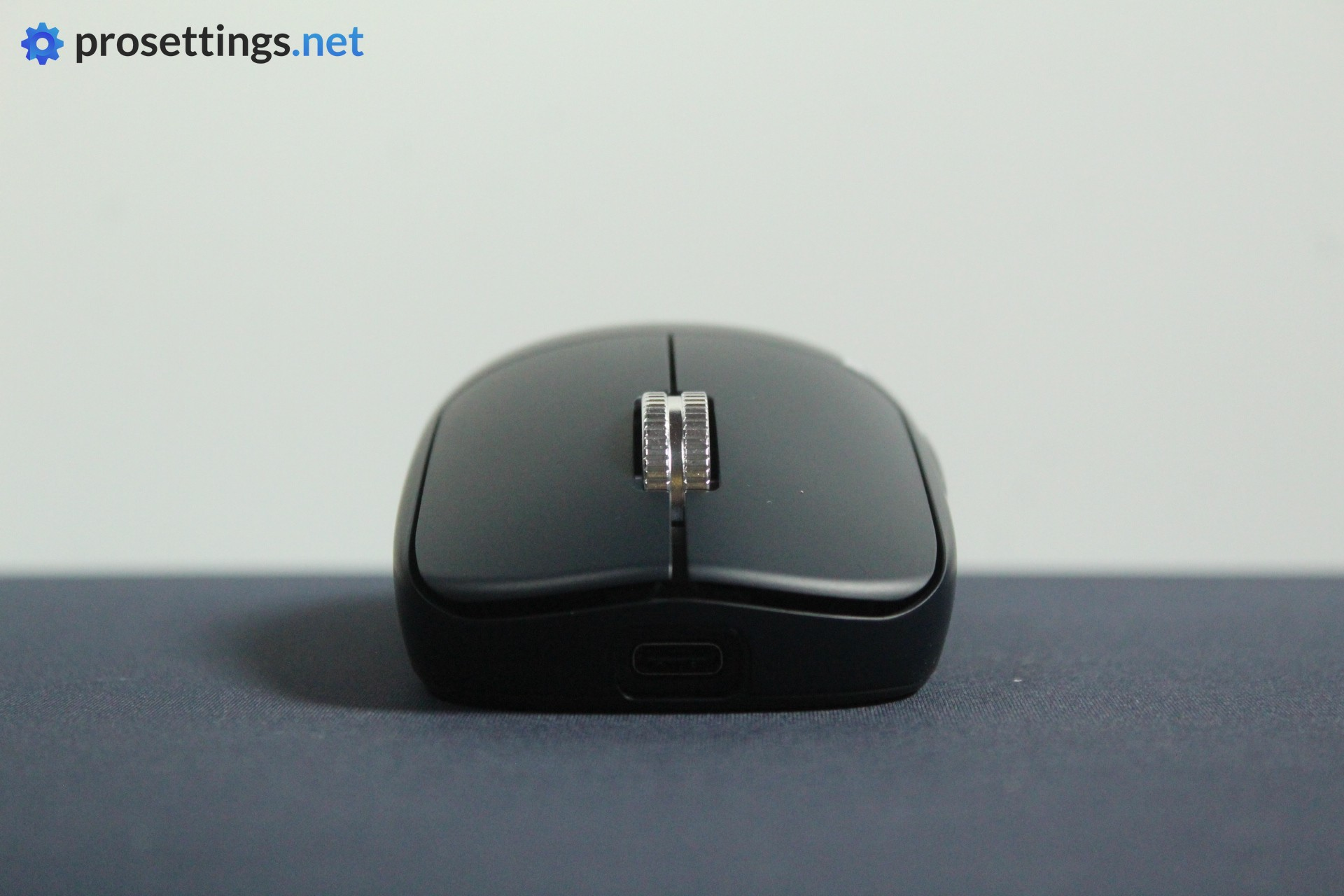
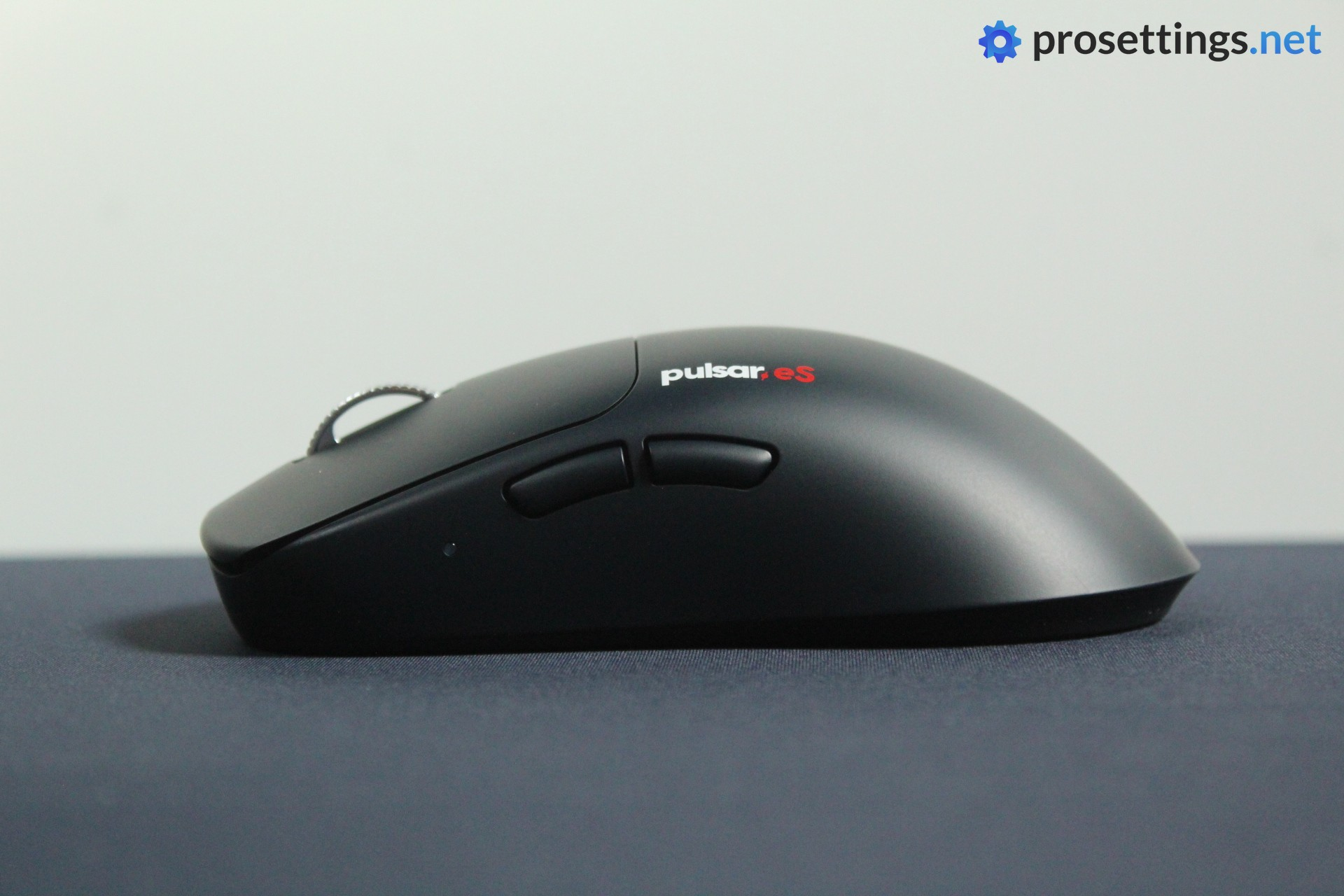
For me, the defining feature of this shape is the flat profile. If you look at it from the top, the FS-1 is very similar to tons of popular ambidextrous mice. A modest widening at the back with a thinner grip section, and then it’s rather straight towards the front, with an overhang to help with picking the mouse up.
Where the FS-1 sets itself apart from the majority of the pack is near the hump. This is a lot lower and more gradual than what you usually see. This results in a mouse that feels extremely neutral because it doesn’t have the tendency to fill your hand at all.
The flatness of this shape is something you need to get used to if you haven’t tried it before, as it feels quite unique. For me, it’s too flat, because I like the added stability that you get from a little more palm contact. I notice that a mouse like this tends to ‘slip around’ a bit in my hand when doing certain aiming tasks, so it’s not for me personally.
With that said, this type of shape is revered for a reason. Many people love the ‘blank slate’ type of feeling that a mouse like this offers. There’s also something to be said for the fact that the mouse feels as if it disappears in your hand due to the lack of a big hump. If the aforementioned sounds like an experience you’d like, then you’ll love this mouse.
Coating
Both Pulsar’s as well as VAXEE’s coatings haven’t always been straight hits with me in the past. Sadly, it’s the same with this mouse. In terms of performance, the eS FS-1 feels fine. It’s quite smooth but I had a good grip under most circumstances. It also doesn’t have that very chalky feeling that you get with some Pulsar mice.
It’s extremely difficult to keep clean, however. I don’t need a mouse that looks as if it’s new all the time, but fingerprints and oils show up extremely easily on this coating. That’s definitely something they can still work on.
Mouse Feet
There’s not much to say about the feet on this mouse. They’re pretty much perfect. They are nicely rounded, and extremely smooth, even on hard-type pads. They have a very consistent and reliable medium-fast glide.
No remarks here at all. I only wish they’d included some extras in the box, but that’s not a criticism on the feet themselves.
Recommended Grip Types
This is a very flat mouse, so I don’t see it as a good option for palm grippers. There’s just not going to be enough palm/hand contact for most people who prefer that type of grip. It does feel like a great mouse for both fingertip as well as claw grips (as long as you don’t require a ton of palm contact) however.
Buttons and Scroll Wheel
Buttons
Pulsar uses their very own optical switches in this mouse, and they feel great. They’re among the most tactile-feeling optical switches I’ve tried so far, and everything feels well-implemented. If I’m nitpicking I would say that there’s slightly too much post-travel for my taste on the right button, but that’s my only (minor) gripe.
Side play is limited, pre-travel feels fine, and there’s no switch grinding. Add a very pleasing and crispy click to this, and you’ve got a set of main buttons that feels fantastic to use.
Scroll Wheel
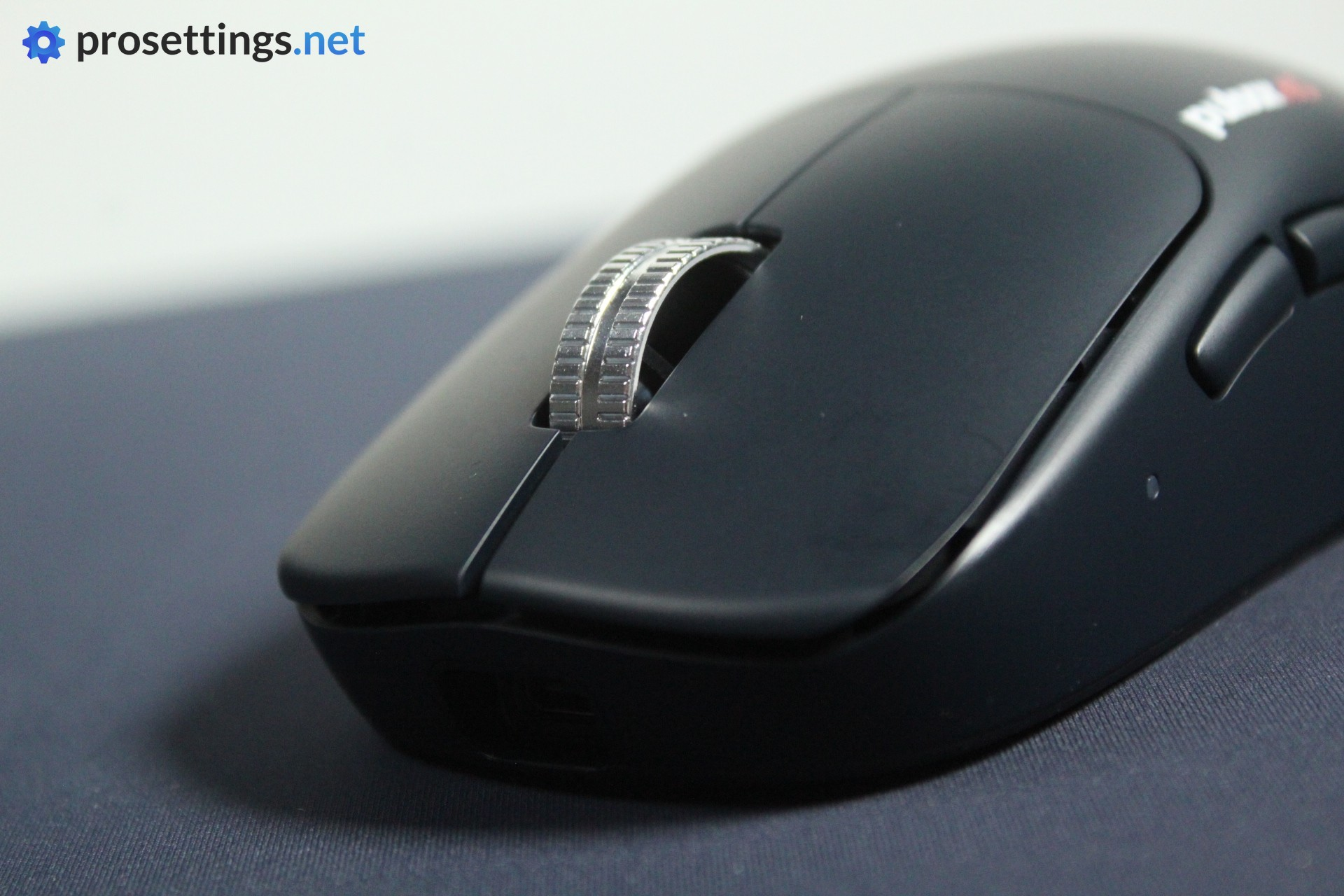
Pulsar uses a silver alloy scroll wheel here, similar to what they use on their other eS mice. I don’t really see the benefit in this over a plastic/rubber wheel, but I’ve had no issues with the feeling of these wheels in the past. That is different here.
This time, the notches on the wheel are much more shallow than on something like the Xlite V4. This results in a wheel that, to me, feels less grippy. In terms of the overall feeling in-game, I do prefer a traditional wheel with a rubber coating. Or, if they want to stick with this material, I would prefer their earlier, more textured wheels.
In terms of performance, it feels fine. The individual steps are medium-tensioned, and I had no issues with the wheel getting stuck between steps or missing scrolls. The required pressure to actuate the wheel itself is also nicely balanced. One thing I will say is that I had an instance or two where I wanted to press the wheel and my finger ended up slipping, causing me to also scroll. This happened very rarely, but it’s part of the reason why I’d like to see a more heavily textured wheel or a traditional rubber grip strip on top.
Side Buttons
The side buttons feel good on my unit. Mouse 4 does pivot a bit when you press it hard near the edges, but when I’m using it normally in-game I do not notice this at all, so I’m inclined to say that this isn’t an issue. Pre- and post-travel are both fine, and the switches they’ve used actuate with a pleasing click.
This is an exemplary set of side buttons.
Build Quality and Weight
VAXEE’s mice are built like a tank, so I was absolutely expecting them to bring their expertise to this collab so they could deliver a flawless design. To my joy, Pulsar and VAXEE delivered. The shell doesn’t flex at any point, and there is not a single noise to be observed when shaking the mouse or tapping it against a flat surface. The eS FS-1 feels sturdy and extremely well-made.
With a weight of 57 grams, it’s not going to win any prizes in the lightweight category, but I don’t mind the weight. In terms of ‘sweet spot’ that a lot of pros like to use, 50-60 grams seems to be where it’s at these days, and the eS FS-1 certainly doesn’t feel unwieldy or heavy to me. That’s also due to the pretty much perfect weight balancing and great build quality.
If you’re looking for a record-nearing featherweight mouse, this isn’t it, but for the vast majority of people this will be totally fine.
Sensor and Everyday Performance
Sensor
Pulsar’s eS mice haven’t always worked perfectly for me in the past, so I was curious to see how this one would fare. Luckily, it does much better than the last Pulsar mouse I tested. In my testing, I see no evidence of any errors or inconsistencies that you would notice while gaming. In terms of latency, reliability, and responsiveness, the mouse also feels pretty much perfect.
I don’t know if VAXEE was involved in the actual implementation of this sensor or if I just had a dud when I reviewed their Xlite V4, but I’m happy to see that the eS FS-1 performs exactly as you’d expect a top-tier esports mouse to perform.
Configuring the Mouse
Pulsar has ditched the blindingly bright dongle and the OLED screen on the bottom of the mouse and went for a new dongle design that has two buttons on it that allow you to control the mouse’s functionality. Contrary to a lot of people, I liked that OLED screen for all the information it could give, but the new dongle has two indicator LEDs that allow you to see what profile the mouse is set to and so on, so it kind of replaces the screen.
Everything you can configure ‘on the mouse’ is done via that dongle; there are no more physical buttons (aside from the power button) on the mouse itself.
If you want further customization, you can turn to Pulsar’s Bibimbap web driver. This is amazing. It’s very clear and easy to use, and works without any issues. In the web driver, you can create macros, rebind buttons, and so on. You can also change the functionality of one of the two buttons and LEDs on the dongle, which is cool for people who use multiple profiles or want to switch polling rates and so on.
There’s also a downloadable software program for those who prefer that, which I think is a great move. I will always go for the web driver, but many gamers like software, so it’s good to see a brand offering both options.
Something I would like to see on the dongle is a battery life indicator. For me, it’s less important to see what profile I’m on at all times (I only use one) but I do like a battery life indicator. Currently, it’s not possible to set the indicator LED to display that, so perhaps it’s something that they can consider for the future.
Battery Life
Pulsar indicates that the eS-FS1 has a battery life of 160 hours, but that’s at 1000Hz and with Turbo Mode (which basically devotes the maximum amount of resources to making the sensor as responsive and accurate as possible) on. If you go for higher polling rates, this will drop significantly.
I use my mice at 2000/4000Hz and it lasted for multiple days before I needed to charge it, so the battery life is more than adequate in my opinion.
Alternatives
The Pulsar eS-FS1 has a unique shape, but there are some alternatives to consider that can deliver a similar experience.
Pulsar eS-FS1 vs ZOWIE FK2-DW
Both mice look very similar at first sight, but the in-hand experience feels quite different. For one, the FK2-DW feels slightly wider and has more front curvature. The FK2-DW also feels even flatter than the eS-FS1 since the latter has a slightly more aggressive hump. The differences might not be huge, but they do result in a different experience when holding both mice. The eS-FS1 feels just that slight bit more nimble and more palm-filling than the FK2.
In terms of performance, both mice are close, though the FK2-DW is a lot heavier and does not come with optical switches. It also does not go to 8000Hz in terms of polling rate, but rather to 4000Hz.
See our ZOWIE FK2-DW review
Pulsar eS FS-1 vs Razer Viper V2 Pro
The Viper V2 Pro (so not the newer models, which have a redesigned shape) is another flat mouse. However, the Viper V2 Pro is a lot wider and feels a lot bigger in the hands. As such, it’s not as nimble-feeling as the eS FS-1 and actually feels quite different in-game.
In terms of performance, both mice are quite close, though the Viper V2 Pro is an older mouse so it’s using older tech.
See our Razer Viper V2 Pro review
Pulsar eS FS-1 vs VAXEE XE
The XE might look similar on paper or in photos, but it feels like a completely different mouse in practice. It has a much higher hump and is wider in the middle and in the front, so the experience is completely different in my opinion.
In terms of performance, both mice are close, though the VAXEE XE does not come with optical switches.
See our VAXEE XE V2 Wireless review
Conclusion
I had high expectations for Pulsar and VAXEE’s collab, and those expectations have been met. The Pulsar eS FS-1 might not be the mouse for me due to its very flat shape, but there is no denying that this is a fantastic gaming mouse.
Pretty much everything is implemented really well, and there are no glaring issues to be found with this mouse. From the clicks to the skates to the overall build quality, this is a quality product.
I personally don’t love the scroll wheel and the coating, but those are not huge issues in my book and might not even bother you at all, depending on your preferences.
The eS FS-1 feels like a new iteration of that enormously well-liked FK shape, and for that reason alone it will be endgame material for a lot of people.
There’s lots to love here, but the price is a particularly difficult one to stomach for me. If you can look past that, or you’re sure this mouse is ‘the one’ for you, then it’ll no doubt serve you well for years to come.
This product was received for free from the manufacturer and given to our reviewer to test and review. Brands and manufacturers have no editorial control over our reviews. For more information, check out our review FAQ.
Former semi-pro gamer turned writer, product reviewer, and community manager.

