Introduction
It’s been over three years since Logitech G’s latest flagship gaming headset released, so it was no surprise that a new edition was announced at the most recent Logitech G PLAY event. Bringing a number of improvements over the previous version while still keeping the same DNA and soul intact, the X3 is supposed to further refine and perfect the formula. In our full Logitech G Pro X3 LIGHTSPEED Headset review, you’ll find out whether Logitech succeeded at that.
At A Glance
Logitech G Pro X3 LIGHTSPEED Headset
Used by 11 players ()m0NESY

w0nderful

kscerato

Meteor

If you want a no-nonsense gaming headset with a fantastic mic and stellar gaming performance, this should be on your list.
Pros
- Great build quality
- Very comfy
- Great sound quality
- Best mic on a headset so far
- Great battery life
Cons
- No ANC (which is kind of standard on flagships these days)
- No simultaneous Bluetooth and 2.4GHz connection
Specs
| Type | Closed-Back |
|---|
| Connection | Wireless |
|---|
| Noise Cancelling | No |
|---|
| Microphone | Detachable |
|---|
First Impressions
The Headset
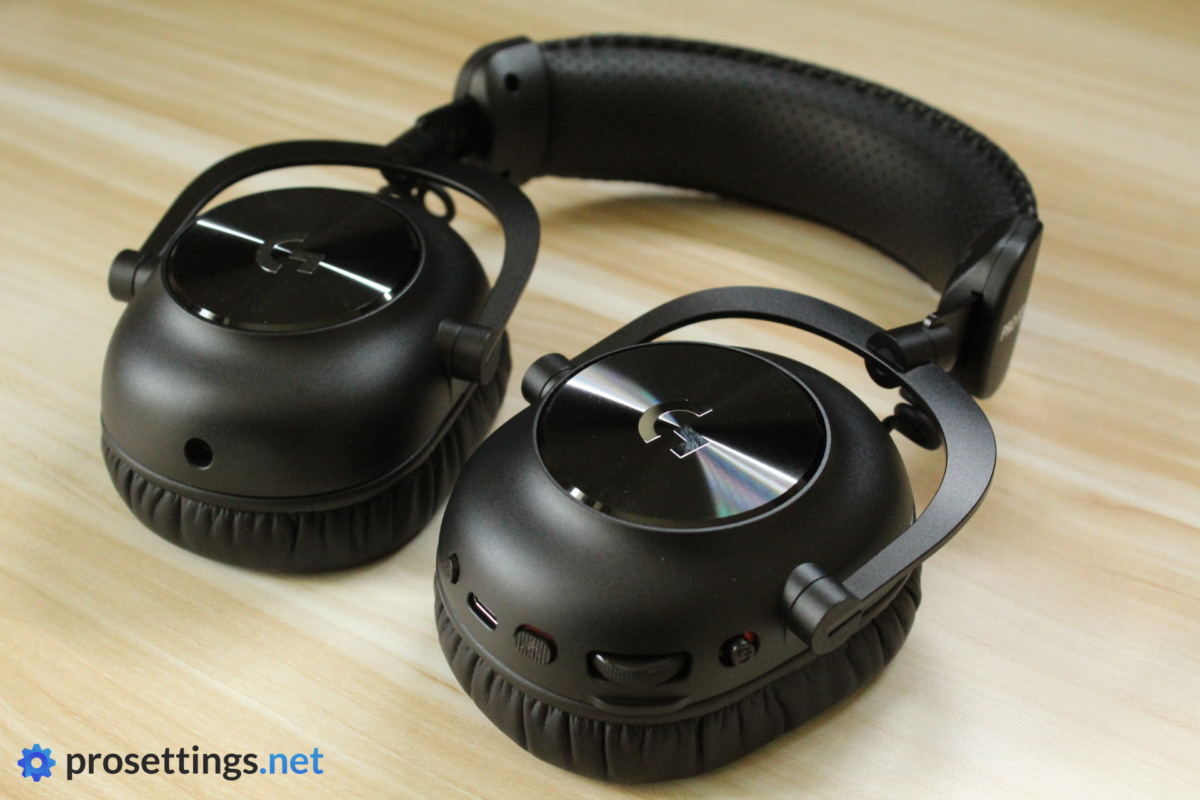
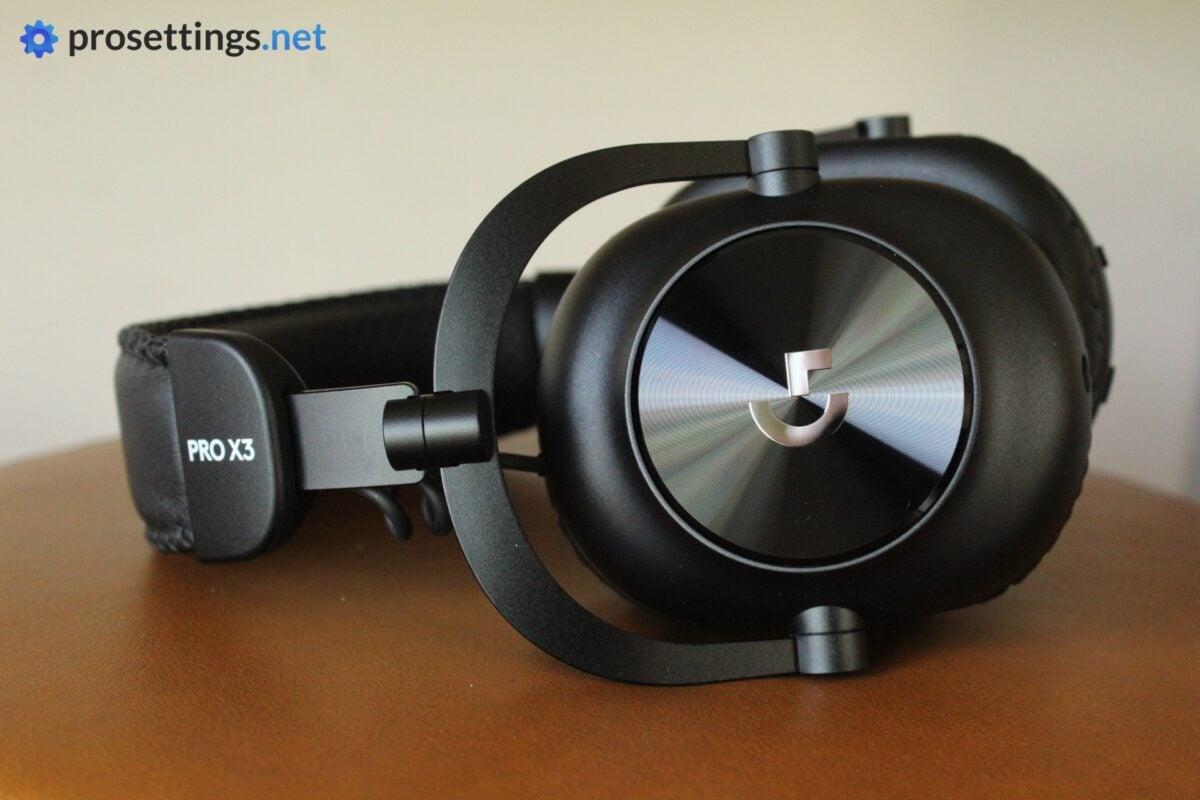
In terms of looks, nothing much has changed. There’s now a clear ‘PRO X3’ text on the headband (which wasn’t there before) and the headband cushion is perforated. Other than that, there are some very small cosmetic changes, but the chassis is basically the same. And I like that. Why change something that just works?
What you’re getting here is a sleek, well-built gaming headset that has proven to be able to stand the test of time. You can get this in white, black, and pink. I got the black version to test, and I love the look. The earcup covers have this super fine texturing to them, which helps them catch the light in a really beautiful way, but other than that you’re getting mostly matte black surfaces and (PU) leather finishes. It looks sleek and classy, and I prefer something like this over an RGB fiesta when it comes to headsets.
Packaging
Inside the box, you get:
- A carrying pouch
- A USB-A receiver
- User documentation
- Velour ear pads
- The detachable microphone
- A USB-C-to-USB-A charging cable
- A 3.5mm jack cable
- The headset itself
That’s a pretty complete package. I love the inclusion of a different material of ear pads, as not everyone likes PU leather. The pouch is also a nice extra. This is a headset aimed at professional and competitive gamers, who are often taking their gear with them. Having a bag to store your headset (along with some other stuff) comes in really handy.
Build and Comfort
Quality and Comfort
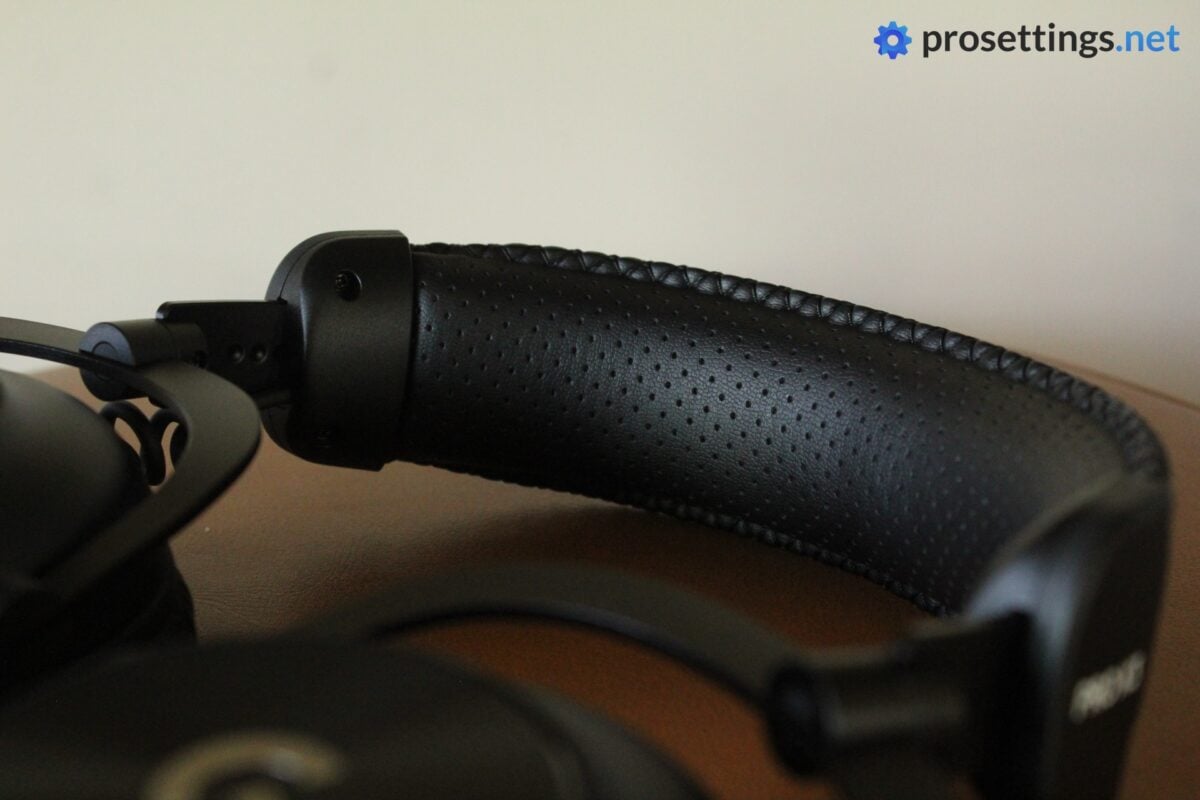
The Logitech G Pro X3 LIGHTSPEED Headset (I will refer to it as ‘X3 Headset’ throughout the review) is, like its predecessors, a supremely comfortable headset. The clamping force is what I’d describe as ‘medium’ and feels perfectly sufficient to me. The ear cushions are thick and large enough to comfortably fit even those who have larger ears, and the headband foam now features perforated PU leather for added breathability.
The ear cups also rotate in both ways (and they can be made to lie flat on your shoulders in one direction) and that, combined with a large range of headband adjustment space, makes this a headset that will fit on a very large variety of heads.
The frame is made out of thick and wide aluminum and metal materials, and dense plastics are used for the ear cups. Even the coiled wire connecting the ear cups to the headband feels thick and strong. All of this results in a headset that feels really well-built. ‘Premium’ is definitely the right word here. In terms of the build quality and overall design, this is one of the best gaming headsets on the market.
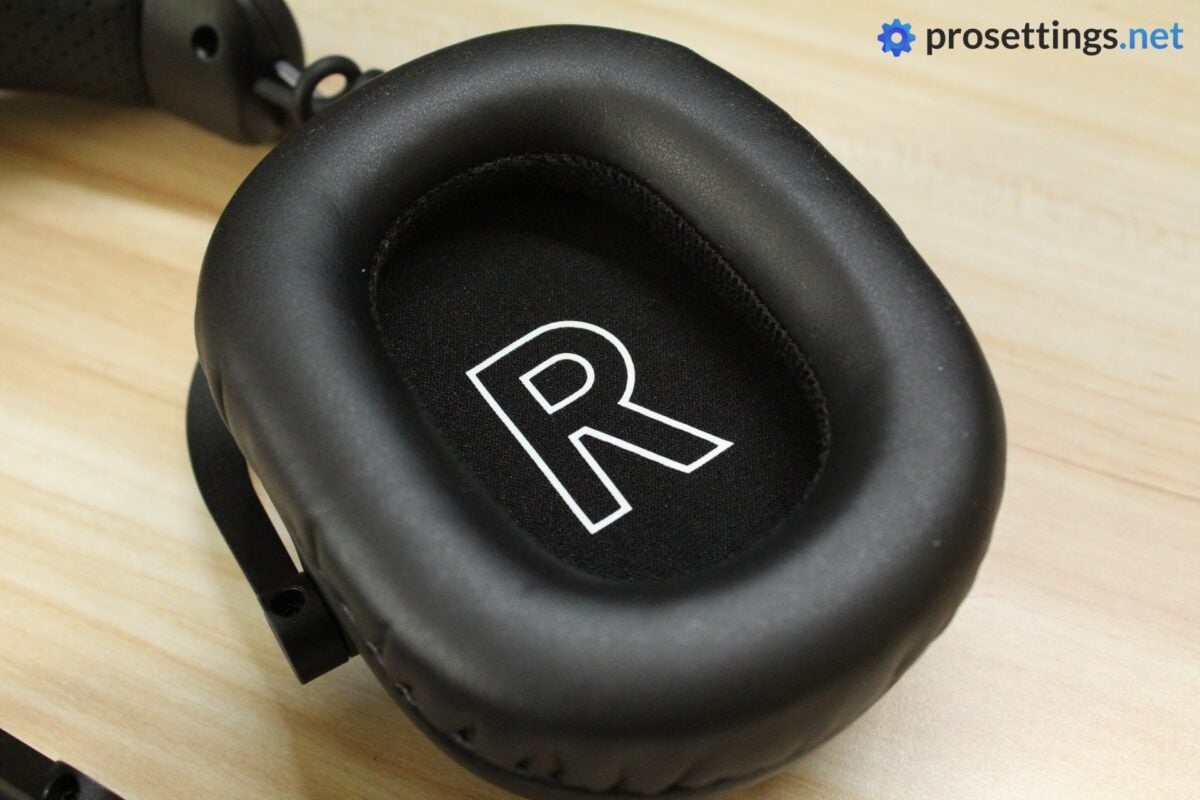
Velour Ear Pads
You also get a pair of velour ear pads with the X3 Headset. These are about as thick as the PU leather ones, and feel good to me. They’re nice and breathable, and if you’re someone who feels like leather can get too toasty, these will absolutely enhance your experience with the headset. The process to change them is a bit more finicky than I’d like, but if you’re careful and take your time with it, nothing can go wrong.
I should note that they drastically change the audio, however. That’s logical, since it’s a much more porous material than PU leather, but it’s good to know. Once you put the velour ear cups on, the bass basically disappears, and the headset sounds much thinner. As such, if you’re going to be using the velour, I highly recommend that you tweak the EQ.
Sound and Mic
Microphone
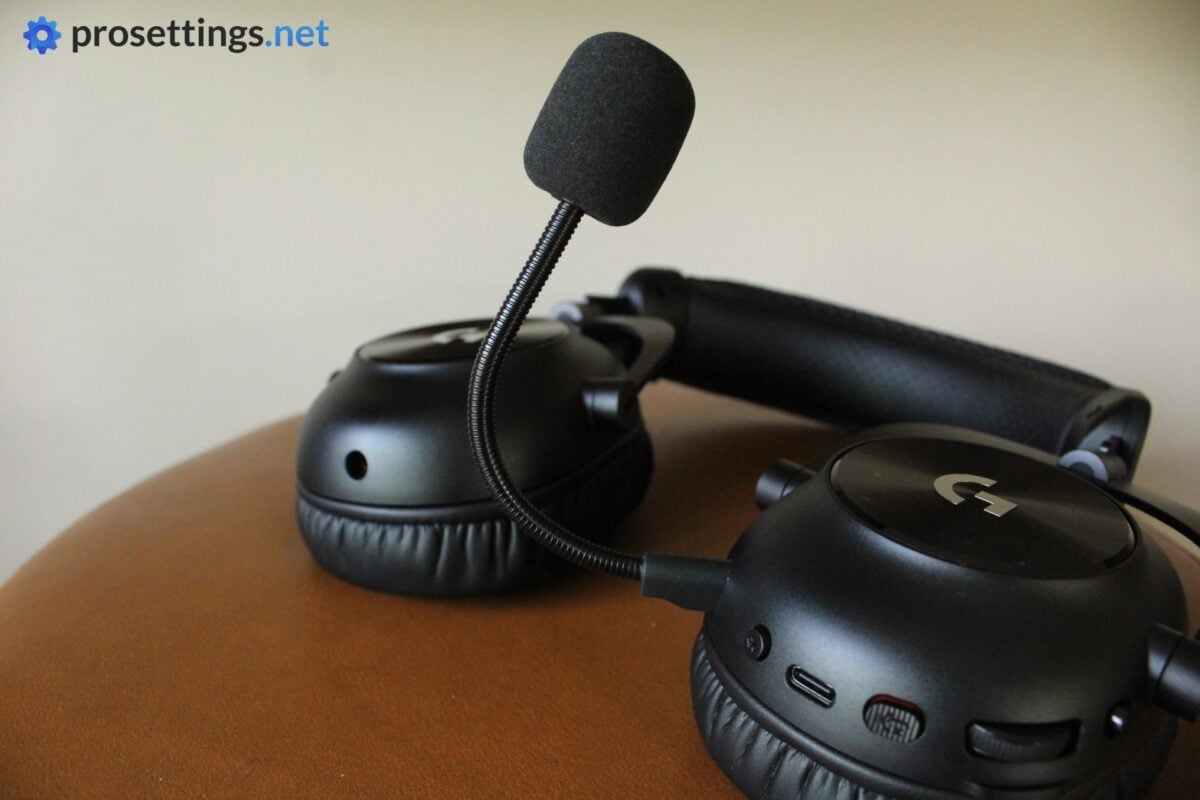
The microphone was one of the major drawbacks of the X2 LIGHTSPEED Headset. Logitech thus announced that they improved the mic for this latest version, and they absolutely did not lie. In short: this microphone sounds absolutely fantastic. It’s already fantastic in the stock configuration, but Logitech also has a ton of ways to tweak the sound inside G HUB, making it even better.
I am not exaggerating when I say that this microphone sounds better to me than some (lower-end) desk mics I’ve tested over the years. Everything comes through very naturally, there are no dropouts or moments where the sound suddenly goes robotic, background static is very limited, and the noise filtering is also very decent. You get the whole package here, and I wouldn’t hesitate to use this mic for business calls or if I were a beginning content creator.
What makes it even better are customization options. There’s an EQ to configure the sound, but you also get a tweakable de-esser, de-popper, compressor, and so on. If you don’t know what those are or do, you don’t have to worry, either. There are preset Blue VOI!CE profiles within G HUB that you can immediately use. Out of those, Broadcaster 1 is my favorite, but I do encourage everyone to experiment and see what matches their voice best.
Microphone Test (Default Configuration)
Microphone Test (Preset)
Sound Quality
The X3 uses the same graphene drivers as the X2. But that doesn’t mean that the sound is exactly the same, as it seems like the default sound profile has been tweaked. Out of the box, the X3 sounds a bit warmer and more detailed in the highs, making it a slightly more pleasant-sounding headset than the already good-sounding X2.
But the main difference lies in the EQ. Whereas the EQ on the X2 was quite limited, you’re now getting a full parametric EQ. This allows you to dial in the sound to a much more detailed extent than you could with the X2, and that automatically opens up a whole world of possibilities. Due to this single addition, the X3 becomes a much, much more versatile headset than its predecessor. You can get everything from a booming, bass-heavy sound meant for media consumption to an esports-focused profile with emphasis on the highs and a much less prominent bass. And they all sound equally as good: the headset doesn’t feel like it’s built precisely for one specific task.
What I also really like with the X3 is how detailed and crisp everything sounds. The drivers can handle a ton of bass without becoming muddy, for example, and different tones come through evenly and sharply in more complicated instrumental tracks. Like with all gaming headsets, you of course can’t compare the X3 to an audiophile-grade audio product, but it is one of the best-sounding headsets on the market if you ask me. That’s also partially thanks to the EQ, which really allows you to find a profile that matches your listening preferences.
Gaming Performance
Of course, the X3 headset is primarily a gaming headset. And it does an excellent job on that front. If you’re a hardcore competitive gamer, you will definitely want to set a gaming-focused EQ (the default one is too bass-heavy for me) but once you do that, the X3 delivers in spades.
Thanks to the aforementioned clarity and audio response, it’s also very easy to distinguish important sound cues. With the right profile, identifying a reload during a busy firefight becomes second nature.
In terms of soundstage, it’s not the most expansive headset I’ve ever used, but here’s still a decent sensation of space present. And the directional audio works really well, which is what you need for competitive gaming. In my regular CS2 sessions, for example, I had absolutely no issue spraying people through smokes based on audio cues, or identifying the exact moment a running enemy was going to come into my view. In Overwatch, it was also easy to tell when a flanking Genji was above me or on the same level as me. So it does exactly what it should.
I’ll also reiterate what I said about the X2: even with a competitive profile on, the headset still sounds exciting. A lot of gaming headsets can sound extremely clinical and almost ‘lifeless’ when you use a profile meant for competitive gaming, but with the X2 you’re still getting a bit of feedback from the bass, for example. All while it doesn’t override the more important audio cues. For that reason, I really love gaming with the X3 Headset. A lot of gaming headsets these days perform great for gaming, but the X3 adds a little bit of ‘special sauce’ in my opinion.
Features and Everyday Usage
Before I get into the features, I first want to focus on the features that aren’t there. This is a flagship gaming headset, after all, and we expect certain things from those in this day and age. ANC, for example, is completely lacking. This is becoming a staple in other headsets, and many people find it extremely useful. Sure, the passive noise isolation is very respectable on this headset (with the PU leather installed) but that’s not the same as active noise cancelation.
The same goes for a simultaneous Bluetooth and 2.4GHz connection. It’s not something that I tend to use heavily in gaming headsets, but I really don’t see a reason to not include it in a flagship gaming headset.
Whether the omission of these features will bother you is something the reader will have to decide of course, but at an MSRP of $249.99, you’d be forgiven for expecting features like these to be included.
Controls and Software
On the headset, you get a power switch, a volume wheel, a mute button, and a connection switch button. Something that I really like is the fact that the volume wheel has quite a lot of resistance to it and is somewhat protected by a raised plastic part. This drastically reduces the number of times when you accidentally rock the volume all the way up or down when readjusting the headset.
If you want to further configure the headset, you need Logitech G HUB. There, you’ll find the aforementioned parametric EQ, along with a bunch of presets to tweak the sound. You can also find community-made profiles via G HUB, but it’s worth noting that you need an account for that, which I find quite annoying.
All in all, G HUB is not the worst for headsets, but it absolutely isn’t my favorite configuration program. It assumes too much (like auto-switching profiles at certain points) and can be confusing to navigate when you want to configure device behavior (like the aforementioned auto-switching) and so on. I don’t know if it’s just me or other people have this issue too, but I just can’t seem to really get along with G HUB.
Connectivity
As mentioned, the X3 Headset supports both Bluetooth and 2.4GHz, but not simultaneously. For gaming, you absolutely want to use the 2.4GHz option, as that’s far more responsive and reliable than Bluetooth.
Battery Life
Another thing that has been improved compared to the X2 is the battery life. You now get up to 70 hours, which is a very impressive number for a headset like this. During my testing, I had to charge the headset around once every week, but that included testing it during workdays etc. If you are only using your headset for a couple of hours every evening, you can easily do weeks on a single charge.
Wireless Range
The wireless range is quite good. It’s not the best I’ve tested, but I can go outside into the yard while still getting a perfect connection. That’s something that most other wireless gaming headsets fail at.
All of this obviously depends on your house, the materials of your walls, and so on, but I could quite easily keep this headset on while going for a drink a couple of rooms over (with the doors open). So for most people, I would say the range is quite adequate.
Logitech G Pro X3 LIGHTSPEED Headset vs Razer BlackShark V3 Pro
There are tons of gaming headsets out there, but I know a lot of people will be wondering how the X3 LIGHTSPEED Headset fares against that other flagship gaming headset from a huge brand, the Razer BlackShark V3 Pro.
If you’re deciding between the two, I’d say it comes down to what you’re expecting out of a headset since both are more or less equal in terms of pure gaming performance.
To me, the X3 is the better-built headset, and it’s also slightly more comfortable on my head. In addition to that, it has a way better mic. The BlackShark, on the other hand, has more features, such as ANC and simultaneous Bluetooth and 2.4GHz connection. In terms of non-gaming audio, I personally like the sound profile of the X3 better, but this can be highly subjective (the Razer is absolutely no slouch on this front) so take that with a grain of salt.
Conclusion
The Logitech G Pro X3 LIGHTSPEED Headset builds upon what its predecessor did, and improves on it in meaningful ways. What’s extra nice is that Logitech managed to do this without raising the price, as the MSRP ($249.99) is the same as it was for the X2, which released over three years ago. That’s not something that can be said for every recent Logitech G release.
In any case: what you’re getting here is an extremely well-built and super comfortable headset with the best wireless headset mic I’ve tested so far. Top that off with a great sound profile that you can now tweak in-depth thanks to the parametric EQ (which is miles better than the very limited graphic EQ that the X2 offered) and an improved battery life of 70 hours, and you’ve got an extremely attractive package.
For gaming, it also delivers. Like many recent top gaming headsets, it does a great job at filtering important sounds and letting you know exactly where they’re coming from, but I particularly love the X3 because it manages to still sound lively and exciting while you’re using a competition-focused sound profile.
It’s not all perfect, though. For the price, there’s a relatively low number of extra features. There’s no ANC, for example. And no simultaneous Bluetooth/2.4GHz connection. Whether these are drawbacks or omissions one can live with will depend on the reader, but I would’ve expected to see these in a modern flagship release.
All in all, this is one of the most exciting gaming headsets out there right now, though. If you want a no-nonsense gaming headset with a fantastic mic and stellar gaming performance, this should be on your list.
This product was received for free from the manufacturer and given to our reviewer to test and review. Brands and manufacturers have no editorial control over our reviews. For more information, check out our review FAQ.
Former semi-pro gamer turned writer, product reviewer, and community manager.

