Introduction
Gaming furniture is a rising market. It might have something to do with the fact that more and more people have hybrid working schedules with WFH days, but we are definitely seeing a bunch of new companies entering the space lately. One of those companies is Blacklyte, and they’ve recently launched a new sit-stand desk. In our full Blacklyte Atlas Lite review, we’ll find out whether or not it’s worthy of your attention.
At A Glance
Blacklyte Atlas Lite
Used by 21 players ()
-
donk

-
sh1ro

-
magixx

-
Alfajer

If you’re in the market for a sit-stand desk that does its job reliably and without any overly gamery bells and whistles, the Blacklyte Atlas Lite absolutely deserves a spot on your radar.
Pros
- Relatively wobble-free at higher settings
- Good build quality
- Multiple finishes available
- Stable and reliable motor system
Cons
- Assembly process and overall presentation could be improved
- Cables for the motors could be hidden away with a bit more finesse
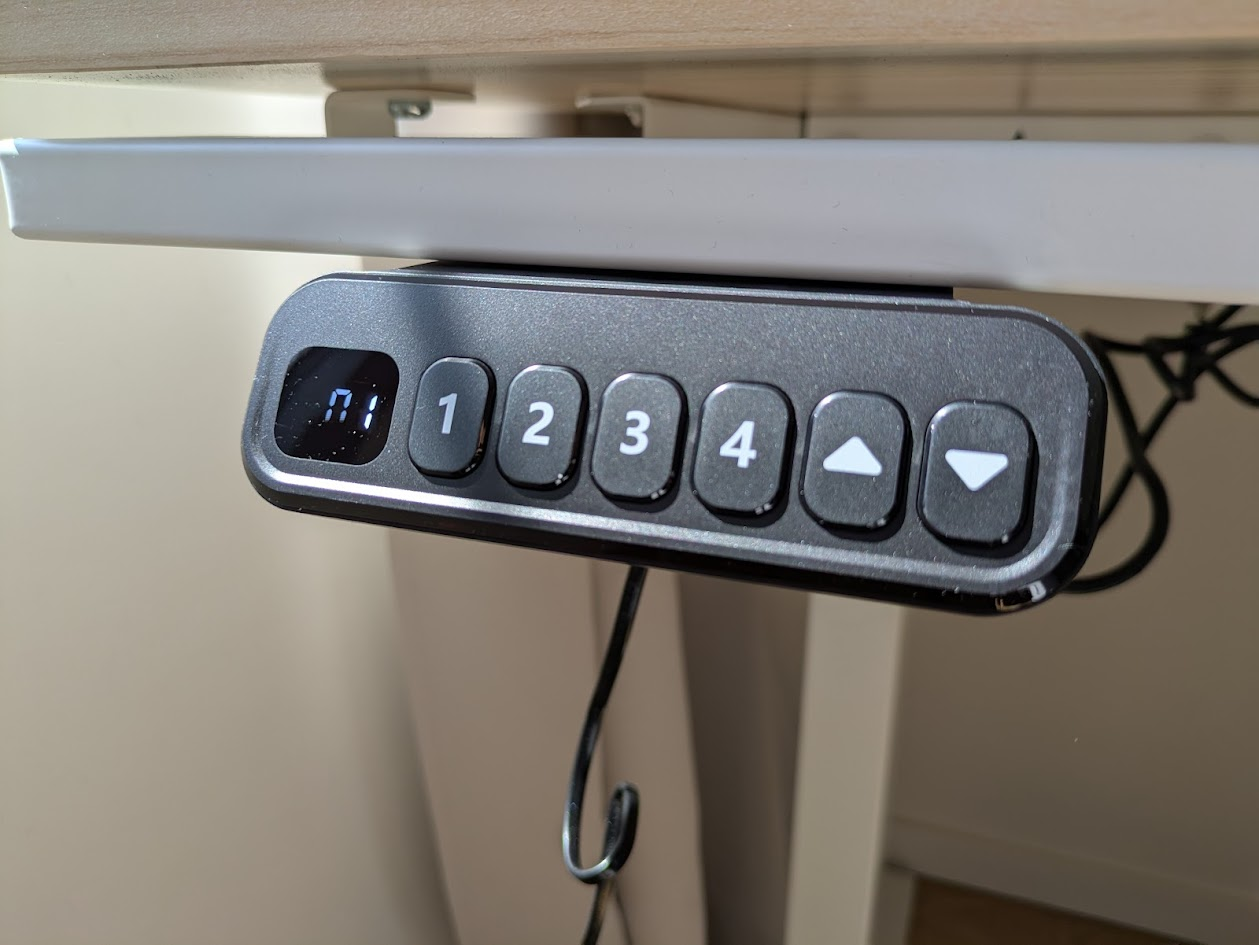
- Control console looks and feels a little cheap
Unboxing and Assembly
Packaging
The desk comes in two separate cardboard boxes. These are, expectedly, extremely heavy. If you have to carry these up a flight of stairs or something like that, you will probably want to get a partner. Additionally, there’ll be a ton of packaging materials after you’ve unpacked everything. Plastic bags, cardboard elements, and the boxes themselves all take up a good amount of space, so it’s a good idea to make sure your bins are relatively empty before you begin the assembly process.
Despite the fact that the two boxes got pretty banged up during transit (this seems to be common with heavier packages where I live), the contents were absolutely fine. That’s a plus, as it means that the packages can take quite a beating without any damage occurring to what’s inside.
I will say that the packaging contents itself could be a bit more premium. You do get everything you need (including screwdrivers and gloves) but most of it seems a bit budget. The screwdriver, for example, is made of very cheap plastic, and the tip fell out when I held it upside down. That’s all not a huge problem since they’re free tools that you only use once, but I’ve seen other brands do better on this front.
Assembly
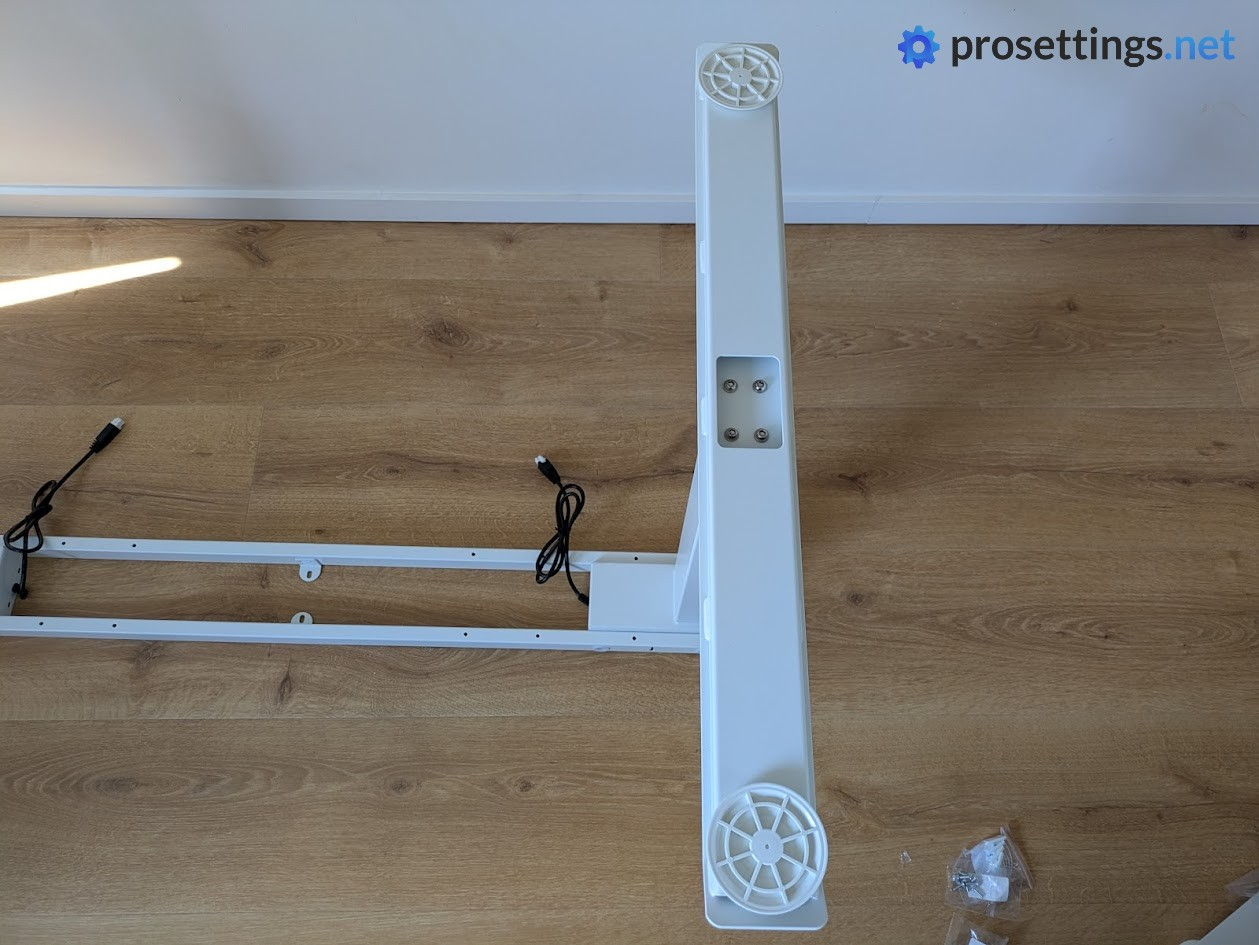
Assembling the Atlas Lite is pretty straightforward. The manual is quite clear and easy to follow, and individual parts and screws are marked or come in marked bags to avoid any confusion during the process itself.
Quick tip: I recommend using the packaging cardboard as an assembly mat. That’s because some steps require you to hold certain components in a certain way while screwing them down, and there are a few steps where the half-assembled product is kind of awkwardly balancing on two thin metal parts. If you accidentally push it over at that point, you might scrape your floors. Protecting your floors is something you should always do when assembling furniture, so it’s not something that I’ll hold against the Atlas Lite, but it is good to know.
Additionally, it’s a lot easier to assemble this desk with two people. The second person can help with the alignment in certain steps, and will make turning and moving the heavy desk a lot easier.
With that said: if you know what you’re doing and take your time between steps, you can also assemble it by yourself. I did just that, and it took me about an hour and a half. That includes breaking down the boxes and packaging materials. I had absolutely no issues during these 90 minutes, and the packaging also contains a bunch of spare screws, which is nice.
The Desk Itself
Style and Finish
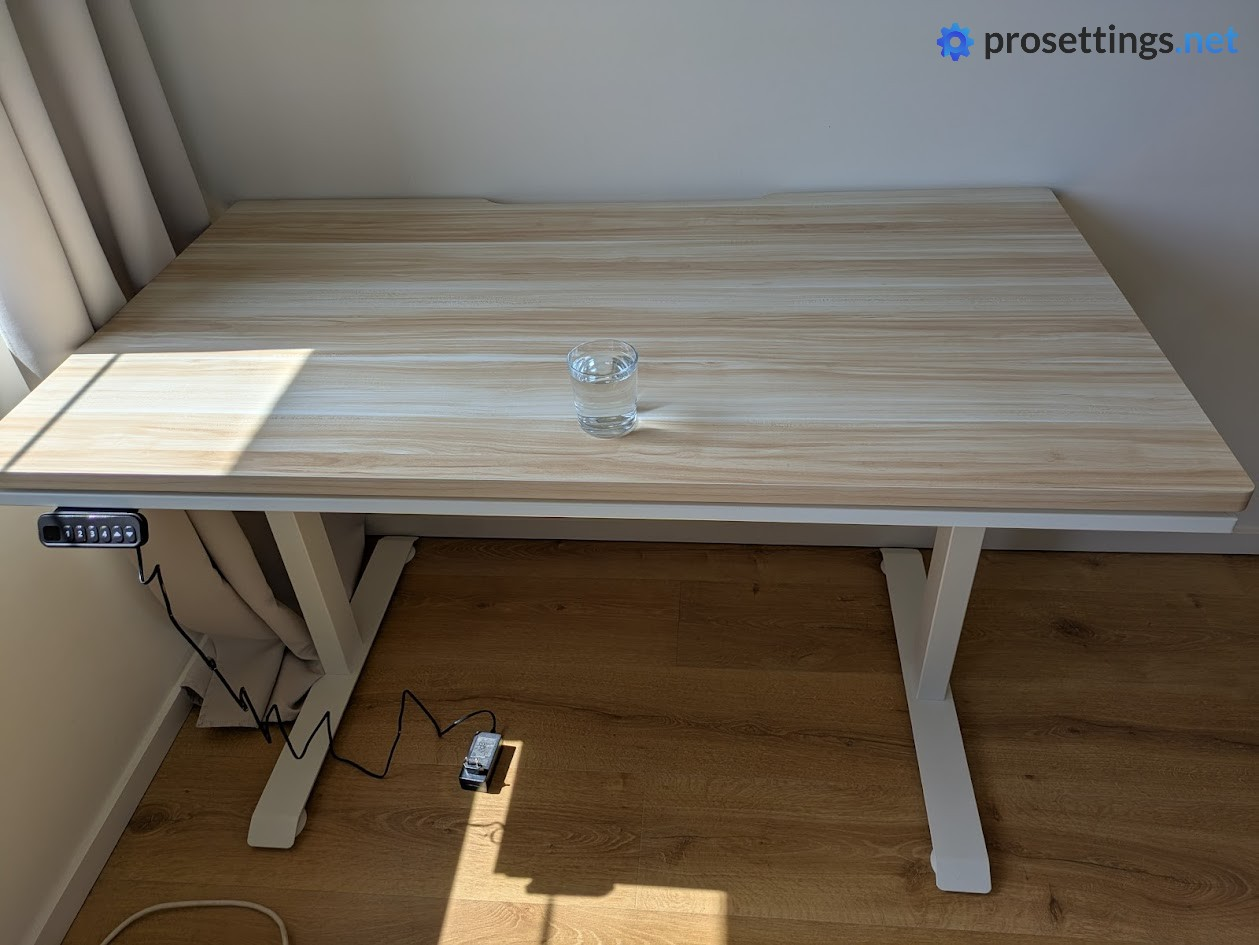
The Blacklyte Atlas Lite is available in multiple sizes; 120cm, 140cm, 160cm, and 180cm. All sizes have a depth of 80cm. Additionally, there are also (at the time of writing) three finishes to choose from: Moonstone White, Obsidian Black, and Natural Oak.
I got the Natural Oak desk to review, and despite what the name suggests it’s not actually made out of oak, but rather out of MDF. I knew this beforehand so it’s not a problem for me, but it is a bit of an odd name. Why not call it ‘Natural Wood’ or something?
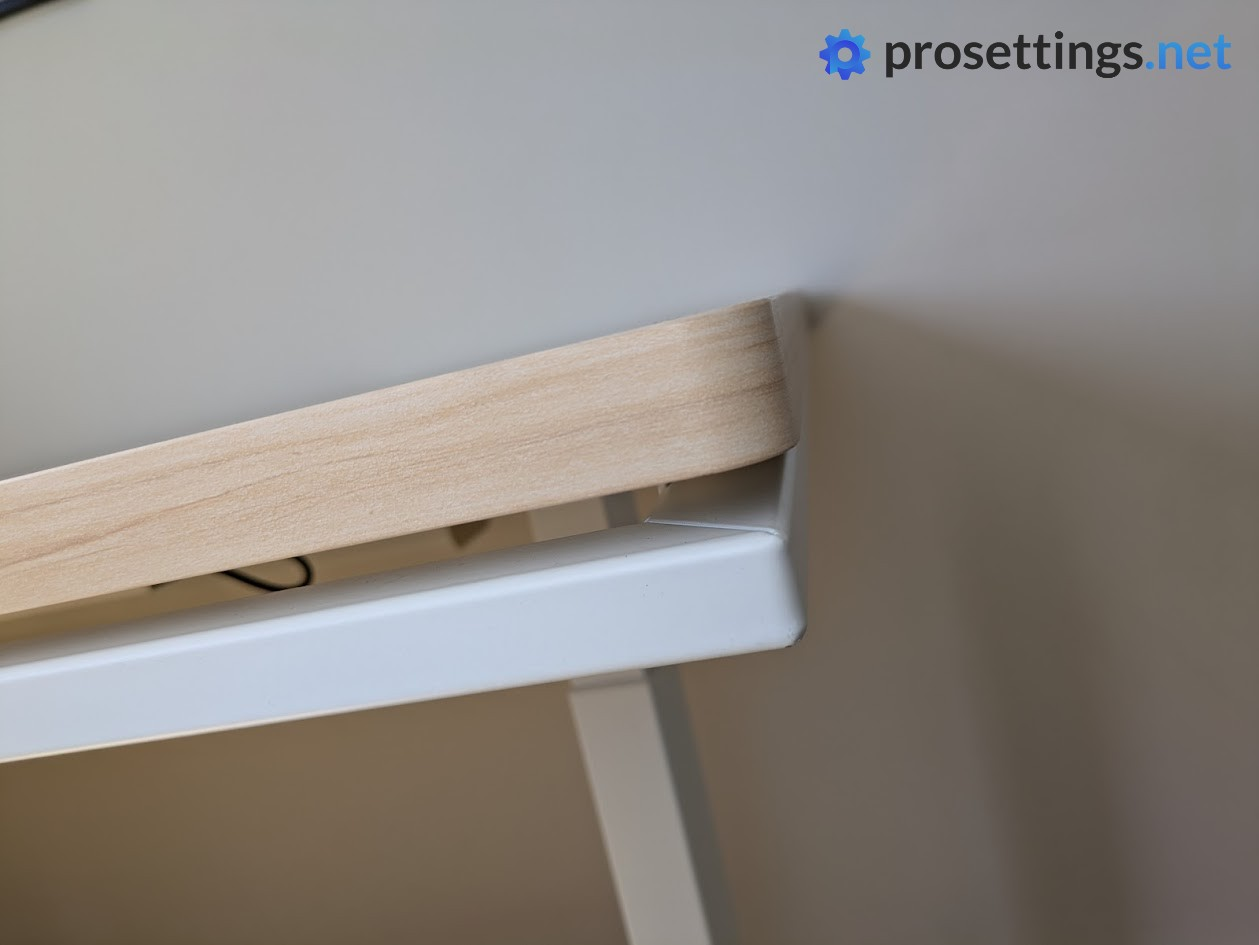
In any case: I like how this desk is finished. The desktop has a smooth finish, with no visible seams at the front or sides. The only seam I could find is at the back, but that’s facing the wall in my room, so I don’t consider that to be an issue. The steel parts seem fairly scratch-resistant (I tested this with a screwdriver) and the desktop itself is not bendy at all. It feels solid and reliable.
In terms of overall looks, the white coating on the steel parts combined with the light wood desktop gives the Atlas Lite a fresh and clean look. That’s precisely why I chose this combination, and it fits my lighter flooring and white walls perfectly.
The only remark I have here is that the height adjustment console looks a little cheap, but I’ll elaborate on that in the build quality section.
Height Adjustment
The Blacklyte Atlas Lite is a height-adjustable desk. Any changes in its height are taken care of by a dual motor system that operates rather smoothly. There’s a bit of a jerk when it first starts moving, but it’s nothing annoying. For reference: I always have a drink on my desk, and it never even came close to spilling while moving the desk, so I’d say it’s all good. After that small initial jolt, it’s all smooth sailing. Once the desk reaches its position, it remains perfectly level and there’s no sagging.
With a minimum height of 70cm and a maximum height of 117cm, you’re very likely to find a setting that matches your preferences, but very tall people who like to stand while working might find the 117cm max height to be a little bit limiting. I am 180cm and I had no issues, but I can imagine that my +190cm pals could feel a bit uncomfortable after a while.
In terms of presets, the Blacklyte Atlas Lite has 4. In my opinion, that’s perfect. It allows for two people to have a preset sitting and standing position.
Adjusting the desk’s height and saving presets is incredibly easy. Just long-press a preset button to save the current height to that preset, and you’re good to go.
Build Quality
This is one rugged desk. It’s extremely heavy, but also extremely sturdy. The desktop itself feels very solid, even when I’m leaning on it with my two elbows, and the steel frame is thick and reliable. With a max capacity of 120kg, you can easily fit even the most expansive and outrageous setups on the desk without any problems.
As I mentioned earlier, everything looks nicely finished and reliably built, but I do find the height adjustment console to be a bit of a letdown.
Contrary to the other desk elements, which look and feel like they match the price, the console is made out of some thin plastic that doesn’t look and feel very good. It kind of reminds me of those remotes that you get with cheap LED strips and the likes. Personally, I wouldn’t mind if they added an extra $10 to the price in order to make this console look a bit more premium. Sure, this is a very small issue that doesn’t influence the performance of the desk. But looks do matter with these types of products, and they can make some improvements here.
Cable Management
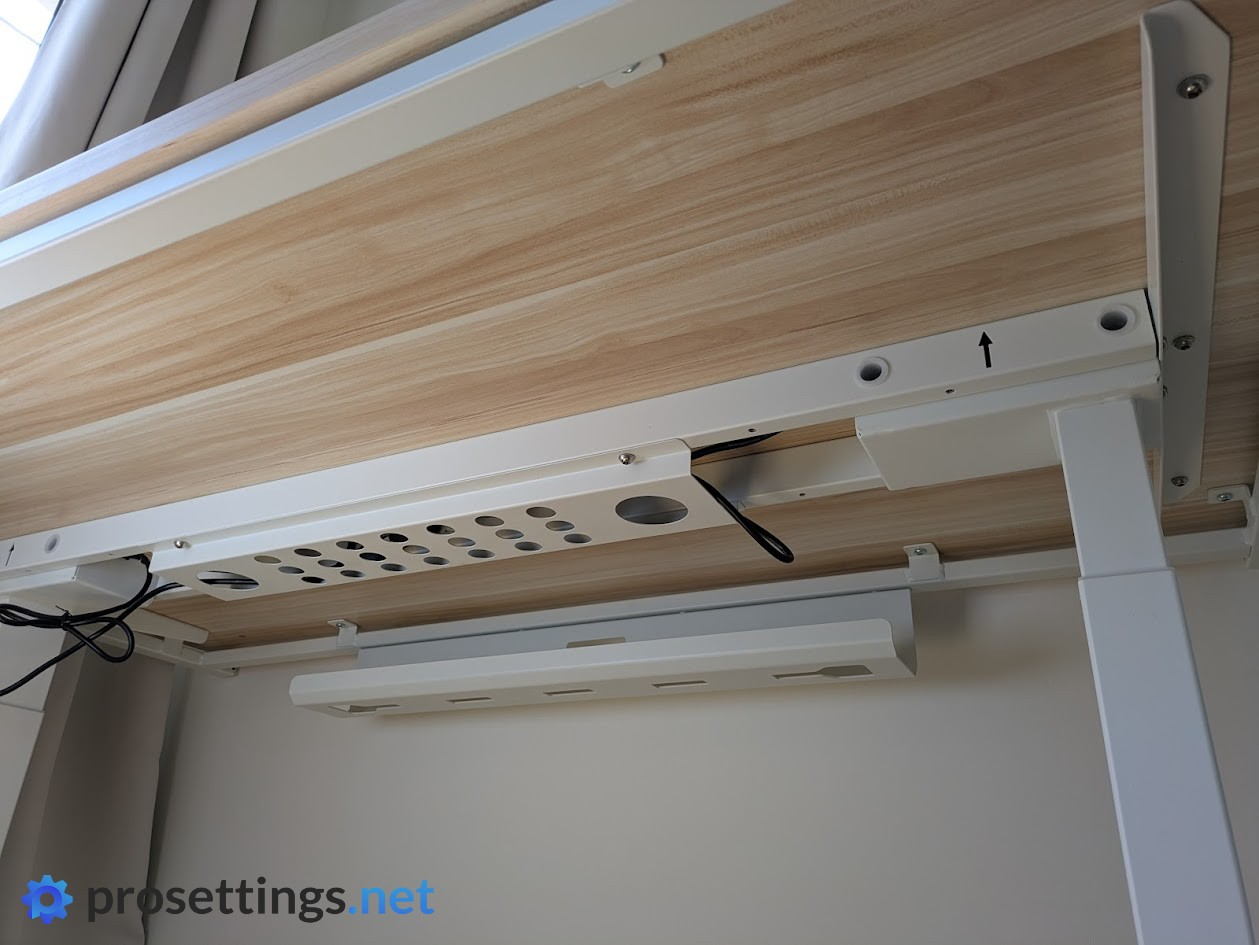
The Atlas Lite has a cable management cutout at the back, and it also comes with a complimentary cable management tray. This attaches to the bottom of the desk, and it’s a welcome addition. I hate it when there’s tons of cables dangling from a desk, so having the ability to manage these with a bit more grace is very welcome. The cable management tray is wide enough to fit power bricks for monitors and the likes.
Something that surprised me is that Blacklyte also includes a bunch of cable management clips and ties. These come with an adhesive, so you can attach them to the desk anywhere you like. It’s a small, but welcome touch for clean setup enjoyers.
While I’m thankful for the inclusion of these cable management options, I should say that I have one remark. And that, yet again, has to do with the control console. This requires three separate cables (one for each motor, and one for the power supply) to connect to it, and while you can definitely gracefully hide these cables (thanks to the included clips) I would love to see a more streamlined solution on future models.
I know that the console can be attached to either the left or right side of the desk and that the cables, as a consequence, can’t simply be embedded into the frame or pre-routed to one side. But there surely must be a more elegant solution.
Everyday Usage
Comfort
Using a sit-stand desk offers amazing benefits for your overall health and wellbeing. That isn’t just some marketing quote: it’s a well-researched fact. I’ve used sit-stand desks for a couple of years now, and I absolutely love them.
Being able to stand up at certain times of the day without interrupting your workflow feels great. And thanks to the preset positions, swapping between your optimal sitting and standing configuration is a breeze. And even if you don’t plan on standing very often, a desk like this can be a blessing. Setting your desktop to the perfect height for your personal sitting position is a huge bonus, no matter if you’re working or gaming.
The Atlas Lite is, for me, a very comfortable desk. The desktop has nicely rounded edges, and it’s thin enough to stay out of the way even when I’m sitting in some kind of weird cross-legged position. The wooden desktop never feels extremely cold or hot, either. And with a depth of 80cm, there’s tons of room. I can easily place a tablet in front of my keyboard, swap out switches, tinker with my watches, and so on.
Speaking of depth: I’m happy to see that the 80cm depth is a thing on all versions. Most companies also reduce the depth on their smaller models, leading to a cramped feeling if you’re a gamer who doesn’t want a super long desk. I’ve had my fair share of smaller desks where I had to play Tetris if I wanted to fit my gaming mousepad along with a lamp or something like that. That’s not the case here. I got the 140cm model, and that fits perfectly in my room without overcrowding it, while still giving me more than enough room for gaming, writing, and so on.
Wobble
Standing desks that use only two legs will almost always have some sort of wobble when set to certain heights, but I have to say that the wobble on this desk is very respectable. Even at the highest setting (which is the one I use for standing) I didn’t get any annoying monitor swaying or anything like that. And when the desk is set to a sitting height, it pretty much feels completely solid.
Modular Bracket
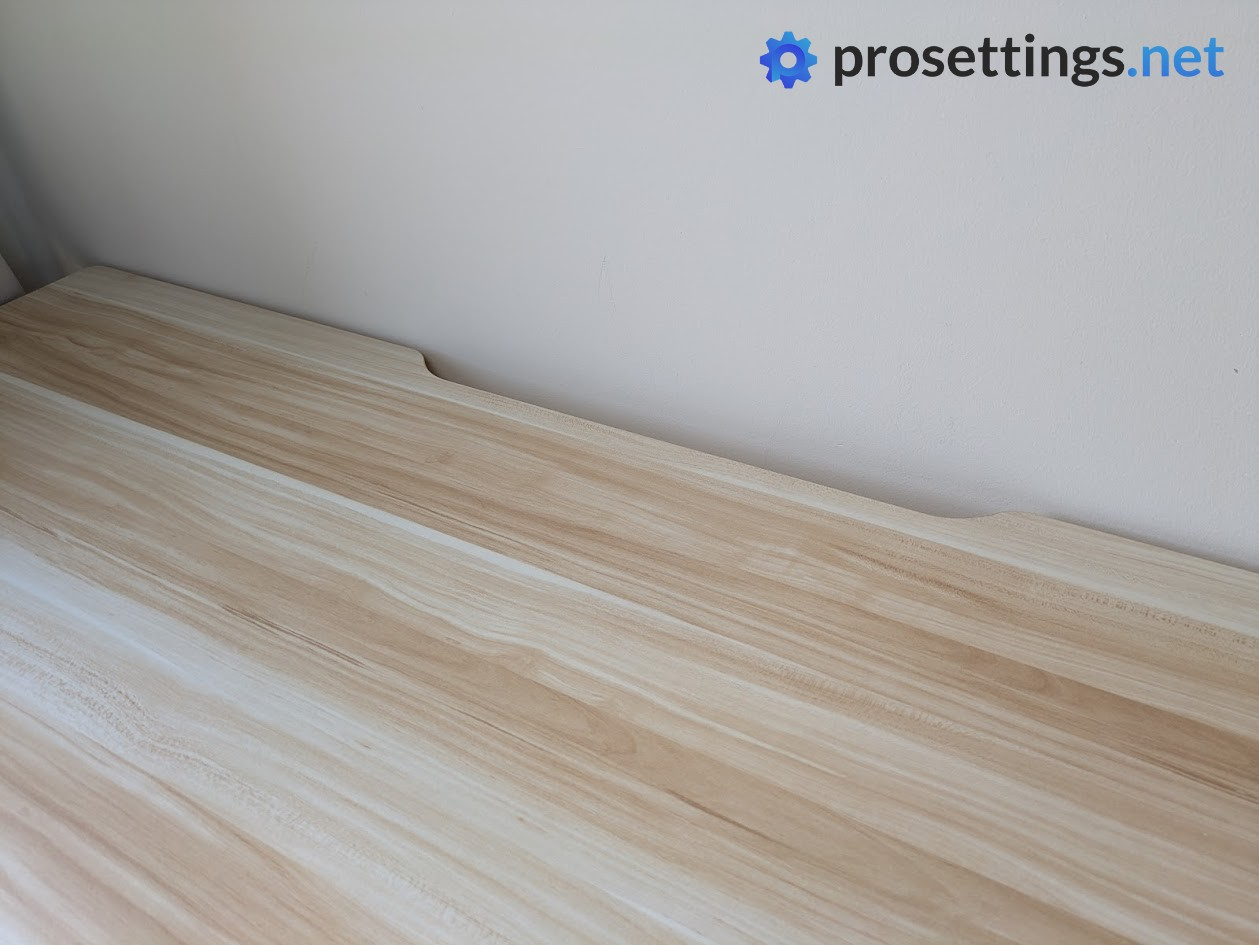
The sides and front of the desk have a little gap in between them. That’s a modular bracket, which will be used for adding attachments to the desk. These will snap on and off easily thanks to this system.
At the time of writing, no add-ons are available for this modular bracket, but I will update the review if I ever get the chance to test some of them out.
Conclusion
The Blacklyte Atlas Lite is an extremely solid desk. Its dual motor system operates smoothly and reliably, the 120kg weight limit ensures that you can put whatever you want on it, and it’s available in multiple sizes and colors. Assembly is pretty straightforward and, once put together, you’ve got a weighty and impressive desk space that will accommodate you at all times, whether standing or sitting.
It’s not a perfect product, though. There’s some room for polish when it comes to the control console and included tools, but perhaps that’s something to be expected at this (relatively) affordable price point. If Blacklyte follows through on their promise to develop a whole ecosystem of add-ons, this will be an even more alluring option for people who are in the market for a sit-stand desk and don’t want to spend $1,000+.
If you’re in the market for a sit-stand desk that does its job reliably and without any overly gamery bells and whistles, the Blacklyte Atlas Lite absolutely deserves a spot on your radar. It’s practical, clean, and comfortably bridges the gap between work and play.
This product was received for free from the manufacturer and given to our reviewer to test and review. Brands and manufacturers have no editorial control over our reviews. For more information, check out our review FAQ.
Former semi-pro gamer turned writer, product reviewer, and community manager.

