premfn is a content creator and streamer who primarily focuses on Fortnite.
...


| Name | Prem Patel |
|---|---|
| Birthday | N/A |
| Country | United States
|
| Team | Content Creator |
premfn is a content creator and streamer who primarily focuses on Fortnite.


| DPI | 800 |
|---|---|
| Hz | 1000 |
| X-Axis Sensitivity | 6.4% |
| Y-Axis Sensitivity | 6.4% |
| Targeting Sensitivity | 31.3% |
| Scope Sensitivity | 32.4% |
| Building Sensitivity | 100.0% |
| Editing Sensitivity | 100.0% |
| Crouch | C |
|---|---|
| Jump | Space Bar |
| Sprint | L-Shift |
| Harvesting Tool | Mouse Button 4 |
|---|---|
| Weapon Slot 1 | 2 |
| Weapon Slot 2 | 3 |
| Weapon Slot 3 | 4 |
| Weapon Slot 4 | 5 |
| Weapon Slot 5 | 6 |
| Use | Mouse Button 5 / Mouse Wheel Up |
| Wall | Mouse Button 5 |
|---|---|
| Floor | X |
| Stairs | Q |
| Roof | E |
| Trap | T |
| Rotate Building | R |
| Building Edit | F |
| Turbo Building | On |
| Confirm Edit on Release | On |
| Disable Pre-Edit Option | Off |
| Controller Auto-Run | Off |
|---|---|
| Edit Hold Time | 0.100 Seconds |
| Build Immediately (Builder Pro) | On |
| Slide Hold Time | 0.250 Seconds |
| Reset Camera Axes | Pitch |
| Reset Camera Time | 0.100 Seconds |
| Vibration | Off |
| Edit Mode Sensitivity Multiplier | 2.0x |
|---|---|
| Build Mode Sensitivity Multiplier | 2.0x |
| Look Horizontal Speed | 43% |
|---|---|
| Look Vertical Speed | 43% |
| Turning Horizontal Boost | 0% |
| Turning Vertical Boost | 0% |
| Turning Boost Ramp Time | 0.00 Seconds |
| Instant Boost When Building | Off |
| ADS Look Horizontal Speed | 11% |
|---|---|
| ADS Look Vertical Speed | 11% |
| ADS Turning Horizontal Boost | 0% |
| ADS Turning Vertical Boost | 0% |
| ADS Turning Boost Ramp Time | 0.00 Seconds |
| Look Dampening Time | 0.00 Seconds |
|---|---|
| Look Input Curve | Linear |
| Aim Assist Strength | 100% |
| Left Stick Deadzone | 5% |
|---|---|
| Right Stick Deadzone | 5% |
| Enable Foot Controller | On |
|---|---|
| Foot Controller Dead Zone | 1% |
| Foot Controller Max Throttle | 1% |
| Aim Down Sights | L2 |
|---|---|
| Previous Weapon | L1 |
| Attack / Confirm | R2 |
| Next Weapon | R1 |
| Inventory | D-Pad Up |
| Place Marker | Circle |
| Map | Triangle |
| Push To Talk | Unknown |
| Sprint / Auto Sprint | Controller Touchpad |
| Edit | L3 |
| Toggle Pickaxe | D-Pad Down |
| Reload / Interact | Square |
| Switch Mode | R3 |
| Jump | Right Upper Paddle |
| Crouch / Slide / Repair | Left Upper Paddle |
| Stair Piece | L2 |
|---|---|
| Roof Piece | L1 |
| Wall Piece | R2 |
| Floor Piece | R1 |
| Inventory | D-Pad Up |
| Change Material / Trap | D-Pad Left |
| Map | Triangle |
| Push To Talk | Unknown |
| Sprint / Auto Sprint | Controller Touchpad |
| Edit | L3 |
| Toggle Pickaxe | D-Pad Down |
| Trap Picker / Place / Interact | Square |
| Switch Mode | R3 |
| Jump | Left Upper Paddle |
| Rotate / Repair / Change Trap | Circle |
| Select | R2 |
|---|---|
| Inventory | D-Pad Up |
| Push To Talk | Unknown |
| Map | Triangle |
| Sprint / Auto Sprint | Controller Touchpad |
| Toggle Pickaxe | D-Pad Down |
| Jump | Left Upper Paddle |
| Reset | Unknown |
| Confirm | Circle |
| Window Mode | Windowed Fullscreen |
|---|---|
| Resolution | 2560x1440 |
| Vsync | Off |
| Frame Rate Limit | 360 FPS |
| Rendering Mode | Legacy Performance |
| HUD Scale | 100% |
| Brightness | 150% |
|---|---|
| User Interface Contrast | 1x |
| Color Blind Mode | Off |
| Color Blind Strength | 0 |
| Motion Blur | Off |
| Anti-Aliasing & Super Resolution | Off |
|---|---|
| Temporal Super Resolution | Unknown |
| 3D Resolution | 100% |
| Dynamic 3D Resolution | Off |
| Nanite Virtualized Geometry | Unknown |
| Shadows | Off |
| Global Illumination | Unknown |
| Reflections | Unknown |
| View Distance | Near |
| Textures | Low |
| Effects | Low |
| Post Processing | Low |
| Hardware Ray Tracing | Unknown |
| Show FPS | On |
|---|---|
| NVIDIA Reflex Low Latency | On +Boost |


 Razer Store

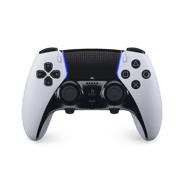
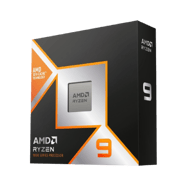
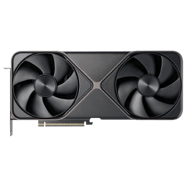
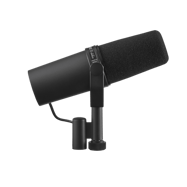
Updated prem’s picture to one with the new hairline. Sorry prem, and congrats on the new hairline!
lol i am dead
Tf is ur name bro
Do you know prem fn discord?
It still looks weird
He also does not use the apex pro mini. Proof: https://www.youtube.com/watch?v=Ct2BhsQZfl8.
he does, that was a old video, because the reason he switched back, it was because the wooting was banned in tourneys.
i have proof that premfn uses the razer viper v3 pro black in his settings video https://www.youtube.com/watch?v=6CdIXCc8XNE
Updated, thanks!
Premfn Just Showed His New Settings, Here Is the Youtube link: https://www.youtube.com/watch?v=6CdIXCc8XNE
You Can See What Mouse He Uses In irl at 1:53
also uses the apex pro mini now. Again.
Updated, thanks!
you forgot that he uses the viper v3 pro btw
He uses the g pro super light proof on twitch !mouse
https://www.twitch.tv/premfn for link
Updated, thanks!
Premfn Stoped Using the superlight ago, he uses the viper v3 pro as his main mouse.
prem got a new pc idk wut the specs are though https://youtu.be/6c49Op7kvZw
new 5080 ryzen 9950x3d
https://www.youtube.com/watch?v=6c49Op7kvZw
Prem has gotten a new pc with a 5080.
check his posts on his second channel to see.
what is premfn sprint bind
Yall should maybe include his other monitors lol since he has 3 monitors
he uses the Wooting 60he proof:https://www.youtube.com/watch?v=Ct2BhsQZfl8&t=108s at 1:38
Updated, thanks!
https://m.youtube.com/watch?v=Ct2BhsQZfl8
480 hz monitor
Wooting 60he
Updated, thanks!
https://www.youtube.com/watch?v=PvW2BRknUpw premfn has updated controlller settings and his sens
Updated, thanks!
in the video, it says that is kbm sens is
6.0 6.0
29.0 29.0
100 100
I got his updated sensitivity from asking him through comment section they are 6.3 x and y aiming and targeting is 45% all on 800dpi, also i have the screenshots but i dont know how to send then to you so i guess you can email me
You can upload screenshots to websites like imgur etc. There’s more info in our article on how to post proof! https://prosettings.net/blog/how-to-properly-post-player-page-updates/#:~:text=How%20to%20take%20a%20screenshot
bro he uses razer huntsman
no he dont use hes swicthed to apex pro mini now
What about his scoped speed multiplier
I don’t think he uses eor on
https://www.youtube.com/watch?v=WqnDDWjLxD8&t=155s&pp=ygUWcHJlbWZuIGVkaXQgb24gcmVsZWFzZQ%3D%3D
this was very helpful
He just made a room tour video with his specs and all his gear. Most of this is right but he doesn’t use that keyboard (atleast not all the time) and it has his monitors, headset and mic which this is missing. https://www.youtube.com/watch?v=daghazdPJMA
Updated, thanks!
Prem look like he plotting something
He uses artisan zero wine reds
Proof: https://www.twitch.tv/videos/2284890845?t=01h34m04s